Vue CLI

新しく
Vueプロジェクト
を作るには...
これまでの方法
vue init
昔からある
テンプレートが多過ぎ
Scaffoldingだけ
Ejectしかできない
アップグレードが困難
新しい仕組み
が必要ですよね...
Vue CLI 3.0
yarn global add @vue/cli
yarn global remove vue-cli
今すぐインストール!
どう違うのか?
もう一度、
完全に一から作り直し
プラグインベースの完全に
新しいアーキテクチャー
パワフルで拡張性のあるAPI
最終ゴールは...
スタンダードな
ビルド用ツールチェイン
Vue CLI 3.0
とても高機能
vue create
ビルトイン
ゼロ・コンフィグレーション
すべての機能を提供
Webpack 4
Babel 7
PostCSS
SASS
Stylus
LESS
HTMLの自動生成
モダンモード
マルチページ対応
ライブラリ向けビルド
Webコンポーネント向けビルド
これらすべてが...
インストールするだけ!
テンプレートは
不要になり
プラグイン
選ぶ
欲しい機能を
選ぶだけ...
Typescript
ESLint/TSLint/Prettier
Vue Router
Vuex
PWA
を書きたいですか?
テスト
Cypress
Jest
Mocha
Nightwatch
プロジェクトを作り
その後、選ぶだけ
プラグインのアップグレードで
あなたのアプリもアップグレード
vue create
の話はまだまだ続く...
vue-cli-service <command>
@vue/cli-service
@vue/cli-plugin-typescript
@vue/cli-plugin-eslint
@vue/cli-plugin-pwa
プロジェクト
作成
開発
プロダクションビルド
デプロイ
...
まだ何か
忘れていない?
コミュニティ
プラグイン
275以上のプラグイン
が既に利用可能
あなたも作成しよう!
そして最後に...

Vue CLI
UI
vue ui
グラフィカルなUI
(web アプリ)
Node.js GraphQLサーバー
vue ui
ありません
Electronは
必要
CLI は
"コマンドラインインターフェイスでは"?!?
待って
Vue CLI 3.0は
実はもっと複雑
より多くの選択肢
より多くのコマンド
より多くのオプション
それでも目標は
アクセスのしやすさ
をシンプルなツールで実現すること
ぜひ一緒に
すべてを
(ありがとう, @Compulves)
つなぎましょう
豊富なコンテキスト情報
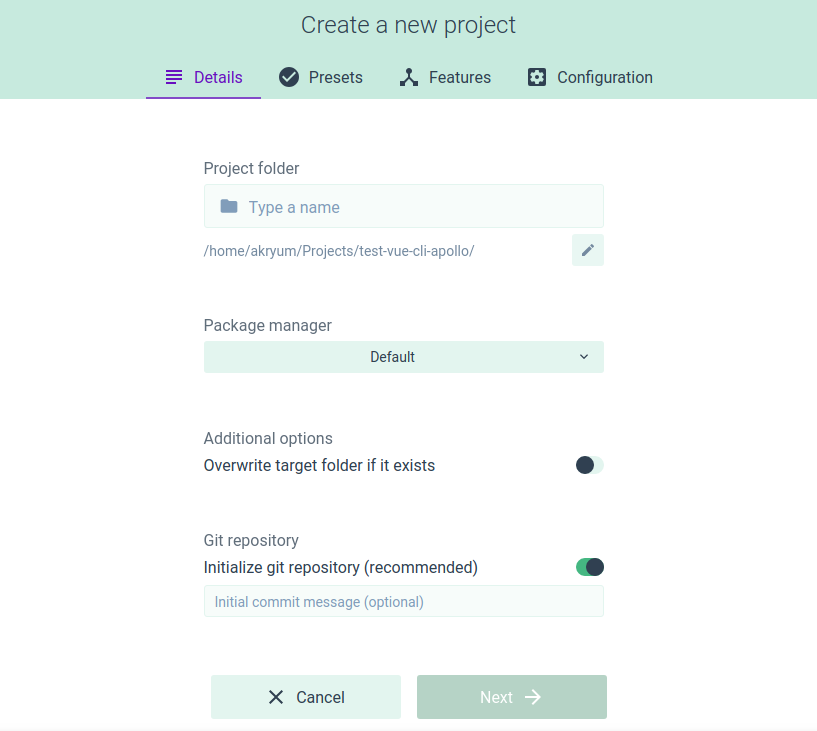
詳細な説明
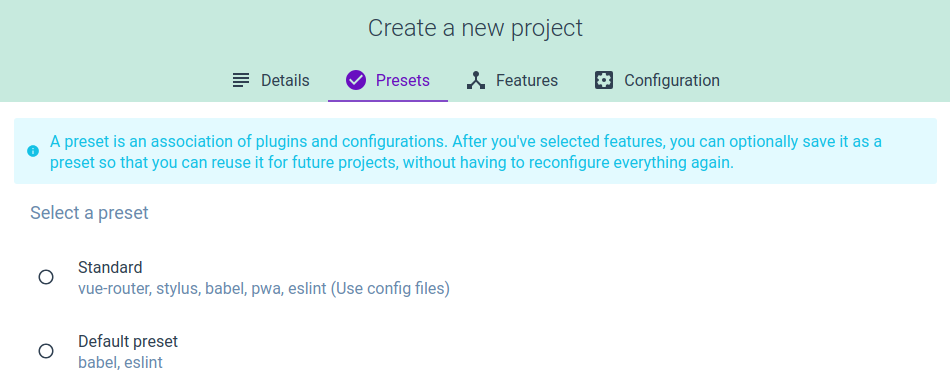
検索性の向上
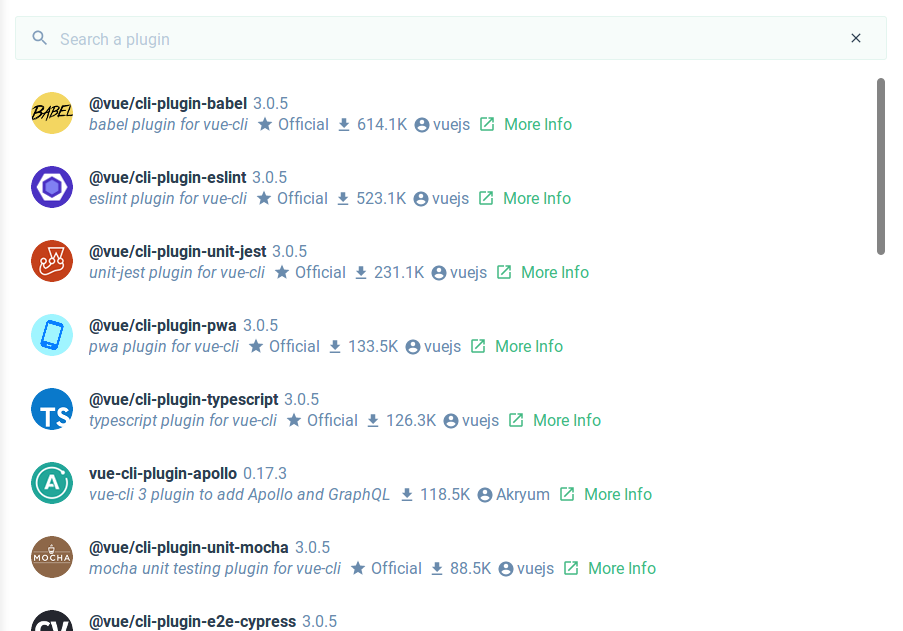
プロンプトUIの向上
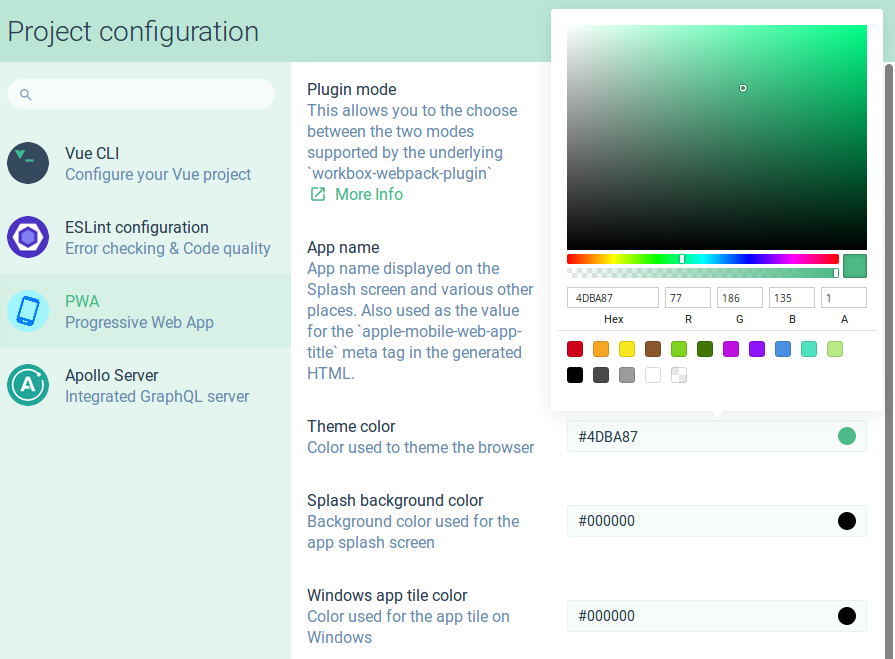
ローカライゼーション
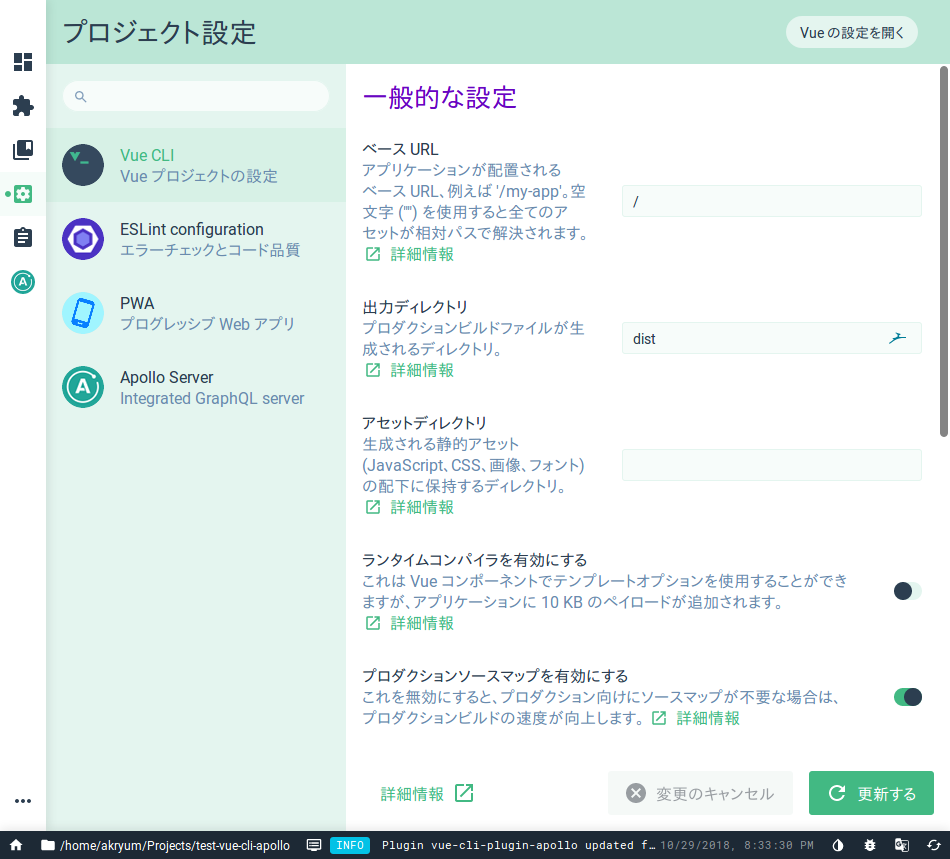
豊富なコンテキスト情報
詳細な説明
検索性の向上
プロンプトUIの向上
ローカライゼーション


まだまだあります...
UI プラグイン API
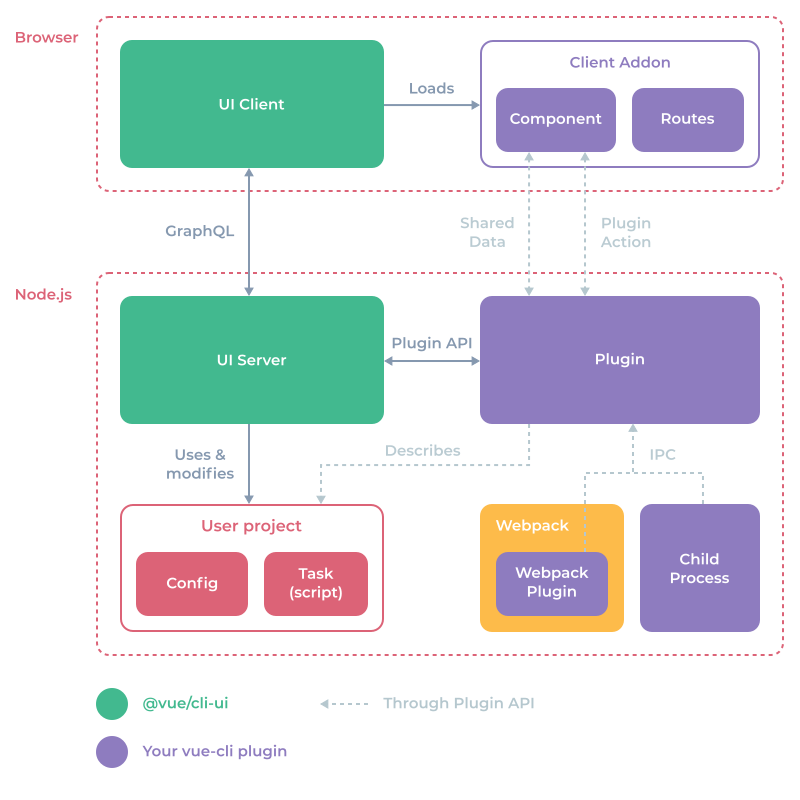
VUE-CLI UI
を拡張!
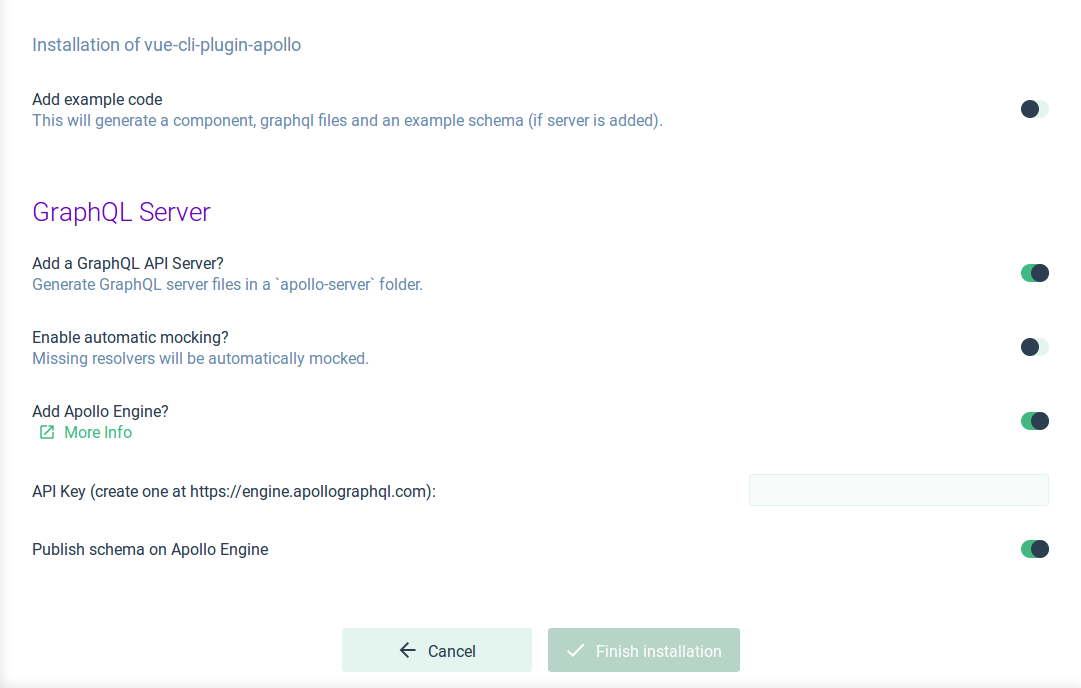
インストール時の問い合わせ
// prompts.js
module.exports = [
  {
    type: 'confirm',
    name: 'addApolloEngine',
    message: 'Add Apollo Engine?',
    link: 'http://engine.apollographql.com/',
    default: false,
    group: 'GraphQL Server',
    when: answers => answers.addServer,
  },
  {
    type: 'input',
    name: 'apolloEngineKey',
    message: 'API Key:',
    validate: input => !!input,
    group: 'GraphQL Server',
    when: answers => answers.addApolloEngine,
  },
]
インストール時の問い合わせ
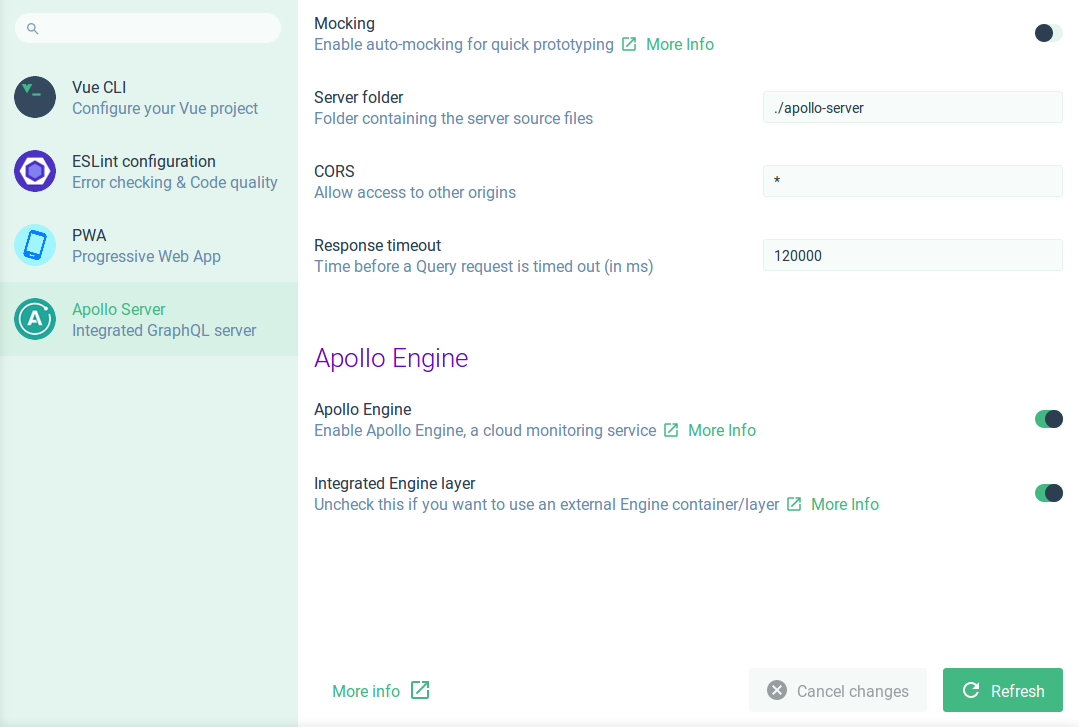
設定画面
// ui.js
module.exports = api => {
  // Config file
  api.describeConfig({
    id: CONFIG,
    name: 'Apollo Server',
    description: 'Integrated GraphQL server',
    link: 'https://github.com/Akryum/vue-cli-plugin-apollo#configuration',
    files: {
      vue: {
        js: ['vue.config.js'],
      },
      graphql: {
        yaml: ['.graphqlconfig.yml'],
      },
    },
    onRead: ({ data, cwd }) => {
      return {
        prompts: [
          {
            name: 'enableMocks',
            message: 'Mocking',
            description: 'Enable auto-mocking for quick prototyping',
            link: 'https://github.com/Akryum/vue-cli-plugin-apollo#mocks',
            type: 'confirm',
            file: 'vue',
            default: false,
            value: getConfigData(data).enableMocks,
          },
        ],
      }
    },
    onWrite: async ({ api, prompts, cwd }) => {
      const result = {}
      for (const prompt of prompts.filter(p => p.raw.file === 'vue')) {
        result[`pluginOptions.apollo.${prompt.id}`] = await api.getAnswer(prompt.id)
      }
      api.setData('vue', result)

      // Update app manifest

      const serverFolder = result['pluginOptions.apollo.serverFolder'] || prompts.find(p => p.id === 'serverFolder').raw.default
      api.setData('graphql', {
        'projects.app.schemaPath': path.join(serverFolder, 'schema.graphql'),
      })
    },
  })
}
設定画面
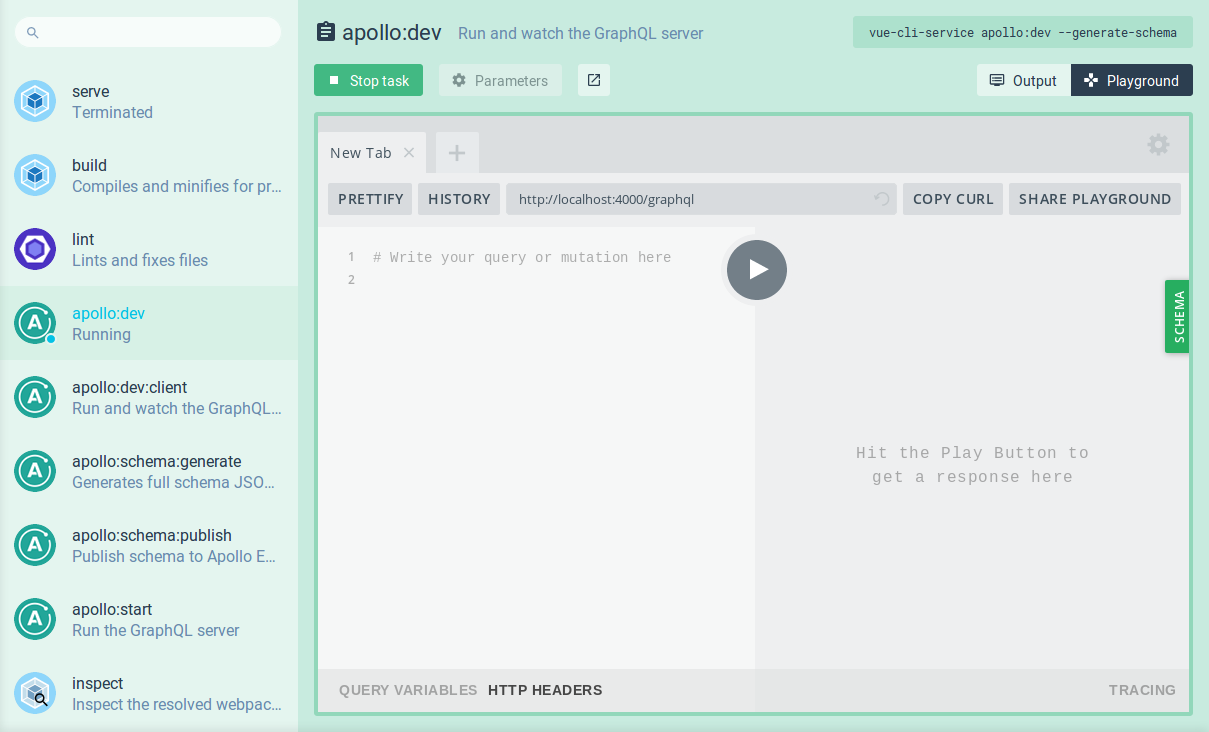
より複雑なタスク
// ui.js
module.exports = api => {
  api.describeTask({
    match: /vue-cli-service apollo:watch/,
    description: 'Run and watch the GraphQL server',
    link: 'https://github.com/Akryum/vue-cli-plugin-apollo#injected-commands',
    prompts: [
      {
        name: 'open',
        type: 'confirm',
        default: false,
        description: 'org.akryum.apollo.tasks.watch.open'
      },
    ],
    views: [
      {
        id: 'org.akryum.vue-apollo.views.playground',
        label: 'Playground',
        icon: 'gamepad',
        component: 'org.akryum.vue-apollo.components.playground',
      },
    ],
    defaultView: 'org.akryum.vue-apollo.views.playground',
    onRun: () => {
      api.ipcOn(onGraphqlServerMessage)
      setSharedData('running', true)
    },
    onExit: () => {
      api.ipcOff(onGraphqlServerMessage)
      resetData()
    },
  })
}
より複雑なタスク
コンポーネントをカスタマイズ
// ui.js
module.exports = api => {
  api.addClientAddon({
    id: 'org.akryum.vue-apollo.client-addon',
    path: path.resolve(__dirname, './client-addon-dist'),
  })
}
// During plugin dev
module.exports = api => {
api.addClientAddon({
id: 'org.akryum.vue-apollo.client-addon',
url: 'http://localhost:8043/index.js'
})
}コンポーネントをカスタマイズ
// src/main.js

import News from './components/News.vue'

ClientAddonApi.component('org.vue.widgets.components.news', News)
クライアント・アドオン:
// vue.config.js
const { clientAddonConfig } = require('@vue/cli-ui')

module.exports = {
  ...clientAddonConfig({
    id: 'vue-apollo',
    port: 8043,
  }),
  outputDir: '../client-addon-dist',
}
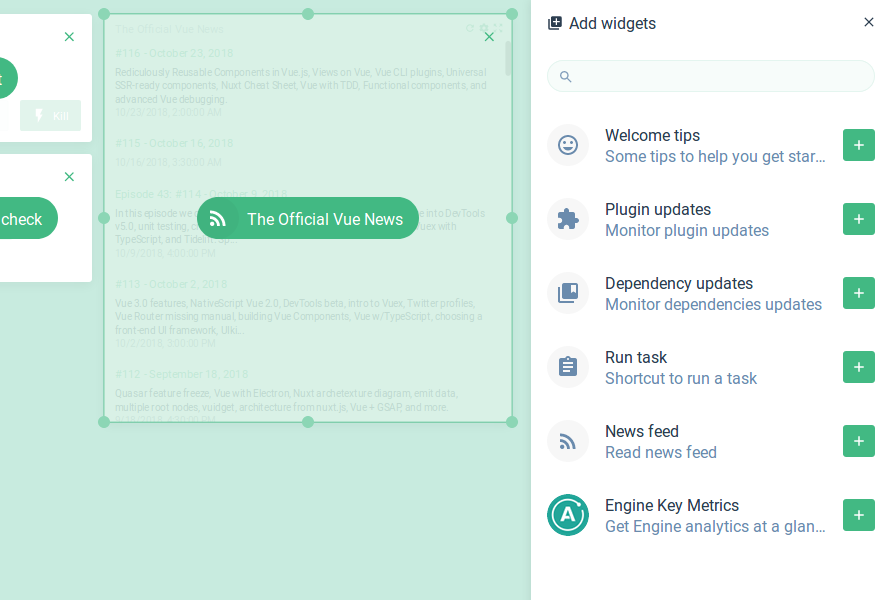
ウィジェット
// ui.js
module.exports = api => {
  api.registerWidget({
    id: 'org.vue.widgets.news',
    title: 'org.vue.widgets.news.title',
    description: 'org.vue.widgets.news.description',
    icon: 'rss_feed',
    component: 'org.vue.widgets.components.news',
    detailsComponent: 'org.vue.widgets.components.news',
    minWidth: 2,
    minHeight: 1,
    maxWidth: 6,
    maxHeight: 6,
    defaultWidth: 2,
    defaultHeight: 3,
    openDetailsButton: true,
    defaultConfig: () => ({
      url: 'https://vuenews.fireside.fm/rss'
    }),
    onConfigOpen: async ({ context }) => {
      return {
        prompts: [
          {
            name: 'url',
            type: 'input',
            message: 'org.vue.widgets.news.prompts.url'
          }
        ]
      }
    }
  })
}
ウィジェット
UI プラグイン API
- サジェスチョン
- カスタムページ
- カスタムコンポーネント
- データ共有
- アクション
- フック
今後の話
Vueのアップグレード
エラー表示の改善
設定ページ
コマンドボックスと
ショートカットキー
グローバルUIプラグイン
もっと詳細については
cli.vuejs.org



Silver sponsor
Guillaume Chau

@Akryum

github.com/Akryum