Progressive Image Library
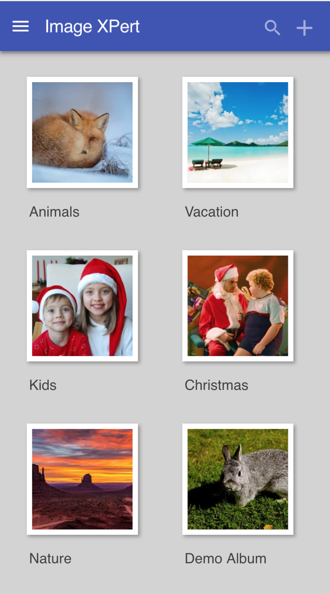

built on Enonic XP platform
Progressive Web Apps

2013
| Mobile Apps | Web Apps | |
|---|---|---|
| Home Screen icons | ||
| Push notifications | ||
| Offline support (caching, storage, background syncing) | ||
| Hardware access: camera, mic, bluetooth, vibration, battery etc. | ||
| Fullscreen mode | ||
| Device orientation | ||
| GeoLocation |


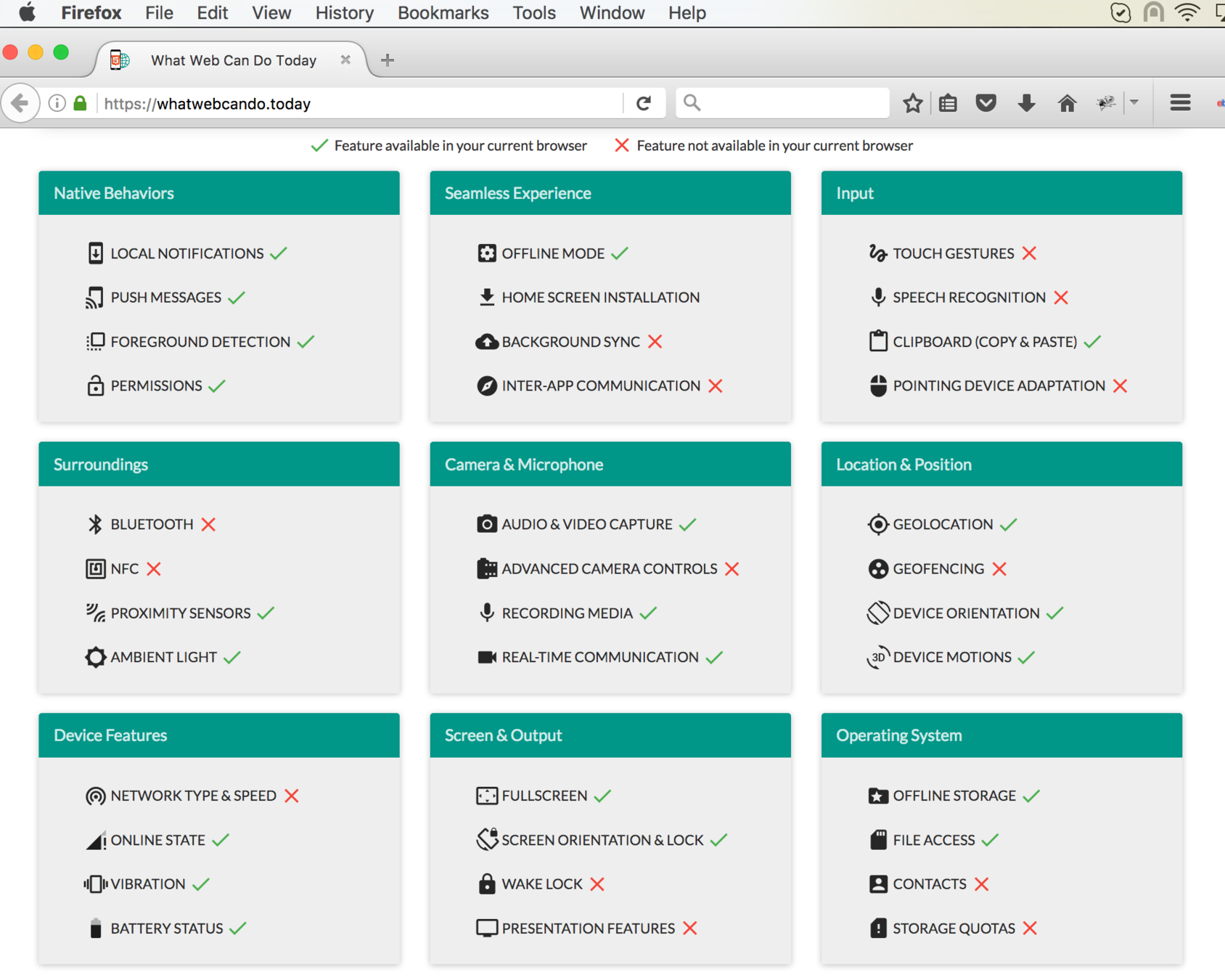
2017: Firefox
2017: Chrome
Are native apps doomed?..
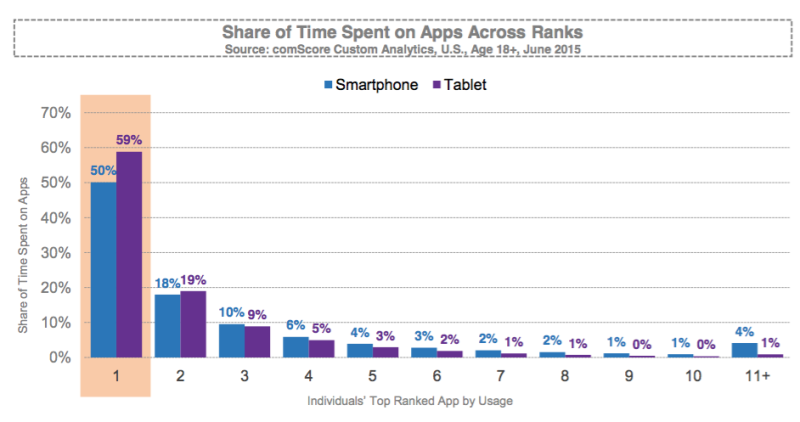
FACT #1
"Mobile users spend 80% of the time on their devices using only their top three apps"
http://marketingland.com / 2015
FACT #2
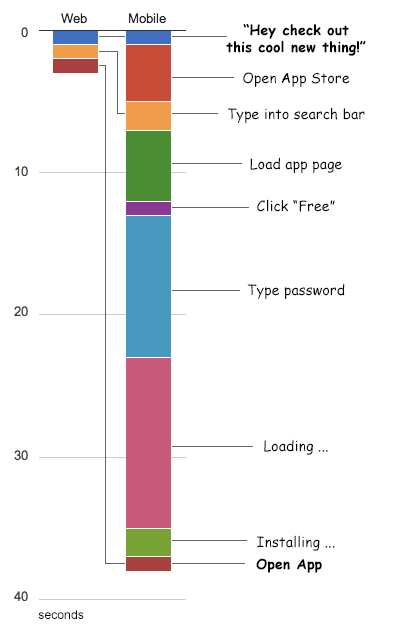
"In a mobile app every step you make a user perform before they get value out of your app will cost you 20% of users"
Gabor Cselle / PM @ Google
FACT #3
"In just one year from May 2015 app downloads in the US declined more than 20%"
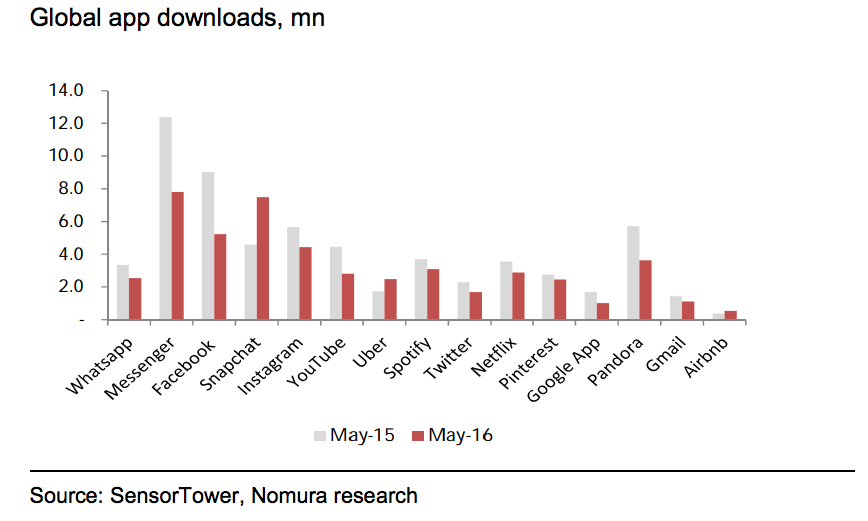
FACT #3 (cont.)
"In the UK 51% of smartphone users download 0 apps per month"
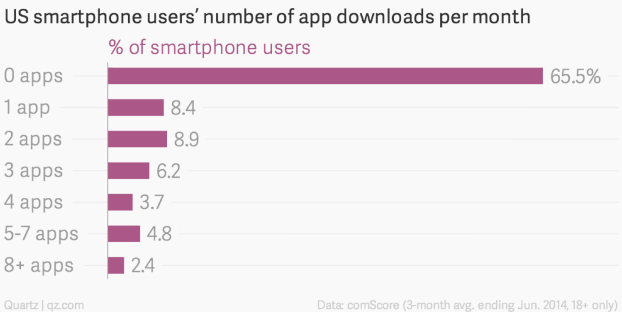
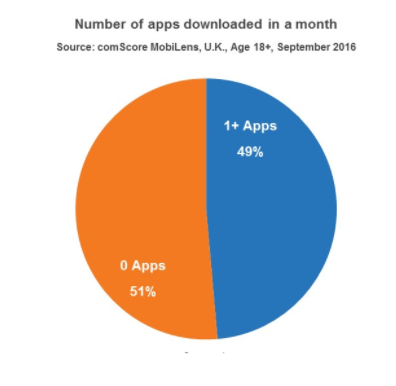
"In the US it's 65.5%"
Ok, cut this graph crap...
What is that PWA thing?
It is NOT a technology.
It is NOT a framework.
It is NOT a library.
A Progressive Web Application is...
- Progressive
Works for every user, regardless of mobile device or browser choice
- Fast
Loads instantly under any network conditions and quickly responds to user interactions
- Engaging
Feels like a native app on the device with app-style navigation and user interaction
- Fresh
Always up-to-date thanks to service worker process
- Discoverable
Searchable via search engines as a regular web site but identifiable as an application
- Installable
Can easily be added to home screen of the device without the hassle of an app store
- Safe
Served only via HTTPS
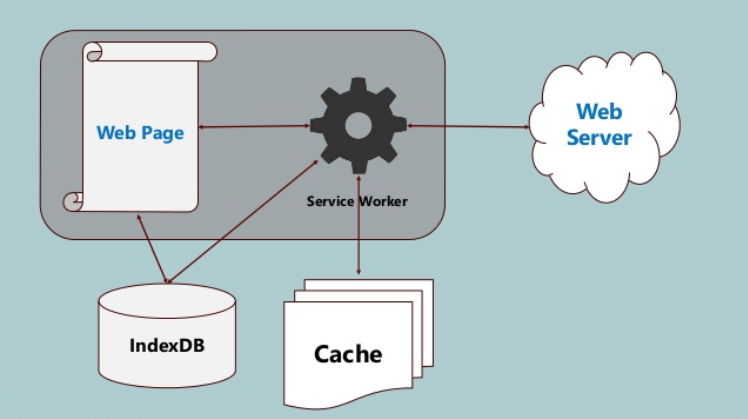
PWA structure in a nutshell
Good-to-know before you begin
1. Service worker: how it works and what it does. Scope!
2. Know your promises - service worker is promise-driven
5. Service worker must be served via HTTPS (or localhost)
4. Chrome Dev Tools - "Application" tab
8. "start_url" from the manifest file must always load, even offline
6. Responsiveness and app-like design and navigation
7. Manifest file that makes your web app look like a native app
9. Thumbnails, favicons, splash screen
3. Cache API, Fetch API, Push API
Useful resources
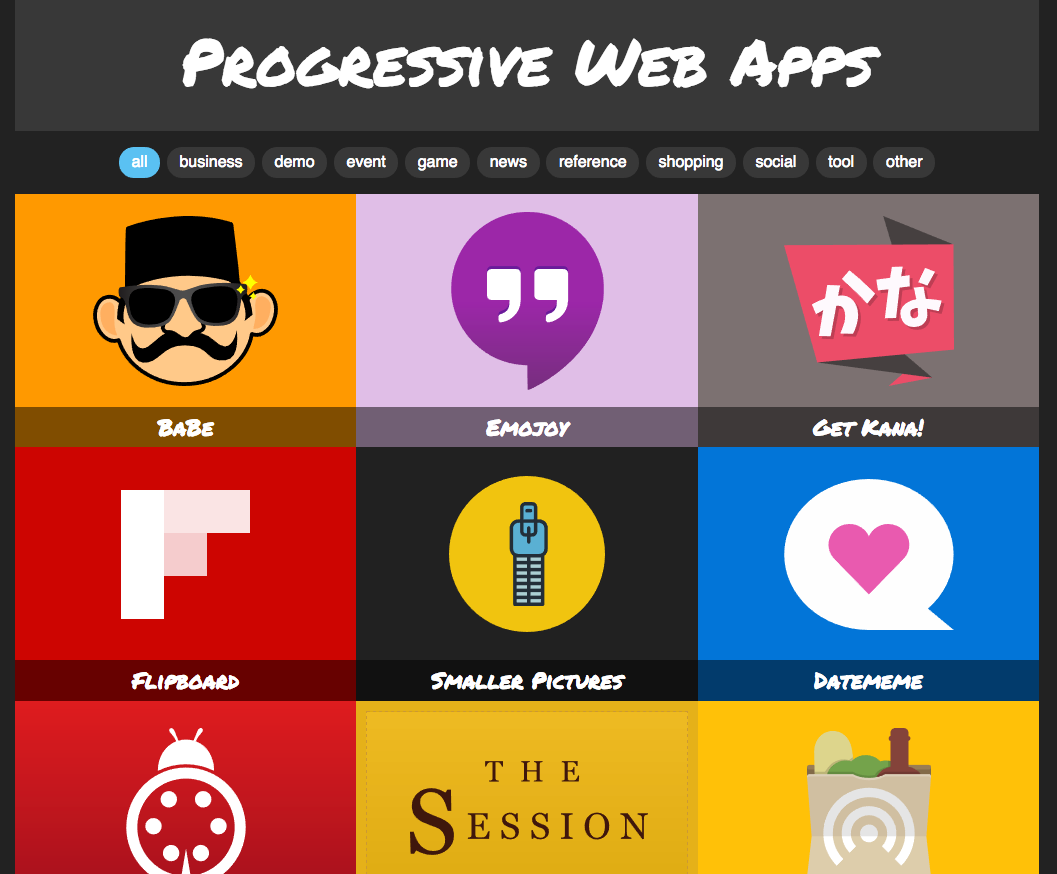
Useful resources
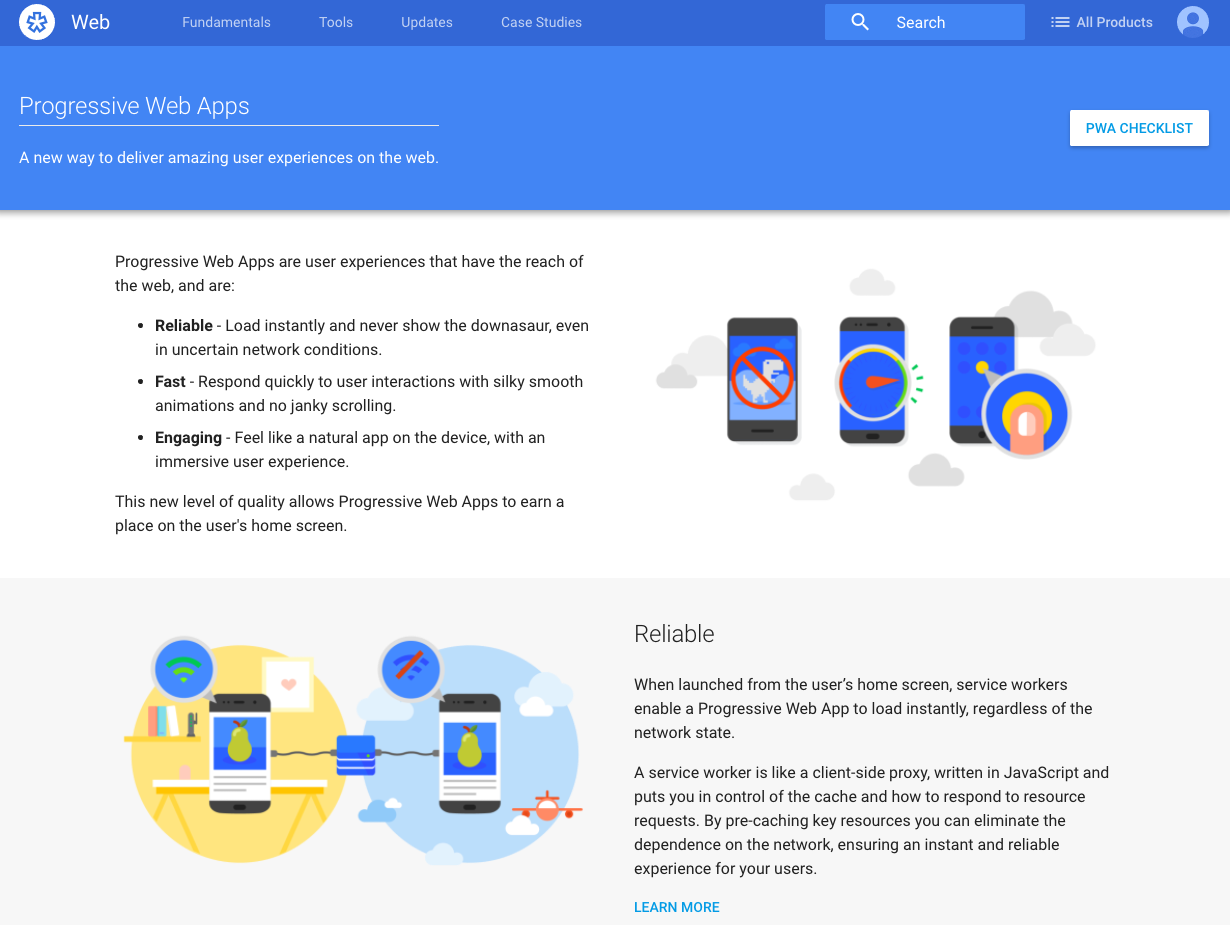
Useful resources
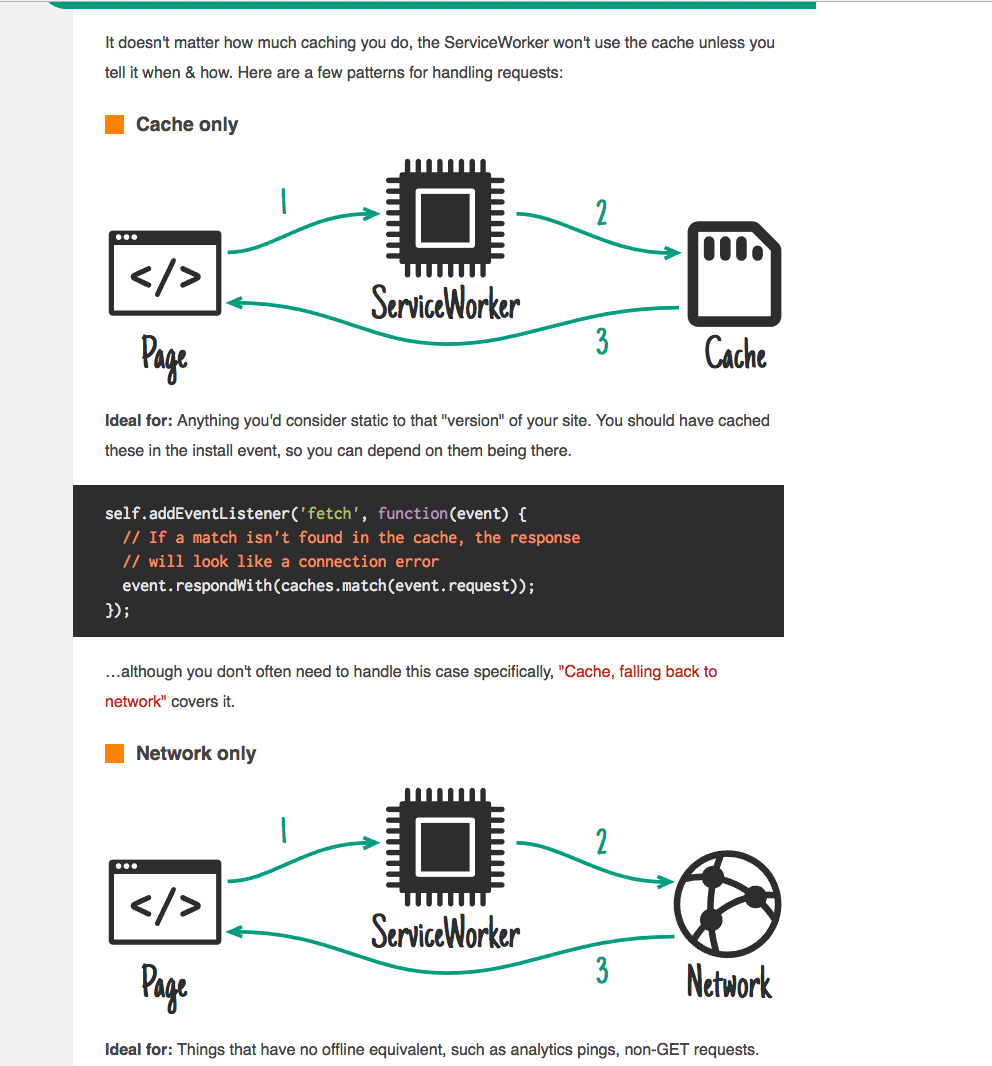
Useful resources
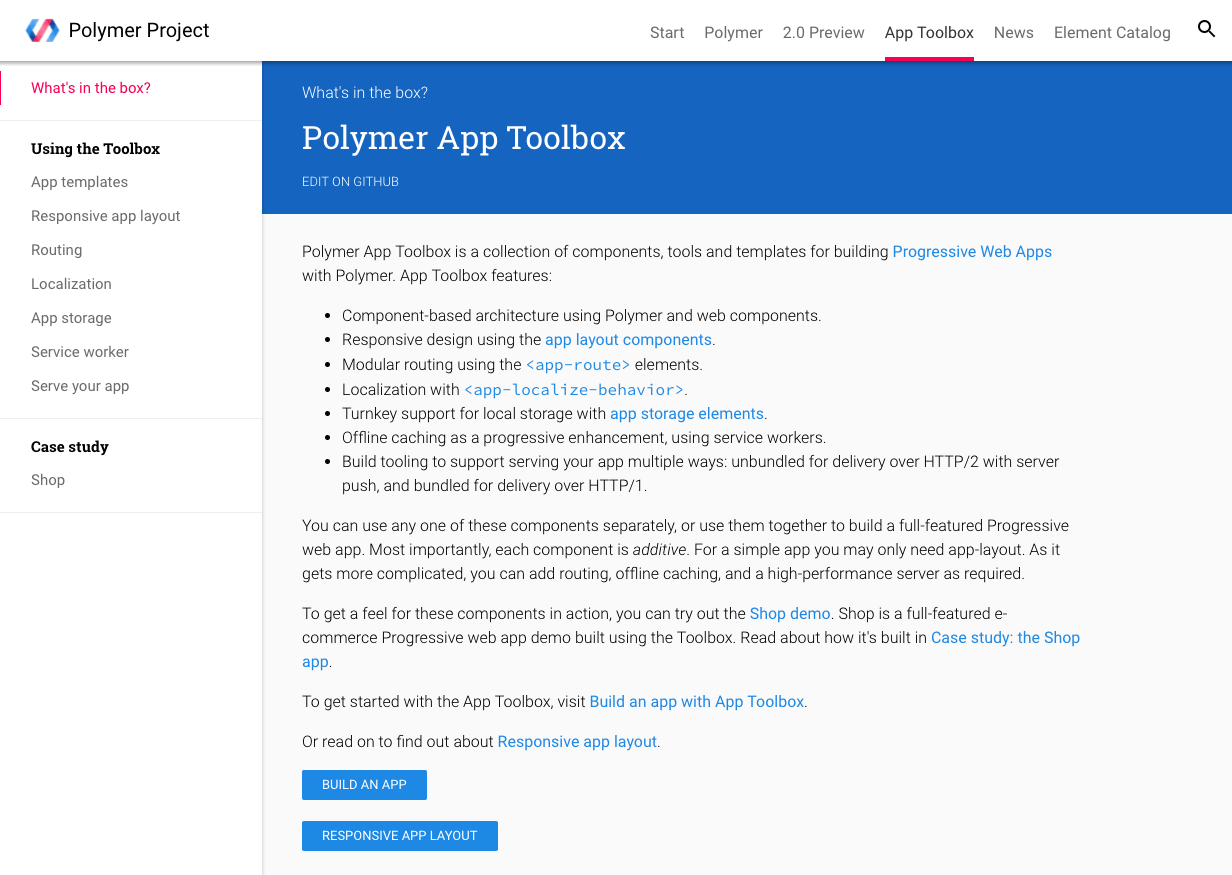
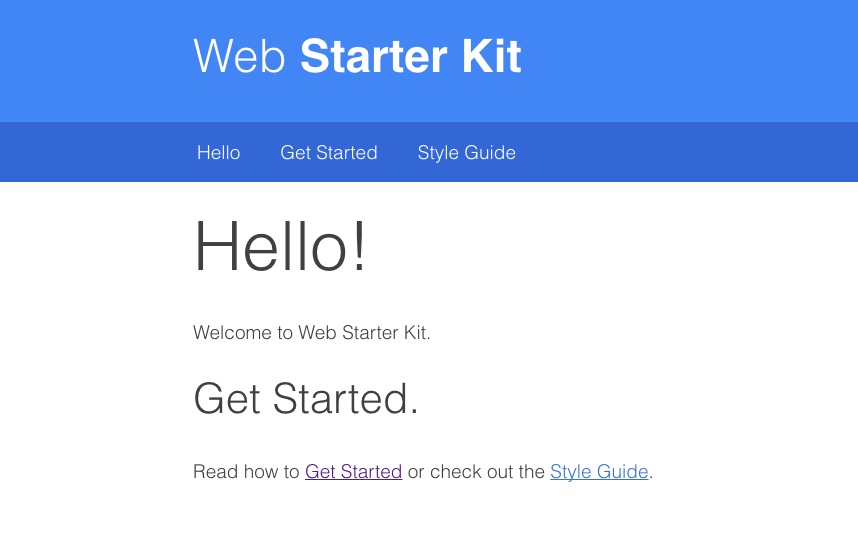
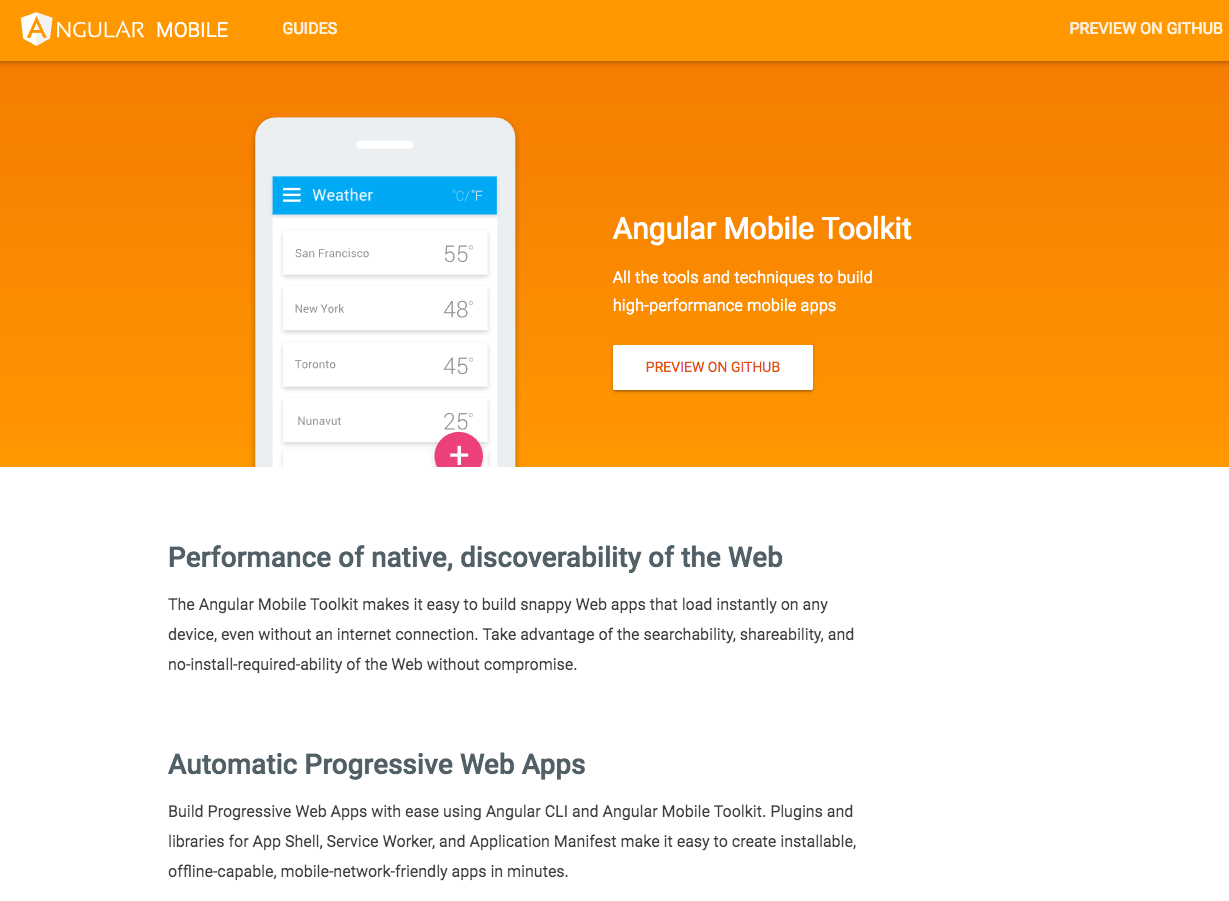
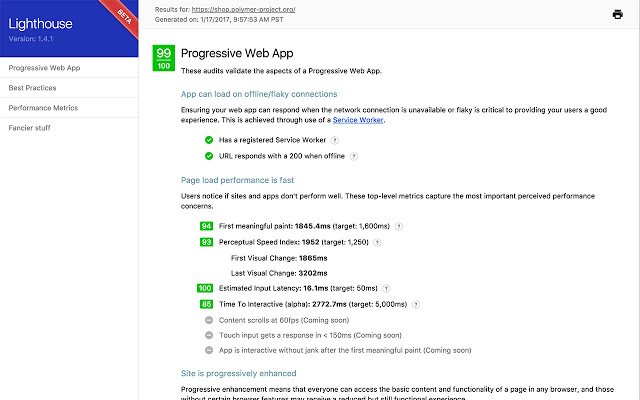
Verify your app with Lighthouse!

CHALLENGES



Image XPert 1.0
-- Build up a collection of images
-- Create albums and categorize images
-- Edit image caption, author and tags
-- Search by image caption, author or tags,
inside selected album or in the entire library
-- Fullscreen preview of an image
-- See geolocation of where image was taken
-- Download selected image with instant
conversion of format and size

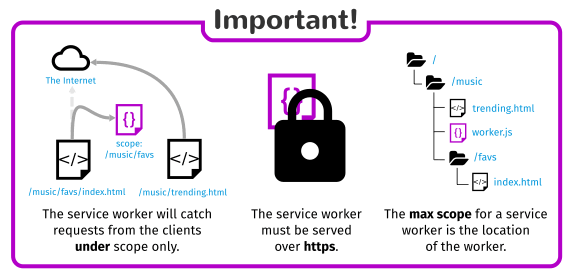
In order to cache site assets, service worker must be placed in the root
    if ('serviceWorker' in navigator) {
        navigator.serviceWorker
                .register('{{baseUrl}}/service-worker.js', {scope: '{{baseUrl}}'})
                .then(function(reg) {
                    console.log('Service Worker registered with scope '  + reg.scope);
                }, function() {
                    console.log('Service Worker registration failure.');
                });
    }
main.page.html
<mappings>
    <mapping controller="/lib/service-worker/controller.js">
      <pattern>/service-worker.js</pattern>
    </mapping>
</mappings>
Solved with request mapper:
var portalLib = require('/lib/xp/portal');
var mustache = require('/lib/xp/mustache');

exports.get = function(req) {
    var sitePath = portalLib.getSite()._path;
    var params = {
        siteUrl : portalLib.pageUrl({path: sitePath}),
        assetUrl : portalLib.assetUrl(''),
        appVersion: app.version
    };

    var res = mustache.render(resolve('service-worker.js'), params);

    return {
        body: res,
        contentType: 'application/javascript',
        headers: {
            'Service-Worker-Allowed': params.siteUrl
        }
    };
};
Service worker's own controller:
var swVersion = '{{appVersion}}';
Put {{appVersion}} inside you SW code:
exports.get = function(req) {
    var params = {
        ...
        appVersion: app.version
    };

    var res = mustache.render(resolve('service-worker.js'), params);

    return {...};
};
...and pass it from the controller:
<script type="text/javascript">
    if ('serviceWorker' in navigator) {
        navigator.serviceWorker
        .register('{{baseUrl}}/service-worker.js', {scope: '{{baseUrl}}'})
        .then(function(reg) {
           reg.onupdatefound = function() {
              notifyAboutNewVersion();
           };
         });
    }
</script>
Notify user about the new version:
Demo Time!

Q & A?