Automation and CI in Xamarin Projects
Alan Grgic
@spellgrgicright
tools and technologies for software quality


= Thing you can click!




A Little About Me
- Software Development
- Board Games
- Metal Music
- Corgis
- Beverages
Create
Build
Test
Distribute / Monitor
As mobile developers, we want tools that allow us to easily...

DevOps
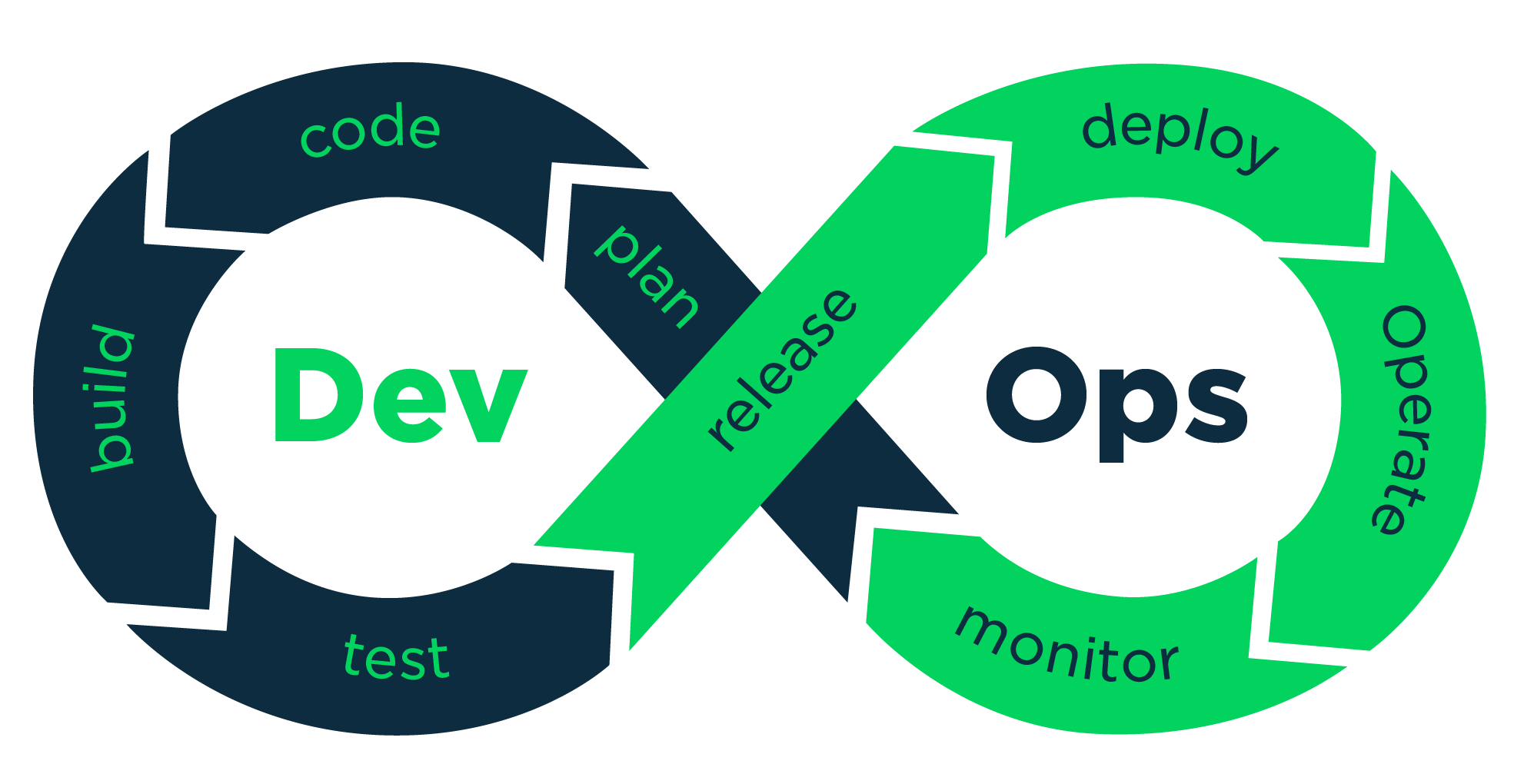
Automation
"When I have a tough job in the plant and can’t find an easy way to do it, I have a lazy man put on it. He’ll find an easy way."
- Clarence Bleicher, Chrysler Corporation, 1947
Xamarin DevOps Toolchest
Create
Build
Test
Distribute
Xamarin.iOS
Xamarin.Droid
Xamarin.Forms
Jenkins
VSTS
TeamCity
Bitrise
Xamarin.UWP
Xamarin.UITest
NuGet
yeoman
NUnit
xUnit
App Store
Google Play
Windows Store
MAM Solutions
TestFlight
Fastlane
HockeyApp
Visual Studio Mobile Center
Artifactory
CORE
BONUS
Xamarin TestCloud
jobdsl
AppVeyor
Continuous Integration
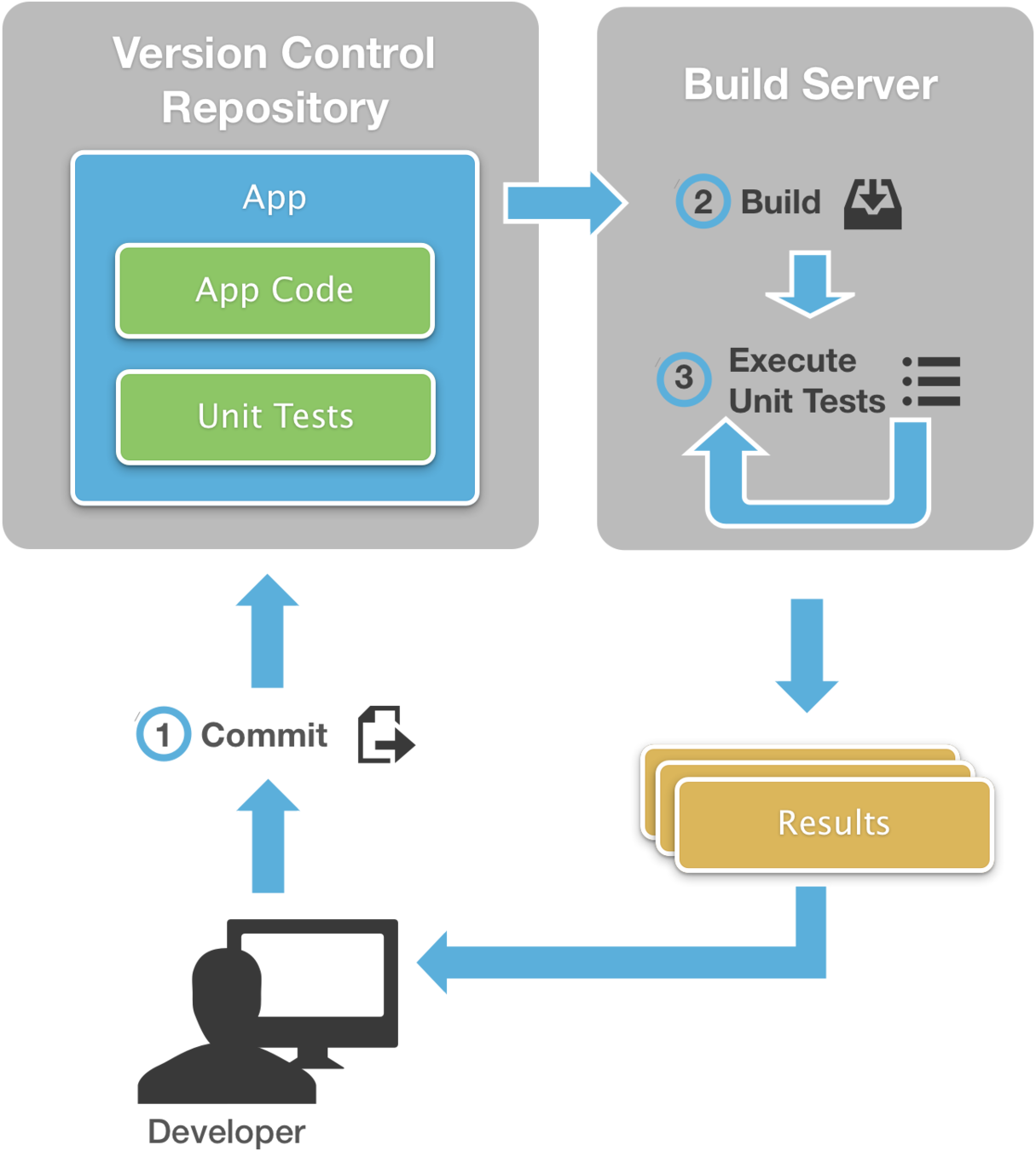




Getting Started With...
Everyone's CI Needs Are Different
Lots of options and choices to consider...
Open Source or Proprietary?
SaaS or On-Premise?
Budget constraints
Operating system requirements
Integration with existing tools
...and that's not a problem!

Everyone's CI Needs Are Different
...and that's kind of a problem :-(
- There is no one "Master Job config" that will build everything
- Build configurations can change over time, sometimes institutionally
- New branch? New job.
- Things are similar enough to require copying and pasting a lot...
- But different enough that you can't just copy / paste whole jobs
- CI tool UIs can be
cumbersomeseriously the worst omg to work with
Build Definitions as Code!
Setting up a Job that manages a Job
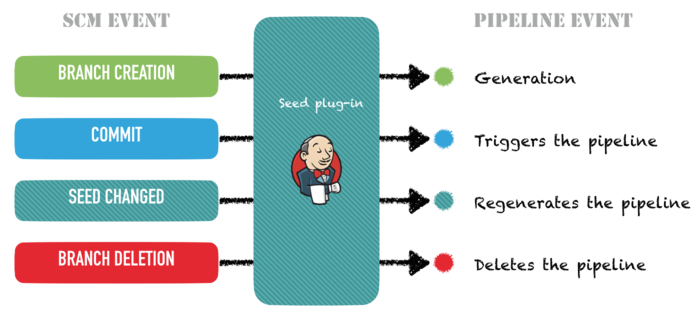
Understanding JobDSL Flow
seed file example
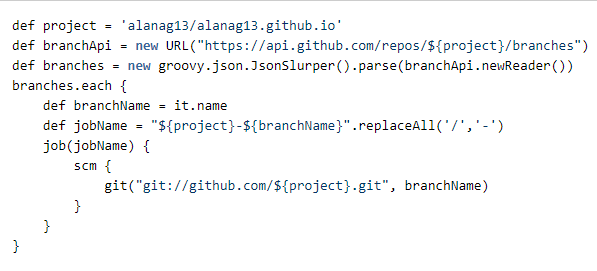
custom Groovy or Java can be used to extend JobDSL!
JobDSL Architecture
Allows for both:
- Completely custom, fully configurable builds
- Configurations to be shared across projects (credentials, paths, etc)


Hooray, CI is set up!
...so we're good, right?
Not so fast...
Don't let this be you!
Beyond Building
- I hate setting up the same code over and over
-
I want to keep my app's version numbers in check
-
I want to revert to a prior build when a serious issue is found
-
I hate the Apple Developer Portal and want to forget it exists
- I want to publish my app somewhere so it can be manually tested
Besides compiling and unit testing, what else can we automate?
Yeoman
-
App scaffolding / templating system
-
Creates useful starting points for different types of apps
-
Helps encourage use of best practices
-
Saves time on initial configuration / dependencies setup
- Lots of user-submitted templates at http://yeoman.io/generators/

Yeoman Project Templating
We can go beyond just generic starting points!
Templating can be particularly useful when:
- Apps share common custom components
- Apps are similar except for configuration
Many organizations want separate apps that perform very similar functions.
e.g. : Website wrappers, report viewers, SharePoint list viewers
Versioning Apps

Versioning Apps
not hard, but harder than it should be
| Long | Short | |
|---|---|---|
| Term | versionName | versionCode |
| Format | any string | integer |
| Purpose | display only | sequential build # |
| Restrictions | none | unique within app history |
Android

Versioning Apps
not hard, but harder than it should be
| Long | Short | |
|---|---|---|
| Common Term | version number (bundle version) |
build number (bundle versions string, short) |
| Technical Term | CFBundleVersion | CFBundleShortVersionString |
| Format | major.minor.revision | major.minor.revision |
| Purpose | release number | build number (i.e. app store submission number) |
| Restrictions | unique in combination with build number | unique in combination with version number |
iOS

Versioning Apps
Internal
Public
No iOS App Store!
App Store submission required, so version number* might have to stay the same across multiple builds
*aka release number, aka CFBundleVersion
Automate all version fields based on CI build number
Decide and hard code version number* in advance each release
Automate versionCode and CFBundleVersionShortString based on CI build number
Automating App Versioning
- Use your CI system's BUILD_NUMBER (or equivalent) environment variable in your build scripts to set version numbers before compiling
-
For Android:
- edit AndroidManifest.xml
-
use the "XmlPoke" MSBuild Task
-
For iOS:
- edit Info.plist
- use PListBuddy (included with macOS):
<XmlPoke XmlInputPath="$(AndroidManifestPath)"
Namespaces="<Namespace Prefix='android'
Uri='http://schemas.android.com/apk/res/android' />"
Query="manifest/@android:versionCode"
Value="$(BUILD_NUMBER)"/>
$ PListBuddy -c "Set :CFBundleVersion '1.0.$BUILD_NUMBER'" "/path/to/Info.plist"Recovering from a Bad Deployment
Isn't Source Control Good Enough?
Do you tag/label your releases in source control?
If not, good luck finding your previous release!
Build machines never change, right?

Could you recover an old build after a major OS update?

- Software binary repository
- Plugin support for many CI systems
- Store the result of every build
- Easily tie binaries back to:
- Job runs
- Source control locations
- Changesets
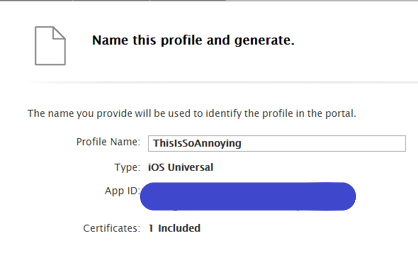
Provisioning Profiles
A huge pain in the iOS
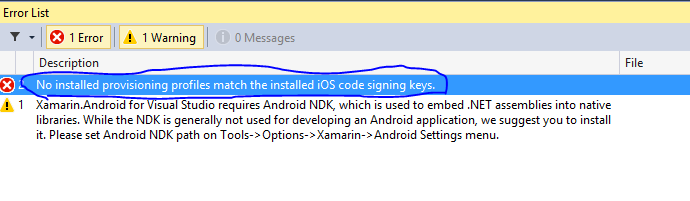
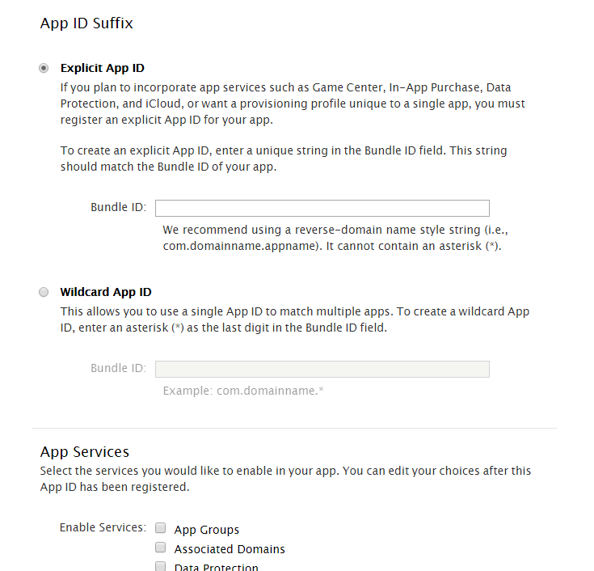
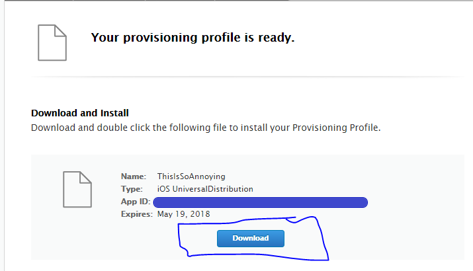
ERROR
A Vicious Cycle

-
Huge open source project
-
Command line and Ruby SDK
-
Renew certs and profiles every build
-
Automate entire build/submit process
-
Lots of community-developed plugins
- Features being added constantly
Manual Testing
"If you automate a mess, you get an automated mess."
- Rod Michael
Director of Customer E-Business, Rockwell Automation

- Private App Store for beta testing
- Invite users to download & install
- Notify users of changes mid-cycle
- Collect user feedback
- Browse crash reports
Bringing it all Together...

By our Powers Combined
Automation and CI in Xamarin Projects
Alan Grgic
@spellgrgicright
Thanks!
= Thing you can click!