JavaScript Libraries
Turning your static websites into dynamic apps

Alec Ortega
alecortega

Senior Front End Engineer
HubSpot
Follow along at:
slides.com/alecortega/js-libraries
Takeaways:
jQuery and Underscore
Prototyping interactions with real world examples
Best practice knowledge
JavaScript is the language of interactivity so...
...we're going to be discussing JavaScript not as a language but how you can use it to actually change things.
  <script src="./path/to/file.js" />
</body>
In order to include JavaScript on your page you're going to want to include a script tag right before the closing body tag.
What can I do with jQuery?
jQuery is the easiest and fastest way to add interaction to your websites without needing to understand advanced JavaScript.
69.6%
Of the top 10,000 visited websites use jQuery
Let's first learn the lingo.
jQuery makes it easier to make changes to the DOM
DOM
Document Object Model
You already know what the DOM is!
<div class='container'>
  <p>Startup Institute rocks!</p>
  <a href='/some/url'>View More</a>
</div>
HTML
DOM
Startup Institute rocks!
View More
But...they look the same...
They are!
Kinda....
HTML is the language that you write to tell your browser how to construct the DOM.
The DOM is what we call the result of the browser parsing your HTML.
What you see in your browser's inspector isn't HTML, it's the DOM.
Let's break this down
<div class='container'>
  <p>Startup Institute rocks!</p>
  <a href='/some/url'>View More</a>
</div>
Parent
Children
Here we have two elements (<p> and <a>) nested inside of a <div> with the class of container.
<div class='container'>
  <p>Startup Institute rocks!</p>
  <a href='/some/url'>View More</a>
</div>
Siblings
The <p> and <a> tag are both nested at the same level.
So what does the DOM look like?
<div class='container'>
  <p>Startup Institute rocks!</p>
  <a href='/some/url'>View More</a>
</div>
<div>
<p>
<a>
Parent
Children
Parent
Children
Siblings
Siblings
<div class='container'>
  <p>Startup Institute rocks!</p>
  <a href='/some/url'>View More</a>
  <div class='other-container'>
    <p>Awesome reason one</p>
    <p>Cool reason two</p>
  </div>
</div>
<div class='container'>
<p>Startup Institute rocks!</p>
<a href='/some/url'>View More</a>
</div>View More
Startup Institute Rocks!
Awesome Reason One
Cool Reason Two
Startup Institute rocks!
View More
<p>
<a>
<div>
<div>
<p>
<p>
DOM Tree
container
It's 100% ok if you don't understand this right off the bat.
The only thing you need to understand is that elements are nested inside other elements.
In your head you can replace the word DOM with "page".
Two new global variables that are given to you if you run JavaScript within a browser.
windowAn object that has properties that pertain to your browser, and has functions that allow you to change it.
documentAn object that has properties that pertain to your website (the DOM), and has functions that allow you to change it.
Let's get started!
What is jQuery?
A JavaScript library with a powerful selector engine that allows you to write common JavaScript functionality with very simple code.
"A JavaScript library..."
Code that someone else has already written that you can pull into your own projects and use the functionality that they already built.
"...with a powerful selector engine..."
Allows you to easily get grab things from your DOM and do things with it.
<button id='submit-button'>Submit</button>Submit
<button id='submit-button'>Submit</button>$('#submit-button');HTML
jQuery
CSS?!
$('#submit-button');You pass the same selector you would in your CSS as a string. This is what creates a jQuery representation of your DOM element!
jQuery
CSS selector
jQuery is just a function
function add(numberOne, numberTwo) {
    return numberOne + numberTwo;
}
var person = {
firstName: 'Alec',
lastName: 'Ortega',
birthday: 'July 4th'
};var person = {
firstName: 'Alec',
lastName: 'Ortega',
birthday: 'July 4th'
};
console.log(person.firstName);var person = {
firstName: 'Alec',
lastName: 'Ortega',
birthday: 'July 4th'
};
console.log(person.firstName);
// 'Alec'function $(cssSelector) {
return jQueryObject;
}function $(cssSelector) {
return {
hide: function () {
// Hide this element
},
addClass: function() {
// Add class to this element
}
};
}$('#submit-button');$('.container');$('li:first-child');$('h1, div, p');You can pass one or multiple of any CSS selector possible.
"...that allows you to write common JavaScript functionality with very simple code."
What is common JavaScript functionality?
DOM Manipulation
Event Handling
DOM Tree Traversal
Grabbing an element from the page and directly changing it.
DOM Manipulation
$('#submit-button');jQuery
CSS selector
$('#submit-button').doSomething();Function Call
<button id='submit-button'>Submit</button>Submit
$('#submit-button');$('#submit-button').text('Submitting');<button id='submit-button'>Submitting</button>Submitting
$('#submit-button').text('Submitting');
$('#submit-button').addClass('disabled');
<button id='submit-button' class='disabled'>Submitting</button>$('#submit-button').text('Submitting');
$('#submit-button').addClass('disabled');
$('#submit-button').doSomething();
$('#submit-button').doSomething();
$('#submit-button').doSomething();
$('#submit-button').doSomething();
Submitting
Submit
$('#submit-button').text('Submitting');
$('#submit-button').addClass('disabled');
no pls
We went from here...
...to here...
...but what if we wanted to do more?
<button id='submit-button' class='disabled'>Submitting</button>$('#submit-button').text('Submitting');
$('#submit-button').addClass('disabled');Submitting
$('#submit-button').text('Submitting');$('#submit-button').text('Submitting').addClass('disabled');Method Chaining

$('#submit-button').text('Submitting').addClass('disabled');Method Chaining
Really just means that you can call one method after another on the same jQuery object.
.append('<h1>Text</h1>');Common manipulation methods
.hide();.addClass('.active');What would happen if I wrote this jQuery code then loaded the page?
That's great but as designers we want things to change as a result of user interaction.
Listening for a user's interaction and then doing something when it happens.
Event Handling
What kind of interactions?
Click, input, mouseover, keydown, etc.

<button id='submit-button'>Submit</button>Submit
$('#submit-button');$('#submit-button').on('click', function() {
// Do something
});HTML
jQuery
$('#submit-button').on('click', function() {
  // Do something
});jQuery
CSS selector
Do this
on this Event
$('#submit-button').on('click', function() {
  // Do something
});I want the element with the id of submit-button and on 'click' of that element I want to do this.
<button id='submit-button'>Submit</button>Submit
$('#submit-button').on('click', function() {
  // Do something
});$('#submit-button').on('click', function() {
$('#submit-button').text('Submitting').addClass('disabled');
});HTML
jQuery
$('#submit-button').on('click', function() {
  $('#submit-button').text('Submitting').addClass('disabled');
});1. I want the element with the id of submit-button and on 'click' of that element...
2. ...I want the element with the id of submit-button and change the text to "submitting" then add the class of "disabled"...
$('#submit-button').on('click', function() {
  $('#submit-button').text('Submitting').addClass('disabled');
});Could this be a problem?
What if we were selecting a class instead?
$('.submit-button').on('click', function() {
  $('.submit-button').text('Submitting').addClass('disabled');
});
There is a 99.9999% chance you will run into the following bug at some point if you select the same element within it's own event.
Submit
<button class='submit-button'>Submit</button>$('.submit-button').on('click', function() {
$('.submit-button').text('Submitting').addClass('disabled');
});HTML
Real World Scenario #1
You have one button on the page and one event for it, but one day Mr. Fancy Pants designer comes up to you and says he doesn't want just one button on the page, he wants two.
Submit
<button class='submit-button'>Submit</button>
<button class='submit-button'>Submit</button>$('.submit-button').on('click', function() {
$('.submit-button').text('Submitting').addClass('disabled');
});Submit
<button class='submit-button'>Submit</button>What's going to happen if I click one of the buttons?
Submitting
Submitting
$('.submit-button').on('click', function() {
  $('.submit-button').text('Submitting').addClass('disabled');
});When you select a DOM object and manipulate it, the change will occur to all elements that match the selector.
So how do we solve this?
$('.submit-button').on('click', function() {
  $('.submit-button').text('Submitting').addClass('disabled');
});$('.submit-button').on('click', function() {
$(this).text('Submitting').addClass('disabled');
});"this" is a pretty complex JavaScript concept. But in the context of jQuery all you need to know is that "this" refers the EXACT element that the event is happening to.
$('.submit-button').on('click', function() {
  $(this).text('Submitting').addClass('disabled');
});1. I want the element with the id of submit-button and on 'click' of that element...
2. ...take the same element and change the text to "submitting" then add the class of "disabled".
Submit
Submit
Submitting
.on('click'Some Common Events
.on('input'.on('keypress'Ok, we know how to handle events and how to change things that we select, what else could there be?
Real World Scenario #2
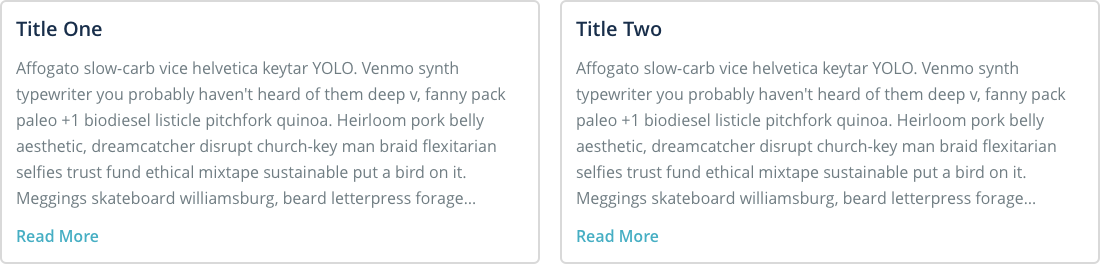
Whenever I click on the "Read More" button...
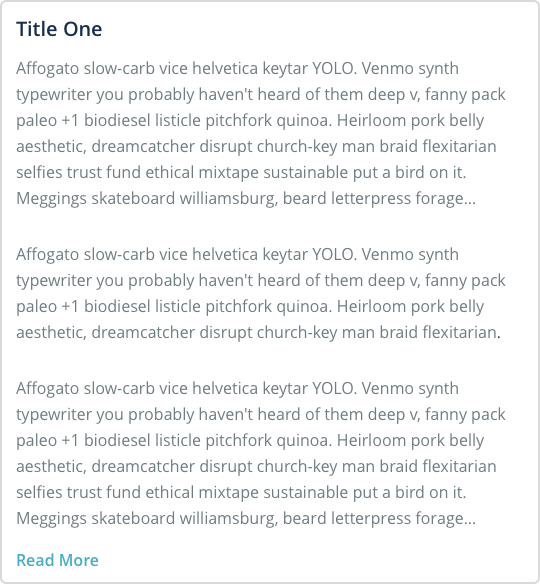
The corresponding panel should slide down to reveal the rest of the article.
<div class='container'>
  <h3>Title One</h3>
  <p>This is the article...</p>
  <a class='read-more'>Read More..</a>
</div>
<div class='container'>
<h3>Title One</h3>
<p>This is the article...</p>
<a class='read-more'>Read More..</a>
</div>
<div class='container'>
<h3>Title Two</h3>
<p>This is the article...</p>
<a class='read-more'>Read More..</a>
</div><div class='container'>
<h3>Title One</h3>
<p>This is the article...</p>
<a class='read-more'>Read More..</a>
</div>
<div class='container'>
<h3>Title Two</h3>
<p>This is the article...</p>
<a class='read-more'>Read More..</a>
</div>$('.read-more')$('.read-more').on('click', function () {
// Do Something
});$('.read-more').on('click', function () {
$('.container')?
$(this)?
});HTML
jQuery
Allows you to navigate the DOM tree to find a specific element given an original element.
DOM Tree Traversal
<div class='container'>
  <h3>Title One</h3>
  <p>This is the article...</p>
  <a class='read-more'>Read More..</a>
</div>
<div class='container'>
  <h3>Title Two</h3>
  <p>This is the article...</p>
  <a class='read-more'>Read More..</a>
</div>$('.read-more').on('click', function () {
$(this).parent();
});$('.read-more').on('click', function () {
$(this).parent().addClass('open');
});<div class='container open'>
<h3>Title One</h3>
<p>This is the article...</p>
<a class='read-more'>Read More..</a>
</div>
<div class='container'>
<h3>Title Two</h3>
<p>This is the article...</p>
<a class='read-more'>Read More..</a>
</div>$('.read-more').on('click', function () {
$(this);
});HTML
jQuery
.closest('.class'Common traversal methods
.find('button'.parent()We did it!
What next?
What else can I do with jQuery?
The jQuery documentation is amazingly helpful and tells you how to do just about anything with jQuery.
$('.element').hide();$('.element').append('<h1>Hi</h1>');$('.element').slideUp();jQuery Methods
There are hundreds of plugins. All they do is add more methods that you can call on jQuery objects!
Masonry
Cascading grid layout library

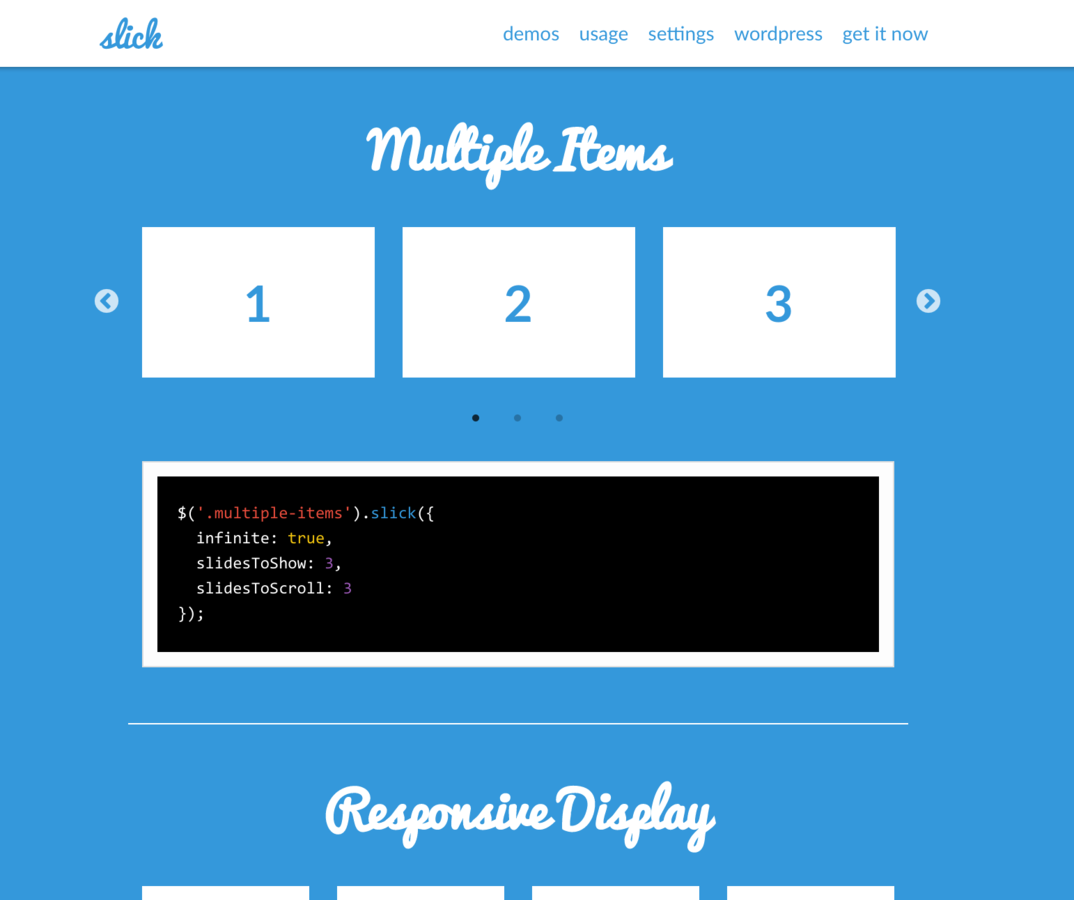
Slick
The last carousel you'll ever need
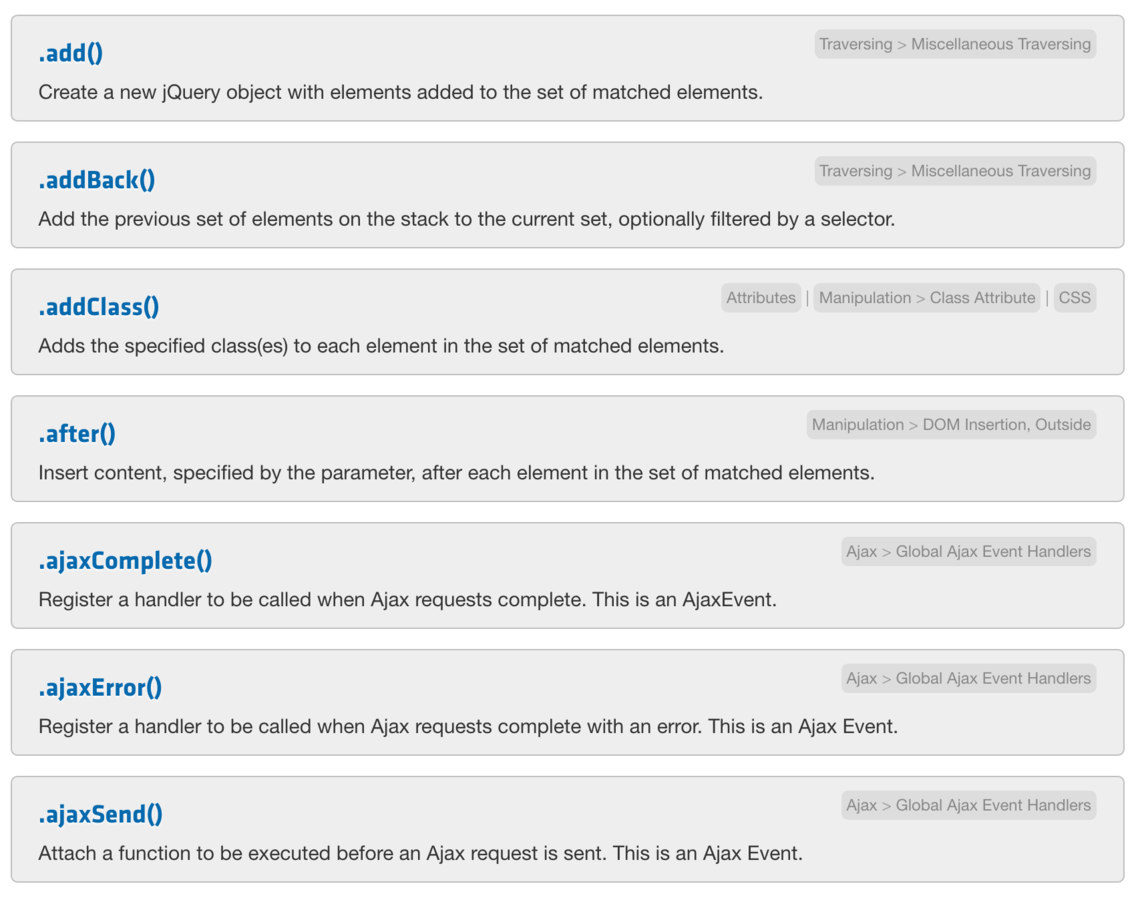
jQuery
Great API documentation
<script src="/path/to/jquery.js"></script>
<script src="./path/to/yourFile.js"></script>
Remember to include jQuery
Include jQuery before any JavaScript that you write. Otherwise it won't know it exists!
Your src for jQuery will probably be a url to a CDN where the file is hosted.
How much different is plain JavaScript from jQuery?
youmightnotneedjquery.com
HubSpot
Hide an element
$(el).hide();el.style.display = 'none';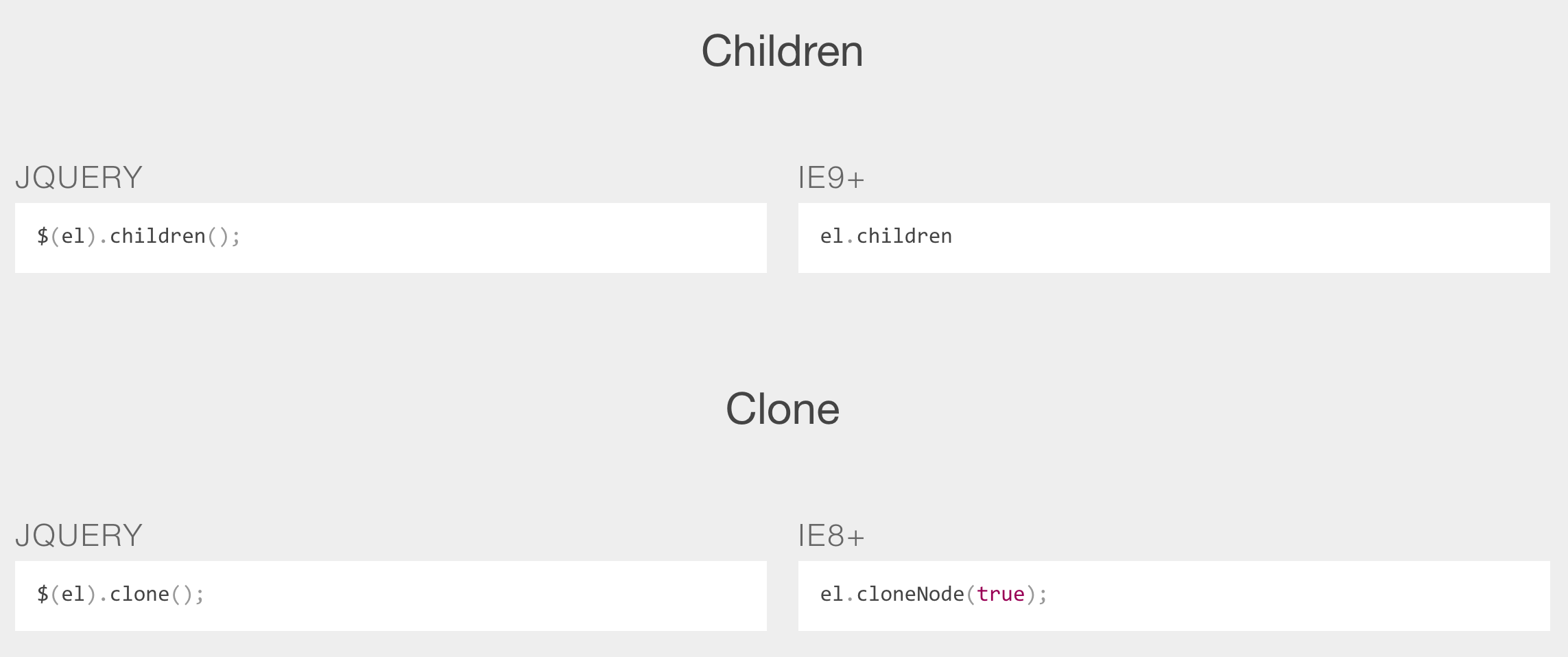
Make an API request
$.getJSON('/my/url', function(data) {

});
var request = new XMLHttpRequest();
request.open('GET', '/my/url', true);
request.onload = function() {
if (request.status >= 200 && request.status < 400) {
// Success!
var data = JSON.parse(request.responseText);
} else {
// We reached our target server, but it returned an error
}
};
request.onerror = function() {
// There was a connection error of some sort
};
request.send();
Workshop One

When you click on the corgi, the number should increment.
Underscore
What is it?
Underscore is a JavaScript library that provides a whole bunch of useful functional programming helpers without extending any built-in objects.
$('.class').doSomething;We've done this before
jQuery
function $(cssSelector) {
  return {
    hide: function () {
      // Hide this element
    }
  };
}
We know that when we type .method we're just accessing a function on an actual object returned by the $ function
$('.class').doSomething;This is jQuery...
And all we want to do is change the object that we're using that has all the function in it. Then...
$('.class').doSomething;This is jQuery
This is underscore
_.doSomething();var _ = {
doSomething: function () {
// Hide this element
}
}Underscore is just an object that has a bunch of named functions that we can call.
What underscore doesn't do:
Change the DOM or page in anyway.
What underscore does do:
Gives you a bunch of "utility" functions. Aka. useful functions that help you perform certain tasks, faster, and more easily.
So what kind of methods does underscore give us?
Real World Problem:
Using only "vanilla" JavaScript, what if I wanted an array of all keys within a certain object. Meaning...
var personEyeColors = {
  joe: 'blue',
  kiana: 'brown',
  rose: 'hazel',
  sean: 'brown'
};
So we have this...
...and we want to turn it into this:
['blue', 'brown', 'hazel', 'brown'];
Well we'd have to set up a loop that iterates over the keys in the object, get the value of each key on each iteration, and push it into an empty array that we create.
var personEyeColors = {
  joe: 'blue',
  kiana: 'brown',
  rose: 'hazel',
  sean: 'brown'
};
=> eyeColors
=> ['blue', 'brown', 'hazel', 'brown'];var personEyeColors = {
joe: 'blue',
kiana: 'brown',
rose: 'hazel',
sean: 'brown'
};
var eyeColors = [];
for (var key in personEyeColors) {
var value = personEyeColors[key];
eyeColors.push(value);
}In other words, this is a pain in the ass, and all I wanted was the values and I had to write a ton of code just to do that small task.
var personEyeColors = {
  joe: 'blue',
  kiana: 'brown',
  rose: 'hazel',
  sean: 'brown'
};
=> eyeColors
=> ['blue', 'brown', 'hazel', 'brown'];var personEyeColors = {
joe: 'blue',
kiana: 'brown',
rose: 'hazel',
sean: 'brown'
};
var eyeColors = _.values(personEyeColors);So basically, Underscore is a library that gives you a bunch of functions that allows you to not want to pull your hair out to do what should be a simple operation.
Difference - Arrays
_.difference([1, 2, 3, 4, 5], [5, 2, 10]);
=> [1, 3, 4]
Contains - Arrays
_.contains([1, 2, 3], 3);
=> true
Underscore
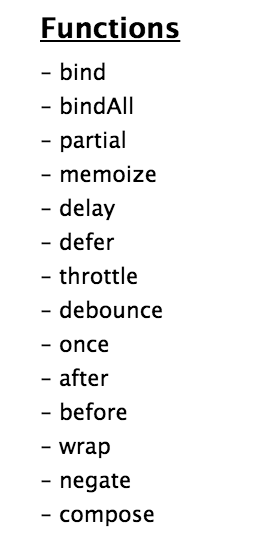
Lists all the methods you can use
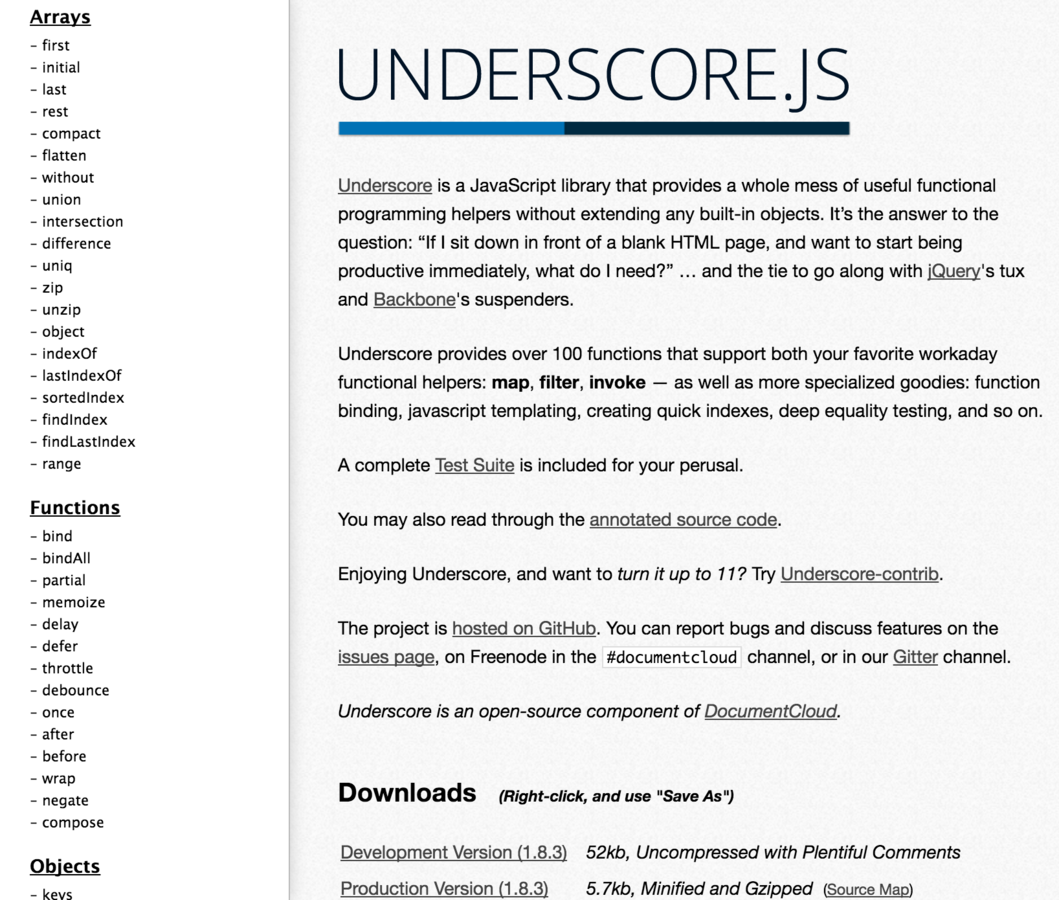
These are some of the most commonly used utility function patterns in JavaScript.
Workshop Two
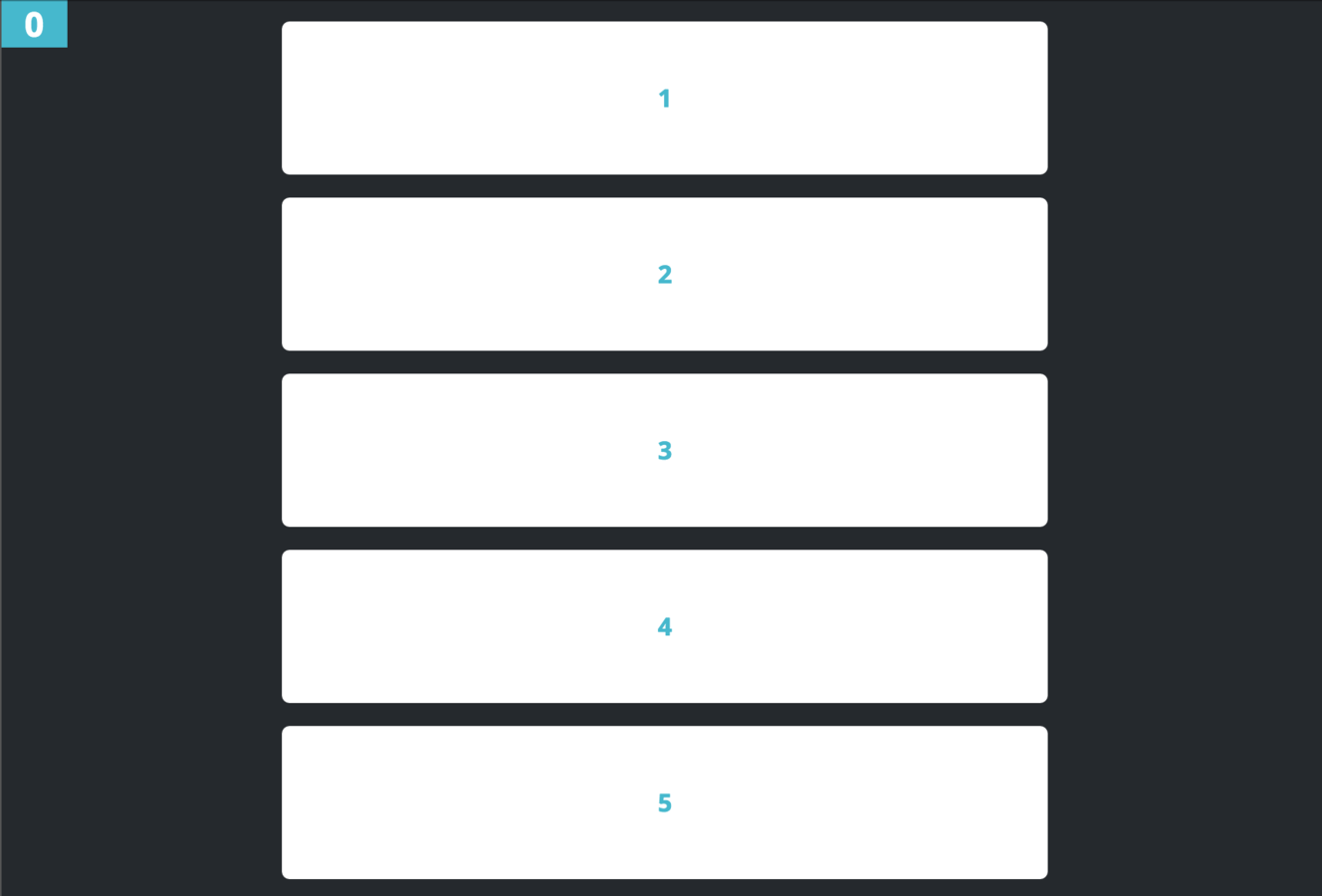
When you click on a card, it should add the class of "expanded" to the card you clicked
Real World Problem:
I want to create an "infinite scroll" page (like the Facebook newsfeed), where if I scroll to the bottom of the page, a function is called that adds new content to the DOM.
How would you implement this?
How would you call a function when you scroll to the bottom of the page?
Google:
How would you call a function when you scroll to the bottom of the page?
Kind of a hard question but, you'd check to see if the offset of your scroll from the top of your page is greater than or equal to the height of the document minus the height of the viewport.
window.innerHeight + window.scrollY >= document.body.offsetHeight - 50That code looks like this...
...but I don't want you to focus on that...
function isAtBottomOfPage () {
  //...code that does that logic
}
For simplicity let's throw it in a function
...and all I want you to care about is that it returns TRUE when you've hit the bottom and FALSE when you haven't.
Ok now when would I call this function to tell if I've hit the bottom?
Hint: It's the second category of jQuery methods we went over.
We're going to attach an event listener on the window itself and it fires the function on the "scroll" event.
$(window).on('scroll',When you scroll to the bottom of the page, I want you to console.log("did it!")
Now replace that console.log with code that appends the return value of "fetchData" to the element that contains the cards.
In plain english
$(window).on('scroll', function () {
  // If I'm at the bottom of the page
    // Append the return of fetchData to
    // the element that has all the cards
});
!??!??!
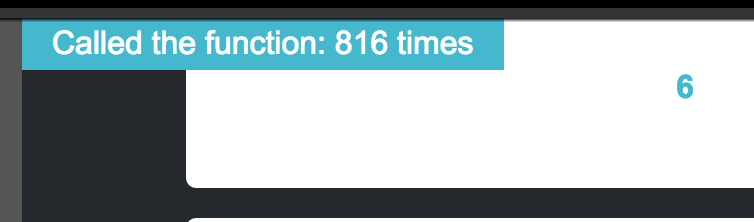
The scroll event happens on every "tick".
Which basically means every time the browser detects you've scrolled even the tiniest amount it'll fire the event.
We're firing this function hundreds of times, which might not be *too* painful in this case but imagine if we were doing something more complex in that function. Yikes.
How do we fix this?
debounce - function
var lazyLayout = _.debounce(calculateLayout, 300);
$(window).resize(lazyLayout);
Makes it so that the passed in function can only fire every "x" number of milliseconds.
So which function in our code do we want to "debounce"?
Which one is firing hundreds of times?
$('.card').on('click', function () {
  $(this).toggleClass('expanded');
});

$(window).on('scroll', function() {
  if(isAtBottomOfPage()) {
    $('.container').append(fetchData());
  }
});
The number is how many times the check is firing, make it so that it doesn't fire 100s of times/second
We did it!
If you can do it with HTML, don't use CSS
If you can use CSS, don't use JavaScript
Use jQuery & JavaScript as a fallback, not as a first thought
There are other awesome libraries!
Like animation?
GSAP
Advanced Animation Framework

Like data visualization?
D3
The de-facto library for complex data visualization

Like 3D graphics?
three.js
Render 3D scenes in the browser
View this slide deck at: