How to ace your Web Development Tech Interview

Alejandra Ferreira

Full-Stack Developer
Microbiologist MSc.
Co-founder Magenta Codes
@aleja_ferre

01. Tech Interviews
02. Tips to prepare
03. Coding Assignment
04. General Resources
Summary
Job Tech Interviews
Intimidating
Stressful

What to expect?
Initial Screening
Logical Test
Personality Test
Whiteboard Interview
Coding Test
Technical Interview
-
Questions
-
Algorithms
Data structure Problems -
Coding assignment
Coding Assignment
Web development



What do they check?
-
Using third party API
-
Components reusability
-
Organization and Composition
-
Creativity to display results
-
Environment management
Portfolio
Tic Tac Toe
Weather app
Converter app
Jokes listing app
Flight listing app
and more...

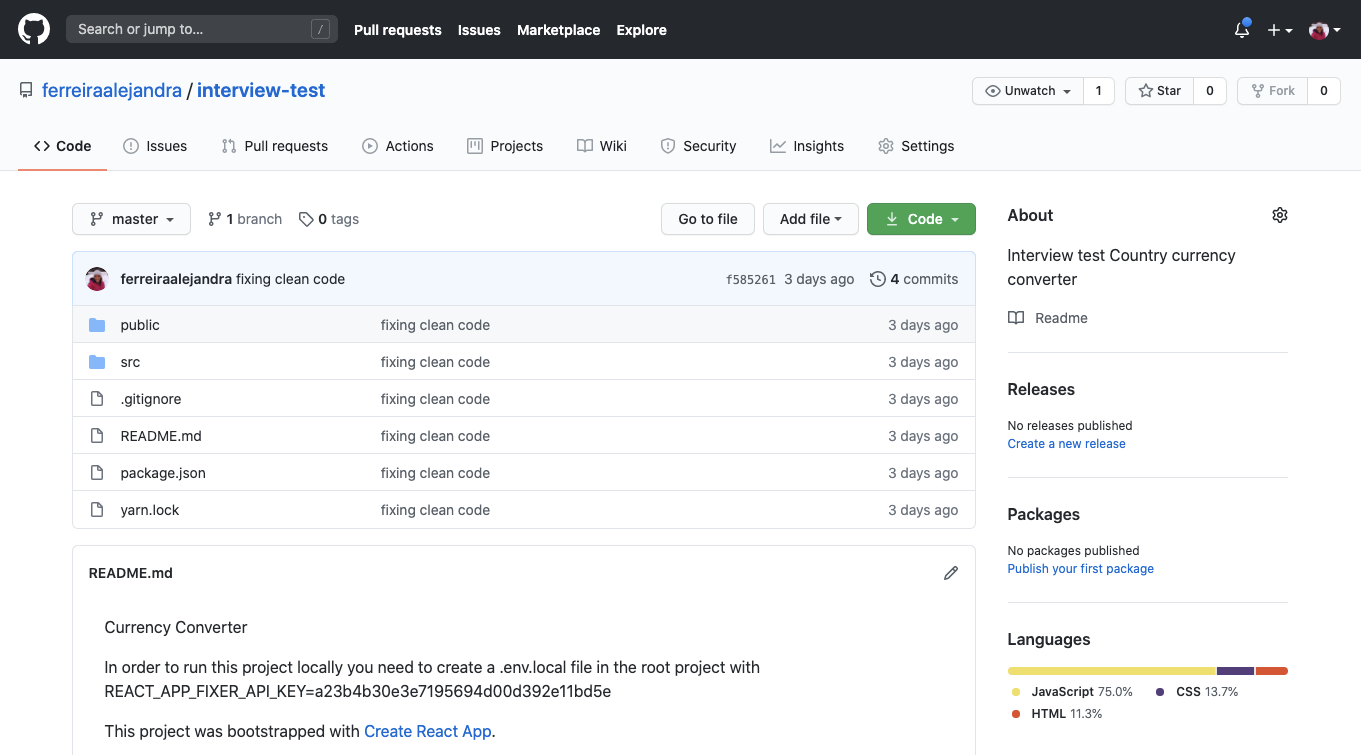
Interview Test
https://github.com/ferreiraalejandra/interview-test
How to start?
Read the problem!
Ask Questions!
What is the problem?
Create a simple web interface using React which allows users to:
a) Search for countries and display its full country name, capital, population, and currency.
b) Enter an amount in SEK and get the amount converted into local currency for each country.
The data can amongst others be retrieved from the following open APIs:
- https://restcountries.eu for country information.
- http://fixer.io for exchange rates
Design Something!
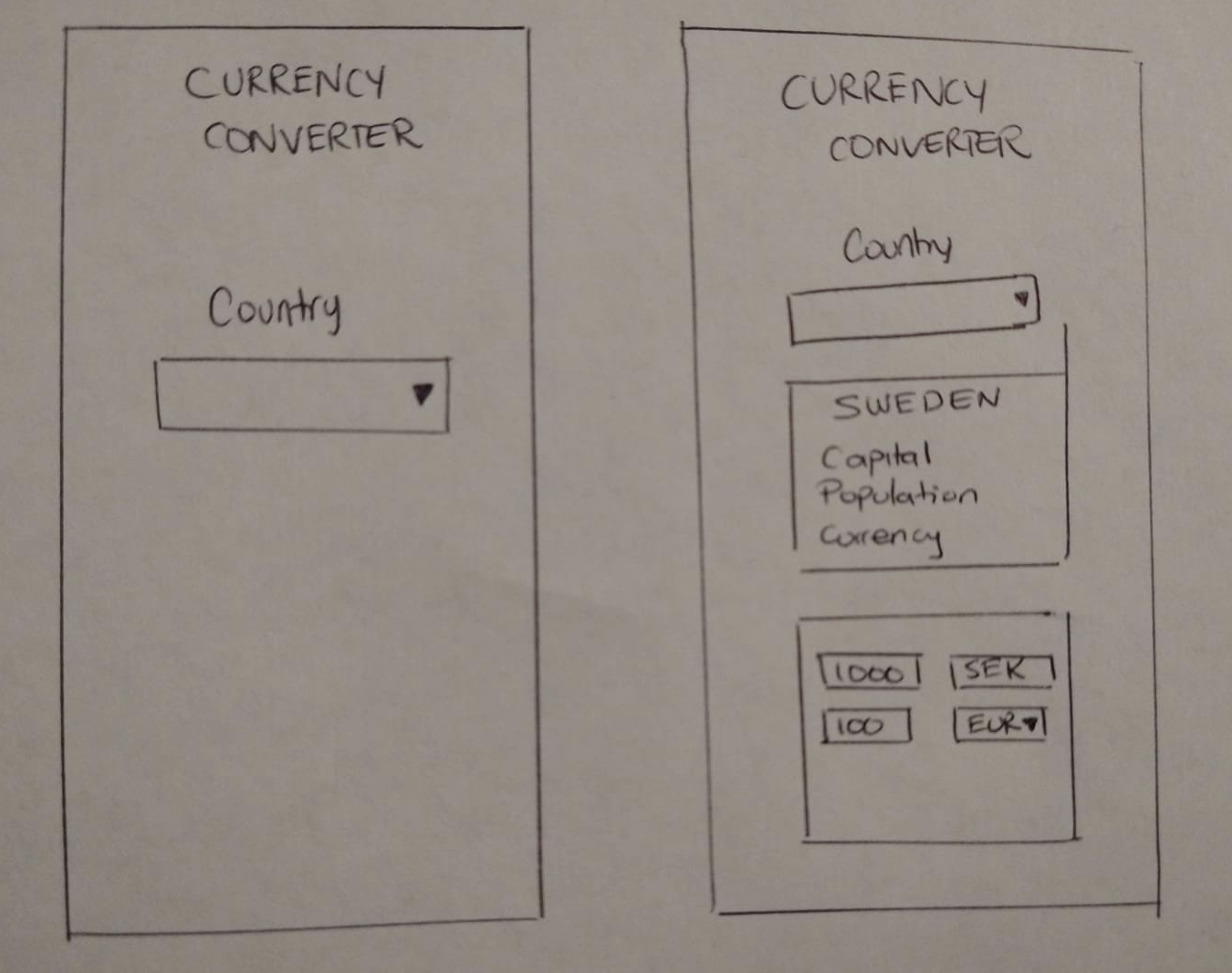
Heading
Dropdown
Card
Input
Design Something!




and more...
Ask questions again!
Check the resources!

Plan an architecture!
Why are you using these tools?




AXIOS
Let's Code!

import React from 'react';
import './styles.css';

const Header = () => {
    return (
        <div className="Header">
            <h1>CURRENCY CONVERTER</h1>
        </div>
    )
}

export default Header
Build the Header!
Design Something!
Heading
Dropdown
Card
Input
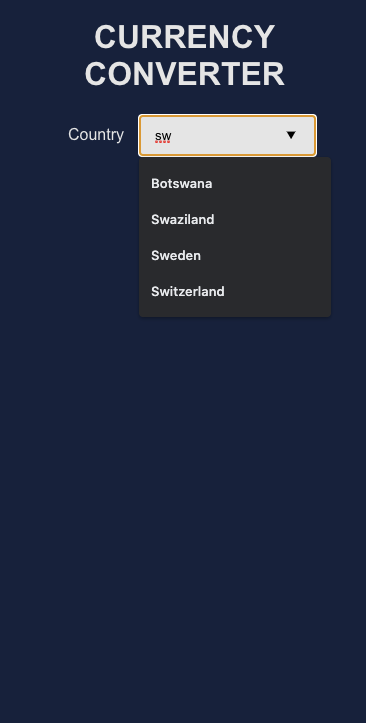
Search Dropdown
import React, { useState } from "react";
import "./styles.css";

const Search = ({ onSelect }) => {
  const [query, setQuery] = useState("");
  const [matchedCountries, setMatchedCountries] = useState([]);

  const searchCountry = async (event) => {
    const newQuery = event.target.value;
    setQuery(newQuery);
    const request = await fetch(
      "https://restcountries.eu/rest/v2/name/" + event.target.value
    ).catch((error) => console.log(error));

    if (request.status !== 200) return null;
    const response = await request.json();
    setMatchedCountries(response);

    const country = matchedCountries.find(
      (matchedCountry) => matchedCountry.name === newQuery
    );
    if (country) onSelect(country);
  };

  return (
    <div className="Search">
      <label className="label">Country</label>
      <input
        className="Input"
        onChange={searchCountry}
        list="countries"
        value={query}
      />
      <datalist id="countries">
        {matchedCountries.map((country) => (
          <option key={country.name} value={country.name} />
        ))}
      </datalist>
    </div>
  );
};

export default Search;
This is how it's looking!
Check for:
- Accessibility
- Simpleness
Design Something!
Heading
Dropdown
Card
Input
import React from "react";
import "./styles.css";

const CountryCard = ({ country }) => {
  if (!country) return null;
  const {
    name,
    capital,
    population,
    currencies,
    altSpellings
  } = country;

  return (
    <div className="Card">
      <div className="cardName">{name}</div>
      <h2>{altSpellings[1]}</h2>
      <table className="table-data">
        <tr>
          <td>Capital</td>
          <td>{capital}</td>
        </tr>
        <tr>
          <td>Population</td>
          <td>{population.toLocaleString()}</td>
        </tr>
        <tr>
          <td>Currency</td>
          <td>{currencies[0].code}</td>
        </tr>
      </table>
    </div>
  );
};

export default CountryCard;
Country Card
Currency Convert
import React, { useEffect, useState } from "react";
import "./styles.css";

const CurrencyCard = ({ currencies, currency }) => {
  const [amountFrom, setAmountFrom] = useState(1);
  const [rate, setRate] = useState(1);
  const [currencyTo, setCurrencyTo] = useState();
  const [currencyQuery, setCurrencyQuery] = useState("");

  const selectCurrency = (evt) => {
    setCurrencyQuery(evt.target.value);
    const selectedCurrency = currencies.find(
      (curr) => curr.code === evt.target.value
    );
    if (selectedCurrency) setCurrencyTo(selectedCurrency);
  };

  useEffect(() => {
    if (currency && currencyTo) {
      const API_KEY = process.env.REACT_APP_FIXER_API_KEY
      fetch(
        `http://data.fixer.io/api/latest?access_key=${API_KEY}&symbols=${currency.code},${currencyTo.code}`
      )
        .then((response) => response.json())
        .then((data) => {
          const rate = data.rates[currencyTo.code] / data.rates[currency.code];
          setRate(rate);
        });
    }
  });
Handling secrets
Environment Management
REACT_APP_FIXER_API_KEY=a23b4b30e3e7195694d00d392e11bd5eEnv variables (.env)
.gitignore
Don't forget your CSS!
:root {
    --white: #FFFFFF;
    --platinum: #E5E5E5;
    --orange-web: #FCA311;
    --oxford-blue: #14213D;
}

.Search {
    width: 100%;
    display: inline-block;
    margin: 1rem;
}

.Header {
    font-family: Arial, Helvetica, sans-serif;
    color: var(--platinum);
}

.Card {
    width: 80%;
    height: 300px;
    background-color: var(--platinum);
    color: var(--oxford-blue);
    border-radius: 10px;
    padding: 2rem;
    margin: 1rem;
    justify-content: center;
}
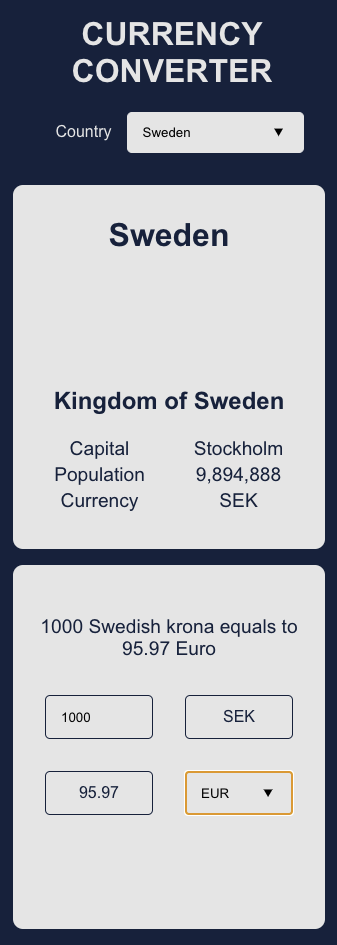
This is how it looks now!
I know, it is not pretty!
Do you have some time?
Documentation
Testing

Think about the industry you are applying to!

Resources








Job Hunting

thehub.io


jooble.org


indeed.com
glassdoor.com

stackoverflow.com
Thanks!

https://slides.com/alejandraferreira/magenta-codes
@aleja_ferre
Ask me any questions, any advice, any suggestions