Type Checking
in JavaScript
A quick exercise
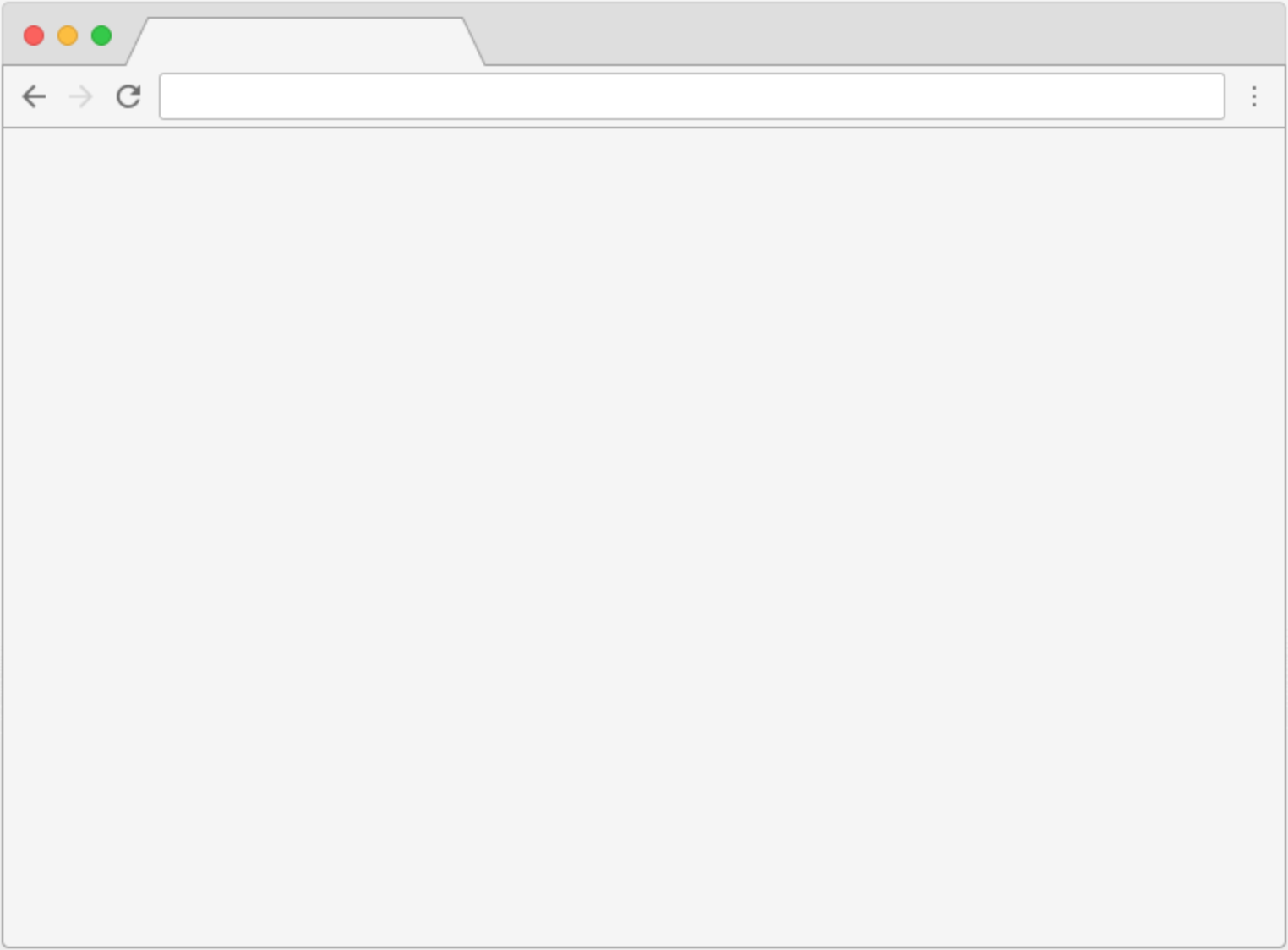
We have a web page that gets the price with VAT from the user's input.
The VAT is set to 20%

const VAT = 0.2;

function getPriceWithVat(price) {
  return price + price * VAT;
}

document.getElementById('getPrice').onclick = () => {
  const val = document.getElementById('price').value;
  alert('The price with VAT added is ' + getPriceWithVat(val));
}
... and this is the javascript code for the page.
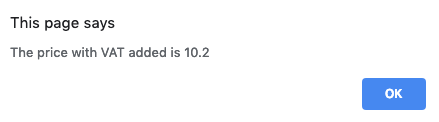

The result
Since JavaScript is a dynamically-typed language...
We need to make sure that the value is a number
const VAT = 0.2;

function getPriceWithVat(price) {
  return price + price * VAT;
}

document.getElementById('getPrice').onclick = () => {
  const val = parseInt(document.getElementById('price').value);
  alert('The price with VAT added is ' + getPriceWithVat(val));
}
Let's fix it
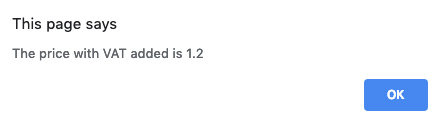

The result
How can this be prevented?
What if we could check the type of the input's value and make sure it's the one we want?

Welcome to type checking!
- JavaScript is a dynamically-typed language, variables can change types on the go
- A type checking library lets the developer specify the type of variables when they are being declared
- The main tools used for type checking in JavaScript are Flow and TypeScript
Pros and cons of type checking
Pros:
- Errors are caught before being delivered to production
- Makes the understanding of more complex data easier
- Improves the coding experience, errors being shown immediately in the editor
Cons:
- The learning curve will slow down a bit the development process at the beginning
- Beware of logic errors, that don't get caught with type checking!
- Extra setup needed to enable type checking
Let's see how it works

Another exercise
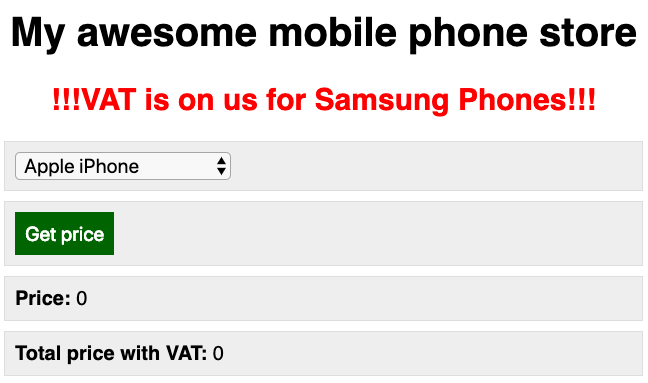
We have a mobile phone store that shows the prices for their devices.
VAT is set to 20%, being free for Samsung phones.
class MyApp {
  productDropdown = document.querySelector('#product');
  priceButton = document.querySelector('#getPrice');
  price = document.querySelector('#price');
  totalPrice = document.querySelector('#totalPrice');

  getProducts() {
    fetch('products.json')
      .then(response => response.json())
      .then((data) => {
        this.populateDropdown(data);
      })
  }

  populateDropdown(data) {
    this.productDropdown.innerHTML =  data.reduce((html, item) => {
      return html + `<option value="${item.price}" data-has-vat-free-promo="${item.hasVatFreePromo || ''}">${item.name}</option>`;
    }, '');
  }

  getDropdownValue() {
    const selectedOption = document.querySelector('option:checked');

    return {
      price: parseInt(selectedOption.getAttribute('value')),
      hasVatFreePromo: !!selectedOption.dataset.hasVatFreePromo
    }
  }

  getPrice() {
    const VAT = 0.2;
    const dropdownValue = this.getDropdownValue();
    const price = dropdownValue.price;
    const totalPrice = dropdownValue.hasVatFreePromo ? price : price + price * VAT;
    return {price, totalPrice};
  }

  addEvents() {
    this.priceButton.addEventListener('click', () => {
      const price = this.getPrice();
      this.price.innerHTML = price.price;
      this.totalPrice.innerHTML = price.totalPrice;
    });
  }

  constructor() {
    this.getProducts();
    this.addEvents();
  }
}

const PriceCalculator = new MyApp();
... and this is the javascript code for the page.
Let's type check it
type ProductData = {
  name: string,
  price: number,
  hasVatFreePromo?: boolean
};

type ProductsData = Array<ProductData>;

type DropdownValue = {
  price: number,
  hasVatFreePromo: boolean
};

class MyApp {
  productDropdown = document.querySelector('#product');
  priceButton = document.querySelector('#getPrice');
  price = document.querySelector('#price');
  totalPrice = document.querySelector('#totalPrice');

  getProducts(): void {
    fetch('products.json')
      .then(response => response.json())
      .then((data: ProductsData) => {
        this.populateDropdown(data);
      })
  }

  populateDropdown(data: ProductsData): void {
    this.productDropdown.innerHTML =  data.reduce((html, item): string => {
      return html + `<option value="${item.price}" data-has-vat-free-promo="${item.hasVatFreePromo || ''}">${item.name}</option>`;
    }, '');
  }

  getDropdownValue(): DropdownValue {
    const selectedOption: HTMLElement = document.querySelector('option:checked');

    return {
      price: parseInt(selectedOption.getAttribute('value')),
      hasVatFreePromo: !!selectedOption.dataset.hasVatFreePromo
    }
  }

  getPrice(): {price: number, totalPrice: number} {
    const VAT = 0.2;
    const dropdownValue: DropdownValue = this.getDropdownValue();
    const price: number = dropdownValue.price;
    const totalPrice: number = dropdownValue.hasVatFreePromo ? price : price + price * VAT;
    return {price, totalPrice};
  }

  addEvents() {
    this.priceButton.addEventListener('click', () => {
      const price = this.getPrice();
      this.price.innerHTML = price.price.toString();
      this.totalPrice.innerHTML = price.totalPrice.toString();
    });
  }

  constructor(): void {
    this.getProducts();
    this.addEvents();
  }
}

const PriceCalculator: MyApp = new MyApp();
TypeScript vs Flow
Similarities
- Both are tools that can be used to check the types of variables in JavaScript
- Their syntax and type checking concepts are almost similar
- TypeScript added some type checking features that were only present in Flow before (like type inference)
TypeScript vs Flow
Differences
| TypeScript | Flow |
|---|---|
| Programming language | Type checking library |
| Designed by Microsoft | Designed by Facebook |
| Works best with Angular | Works best with React |
| Can transpile ES6 code to ES5 | A transpiler needs to be used to convert ES6 code to ES5 |
TypeScript
Pros
- Larger community, which also means better documentation. Flow is catching up quickly though
- Faster than Flow and less battery-hungry
- Can be used with Angular.js
Cons
- Lesser React support, although this is getting better with each new release
Flow
Pros
- Since many ES6 language features are released already and tools like Babel are used for polyfills anyway, Flow adds less overhead
- Flow has better React support
- Flow can be used on regular .js files with types being defined in comments
Cons
- Flow is still not as popular with developers as TypeScript, so solutions to uncommon problems can be harder to find
Find out more about Flow and TypeScript