Flutter Widgets & Navigation


Agenda
- What is a Widget?
- Stateful & Stateless Widgets
- Layouts in Flutter
- Navigation
What is a Widget?
Everything within a Flutter application is a Widget, from a simple “Text” to “Buttons” to “Screen Layouts”.
Stateful and stateless widgets
A stateless widget never changes. Icon, IconButton, and Text are examples of stateless widgets.
A stateful widget is dynamic: for example, it can change its appearance in response to events triggered by user interactions or when it receives data. Checkbox, Radio, Slider, InkWell, Form, and TextField are examples of stateful widgets.
Hello World
import 'package:flutter/material.dart';

void main() {
  runApp(
    Center(
      child: Text(
        'Hello, world!',
        textDirection: TextDirection.ltr,
      ),
    ),
  );
}
Layouts in Flutter
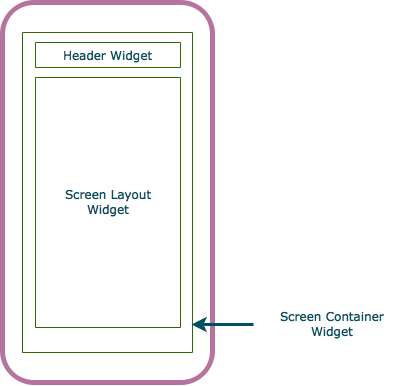
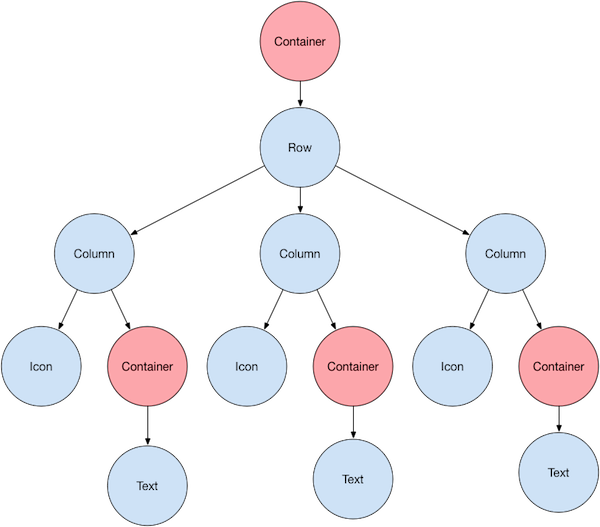
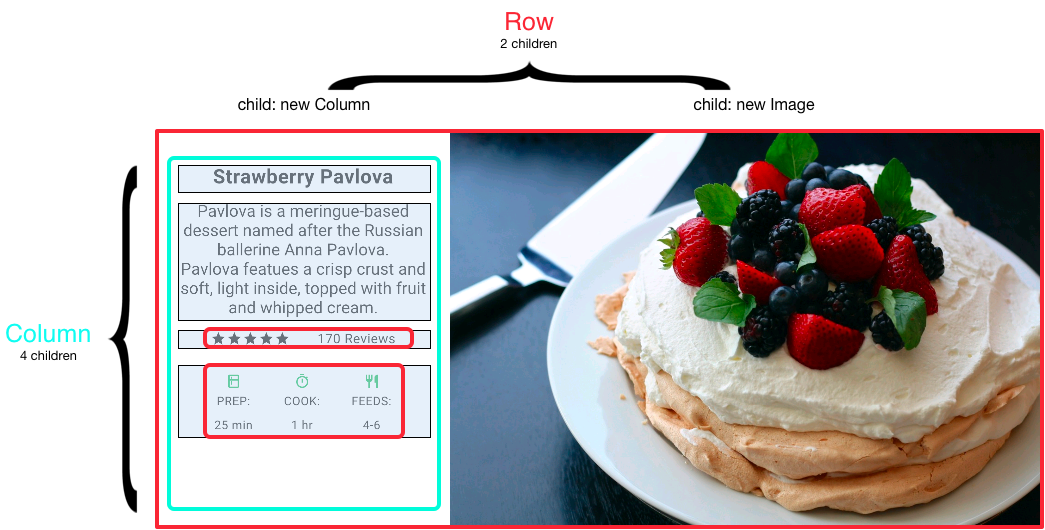
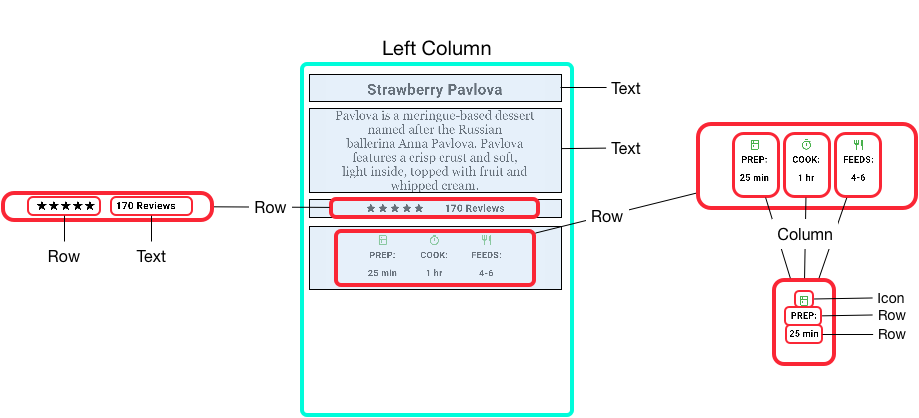
The core of Flutter’s layout mechanism is widgets. In Flutter, almost everything is a widget—even layout models are widgets.

Navigation
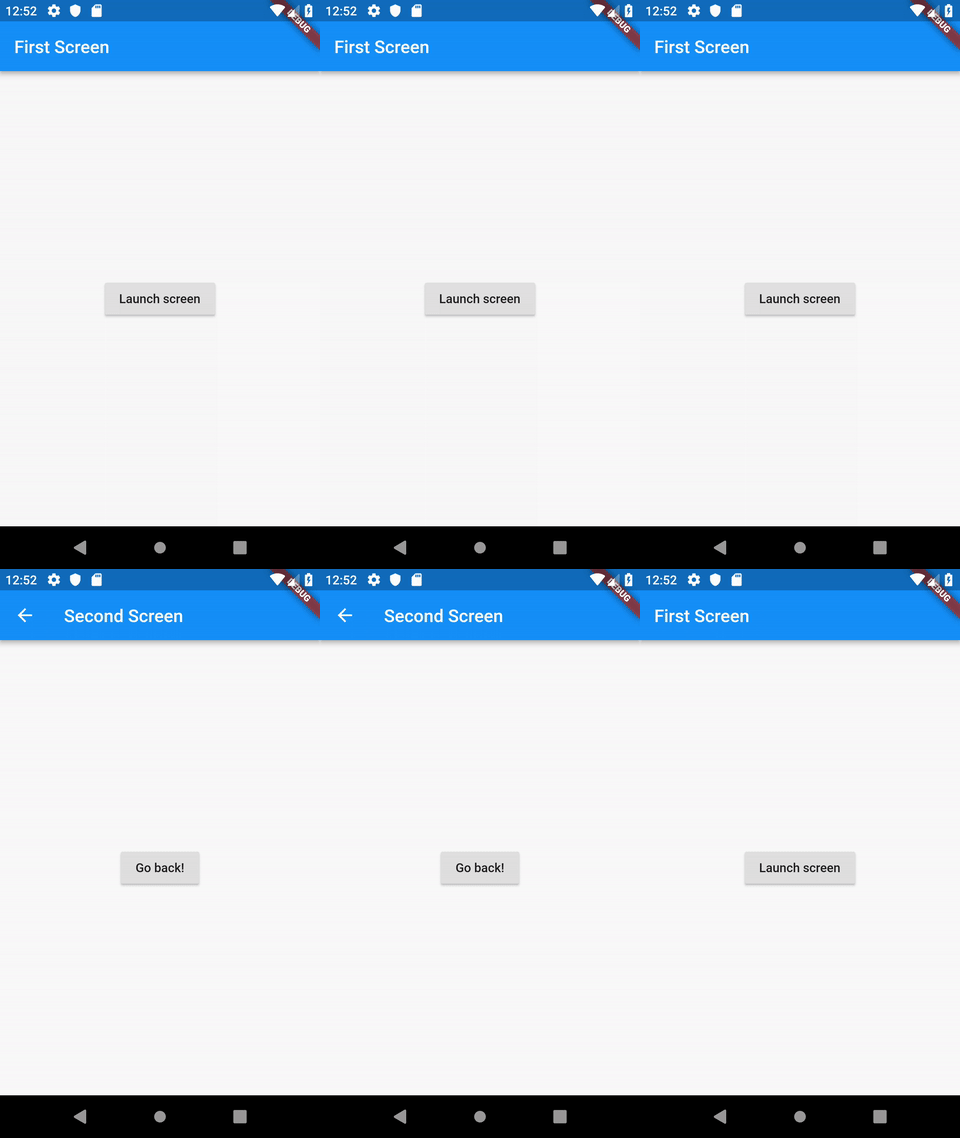
- Routes
- Navigator.push()
- Navigator.pop()

class _LoginPageState extends State<LoginPage> {
  @override
  void initState() {
    super.initState();
    final provider = context.read<LoginChangeNotifier>();
    provider.init();
    provider.addListener(() {
      switch (provider.loginActionState) {
        case FutureState.success:
          Navigator.pushAndRemoveUntil(
            context,
            MaterialPageRoute(builder: (_) => const NavigationPage()),
            (route) => false,
          );
          break;
        case FutureState.failure:
          Navigator.pop(context);
          showGenericDialog(context, 'error: ${provider.error}', title: 'Error');
          break;
        case FutureState.wait:
          showProgressDialog(context);
          break;
        default:
      }
    });
  }
 }