Ditching ng-deep

Ankita Sood
Front-end Engineer @ Dell Secureworks


ng-deep primer
-
/deep/, >>>, and ::ng-deep “shadow-piercing” combinator can be used to force a style down to child components.
-
These selectors disable view encapsulation for specific CSS rules. In other words, it gives you access to DOM elements, which are not in your component's HTML.
-
Any style with ::ng-deep applied becomes a global style.
Another popular alternative to style components is to use ViewEncapsulation.None

Why do we use ng-deep even though it is deprecated?

because stackoverflow said so!
legacy code has it :(
what else am I supposed to do?
Why are we talking about this now?
Recently,
Angular v.12 release highlights

But what if I told you there is?!!

host-context()
- Useful to apply styles based on some condition outside of a component's view.
- Unlike host(), host-context() by itself doesn't work.
- When combined with another selector, it gives you the power to style the component based on where it is at - i.e. the "context" of the component.
::ng-deep
-
As the name implies, deep piercing is involved.
-
The parent defines the styles of the child component.
host-context()
-
As the name implies, context of the 'host' matters.
-
Styles of the child component are defined by itself, based on which parent it is in.
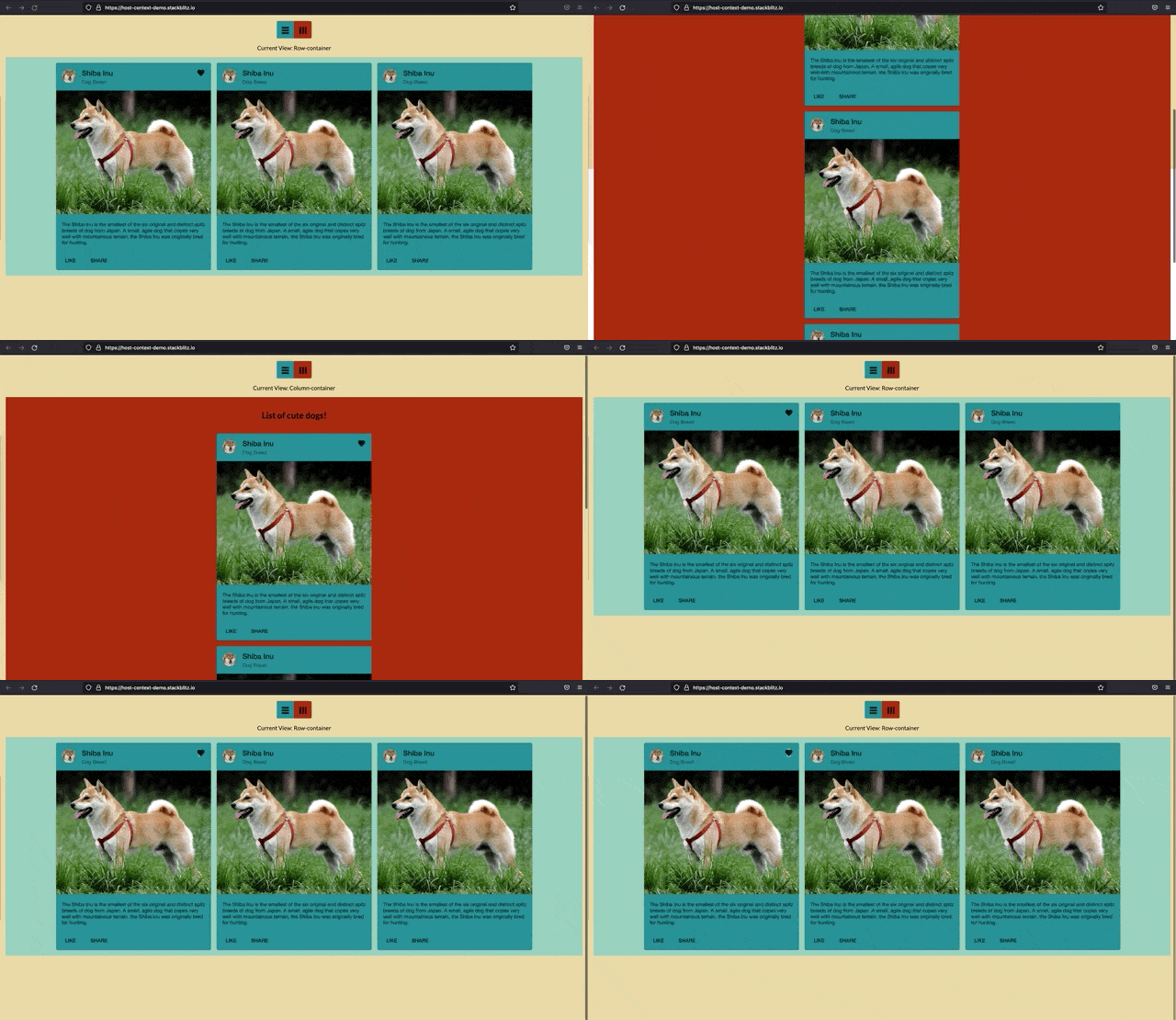
Requirements:
-
The child component should be styled according to the "parent" it belongs to.
-
The heading of the list should be hidden in row view but visible in the column view.
-
The background color of the list should be different for row vs column view.
-
-
An icon in mat-card header should be right aligned.
-
Color of the icon should be different based on the view selected.
-
TEMPLATE
(Parent Component)
<mat-button-toggle-group #group="matButtonToggleGroup" value='row-container'>
  <mat-button-toggle value="row-container" aria-label="Flex direction row" class="toggle-row">
     <mat-icon>table_rows</mat-icon>
   </mat-button-toggle>
   <mat-button-toggle value="column-container" aria-label="Flex direction column" class="toggle-column">
     <mat-icon class="column">table_rows</mat-icon>
   </mat-button-toggle>
</mat-button-toggle-group>
<article [ngClass]=[group.value]>
<app-list></app-list>
</article>TEMPLATE
(Child Component)
<h2>List of cute dogs!</h2>
<mat-card class="example-card">
 <mat-card-header class="unicorn--mat-card-header__long-text">
   <div mat-card-avatar class="example-header-image"></div>
   <mat-card-title>Shiba Inu</mat-card-title>
   <mat-card-subtitle>Dog Breed</mat-card-subtitle>
   <mat-icon>favorite</mat-icon>
  </mat-card-header>
  <img
    mat-card-image
    src="https://material.angular.io/assets/img/examples/shiba2.jpg"
    alt="Photo of a Shiba Inu"/>
  <mat-card-content>
    <p>
      The Shiba Inu is the smallest of the six original and distinct spitz
      breeds...
    </p>
  </mat-card-content>
  <mat-card-actions>
    <button mat-button>LIKE</button>
    <button mat-button>SHARE</button>
  </mat-card-actions>
</mat-card>
Styles using ng-deep
(Parent Scss)
// using ng-deep for child components
  .row-container {
    ::ng-deep app-list {
      background-color: $blue-chill;
      flex-direction: row;

      h2 {
        display: none;
      }
    }
  }

  .column-container {
    ::ng-deep app-list {
      background-color: $tabasco;
      flex-direction: column;
    }
  }
<div [ngClass]=[group.value]>
<app-list></app-list>
</div>Styles using host-context()
(Child SCSS)
:host-context(.row-container) {
  background-color: $vista-blue;
  flex-direction: row;
  h2 {
    display: none;
  }
}

:host-context(.column-container) {
  background-color: $tabasco;
  flex-direction: column;
}
Overriding Styles
without access to HTML
<mat-card-header class="unicorn--mat-card-header__long-text">
  <div mat-card-avatar class="example-header-image"></div>
  <mat-card-title>Shiba Inu</mat-card-title>
  <mat-card-subtitle>Dog Breed</mat-card-subtitle>
  <mat-icon>favorite</mat-icon>
</mat-card-header>
// ng-deep for material overrides
::ng-deep .mat-card-header-text {
flex-grow: 2;
}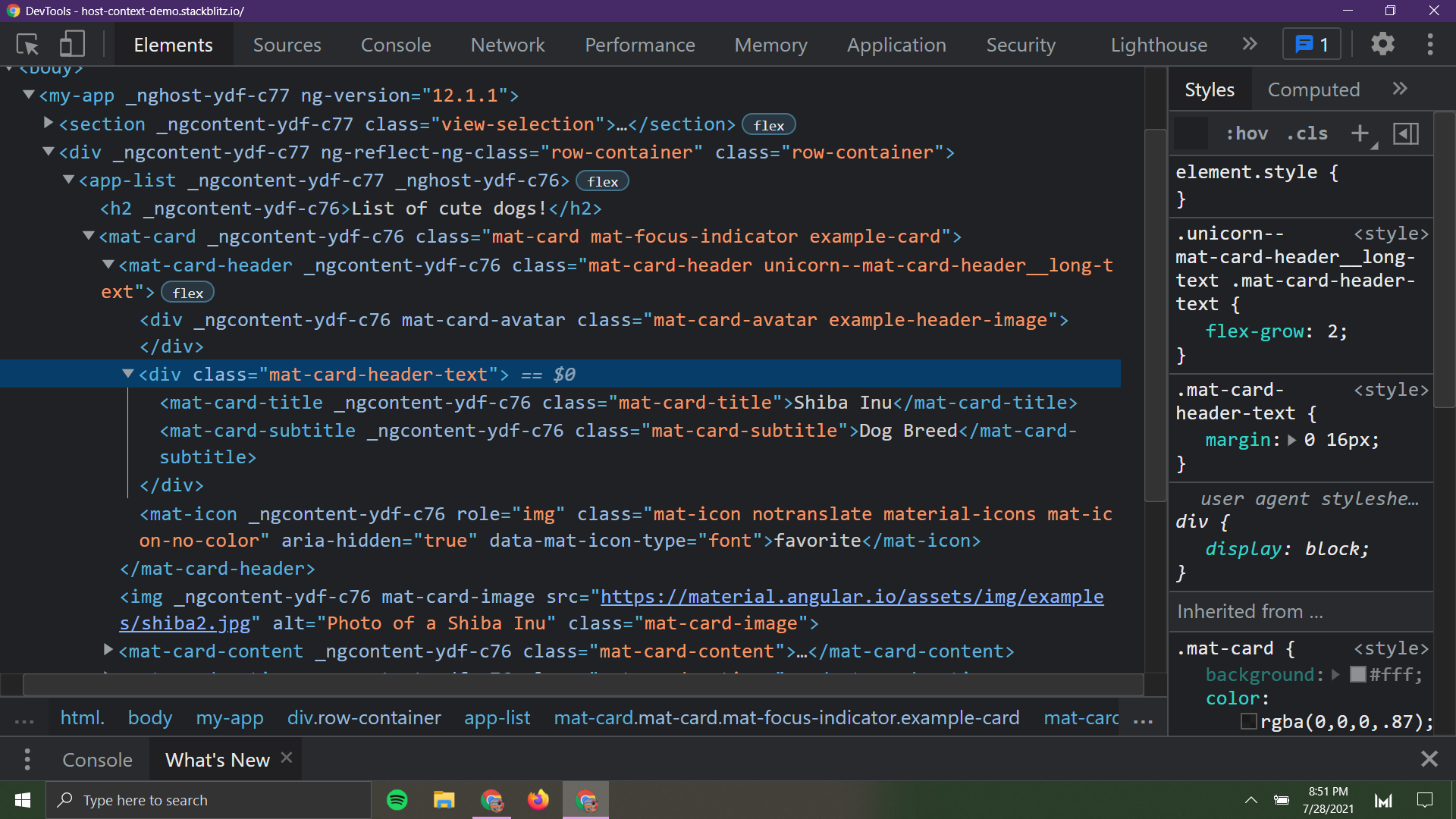
using ::ng-deep
Overriding Styles
without access to HTML
<mat-card-header class="unicorn--mat-card-header__long-text">
  <div mat-card-avatar class="example-header-image"></div>
  <mat-card-title>Shiba Inu</mat-card-title>
  <mat-card-subtitle>Dog Breed</mat-card-subtitle>
  <mat-icon>favorite</mat-icon>
</mat-card-header>
// global.scss
.unicorn--mat-card-header__long-text {
.mat-card-header-text {
flex-grow: 2;
}
}
without using ::ng-deep()
Code