Introduction to
Functional Reactive Programming
with RxJS
Question ?
What can send data/signals to you in an application ?
Question ?
What can send data/signals to you in an application ?
Possible answers
- DOM events
- Ajax (via ready state change events)
- Web sockets, server sent events
- Any connection to anything...
Actually, synchronous data are particular cases.
Incoming data and signals can
- be listened to
- happen a finite or infinite number of times
- complete, throw errors
- imply specific procedures for setup and teardown
- be merged, partitioned
- be deferred, ignored
- be emitted only when asked
- be emitted anyway
Observables are an abstraction of all these.
Observables
The very common comparison
| Single | Multiple | |
|---|---|---|
| Pull | Function | Iterator |
| Push | Promise | Observable |
I pull one value synchronously
let value = "You pull me";I pull multiple values synchronously
let values = ["You", "pull", "me"];Lodash can wrap a synchronous collection and expose operators
Reactive programming is about letting values get pushed to you while you describe how to react to them
One value gets pushed asynchronously
getSentenceAsync()
    .then((value) => {
        // "I get pushed to you afterwards"
    })
;
Multiple values get pushed asynchronously
getWordsObservable()
    .subscribe((value) => {
        // "I", "get", "pushed", "to", "you", "afterwards"
    })
;
RxJS can wrap an asynchronous collection and expose operators
Example of Observable
How do you get daily news about a given topic ?
- You go get it from the source
- You find articles on the web
- You've subscribed to newsletters
If you've subscribed, when does it end ?
- Never
- The topic is over
- When they loose their database, the servers burn
- When you unsubscribe
So, to put words on it:
- To get the news you expect (the Observable)
- You give your email address as the way to get notified (the Observer)
- To a service that expects your email to register you (the Subscriber)
- When subscribing you get an email with a link to unsubscribe (Subscription)
The very common demo: autocomplete
inputEventsObservable
  .pluck('target', 'value')
  .map(term => term.trim())
  .debounceTime(200)
  .distinctUntilChanged()
  .switchMap(term => term.length > 2 ? getPlaces({input: term}) : Rx.Observable.of([]))
  .subscribe(showResults)
;
The very common demo: Autocomplete
- Extract term ("pluck" = "ceuillir" in french)
- Trim
- Debounce
- Ignore same term
- Search if term is long enough
- Display
inputEventsObservable
  .pluck('target', 'value')
  .map(term => term.trim())
  .debounceTime(200)
  .distinctUntilChanged()
  .switchMap(term => term.length > 2 ? getPlaces({input: term}) : Rx.Observable.of([]))
  .subscribe(showResults)
;
Someone asked me why not filtering by term length before using the operator switchMap.
Well, switchMap is switching to the observable you decide to create from the incoming data. We want it to switch to an empty array of results when the term gets too short. Filtering first disables that.
The example can be complexified a bit to be debounced in the switchMap to enable switching to this empty array of results instantly, when the term gets too short or when scheduling a new request.
Generate Observables from common objects
From an Observable
Rx.Observable.from
Rx.Observable.from([0, 1, 2, 3]).subscribe((v) => {
  /* 0, 1, 2, 3 */
});Rx.Observable.from(otherObservable);From an Array
function* gen(i) {
  while (true) yield i *= 2;
}

Rx.Observable.from(gen(1)).take(4).subscribe((v) => {
  /* 2, 4, 8, 16 */
});
From an iterator
Rx.Observable.from(Promise.resolve(1)).subscribe((v) => {
  /* 1 */
});
From a Promise (at least Thenable)
and everything with an iterator factory implemented on it's [Symbol.iterator] property
From event sources
From event emitters
// DOM nodes
Rx.Observable.fromEvent(document, 'click');

// DOM node lists
Rx.Observable.fromEvent(document.childNodes, 'click');

// jQuery like collections
Rx.Observable.fromEvent($(document), 'click');

// standard event emitters
let ee = new EventEmitter();
setInterval(() => ee.emit('tick'), 1000);
Rx.Observable.fromEvent(ee, 'tick');
From a callback style function
From functions
// Functions with callback as last argument
let callbackStyleFunction = (input, cb) => { cb(input * 2); };
let getObservable = Rx.Observable.bindCallback(callbackStyleFunction);
getObservable(1).subscribe((v) => {
  /* 2 */
});
// Same for NodeJS callback style functions
let nodeCallbackStyleFunction = (input, cb) => { cb(null, input * 2); };
let getObservable = Rx.Observable.bindNodeCallback(nodeCallbackStyleFunction);
getObservable(1).subscribe((v) => {
/* 2 */
});From a node callback style function
Observable / Subscriber relation
Observable / Subscriber relation
- Basically, an observable is built from a function that manipulates any potential subscriber
- And returns the way to handle unsubscription
const obs = Rx.Observable.create((subscriber) => {
  let timers = [
    setTimeout(() => { subscriber.next(0);    }, 1000), // obs will notify 0 after 1 second
    setTimeout(() => { subscriber.complete(); }, 2000), // obs will complete after 2 seconds
    setTimeout(() => { subscriber.error(1)    }, 3000)  // obs won't fail cause completed before
  ];

  return () => {
    timers.forEach(clearTimeout);
  };
});
http://www.webpackbin.com/EJkzVj8X-
Observable / Subscriber relation
http://www.webpackbin.com/EJkzVj8X-
obs.subscribe({
  next(v) {},
  complete() {},
  error(e) {}
});- To subscribe, you use the extraction operator subscribe and pass an object matching the observer interface
Exercise I: stability
Implement a function that takes an event emitter and returns an observable
Ensure it can unsubscribe
Same for a promise or a callback style function
Observable temperature
Hot / cold observables
Cold: the subscriber handler
- starts running on subscription
- runs once per subscription
Hot: the subscriber handler
- starts running on creation
- runs once for all subscriptions
Real life example:
- Cold: a movie you buy, it is played when you start it, someone else can buy the same and start it when he wants too
- Hot: a performance, it is done once, if you arrive late, you miss the beginning
Hot / cold observables
Observable types
Subject
A subject is an observable and an observer:
- It's an observable so you can subscribe to it
- It's an observer so you can push values
What does it imply ?
- It can be a medium to connect two parts of code that have to be decoupled
- It's a hot observable since when we push values to it, we do not wait for any subscription, simple Subjects won't re emit those values
- There are other kinds of subjects that can replay the values that were pushed before subscribing (ReplaySubject)
Exercise II: decoupling
Have an observable S which emits data then subscribe to it to display them in a list
From an input element, get an observable V which emits data
Getting data is decoupled from consuming them. Now connect them.
Functional programming with Rxjs
Remember what we said about wrappers of synchronous and asynchronous collections ...
RxJS
The very common comparison
"Think of Rx as Lodash for events"
- Both let you wrap a collection
- The wrapper exposes operators
- With Lodash, the wrapped collection is synchronous and is finite
- With RxJS, the wrapped collection can be asynchronous and can be infinite
(Let's say the events are numbers)
I write a synchronous monad with Lodash
let numbers = [1, 2, 3, 4];

let squaredOdds = _(numbers)
    .filter((v) => v % 2) // keep odd numbers
    .map((v) => v * v)
    .value()
;

// [1, 9]
I write an observable from values and react to them
let numbersObservable = getObservableFrom([1, 2, 3, 4]);

numbersObservable
    .filter((v) => v % 2) // keep odd numbers
    .map((v) => v * v)
    .subscribe((squareOdds) => {
        // 1, 9
    })
;
I may not know when it ends, if it does
let secondObservable = observeTimeEverySecond();

let subscriptionToSeconds = secondObservable
    .scan((count) => count + 1, 0)
    .subscribe((seconds) => {
        // 1, 2, 3 ...
    })
;
You can unsubscribe, but it will never end
subscriptionToSeconds.unsubcribe();

// time never ends
Marble diagrams
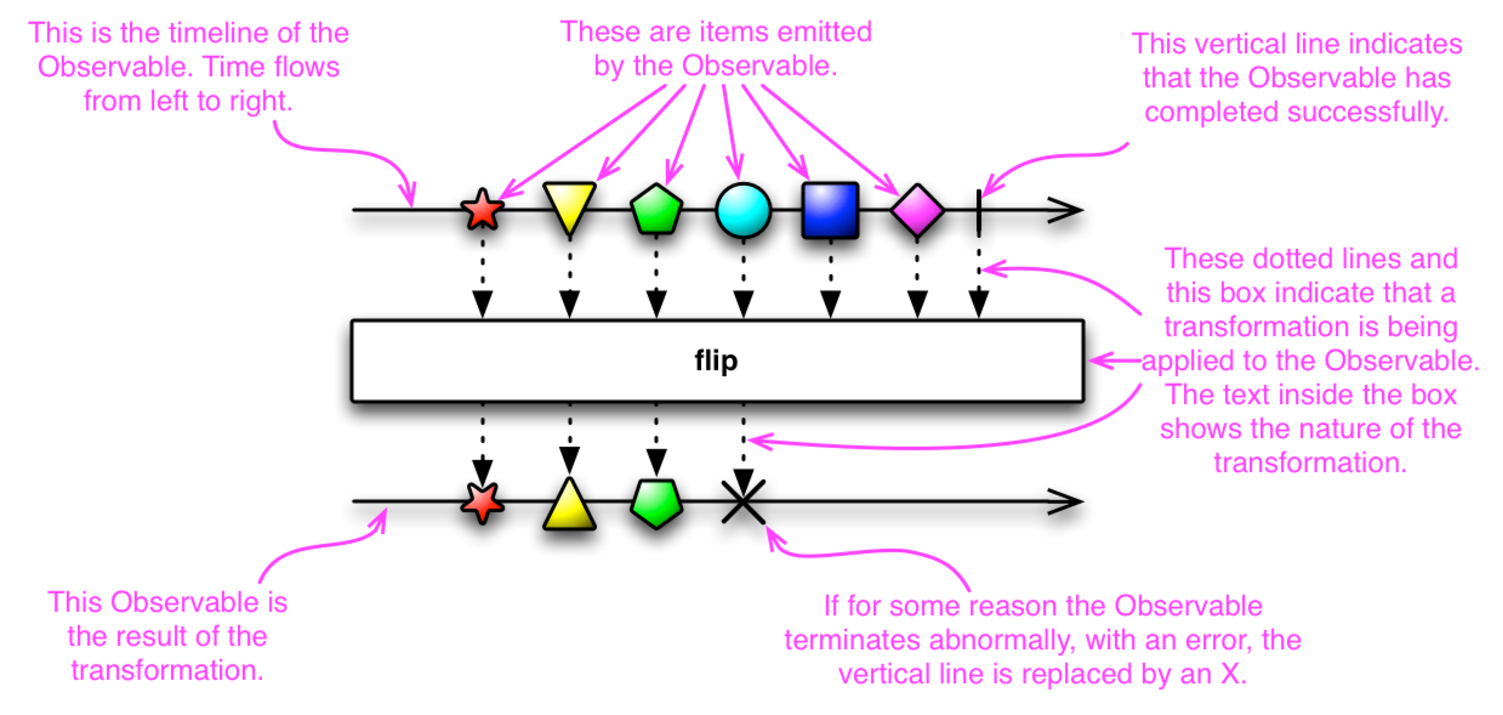
There is a common way to represent reactive data streams: marble diagrams.
Marble diagrams
Visualization of collection's items through time and their transformation/displacement.
Operators
An operator does classical operations over values and time, or even observables.
- Map/filter/merge/group value flows
- Defer flows based on conditions, other observables (dynamic durations, ...)
Operators for value observables
map, filter ...
A lot of the classical data operators are there to work on array collections.
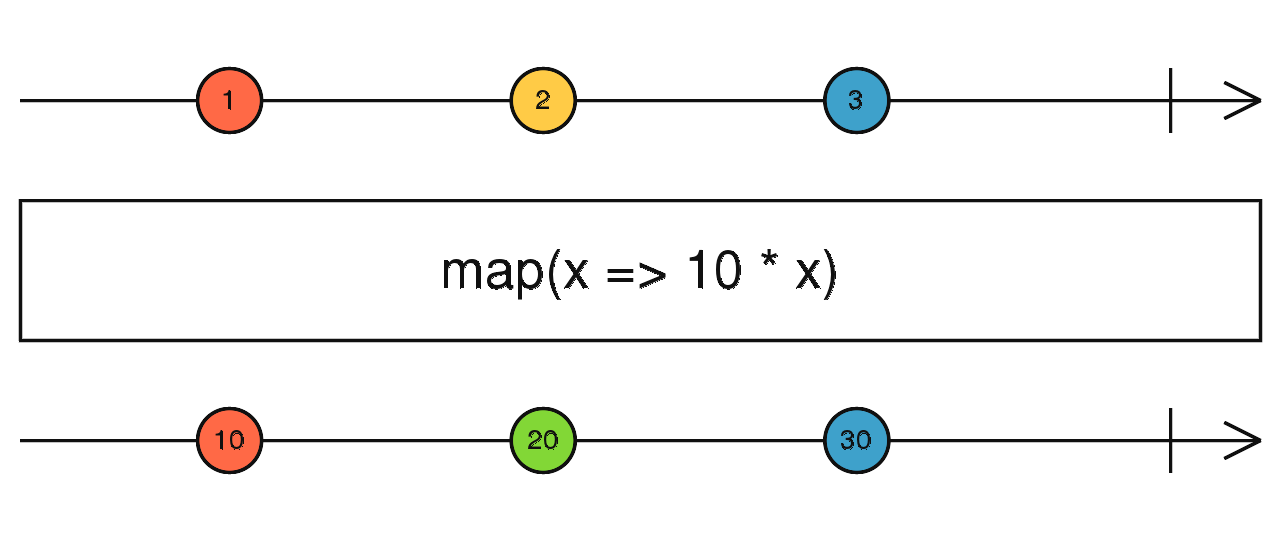
Example: trimming a search term
Remember the autocompletion example
merge
The combination operators can work with multiple observables.
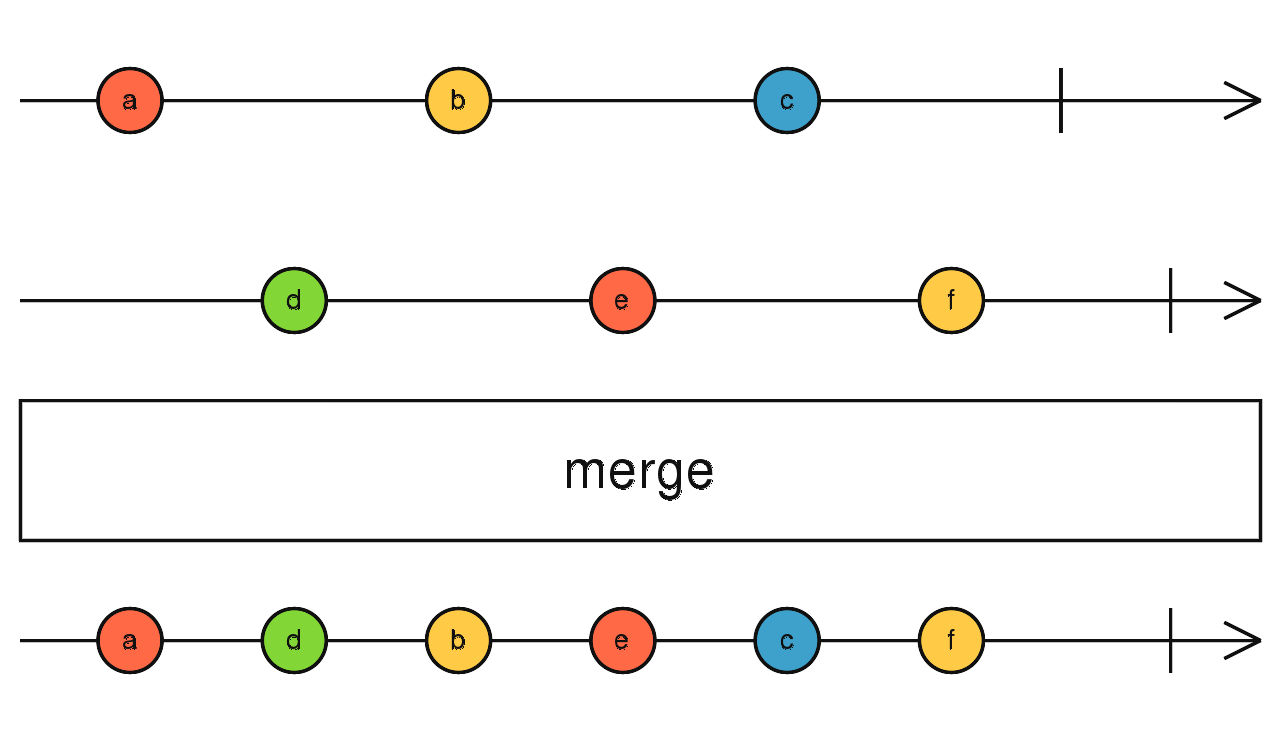
Example: you may combine multiple sources of results for displaying your application events
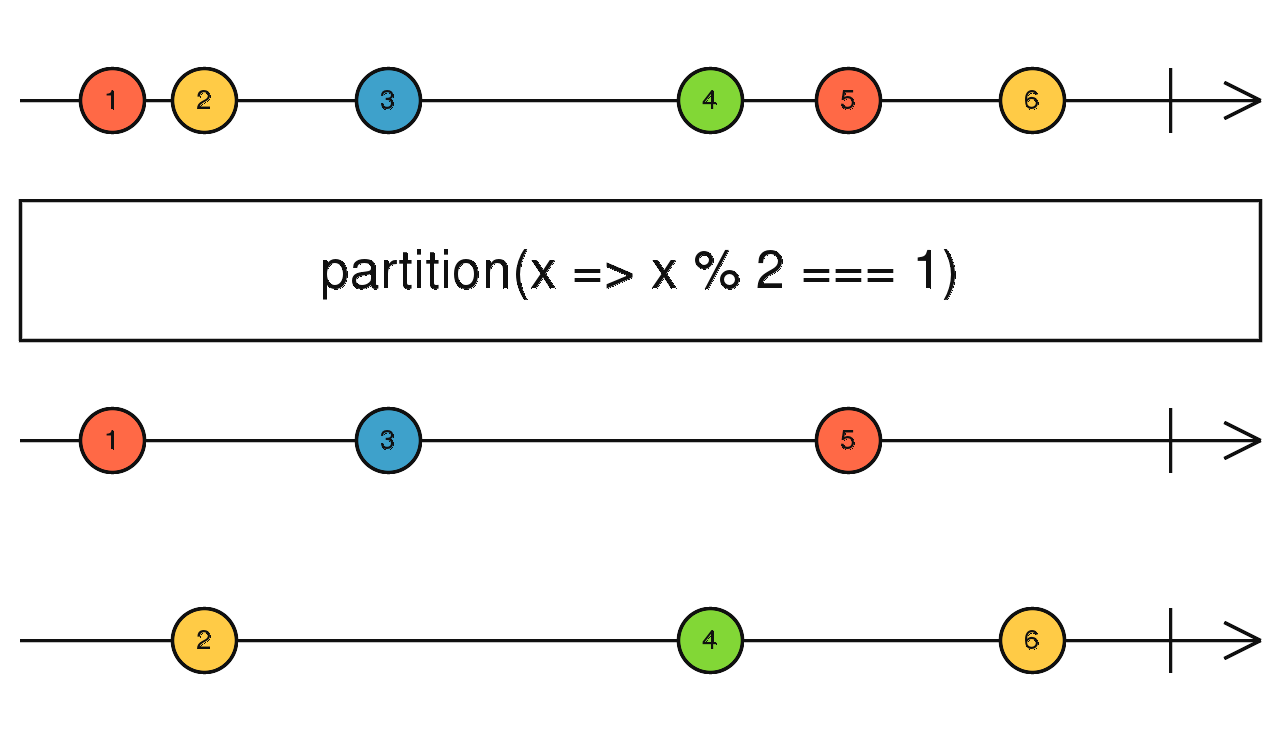
Partition
The partition operator can generate an array of two observables.
Example: some binary test on incoming data
Operators for Observables of Observables
mergeAll
Merge incoming observables
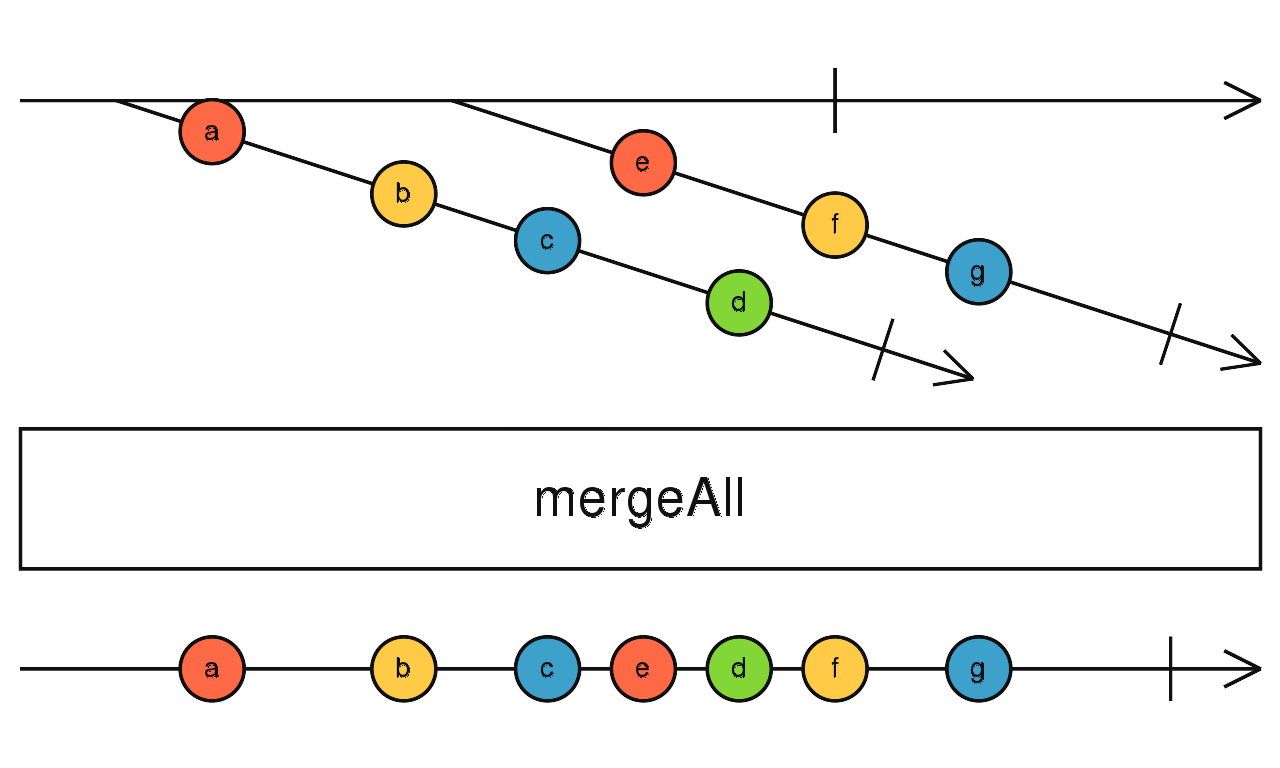
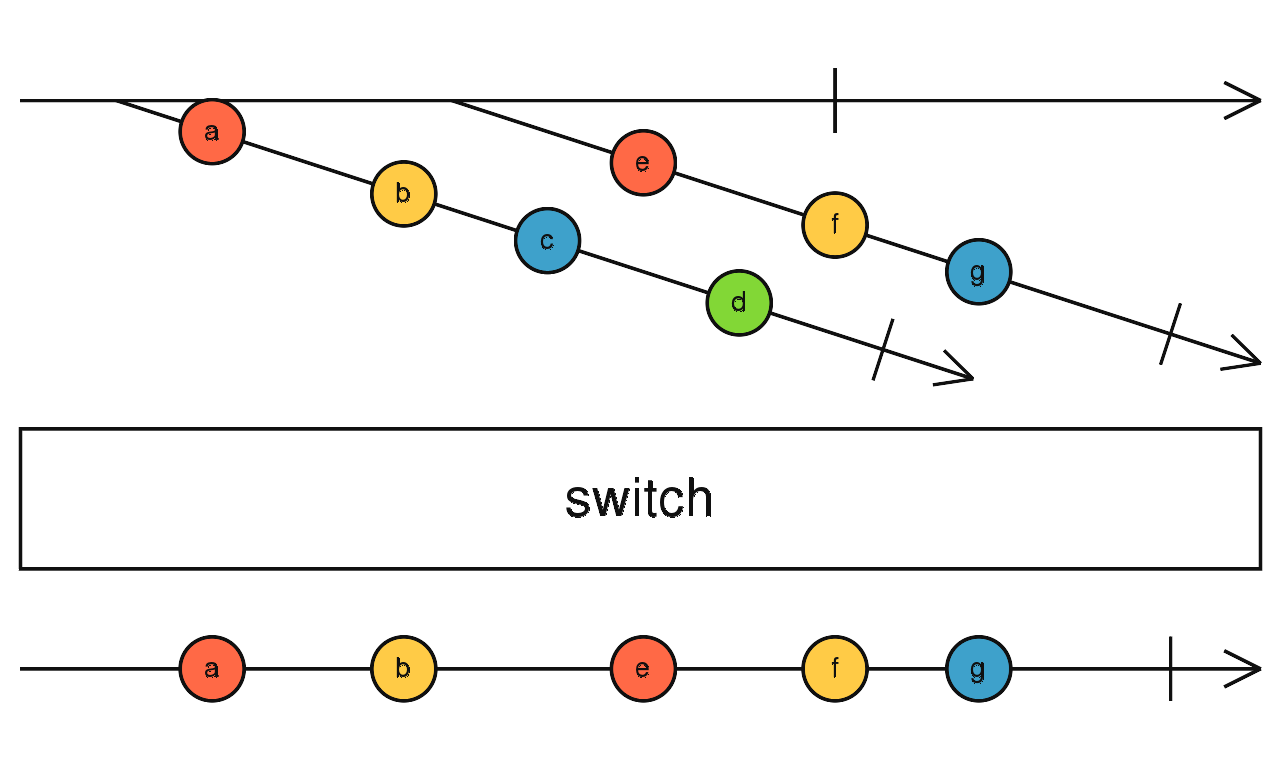
Can someone imagine the difference with a switch operator ?
Switch
The switching operators can switch to the newly started observable.
Notice that unsubscribing the observable we give up while switching, calls the implemented unsubcription process of the previous one.
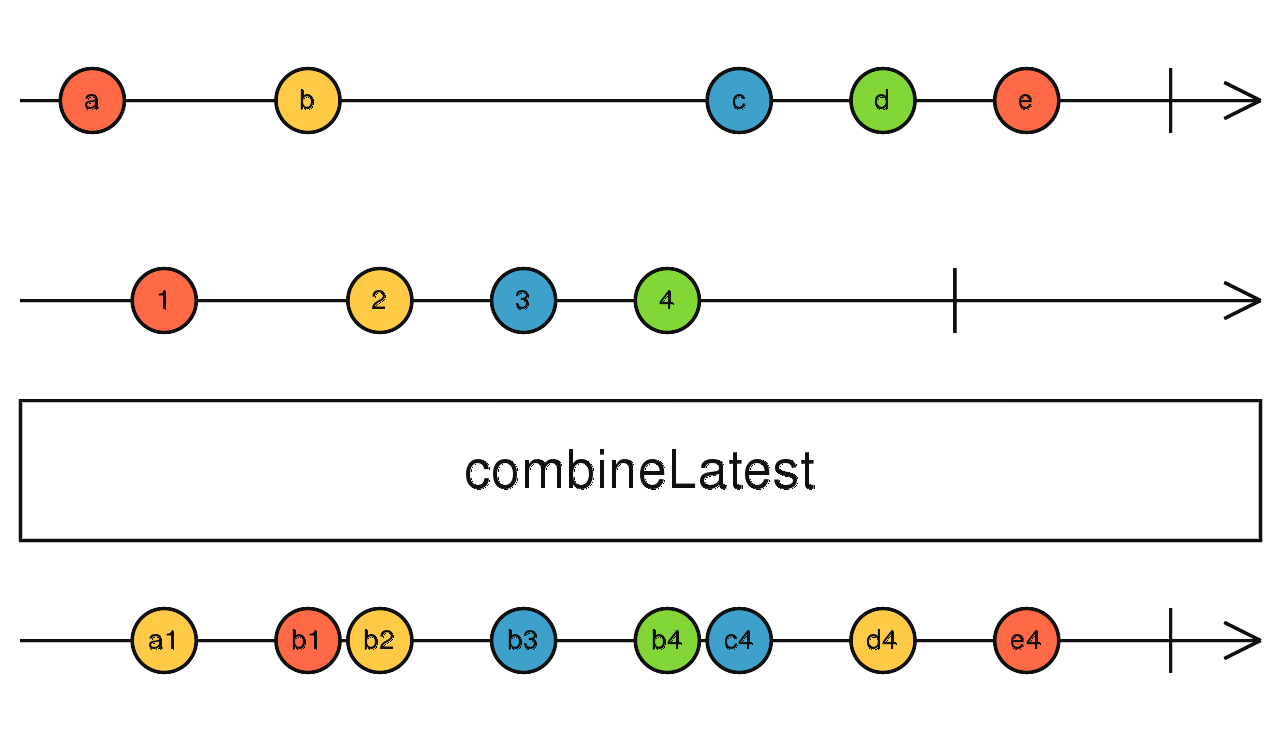
combineLatest
Some combination operators emit combined values of combined observables if all of them has emitted at least once
That's the case of displays that has no meaning when some data is missing, but should react to every change.
GroupBy
The grouping operators can generate multiple observable based on a predicate.
Example: you may have a source of events that is already a merge of heterogeneous events you want to separate before subscribing.
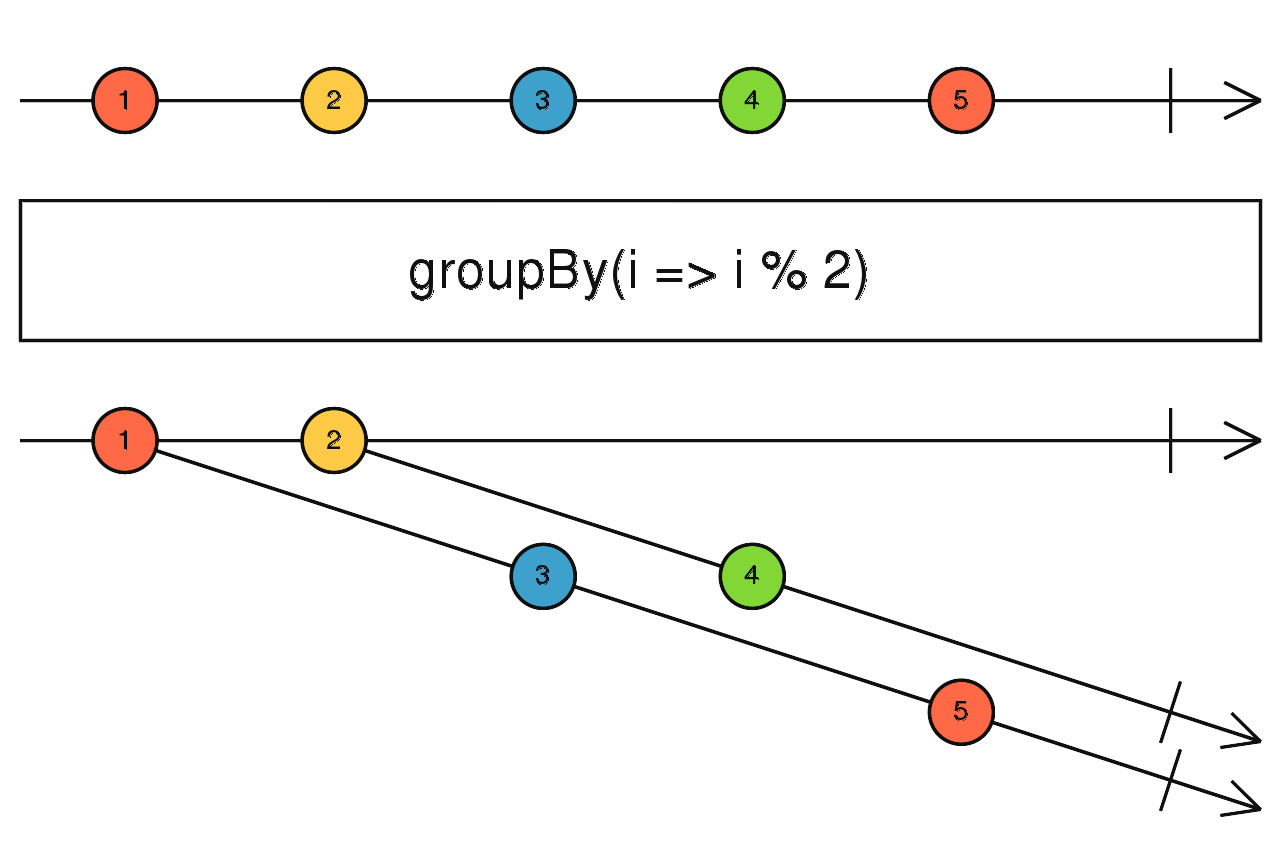
A real life example of groupBy
You may subscribe to an undetermined set of newsletters and group them by topic.
You don't know the topics at first, you may only provide the criteria. First time a newsletter is created for a given topic, it will create a new stream of newsletters for this topic.
That's what groupBy does.
-> What would you have written with vanilla JS to implement this ?
Time operators
Every 70ms, sample.
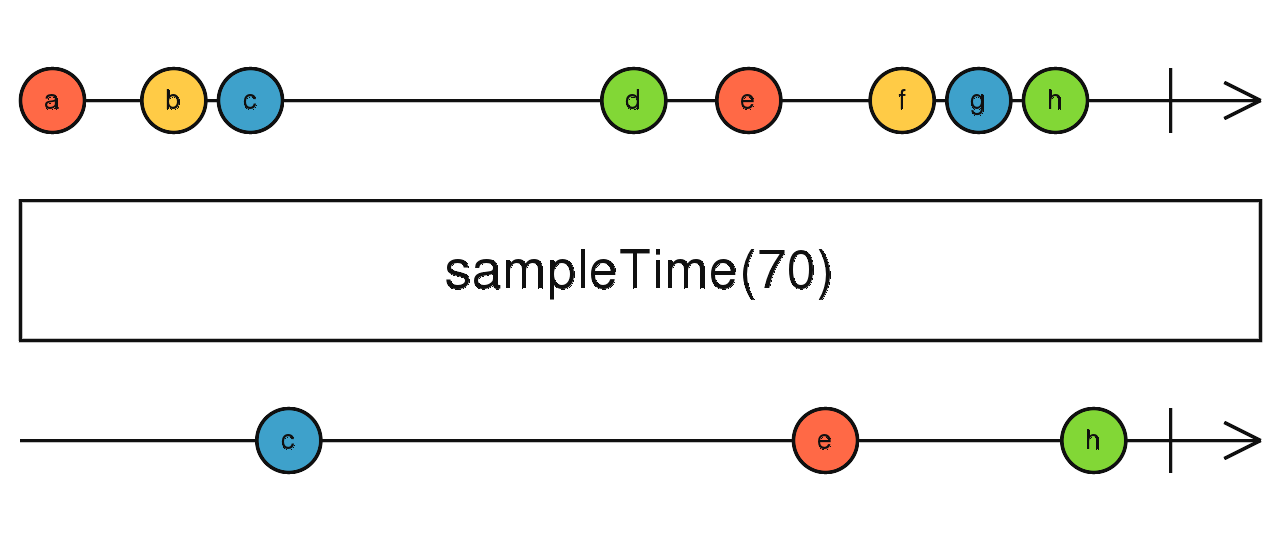
Sample
Accept then ignore during 50ms.
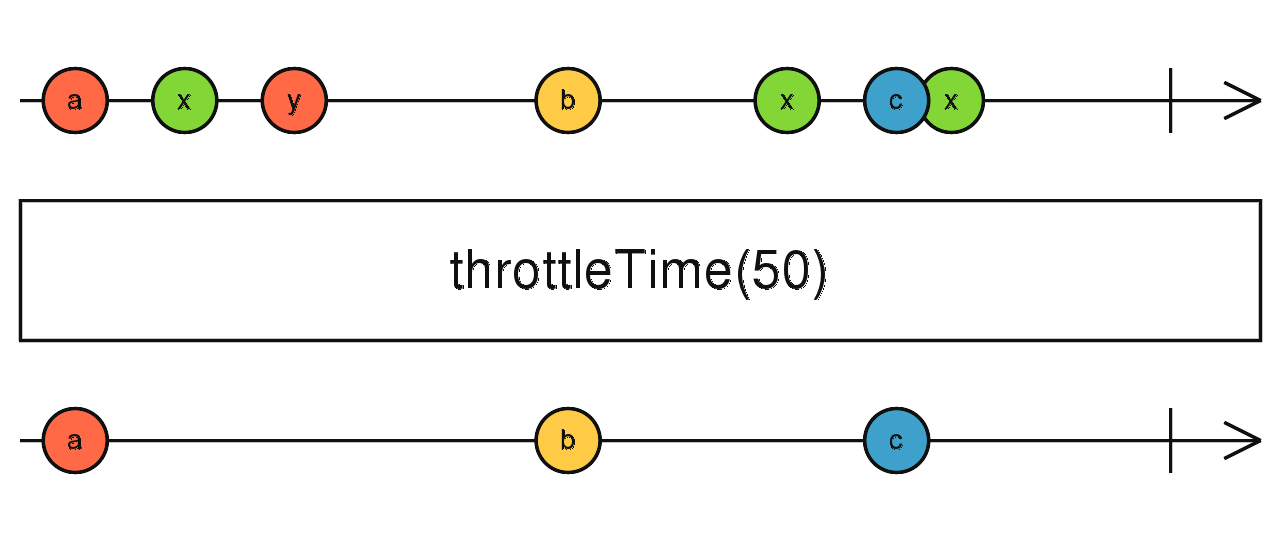
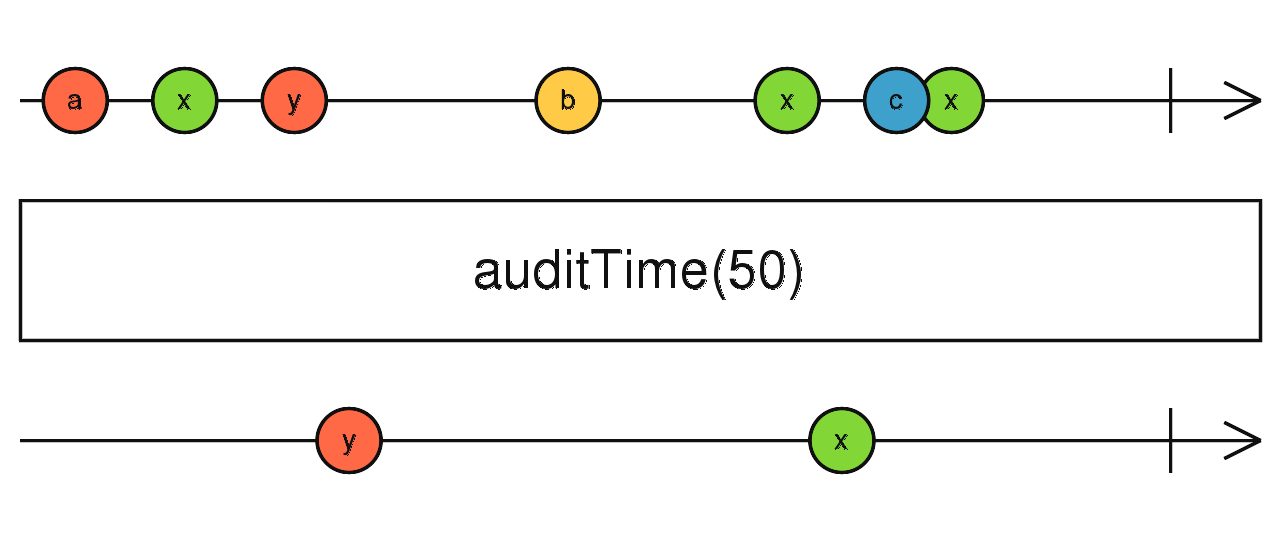
Throttle & Audit
Schedule sampling in 50ms when not already scheduled.
Schedule sampling in 50ms then cancel and reschedule.
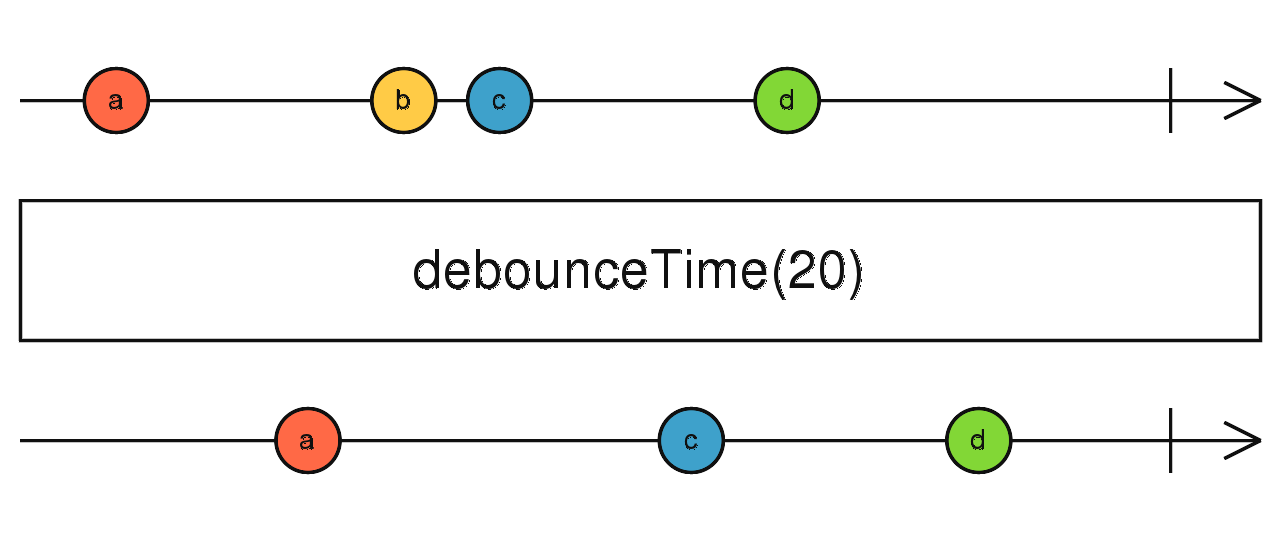
Debounce
Exercises III
Create multiple observables emitting random values
Merge them
Partition them with some predicate
Schedulers
Schedulers
- Schedulers are used to schedule when a subscription starts and when data are emitted.
- It lets place a task in another event loop, letting multiple tasks work concurrently.
- Existing ones
- immediate (synchronous, recursive) - default
- queue (synchronous, trampoline)
- asap (next tick)
- async (periodically)
- animationFrame (next animation frame)
Notifications
Notifications
-
Dematerialized observables transport data.
-
Materialized observables transport notifications that are objects determining themselves whether they are data, completions or errors.
- You can go forth and back from the former to the latter with materialize and dematerialize operators.
Publishing transform chains
- Subscribing multiple times to a transformed observable makes the transform chain being traversed for each subscription: it actually subscribes to the source, before any transformation.
-
You can publish this transform chain with the operator publish. This gives a Connectable that is not connected to the source.
It will wait for being connected with the operator connect before calling subscribers.
- To implement this, a Connectable holds a Subject internally. The type of Subject depends on the operator used:
publish, publishReplay, publishBehavior, publishLast.
You may even provide your own Subject or a factory of it, with the operator multicast.
Transform chains are not new sources
- A Connectable can connect automatically when there is at least one subscription and unsubscribe when all left, with the operator refCount.
- .publish().refCount() = .share(): the transform chain is traversed once if there is at least one subscription. If you want another type of Subject, don't use share.
Sharing transform chains
Useful links
?
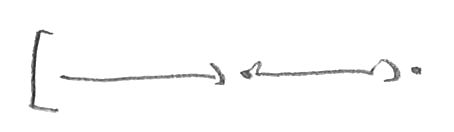
Representation proposal
for the exercises
Source
observable

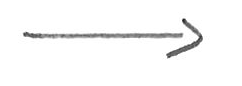

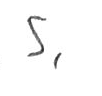
Transformed
observable
Operator
Subscription
Subject (observer and observable)

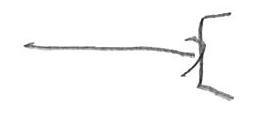
A source observable with two successive transformations
A shared observable (the new source for subscribers)
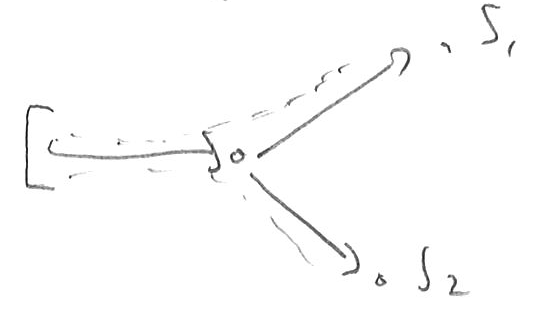
- A transformed observable
- which is transformed and subscribed twice separately
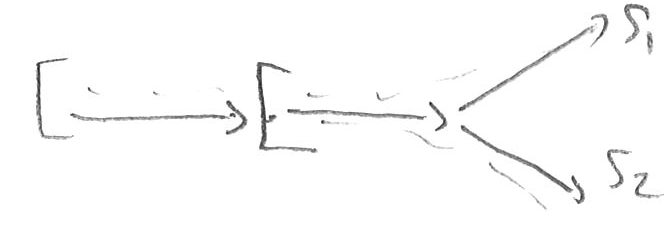
- A transformed observable
- which is shared
- then transformed and subscribed twice separately
Exercises
Ex 1: warm up
function fromArray<T>(v: T[]): Observable<T> {
  /* implement this */
}
b) Implement a function which takes a synchronous array and transform it to an observable
function search(term: string): Observable<string[]> {
  /* implement this */
}
c) Implement a function takes a string and provide an array of strings
a) Implement a subscription which simply logs everything that goes out of a given an observable
Ex 2: Mapping to asynchronous processes
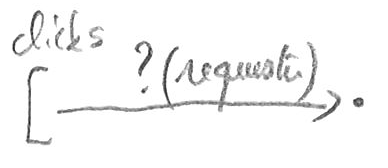
Listen to clicks on a button and map it to a request so that
- a) no new request starts till the previous one ends
- b) all requests start and all results are used
- c) requests are queued
- d) the previous request is cancelled when a new one starts
Ex 3: Using a subject
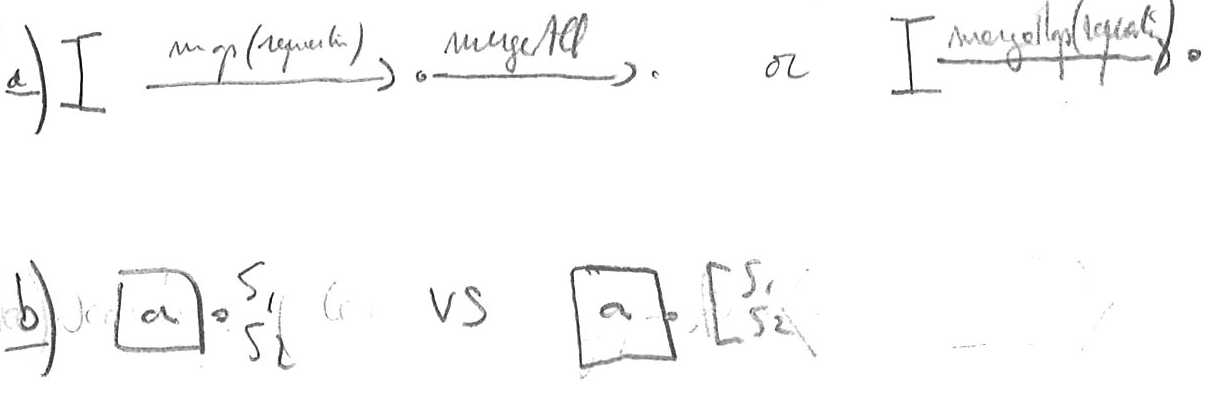
a) Map a subject to requests, then merge all requests
b) Contract it to one operator use
c) Subscribe twice and compare with and without sharing
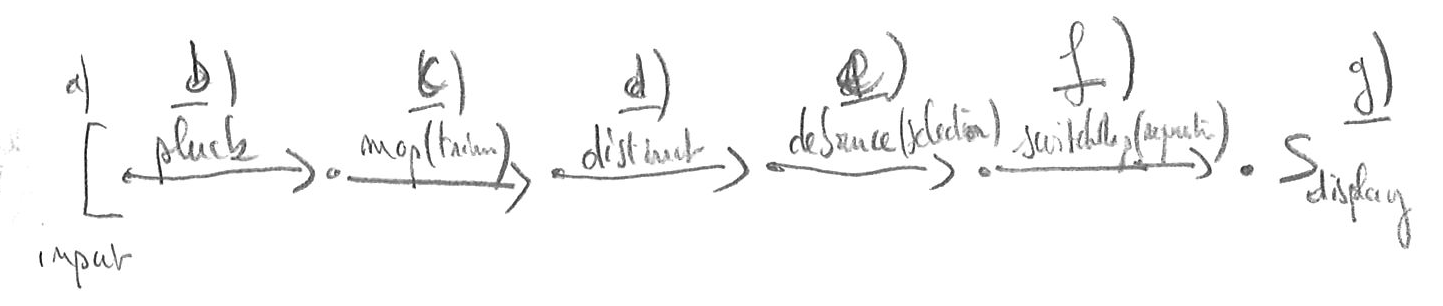
Ex 4: Reimplement autocomplete
a) Listen to input events from a DOM input
b) Extract value of input events from a DOM input
c) Trim it to get a search term
d) Ignore events if the term did not change
e) Debounce based on the term length (no delay if term is too short)
f) Call the search function of first exercise and cancel it when a new request is required
g) (optional) Display results
Ex 5: retry a process
a) Transform some source with a function which throws in some condition
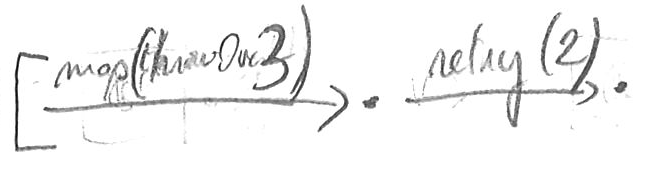
b) Implement retrial a given amount of times