CSS Tricks
Just for fun
0--题外话-Web PPT
Web 页面为演示内容的载体,相比传统的演示文档:
- code带有格式
- 可以用svg
- 演示效果丰富
- 跨平台分享(mac/window/linux/pc/ios/android,wps/mso)
- 屏幕适配(4:3/16:9/..)
reveal.js
slides.com
不足:
- 不支持markdown
- 不支持js
- 自带字体对中文支持不好
亮点:
- 预设样式/模板
- 可上下切换
- iframe(https)
- code(语言多)
- 自动保存
- 导出html
- 开发者模式
- 演讲者讲稿
- 交互友好
- 导出zip pdf*
- css编辑器*
*付费
1--css without html
如果页面没有html
demo
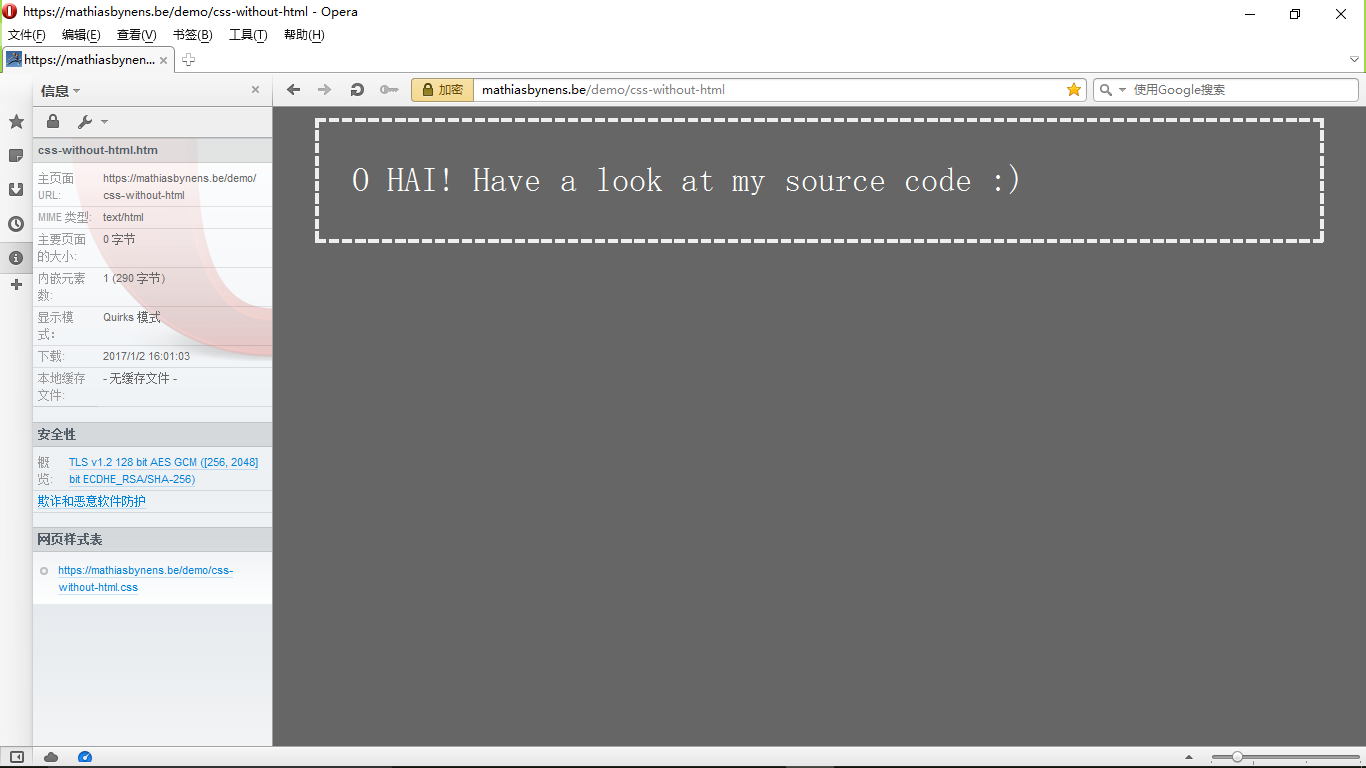
(in Firefox or Opera ≤ 12)
html {
  background: #666;
  padding: 1em;
}
body {
  border: 5px dashed #eee;
  color: #fff;
  font: 3em/1.5 sans-serif;
  padding: 1em;
  -moz-box-sizing: border-box;
  box-sizing: border-box;
  width: 100%;
  max-width: 30em;
  margin: 0 auto;
}
body::after {
  content: 'O HAI! Have a look at my source code :)';
  /* This needs to be on the ::after (and not just on `body`)
     for it to work in Firefox 3.6.x and up. */
}
css-without-html.css
Trick 1:隐含的HTML元素
即使HTML源代码中并没有<html>和<body>元素,浏览器会自动生成。
Trick 2:通过http-header完成link
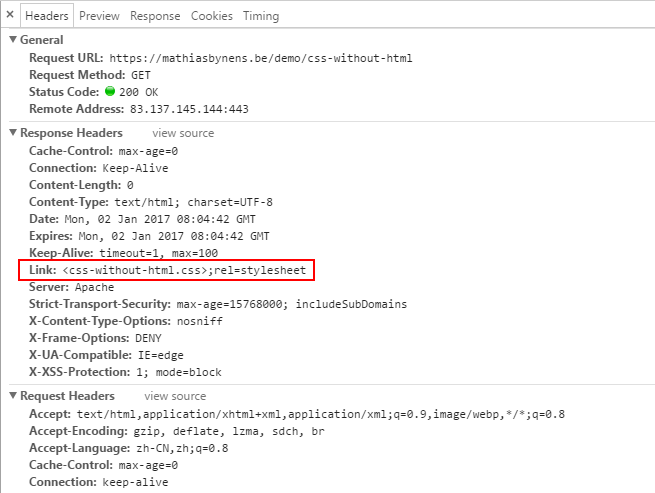
Trick 2:通过http-header完成link
等同于在html中:
RFC5988定义了link元素,用法:
Link: <some-document.html>;rel=prefetch<link href="some-document.html" rel="prefetch">More
浏览器不仅仅自动填充`html`和`body`标签,
还允许隐藏标签有样式
2--css without js
如果页面没有js
dl.dropboxusercontent.com/u/3397654/nojs/index.html
kong.詹姆斯.com
不是说立flag:我就是不用js!
而是html5和css3提供了很多新特性 可以完成大部分的交互
让js专门去解决业务逻辑,那才是它最该做的事
用html和css去完成界面交互 代码更易懂
但是兼容性是个坑
3--!important
提升css权重
场景
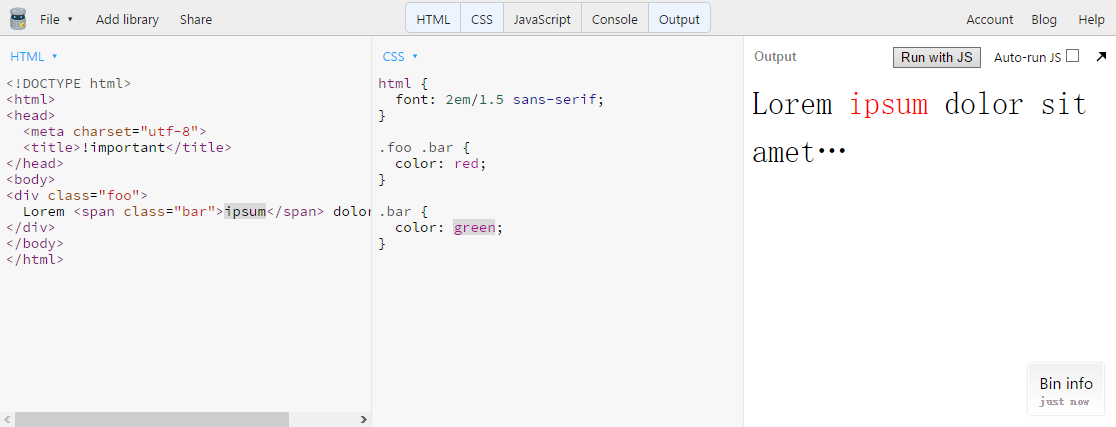
html {
  font: 2em/1.5 sans-serif;
}

.foo .bar {
  color: red;
}

.bar {
  color: green !important;
}
常用写法
html {
  font: 2em/1.5 sans-serif;
}

.foo .bar {
  color: red;
}

.bar.bar.bar.bar.bar.bar.bar.bar {
  color: green;
}
推荐写法
使用场景:需要进行修改,但是又不想动到别人的/之前的代码,只好提升当前样式权重
用!important可以完成权重提高,但无法使用多次
通过重复写选择器可以给权重分级
4--//
css行注释
.some-selector {

  background: hotpink;

  /*color: red;*/

  text-align: center;

}
正常的注释:
嗯,和js,c++一样~
.some-selector {
  background: hotpink;
  //color: red;
  text-align: center;
}想象中的行注释:
没有这种用法!!!
但是js,c++都支持行注释://
但是有效~ : )
.some-selector {
  background: hotpink;
  //color: red;
  text-align: center;
}
.some-selector {
background: hotpink;
颜色: red;
text-align: center;
}//do sth
.some-selector {
background: hotpink;
color: red;
text-align: center;
}//do sth{}
.some-selector {
background: hotpink;
color: red;
text-align: center;
}.some-selector {
background: hotpink;//do sth
color: red;
text-align: center;
}.some-selector {
background: hotpink;//do sth;
color: red;
text-align: center;
}
- 正常的注释是指,浏览器可以解析出,但是不应用该样式
- 双斜杠(//)注释,造成浏览器解析失败,从而使样式没有应用
- 双斜杠(//)对于css来说,不是行注释,而是下一结构都被注释掉