Xpra
&
How to access real MikroTik routers from GNS3
Week-9 Report
Wai Yan Kyaw
211AEM007
Agenda
-
Network Topology
-
Virtual Topology
-
Xpra
-
How to run xpra
-
Accessing Xpra remotely
-
Static routes in Linux
-
GRE Tunnel
-
How to configure GRE Tunnel
-
References
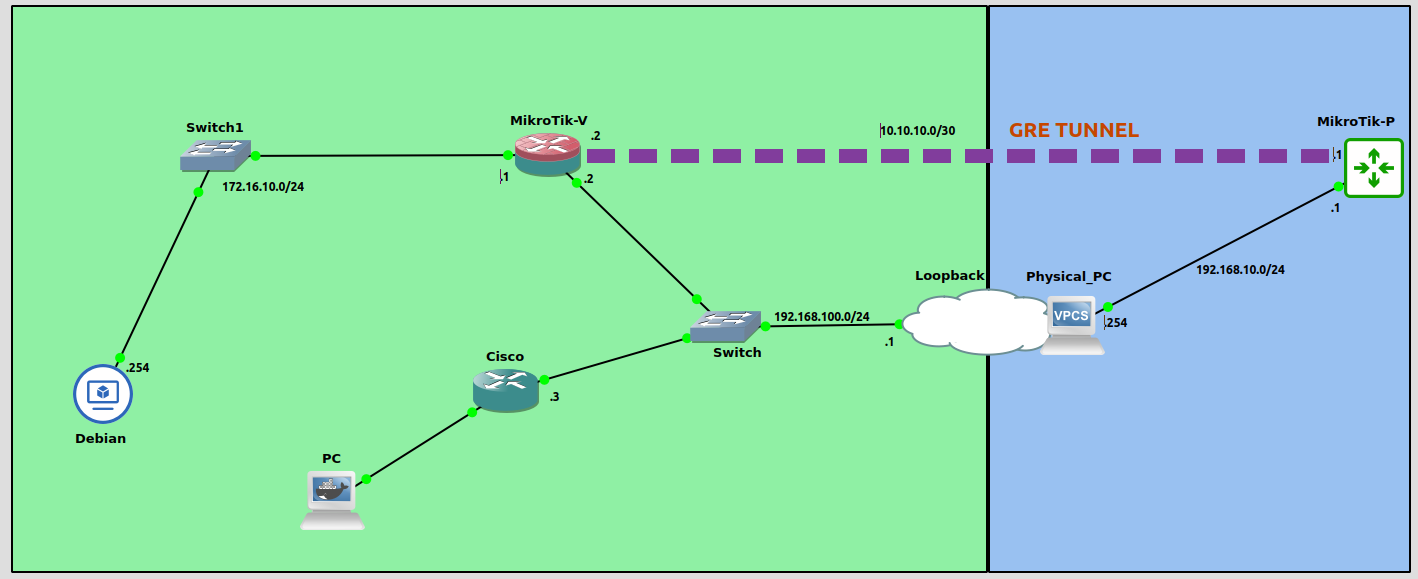
Network Topology
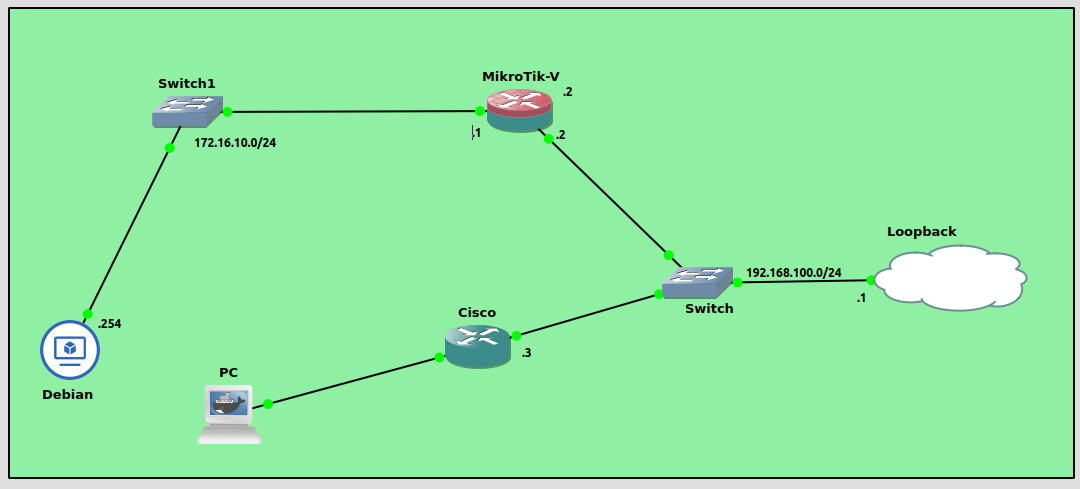
Virtual Topology
Xpra
-
Xpra is an open-souce muti-platform persistent remote display server and client for forwarding application and desktop screens.
-
It gives you remote access to individual applications or full desktopls.
How to run Xpra on your PC
Running Xpra with ssh
-
xpra start :50 --start=xterm --speaker=off (Server)
-
xpra attach ssh://USERNAME@HOST/50 (Client)
-
xpra attach :50 (Locally)
Running Xpra without ssh
-
xpra start --start=xterm --bind-tcp=0.0.0.0:10000 --html=on (S)
-
http://HOST:10000 (Web such as Firefox or Chrome on Client)
-
xpra attach tcp://Host:10000/ (terminal on Client)
Running Xpra server
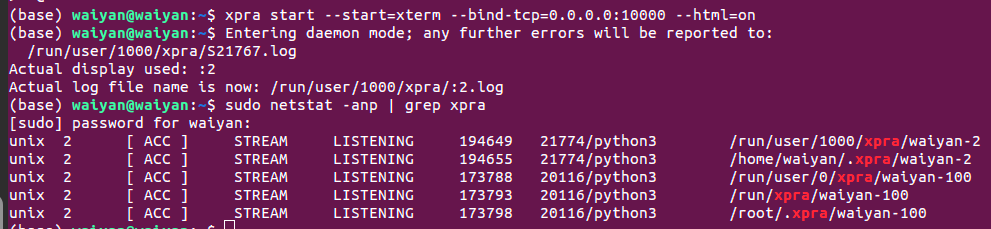
- sudo netstat -anp | grep xpra
Accessing Xpra with web on client
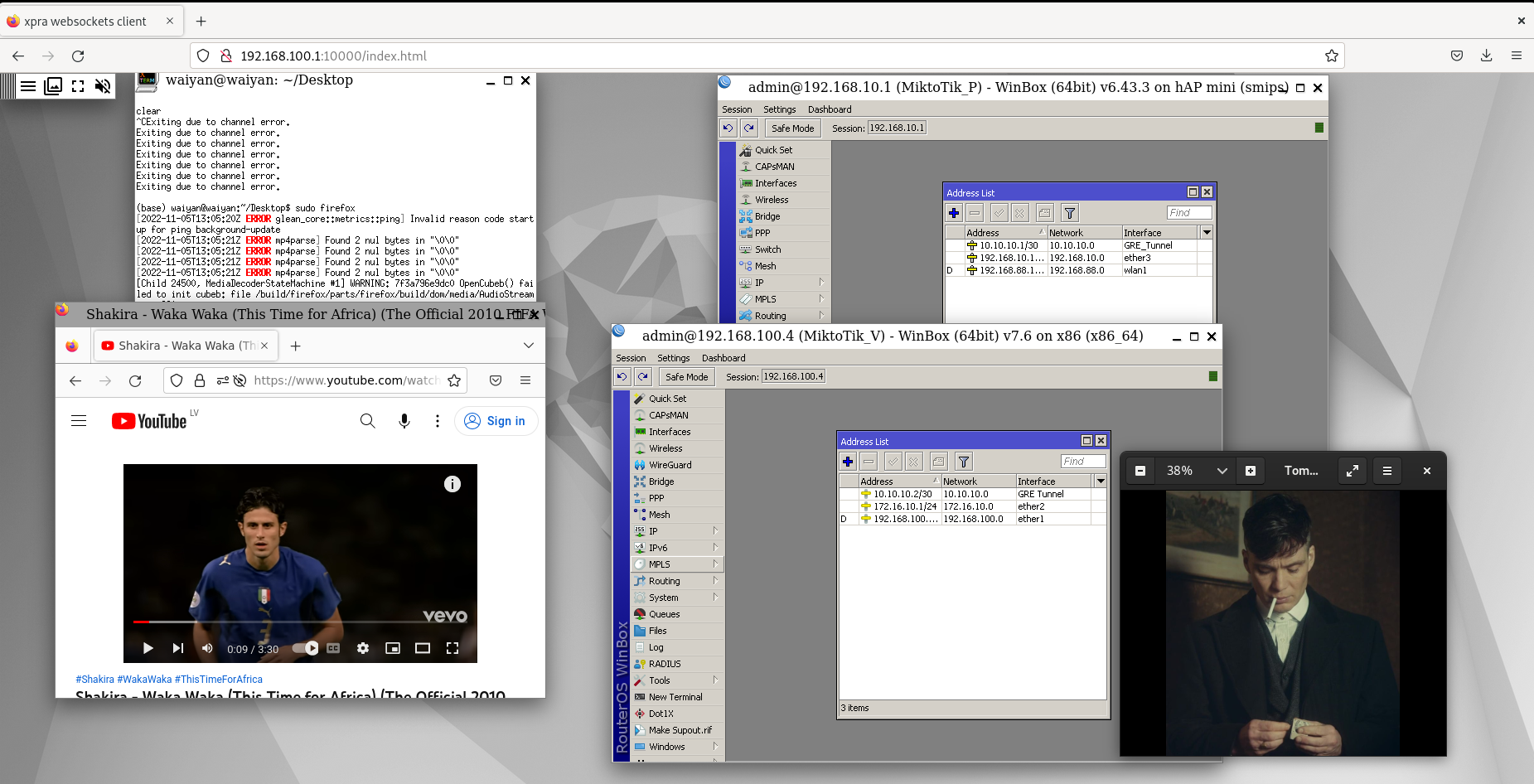
- http://192.168.100.1:10000 (on Debian VM )
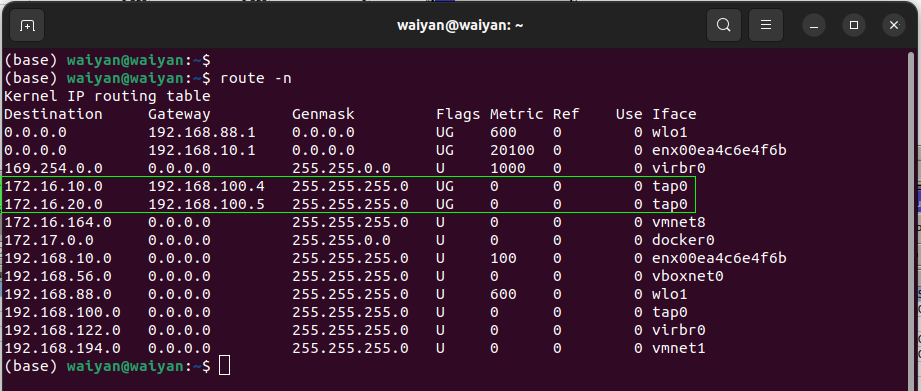
Creating routes in Ubuntu
-
Consider your physical pc as a router between real MikroTik and Virtual MikroTik -
Create static routes to get rechability between MikroTik routers
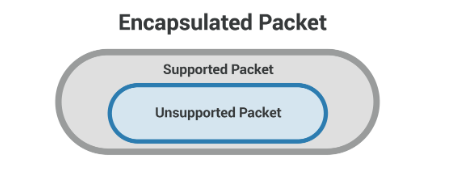
GRE Tunneling
- Generic Routing Encapsulation or GRE is a protocol for encapsulating data packets that use one rouing protocol such as RIP, EIGRP, OSPF inside the packets of another protocol.
OSPF or RIPv2
GRE
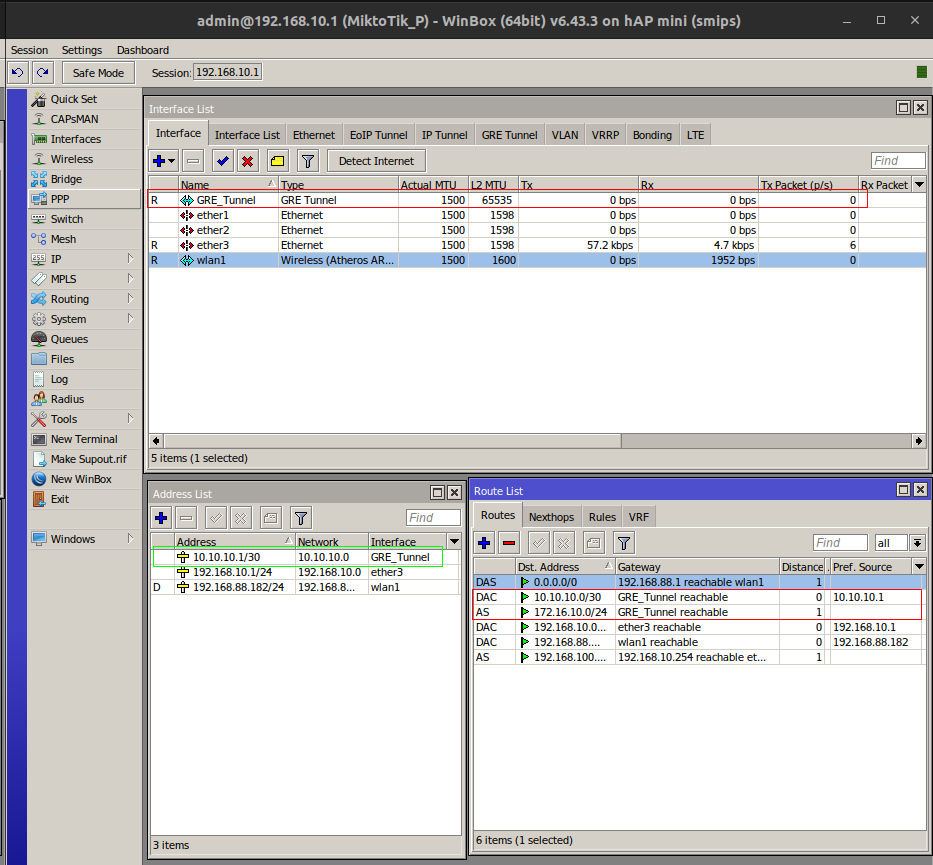
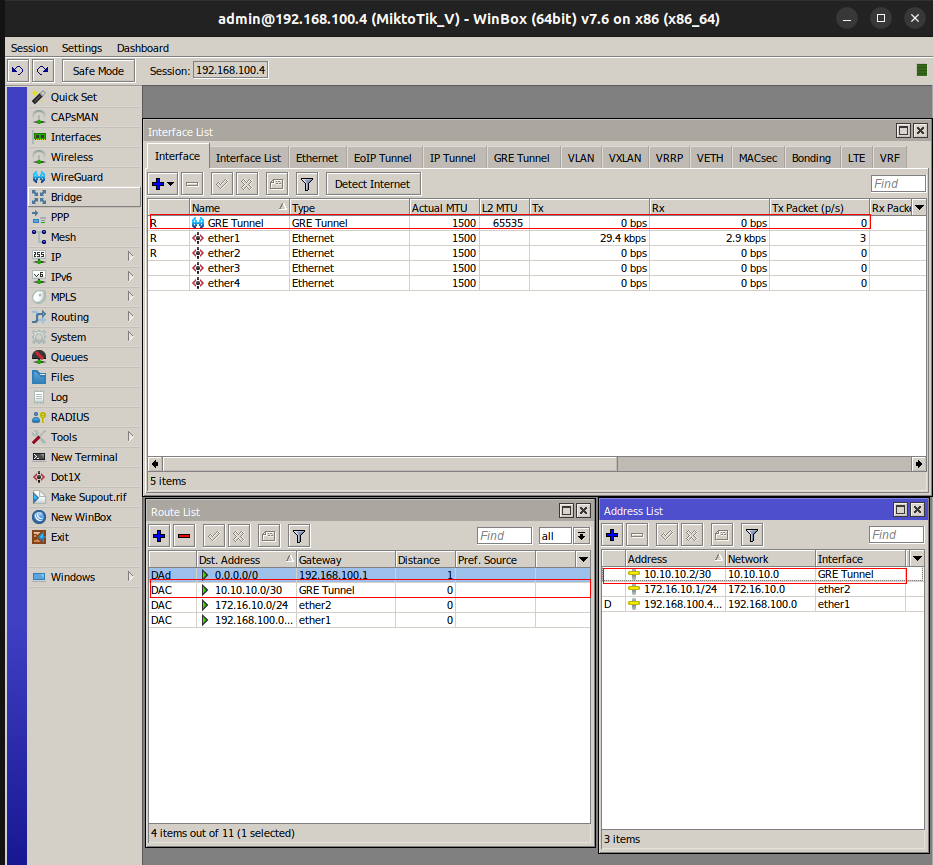
How to configure GRE Tunnel between MikroTik Routers
-
Check rechability between two mikroTik routers (Real and Virtual )
-
Create GRE Tunnel
-
Assign Local Address and Remote Address correctly
-
Assign GRE Tunnel IP between two routers
-
Create routes on both MikroTik routers
Configuring GRE Tunnel on Real MikroTik Router
Configuring GRE Tunnel on Virtual MikroTik Router
Checking MikroTik Routers from Real PC
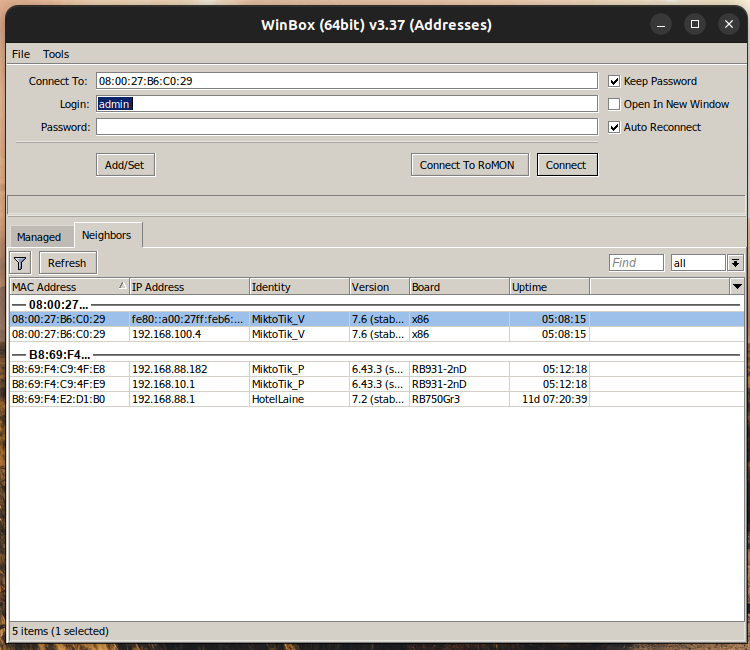
Accessing Real and Virtual MikroTik Routers from Debian
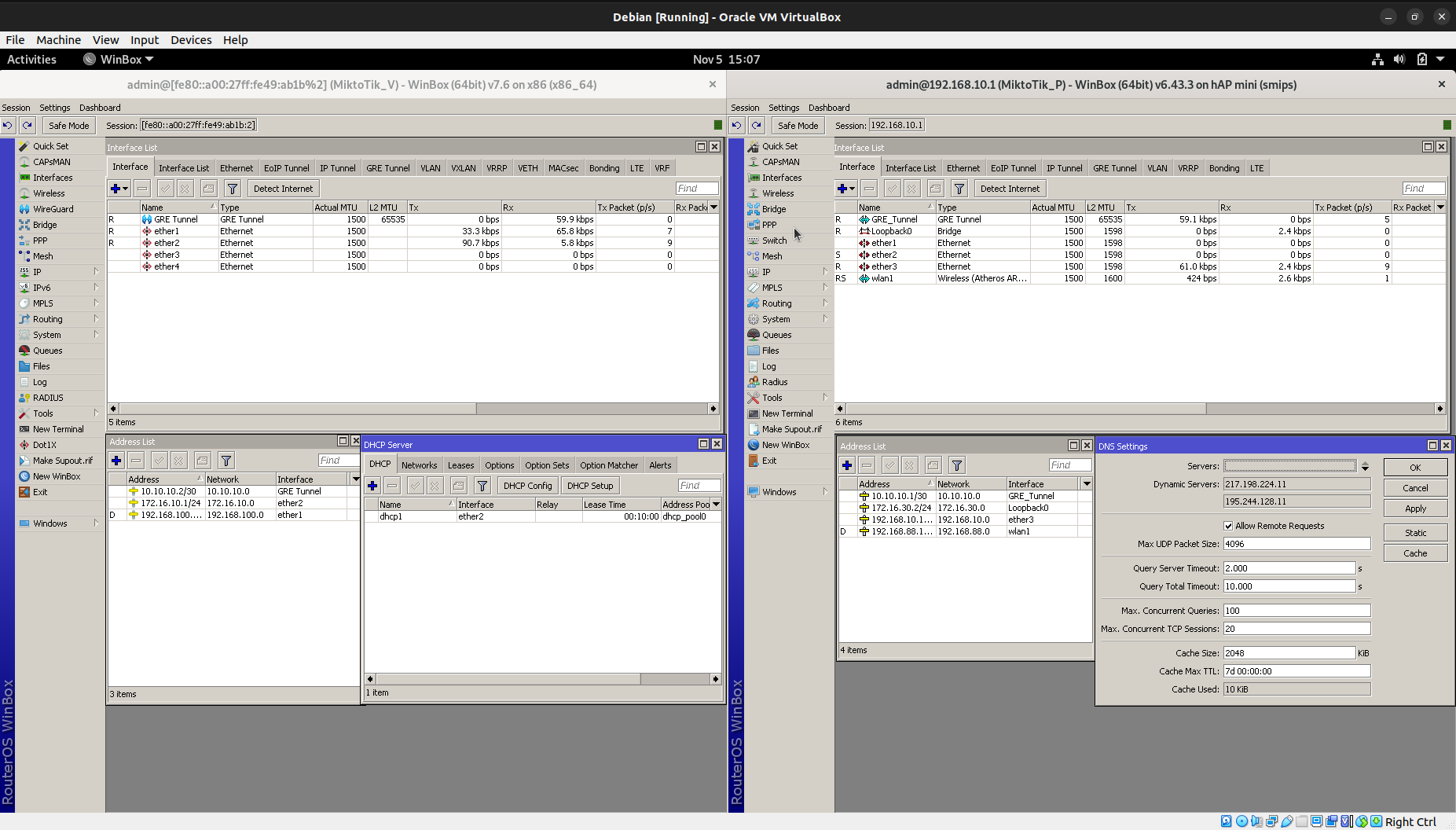
Traffic Testing in GRE Tunnel
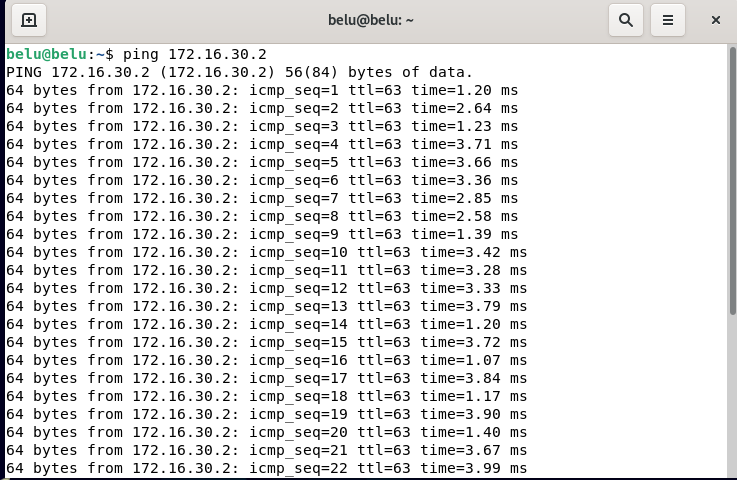
-
ICMP testing from Debian VM to Loopback Interface in Real MikroTik router
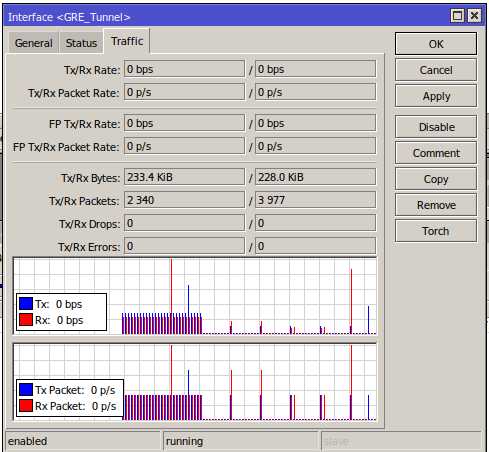
References
- https://xpra.org/
- https://github.com/Xpra-org/xpra/blob/master/docs/Usage/README.md
- https://www.cloudflare.com/en-gb/learning/network-layer/what-is-gre-tunneling/
- https://www.cyberciti.biz/faq/ping-using-specific-gateway-interface-or-source-ip-address/
- https://devconnected.com/how-to-change-ip-address-on-linux/