OmegaT
for translation, reconciliation and adaptation

Translation
- Input: the source text
- Output: the translation (or target text)
Adaptation
- Input: both the source text and the target text.
- Output: modified translation. Your task consists of adapting the target text to your specific requirements (regional use, etc.).
Reconciliation
- Input: the source text and 2 translation proposals
- Output: the reconciled translation

Is OmegaT installed and correctly configured?
shortcuts save a lot of time
Clicking is handy but...
Ctrl+S
to save
Ctrl+C
to copy
Ctrl+V
to cut (copy and remove)
Ctrl+X
to paste
Build some muscle memory
We propose just a few shortcuts to remember:
- Ctrl+U
- Enter / Ctrl+Enter
- Ctrl+L
- Ctrl+J
- Ctrl+Space
- ...

Grabbing
the project
Team projects are online



The project is downloaded directly from OmegaT
OmegaT will sync translations directly with the repo
Download a team project
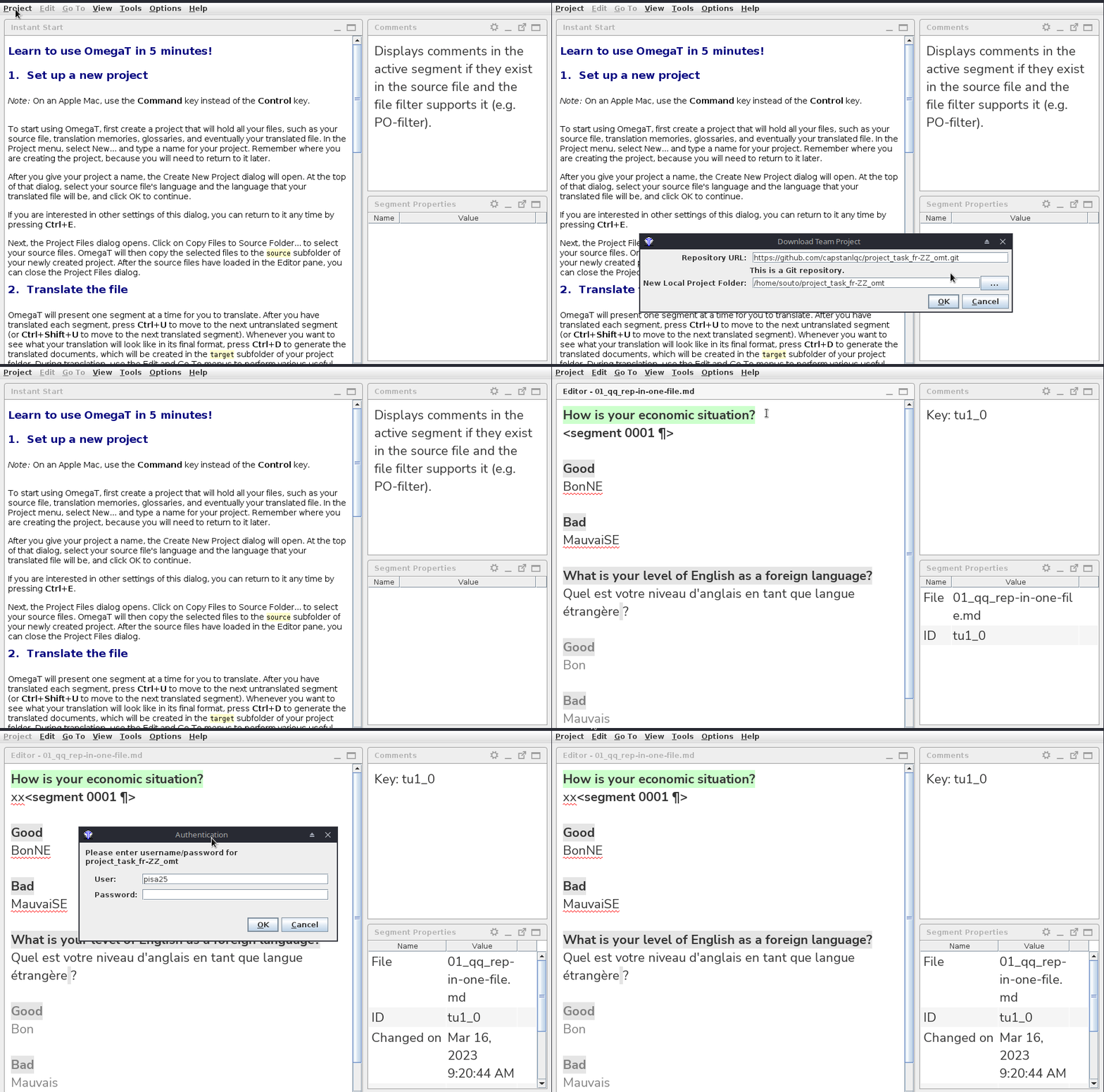
The local project folder
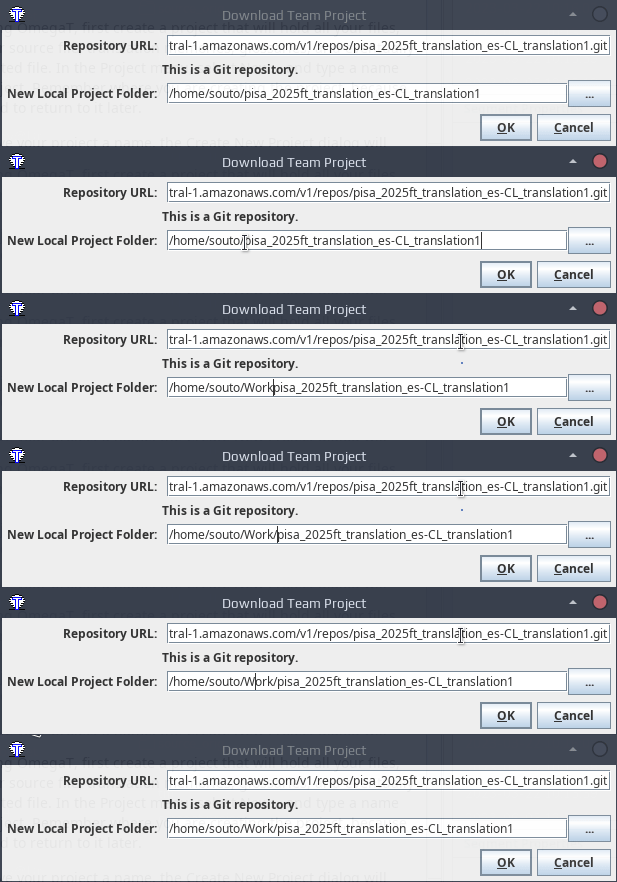
Please download the project to a dedicated folder where you only save OmegaT team/online projects, e.g.
C:\Users\Jane\Work\pisa_2025ft_translation_LOCALE_STEP
your user folder
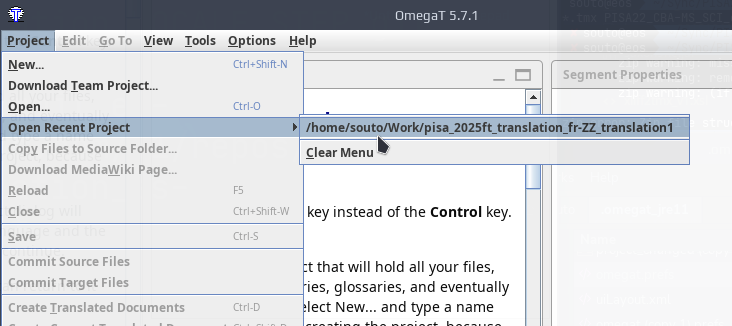
Download once, then re-open
You only need to download a team project once. After that, you can re-open it from the list of recent projects.
Unpacking a project
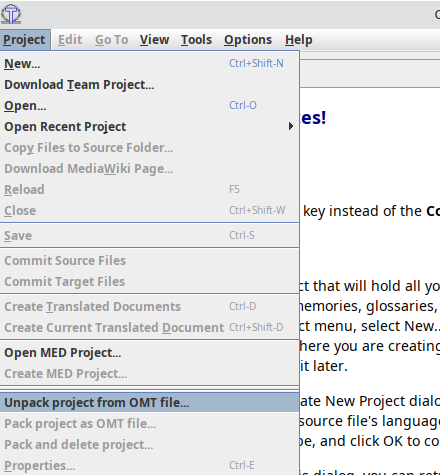
- Project > Unpack project from OMT file...
- Browse to where you downloaded the package
- Open the package
-
Interface
-
Editor
-
Panes
The user interface
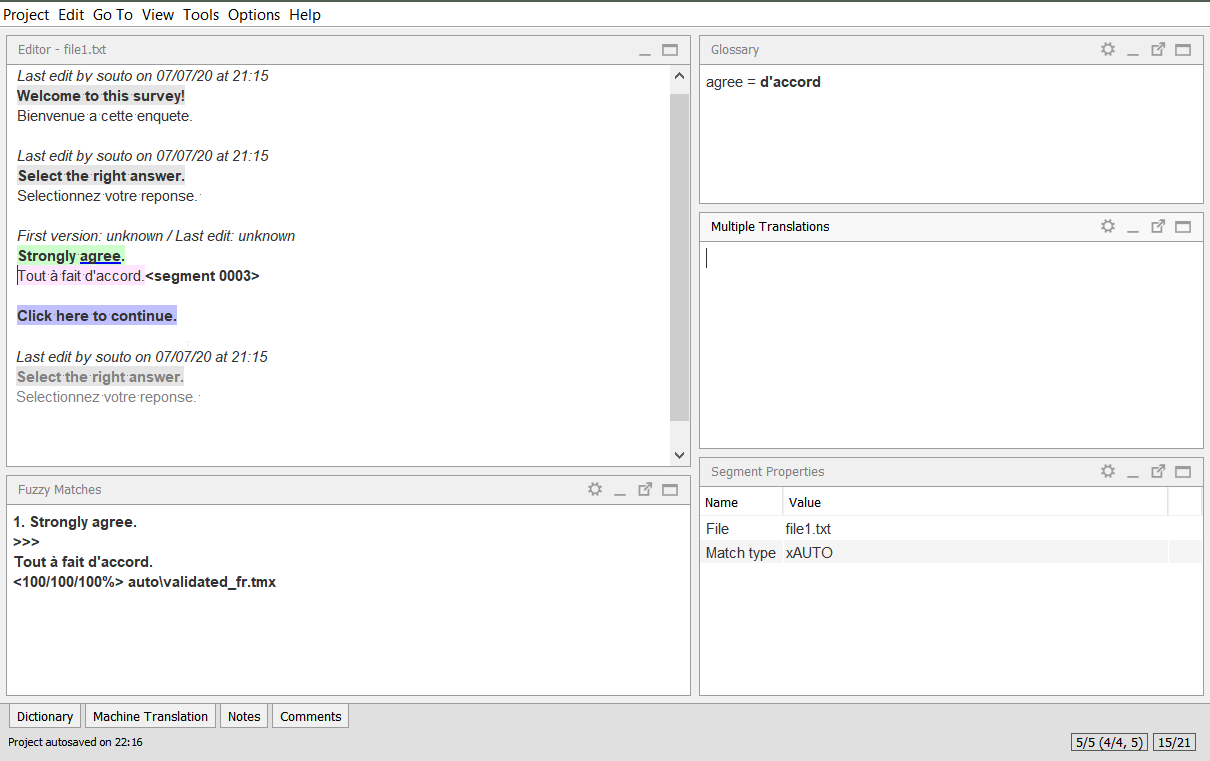
Glossary
translated
active
auto-populated
untranslated
repeated
auto-pop/locked
Alternative translations
Segment properties
Matches from TMs
Editor
(none in this project)
Segment colors
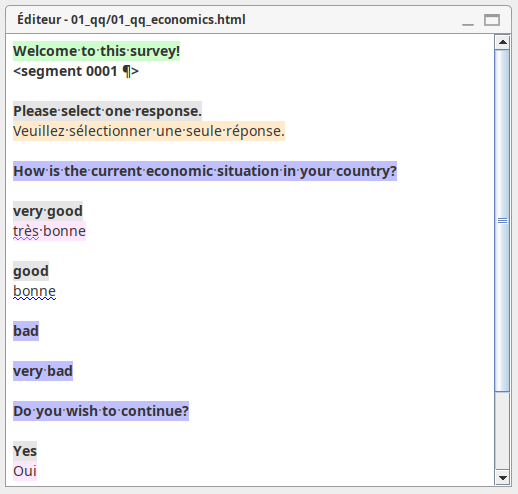
Target text:
- Pink = pretranslated
- Orange = pretranslated and locked
- no background color = regular translation
Source text:
- Green = active
- Blue = untranslated
- Grey = translated
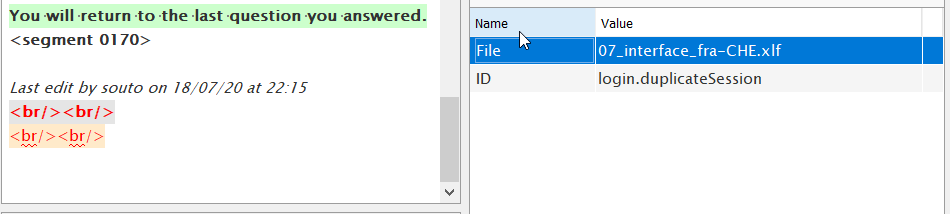
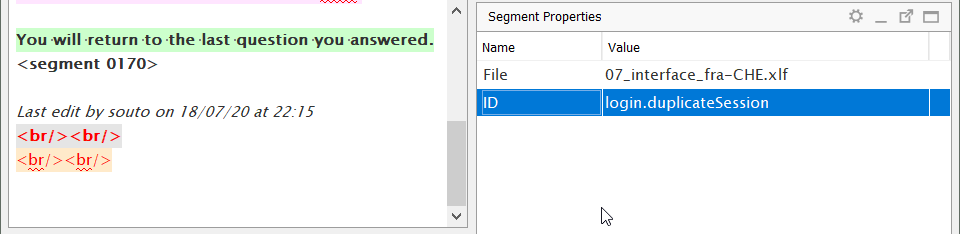
Segment properties
- File name
- ID (if set)
- Duplicate status
- Resource name
- Notes
- Author of the first translation
- Date/time of the first translation
- Author of the last edit
- Date/time of the last edit
- Match type
source text
target text
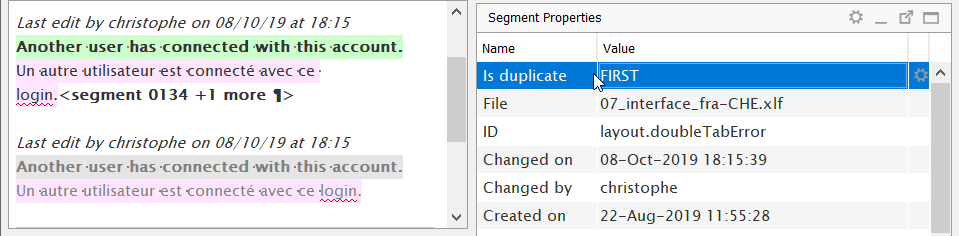
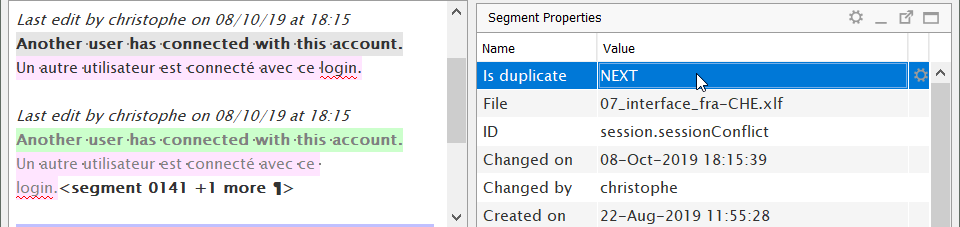
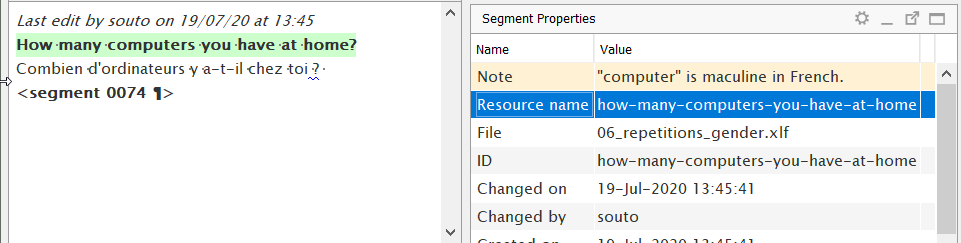
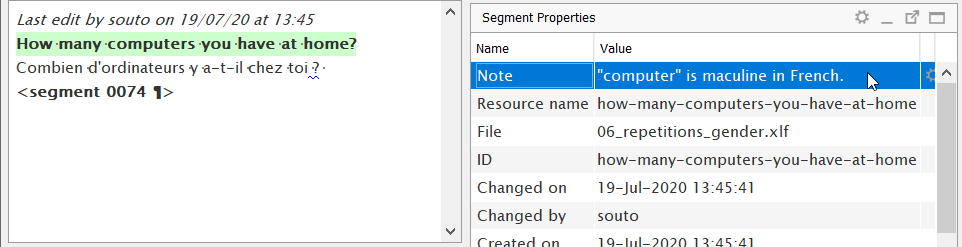
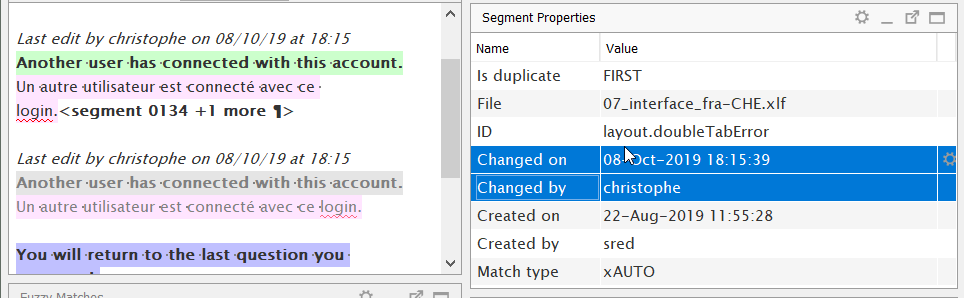
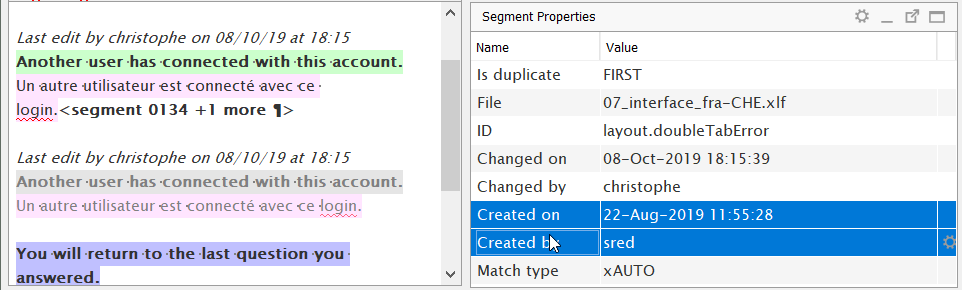
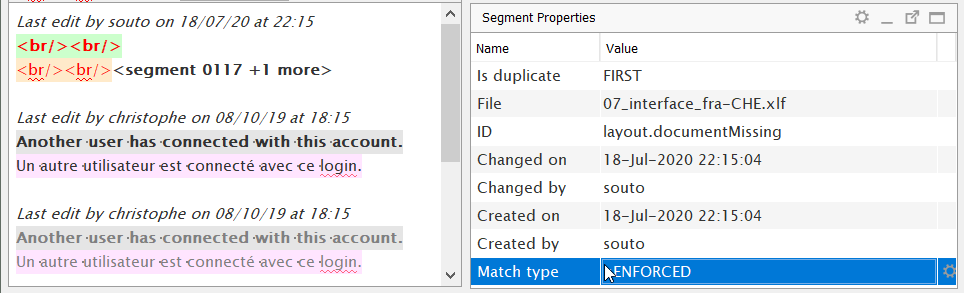
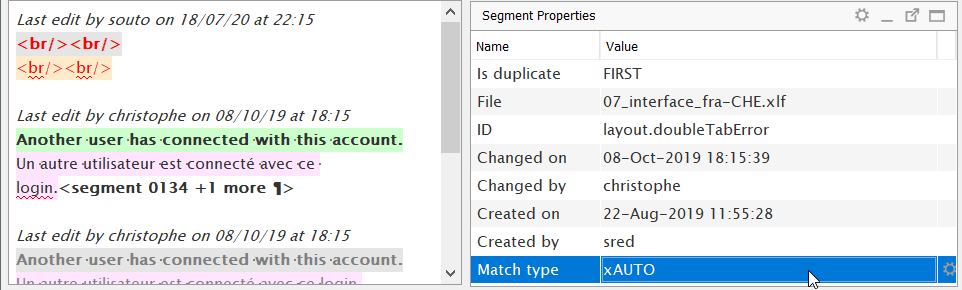
Match type
Duplicate status
Project Files pane
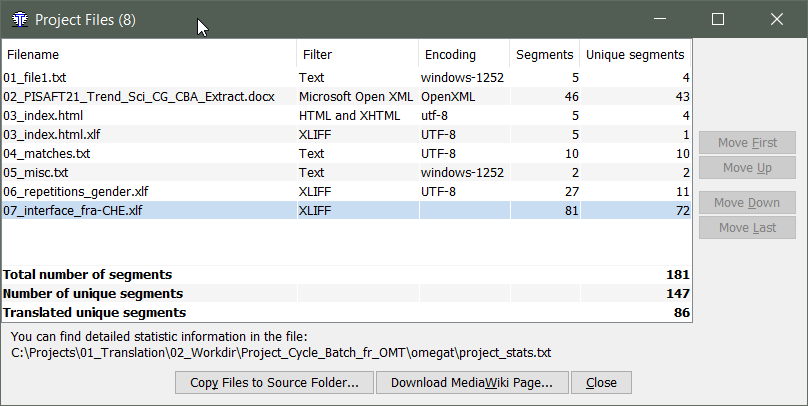
filename of each file
segment counts
progress tracking
Project Files pane
This dialog will always tell you in which file you are.
Ctrl+L
to show the list of files
Moving through the project
Enter
Ctrl+Enter
Forward/backward keys:
Go-to functions / shortcuts
- Ctrl+U
- Go to next untranslated segment
- When you are translating
- Ctrl+Shift+U
- Go to next translated segment
- When you are reviewing (but not all is translated)
- Ctrl+J
- Go to a specific segment by its number
- Ctrl+Shift+P (previous) / Ctrl+Shift+N (next)
- Back/Forward in history
- Very useful if you go back to where you were
If you don't remember a shortcut, you may check the Go To menu.
Ctrl+U
go to next untranslated segment
Ctrl+J
go to specific segment by number
Matches
What is a match?
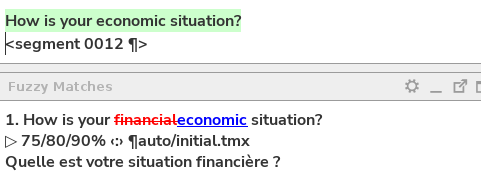
Differences are conveniently shown in diff mode.
Types of matches
- Exact match
- Fuzzy match
Strongly agree. <segment 0009>
-------------------------------------------------
Strongly agreedisagree.
<50/50/75%>
Strongly agree. <segment 0001>
-------------------------------------------------
Strongly agree.
<100/100/100%>
- In-context exact (ICE)
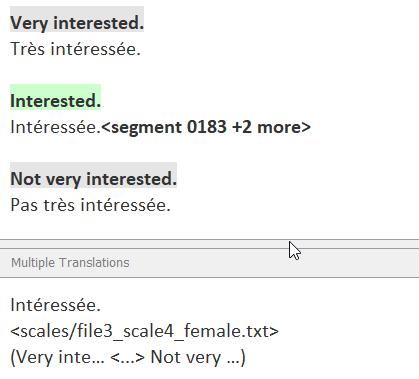
Types of match behavior
- A reference match (of any score)
- Must be inserted manually
-
Auto-populated match (exact)
- It is inserted automatically when the project loads...
- ... as long as the segment is not translated
- It is inserted automatically when the project loads...
- An enforced match (exact)
- It is inserted automatically when the project loads...
- ... replacing any text in the segment.
- It is inserted automatically when the project loads...
Automatic leverage
Manual leverage
Manual leverage
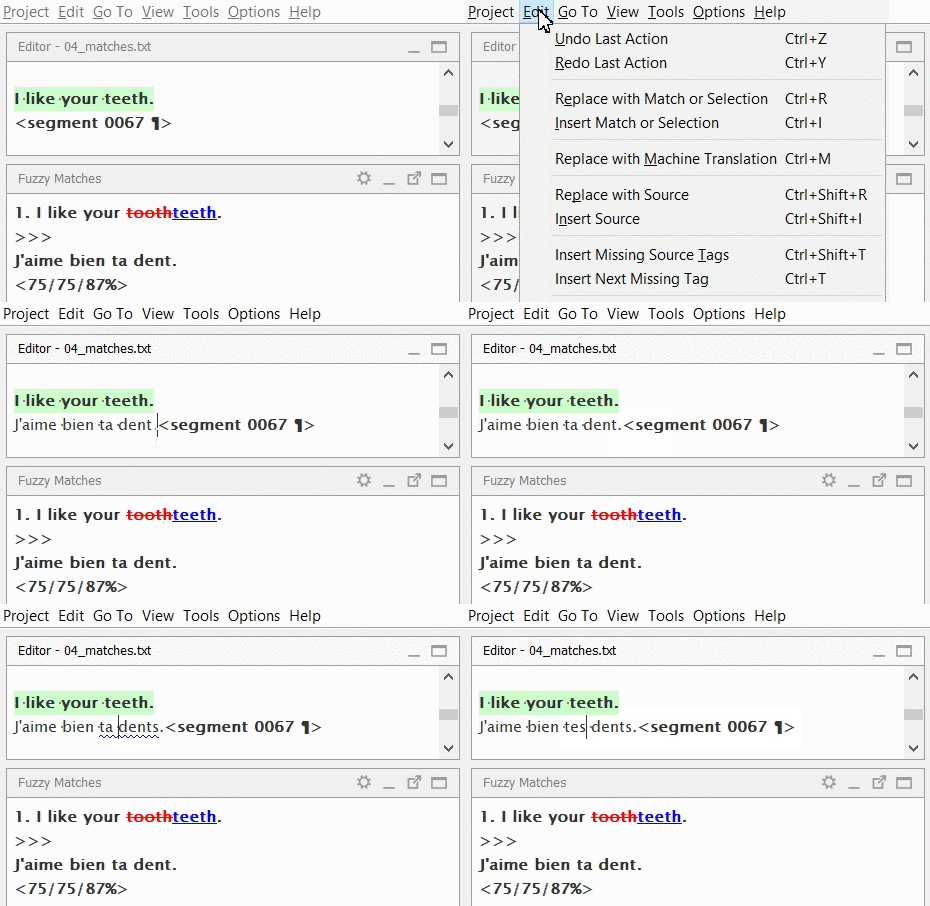
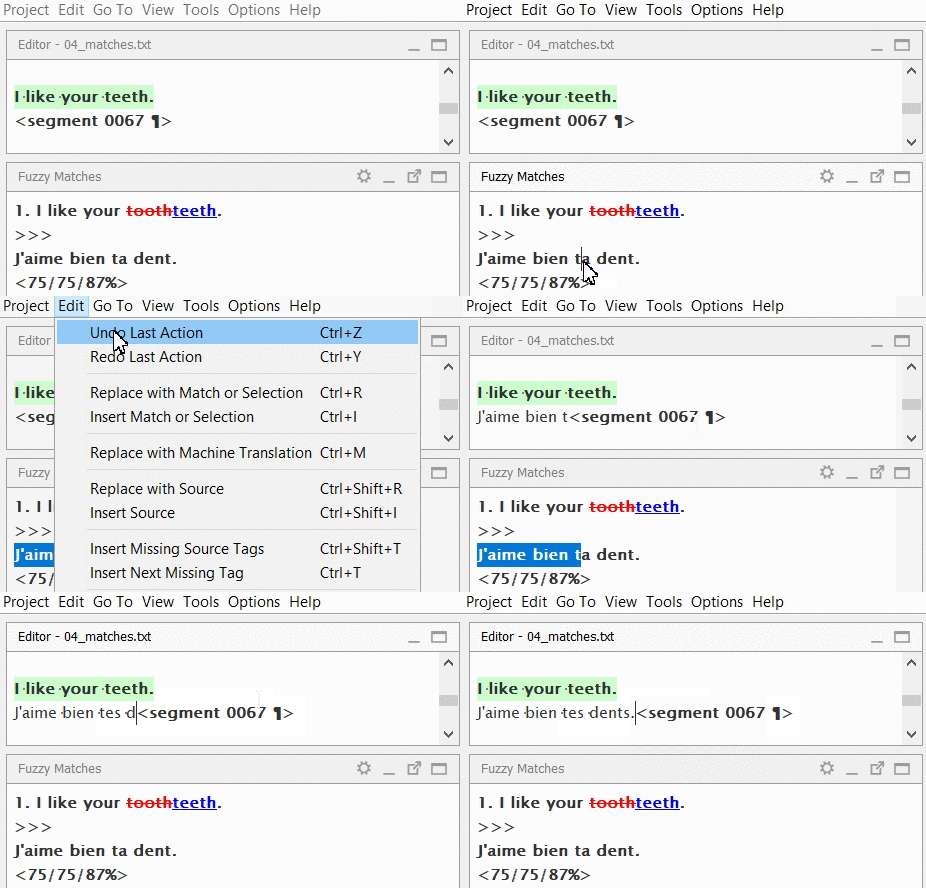
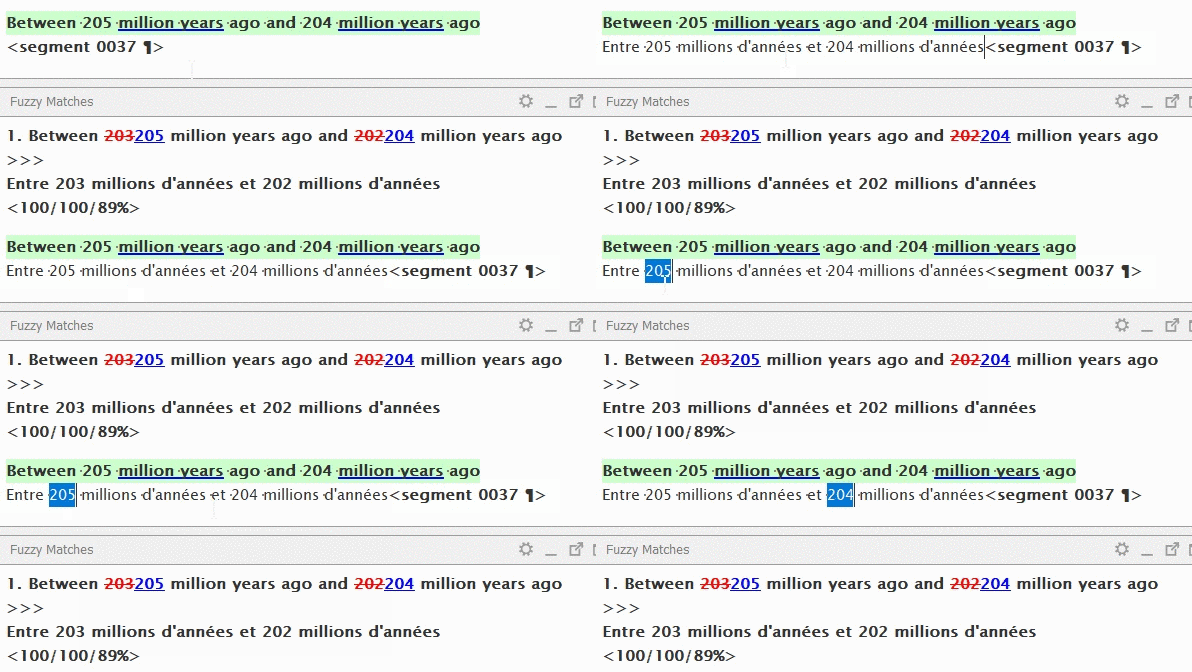
- Some matches must be leveraged manually:
- Exact matches: probably do not require updates
- Fuzzy matches: probably do require updates
- Updates:
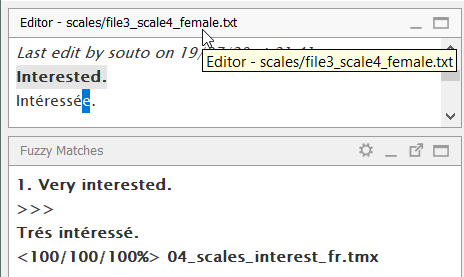
- Inserting full match
+ editing/overwriting
invalid part -
Selection of valid part
+ insertion
+ editing - Automatically!
- Inserting full match
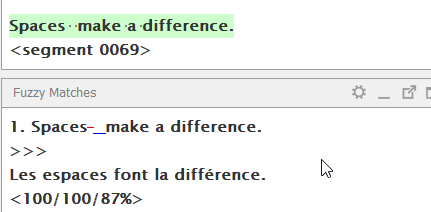
Carrying over matches
A match must be selected so that it can be carried over.
- Ctrl+# (or doble-clicking)
- Activates the match numbered with #
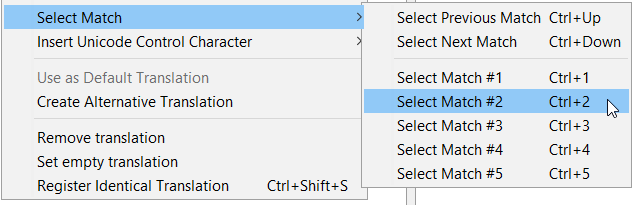
An active match can be carried over to the translation by inserting it.
-
Ctrl+i (or from menus)
- Inserts the match or the selected part
- It can be used to replace in combination with Ctrl+A
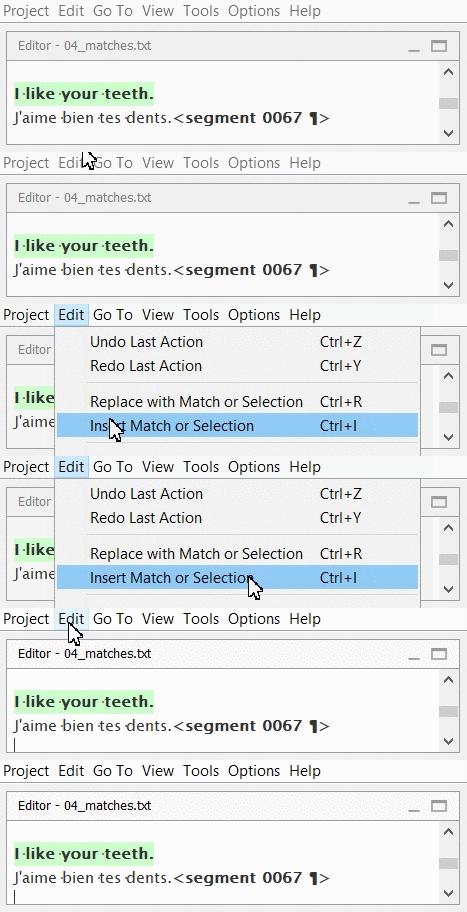
Ctrl+i
insert match or selection
[also available upon right-clicking on the match]
selects the match by its number (1-5)
[= double-click on the match]
Ctrl+#
Tags
(placeables)
Tags: what are tags?
Click Play to see it in action.
Click <strong>Play</strong> to see it in action.Click <g1>Play</g1> to see it in action.
Tags stand for inline codes, they are not translatable text but need to be replicated in the translation.


Paired tags generally apply some formatting to a fragment of text.
Tags: what are tags?
repeat {{number}} timesrepeat <x1/> times
Standalone tags stand for some code that does not contain translatable text.

Tags: standalone vs paired

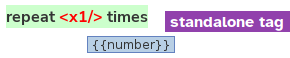

Tags need to be placed in the translation.
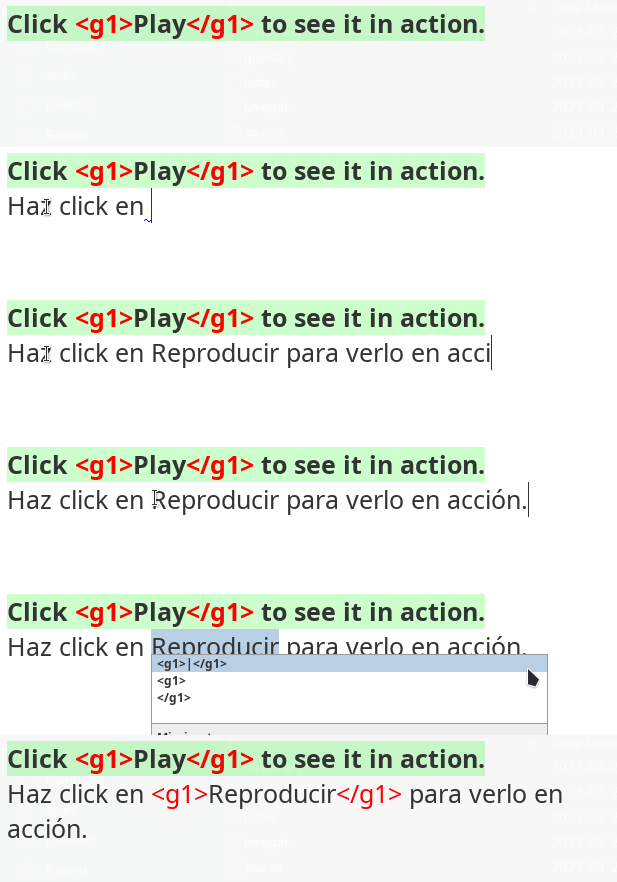
The auto-completer allows you to insert tags in the right position within the target text.
- For paired tags: selected the text to be formatted
- Press Ctrl+Space
Ctrl+Space
to launch the Auto-Completer
Ctrl+T
to insert next missing tag
Fixing tags: position
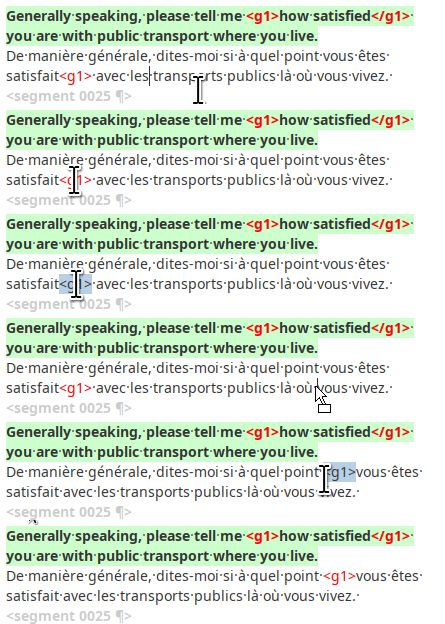
Drag & Drop:
- Double-click to select the tag
- Drag it to its new position
- Drop it
or Cut & Paste:
- Double-click to select the tag
- Cut the tag (Ctrl+X)
- Click on the new position
- Paste the tag (Ctrl+V)
Repetitions
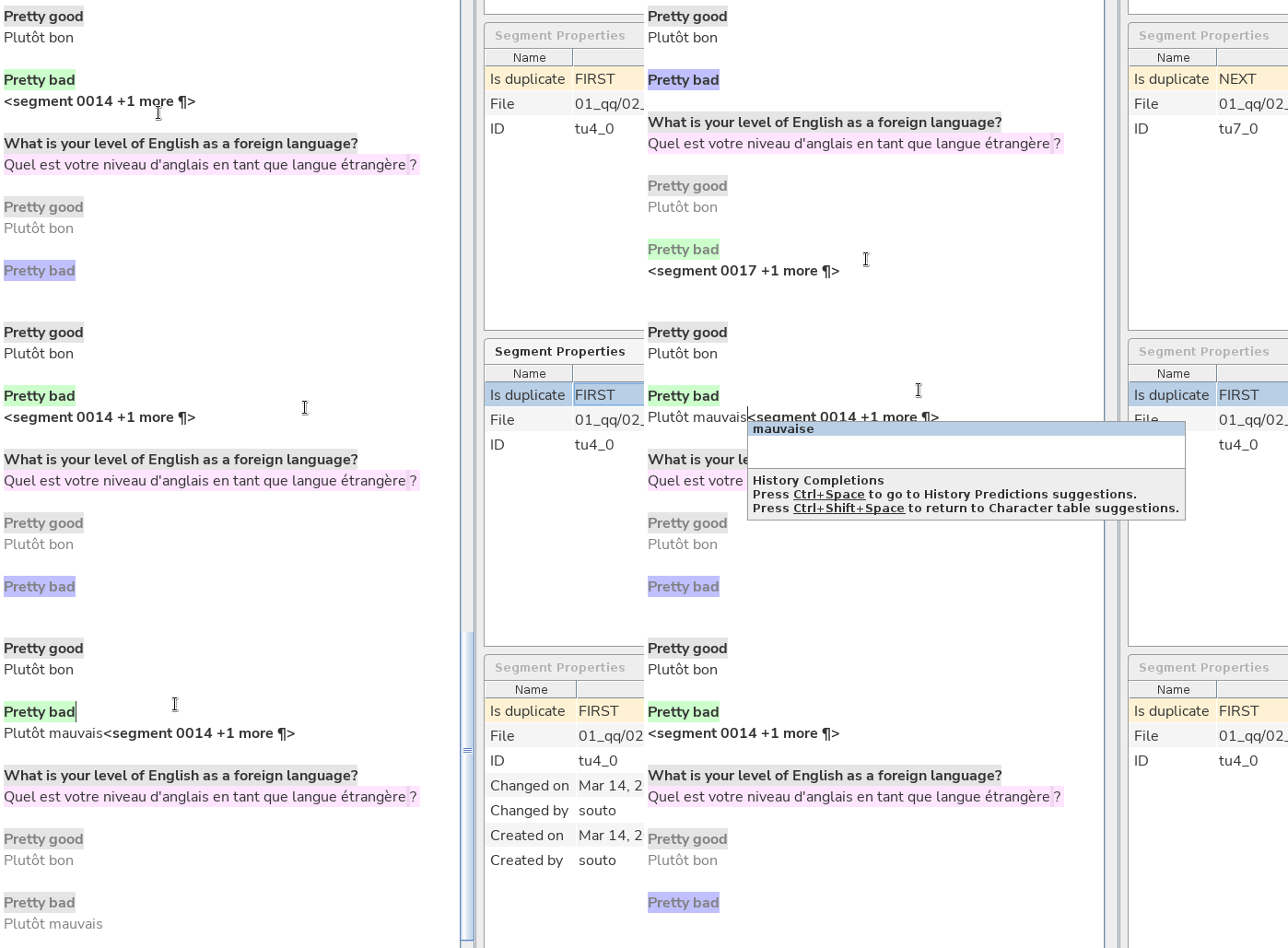
Repetitions and auto-propagation
| Email message | |
| Subject: | |
| Fw: Summer Streets | |
| Dear Subscriber | |
| ... | ... |
| Library Catalog | Catálogo bibliotecario |
| genetically modified food | |
| Food for the world | |
| Subject: | |
| biotechnology | |
| Modern farming |
files/editor
working TM
file 1
file 2
| Library Catalog | Catálogo bibliotecario |
Tema:
Subject:
Tema:
Subject:
Auto-propagation
| Email message | |
| Subject: | |
| Fw: Summer Streets | |
| Dear Subscriber | |
| ... | ... |
| Library Catalog | Catálogo bibliotecario |
| genetically modified food | |
| Food for the world | |
| Subject: | |
| biotechnology | |
| Modern farming |
files/editor
working TM
| Library Catalog | Catálogo bibliotecario |
Tema:
Subject:
Tema:
Subject:
Tema:
Tema:
Tema:
Auto-propagation
| Email message | |
| Subject: | |
| Fw: Summer Streets | |
| Dear Subscriber | |
| ... | ... |
| Library Catalog | Catálogo bibliotecario |
| genetically modified food | |
| Food for the world | |
| Subject: | |
| biotechnology | |
| Modern farming |
files/editor
working TM
| Library Catalog | Catálogo bibliotecario |
Subject:
Tema:
Subject:
Tema:
Tema:
Tema:
Auto-propagation
| Email message | |
| Subject: | |
| Fw: Summer Streets | |
| Dear Subscriber | |
| ... | ... |
| Library Catalog | Catálogo bibliotecario |
| genetically modified food | |
| Food for the world | |
| Subject: | |
| biotechnology | |
| Modern farming |
files/editor
working TM
| Library Catalog | Catálogo bibliotecario |
Subject:
Tema:
Subject:
Context determines meaning
Tema:
Tema:
Tema:
The subject field of a book
The topic of an email

| Email message | |
| Subject: | |
| Fw: Summer Streets | |
| Dear Subscriber | |
| ... | ... |
| Library Catalog | Catálogo bibliotecario |
| genetically modified food | |
| Food for the world | |
| Subject: | |
| biotechnology | |
| Modern farming |
files/editor
working TM
| Library Catalog | Catálogo bibliotecario |
Subject:
Tema:
Subject:
Alternative translations
Tema:
Tema:
Tema:
Create alternative translation

Asunto:
Subject:
Asunto:
| Email message | |
| Subject: | |
| Fw: Summer Streets | |
| Dear Subscriber | |
| ... | ... |
| Library Catalog | Catálogo bibliotecario |
| genetically modified food | |
| Food for the world | |
| Subject: | |
| biotechnology | |
| Modern farming |
files/editor
working TM
| Library Catalog | Catálogo bibliotecario |
Subject:
Tema:
Subject:
Alternative translations
Tema:
Tema:
Tema:
Create alternative translation
Asunto:
Subject:
Asunto:
prev: Email message
next: Fw: Summer Streets
Alternative translations are like crossing the street.
If you proceed with caution you should be fine ;)
Create alternative translations
- Create alternative translation
- Modify the text
- Save (Ctrl+S)
Create alternative translation
A default translation exists.
Right click the segment and select "Create Alternative Translation"
Edit the translation, then press Ctrl+S to save.
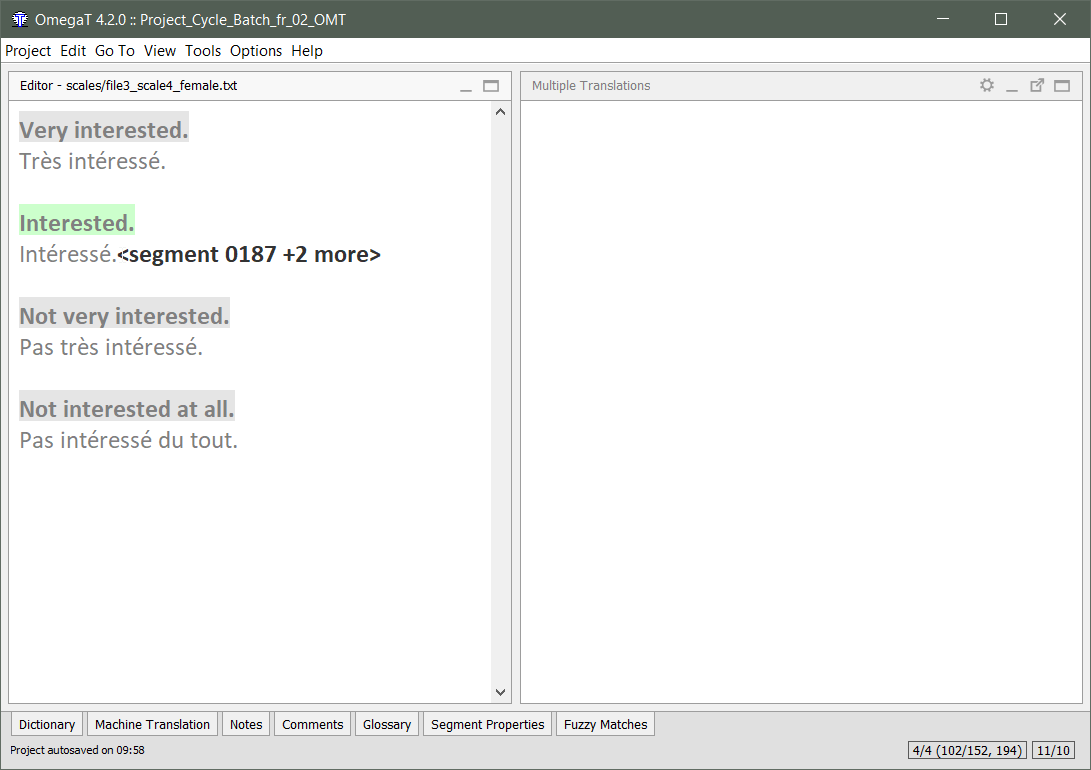
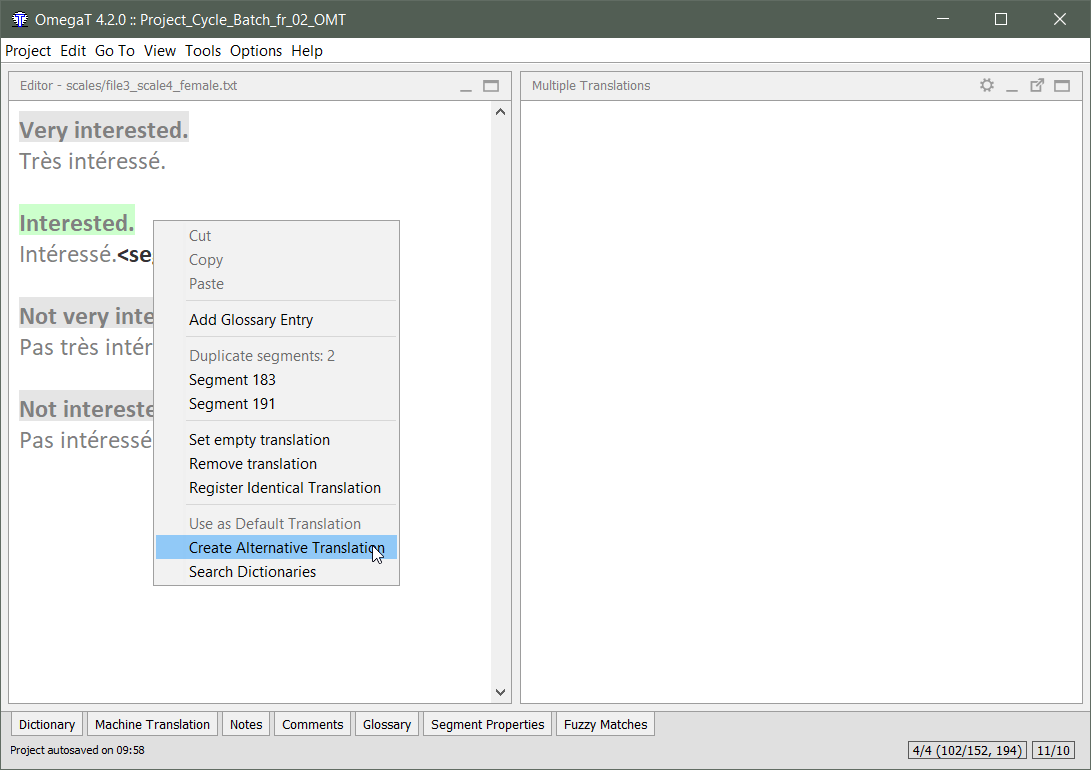
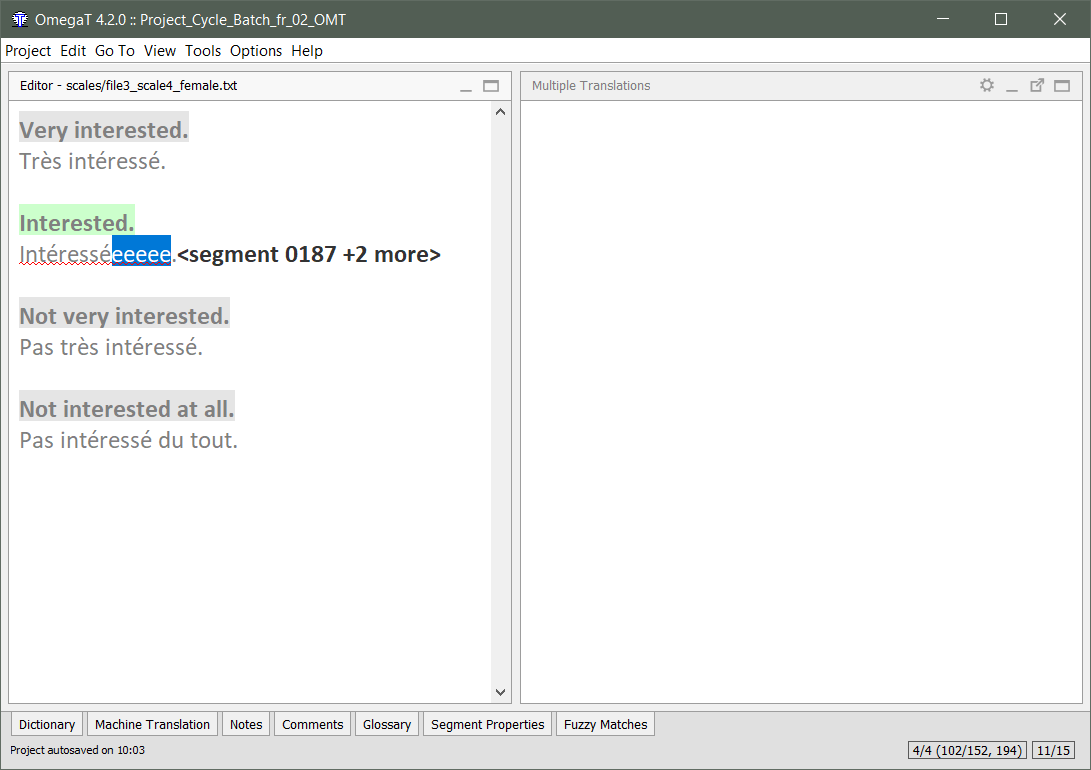
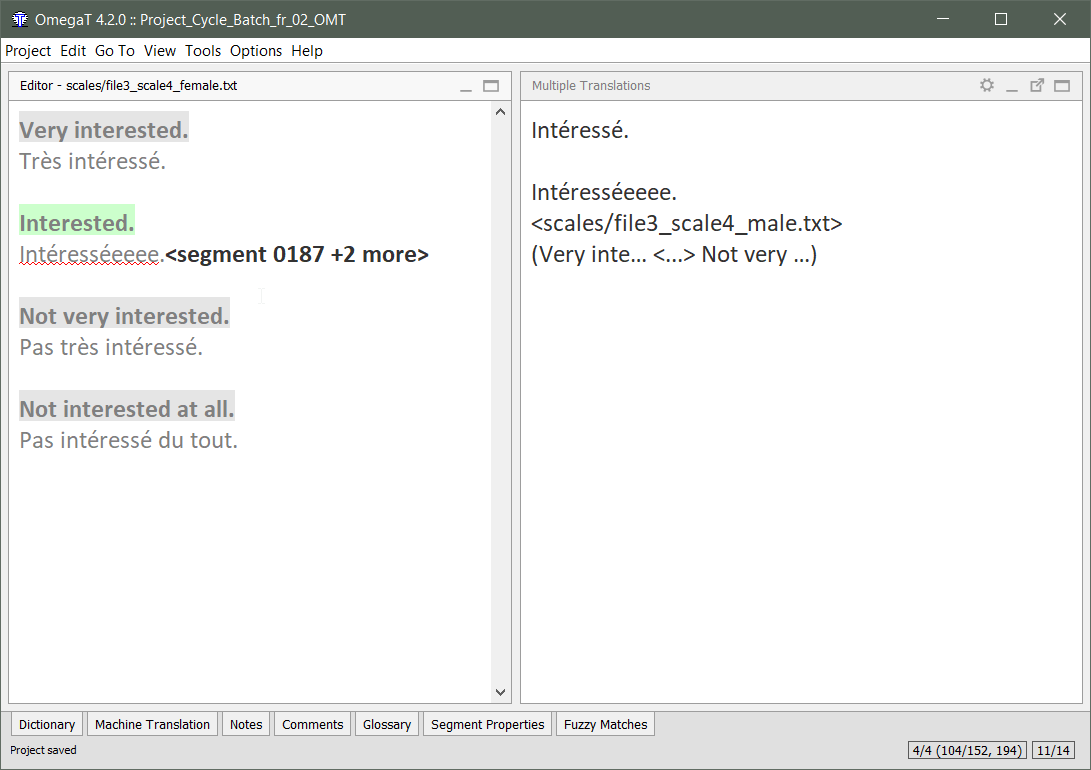
When you save, the new alternative translation will appear in the Multiple Translation pane.
Restore default translation
An alternative translation exists.
Delete the translation, then Ctrl+S to save.
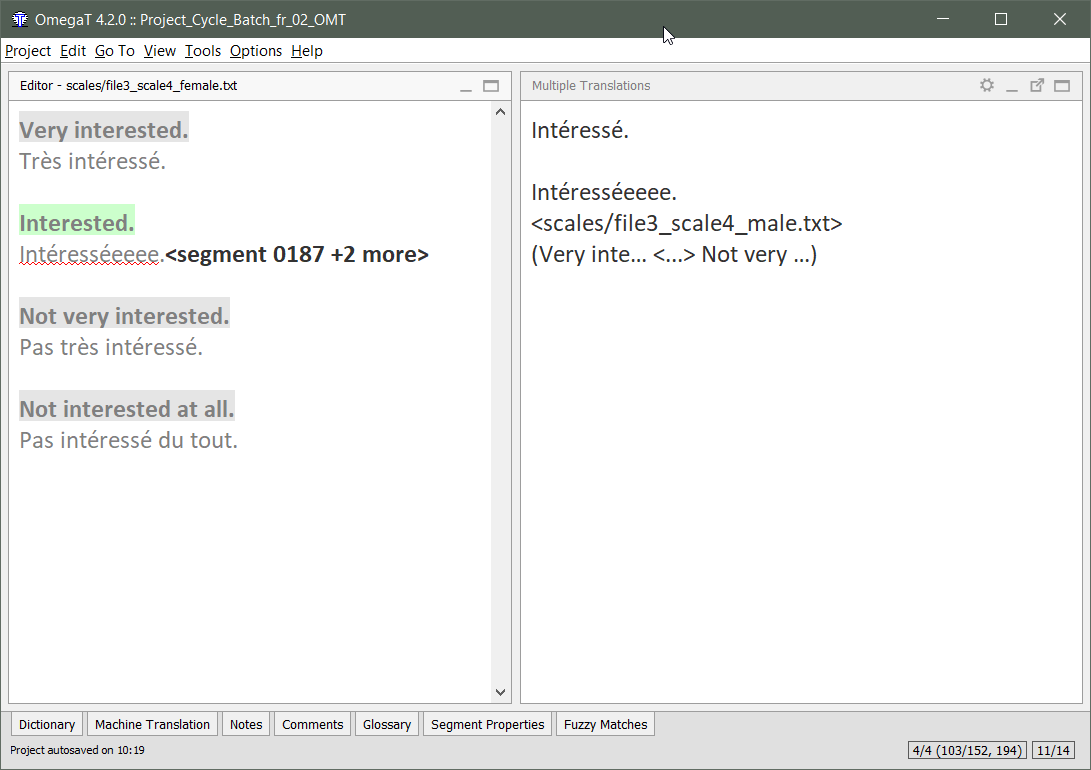
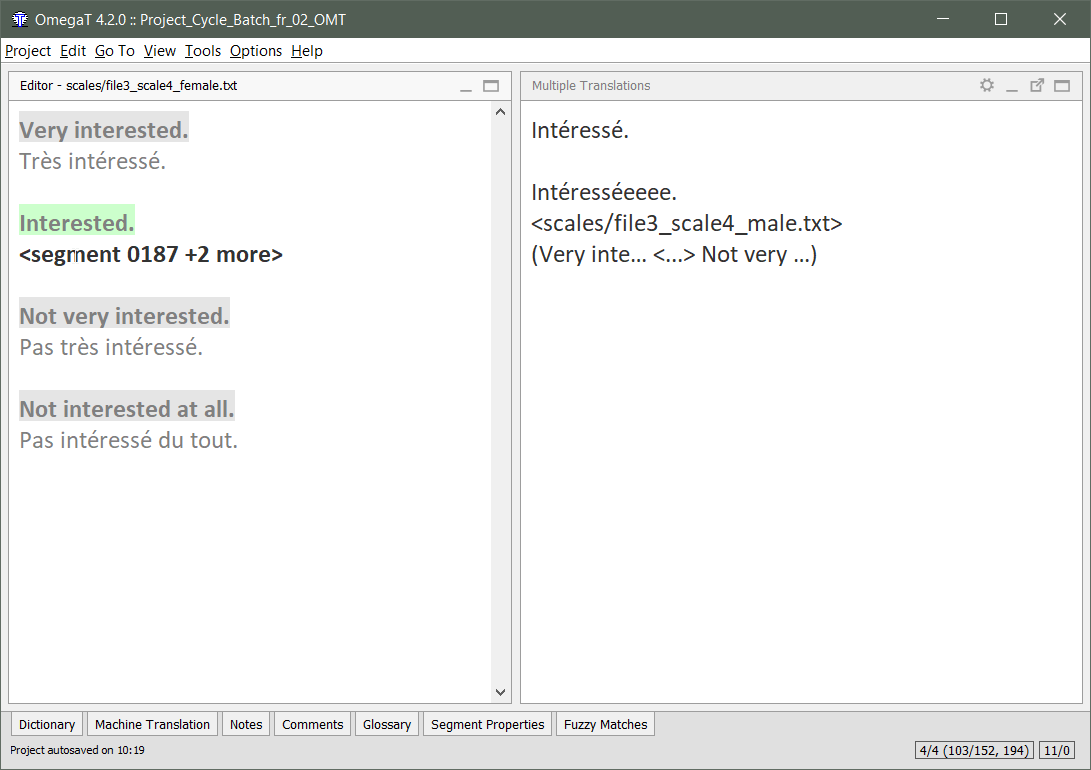
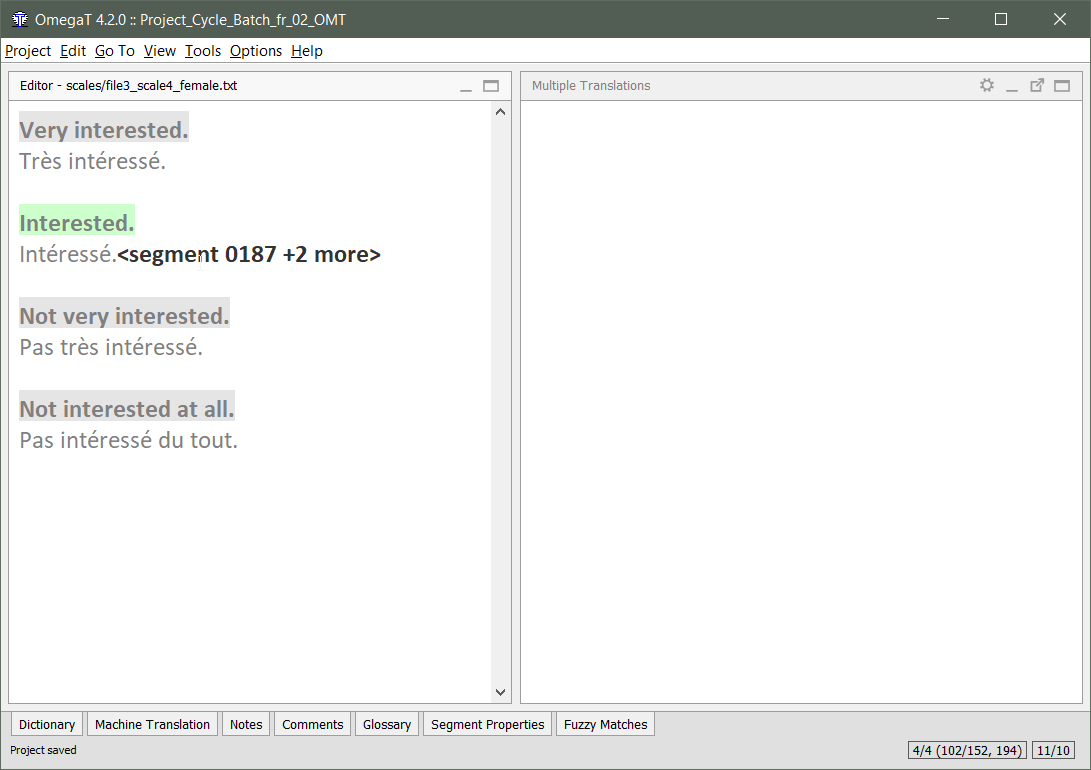
When you save, the default translation appears in the segment.
And the alternative translation disappears from the Multiple Translations pane.
Special characters
Special Characters
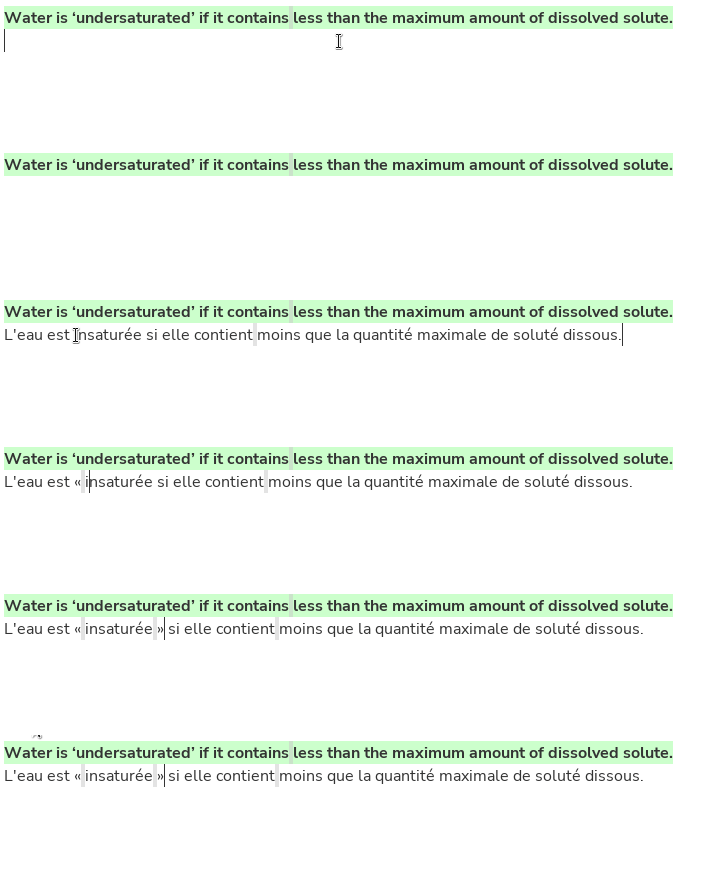
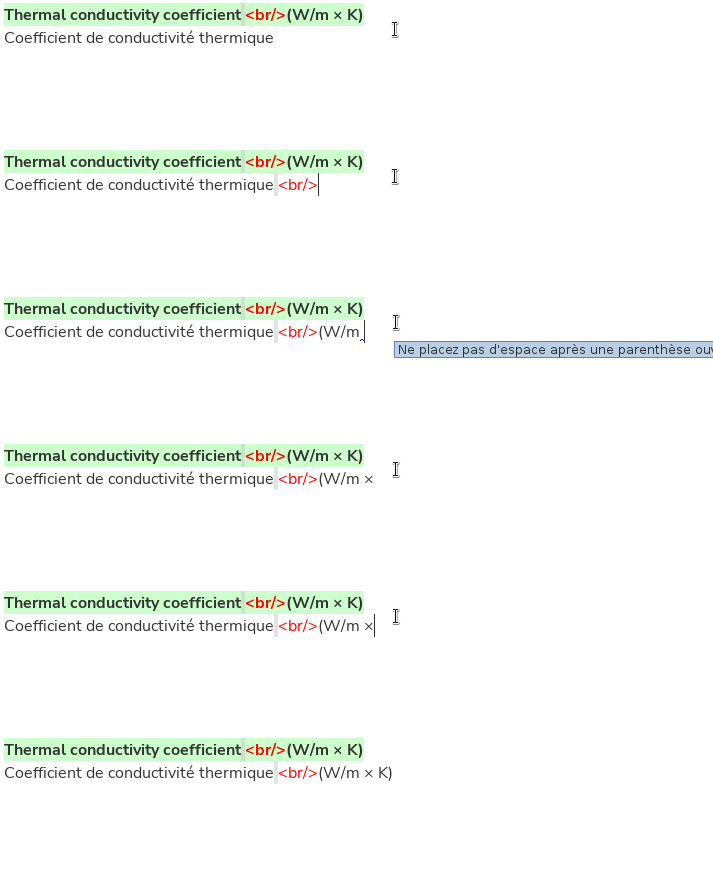
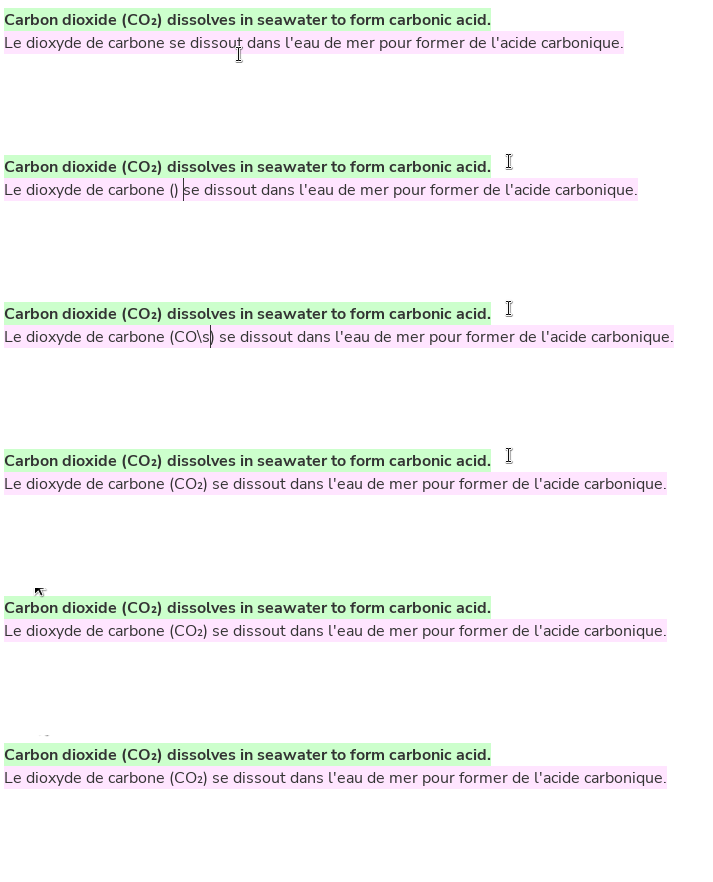
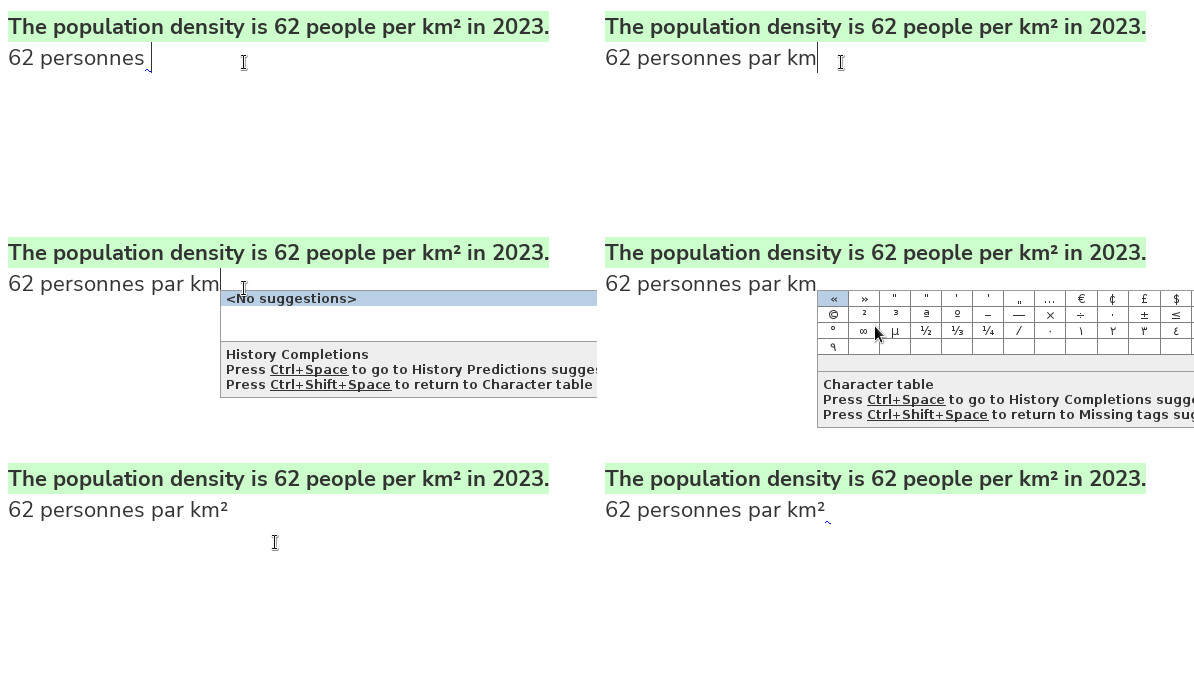
Special characters are any character for which your keyboard doesn't have a key, e.g.
Special Characters

You can use auto-text to insert special characters:
- << >> → « »
- \times or \x → ×
- \sub2 → o₂
- \sup2 → o²
- etc.
If you don't remember a shortcut, you can check the list of special characters and their shortcuts in:
- the OmegaT preferences
- the OmegaT guides
Ctrl+Space
to launch the Auto-Completer
- Cursor flag
- Bidi control characters
- Marks
- Can be used to change the direction/position of a single character
- Embeddings
- Can be used to change the direction of a whole text run
- Marks
- Script "Remove bidi marks"
Edit > Insert Unicode Control Characters
Bidirectionality (LTR+RTL)
Search
Search is a powerful feature
The Search dialog (Ctrl+F) can help you find:
- Find concordances in the working or reference TMs
- (what doesn't appear in the Matches pane)
- Find any text in reference files
- (in any folder, not necessarily in the project)
- Find segments with some particular property:
- An identifier
- Edited in a time range or by someone in particular
-
Filter by certain results:
- Useful to focus on one particular aspect.
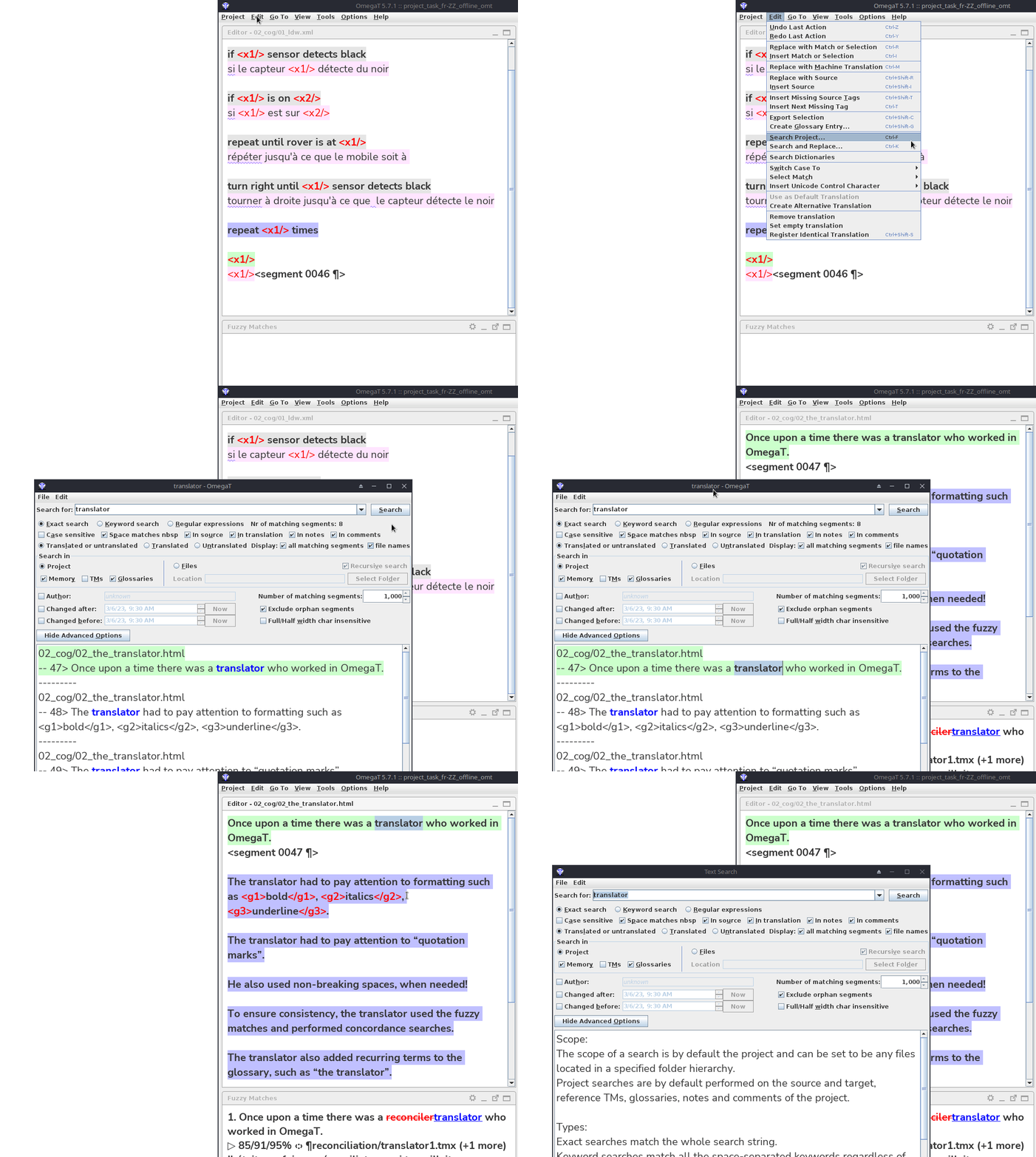
Search...
Ctrl+F
to launch the search dialog to find things
QA
QA checks: last but never least
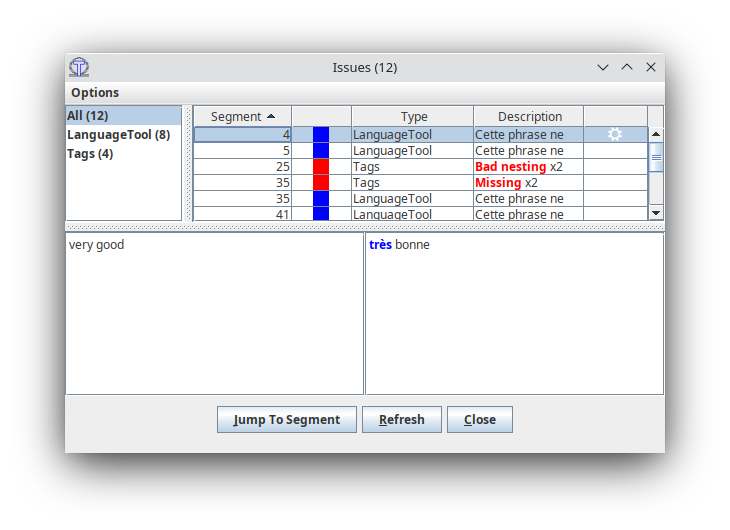
Some QA checks are automated:
- Tags
- Spelling mistakes
- Adherence to glossary (terminological consistency)
- LanguageTool issues
Some QA checks are not automated:
- Completion
- Statistics: zero remaining segments
All tag issues should always be fixed! (manually)
QA checks: last but never least

Preview and delivery
Previewer
- Project > Commit Target Files
- Access previewer from PISA Connect
If you find a problem in OmegaT
Please let us know at cApStAn's OmegaT Helpdesk on http://odoo.capstan.be/helpdesk
We will strive to find a solution.
(if you tell us about the issue)