tailwindcss

César Ramírez
Full Stack Developer


¿Qué es TailwindCSS?
Es un framework de CSS basado en utility-first, para la rápida construcción de diseños personalizados.
-
Desarrollado por Adam Wathan
-
No es un UIkit, sin componentes
-
Para construir diseño de sistemas
-
Configurable
-
Extendible
¿Qué es Utility-First?
Diferencias


Utilidades
-
Text/Border/Background Colors
-
Font Size/Family/Weight
-
Alignment
-
Padding/Margin
-
Positioning
-
Lists
-
Z-index
-
Opacity
-
Flexbox
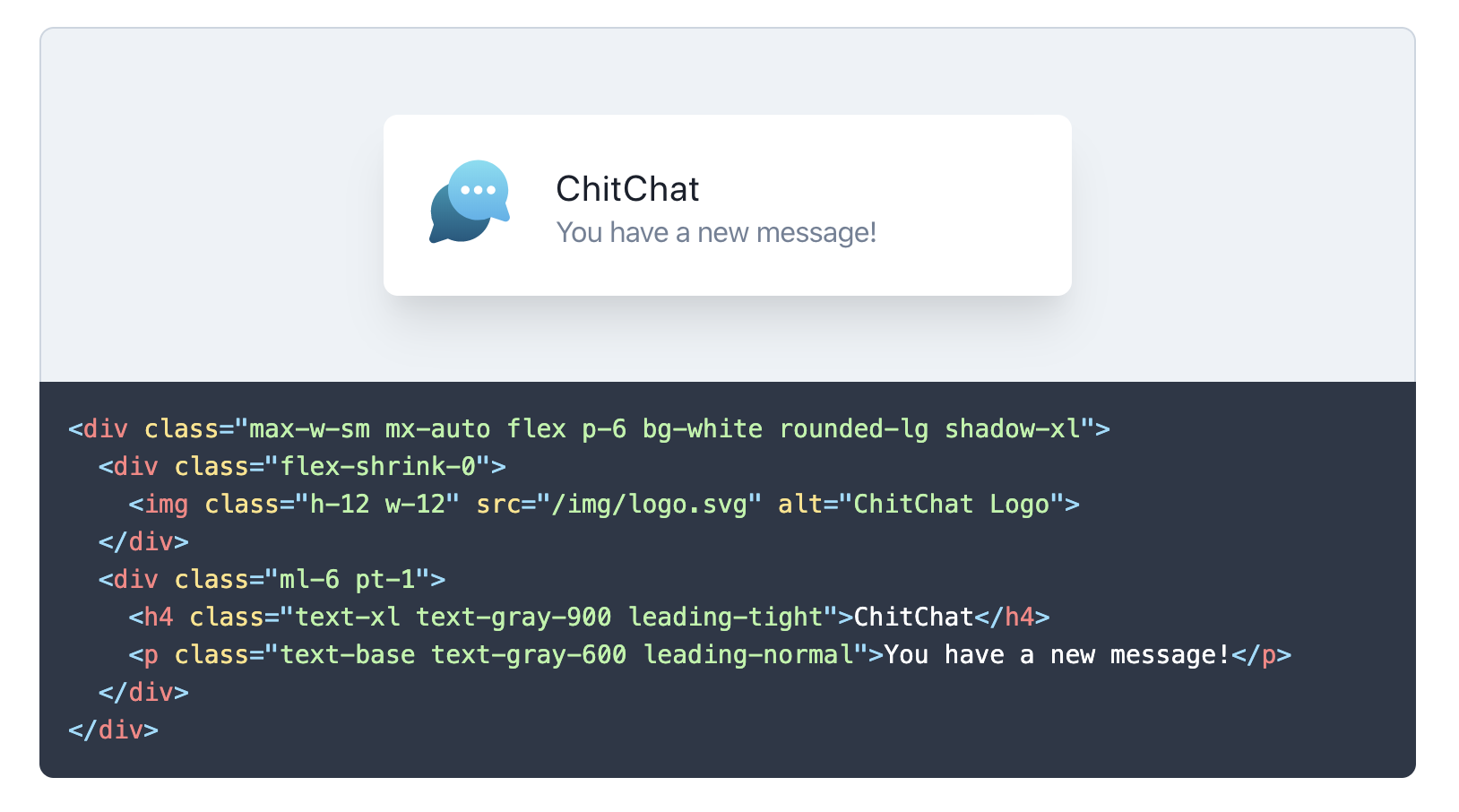
Cómo se ve
Pseudo clases
.{state}{separator}{class}/* hover */
<button class="bg-red-500 hover:bg-green-500 ...">
This is a button
</button>
/* focus */
<input class="bg-gray-200 focus:bg-white ...">
/* disabled */
<button class="disabled:opacity-75 bg-blue-500...">
Submit
</button>
/* visited */
<a href="#" class="text-blue-600 visited:text-purple-600 ...">
Link
</a>Responsive
xs: 640px
md: 768px
lg: 1024px
xl: 1280px
.{screen}{separator}{class}<img class="w-16 md:w-32 lg:w-48" src="...">
<div class="bg-red-500
sm:bg-green-500
md:bg-blue-500
lg:bg-pink-500
xl:bg-teal-500">
</div>En acción
Componentes
<button class="btn-blue">
  Button
</button>

<style>
.btn-blue {
  @apply bg-blue-500 text-white font-bold py-2 px-4 rounded;
}
.btn-blue:hover {
  @apply bg-blue-700;
}
</style>
Funciones y Directivas
@apply
@variants
@responsive
@screen
/* Input */
@variants hover, focus {
  .banana {
    color: yellow;
  }
}
/* Output */
.banana {
color: yellow;
}
.hover\:banana:hover {
color: yellow;
}
.focus\:banana:focus {
color: yellow;
}@responsive {
.bg-gradient-brand {
background-image: linear-gradient(blue, green);
}
}.bg-gradient-brand {
background-image: linear-gradient(blue, green);
}
@media (min-width: 640px) {
.sm\:bg-gradient-brand {
background-image: linear-gradient(blue, green);
}
}
@media (min-width: 768px) {
.md\:bg-gradient-brand {
background-image: linear-gradient(blue, green);
}
}
@media (min-width: 1024px) {
.lg\:bg-gradient-brand {
background-image: linear-gradient(blue, green);
}
}
@media (min-width: 1280px) {
.xl\:bg-gradient-brand {
background-image: linear-gradient(blue, green);
}
}Configuración
module.exports = {
  theme: {
    screens: {
      sm: '640px',
      md: '768px',
      lg: '1024px',
      xl: '1280px',
    },
    fontFamily: {
      display: ['Gilroy', 'sans-serif'],
      body: ['Graphik', 'sans-serif'],
    },
    borderWidth: {
      default: '1px',
      '0': '0',
      '2': '2px',
      '4': '4px',
    },
    extend: {
      colors: {
        cyan: '#9cdbff',
      },
      spacing: {
        '96': '24rem',
        '128': '32rem',
      }
    }
  }
}