JavaScript
DC Bot
&
講師 - 呂家睿
- 建中資訊38屆學術長+副社
- 玩原神跟雀魂
- 頭像是應急食品
- 被電爛
- 有問題歡迎來問我啊

- C++
- python
競程是什麼可以吃嗎?- 數學好難
- 雖然很菜但喜歡遊戲開發
- 打開電腦
學術力

Recursion
遞迴
Recursion(遞迴)
- 函式的執行內容/回傳值會執行函式本身
- 有點像在套娃
- 為避免無限重複會有一個base case
function foo(n)
{
    ...
    if (n === 0) return 0;
    return foo(n-1);
    ...
}
概念
base case
呼叫函式自己
function factorial(n)
{
    if (n <= 1)
    {
        return 1;
    }
    return n*factorial(n-1);
}
base case:
1! = 1, 0! = 1
n! = n* (n-1)!
階乘飯粒

回傳 n* factorial(n-1)
所以n <= 1回傳值就是 1
寫遞迴小技巧:
1. 簡化邏輯
2. 找到base case
for (let i = 0; i < 10; i++)
{
    console.log(fibonacci(i));
}
輸出費氏數列第0-9項
河內塔飯粒
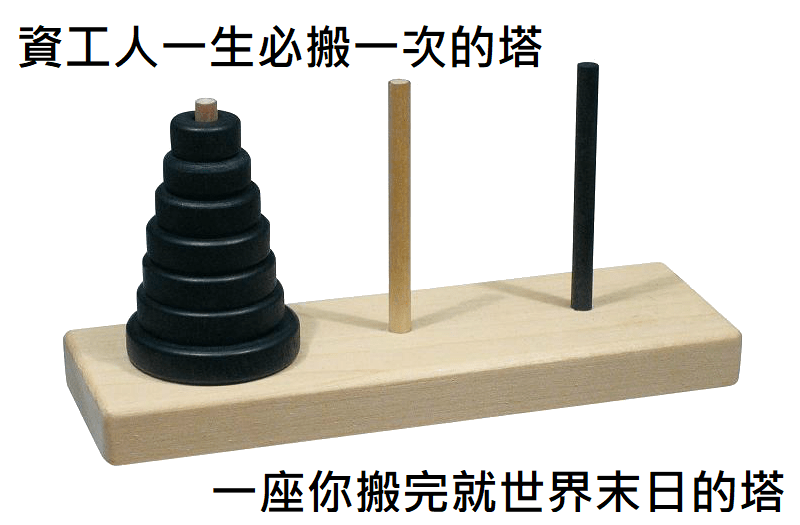
目標是把所有碟子,從一根柱子搬到另外一根柱子。唯一的限制是,一次只能一最上面那個碟子,然後大的碟子不能放在小的上面。
以防萬一有人不知道這個怎麼玩:
河內塔飯粒
function hanoi(n, start, end, spare)
{
    if (n === 1)
    {
        console.log("盤子從" + start + "移到" + end);
    }
    else
    {
        hanoi(n-1, start, spare, end);
        console.log("盤子從"+ start + "移到" + end);
        hanoi(n-1, spare, end, start);
    }
}練習題
講師晚上睡不著覺,於是他決定開始數羊,但是正常的數羊太無聊了,他會很躁。所以他決定採取特殊的數羊方法,費氏數羊法,就是用費氏數列的方法來數羊。請你幫他寫一個函式,帶入n時會還傳費氏數列第n項。

像這樣
答案
function fibonacci(n)
{
    if (n < 1)
    {
        return 0;
    }
    if (n < 3)
    {
        return 1;
    }

    return fibonacci(n-1) + fibonacci(n-2);
}Class
類別
Class(類別)
Class(類別)
class Cat
{
    constructor(name, age, color, weight)
    {
        this.name = name;
        this.age = age;
        this.color = color;
        this.weight = weight;
    }

    meow()
    {
        console.log("Meow Meow Meow!!!!!!!!!!!!!!!!!!!!!!!");
    }

    info()
    {
        console.log("Name: " + this.name);
        console.log("Age: " + this.age);
        console.log("Color: " + this.color);
        console.log("Weight: " + this.weight);
    }
}
成員(member)
class裏面的變數
方法(method)
class裡面的函式
建構式(constructor)
建立一個物件時會跑這個函式
寫一個叫做Cat的class
Class(類別)
const a = new Cat("Charlie", 10, "Orange", 4);
a.info();
a.meow();
console.log(a.age);
a.age = 99;
console.log(a.age);

const b = new Cat("Luna", 5, "Black", 3.5);
b.info();
每個物件的變數、函式都是獨立的,數值不會互相影響
練習題
仿造剛剛剛的Cat class寫一個Pen class。
Pen class的成員有 weight, color, price, brand
他有一個方法(method)叫做info()。使用時會告訴你關於這枝筆的資訊

創建物件並執行info()會得到的結果:
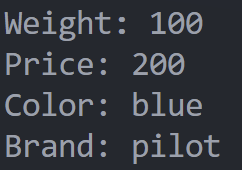
答案
class Pen
{
    constructor(weight, price, color, brand)
    {
        this.weight = weight;
        this.price = price;
        this.color = color;
        this.brand = brand;
    }

    info()
    {
        console.log("Weight: " + this.weight);
        console.log("Price: " + this.price);
        console.log("Color: " + this.color);
        console.log("Brand: " + this.brand);
    }
}
import
引入
import(引入)
當你的程式越寫越多了,我們就會把它拆成好幾個檔案,每個檔案聚焦寫一個部分。
也有可能是你懶的寫或不會寫一些部分,所以決定偷別人的程式
library(函式庫)
import(引入)
但是有一個小問題,電腦要怎麼知道你要把哪幾個檔案程式碼連載一起呢?
require
所以你要寫一些東西來告訴電腦!
Javascript有兩種方法
import
require
function add(a, b)
{
  return a + b;
}

function multiply(a, b)
{
  return a * b;
}

module.exports = {add, multiply};
math.js
const math = require("./math.js");

console.log(math.add(2, 3));
console.log(math.multiply(4, 6));
export(匯出) add, multiply兩個函式
你的主要檔案
匯入然後存在math這個物件裡面
import
export function add(a, b)
{
  return a + b;
}

export function multiply(a, b)
{
  return a * b;
}
math.js
import {add, multiply} from './math.js';

console.log(add(2, 3));
console.log(multiply(4, 6));
testing.js
從math.js裡面匯入add, multiply 兩個函式
直接加關鍵字export
dcbot
setup
setup - vscode
打開終端,在上面打上
npm init -y
npm install discord.js
npm(Node Package Manager)
- 簡單講就是一個管理node套件的工具
- 有點像python 的 pip
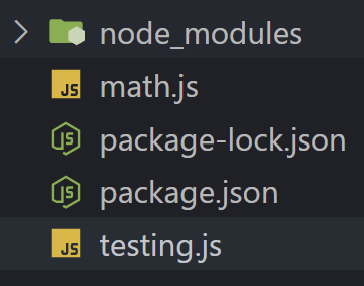
裝完會看到多了兩個檔案跟一個資料夾
setup - vscode
你可以跑一下這段code測試一下你有沒有裝成功
const { Client, GatewayIntentBits } = require('discord.js');

console.log('discord.js loaded successfully!');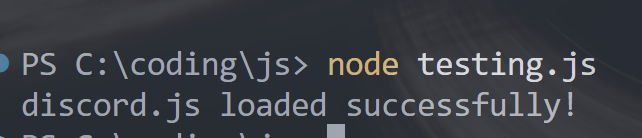
成功的話會輸出這個:
setup - application
搞定了vscode我們去discord那邊設定
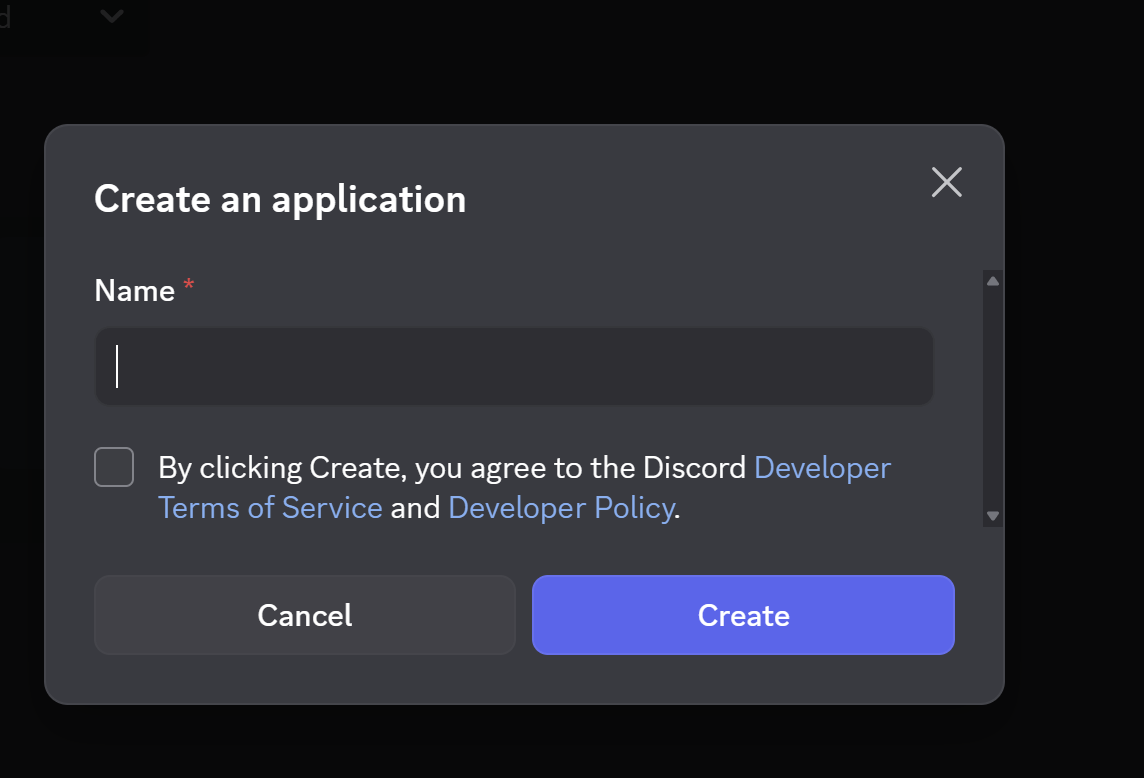
2.幫你的bot取名字然後記得打勾
1. 點擊右上角New Application
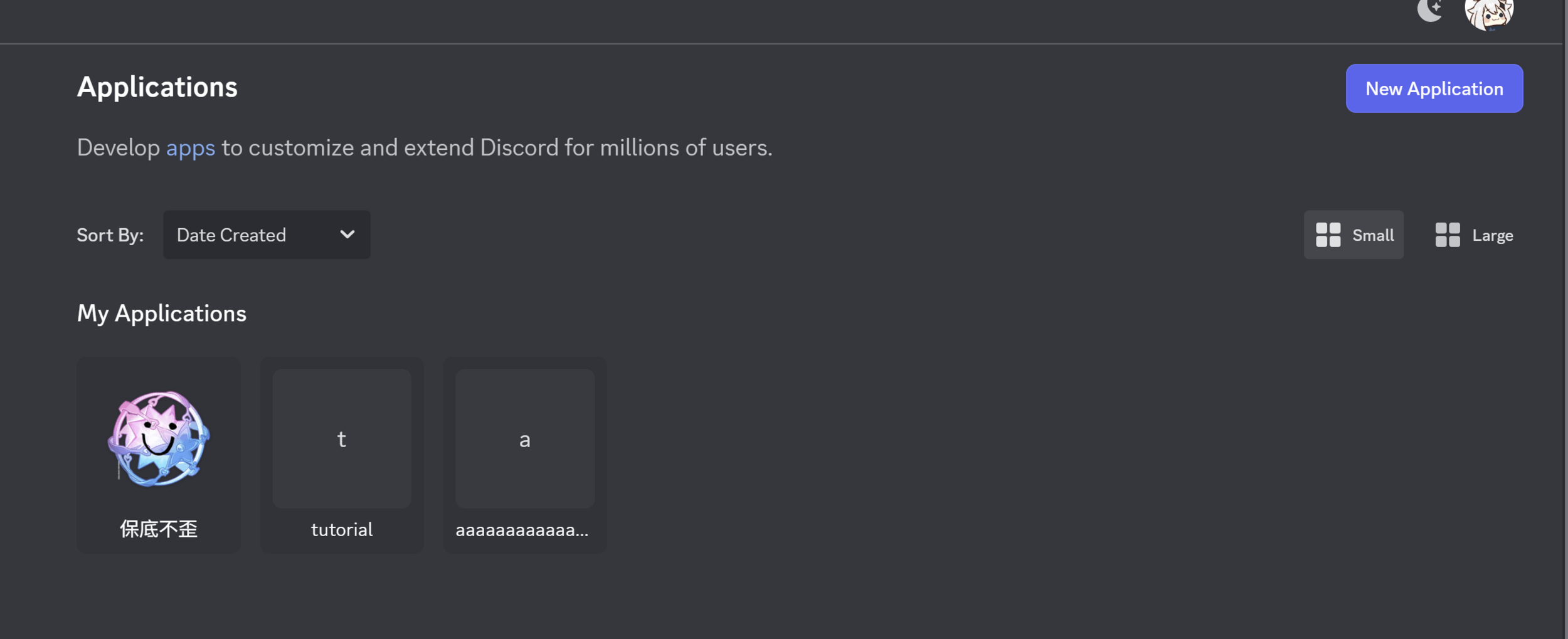
setup - application
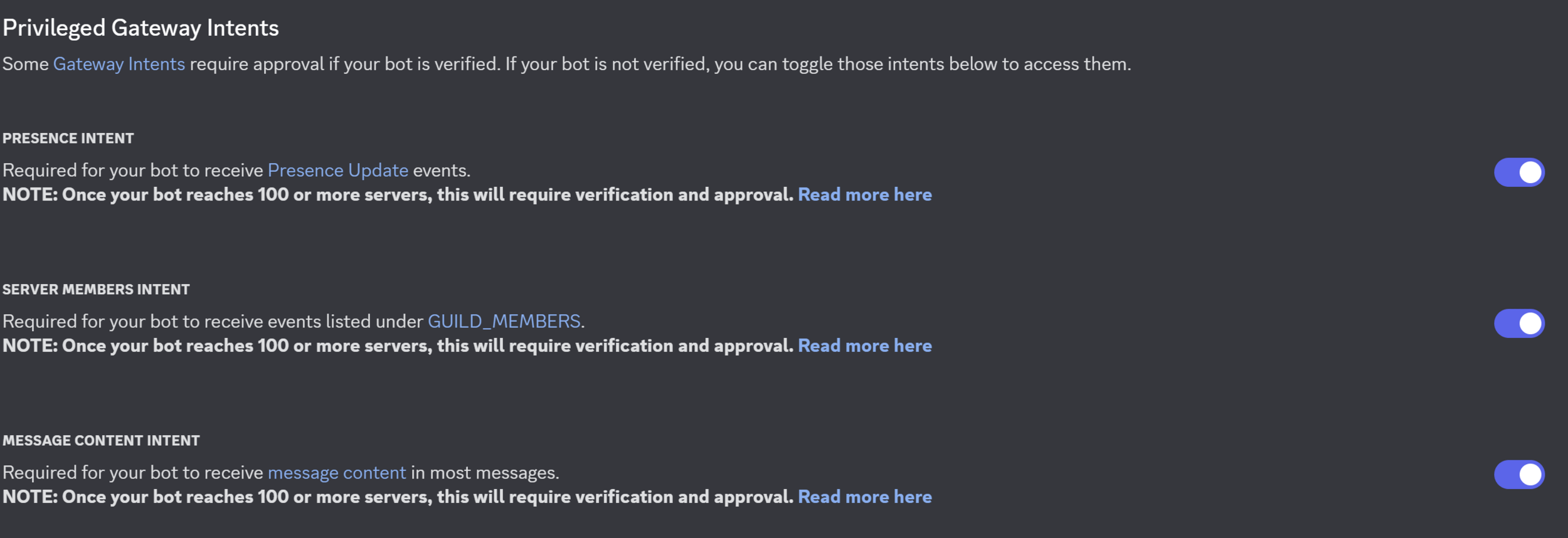
3.點選左邊bot的欄位
把三個priveledge gateway intent 打開
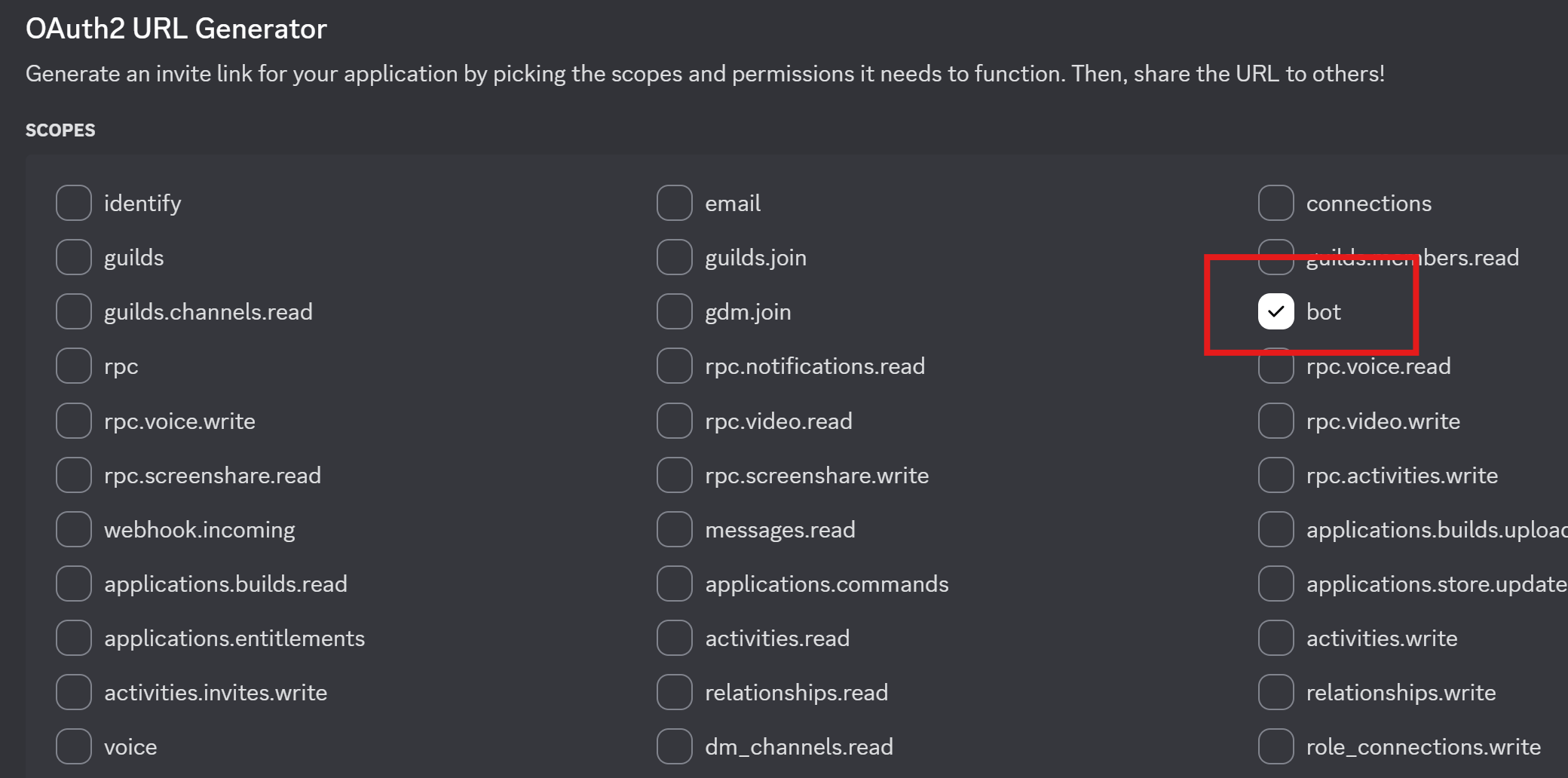
4. 點選左邊OAuth2
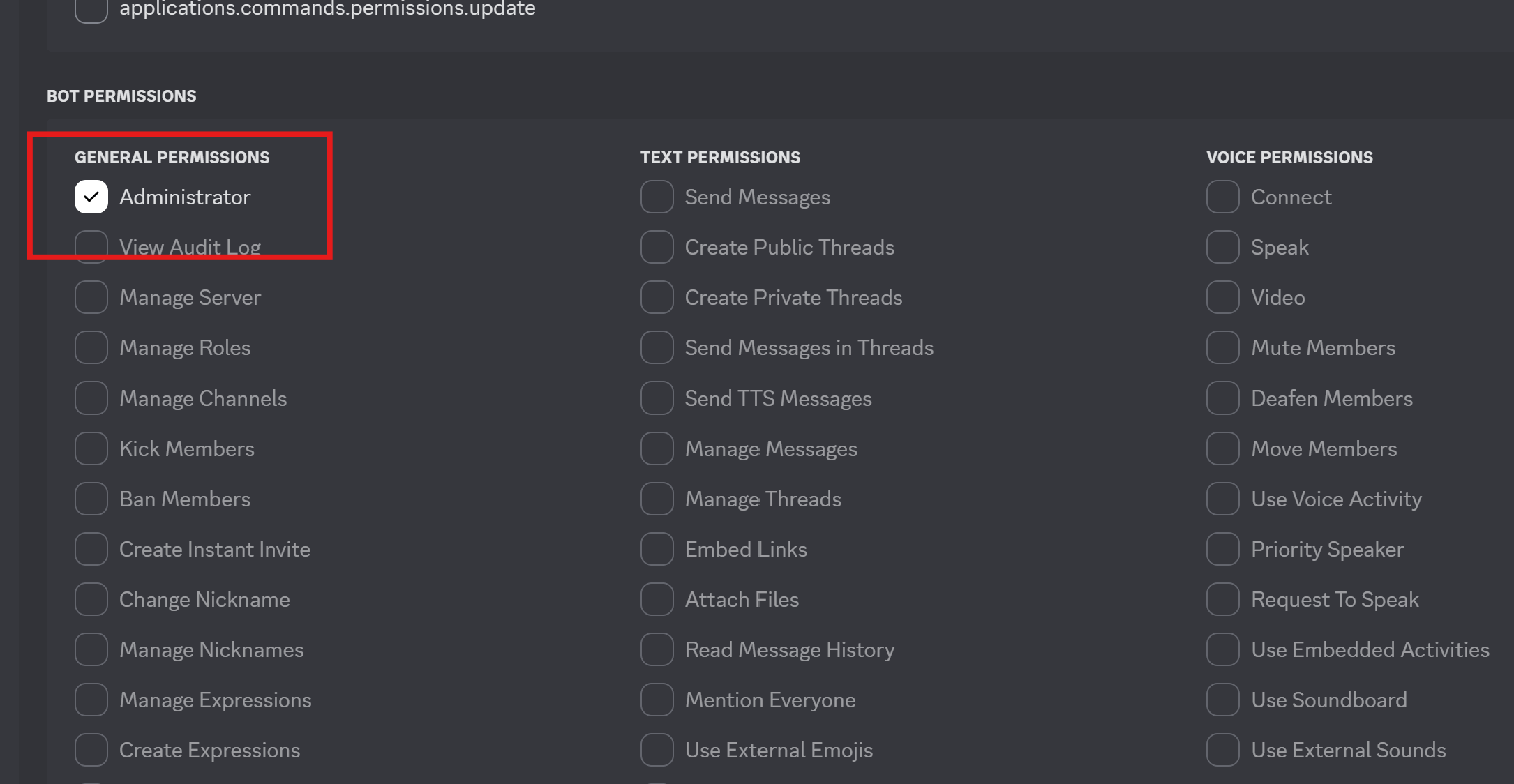
- 在OAuth2 URL Generator的地方把bot打勾
- 把bot permission的 administrator也打勾
- 最下面會有一個URL,複製你的URL在新分頁把它打開
setup - application
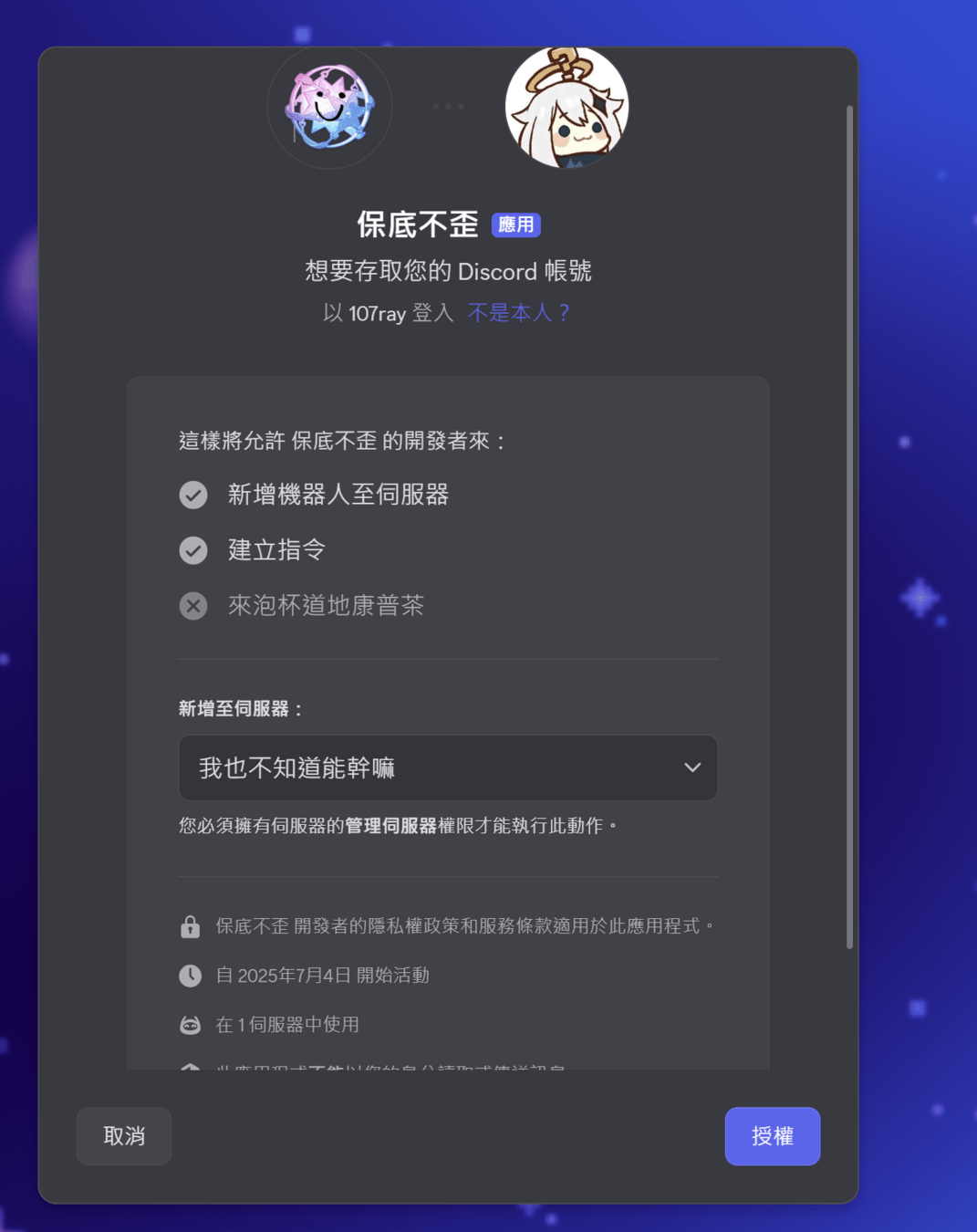
5. 選擇你想要丟的伺服器
- 我個人建議你開一個自己的然後丟上去
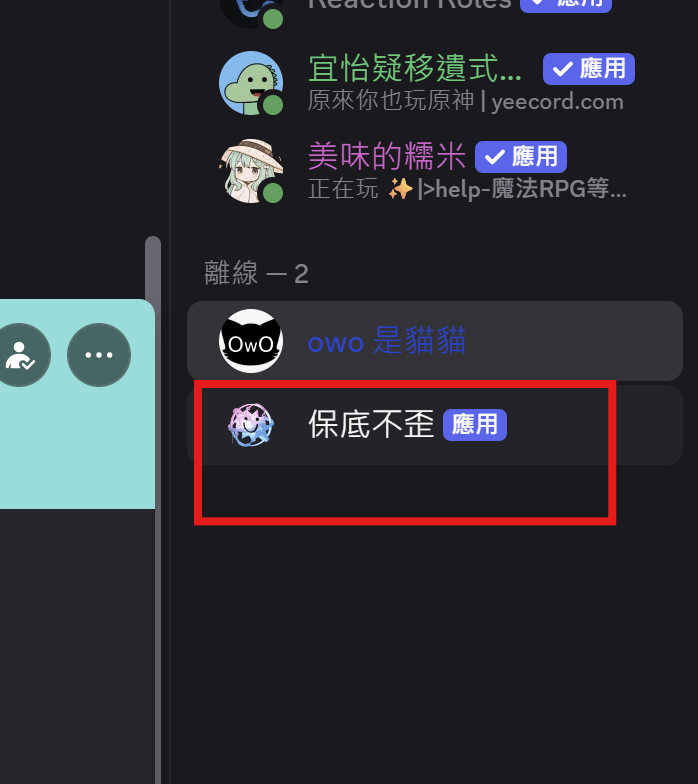
6.打開你的dc伺服器,看到機器人在裡面你就成功了

config.json & .env
存資料的方法
存資料的方法
config.json
.env
存一些設定資訊
存環境變數
非常非常重要的資訊
| config.json | .env | |
|---|---|---|
| 格式 | JSON Object | plain text |
| 常存的東西 | prefixes, color, version... | Tokens, API Keys, pw, db urls |
| 存取方法 | import/require | process.env.variable, dotenv |
config.json
{
    "prefix": "!",
    "color_theme": "blue"
}
config.json
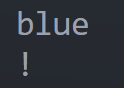
輸出:
const config = require("./config.json");
console.log(config.color_theme);
console.log(config.prefix);
你的主要檔案
.env
DISCORD_TOKEN = "your token"
CLIENT_ID = 1234567890
API_KEY = "your key"
.env
輸出:
npm install dotenv
要裝一個套件
這裡我們裝dotenv
require("dotenv").config();
console.log(process.env.DISCORD_TOKEN)
console.log(process.env.API_KEY)
console.log(process.env.CLIENT_ID)
你的主要檔案

- 是bot的登入憑證(像是密碼)
- 有他就可以控制你的bot
- 不要洩漏出去!!
Token

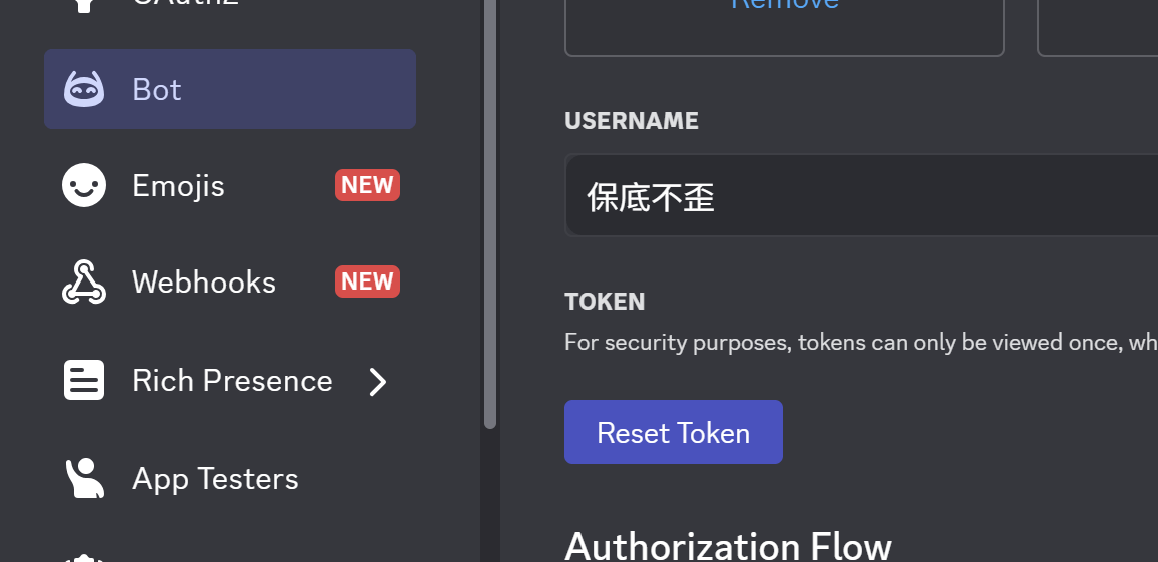
點這個他會幫你生Token
拿到之後,建議就放在.env裡面
DcBot
最基本的東西
DcBot
const { Client, Events, GatewayIntentBits } = require('discord.js');
require("dotenv").config();
const token = process.env.DISCORD_TOKEN;

const client = new Client({ intents: [GatewayIntentBits.Guilds] });


client.once(Events.ClientReady, (readyClient) => {
	console.log(`Ready! Logged in as ${readyClient.user.tag}`);
});

client.login(token);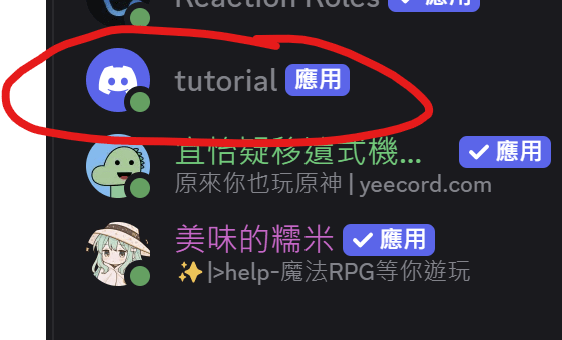
然後你就會看到機器人變online了
import
把.env的東西匯入
開一個物件叫做client (對他就是你的dcbot)
你的機器人啟動時會做的事
這行很重要,一訂要加在最後面
下課!!!!!!