Get the Picture on Android Camera
Colin Lee
@colinmlee
Who Are You?
Colin Lee
Android Software Engineer
@ Vidku
Twitter: @colinmlee
Vidku: @colin
Vidku?
Video sharing for groups and friends.
Series A Startup Based in North Loop Minneapolis.
Download our new app on Android and iOS.
Get the Picture on Android Camera
- Criminal Intents
- A Camera1 Hit Wonder
- It Takes Camera2 To Tango
- Redeeming Features
- Just For the Record
Criminal Intents
Borrowing a stranger's camera
Image Capture Intent
// create Intent to take a picture and return control to the calling application
Intent intent = new Intent(MediaStore.ACTION_IMAGE_CAPTURE);

Uri fileUri = getOutputMediaFileUri(MEDIA_TYPE_IMAGE); // create a file to save the image

intent.putExtra(MediaStore.EXTRA_OUTPUT, fileUri); // set the image file name

// start the image capture Intent
startActivityForResult(intent, CAPTURE_IMAGE_ACTIVITY_REQUEST_CODE);
Video Capture Intent
//create new Intent
Intent intent = new Intent(MediaStore.ACTION_VIDEO_CAPTURE);

Uri fileUri = getOutputMediaFileUri(MEDIA_TYPE_VIDEO);  // create a file to save the video

intent.putExtra(MediaStore.EXTRA_OUTPUT, fileUri);  // set the image file name

intent.putExtra(MediaStore.EXTRA_VIDEO_QUALITY, 1); // set the video image quality to high

// start the Video Capture Intent
startActivityForResult(intent, CAPTURE_VIDEO_ACTIVITY_REQUEST_CODE);
Image Gallery Intent
Intent intent = new Intent(Intent.ACTION_GET_CONTENT, null);

// set MIME type
intent.setType("image/*");

// if multiple files are accepted
intent.putExtra(Intent.EXTRA_ALLOW_MULTIPLE, true);

startActivityForResult(intent, CAPTURE_VIDEO_GALLERY_REQUEST_CODE);

// handle returned data in OnActivityResult()
Video Gallery Intent
Intent intent = new Intent(Intent.ACTION_GET_CONTENT, null);

// set MIME type
intent.setType("video/*");

// if multiple files are accepted
intent.putExtra(Intent.EXTRA_ALLOW_MULTIPLE, true);

startActivityForResult(intent, CAPTURE_VIDEO_GALLERY_REQUEST_CODE);

// handle returned data in OnActivityResult()
Criminal Intents
- There are no guarantees!
- Any app may handle your intent if it has the right intent filter set.
- An app may ignore everything you ask and return garbage data. Or it could crash.
- You need to handle returned results by request code and handle if the user cancels.

A Camera1 Hit Wonder
Building Your Own
Why Roll Your Own?
- Consistent style and branding
- More predictable results
- Process the image quickly when taken
- The app picker may lose the user
Custom Photo Capture
// initialize camera
Camera camera = Camera.open(cameraId); // usually 0 = back facing 1 = front facing

// set target surface for camera preview
try {
    camera.setPreviewDisplay(mSurfaceView.getHolder());
} catch (IOException e) {
    Log.e("Error setting up camera preview", e);
}

// start preview
camera.startPreview();

// when capture button is pressed send JPEG byte[] to a callback
camera.takePicture(null, null, jpegCallback);

// when it's time to clean up
camera.stopPreview();
camera.release();
camera = null;
A Picture Takes a Thousand Lines
- Don't forget to request permissions
- Every device behaves differently... all 10,000+
- Some rotate the image, others include a rotation hint
- Do not rely on any rotation being "normal"
- Nexus 5X broke a lot of apps
- Some phones lie about supported resolutions
- Test camera and preview resolution code across many devices
A Picture Takes a Thousand Lines (cont'd)
- Not every device has 1 or 2 cameras
- Most camera calls block
- Use a dedicated background thread and async calls like RxJava
- Always release your Camera onPause!
It Takes Camera2 To Tango
When Camera1 Just Isn't Enough
Why Camera2?
- More manual controls:
- exposure
- white balance
- color conversion
- denoising
- sharpening
- RAW format
- matrix transformations
- Camera1 is being deprecated
- Better state handling
Why Camera1?
- Support versions before Lollipop
- Consistent behavior
- Avoid complexity
Camera2 - Open Camera
// https://github.com/googlesamples/android-Camera2Basic
// always request permissions first!
CameraManager manager = (CameraManager) activity.getSystemService(Context.CAMERA_SERVICE);
try {
    if (!mCameraOpenCloseLock.tryAcquire(2500, TimeUnit.MILLISECONDS)) {
        throw new RuntimeException("Time out waiting to lock camera opening.");
    }
    manager.openCamera(mCameraId, mStateCallback, mBackgroundHandler);
} catch (CameraAccessException e) {
    e.printStackTrace();
} catch (InterruptedException e) {
    throw new RuntimeException("Interrupted while trying to lock camera opening.", e);
}
Camera2 - Close Camera
// always close and free the camera onPause!
private void closeCamera() {
    try {
        mCameraOpenCloseLock.acquire();
        if (null != mCaptureSession) {
            mCaptureSession.close();
            mCaptureSession = null;
        }
        if (null != mCameraDevice) {
            mCameraDevice.close();
            mCameraDevice = null;
        }
        if (null != mImageReader) {
            mImageReader.close();
            mImageReader = null;
        }
    } catch (InterruptedException e) {
        throw new RuntimeException("Interrupted while trying to lock camera closing.", e);
    } finally {
        mCameraOpenCloseLock.release();
    }
}
Camera2 - Capture Session
// lock focus before capture, unlock after capture

 try {
    // This is the CaptureRequest.Builder that we use to take a picture.
    final CaptureRequest.Builder captureBuilder =
                    mCameraDevice.createCaptureRequest(CameraDevice.TEMPLATE_STILL_CAPTURE);
    captureBuilder.addTarget(mImageReader.getSurface());

    // Orientation
    int rotation = activity.getWindowManager().getDefaultDisplay().getRotation();
    captureBuilder.set(CaptureRequest.JPEG_ORIENTATION, ORIENTATIONS.get(rotation));

    mCaptureSession.stopRepeating();
    mCaptureSession.capture(captureBuilder.build(), CaptureCallback, null);
} catch (CameraAccessException e) {
    e.printStackTrace();
}
Redeeming Features
Bringing Your Camera Into Focus
Camera Parameters
- Focus settings
- Torch/Flash
- Zoom
- Output resolutions
- Effects
- Metering/exposure
- White balance
- Video stabilization
- GPS location
Using Parameters
- Always try/catch in case it's unsupported
- Set one or few parameters at a time
- Test across many devices
- Consider rotation/mirroring for tap to focus/metering
- Gracefully degrade
- Some Android devices support pretty amazing features if you let them (dual flash, dual autofocus)
Using Parameters
Invest in some old and cheap hardware. The emulator will not break in the same ways.
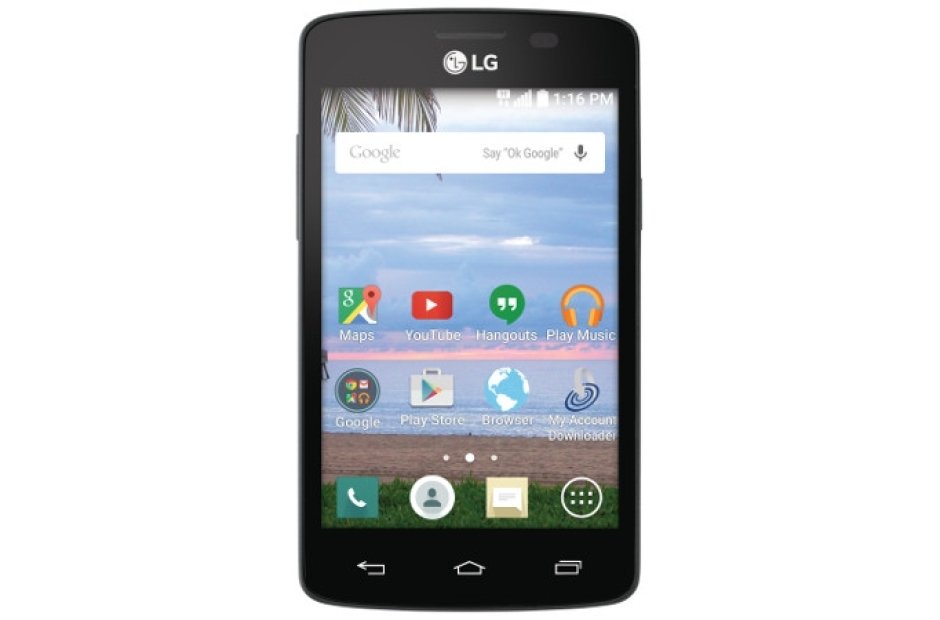
"I'm the LG Lucky.
$10-20 at Walmart."
Just For The Record
Custom Video Recording
MediaRecorder
- Provides simple video and audio recording
- Offers some callbacks, but one should try/catch for common state issues
MediaRecorder
mRecorder = new MediaRecorder();
camera.stopPreview();
camera.unlock();
mRecorder.setCamera(camera);
mRecorder.setAudioSource(MediaRecorder.AudioSource.CAMCORDER);
mRecorder.setVideoSource(MediaRecorder.VideoSource.CAMERA);
mRecorder.setProfile(mLegacyPreview.getProfile());

mFile = CameraUtil.getOutputMediaFile(CameraUtil.MEDIA_TYPE_VIDEO);

if (mFile != null) {
    mRecorder.setOutputFile(mFile.getAbsolutePath());

    // Set recording time limit
    mRecorder.setMaxDuration(mMaximumRecordingDurationInMs);

    // Set rotation of video recording
    mRecorder.setOrientationHint(getRotation());

    mRecorder.prepare();
}

// Camera is available and unlocked. you can start recording.
mRecorder.start();
Issues with MediaRecorder
- Minimal control over the recording experience
- Long start and stop delay (~700ms)
- Cannot handle front facing mirroring
- Rotation hints may be ignored
- Audio gaps may occur on some phones
- Needs more callbacks for state handling
MediaCodec/Muxer
Slow-Roasted Artisanal Video Frames
MediaCodec
- Exists in earlier Android versions, but tested safe across devices in API 18+
- Complicated like writing MediaRecorder from scratch
- Requires managing synchronization between many encoding and muxing threads
- Can lower start/stop delays below 250ms
- Useful if you're pre-processing frames
- Docs and examples are limited, but getting better
MediaCodec Concerns
- Thread safety and cleanup
- Max priority threads
- Be careful with mutexes and deadlocking
- Use saved presentation timestamps, not current time
-
Use COLOR_FormatSurface to avoid color format incompatibility
- Check out fadden's examples, such as Grafika
MediaMuxer
Combining Audio/Video Frames into a File
MediaMuxer
- Available from API 18+
- Core Android API
- Only one video and one audio stream per file
- Alternatives include FFMpeg, 3rd party libraries
Manipulating Videos
- mp4parser
- MediaExtractor/MediaCodec/MediaMuxer
- Intel INDE Media for Mobile
- FFMpeg
- OpenCV
- Use OpenGL shaders to alter frames efficiently