GIT
Free and open source distributed version control system
O/
Đặng Văn Đại @daikk115
Members of VietOpenStack
What will we discuss today?
- Git
- Github, Bitbucket and Gitlab
- Commands
- Practice
What will we NOT discuss today?
- Compare GIT with other systems
What is git?
- Version control system
- Distributed
- Free & opensource
- Written in C
- Developed in April 2005 by Linus Torvalds
- Compatiable with Mac, Linux, Windows

Git vs Github-Bitbucket-Gitlab


GIT 2005
Distributed version control system
Gitlab 2011
Git repository management
Bitbucket 2008
Web-based Git repository, distributed revision control + source code management
Github 2007
Git + hub, web-based Git repository

Git vs Github-Bitbucket-Gitlab
Gitlab :
- An application
- Provides Git repository management with fine grained access controls, code reviews, issue tracking, activity feeds, wikis, and continuous integration
-
Lauched in 2011
- GitLab Community Edition (CE)
- GitLab Enterprise Edition (EE)
- GitLab.com - free SaaS for public and private repositories, support can be purchased
- GitHost.io - a private single-tenant GitLab instance run by Gitlab Inc.
Why Version Control?
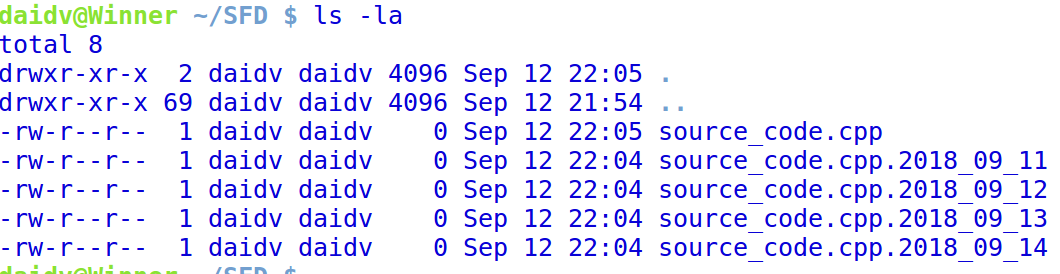
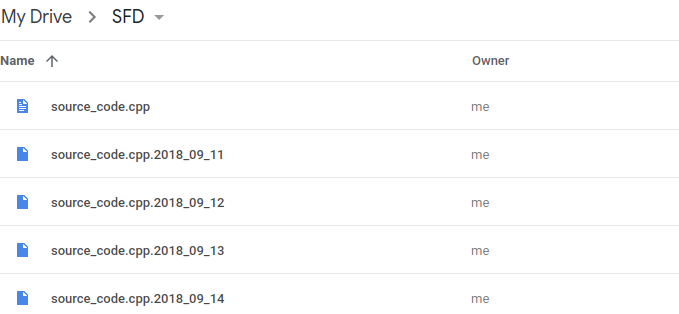
Normal way to keep old versions?
Why Version Control?
Normal way to keep old versions?
Why Version Control?




Why Version Control?
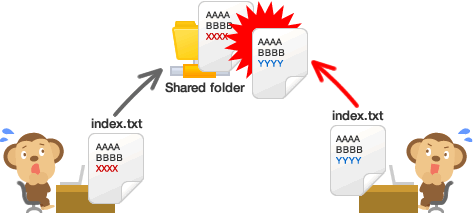
Conflict changes?
Install GIT on Ubuntu
- Install GIT
- sudo apt-get install git
- Try these commands
- cd ~/Desktop
- mkdir project && cd project
- git init
- touch abc.txt
- git add abc.txt
- git commit -m "test"
Create GitHub Account
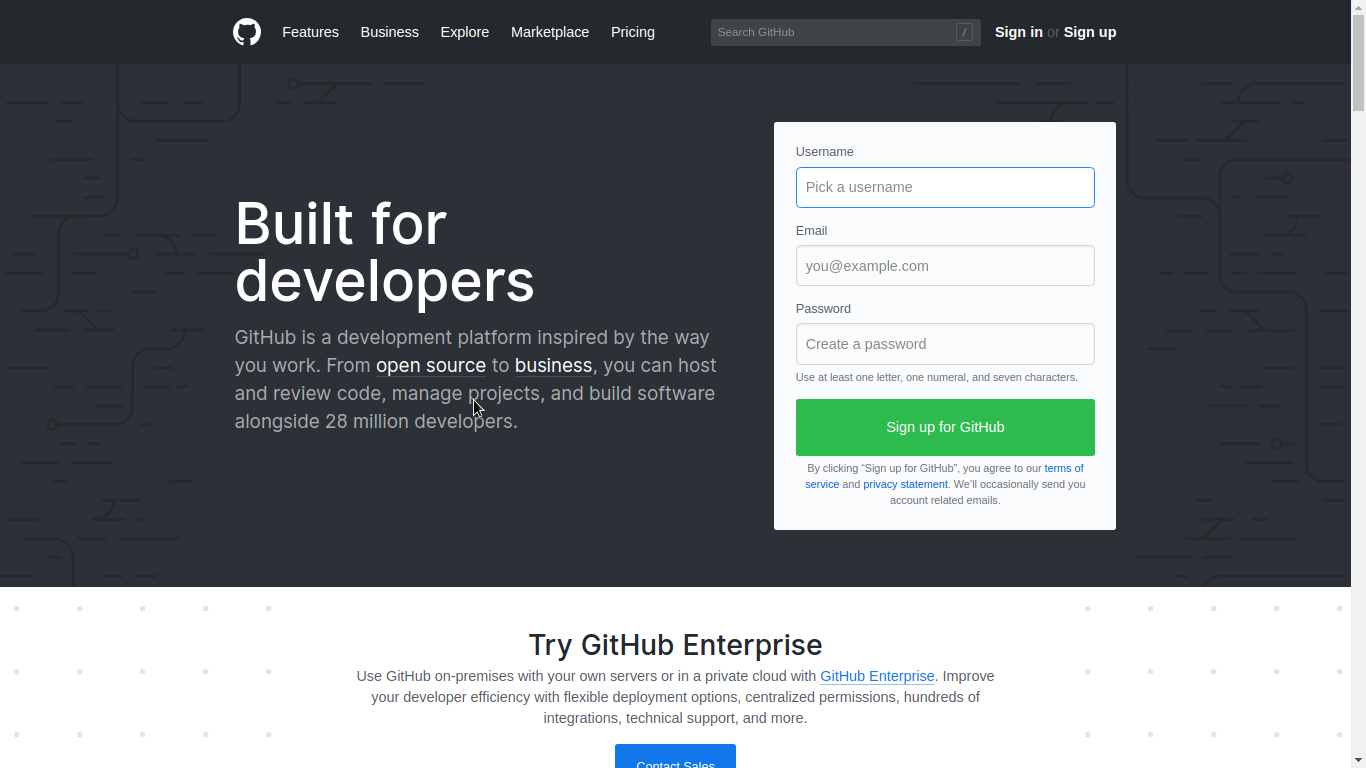
Push source code to GitHub
- git config --global user.name "Dai, Dang Van"
- git config --global user.email "your_email"
- git remote add origin <url>
- git push origin master
Git Glossary
Commit: a revision, an individual change to a file (or set of files)
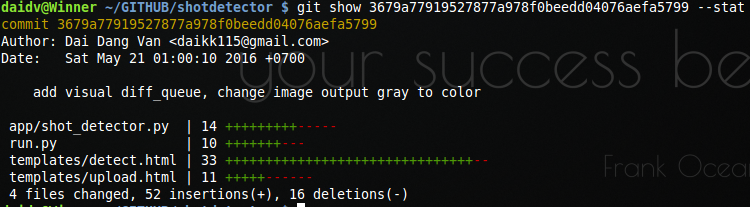
Git Glossary
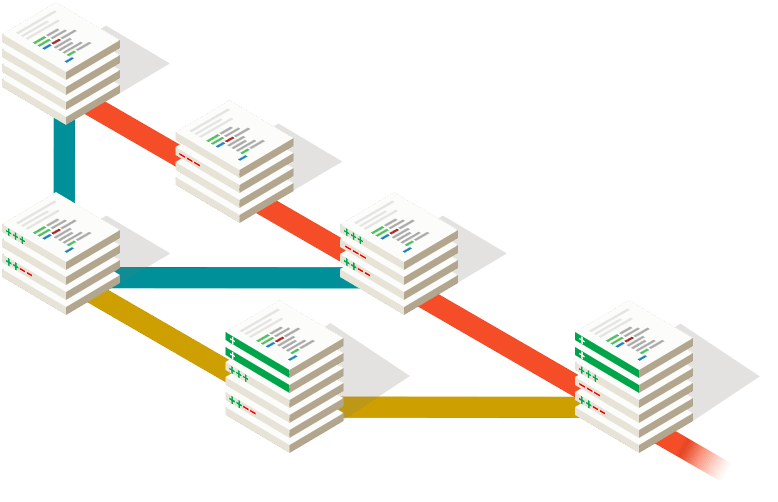
Branch: ~ link list, represents an independent line of development
Tag: mark a particular point in the commit chain, not update
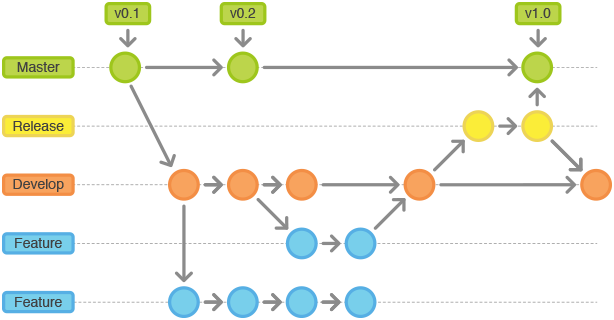
Git Glossary
Revert: revert the effects of a certain commit, effectively undoing it
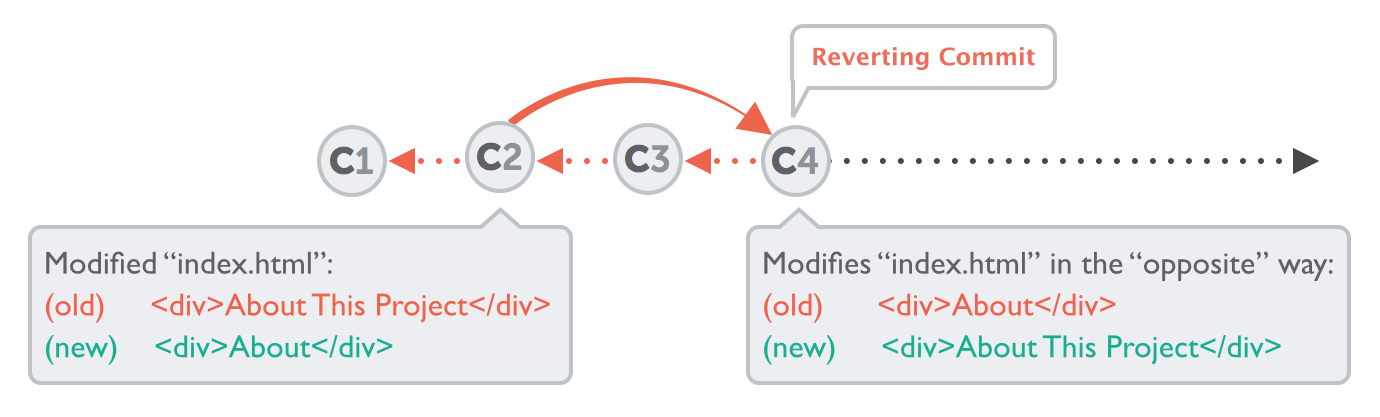
Git Glossary
Reset: "roll back" to that older revision
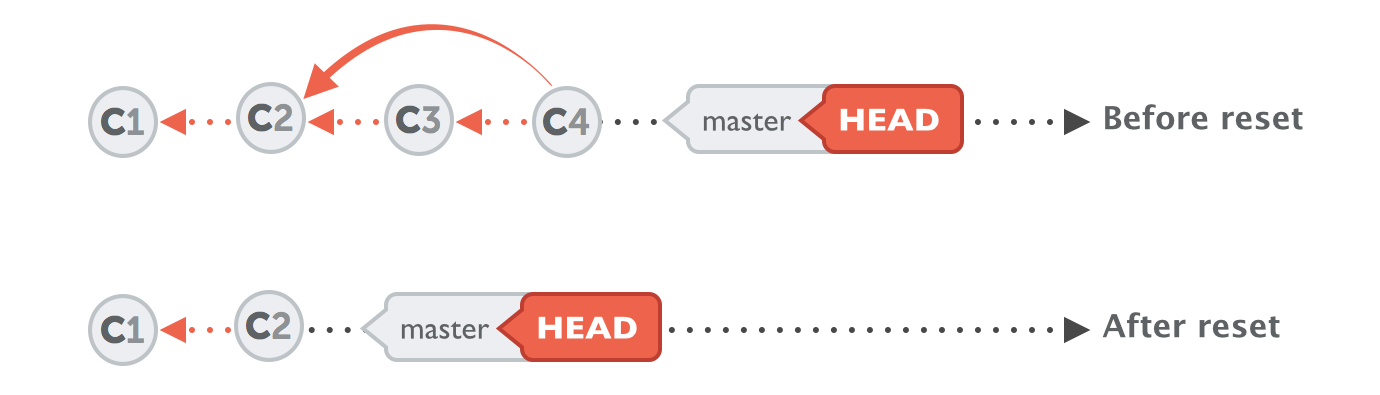
Git Glossary
Merge: takes the changes from one branch and applies them into another
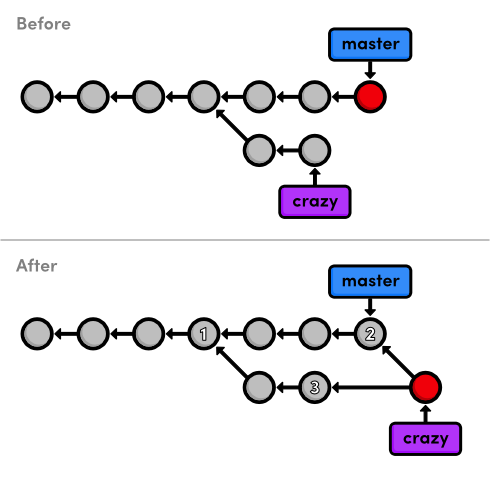
Git Glossary
Rebase: based on the other branch
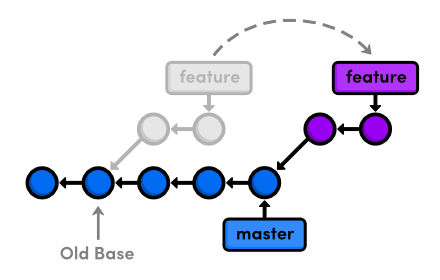
Git Glossary
Cherry-pick: apply some commit from one branch into another branch
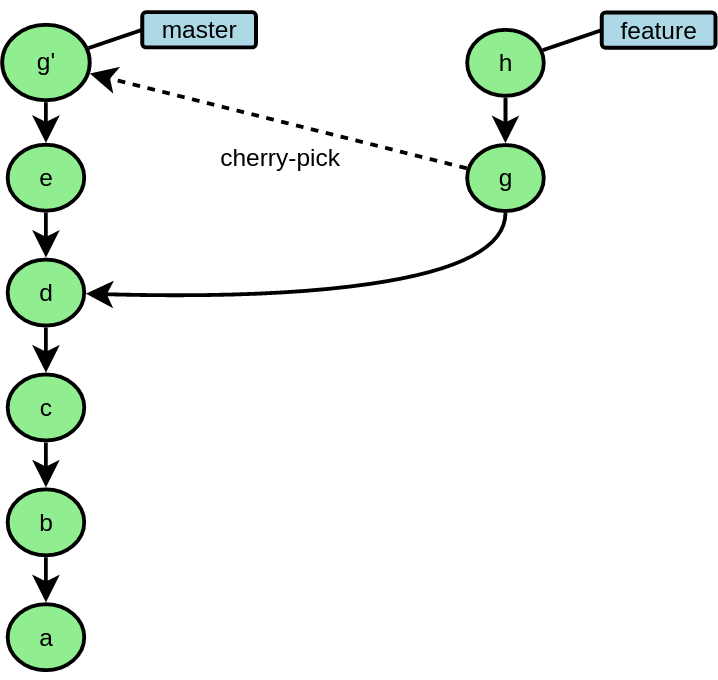
Git common commands
IDENTITY
CREATING A REPOSITORY
CLONING A REPOSITORY
$ git config --global user.name "DVD"
$ git config --global user.email test@example.com
$ git init$ git clone https://github.com/account/repo.gitGit common commands
ADD NEW FILE
REMOVE FILE
CHECK STATUS
COMMIT CHANGES
$ git add newfile.py$ git rm dontneed.py$ git status$ git commit -m 'First commit'Git common commands
UNMODIFY MODIFIED FILE
REVERT A COMMIT
RESET A COMMIT
$ git checkout -- changed.py$ git reset <commit ID>
$ git push -f$ git revert <commit ID>Git common commands
CREAT NEW BRANCH
SWITCH BRANCH
DELETE BRANCH
$ git branch test
$ git checkout -b test master
$ git branch -d test
$ git push origin :test$ git checkout testGit common commands
EDIT COMMIT MESSAGE
## For latest commit
$ git commit --amend

## For old commit

$ git rebase -i HEAD~X
# X is the number of commits to go back

# Move to the line of your commit, change pick into edit,
# then change your commit message:
$ git commit --amend

# Finish the rebase with:
git rebase --continue
Git common commands
SHOW LOG
SHOW COMMITS
SHOW DIFFERENT
$ git log
$ git log --pretty=oneline
$ git diff
$ git diff <file name>$ git show
$ git show <commit id> --statGit common commands
VIEW REMOTE
CHANGE REMOTE
ADD REMOTE
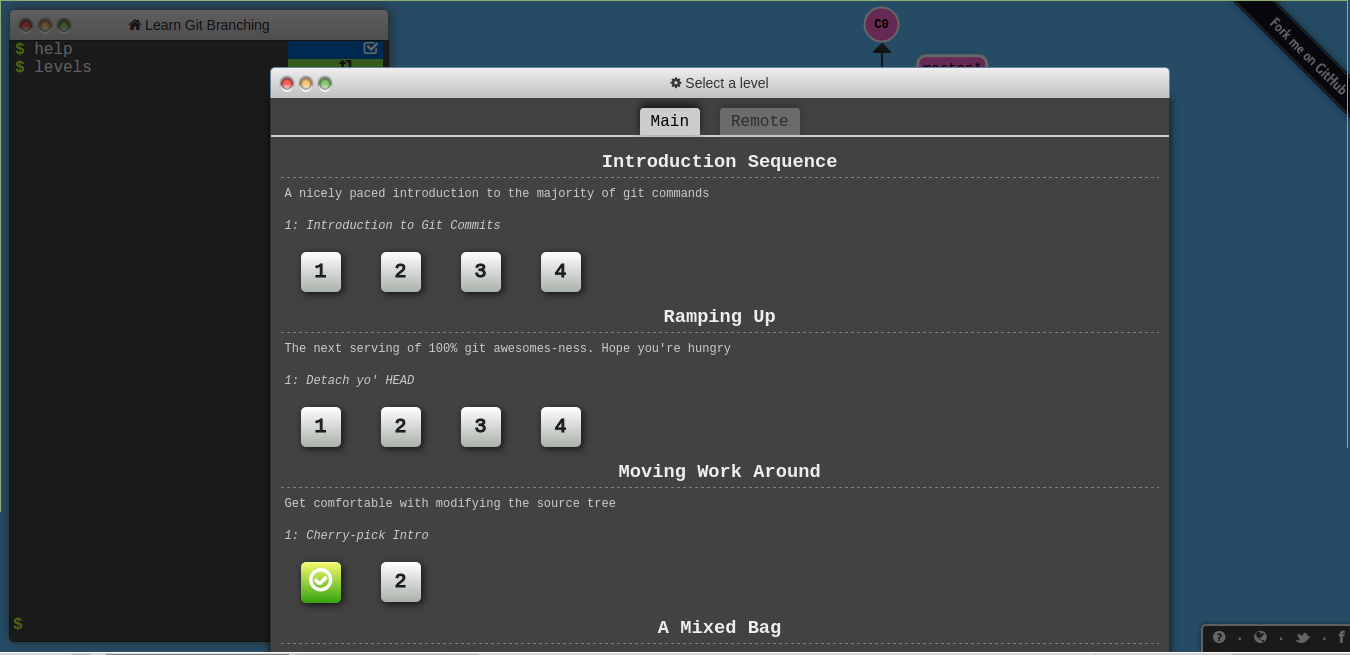
$ git remote -v$ git remote set-url origin http://github.com/repo.git$ git remote add rname https://github.com/user/repo.git Great tool to learn git
Git common commands
PUSH TO REMOTE
FETCH AND MERGE
MERGE
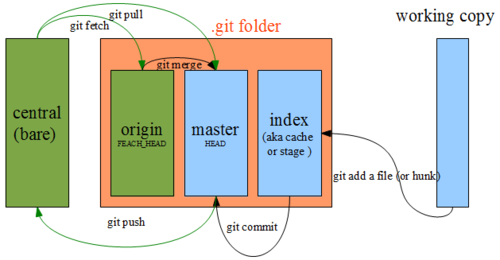
$ git push origin branch_name$ git fetch [remote] [branch]
$ git pull [remote] [branch]$ git merge origin masterGit common commands
MERGE CONFLICT
>>> remove somethings
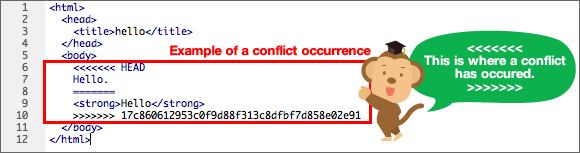
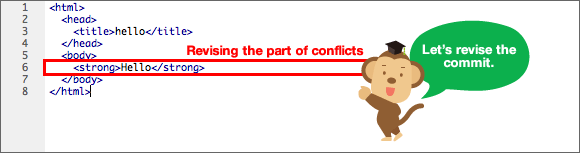
$ git merge origin master$ git add ...
$ git commit ...
$ git push ...Git common commands
REBASING
CHERRY-PICK
$ git rebase master
$ git rebase -i branch
$ git cherry-pick <commit id 1> <commit id 2>Git common commands
RENAME BRANCH
$ git branch -m oldname newname
$ git push -f --mirror
References
- https://orga.cat/posts/most-useful-git-commands
- https://backlogtool.com/git-guide/en/
- https://www.sitepoint.com/git-for-beginners/
- https://git-scm.com/
- https://www.atlassian.com/git/tutorials/what-is-git/
- https://gitlab.com/
- https://bitbucket.org/
- https://smusamashah.blogspot.com/2016/09/how-do-you-explain-basics-of-git-in.html
What is git (More)?
- A content-addressable filesystem. It means that at the core of Git is a simple key-value data store
Git Objects
- SHA1 40-digit "object name"
- Object database stores it in .git/objects
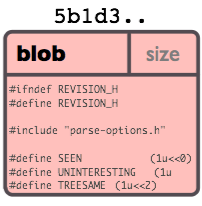
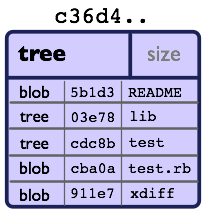
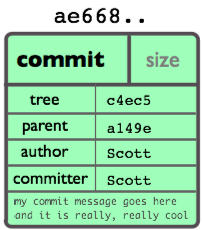
- Every object consists of three things: type, size and content.
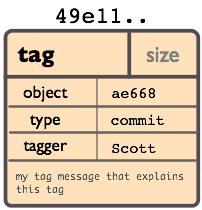
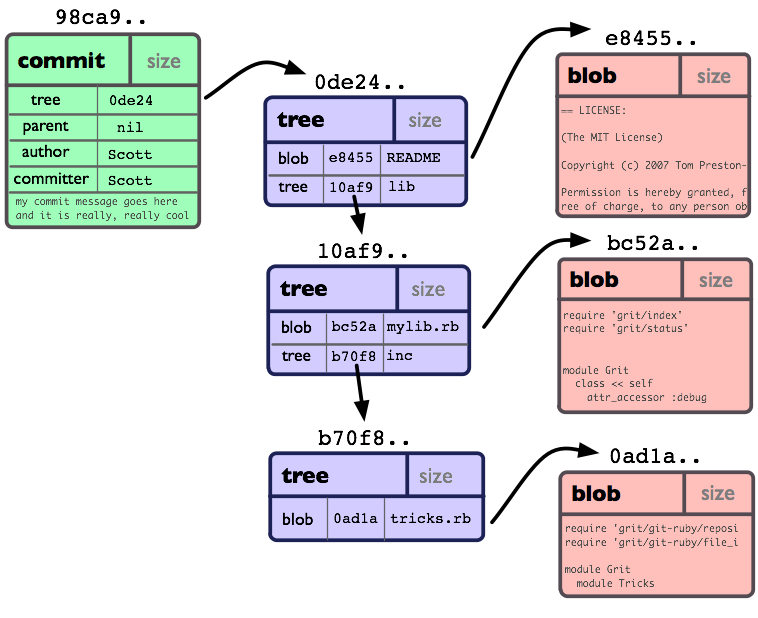
- Four different types of objects: "blob", "tree", "commit", and "tag".
Git Objects
"blob" is used to store file data
Git Objects
"tree" is basically like a directory
Git Objects
"commit" points to a single tree, marking it as what the project looked like at a certain point in time
Git Objects
Git Objects
"tag" is a way to mark a specific commit as special in some way.