React Hooks
One year later
⚛🎣
Hi! 👋
I'm Dani


Software Engineer at

@d4nidev

delacruz.dev
Professional mentor for developers



📝 Topics
- Why I wasn't a Hooks early adopter
- Insights, tips and tricks
What's wrong with Higher Order Components*?
🤔
*Or with render props
// withPokemons.js
function withPokemons(Component) {
  return class WithPokemons extends React.Component {
    state = {
      pokemons: [],
      loading: true
    };
    componentDidMount() {
      this.fetchPokemons();
    }
    fetchPokemons = async id => {
      this.setState({ loading: true });

      const response = await fetch("https://pokeapi.co/api/v2/pokemon");
      const parsed = await response.json();

      this.setState({
        pokemons: parsed.results,
        loading: false
      });
    };
    render() {
      return <Component {...this.props} {...this.state} />;
    }
  };
}
Higher Order Components
// List.js
const List = ({ loading, pokemons }) => {
  if (loading) {
    return "Loading...";
  }

  return pokemons.map(pokemon => <div>{pokemon.name}</div>);
};

const ListWithPokemons = withPokemons(List);
Higher Order Components
// withPokemons.js
function withPokemons(Component) {
  return class WithPokemons extends React.Component {
    state = {
      pokemons: [],
      loading: true
    };
    componentDidMount() {
      this.fetchPokemons();
    }
    fetchPokemons = async () => {
      this.setState({ loading: true });

      const response = await fetch("https://pokeapi.co/api/v2/pokemon");
      const parsed = await response.json();

      this.setState({
        pokemons: parsed.results,
        loading: false
      });
    };
    render() {
      return <Component {...this.props} {...this.state} />;
    }
  };
}
Higher Order Components
export default withNotifications(
  withTheme(
    withAuth(
      withMouse(
        withScroll(
          withCurrentUser(
            withLocalStorage(
              withSettings(
                withPokemons(List)
              )
            )
          )
        )
      )
    )
  )
);
Clash name collisions
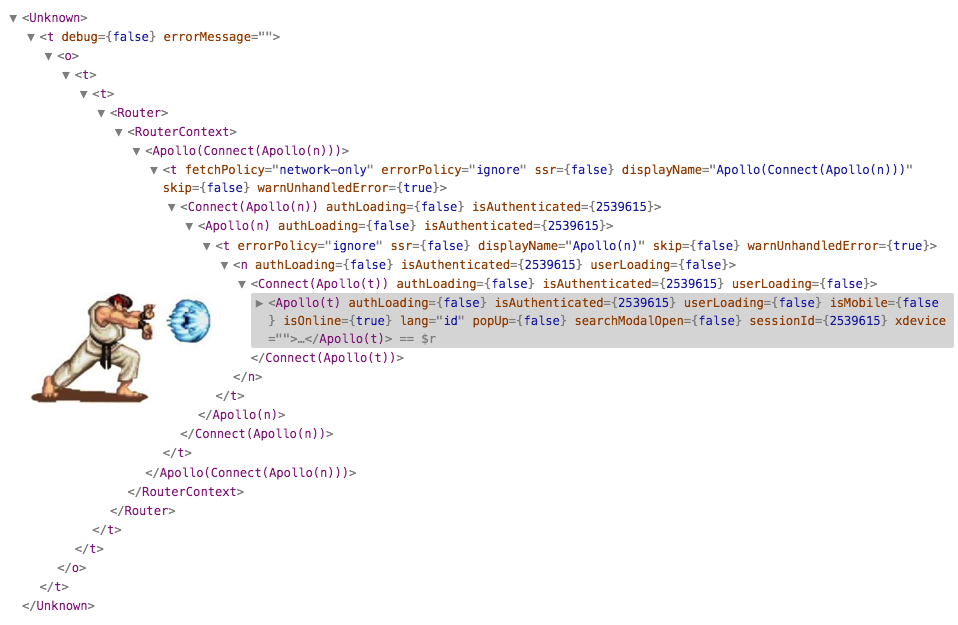
🔥Welcome to the wrapper hell 🔥
// usePokemonsFetch.js
function usePokemonsFetch() {
  const [pokemons, setPokemons] = useState([]);
  const [loading, setLoading] = useState(false);

  useEffect(() => {
    setLoading(true);

    fetch("https://pokeapi.co/api/v2/pokemon")
      .then((response) => response.json())
      .then(parsed => setPokemons(parsed.results))
      .then(() => setLoading(false));
  }, []);

  return { pokemons, loading };
}
Hooks to the rescue
// PokemonList.js
function PokemonList() {
  const { pokemons, loading } = usePokemonFetch();

  if (loading) {
    return "Loading...";
  }

  return pokemons.map((pokemon) => <div>{pokemon.name}</div>);
}
With a custom hook
Should I stop using HOCs?
🤔
- HOCs might introduce an artificial abstraction
- Could cause clash name collisions
- Could cause performance issues
- Using hooks helps you get rid of these problems
- HOCs are better suited for cross-cutting concerns
🥡 Take aways
What will happen to my tests?
🙋♂️
show some code from enzyme
// accordion.js
import AccordionContents from './accordion-contents';

class Accordion extends React.Component {
  state = { openIndex: 0 }

  setOpenIndex = (openIndex) => this.setState({ openIndex })

  render() {
    const { openIndex } = this.state;
    const { items } = this.props;

    return (
      <div>
        {items.map((item, index) => (
          <AccordionContents open={index === openIndex}>
            <button onClick={() => this.setOpenIndex(index)}>
              {item.title}
            </button>
            {item.contents}
          </AccordionContents>
        ))}
      </div>
    )
  }
}
show some code from enzyme
test('setOpenIndex sets the open index state properly', () => {
  const wrapper = mount(<Accordion items={[]} />);
  expect(wrapper.state('openIndex')).toBe(0);
  wrapper.instance().setOpenIndex(1);
  expect(wrapper.state('openIndex')).toBe(1);
});

test('renders with the item contents', () => {
  const pokemons = [
    { title: 'Charmander', contents: 'Fire type lizard' },
    { title: 'Pikachu', contents: 'Electric type mouse'}
  ];
  const wrapper = mount(<Accordion items={pokemons} />)
  const child = wrapper.find('AccordionContents').props().childAt(1);
  expect(child).toBe(pokemons[0].contents);
});
// counter.js
class Counter extends React.Component {
state = { count: 0 };
increment = () => this.setState(({ count }) => ({ count: count + 1 }));
render() {
return (
<button data-testid='button-increment' onClick={this.increment}>
{this.state.count}
</button>
);
}
};// __tests__/counter.js
import { render, fireEvent } from '@testing-library/react'
import Counter from '../counter.js'
test('increments the counter', () => {
const { getByTestId } = render(<Counter />);
const button = getByTestId('button-increment');
expect(button.textContent).toBe('0');
fireEvent.click(button);
expect(button.textContent).toBe('1');
});
Recommendation
// counter.js
function Counter() {
  const [count, setCount] = useState(0);

  const increment = () => setCount((current) => current + 1)

  return (
    <button data-testid='button-increment' onClick={incrementCount}>
      {count}
    </button>
  );
};
🥡 Take aways
- Don't test implementation details
- Refactor your tests before migrating components to React Hooks
Where are my shouldComponentUpdate() and PureComponent?
🌸

Short Answer:
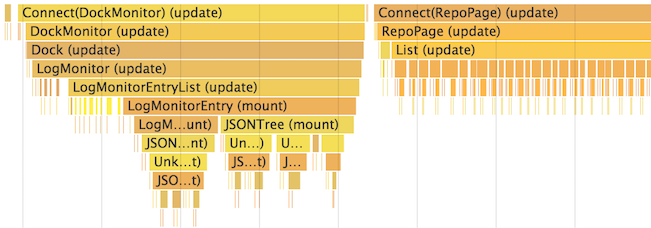
Long answer: Measure!
In case you need it:
- useMemo()
- React.memo()
- useCallback()
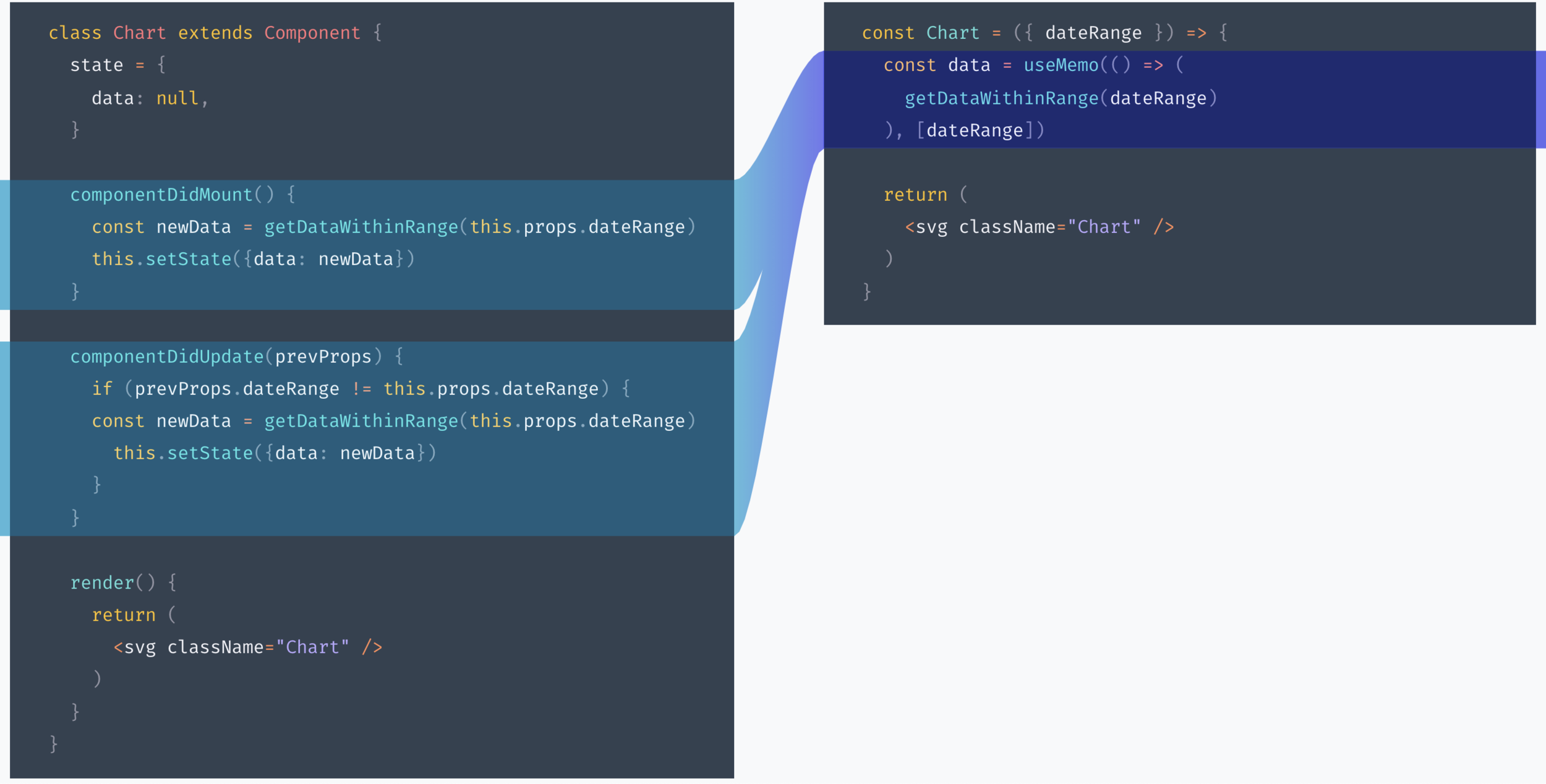
useMemo()
React.memo()
const Button = React.memo((props) => {
  // your component
}, arePropsEqual);

function arePropsEqual(prevProps, nextProps) {
  // compare props and return true if they are equal
}
// Will not change unless `a` or `b` changes
const memoizedCallback = useCallback(() => {
doSomething(a, b);
}, [a, b]);
return <NestedComponent onSomething={memoizedCallback} />useCallback()
Should I use one or many state variables?
🤷🏻♂️
useState()
🛹
function MyComponent() {
  const [name, setName] = React.useState('');

  return (
    <>
      <div>{name}</div>
      <input onChange={(ev) => setName(ev.target.value)} />
    </>
  );
}
In a nutshell
const [age, setAge] = useState(42);
const [name, setName] = useState('Mike Myers');
const [doctor, setDoctor] = useState({ name: 'Mike', surname: 'Myers', age: 42 });
State can be as complex as you need
class Card extends React.Component {
  state = { left: 0, top: 0, width: 100, height: 100 };

  // ...

  this.setState({ width: newWidth, height: newHeight });
}
with this.setState()
function Card() {
  const [measures, setMeasures] = useState({
    left: 0,
    top: 0,
    width: 100,
    height: 100
  });

  // ...

  // Use object spread "...state" ensures you don't lose width and height
  setMeasures((current) => ({ ...current, width: newWidth, height: newHeight }));
}
with useState()
Keep together things that should change together
const [position, setPosition] = useState({ left: 0, top: 0 });
const [size, setSize] = useState({ width: 100, height: 100 });

// ...
setPosition({ left: e.pageX, top: e.pageY });
Do I need Redux?

TL;DR You Might Not
But not because of Hooks
You probably didn't need it earlier, neither
🤭
useContext()
🛹
Example: Global Notifications
// Note: implementation is very simplified
const NotificationsContext = React.createContext({
  onError: noop
  onSuccess: noop
  onLoading: noop
});

const Notifications = ({ children }) => {
  const [notification, setNotification] = useState({ type: 'none', message: '' });

  const onError = (message) => setNotification({ type: 'error', message });
  const onSuccess = (message) => setNotification({ type: 'success', message });
  const onLoading = (message) => setNotification({ type: 'loading', message });

  return (
    <>
      <Success open={notification.type === 'success'} message={notification.message} />
      <Error open={notification.type === 'error'} message={notification.message} />
      <Loding visible={notification.type === 'loading'} />
      <NotificationsContext.Provider value={{ onError, onSuccess, onLoading }}>
        {children}
      </NotificationsContext.Provider>
    </>
  );
};
Example: Global Notifications
// app.js
const App = () => (
  <Notifications>
    // ... your app's component tree
  </Notifications>
);
// some component in your tree
const { onError, onSuccess, onLoading } = useContext(NotificationsContext);
onLoading(true);
try {
await fetch(myApiEndpoint)
onSuccess('Success!');
} catch(err) {
onError(e.message);
} finally {
onLoading(false);
}useReducer()
🛹
<FormComponent
  onSubmit={handleSubmit}
  onSubmitComplete={handleSubmitComplete}
  onError={handleError}
  onFetchStart={handleFetchStart}
  onFetchEnd={handleFetchComplete}
/>
Convenient for complex state mutations
function reducer(state, action) {
  switch (action.type) {
    case "ready":
      return { ...state, notification: "none" };
    case "submit_start":
      return {
        ...state,
        notification: "loading",
        loading: true,
        message: "Submitting..."
      };
    case "submit_complete":
      return {
        ...state,
        notification: "success",
        loading: false,
        message: "Saved!"
      };

    // ...
  }
}
Extract state mutation logic
const [state, dispatch] = useReducer(reducer, initialState);

<FormComponent dispatch={dispatch} {...state} />
Simplify your component

useReducer
useContext
You might need Redux:
- Transaction telemetry
- Time travel debugging
- Single source of truth for application state
- Deep props diffing
🥡 Take aways
- React Hooks don't fully replace Redux
- You might need Redux just if your application is a complex state machine
- React is already a state management library
📚 Resources
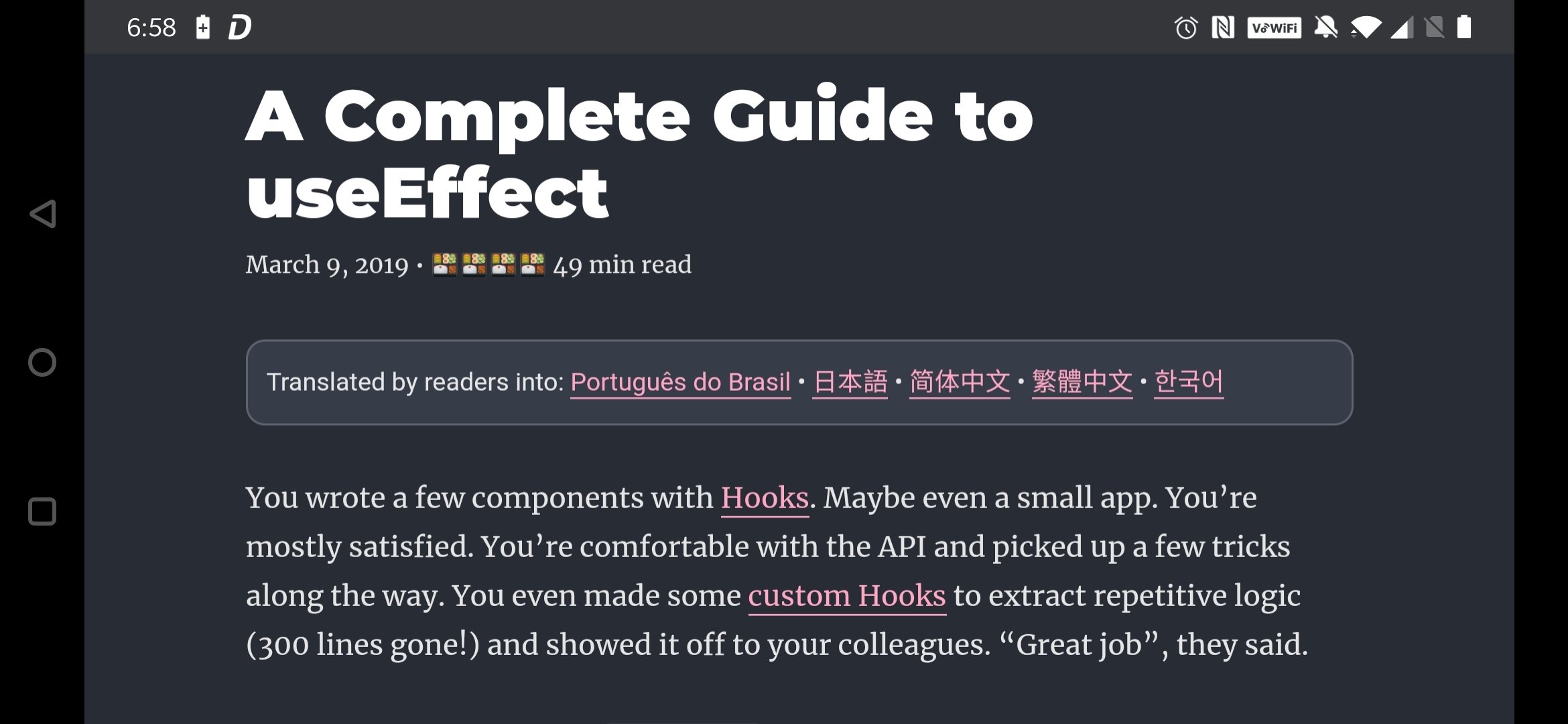
Take your time

Thinking in React Hooks
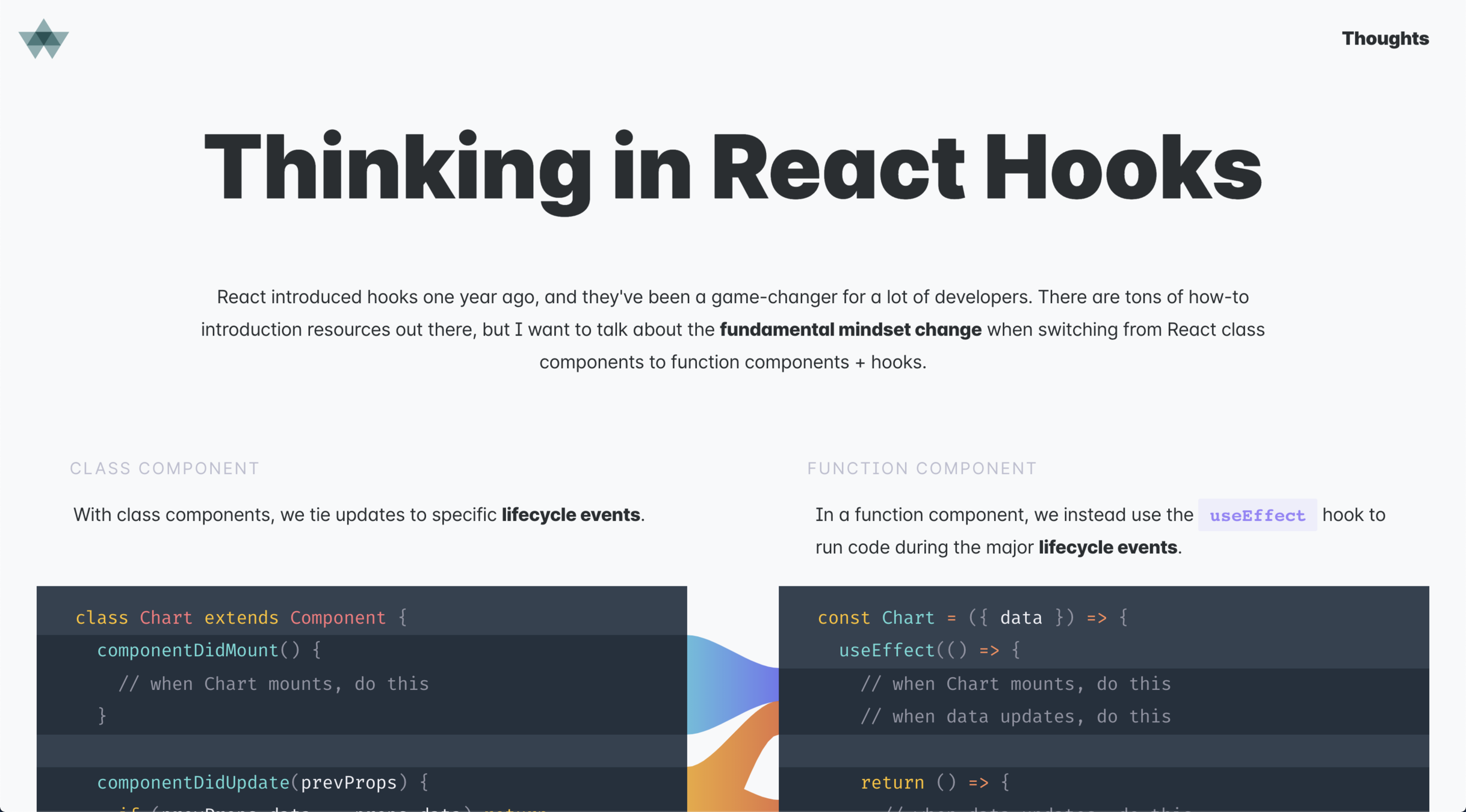
🤓 Advice
Ask me anything
🗣
Thank you!
And stay at home!