
Dana Janoskova
Senior Software Engineer at

Vue.js, React, Node.js, CSS, Flutter
What we'll do today
- Learn vuex basics
- See common vuex store structure
- Explore Vue CLI options
- See a "blog app" code example
- Live code the blog app!
What is vuex?
- a centralized store for all the components in an application
- the state can only be mutated in a predictable fashion
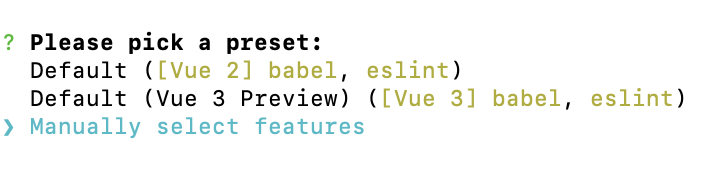
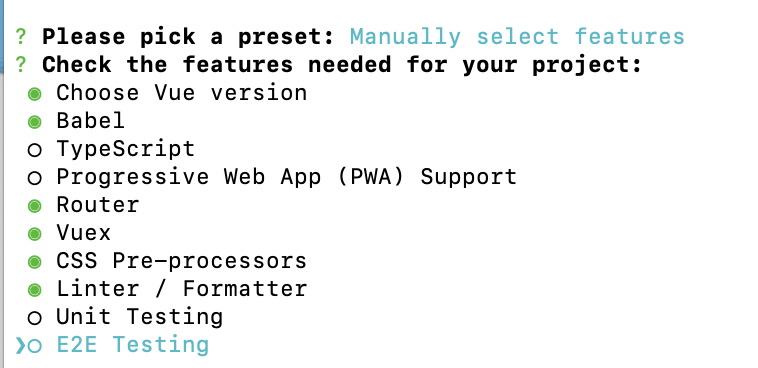
Generate an app with vuex built-in
Vue CLI has support for vuex out of the box.
npm install -g @vue/cli
# OR
yarn global add @vue/cli
What does a vuex store structure look like?
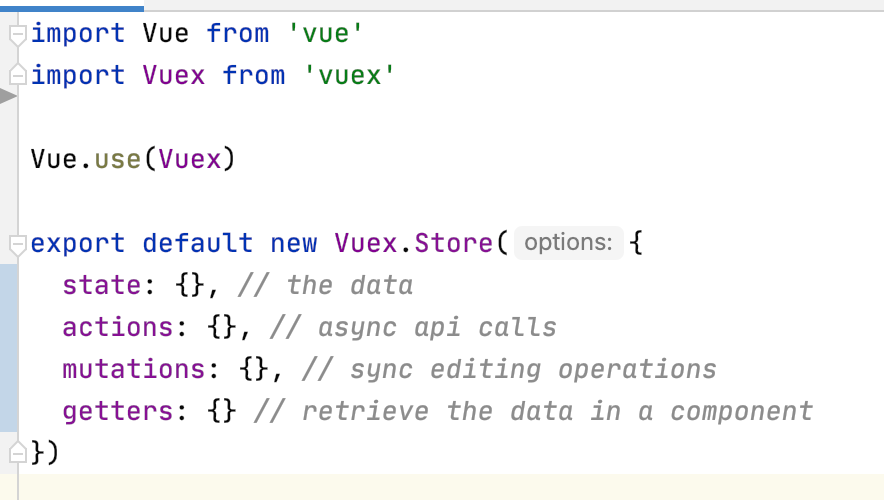
Vuex "state"
- State is a single state tree
- it's a single object that contains all your application level state and serves as the "single source of truth"
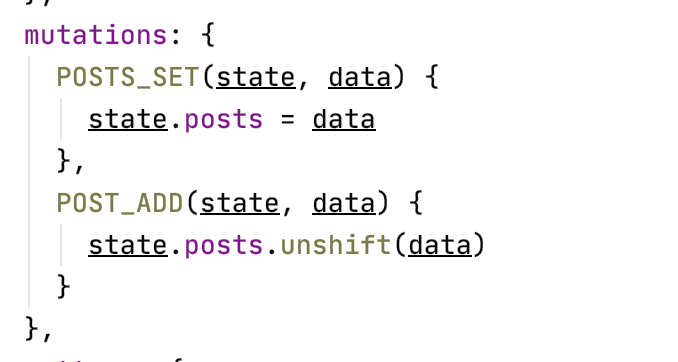
Vuex "mutations"
- Mutations are the place where we where we modify state
- The handler function will receive the state as the first argument
- Those functions are synchronous only
Vuex "actions"
- Actions can contain asynchronous operations
- The handler function accepts the context parameter
- From the context you can commit mutations or dispatch actions

This is how you call a mutation in an action. The first argument is the mutation name and the second is the data you wish to pass in.
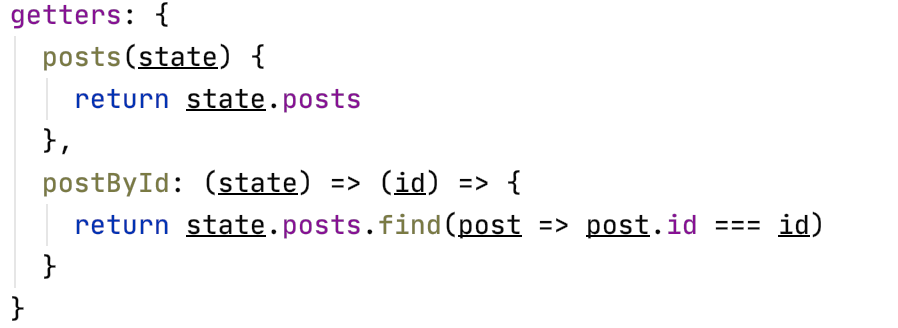
Vuex "getters"
- Use getters to retrieve the variables from state
- You can use them for computed, reactive logic
Use actions, mutations and getters in a component
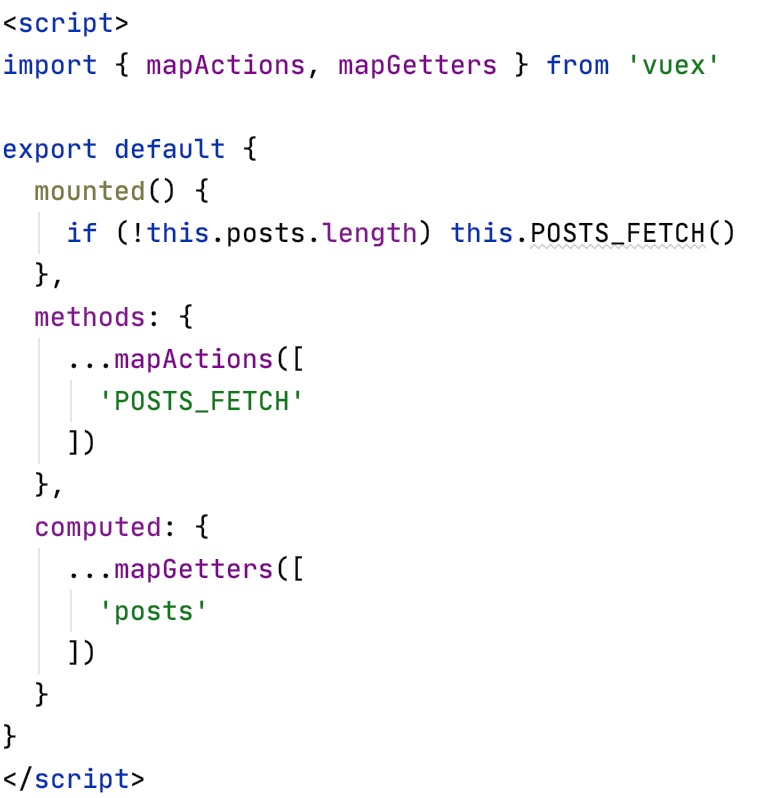
Import mapActions, mapGetters and mapMutations from 'vuex' to use them in your components.
In this example, the mounted() method calls POSTS_FETCH(), which after being executed and having received data, updates the vuex state.
Then our computed variable from getter will trigger a re-render of the component.
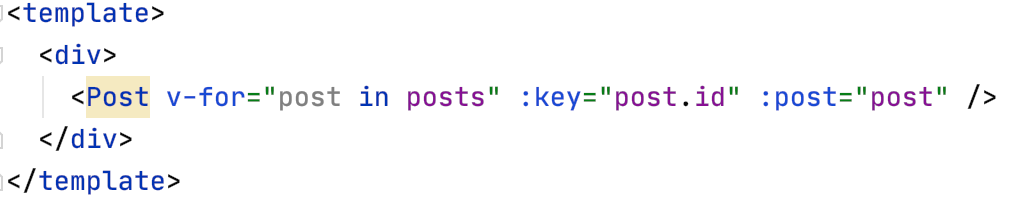
PostsContainer.vue ← connected to vuex
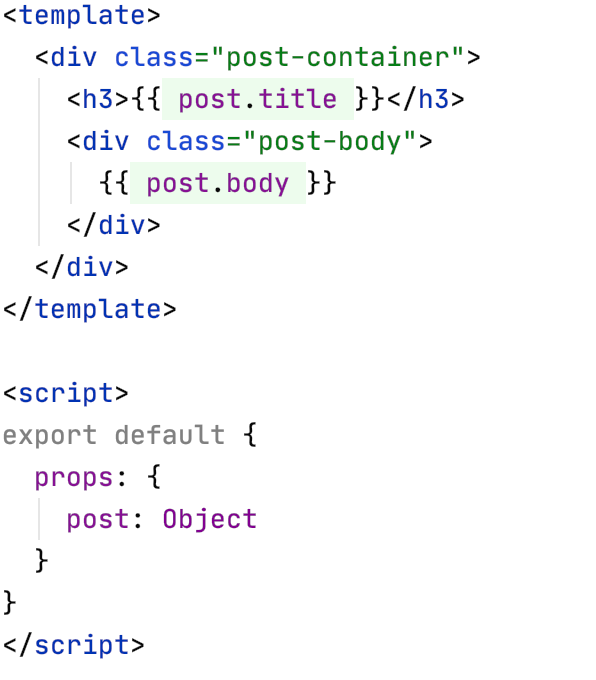
You'd then access and render the posts the same way as you access your internal state.
Post.vue ← an independent presentational component,
not connected to vuex
Code examples
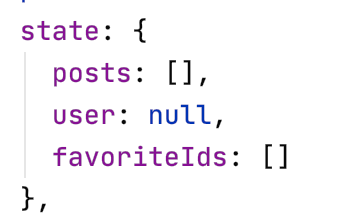
Blog state
Let's start simple 😁
state: {
    posts: []
}
Blog mutations
  mutations: {
    POSTS_SET(state, data) {
      state.posts = data
    },
    POST_ADD(state, data) {
      state.posts.unshift(data)
    },
    POST_MODIFY(state, data) {
      const postIndex = state.posts.findIndex(p => p.id === data.id)
      state.posts[postIndex] = data
    },
    POST_REMOVE(state, id) {
      state.posts = state.posts.filter(p => p.id !== id)
    }
  }
Blog actions
actions: {
    async POSTS_FETCH(context) {
      const response = await axios.get('https://jsonplaceholder.typicode.com/posts')
      const posts = response.data.slice(0, 20)
      context.commit('POSTS_SET', posts)

      return posts
    },
    async POST_CREATE(context, data) {
      const response = await axios.post('https://jsonplaceholder.typicode.com/posts', data)
      const post = response.data
      context.commit('POST_ADD', post)

      return post
    },
    async POST_UPDATE(context, data) {
      const response = await axios.put('https://jsonplaceholder.typicode.com/posts/' + data.id, data)
      const post = response.data
      context.commit('POST_MODIFY', post)

      return post
    },
    async POST_DELETE(context, id) {
      await axios.delete('https://jsonplaceholder.typicode.com/posts/' + id)
      context.commit('POST_REMOVE', id)
    }
  }
Blog getters
  getters: {
    posts(state) {
      return state.posts
    },
    postById: (state) => (id) => {
      return state.posts.find(post => post.id === id)
    }
  }
Posts.vue
<template>
  <div>
    <Post v-for="post in posts" :key="post.id" :post="post" />
  </div>
</template>

<script>
import { mapActions, mapGetters } from 'vuex'

import Post from '../components/Post'

export default {
  mounted() {
    if (!this.posts.length) this.POSTS_FETCH()
  },
  methods: {
    ...mapActions(['POSTS_FETCH'])
  },
  computed: {
    ...mapGetters(['posts'])
  },
  components: { Post }
}
</script>
Post.vue
<template>
  <div class="post-container">
    <h3>{{ post.title }}</h3>
    <div class="post-body">
      {{ post.body }}
    </div>
    <div class="post-actions">
      <router-link :to="{ name: 'edit', params: { id: post.id } }">Edit</router-link>
      |
      <a @click="handleDelete">Delete</a>
    </div>
  </div>
</template>

<script>
import { mapActions } from 'vuex'

export default {
  props: {
    post: Object
  },
  methods: {
    ...mapActions(['POST_DELETE']),
    handleDelete () {
      this.POST_DELETE(this.post.id)
    }
  }
}
</script>
CreatePost.vue
<template>
  <form @submit.prevent="handleSubmit">
    <input type="text" placeholder="Post title" v-model="model.title" />
    <br />
    <textarea placeholder="Post body" v-model="model.body" rows="5" />
    <button type="submit">
      <template v-if="isEdit">Save</template>
      <template v-else>Create</template>
    </button>
  </form>
</template>

<script>
import { mapActions, mapGetters } from 'vuex'

export default {
  data() {
    return {
      model: {
        title: '',
        body: ''
      }
    }
  },
  methods: {
    ...mapActions([
      'POSTS_FETCH',
      'POST_CREATE',
      'POST_UPDATE'
    ]),
    async handleInputsFill() {
      let posts = this.posts
      if (!posts.length) {
        posts = await this.POSTS_FETCH()
      }

      const { id } = this.$route.params
      if (!id) {
        this.model = {
          title: '',
          body: ''
        }
        return
      }

      const result = posts.find(post => post.id === Number(id))
      this.model = { ...result }
    },
    async handleSubmit () {
      const promise = this.isEdit ? this.POST_UPDATE : this.POST_CREATE
      await promise(this.model)
      this.$router.push({ name: 'posts' })
    }
  },
  computed: {
    ...mapGetters([
      'posts'
    ]),
    isEdit () {
      return !!this.$route.params.id
    }
  },
  mounted() {
    this.handleInputsFill()
  },
  watch: {
    '$route'() {
      this.handleInputsFill()
    }
  }
}
</script>