Citation Resources
Librarian: Elizabeth Torres
etorres@hpu.edu
https://hpu.libguides.com/styleguides

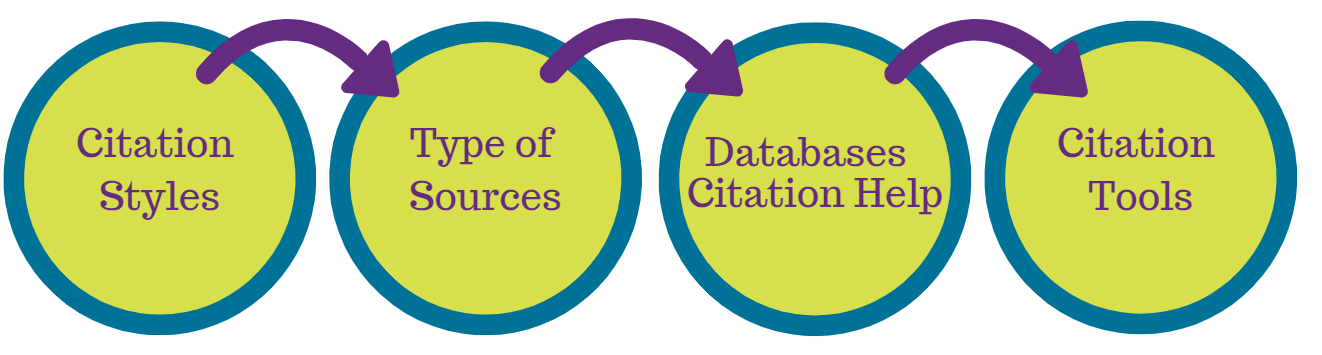
Today's Session
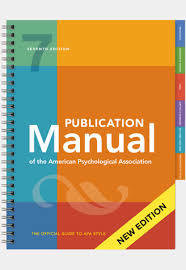
Citing Sources (APA 7th)
the American Psychological Association (How)
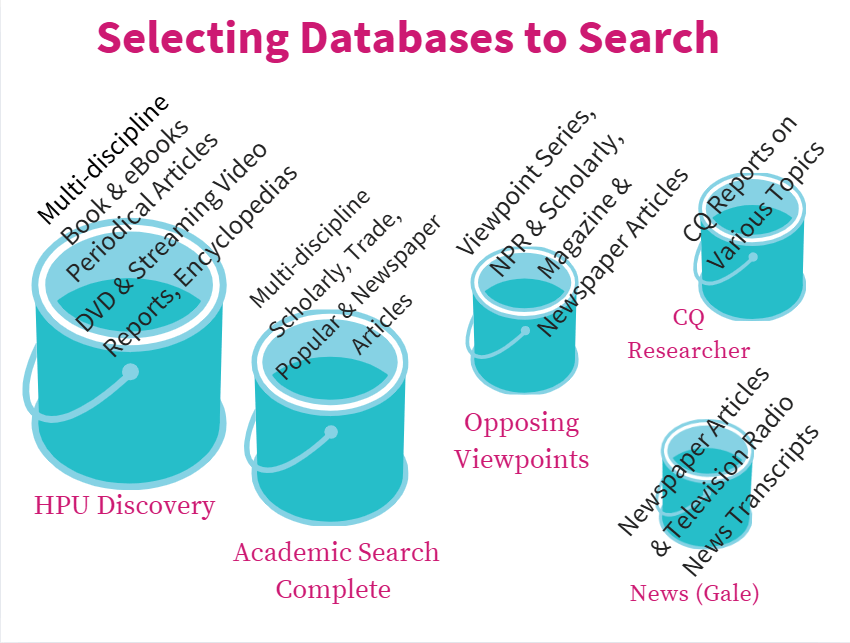
Databases to Search (Where)
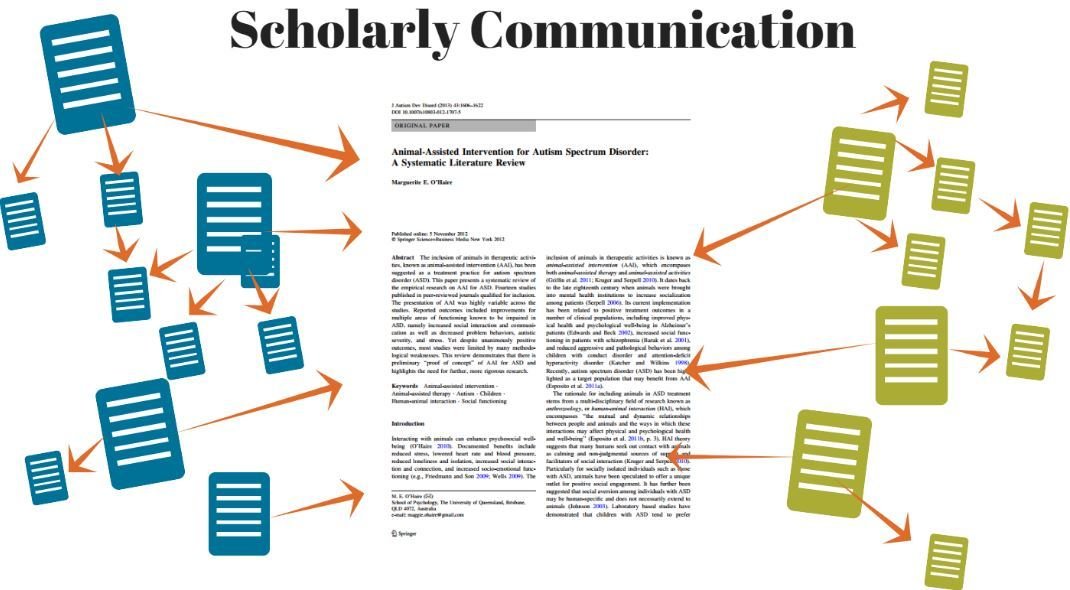
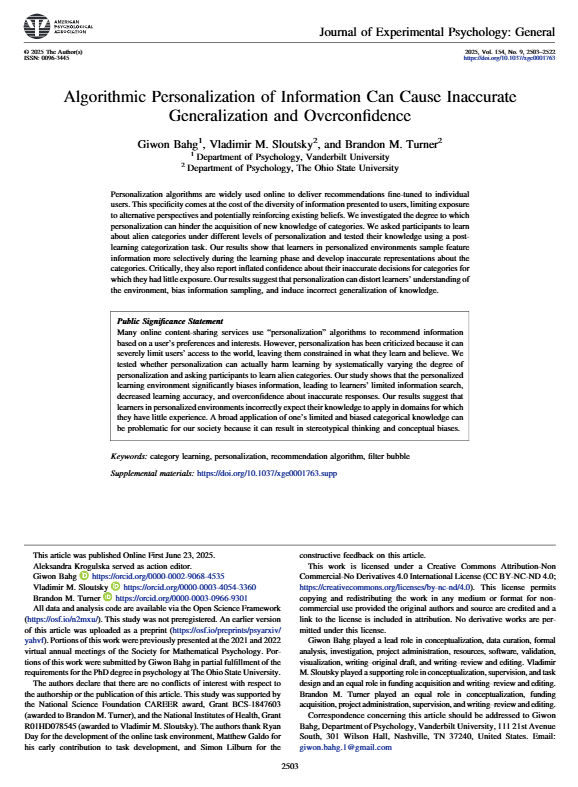
Citations are part of scholarly conversation!
Sources cited
in the article
Sources that
cited the article
-
Scholars seek a range of evidence
-
Not just sources that support one viewpoint
-
Engaging with differing perspectives strengthens your argument
Good research goes beyond agreement

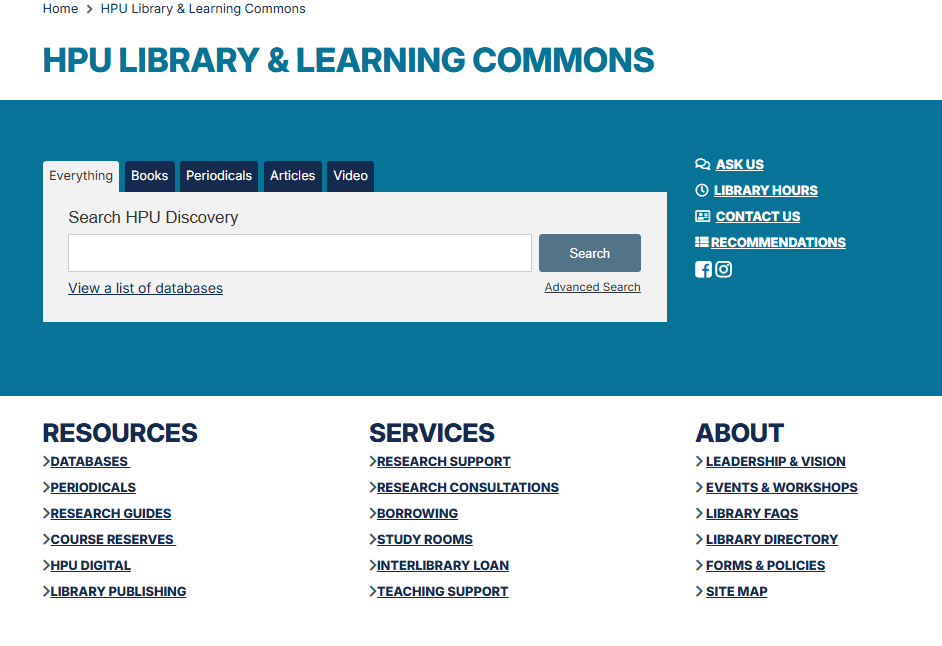
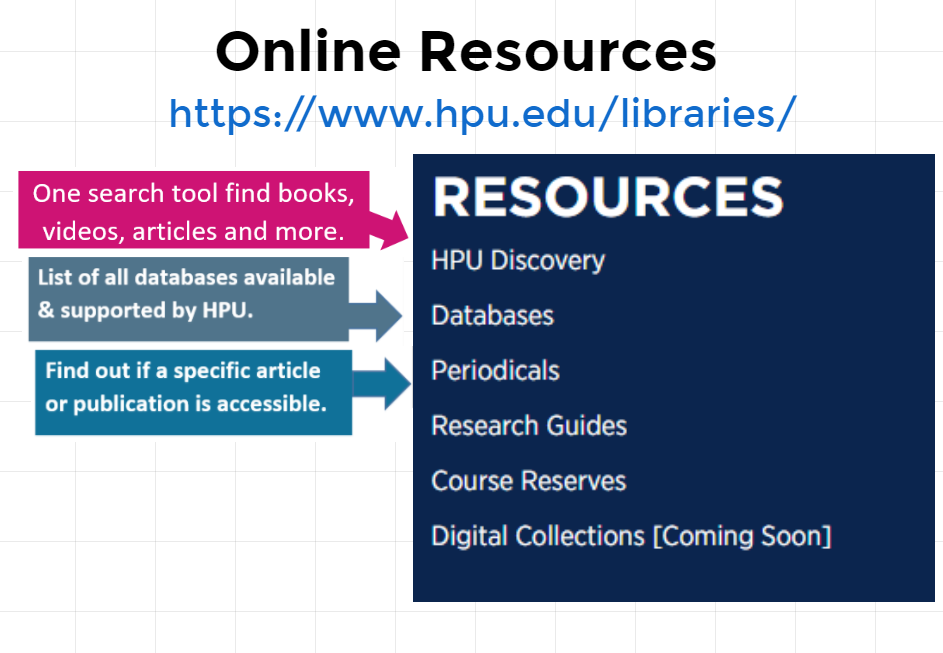
HPU Discovery
Searching for different types of sources through HPU Discovery
Title Text
Subtitle

Filter Your Results
Access
Electronic Content
Type of Source

Type of Source
Citing or documenting the sources used in your research serves three purposes:
-
Gives credit to original authors
-
Helps avoid plagiarism
-
Allows readers to find your sources
Citation Purposes

No matter the citation style, there are a few basics you need to know about each source, including:
- Title of the work
- Author(s)
- Publisher/Source
- Year of publication
- Type (book, journal, tweet, interview, film, etc...)
The rules differ depending on the type of source.
What do you need to cite?
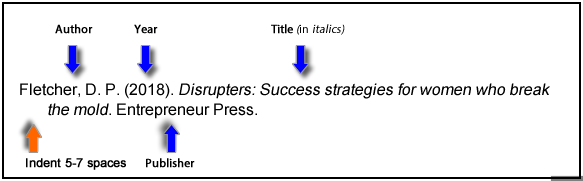

Databases Citation Tools
Most databases have citation help tools in their platforms. Look for tools such as Cite or Source Citation. Note: They are not without errors, sometimes it is not the latest edition of the citation style or the citation style you need. Always check citation style handouts and manuals to make changes.
Databases Citation Tools
HPU Discovery
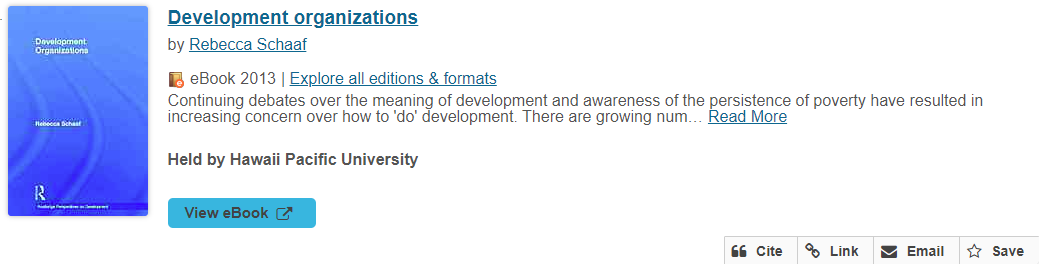
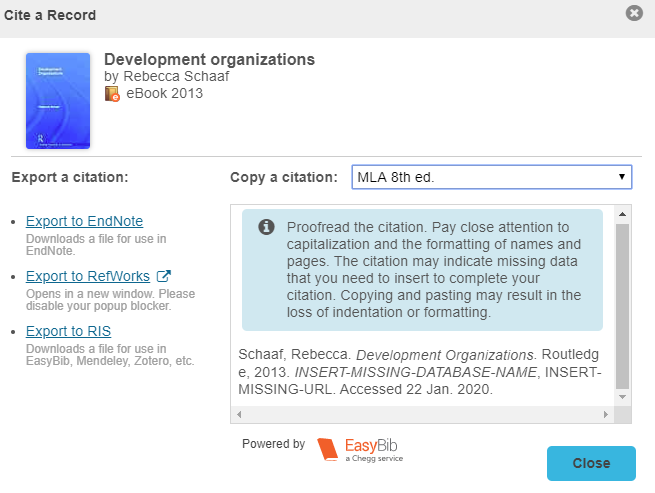
Databases Citation Tools
eBook Central
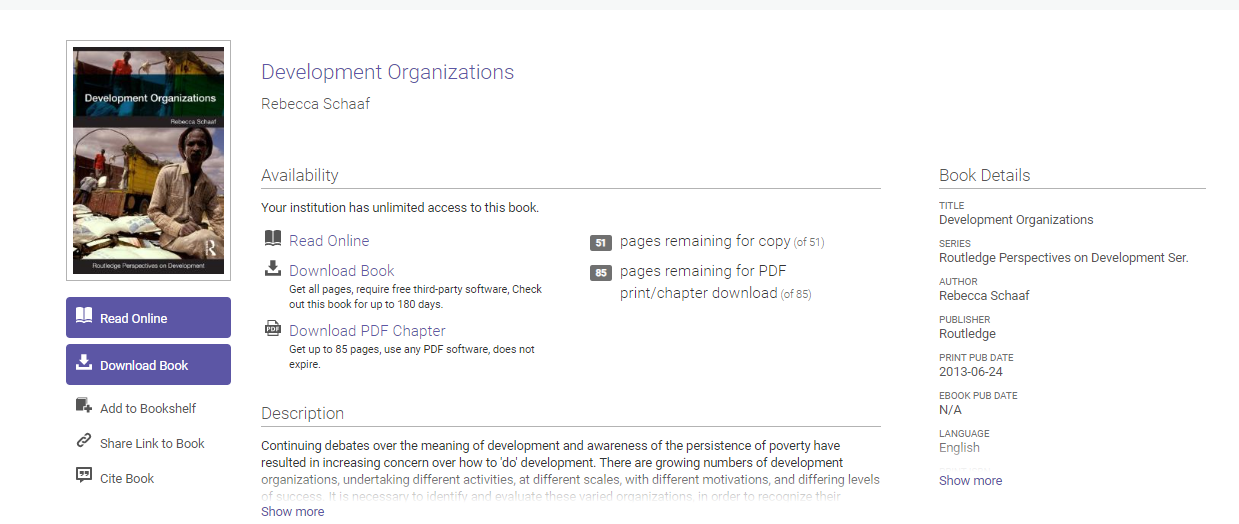
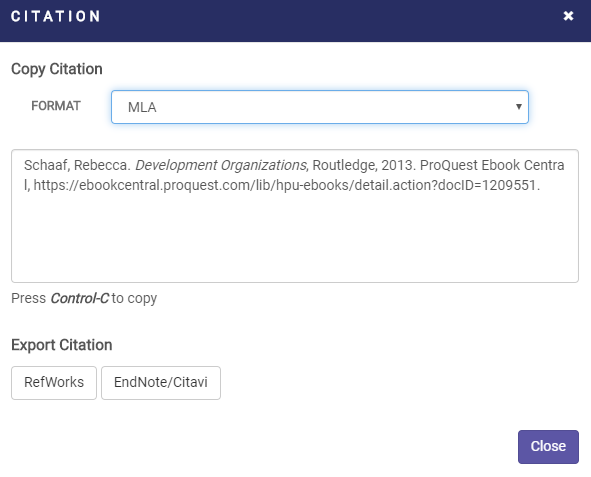
Databases Citation Tools
Any EBSCO database
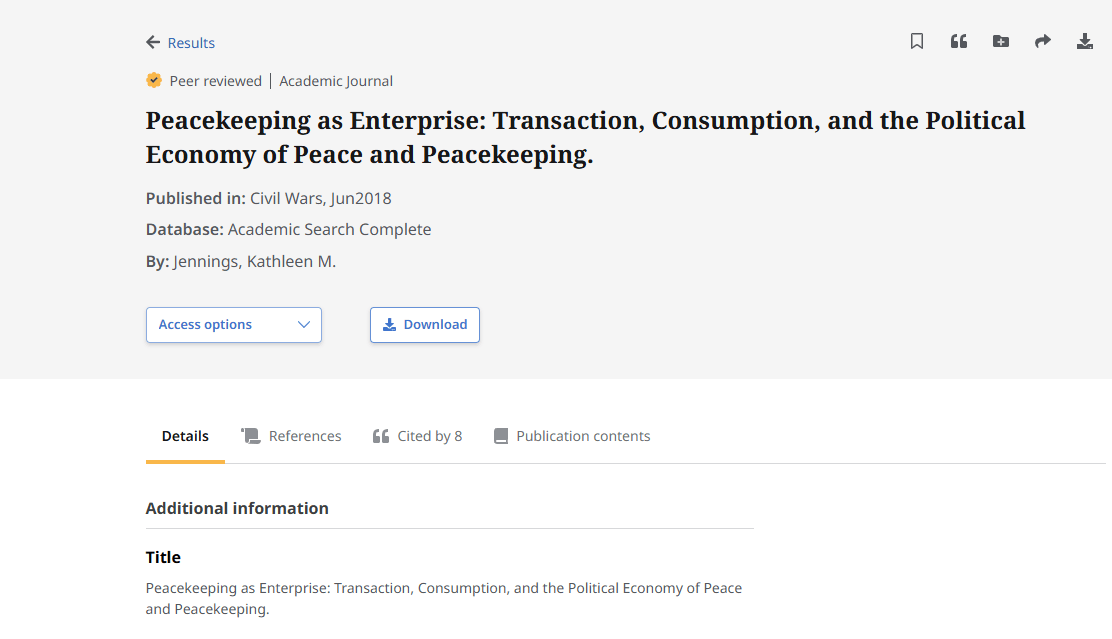
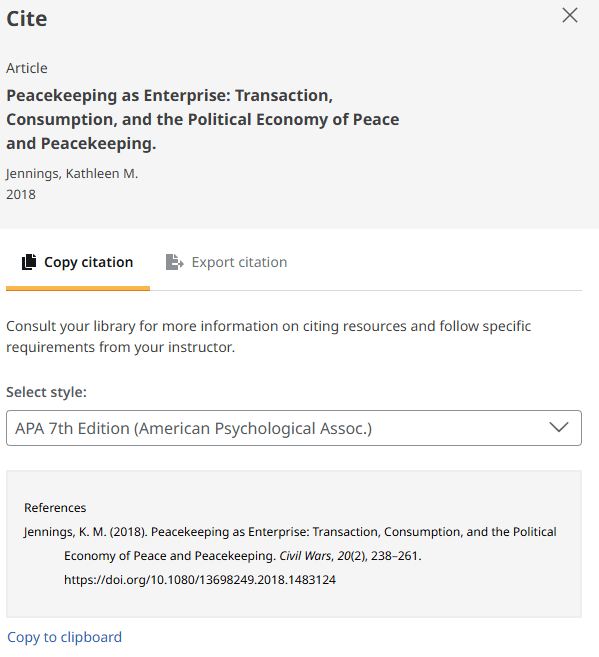
Databases Citation Tools
Any GALE database
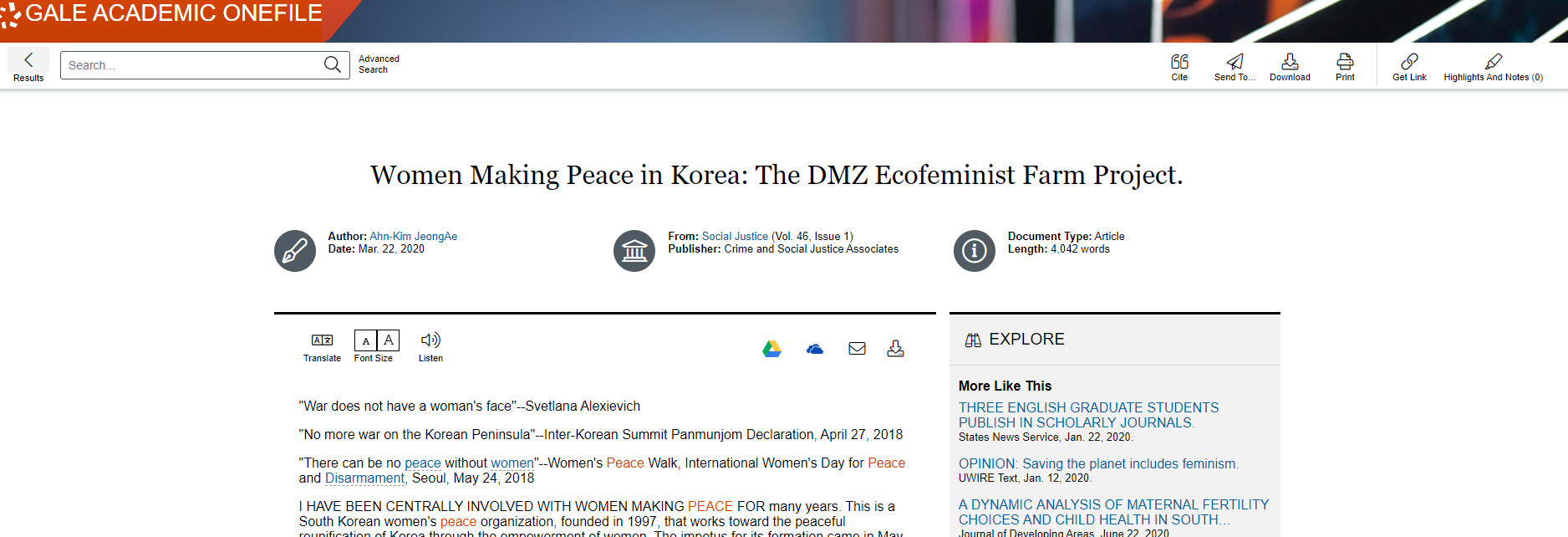
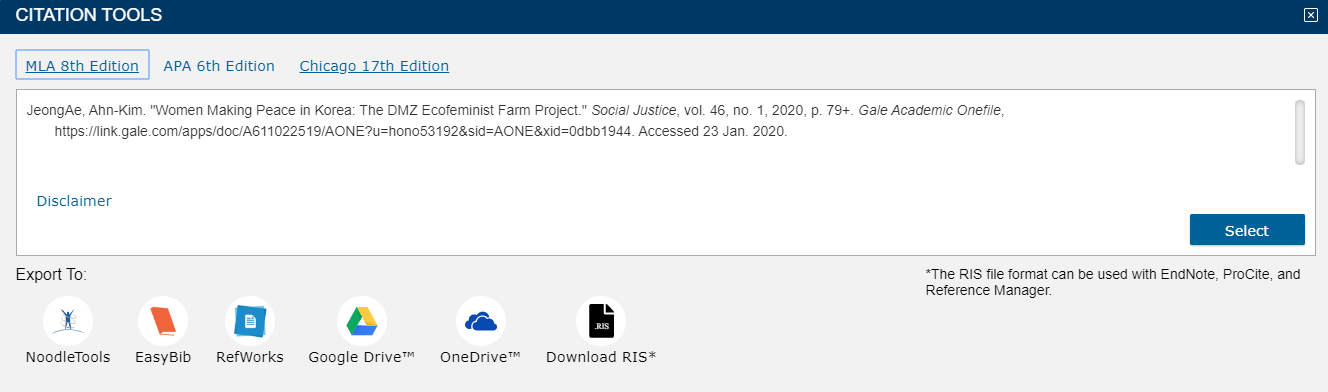
Databases Citation Tools
Google Scholar @ HPU

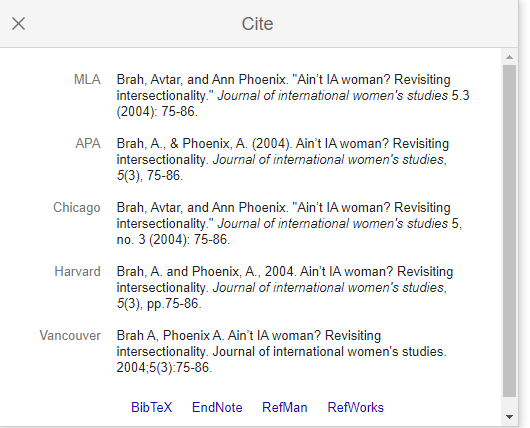
Databases Citation Tools
PsycNET
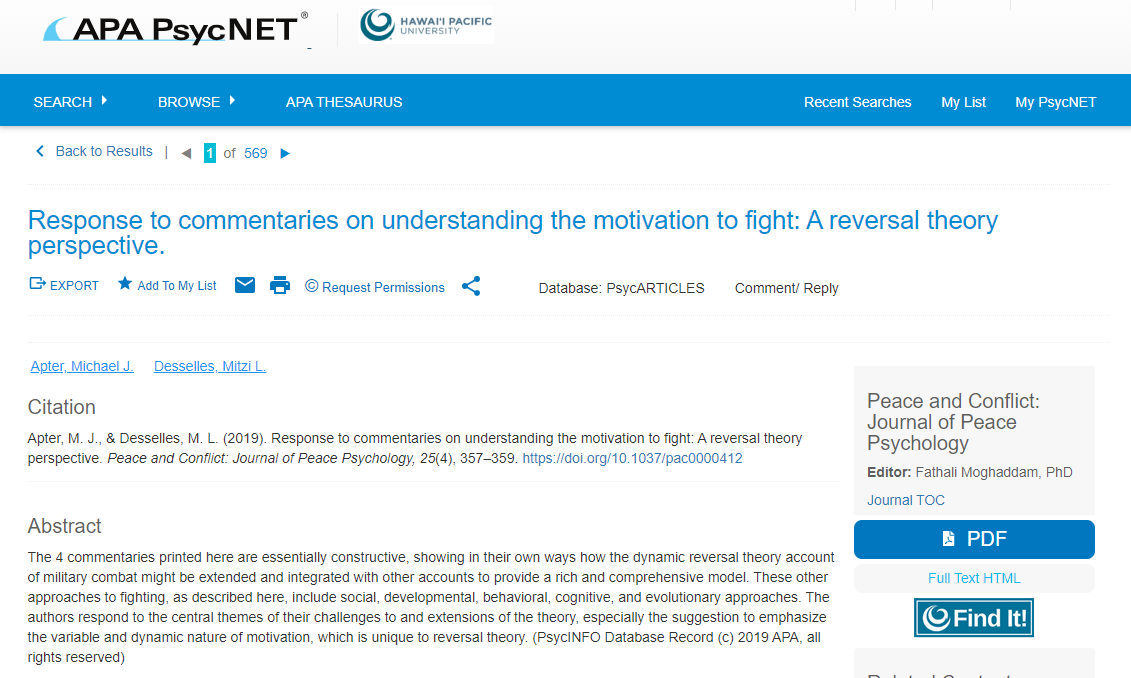
It only provides citation information in APA style, but it is the most accurate as this database is from the American Psychology Association.
- BOOKS & EBOOKS
- CHAPTERS IN EDITED BOOKS
- ARTICLES IN ENCYCLOPEDIAS
- ARTICLES IN JOURNALS
- ARTICLES IN MAGAZINES
- ARTICLES IN NEWSPAPERS
- ERIC RESOURCES
- INTERNET RESOURCES
- GOVERNMENT SOURCES
- UNPUBLISHED SOURCES
- CONFERENCE PAPERS
- DISSERTATIONS & THESES
Types Sources
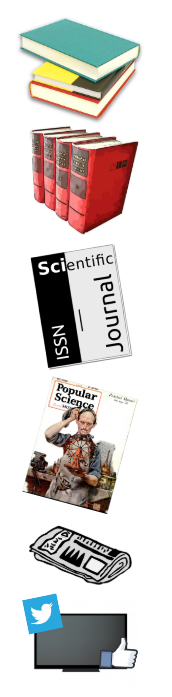
It is important to identify properly the type or format of the source.
Types Sources
Skim the information of the source. Is there anything that indicates what kind of source it is? Sometimes the source will outright say. Other times there may be clues. Look for where was the source publish and the actual full document to know more about the source.
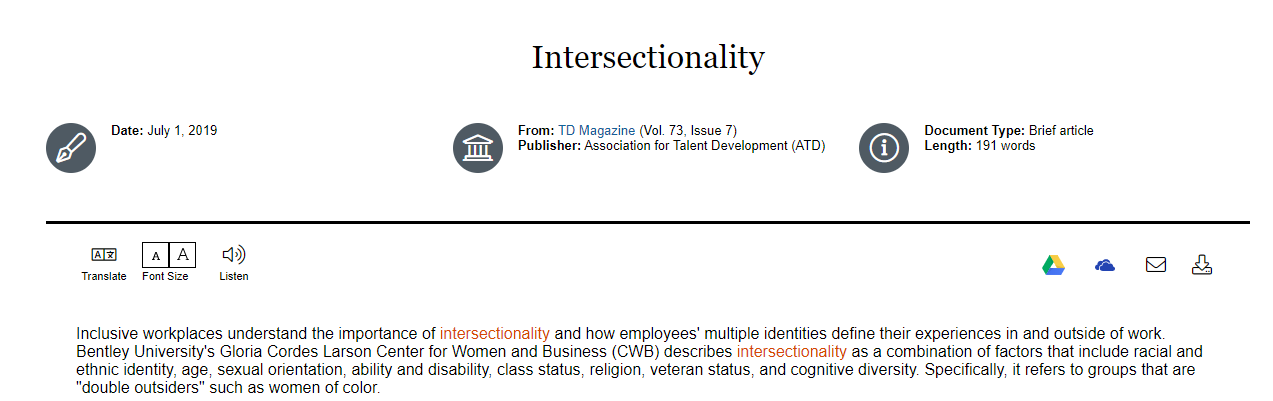
Magazine Article
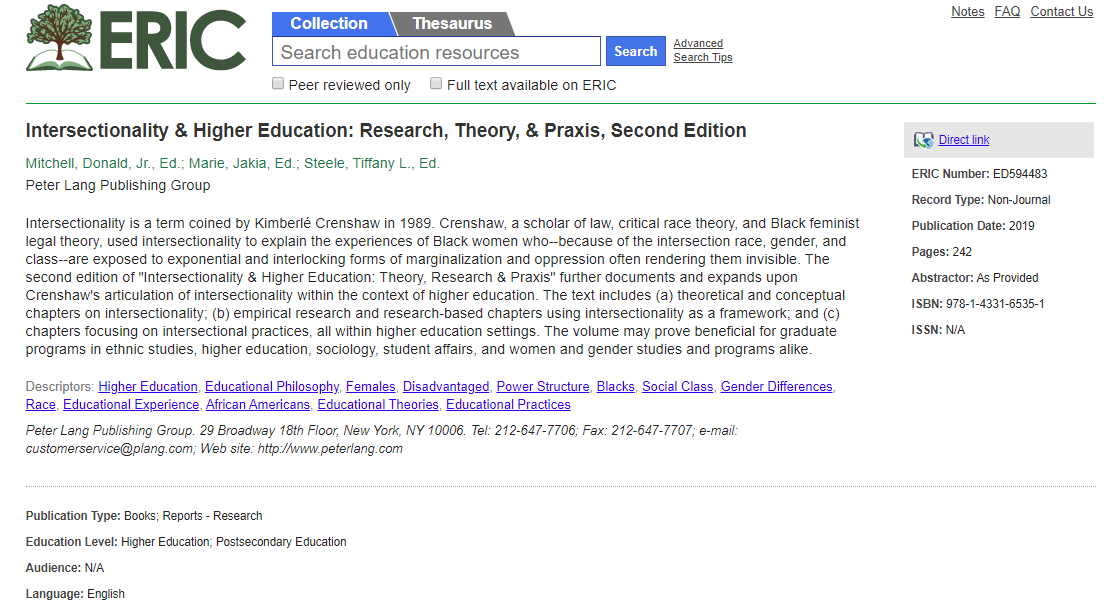
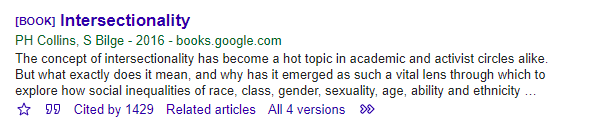
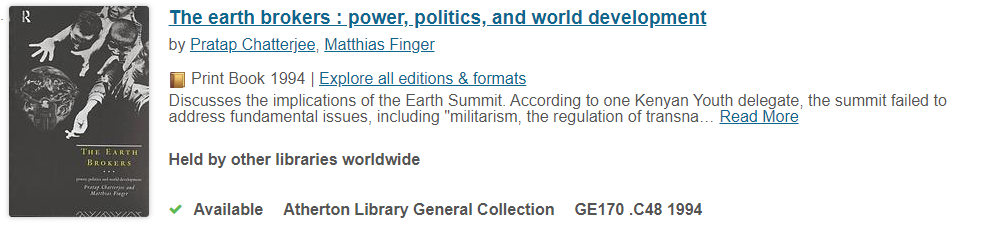
The following examples are all books
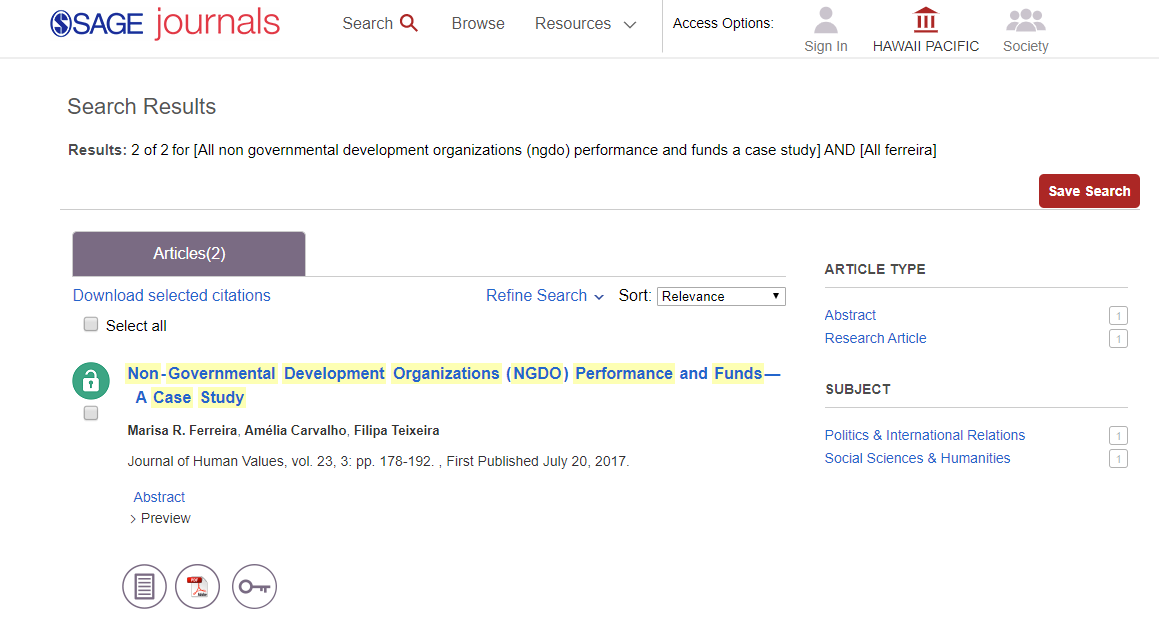
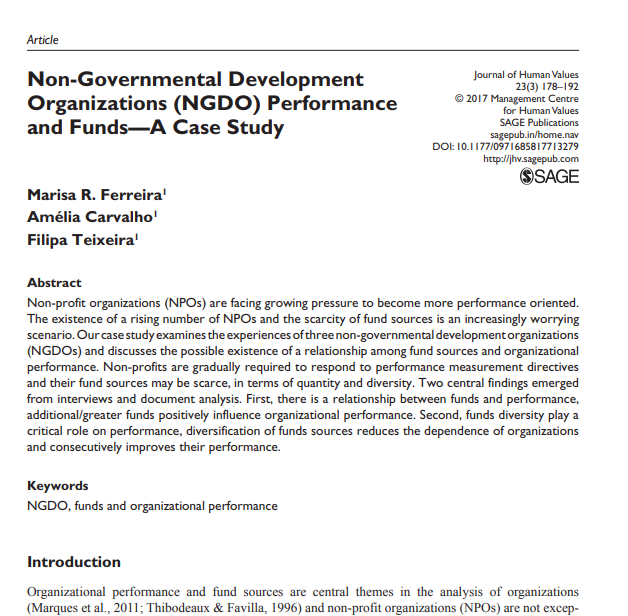
Access Electronic Content Outside HPU Discovery
Type of Source Clues
Citation Styles Handouts
-
Many citation handouts are available online
-
They summarize rules from official style manuals
-
Look for university sources (e.g., Purdue OWL)
.
Reference Citation

APA rules for Database Articles and Books
-
Do not include database names or URLs for most academic sources
-
Use a DOI when available
-
If no DOI, format the reference like a print source
-
Only include database names for special exceptions (or if your instructor requires it)
Bahg, G., Sloutsky, V. M., & Turner, B. M. (2025). Algorithmic personalization of information can cause inaccurate generalization and overconfidence. Journal of Experimental Psychology: General, 154(9), 2503–2522. https://doi.org/10.1037/xge0001763
APA Database Exceptions
Most databases = containers, not publishers → no database name
Some databases = publish original content → database name required
Examples of databases with original content:
-
UpToDate
-
CQ Researcher
-
Opposing Viewpoints
Marshall, P. (2018). Algorithms and artificial intelligence. In CQ Researcher. CQ Press https://doi.org/10.4135/cqresrre20180706
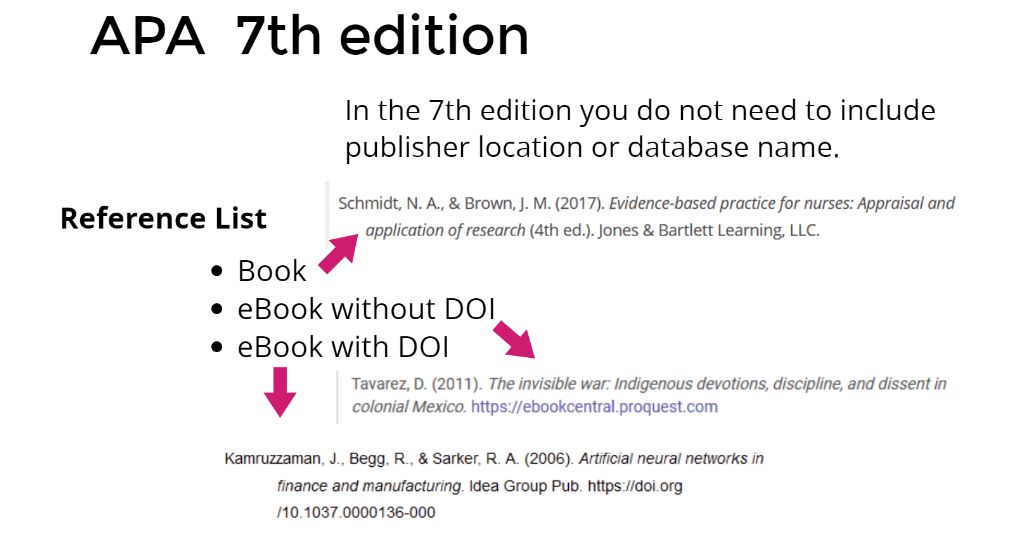
Reference Citation
Note: APA 7 advises writers to include a DOI (if available), even when using the print source. The example above assumes no DOI is available.

Reference Citation

Note: If no DOI, use stable URLs that function similarly to DOIs. These are preferable to ordinary URLs copied and pasted from the browser's address bar.
Reference Citation
Note: APA 7th edition no longer requires “Retrieved” before URLs. Only in websites that content is designed to change over time.
General copyright dates are not sufficient to use as the publication date. If no creation or publication date is given, use n.d. If the author and website are the same, omit the website.
Website Template
Author, A. A. (Year). Title of page. Website. http://xxxxx

Author no date

Corporate author

Content changes
over time
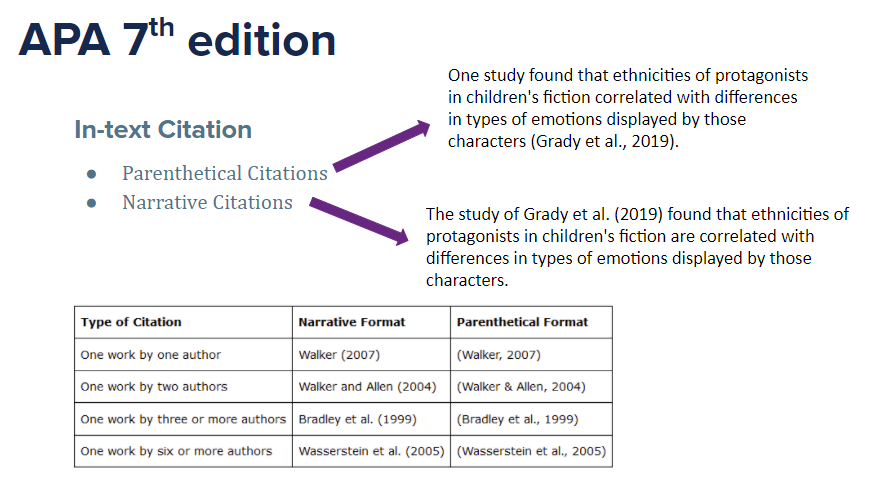
In-text Citation

Online Citation Tools

Always check citation style handouts and manuals to make changes.
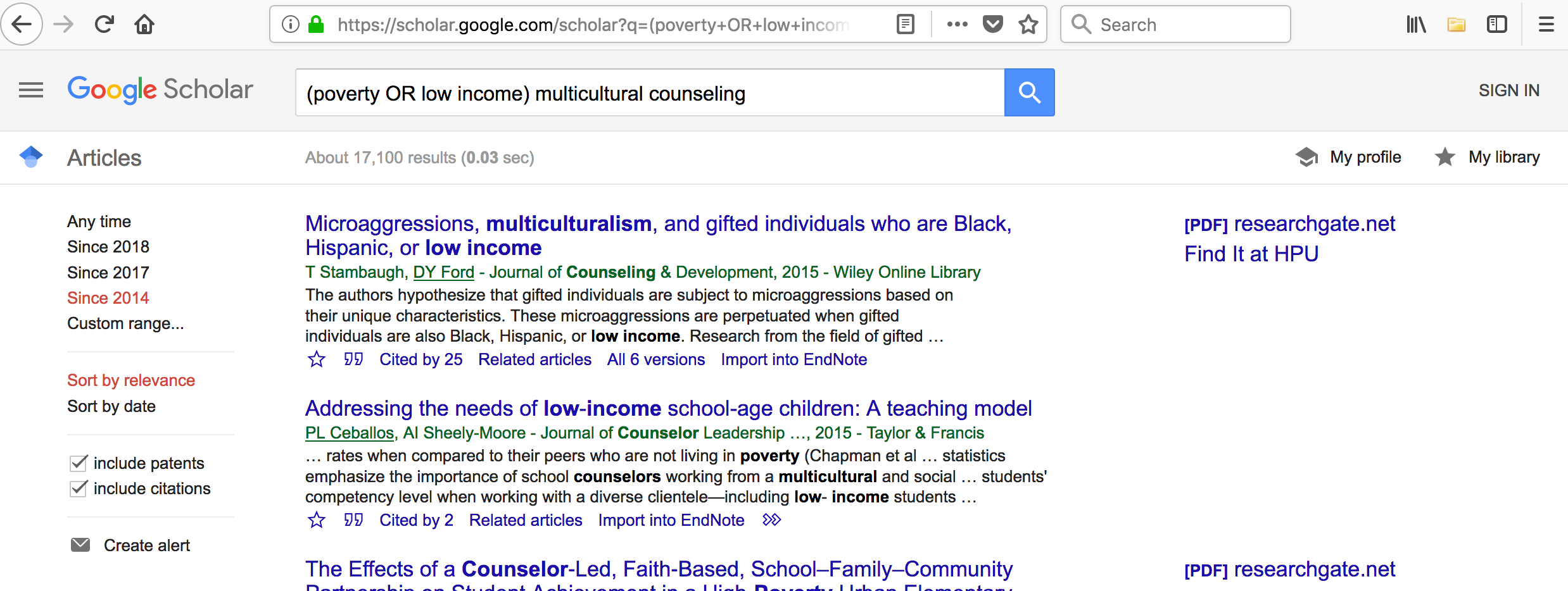
Quick online citation tools are a quick way to grab citation information on sources, usually one at a time or one session at a time.
Group Activity
Get into teams of three or four and go to:
https://tinyurl.com/soc2600spring23
- Your team will be assigned a number.
- Your team will need to find the source listed under your group number by going to the appropriate database.
- Your team will need to copy/paste APA citation from database hosting the content.
- Your team will also choose a citation tool to get APA citation of the same source.
- Your team will need to make changes to the citation per the APA handout to make it correct.

Citation Management Tools
Management citation tools are more sophisticated tools to store all your sources bibliographic information so you create your own library of sources.
Then you can easily create bibliographies or sync to your documents and input the citations you need from your own library. Always check the proper citation style handout and manual to make changes in citations.

ZOTERO
Zotero is a Free management citation tool. That works by speaking to your internet browser and identifying references using icons.
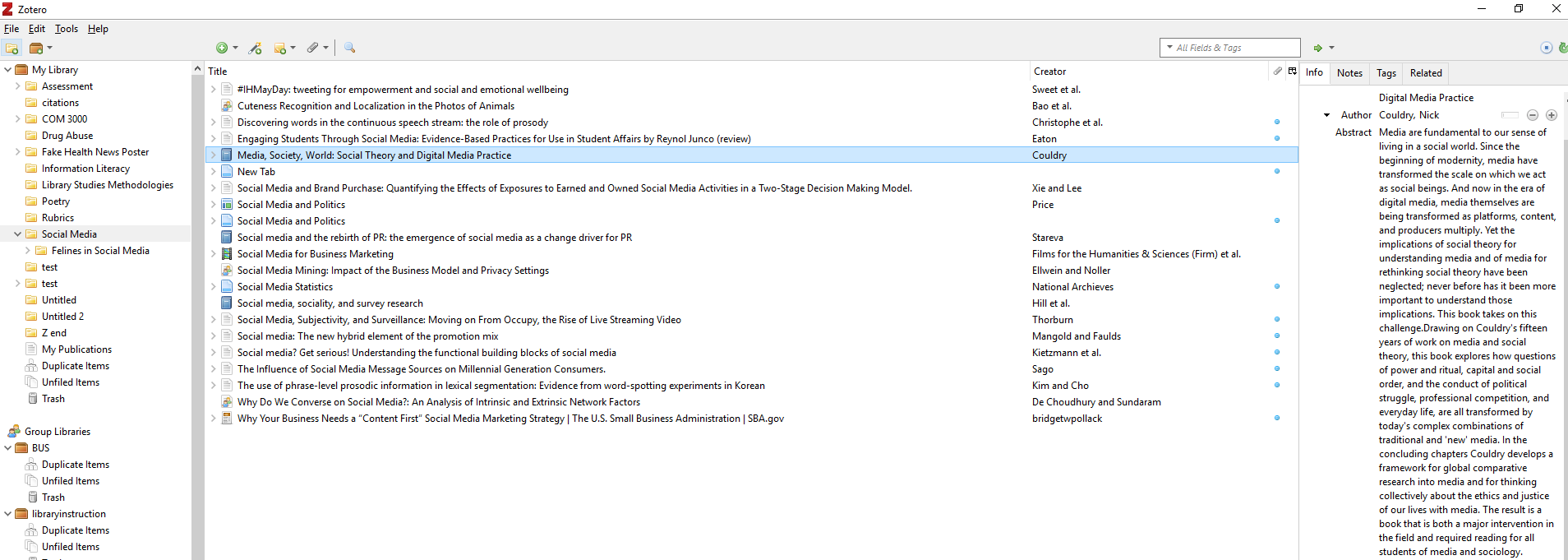
Example of a Zotero Library
Organize in folders
Sources in a particular folder
Bibliographic information of one source. Use to create citations!
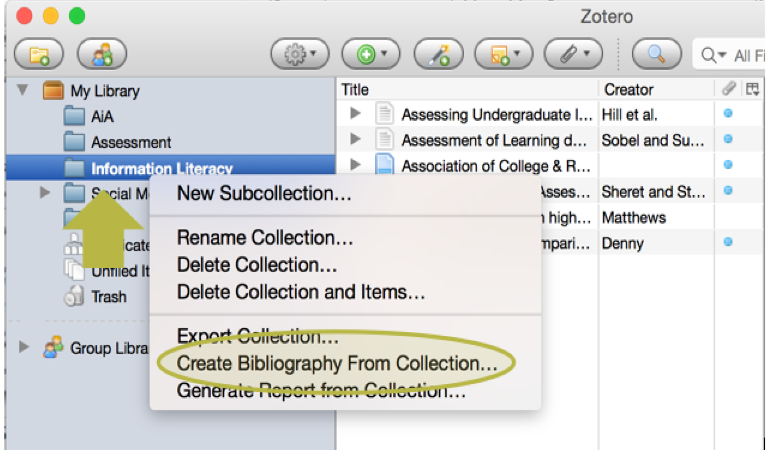
Creating a bibliography from a folder in Zotero.
Learn more about ZOTERO at https://hpu.libguides.com/zotero

Selecting the citation style you want the bibliography to be.

Dropping note
citations in Word.
If you need any help with your citations or research Ask a Librarian or Tutor
- Email: library@hpu.edu
- Visit us at WP6-302 Or LC at ATM
- Or send us a Chat (24/7)
- CAS Tutoring via Navigate
