FLASH FOR THE WEB
Prof. Peter Locharernkul
WHAT IS FLASH?

Flash is a creative development tool for
Animation and Interactive Applications.

Video/Graphics/Audio/Code is packaged into a SWF file.
Web browsers with the SWF Plugin will run SWF files.
Create Cartoons/Animations
Interactive Websites
Advertisements
Video/Audio Streaming
Rich Interactive Applications/Games
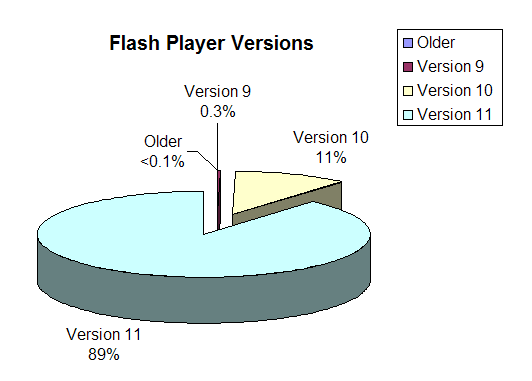
* Desktop/laptop Flash plugin penetration is 99%

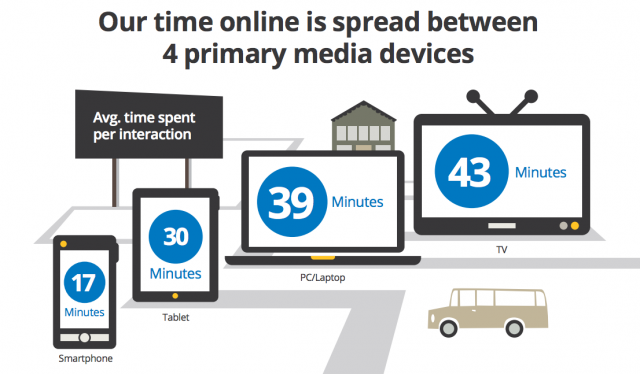
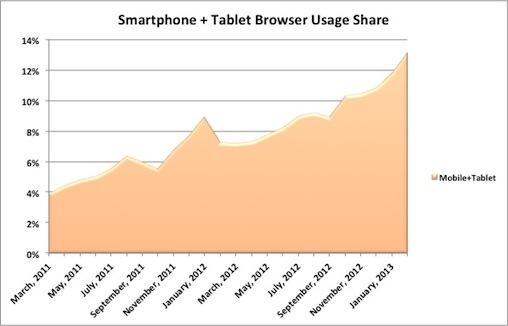
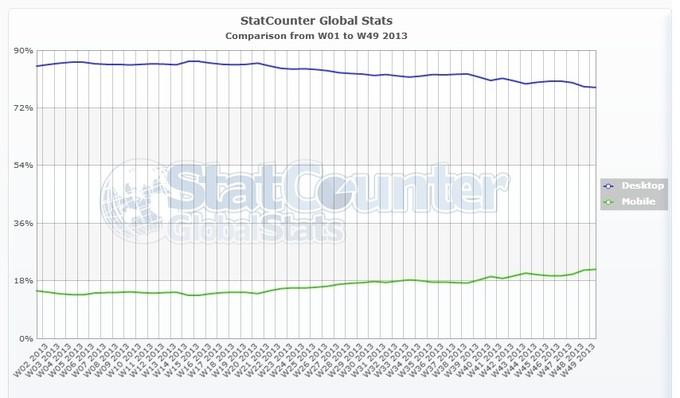
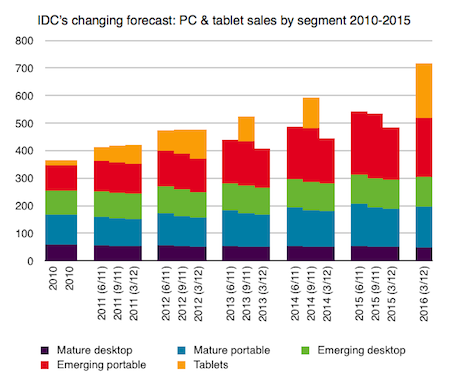
* Estimated 2 billion PC in use by 2016
The future of FLASH?
SWF file usage will become less prevalent.
Be a general tool for generating assets for other platforms.
Cross platform app development (Mobile and Desktop).
Rapid prototyping, storyboards, and proof-of-concepts.
Goals for this semester:
- Comfortable creating web animations in Flash
- Prepare assets using Flash for different platforms
- Become familiar with Actionscript coding principles
- Develop a desktop (and mobile?) interactive application
Classroom Textbook:
http://helpx.adobe.com/pdf/flash_reference.pdf
BECOMING FAMILIAR WITH THE INTERFACE
- SETTING UP THE STAGE
- DRAWING TOOLS
- UNDERSTANDING THE TIMELINE
- MOVIECLIPS
BECOMING FAMILIAR WITH THE INTERFACE
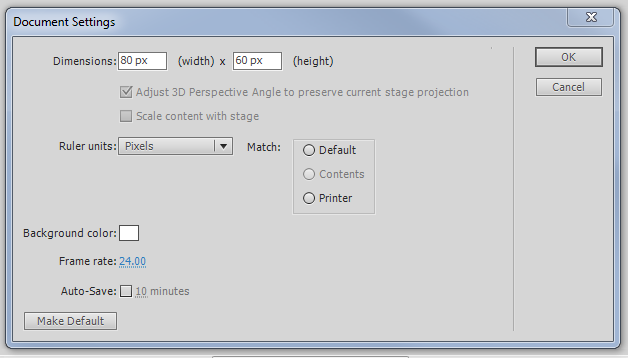
- SETTING UP THE STAGE
BECOMING FAMILIAR WITH THE INTERFACE

- SETTING UP THE STAGE
BECOMING FAMILIAR WITH THE INTERFACE
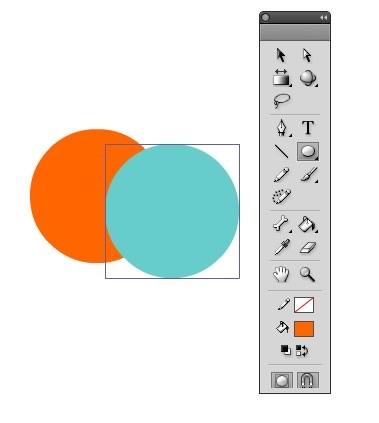
- DRAWING TOOLS
Class Exercise #1:
Put each head part on different layers.
BECOMING FAMILIAR WITH THE INTERFACE
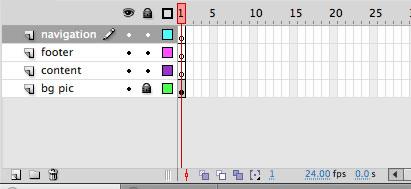
- UNDERSTANDING THE TIMELINE
BECOMING FAMILIAR WITH THE INTERFACE



BECOMING FAMILIAR WITH THE INTERFACE

Class Exercise #2:
BECOMING FAMILIAR WITH THE INTERFACE
MovieClips - the most powerful element of Flash -
a graphic symbols that have their own timeline.
The MovieClip display object is unique to Flash development
and allows for creating complex and modular animations.
Class Exercise #3:
Class Exercise #4: