Previously:
- Dot Notation
- Properties and Functions
- addEventListener();
- Creating MouseEvents
- Interactive Storybook Example FLA
Today:
- Actionscript Vars
- Interactive Storybook Assignment
http://goo.gl/mEJQdT
Variables in Actionscript
What is a Variable or Var?
Variables in Actionscript
Variables are Containers of Value
We've all seen and used variables before!
Algebra:
5 + X = 7
9 - B = 3
9 - B = 3
Variables in Actionscript
Variables are Containers of Value
Variables can contain different types of values
4 + t = 18
"happy" + t + "year" = "happy new year"
t = true
"happy" + t + "year" = "happy new year"
t = true
Variables in Actionscript
Some of the different Variable types:
Number
String
Int
MovieClip
Button
Event
Boolean
Variables in Actionscript
In Actionscript there are words that the computer understands:
gotoAndPlay()
stop()
function
var
addEventListener()
alpha
void
Variables in Actionscript
Declaring a new Variable or Var is like giving
your computer new vocabulary words
var highScore : Number;
var screenMessage : String;
var playerAlive : Boolean;
var healthPoints : Int;
You define a variable with a name and a type
var screenMessage : String;
var playerAlive : Boolean;
var healthPoints : Int;
You define a variable with a name and a type
Variables in Actionscript
Declaring a function is also defining new vocabulary words
function bark():void{
gotoAndPlay("bark");
}
You define a function with a name , input, output,
list of instructions
gotoAndPlay("bark");
}
You define a function with a name , input, output,
list of instructions
Variables in Actionscript
The Core of All Programming
Manipulating Variables (containers of value)
and Displaying the Results on screen
Manipulating Variables in Actionscript
- Change the values inside Variables - (Operators)
- Comparing the values inside Variables - (Conditionals)
Manipulating Variables in Actionscript
Create Example Using MOUSE Events:
Use Variables for position and velocity
Introduction to the ENTER_FRAME event
The ENTER_FRAME event occurs during the time
between screen refresh rates.
The framerate of a FLA determines how often the
screen refreshes or redraws itself.
Introduction to the ENTER_FRAME
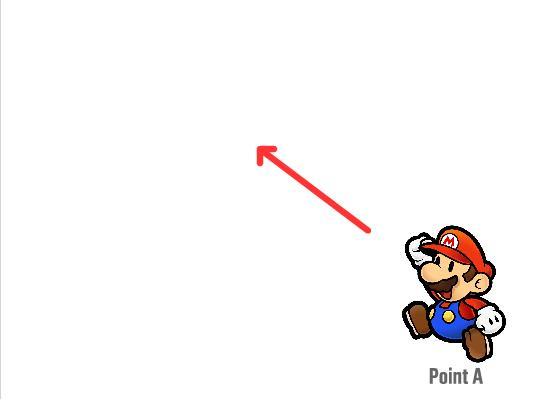
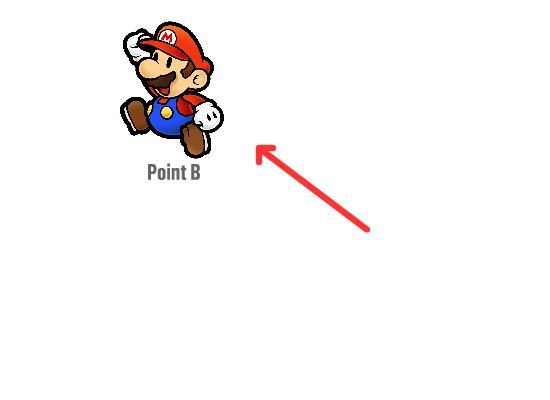
Modifying variables inside the ENTER_FRAME and
updating MC position between the screen refresh.
It is how you animate screen objects using code.
Animating Using Variables in Actionscript
Create Example Using ENTER_FRAME Event:
Use Variables for position and velocity
and Introduce new Variable type - Boolean (true or false)
Animating Using Variables in Actionscript
Example: Using both ENTER_FRAME and MOUSE Event:
Use Variables for position, velocity and gravity
and Use another Variable type - String ("text")
The basis of almost all arcade style video games.
This loop happens on every screen refresh/update.
Contains at least these three parts:
- Manipulating Game Variables
- Updating On-Screen Game Objects
-
Collision Detection
Intro to Game Engine Loop
Typical Game Loop Inside Actionscript:
function gameLoop():void{
updateGame();
updateScreenDisplay();
checkCollisions();
}
Intro to Game Engine Loop
Simple Collision Detection Inside Actionscript.
hitTestObject()
We can determine if two on-screen MovieClips overlap.
if ( MovieClip1, hitTestObject(MovieClip2) ) {
// ** Collision Detected **
}