Continuous Integration
(And the scaffolding for continuous delivery)
Eric Fusciardi
Much wow, many apps. So automation.

Continuous Integration Goals
- Include and automate testing into delivery.
- Fast feedback to failing code.
- Destroy "But It Works On My Box."
- Discover new infrastructure requirements early.
- Capture candidates for release.
- Enable your software to live a long life thru regression.
CI in your org - Surprisingly, it's not about your language
- It's a cultural issue, building automated quality checks into your SDLC, so that you can deliver SAFELY faster.
- Tool selection comes down to the other third party software and toolchains you currently have.
- Jenkins, Travis, Bamboo, and TFS are popular options.
- We'll talk more on the tools and their strengths later.
Your build server should be the hardest working server(s) you own*
They should have every compile-time dependency, all test-time dependencies, and ideally all run-time dependencies that production has installed.
Every commit will trigger an enormous event to throw all of the regression you have built against it.
*Except maybe your production systems :)
CI at it's core
Dude, it's just cron and/or events on your SCM tool.
This has been around for a long time.
The structure provided is nice, though.
A Fancy UI, History, and reporting is really nice too.
Basic Lifecycle
Pretty much any tool you find works like this and supports these actions
including cron and sendmail lol
Courtesy of CMU
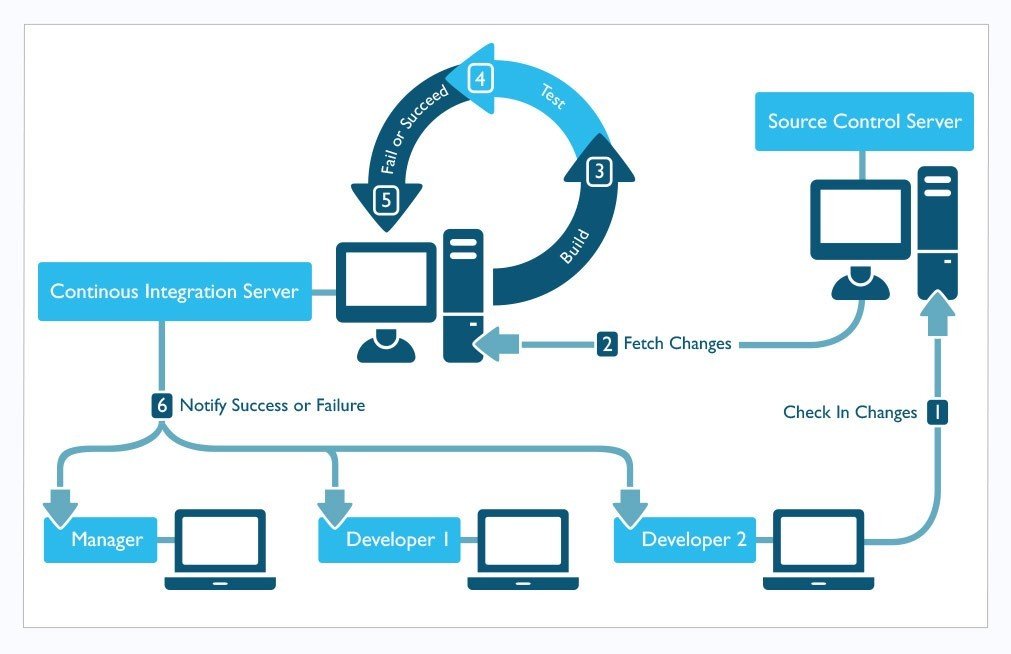
Baseline for your CI
Compile Src
Unit Test
Package
If any of the above fail, reject everything.
Every. Commit.
Packaging your artifact is often overlooked
Even if you have no intention of indexing your packages or reusing them in your CI yet.
"We're feature complete, Tests pass, let's deploy!"
"... uh... it failed..."
What do we mean by "Artifact"?
- Highly interpreted by your language
- If your project is Java, likely a .war / .ear / .jar
- If the project is infrastructure, a chef cookbook / salt stack .tar
- .tar, .zip, etc. "Stuff", ready to be consumed by your deployment processes.
Side note on Artifacts and Environments
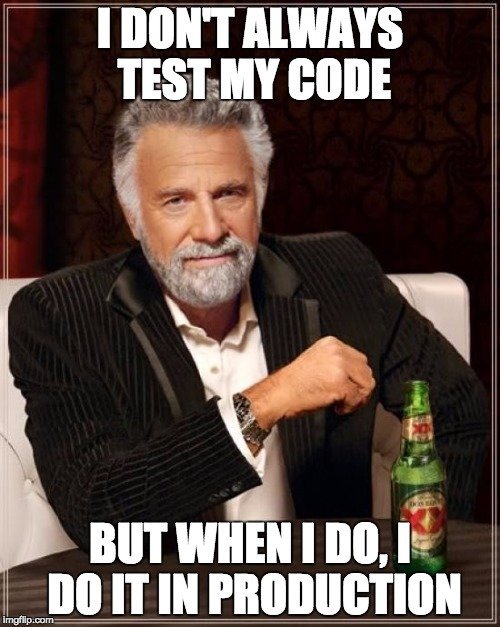
Environmental config is a totally seperate subject worthy of many, many, presentations. Let's make some assumptions that the thing you create is environmentally agnostic, or is trivially configured.
And this is the start...
- This is the minimal quality gate
- Even if there is only one unit test, run it. Every time.
- If you can't compile, unit test, and package the app... What the hell are you doing sending it to production?
Higher Level CI...
The tools:
- CI Tool of choice
- Artifact Server
The actions:
- Check out code
- Compile
- Run unit tests
- Deploy / start app
- Run integration, performance, etc tests
- Capture metrics (Coverage, Analysis, Performance, etc)
- Send artifact to artifact server
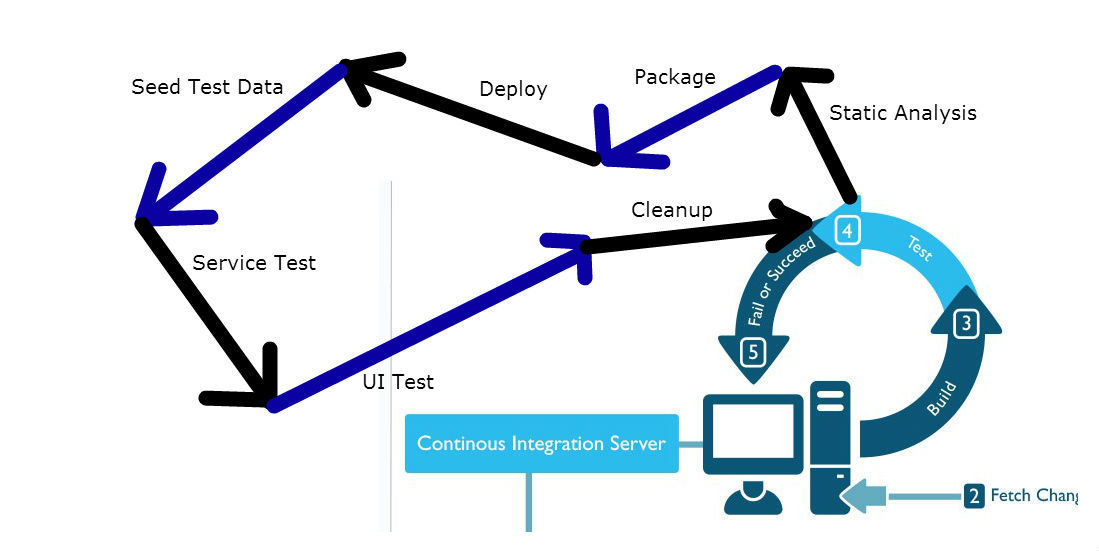
Once you have the basics, keep building
Deploy the code? In CI?
omg spooky
- At least catch the "Dead on arrival" deployments.
- Yes, you'll likely need a database
- You have the scripts to recreate those, right? :)
- Yes, you'll likely need to setup the runtime environment
- You're using Chef/Puppet/Salt, right? :)
- Yes, you'll likely need to have something with a UI running some UI driven tests.
- Your QA's are using Selenium/QTP/RIATest, right? :)
- And... yes... it enables further automation to run here...
Any and all regression, create buckets for it, wire those buckets into your CI, and keep moving.

Integration Testing and the CI Feedback Loop
Keep your feedback loop as tight as possible.
Integration testing is EXPENSIVE time-wise compared to unit testing.
Obligatory Martin Fowler Testing Pyramid
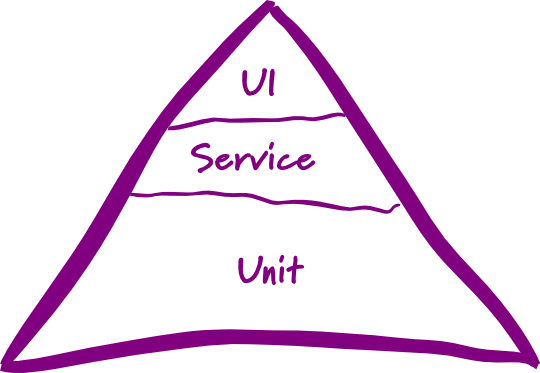
omg lazor fast
incur setup time, still fast, wow
most intense, such slow, so value

Some tools / build systems do this better than others
Failing fast, and giving appropriate feedback to the failure is great
Flaky integration tests are poison
You need some confidence in your automation. Don't half-ass
your regression. Many tests, especially UI tests which are end-to-end
will require some TLC.
Remember, this is your safety net, don't build it with popsicle sticks.
So which CI tool?



... and more
- Free
- BYOS (Bring your own server(s))
- Open Source (Java / Scala core)
- Mature API
- Very mature and developed 3rd party plugin library
- Also, most of which are free and Open Source.
- Scales easily to remote slave machines
- Remote machines can be Windows / OSX as well, for cross platform or cross browser testing
- Supports abstract job definitions
- Can be resource intensive
- Chuck Norris plugin
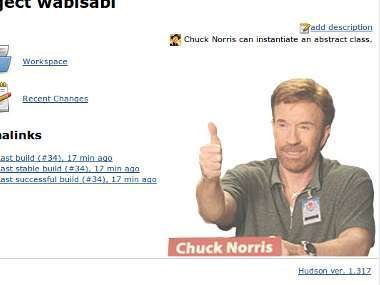
Dashboard
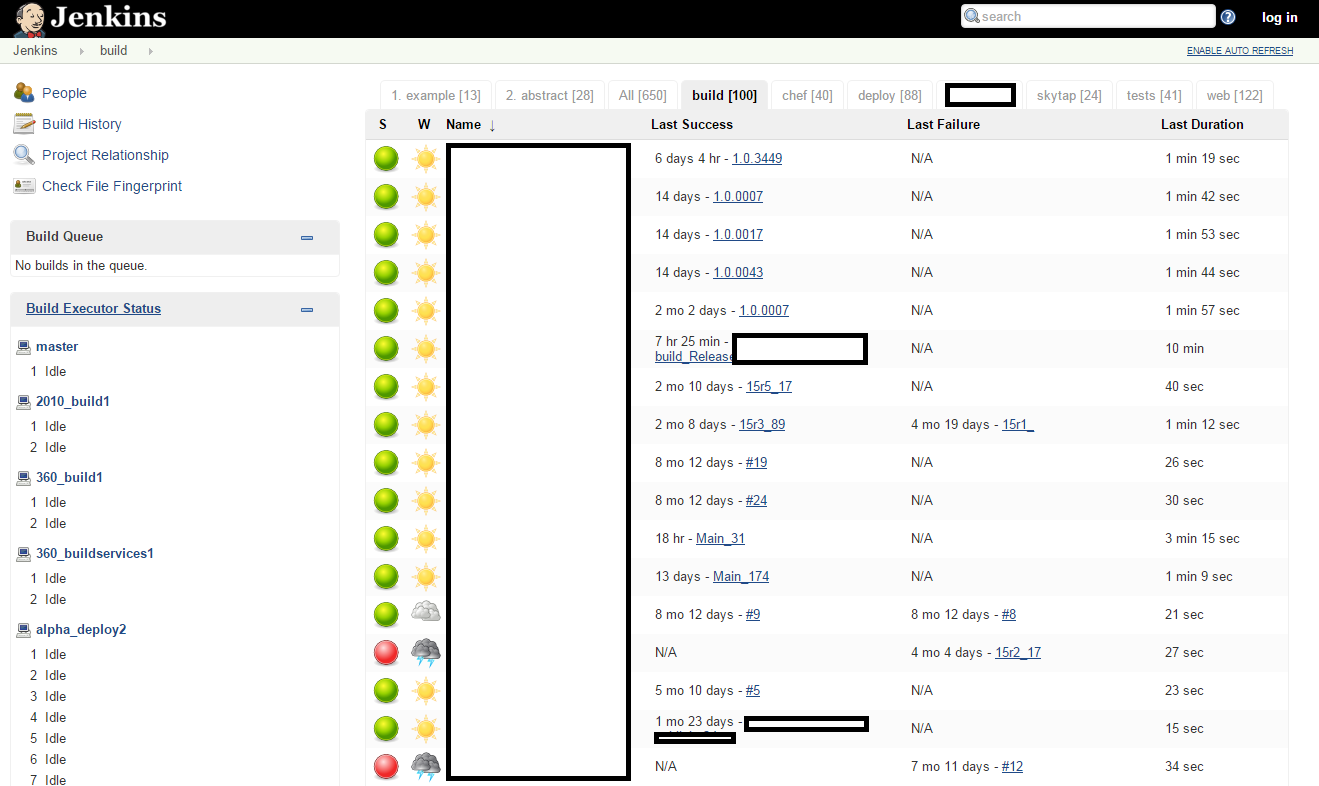
Agents
Jobs
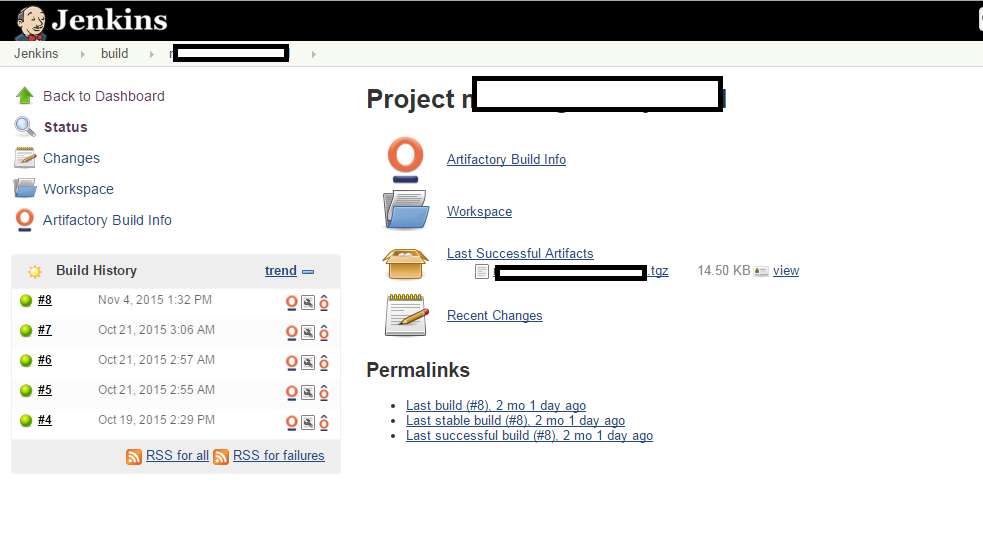
Artifactory plugins
- Starting at $600-800/yr for non-trivial projects. ($10 for 10 job pricing exists, but you'll outgrow it quickly.)
- BYOS and Cloud options available
- Closed Source (Java core)
- Mature API
- Tons of built in features and general polish.
- Internal repository + deployment features are wonderfully done, embracing normal Continuous Delivery needs.
- Supports scaling to remote agents of any OS
- # of Remote agents are the pricing tiers for the product.
- Reasonable 3rd party plugin library
- Integrates with all the Atlassian products really well, natively.
- "Builds" are split into stages and jobs, which allow for seamless control of concurrency and checkpoints.
Obligatory Atlassian Fanboyism Slide
- JIRA integrates with Bamboo to show issues being validated per build.
- Crucible integrates with Bamboo to show you which commits validated your review.
- Stash (GIT) integrates with Bamboo to let you auto-merge successful branch builds into main.
- If you let Bamboo manage your deployments, it will show you JIRA's completed in the differential between deployed code, warn about outstanding code reviews, etc.
- It all ties together REALLY nicely.
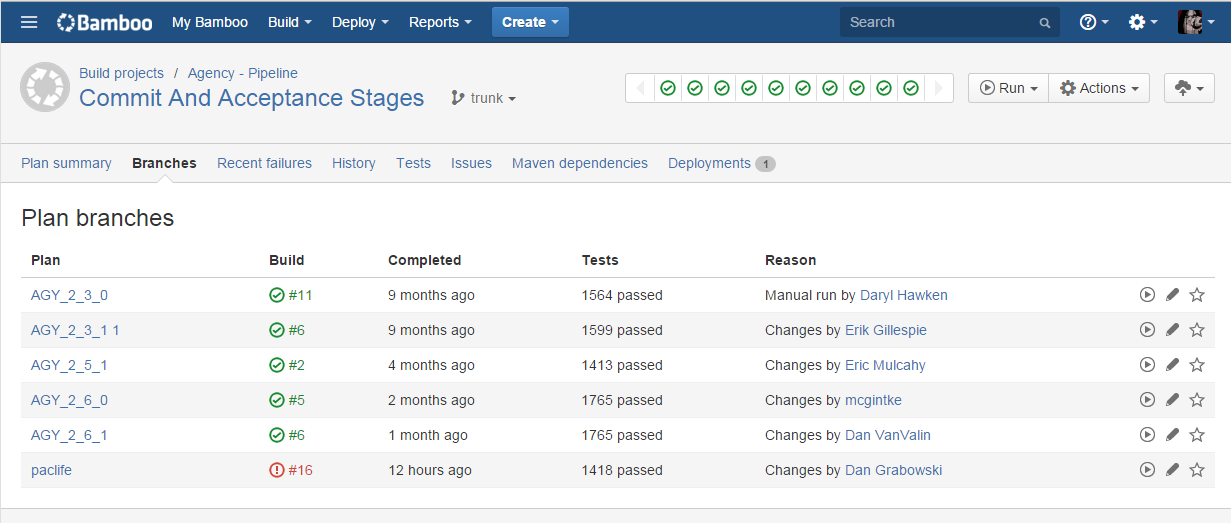
Auto branch management
Plan summary, including deployables
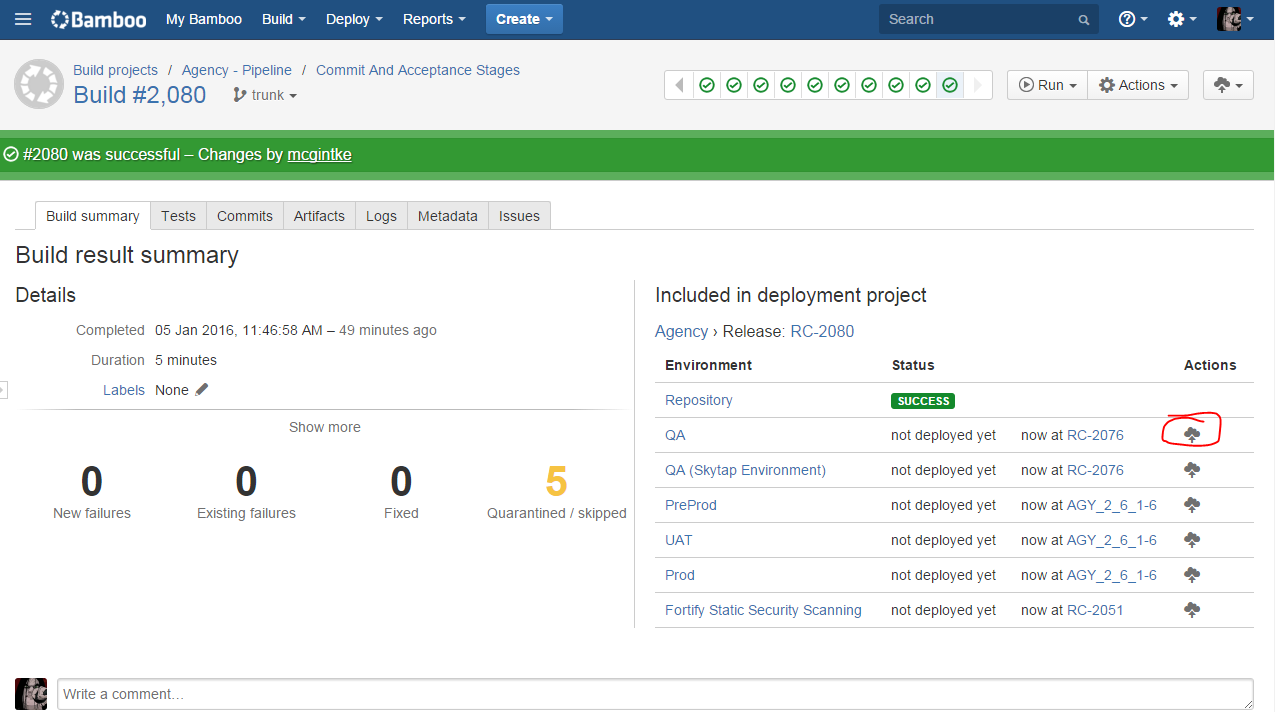
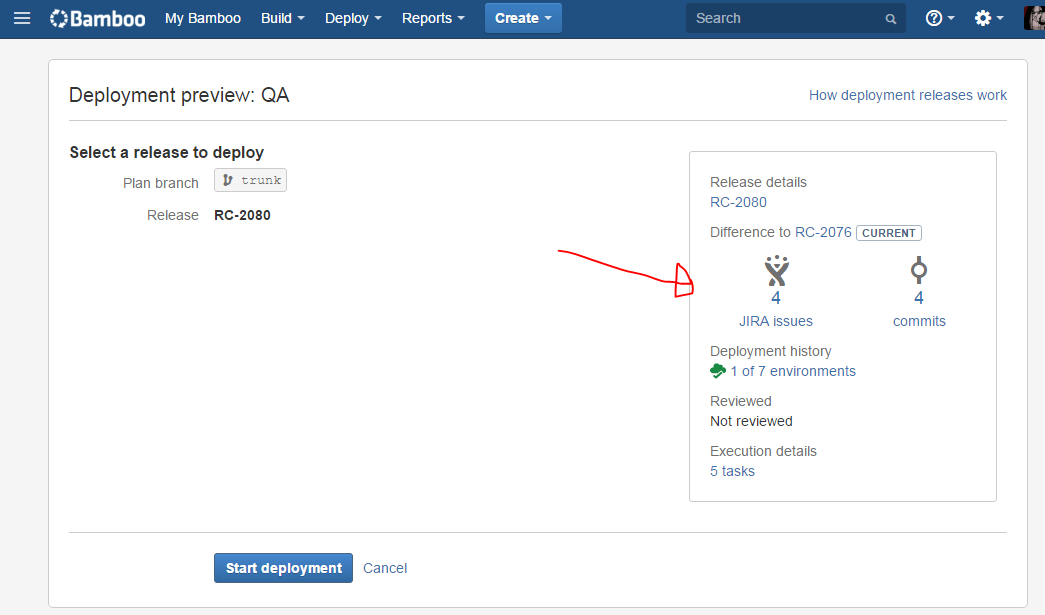
Deploying a build
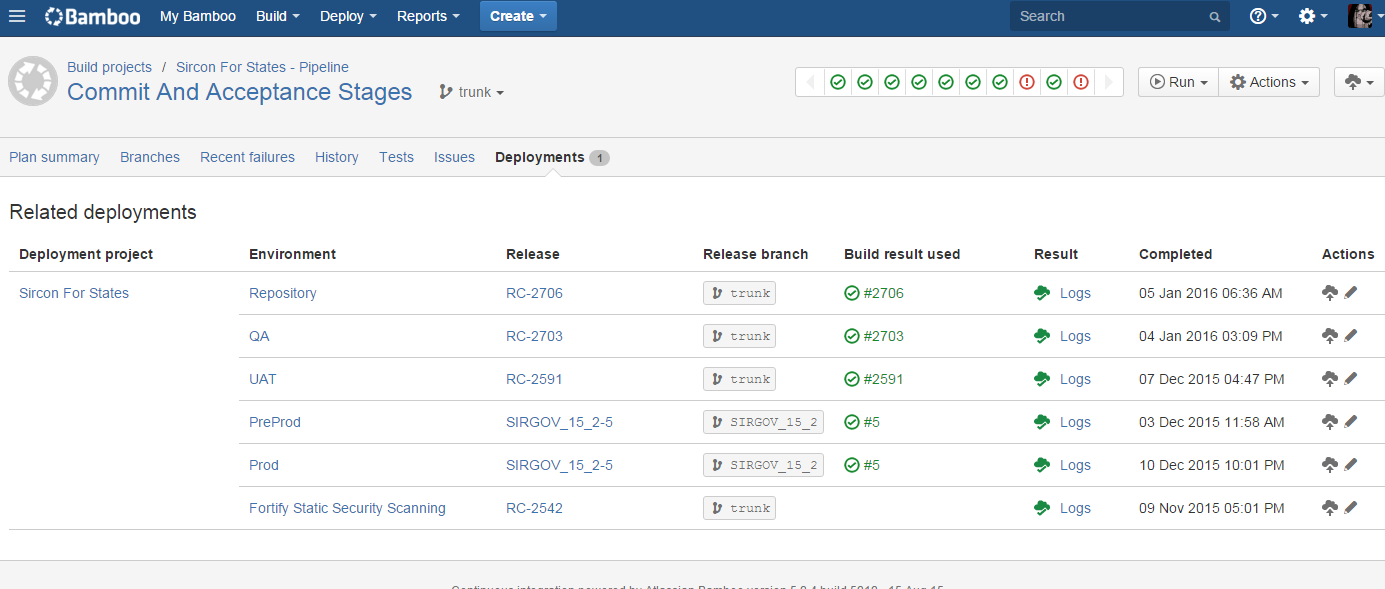
Deployment management and environment state
- Free for open source projects, starts at $1500/yr for commercial
- You must use Git as your SCM tool
- GitHub integrations with Travis are excellent and cloud based.
- Most of the CI control is thru a file in your repo, not on another CI server somewhere.
- Uses a lot of "convention over configuration" - so there is minimal setup involved assuming your project is "normal"
- You will fight it tooth and nail if your project is a snowflake
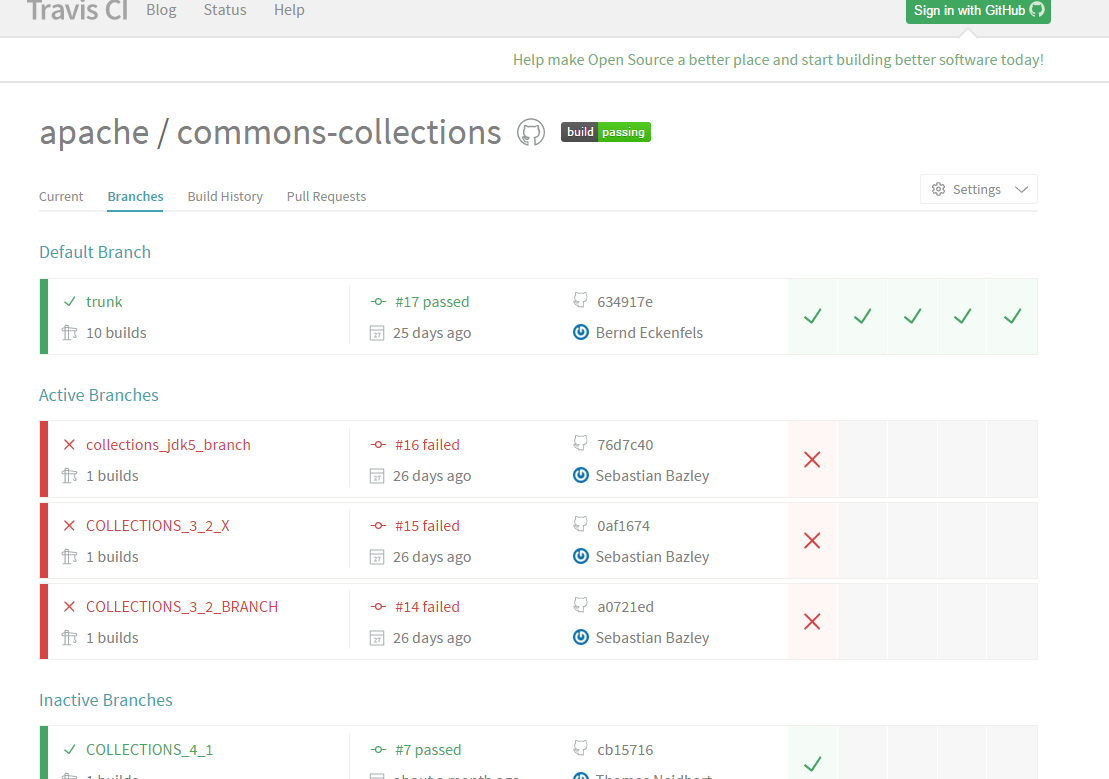
Travis handling git branch workflows
- Starts at $500/yr+ depending on various VSO account criteria.
- If you are entrenched in the M$ Stack, you likely already have TFS as your SCM Repo.
- TFS Provides tools to support CI builds as well
- Beginning to also provide tooling around CD / deployments
- Very well integrated into the Visual Studio / TFS toolchain.
Generalalized Opinion
| Jenkins | Bamboo | Travis | TFS CI | |
|---|---|---|---|---|
| Cost | A+ | B |
A+ Open C Closed |
C |
| Plugin Ecosystem | A | B | ??? | A |
| Ease of Implementation | C | A- | A+ | B |
| Integrations and Features (Out of the box) | D Vanilla A Plugin'ed |
A+++ JIRA B Other |
A+ GitHub ??? Private |
A+ TFS B Other |
| Customizability | A+ | B | D | B |
| CD Integrations | B | A+ | B | A |
| UI / Polish | D | A+ | B | A |
| Cross-Platform | A+ | A | F | A |
A note on ownership
This is really culturally bound, but as a good rule, the same team writing the code should not be the ones in full control of the CI system.
CI should be owned by the delivery, QA, or ops teams.
Server-level changes get discovered there.