Front-end Technologies
2016




Timeline
- JQuery : 2006
- AngularJS: June 2012
- Ionic : May 2015
- React v15 : April 2016
- AngularJS 2: September 2016
- Ionic 2: ? (current version : 2.0.0-rc.0)

Model View Controller
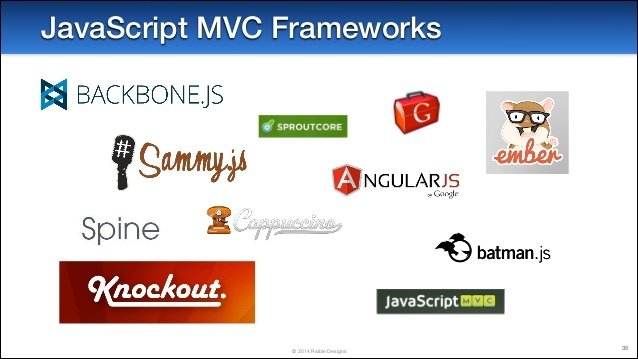
Framework or Library?
AngularJS

AngularJS
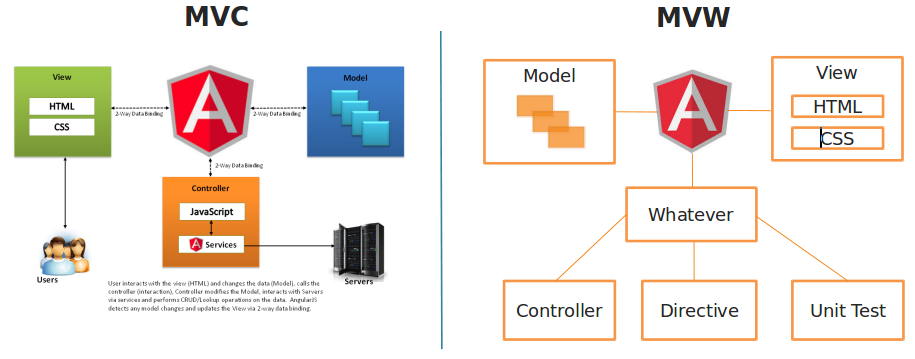
AngularJS
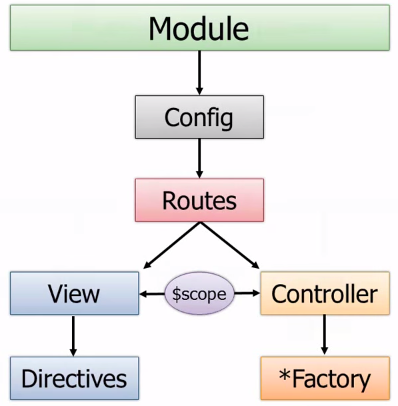
AngularJS : HTML
<h4>My projects</h4>
<div ng-include="'projects/projects-list.tpl.html'">
</div>

<h4>My tasks</h4>
<table class="table table-bordered table-condensed table-striped table-hover">
    <thead>
    <tr>
        <th class="span8">Name</th>
        <th class="span1">Estimation</th>
        <th class="span1">Remaining</th>
        <th class="span2">Tools</th>
    </tr>
    </thead>
    <tbody>
    <tr ng-repeat="task in tasks">
        <td>{{task.name}}</td>
        <td>{{task.estimation}}</td>
        <td>{{task.remaining}}</td>
        <td></td>
    </tr>
    <tr ng-show="!tasks.length">
        <td colspan="4">No tasks for you!</td>
    </tr>
    </tbody>
</table>
AngularJS : Controller
angular.module('dashboard', ['resources.projects', 'resources.tasks'])

.controller('DashboardCtrl', function ($scope, $location, projects, tasks) {
  $scope.projects = projects;
  $scope.tasks = tasks;

  $scope.manageBacklog = function (projectId) {
    $location.path('/projects/' + projectId + '/productbacklog');
  };

  $scope.manageSprints = function (projectId) {
    $location.path('/projects/' + projectId + '/sprints');
  };
});
Component oriented
AngularJS 2
AngularJS 2: Overview
Recommended Language :
Templating system :
Oriented :
Typescript
HTML
Component
AngularJS 2: Framework
AngularJS is FULL :
● Routing
● Testing
● Structure
● Recommended Packaging
● Recommended Language
● Web API calls
● Templating
● Forms
● Style Scoping
AngularJS 2: Template
<h1>
  Dynamic title : {{title}}
</h1>
<md-input [(ngModel)]="title" placeholder="title">
</md-input>

<app-contact *ngFor="let contact of contacts" [contact]="contact"></app-contact>
AngularJS 2: Component
import { Component } from '@angular/core';
import { Contact } from './Contact';
import {ContactService} from './contact.service';

@Component({
  selector: 'app-root',
  templateUrl: './app.component.html',
  styleUrls: ['./app.component.css'],
  providers: [ContactService]
})
export class AppComponent {
    title: String = 'app works!';
    contacts:Contact[] = this.contactService.getContacts();

    constructor(private contactService: ContactService){}
}
React
React: Overview
Recommended Language :
Templating system :
Oriented :
JSX
JSX
Component
React: Library
React is "EMPTY" :
● Focused on View
● Extra libraries needed for:
- Routing
- Http request
- ...
Popular "extra" library:
- Redux
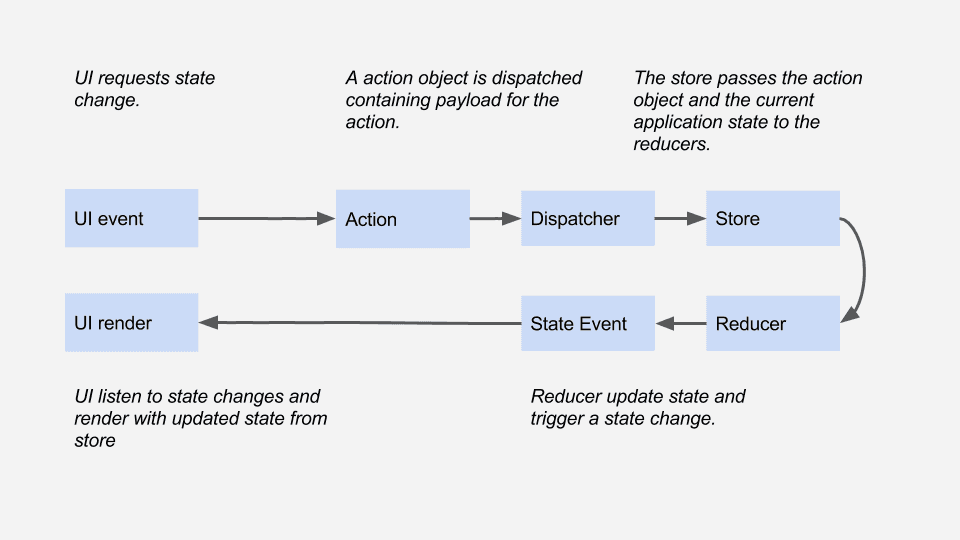
React: Redux
React: Code
var ExampleApplication = React.createClass({
        render: function() {
          var elapsed = Math.round(this.props.elapsed  / 100);
          var seconds = elapsed / 10 + (elapsed % 10 ? '' : '.0' );
          var message =
            'React has been successfully running for ' + seconds + ' seconds.';

          return <p>{message}</p>;
        }
      });
      var start = new Date().getTime();
      setInterval(function() {
        ReactDOM.render(
          <ExampleApplication elapsed={new Date().getTime() - start} />,
          document.getElementById('container')
        );
      }, 50);
Standing on the shoulders of giants

Develop Once, Deploy Anywhere

Going native