Introduction to ESLint
Gyandeep Singh

Linting
Linting is the process of checking the source code for Programmatic as well as Stylistic errors. This is most helpful in identifying some common and uncommon mistakes that are made during coding.
ESLint highlights
-
Everything is pluggable
- Rules
- Formatters
- Configurations
- Every rule is standalone
- Agenda free
- ES6, ES7 & JSX
Get Started
# Install

$ npm install -g eslint
Install
Setup config
# Setup Config

$ eslint --init
Run
# Start Linting

$ eslint test.js test2.js
Configuration
.eslintrc
{
    "parser": "espree",
    "parserOptions": {
        "ecmaVersion": 6,
        "sourceType": "module",
        "ecmaFeatures": {
            "jsx": true
        }
    },
    "env": {
        "browser": true,
        "node": true
    },
    "globals": {
        "var1": true,
        "var2": false
    },
    "plugins": [
        "plugin1",
        "eslint-plugin-plugin2"
    ],
    "extends": [
        "./node_modules/coding-standard/eslintDefaults.js",
        // Override eslintDefaults.js
        "./node_modules/coding-standard/.eslintrc-es6"
    ],
    "rules": {
        "eqeqeq": "off",
        "curly": "error",
        "quotes": ["error", "double"],
        "plugin1/rule1": "error"
    }
}
Parser and its options
{
    "parser": "espree",
    "parserOptions": {
        "ecmaVersion": 6,
        "sourceType": "module",
        "ecmaFeatures": {
            "jsx": true
        }
    }
}
Others parser: babel-eslint
Environments
{
    "env": {
        "browser": true,
        "node": true
    }
}
globals (npm) - https://www.npmjs.com/package/globals
Globals
{
    "globals": {
        "var1": true,
        "var2": false
    }
}
Plugins
{
    "plugins": [
        "plugin1",
        "eslint-plugin-plugin2"
    ]
}
Install the plugin from npm
npm install eslint-plugin-plugin1Examples: eslint-plugin-react
Extends
{
    "extends": [
        "./node_modules/coding-standard/eslintDefaults.js",
        // Override eslintDefaults.js
        "./node_modules/coding-standard/.eslintrc-es6",
        // Override .eslintrc-es6
        "eslint-config-myconfig"
    ]
}
Install the config from npm
npm install eslint-config-myconfigExamples: eslint-config-airbnb
Rules
{
    "rules": {
        "eqeqeq": "off",
        "curly": "error",
        "quotes": ["error", "double"],
        "plugin1/rule1": "error"
    }
}
Configuration Cascading and Hierarchy
your-project
├── .eslintrc
├── lib
│ └── source.js
└─┬ tests
  ├── .eslintrc
  └── test.js
Closest .eslintrc file to the file being linted has the highest priority
lib/source.js : .eslintrc
tests/test.js : .eslintrc + tests/.eslintrc
Execution
if (a == 1) {
    console.log("1");
}
else {
    console.log('not 1');
}
Code:
{
    "rules": {
        "eqeqeq": "off",
        "curly": "error",
        "quotes": ["error", "double"]
    }
}
.eslintrc:
$ eslint test.js

C:\Users\Gyandeep\WebstormProjects\test\test.js
  5:17  error  Strings must use doublequote  quotes

✖ 1 problem (1 error, 0 warnings)
Output:
Auto Fix
if (a == 1) {
    console.log("1");
}
else {
    console.log('not 1');
}
Code:
$ eslint test.js --fix
Output:
if (a == 1) {
    console.log("1");
}
else {
    console.log("not 1");
}
Code:
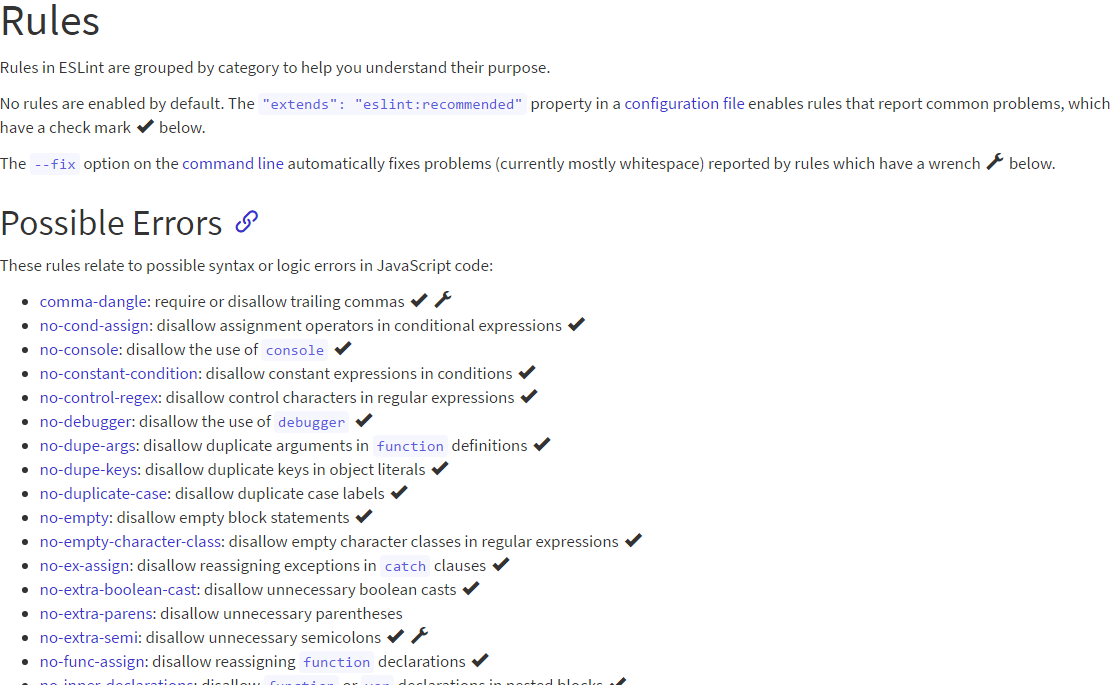
What can be fixed?
News and updates
- JSCS merger
- Joined jQuery foundation
- Most downloaded JS linter (~2.4M)
- 350+ contributors and growing
- Low Issue response time (~1 day)
Questions?
Thanks for having me
@gyandeeps