GitLab Auto DevOps

Cheng-Yu Jiang (Joe)
Larvata iOS/DevOps Engineer

-
Introduce
-
Detail
-
Example
Introduce
Auto DevOps provides pre-defined CI/CD configuration which allows you to automatically detect, build, test, deploy, and monitor your applications. Leveraging CI/CD best practices and tools, Auto DevOps aims to simplify the setup and execution of a mature & modern software development lifecycle.
What is Auto DevOps?
So...How?
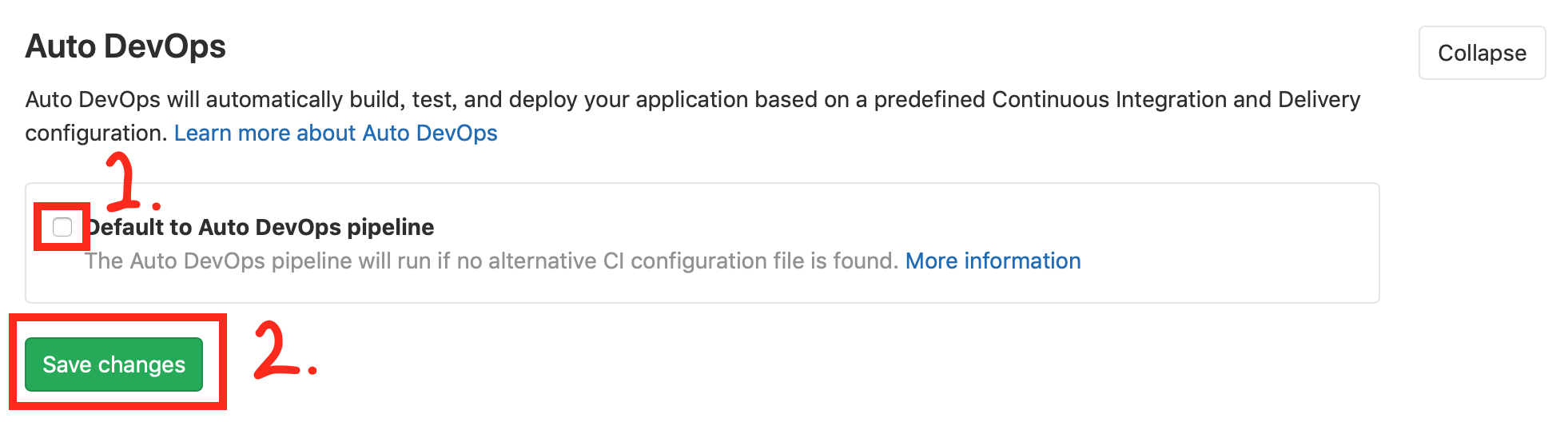

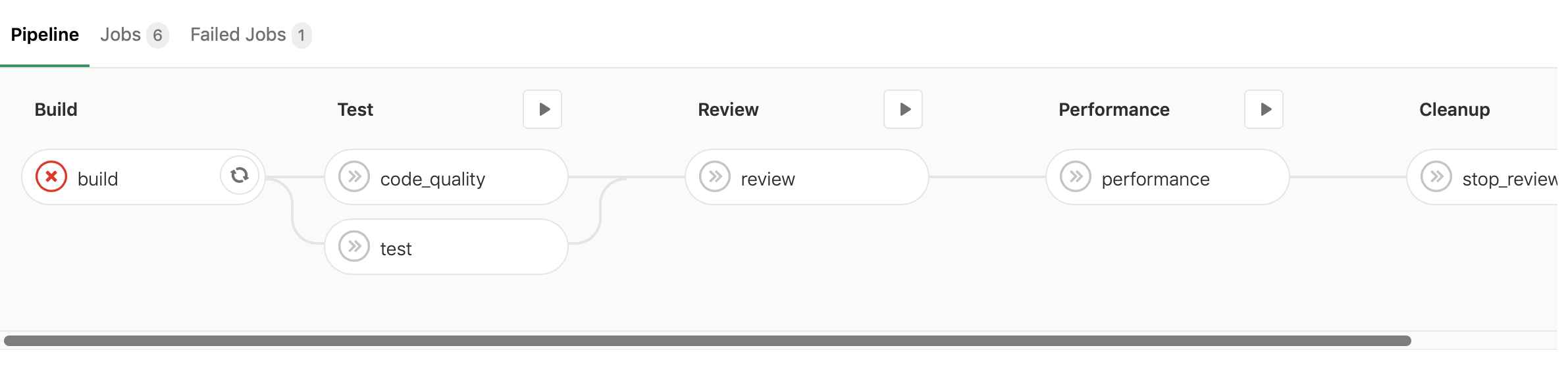
When you push commits


Default Assumption
If you don't wanna setup any Environment Variables
- Dockerfile is at project root
- Expose your service at port 5000
Environment Variables
It works 🎉

Detail
GitLab CI Work Flow
- GitLab CI is triggered by git push or web UI
- Depends on .gitlab-ci.yml is exists, or use default .gitlab-ci.yml (aka Auto DevOps)
Auto DevOps Work Flow
- Dockerfile (If Dockerfile is exist)
- Heroku Build Pack
There are two way for building docker image
Tips: AUTO_DEVOPS_BUILD_IMAGE_EXTRA_ARGS is useful when your Dockerfile is not located at project root
Auto Test
Auto Test automatically runs the appropriate tests for your application using Herokuish and Heroku buildpacks by analyzing your project to detect the language and framework. Several languages and frameworks are detected automatically, but if your language is not detected, you may succeed with a custom buildpack. Check the currently supported languages.
Auto Test uses tests you already have in your application. If there are no tests, it’s up to you to add them.
Auto Code Quality
Auto Code Quality uses the Code Quality image to run static analysis and other code checks on the current code. The report is created, and is uploaded as an artifact which you can later download and check out.
Any differences between the source and target branches are also shown in the merge request widget.
Auto Browser Performance Testing
Auto Browser Performance Testing utilizes the Sitespeed.io container to measure the performance of a web page. A JSON report is created and uploaded as an artifact, which includes the overall performance score for each page. By default, the root page of Review and Production environments will be tested. If you would like to add additional URL’s to test, simply add the paths to a file named .gitlab-urls.txt in the root directory, one per line. For example:
Any performance differences between the source and target branches are also shown in the merge request widget.
/
/features
/direction
Environment Variables
- AUTO_DEVOPS_BUILD_IMAGE_EXTRA_ARGS
- DB_INITIALIZE
- DB_MIGRATE
- HELM_UPGRADE_EXTRA_ARGS
- K8S_SECRET_{YOUR_ENV_VARIABLES}
- {ENV_NAME}_ADDITIONAL_HOSTS