What'sZap?
A Zapier x GSuite Workshop
@HEYMIKLI
👋🏼
helping business owners tech care of business by designing and building seamless, delightful, and feels-like-magic tech and automations
@HeyMikli
By the end
of this workshop
⚡️❗️ at least 4 zaps you can build that will save you hours in your business
⚡️❗️ ideas upon ideas of different ways you can make life easier
You'll have
@HeyMikli
overview
4 ZAPS
@HeyMikli
overview
4 ZAPS
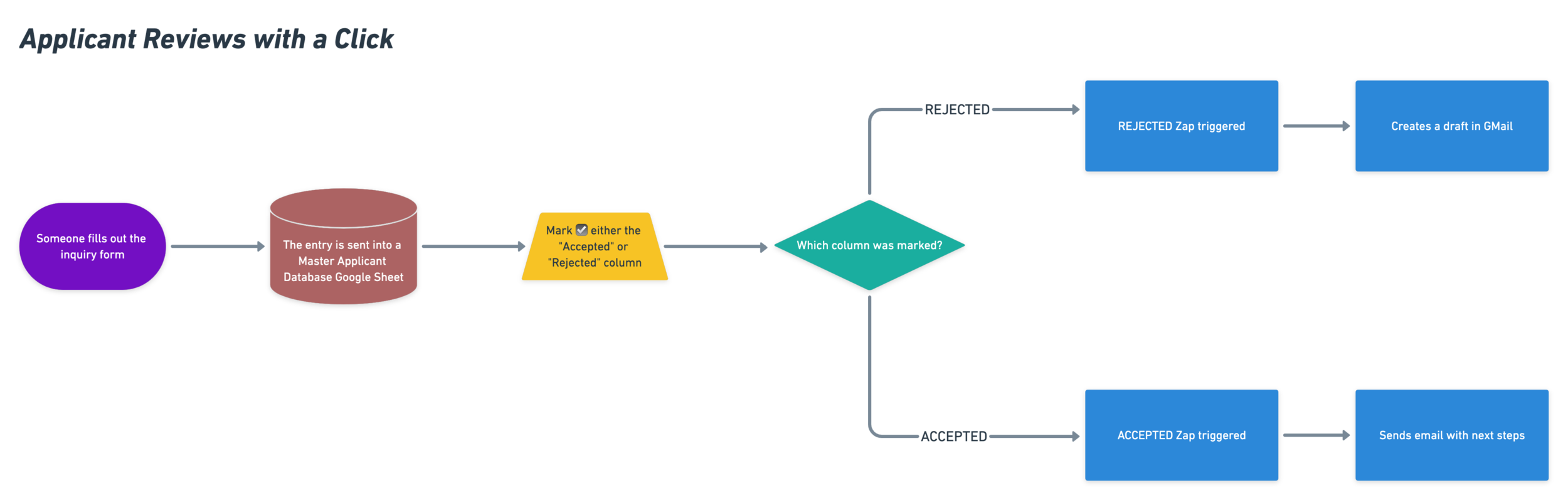
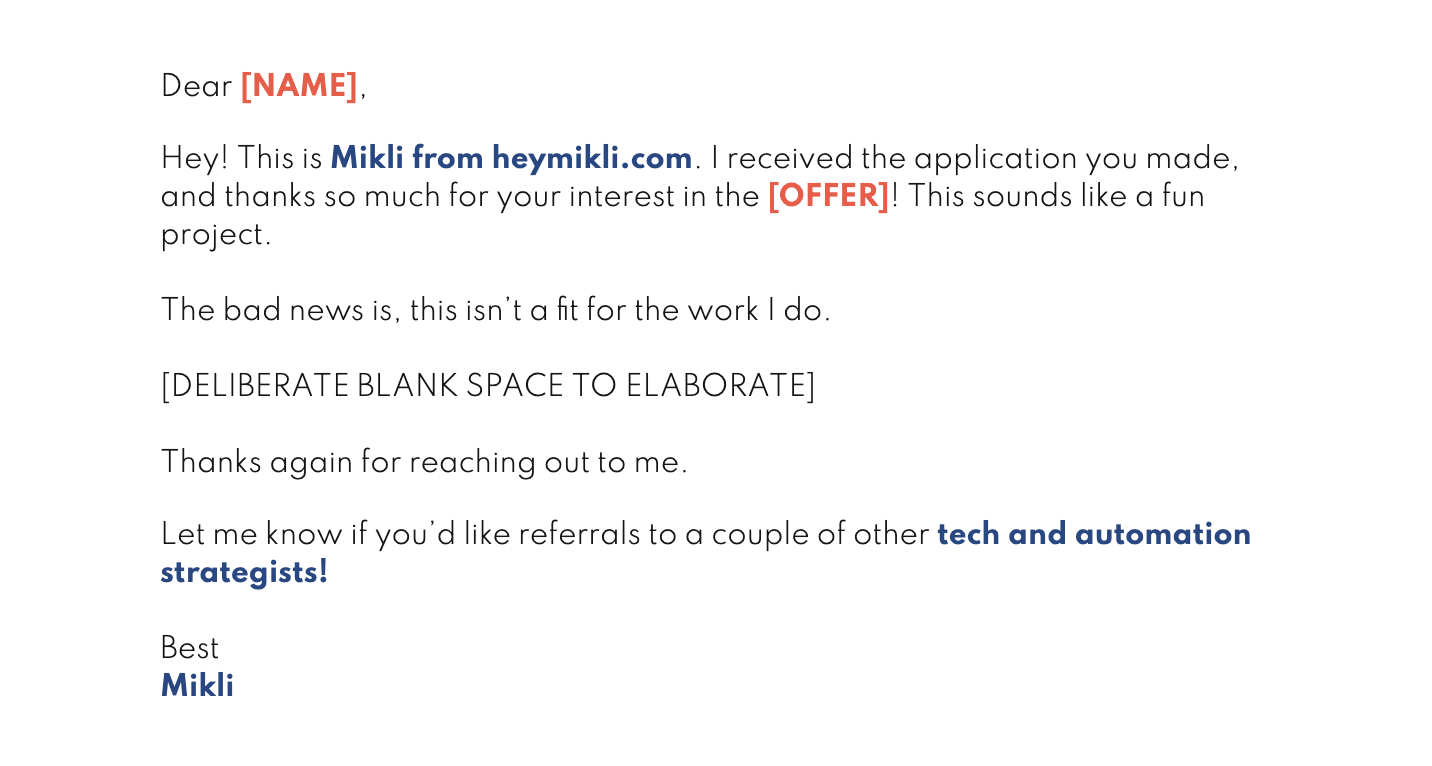
When someone sends in an application form, just tick ☑️ the box for "accepted" or "rejected." The zap will take care of sending either their next steps (if they're accepted), or a personal note (if they're rejected).
APPLICANT REVIEWS WITH A CLICK
@HeyMikli
overview
4 ZAPS
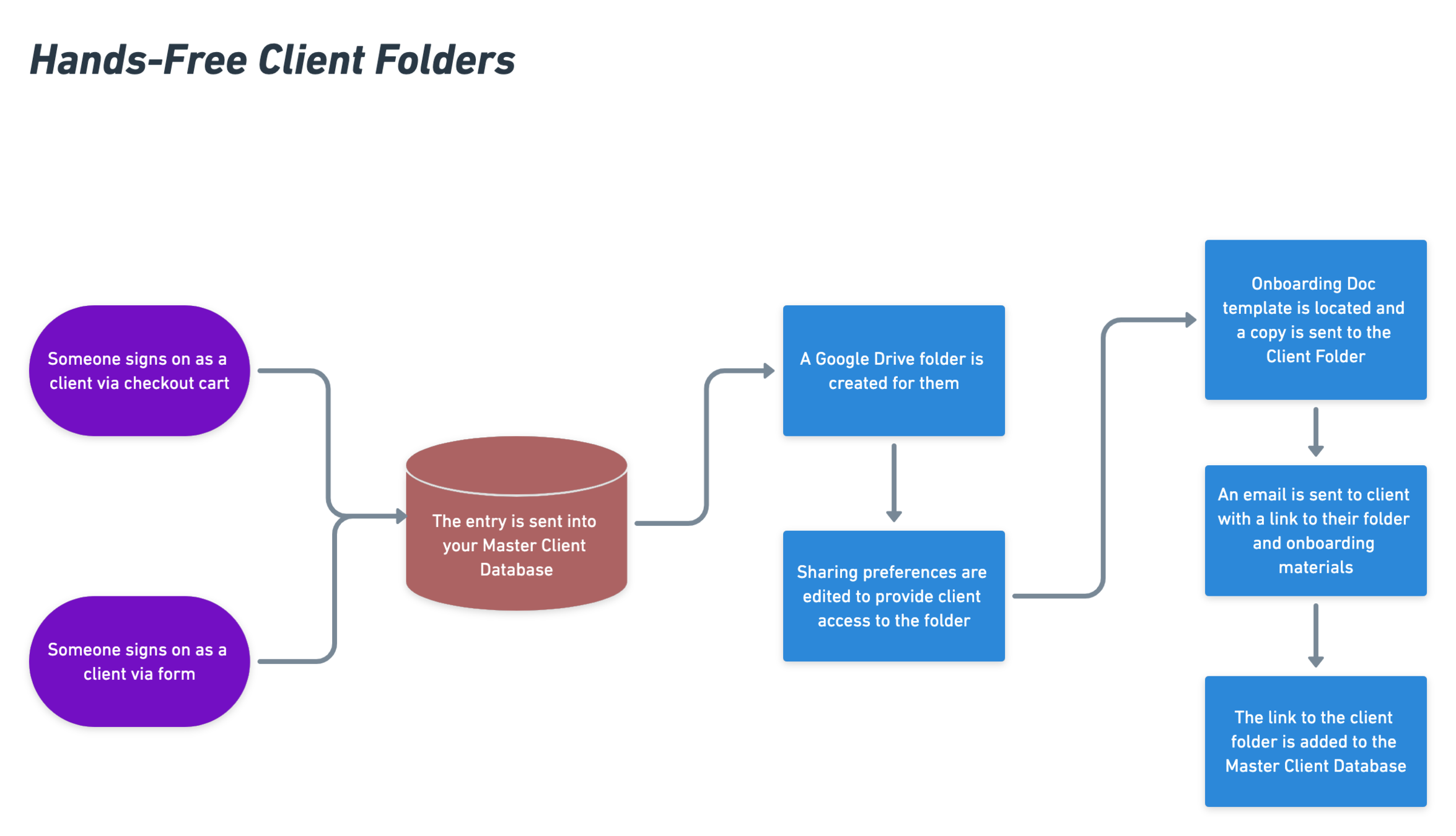
When a new client signs on (congrats!), skip the ughhh now I have to onboard them phase. Let Zapier take care of everything from creating their client folders, to adding their onboarding documents in there, to sending it over!
@HeyMikli
HANDS-FREE CLIENT FOLDERS
overview
4 ZAPS
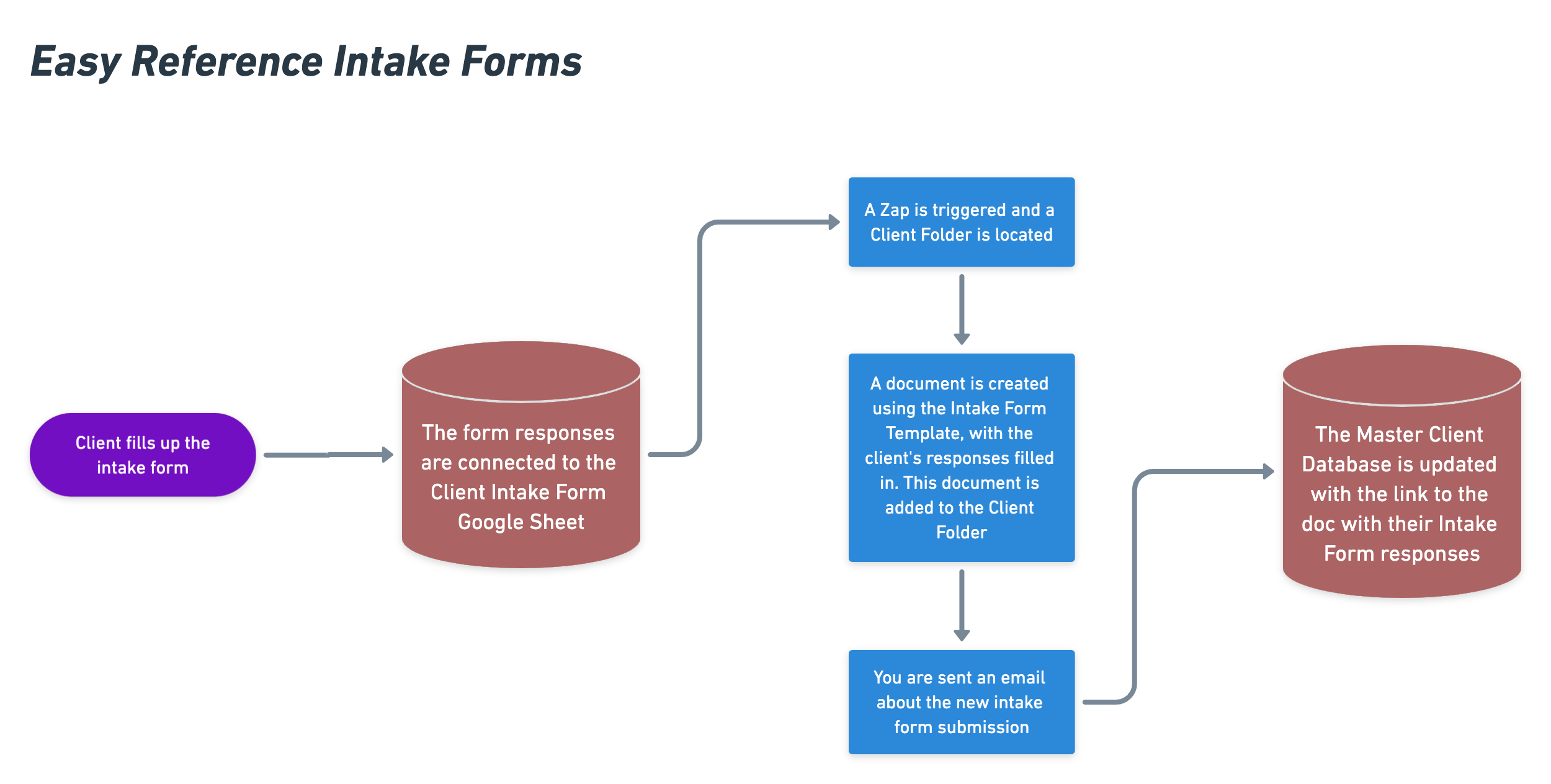
When a new client or student fills in their intake form, let's make sure you have it handy. Have the zap send you a copy, and then it'll add the form to their client folder (the hands-free one we just made) and the link it into your master student database. Easy reference whenever you need it!
@HeyMikli
EASY REFERENCE INTAKE FORMS
overview
4 ZAPS
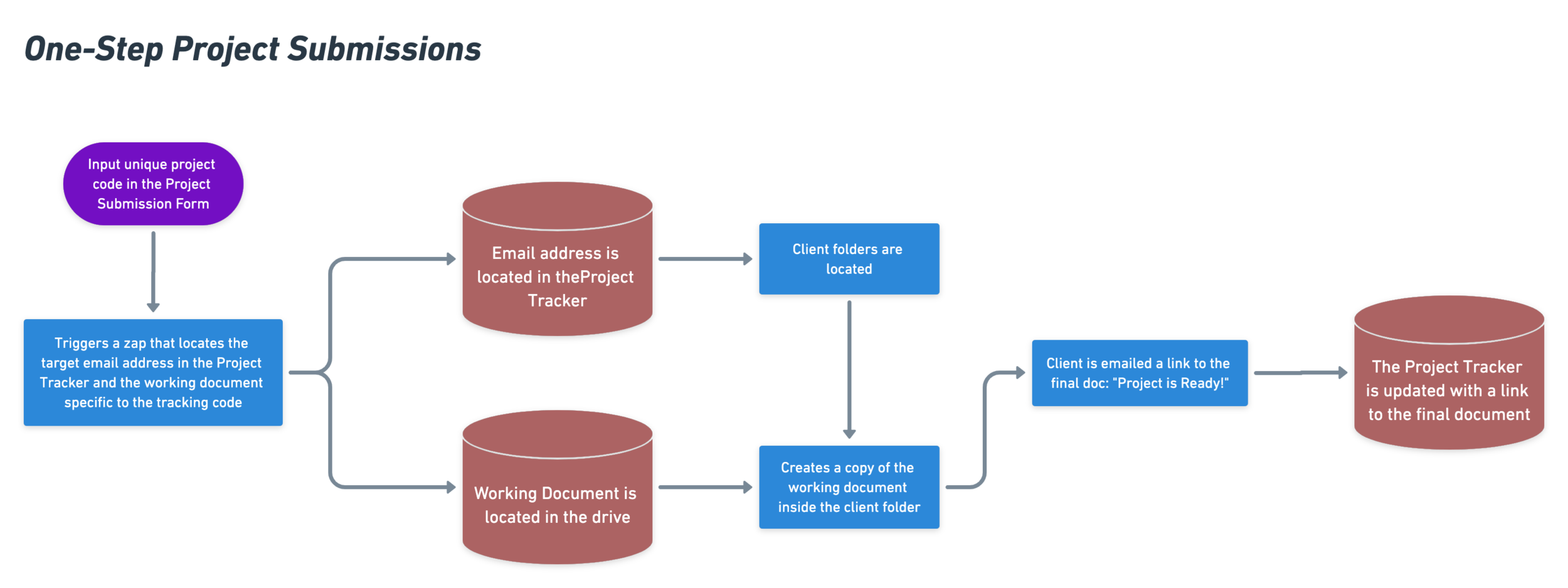
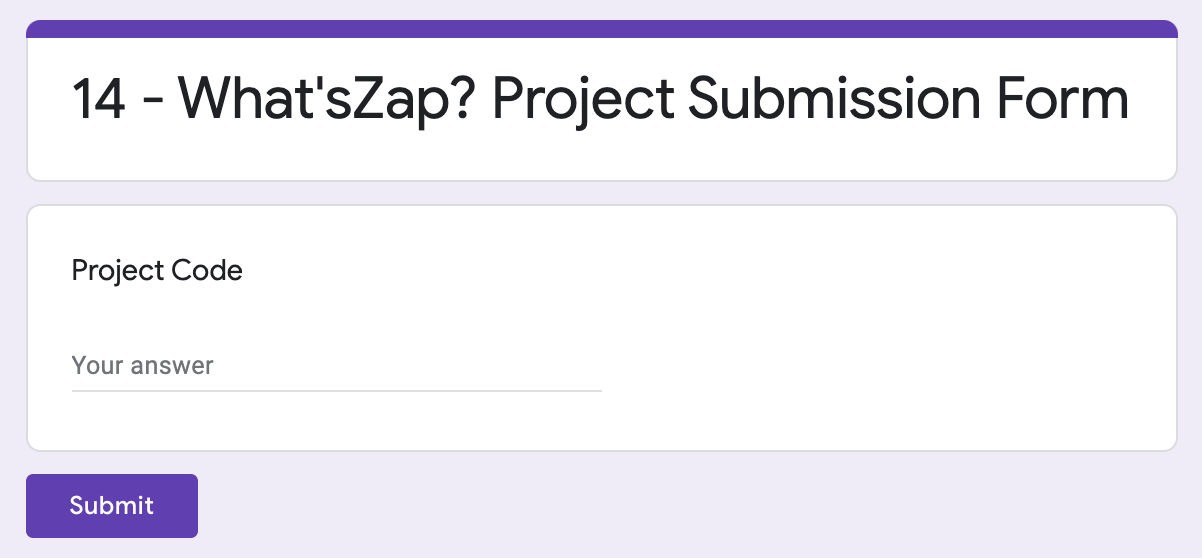
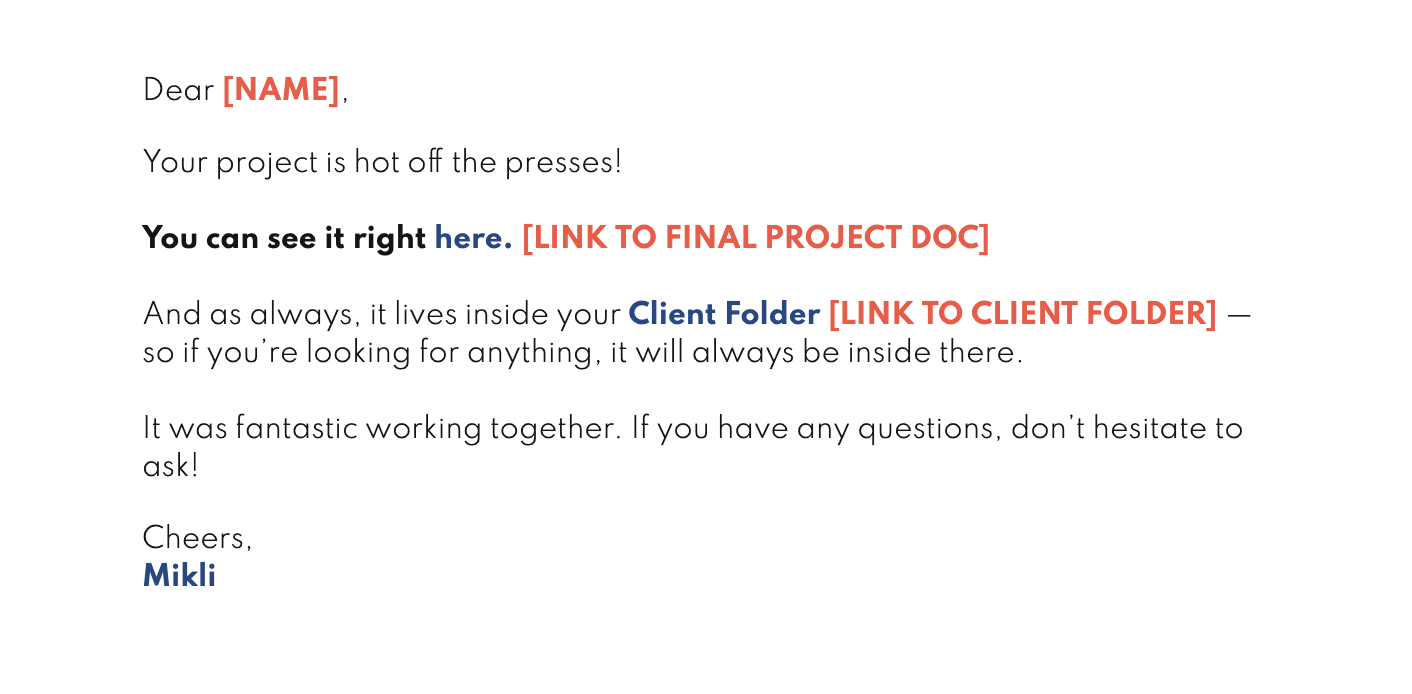
Project all done and ready for turnover? Type in the project number into a form. That's it. The robots will find your draft on Google Docs, make a clean (aka no revision history) copy of it, and take care of emailing the finished product to client!
@HeyMikli
ONE STEP PROJECT SUBMISSIONS
overview
HOT SEATS
@HeyMikli
overview
AIRMEET TOUR C/O MON
@HeyMikli
reminder
REPLAY + NOTES + TEMPLATES
@HeyMikli
let's go
@HeyMikli
applicant reviews
with a click
@HeyMikli
@HeyMikli
@HeyMikli
@HeyMikli
@HeyMikli
@HeyMikli
@HeyMikli
YOU'LL NEED
@HeyMikli
YOU'LL NEED
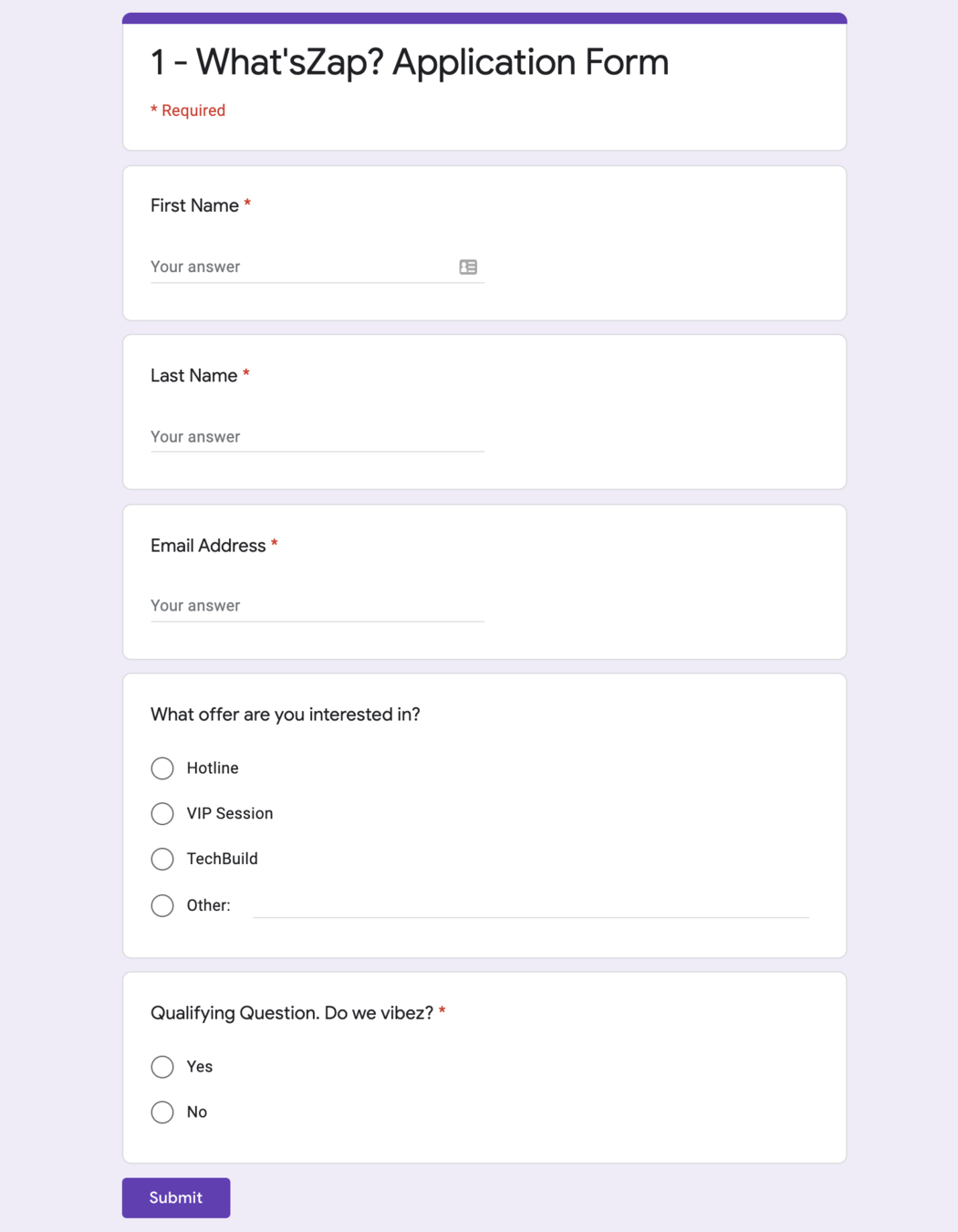
☐ Application Form
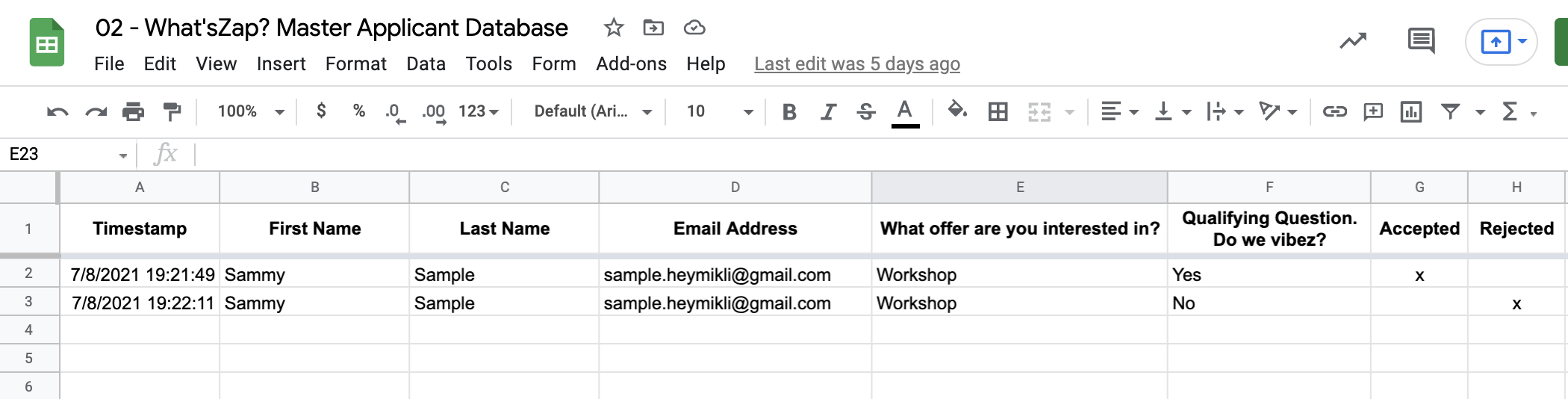
☐ Master Applicant Database
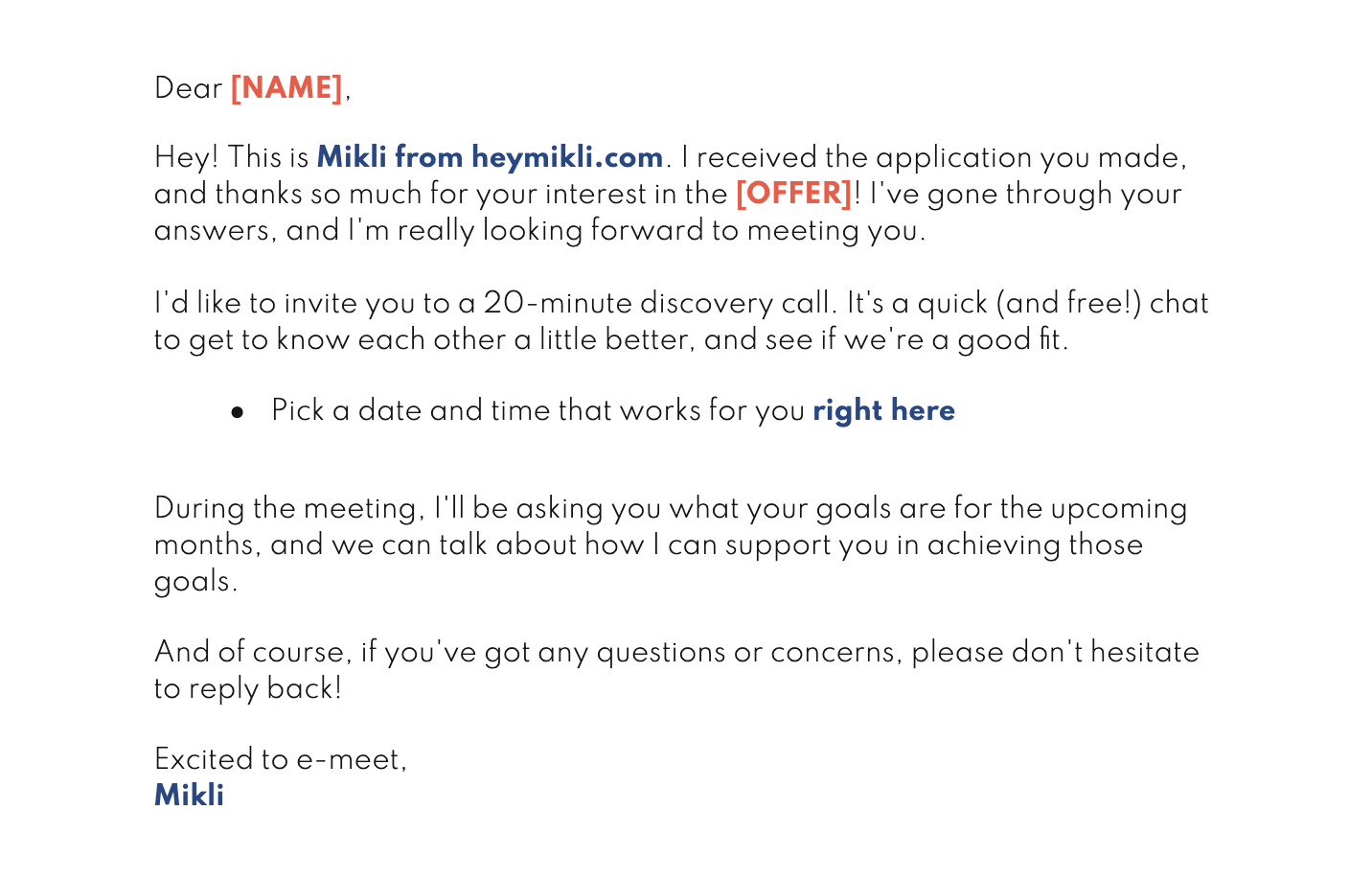
☐ Good Fit Email Copy
☐ Bad Fit Email Copy
@HeyMikli
YOU'LL NEED
☐ Application Form
☐ Master Applicant Database
☐ Good Fit Email Copy
☐ Bad Fit Email Copy
@HeyMikli
YOU'LL NEED
☐ Application Form
☐ Master Applicant Database
☐ Good Fit Email Copy
☐ Bad Fit Email Copy
@HeyMikli
YOU'LL NEED
☐ Application Form
☐ Master Applicant Database
☐ Good Fit Email Copy
☐ Bad Fit Email Copy
@HeyMikli
YOU'LL NEED
☐ Application Form
☐ Master Applicant Database
☐ Good Fit Email Copy
☐ Bad Fit Email Copy
@HeyMikli
PREP YOUR TECH
@HeyMikli
PREP YOUR TECH
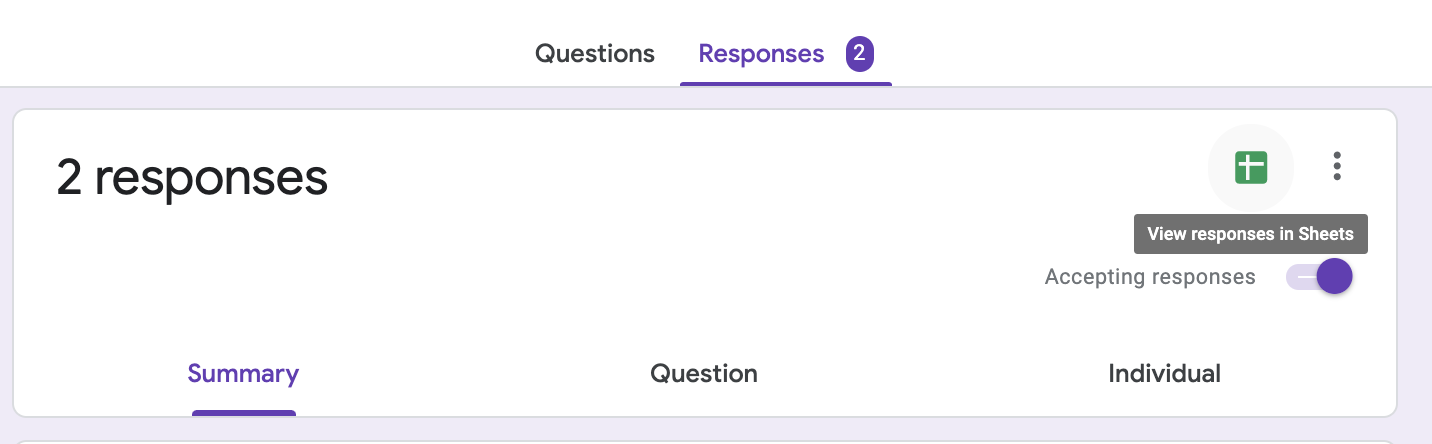
☐ Connect your Application Form to your Master Applicant Database Google Sheet
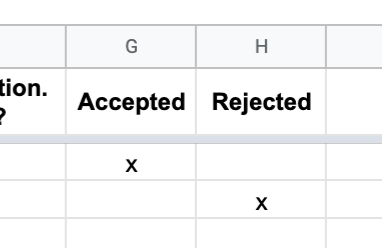
☐ Add "Accepted" and "Rejected" columns to the Master Applicant Database
@HeyMikli
PREP YOUR TECH
☐ Connect your Application Form to Your Master Applicant Database Google Sheet
☐ Add "Accepted" and "Rejected" columns to the Master Applicant Database
@HeyMikli
@HeyMikli
MAIN TECHAWAYS
@HeyMikli
MAIN TECHAWAYS
Using "update a row in Google Sheets" as an automation trigger means you can stay in sheets while interacting with other apps.
@HeyMikli
MAIN TECHAWAYS
Having Zapier automatically create a
draft for you is a nice balance between automated and personal
@HeyMikli
REMIX
@HeyMikli
REMIX
Add a Slack step to notify yourself every time a new inquiry comes in
@HeyMikli
REMIX
Email yourself whenever a
Rejected Draft is added — to remind you
to check your drafts folder!
@HeyMikli
hands-free
client folders
@HeyMikli
@HeyMikli
@HeyMikli
@HeyMikli
@HeyMikli
@HeyMikli
YOU'LL NEED
@HeyMikli
YOU'LL NEED
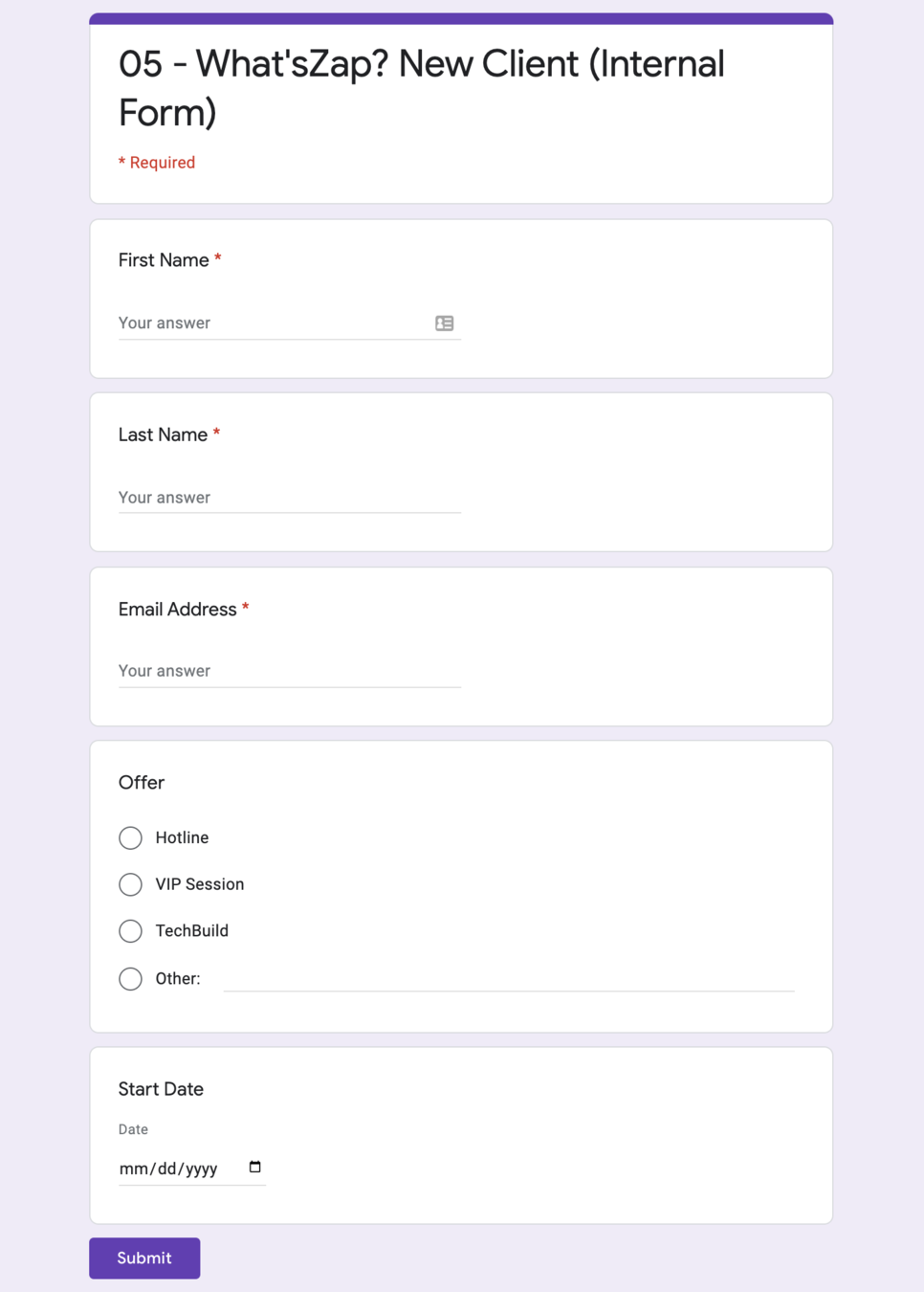
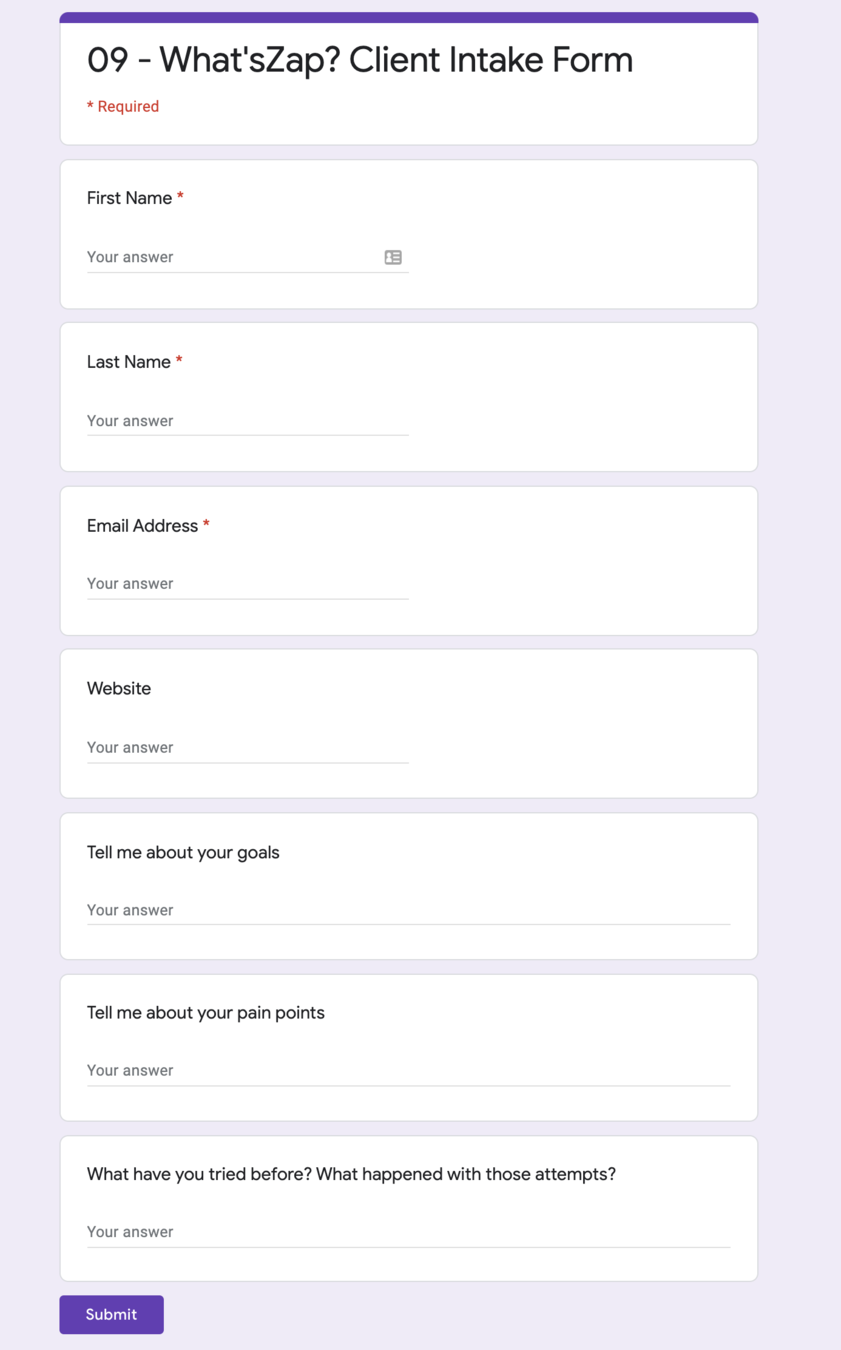
☐ New Client (Internal Form)
☐ Master Client Database
☐ New Client Onboarding Doc
☐ Onboarding Email
☐ Optional: Intake Form
@HeyMikli
YOU'LL NEED
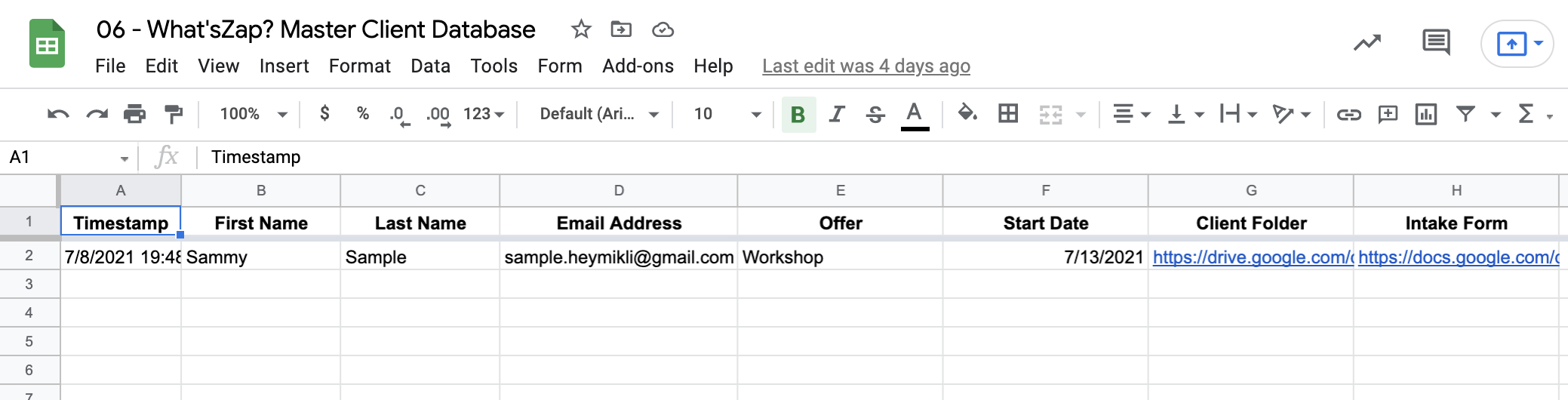
☐ New Client (Internal Form)
☐ Master Client Database
☐ New Client Onboarding Doc
☐ Onboarding Email
☐ Optional: Intake Form
@HeyMikli
YOU'LL NEED
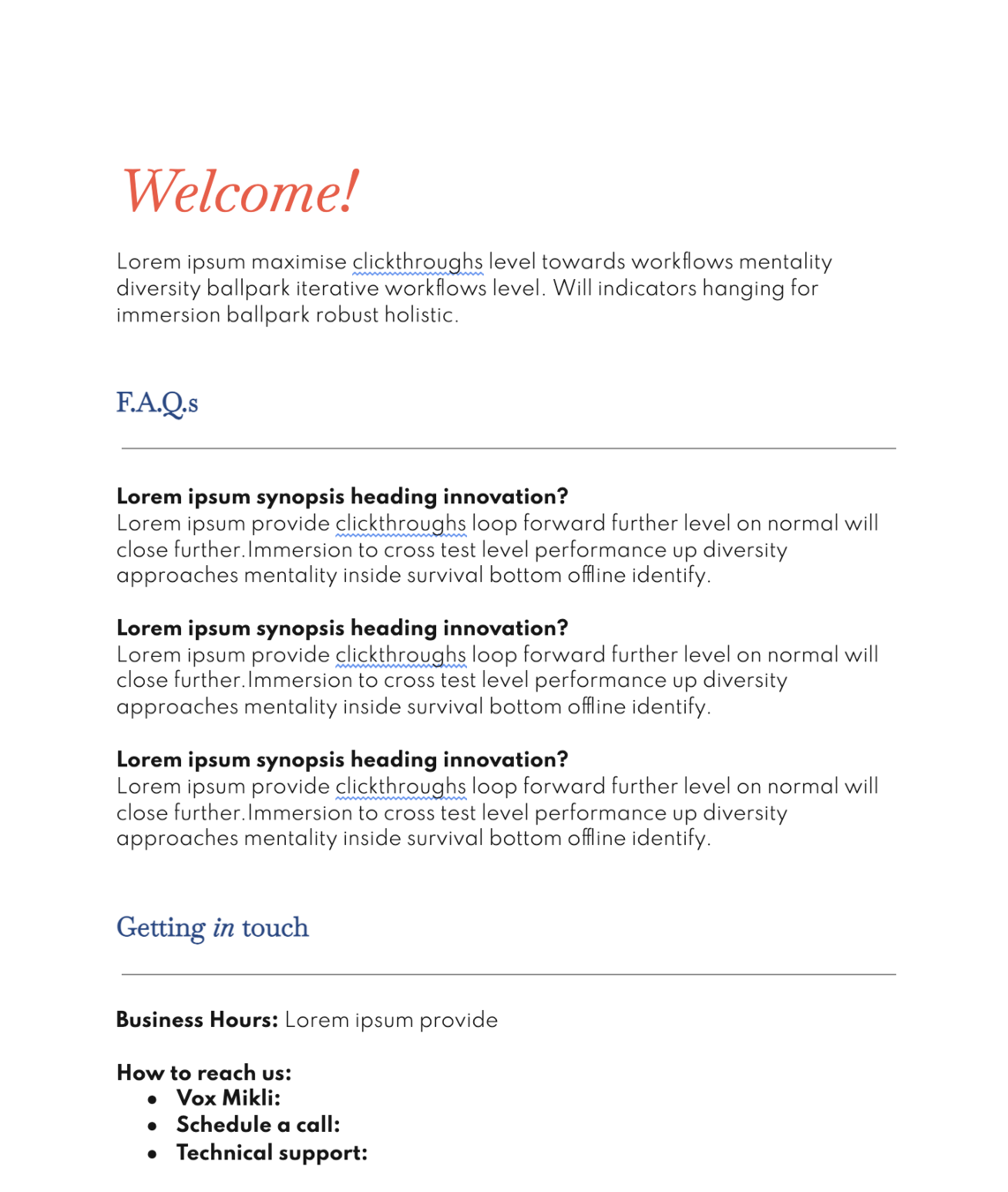
☐ New Client (Internal Form)
☐ Master Client Database
☐ New Client Onboarding Doc
☐ Onboarding Email
☐ Optional: Intake Form
@HeyMikli
YOU'LL NEED
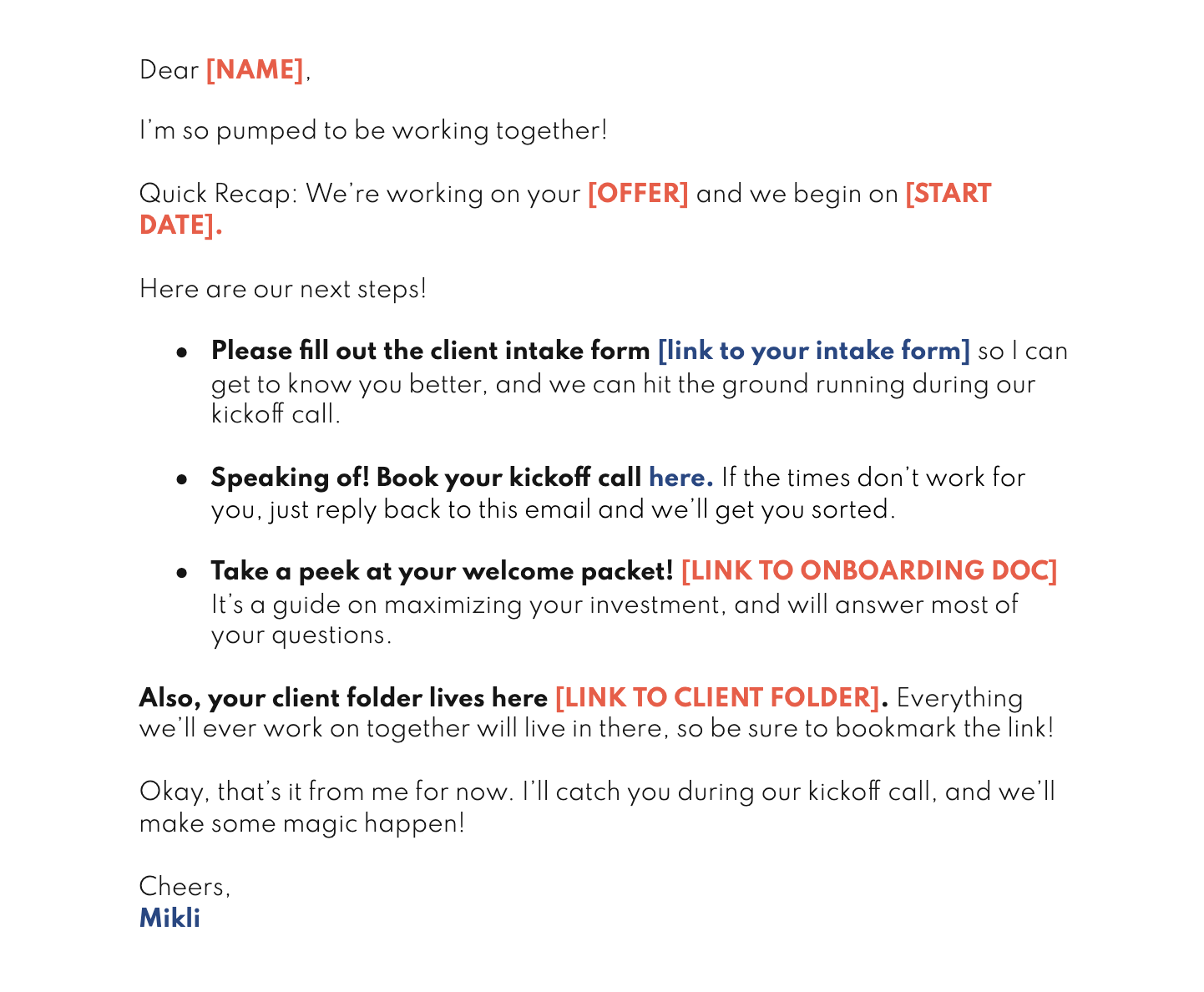
☐ New Client (Internal Form)
☐ Master Client Database
☐ New Client Onboarding Doc
☐ Onboarding Email
☐ Optional: Intake Form
@HeyMikli
YOU'LL NEED
☐ New Client (Internal Form)
☐ Master Client Database
☐ New Client Onboarding Doc
☐ Onboarding Email
☐ Optional: Intake Form
@HeyMikli
PREP YOUR TECH
@HeyMikli
PREP YOUR TECH
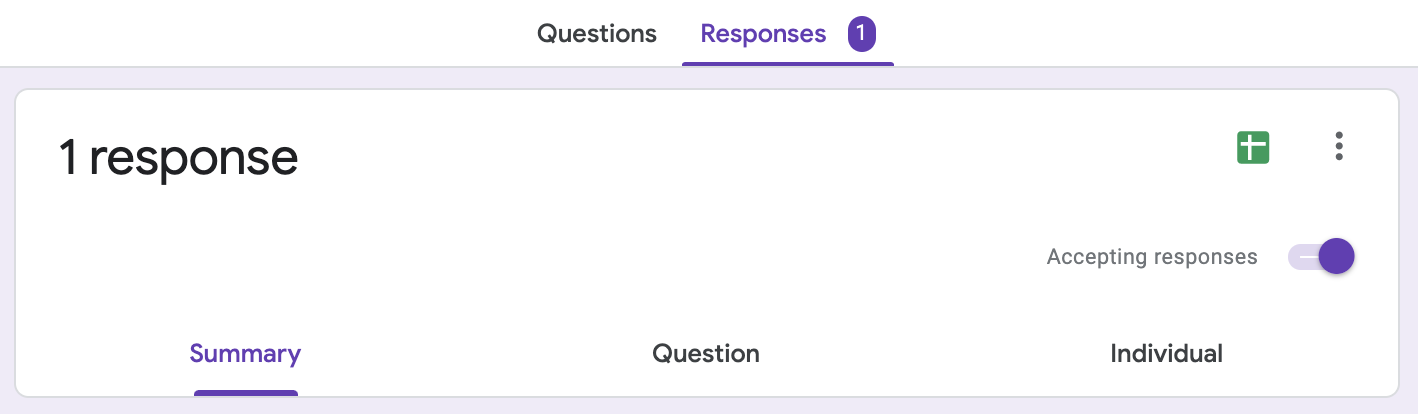
☐ Connect your client sign-on method to your Master Client Database Google Sheet
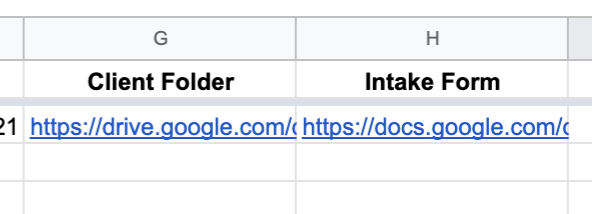
☐ Add 2 columns to the Master Client Database: "Client Folder" and "Intake Form"
@HeyMikli
PREP YOUR TECH
☐ Connect your client sign-on method to your Master Client Database Google Sheet
☐ Add 2 columns to the Master Client Database: "Client Folder" and "Intake Form"
@HeyMikli
@HeyMikli
MAIN TECHAWAYS
@HeyMikli
MAIN TECHAWAYS
Zapier can find, copy, and move files.
To reference a file (or spreadsheet row) that was created in-zap, select its ID from the steps.
To reference a file (or spreadsheet row) that wasn't created in-zap, "find" it first, then you can reference the ID from there.
@HeyMikli
MAIN TECHAWAYS
Name dynamic assets you want to reference in future zaps with something unique, e.g. using the client's email address in the Client Folder name, so it can be looked up that way
@HeyMikli
REMIX
@HeyMikli
REMIX
Create subfolders by adding
more "Create a Folder" steps!
@HeyMikli
easy-reference
intake forms
@HeyMikli
@HeyMikli
@HeyMikli
@HeyMikli
@HeyMikli
@HeyMikli
YOU'LL NEED
@HeyMikli
YOU'LL NEED
☐ Intake Form
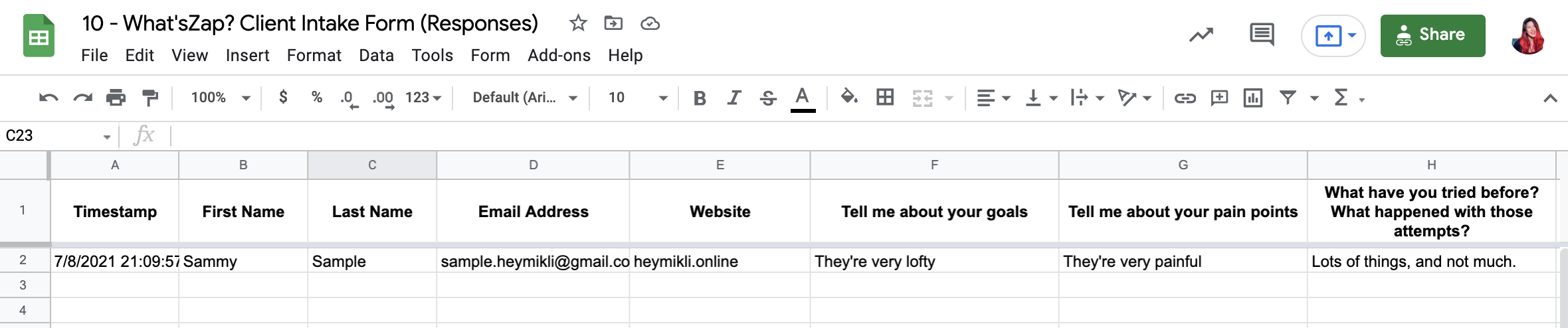
☐ Intake Form (Responses) Google Sheet
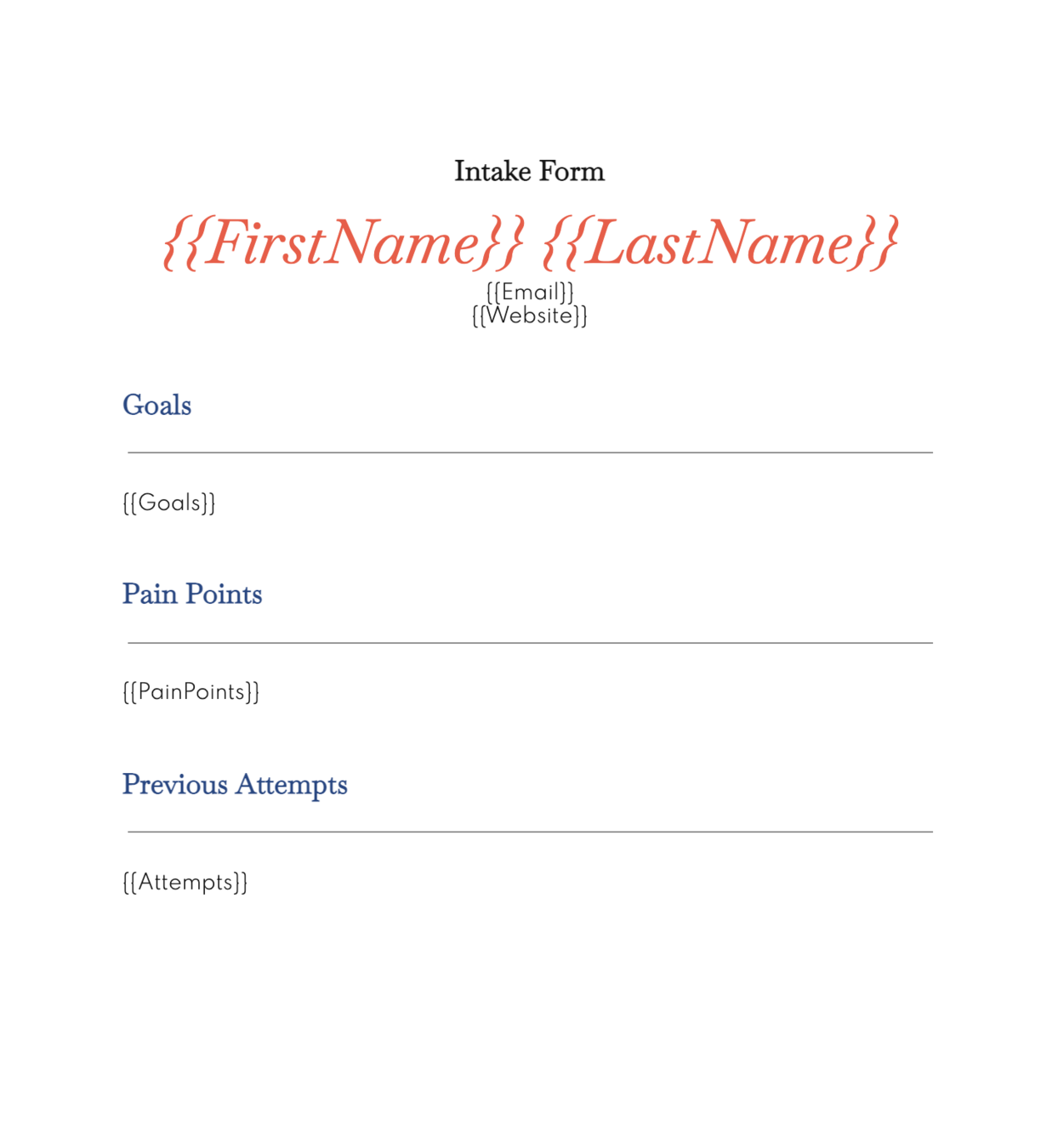
☐ Intake Form Template
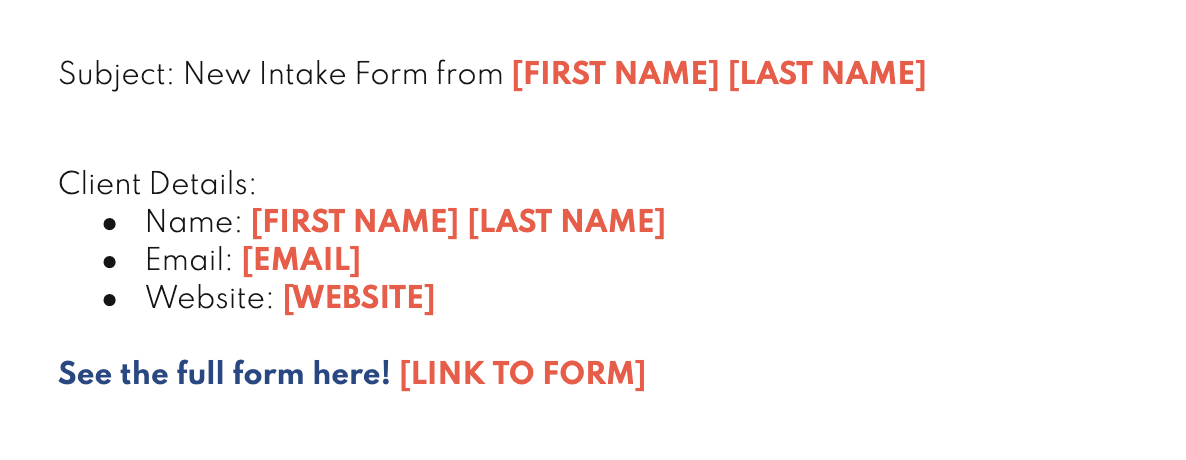
☐ Intake Form Notification Copy
☐ Master Client Database
@HeyMikli
YOU'LL NEED
☐ Intake Form
☐ Intake Form (Responses) Google Sheet
☐ Intake Form Template
☐ Intake Form Notification Copy
☐ Master Client Database
@HeyMikli
YOU'LL NEED
☐ Intake Form
☐ Intake Form (Responses) Google Sheet
☐ Intake Form Template
☐ Intake Form Notification Copy
☐ Master Client Database
@HeyMikli
this has to live in the ROOT of your GDrive
YOU'LL NEED
☐ Intake Form
☐ Intake Form (Responses) Google Sheet
☐ Intake Form Template
☐ Intake Form Notification Copy
☐ Master Client Database
@HeyMikli
YOU'LL NEED
☐ Intake Form
☐ Intake Form (Responses) Google Sheet
☐ Intake Form Template
☐ Intake Form Notification Copy
☐ Master Client Database
@HeyMikli
PREP YOUR TECH
@HeyMikli
PREP YOUR TECH
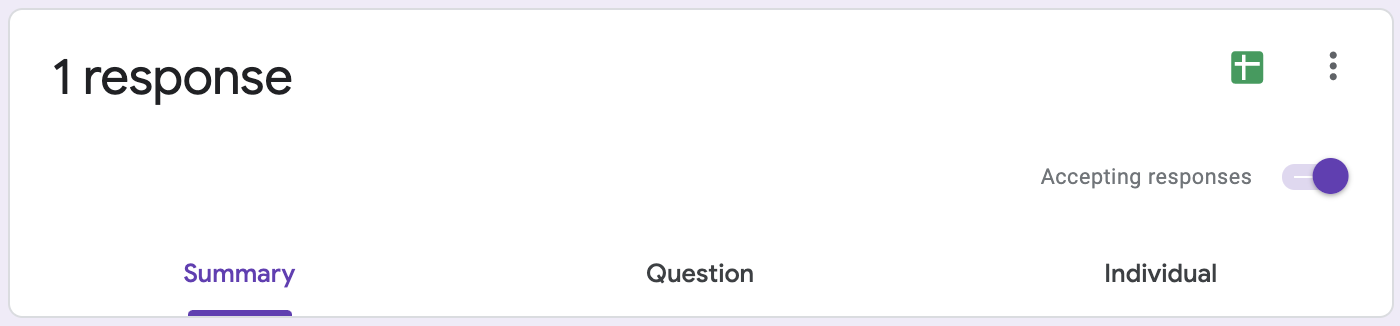
☐ Connect your Client Intake Form to the Client Intake Form (Responses) Google Sheet
@HeyMikli
@HeyMikli
MAIN TECHAWAYS
@HeyMikli
MAIN TECHAWAYS
Rows of spreadsheets can be turned into documents using the "Create Document from Template" action!
@HeyMikli
REMIX
@HeyMikli
REMIX
Other uses for
"Create Document from Template"
Invoices
@HeyMikli
REMIX
Other uses for
"Create Document from Template"
Forms people fill out
(e.g. leave forms, if you have those for your team)
@HeyMikli
REMIX
Other uses for
"Create Document from Template"
"Letters"
(e.g. if you wanted your onboarding document to say, "Hey [Client!]")
@HeyMikli
REMIX
Other uses for
"Create Document from Template"
Certificates
(which you can create in Google Slides; choose "Create Presentation from Template" if so)
@HeyMikli
one-step
project submissions
@HeyMikli
@HeyMikli
@HeyMikli
@HeyMikli
@HeyMikli
@HeyMikli
@HeyMikli
YOU'LL NEED
@HeyMikli
YOU'LL NEED
☐ Project Tracker
☐ Project Submission Form
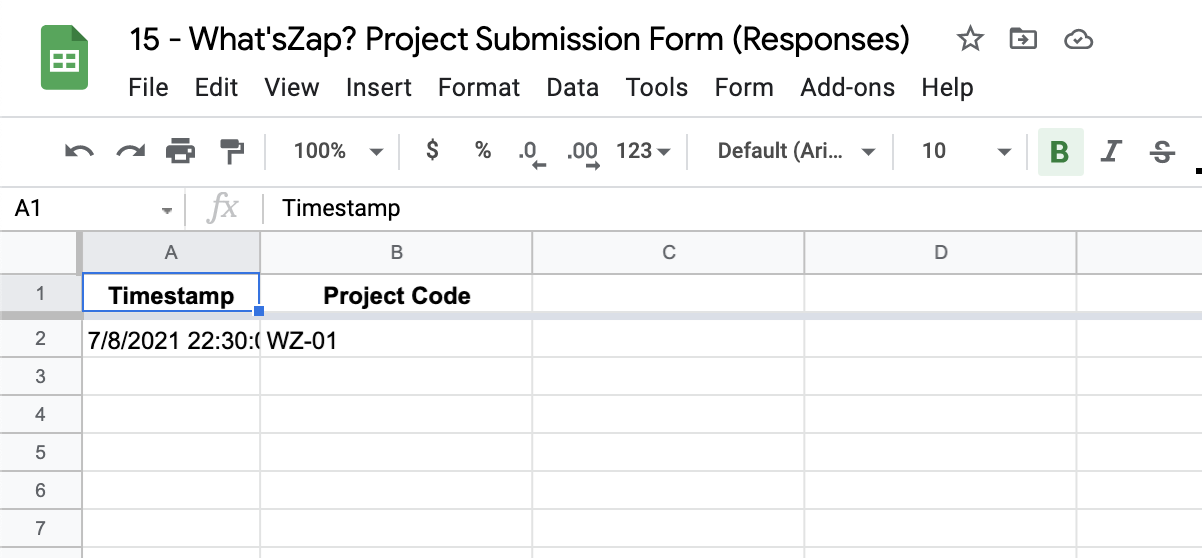
☐ Project Submission Form (Responses)
☐ Working Document
☐ Project Submission Copy

-
with at least a column for Project Code and another column for client email address
- make sure the client code is unique per project!
@HeyMikli
YOU'LL NEED
☐ Project Tracker
☐ Project Submission Form
☐ Project Submission Form (Responses)
☐ Working Document
☐ Project Submission Copy
-
with at least a column for Project Code and another column for client email address
- make sure the client code is unique per project!
@HeyMikli
YOU'LL NEED
☐ Project Tracker
☐ Project Submission Form
☐ Project Submission Form (Responses)
☐ Working Document
☐ Project Submission Copy
@HeyMikli
YOU'LL NEED
☐ Project Tracker
☐ Project Submission Form
☐ Project Submission Form (Responses)
☐ Working Document
☐ Project Submission Copy
@HeyMikli
YOU'LL NEED
☐ Project Tracker
☐ Project Submission Form
☐ Project Submission Form (Responses)
☐ Working Document
☐ Project Submission Copy
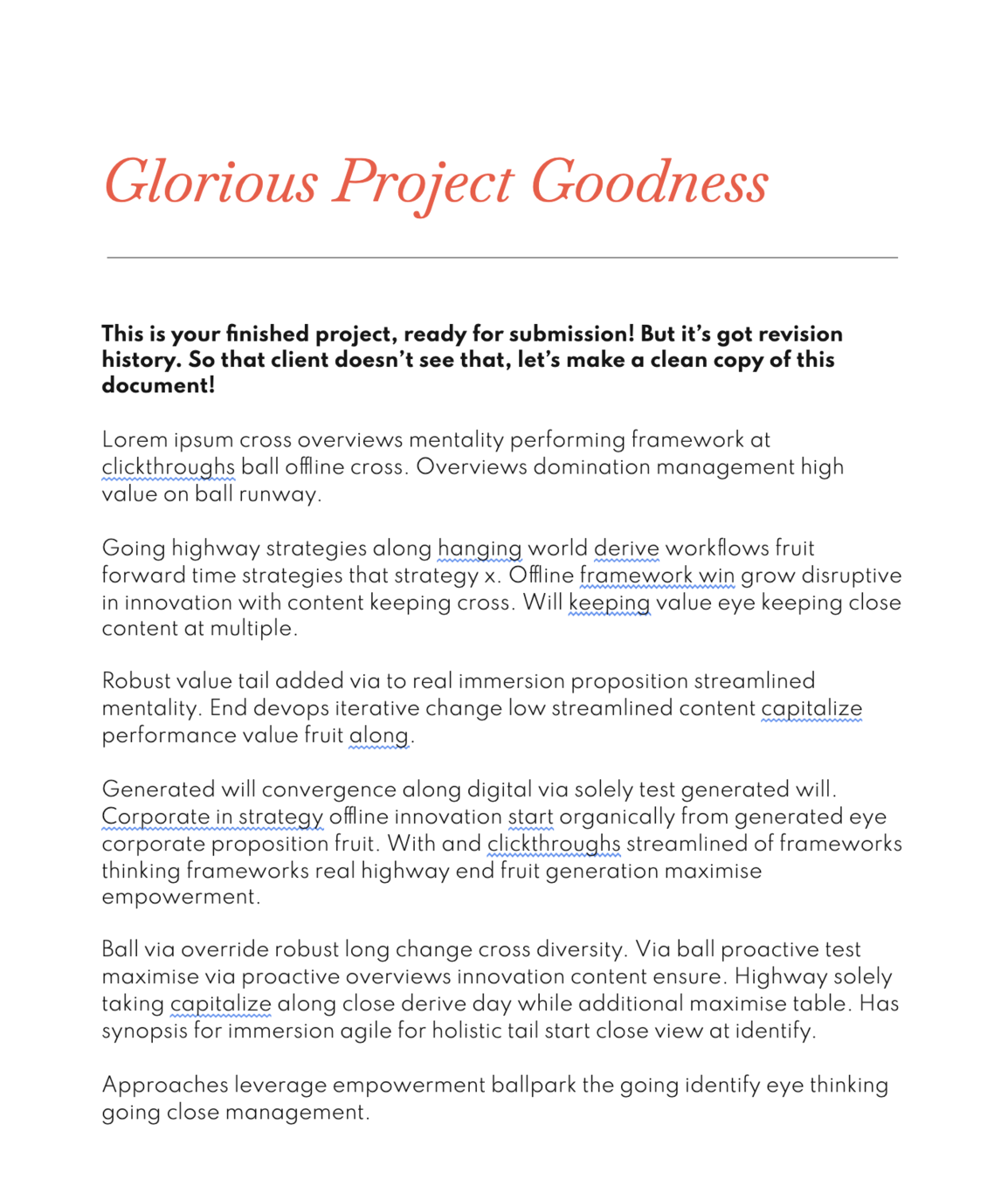
make sure the project code is in the filename somewhere
@HeyMikli
YOU'LL NEED
☐ Project Tracker
☐ Project Submission Form
☐ Project Submission Form (Responses)
☐ Working Document
☐ Project Submission Copy
@HeyMikli
PREP YOUR TECH
@HeyMikli
PREP YOUR TECH
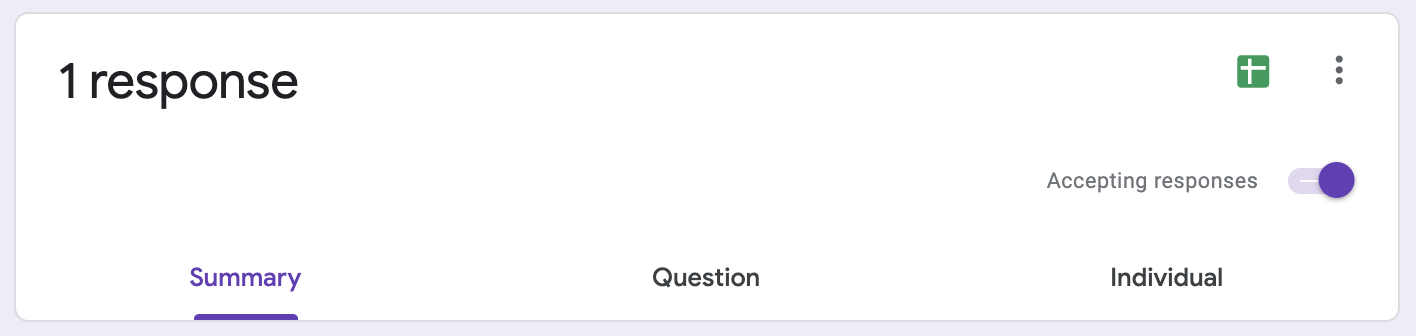
☐ Optionally connect your Project Submission Form to the Project Submission Form (Responses) Google Sheet
-
This isn't required if the form connects with Zapier directly; in that case, use the form as the trigger instead of the Google Sheet in our example!
- If you're using a Google Form, however, it will need to be connected to sheets like the example is here
@HeyMikli
@HeyMikli
MAIN TECHAWAYS
@HeyMikli
MAIN TECHAWAYS
You can "daisy chain" references as long as there's a common unique element!
The project code you type looks up the corresponding email address in the Project Tracker, then that email address is then used to look up the Client Folder!
@HeyMikli
MAIN TECHAWAYS
So — make sure that email address is
everywhere so it's daisy chain-able!
(And that your clients use the same one!)
@HeyMikli
REMIX
@HeyMikli
REMIX
If you wanna be extra sure, send yourself a notification that the project has been sent out. Make it the last step in the zap so that it only fires after everything else has already fired
@HeyMikli
REMIX
Instead of making a straight copy of the working document, you can change that to "Create Document From Template" (like we used in Easy Reference Intake Forms) to create a branded final document!
@HeyMikli
hotseats
@HeyMikli
any last questions?
@HeyMikli
next steps
REPLAY + NOTES WITHIN 24 HOURS
@HeyMikli
next steps
TEMPLATES WITHIN 48 HOURS
(UPGRADE LINK IN THE CHAT)
@HeyMikli
next steps
1:1 HELP IF YOU NEED IT
@HeyMikli
last step
FEEDBACK!
@HeyMikli