polymer
Loretta TIOIELA
25th OCT 2014, GDG Devfest Singapore
platform.js
WeB components-Overview of the technoloGies
- CUSTOM ELEMENTS
- HTML IMPORT
- SHADOW DOM
- WEB ANIMATION
DOM:
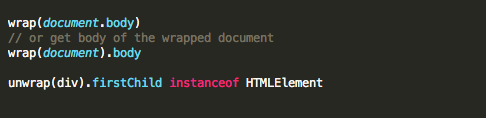
URL.: Parse URLs in JavaScript.
WeakMap: Shim for ES6 WeakMap type.
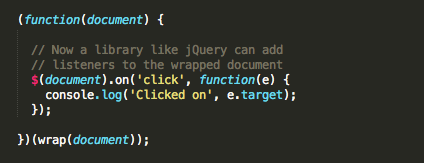
Mutation Observers: Efficiently watch for changes in the DOM.
observe-js: Observe changes on JS objects/arrays using Object.observe (if available).
OTHER:
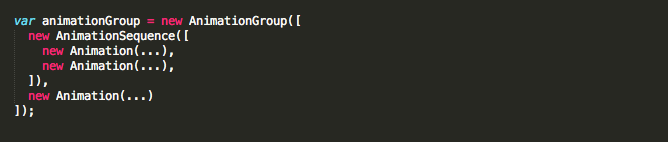
Web Animations: Define complex timeline animations.
CUSTOM ELEMENTS
A way to build custom fully featured DOM elements providing thus to the parser information on :
- how to properly construct an element
- how to react to life cycle changes on this
Rationalizing the Web platform in concert with existing feature such as HTML elements
Concepts
STEP 1: ELEMENT CREATION:
Creating for the custom element an interface prototype object,
custom element prototype
Describing the custom element , custom element definition, which consist of:
- custom element type
- local name
- namespace
- custom element prototype
- life cycle callbacks
STEP 3: ELEMENT REGISTRATION:
Adding a custom element definition to the registry associated to the document to which belong the custom element
STEP 4: ELEMENT INSTANCIATION
STEP 5: ELEMENT INSERTED INTO ACTIVE DOCUMENT
STEP 6: ELEMENT REMOVED FROM ACTIVE DOCUMENT
STEP 7: ELEMENT ATTRIBUTES ADDED, CHANGED, REMOVED
USE CASE: EXTENDING AN EXISTING ELEMENT
Custom elements lifecycle
Various callbacks can be invoked when a custom element goes through its lifecycle.
These calls,lifecycle callbacks, are stored internally as a collection of key-value pairs.
4 types of lifecycle callbacks:
ENQUEUING & INVOKING CALLBACKS:
Creating & passing registries
When a HTML document is loaded in a browsing context, a new registry must be created and associated with this document
REGISTERING CUSTOM ELEMENTS
Because element registration can occur at any time, a custom element could be created before its definition is registered, such elements are called unresolved element.
PARSING CUSTOM ELEMENTS
To enable instant orating custom elements during tree construction, a conforming UA must run enqueue created callbacks whenever creating a custom element.
Algorithms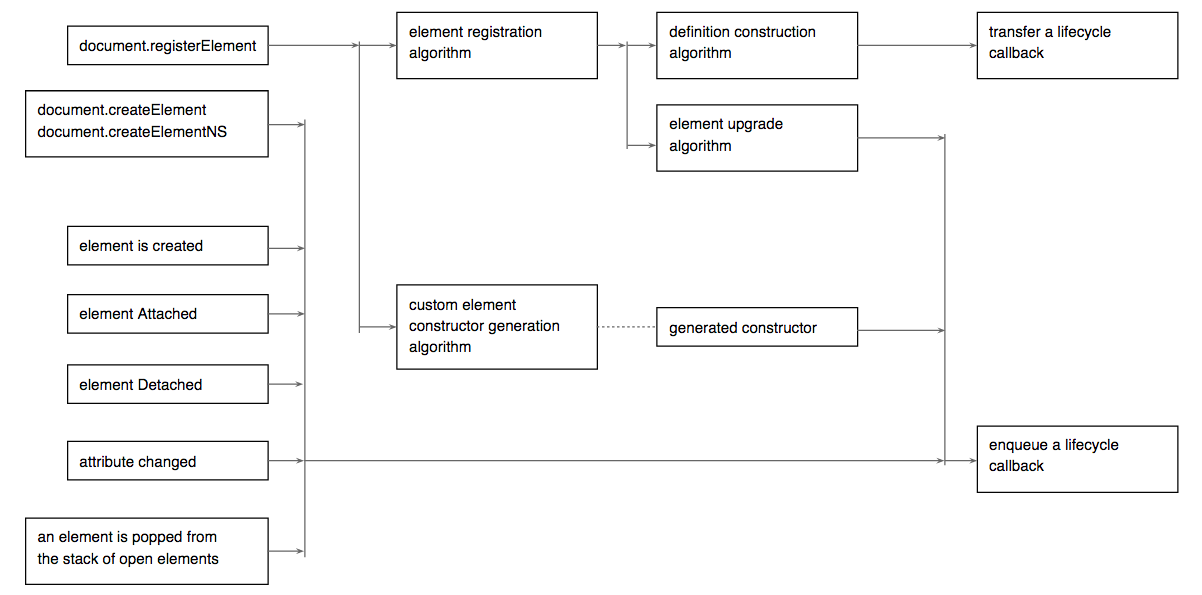

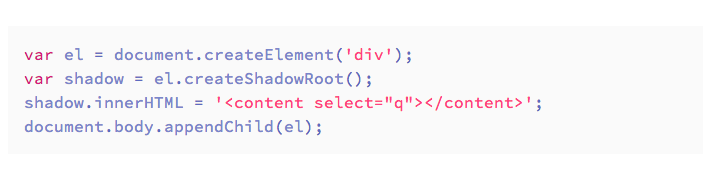
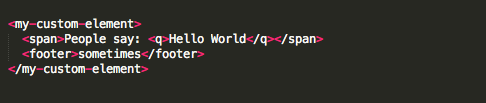
Shadow dom
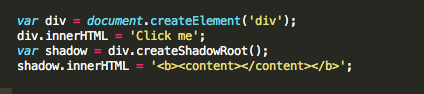
Shadow DOM is designed to provide encapsulation by
- combining multiple DOM trees into one hierarchy
- specifying how these trees interact with each other within the same document

HTML IMPORT


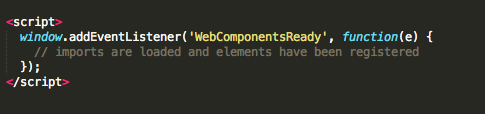
WEB ANIMATION
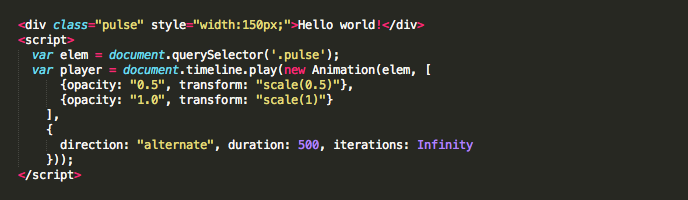

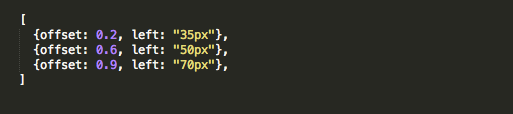

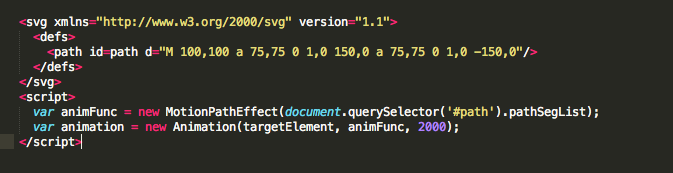








polymer.js
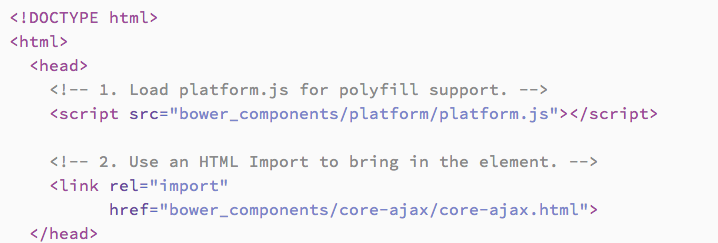
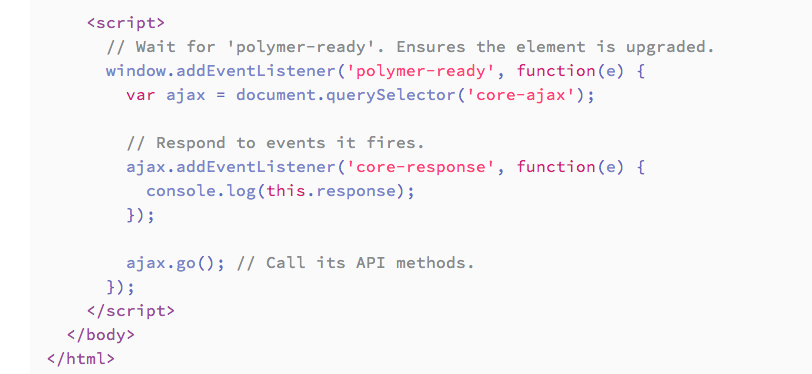
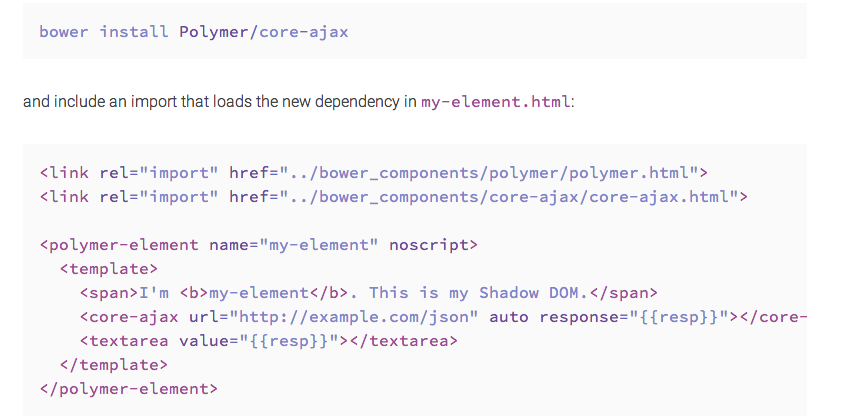
POLYMER USING ELEMENTS
Polymer contains two primary collections of elements:
Polymer Core elements: A set of utility elements including :
general-purpose UI elements (such as icons, layout elements, and toolbars),
as well as non-UI elements providing features like AJAX, signaling and storage.
Paper elements. A set of UI elements that implement the material design system.

PASSING OBJECT / ARRAY AS ATTRIBUTES

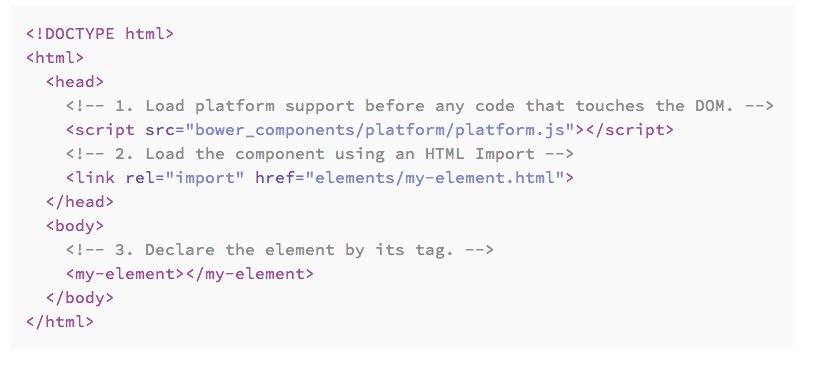
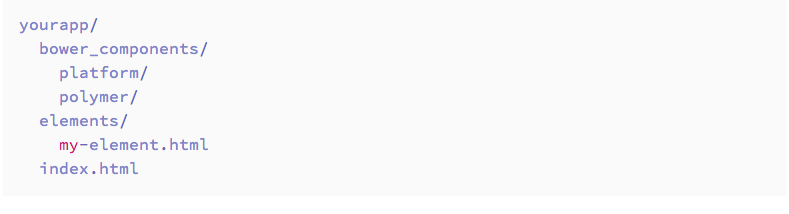
POLYMER CREATING ELEMENTS
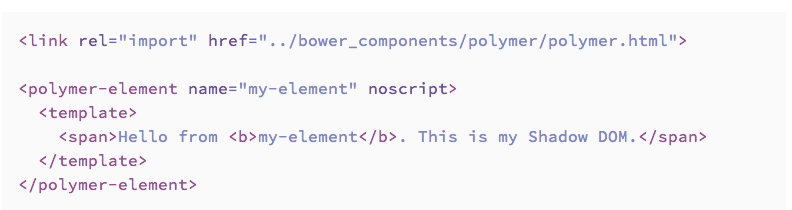
Polymer makes it simple to create web components, declaratively.
Custom elements are defined using our custom element, <polymer-element>, and can leverage Polymer’s special features.
These features reduce boilerplate and make it even easier to build complex, web component-based applications:
Two-way data binding
Declarative event handing
Declarative inheritance
Property observation
Dynamic templates
Touch/gesture support
…
ADDITIONAL FEATURES
POLYMER & DATA BINDING
Polymer supports two-way data binding.
Data binding extends HTML and the DOM APIs to support a sensible separation between:
the UI (DOM) of an application
and its underlying data (model).
Updates to the model are reflected in the DOM and user input into the DOM is immediately assigned to the model.
For Polymer elements, the model is always the element itself.
POLYMER HELPER METHODS
Polymer library provides a set of helper methods on the Polymer object, such as:
- dynamically importing files,

- using mixins,

- and managing element registration,
Polymer.waitingFor helper returns a list of <polymer-element> tags that are blocking registration.
Polymer.forceReady notifies Polymer to register all available elements immediately, ignoring any incomplete elements.
POLYMER LAYOUT ATTRIBUTES
Polymer includes a declarative layout system built on top of CSS Flexbox. Features in CSS Flexbox are exposed as attributes you include on elements.
The layout attributes are implemented in layout.html - a file included whenever you import Polymer in your element.
Layout attributes use Shadow DOM’s /deep/ rules and therefore, work across all Shadow DOM boundaries. As long as you’re loading Polymer, feel free to reuse these attributes in your own elements.
POLYMER & STYLING ELEMENTS
In addition to the standard features for styling Custom Elements, Polymer contains extra goodies for fully controlling element styling including :
Flash-of-Unstyled-Content (FOUC) prevention,
the specifics on how the the Shadow DOM polyfill applies styles,
and workarounds for current limitations.
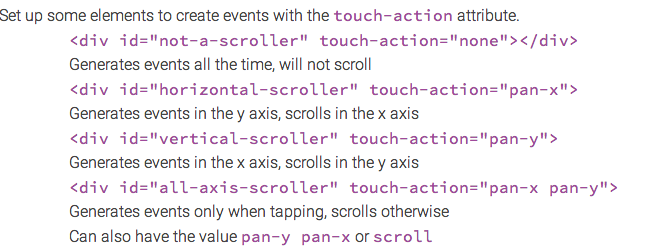
POLYMER TOUCH & GESTURES
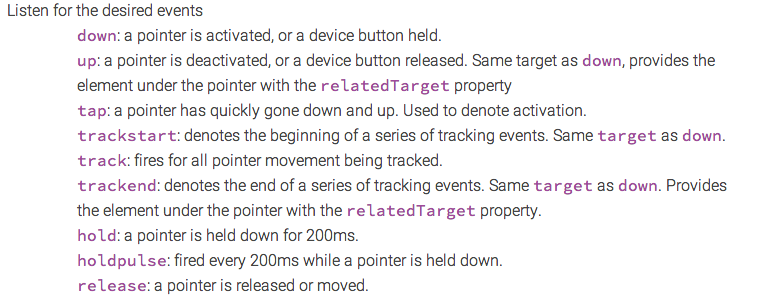
Mouse events and Touch events are fundamentally different beasts in browsers today, and that makes it hard to write cross-platform apps.
To reduce the overhead involved in managing both event systems, polymer-gestures provides a set of normalized events, which behave the same no matter what the source.
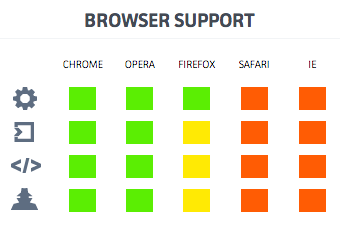
BROWSER SUPPORT