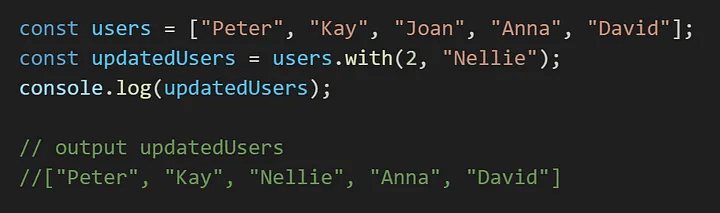
New JavaScript Features in 2024

Records and Tuples
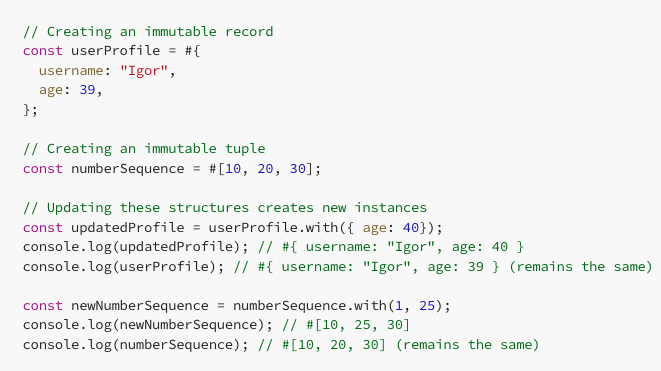
These immutable data structures are similar to objects and arrays, respectively, but cannot be modified after creation. For example, updating a record or tuple results in a new instance:
Temporal
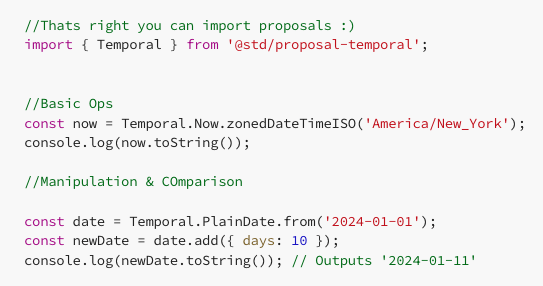
This object offers several factory methods to create Temporal values for the current time.
Getting the current instant in UTC
Temporal.Now.instant().toString()
Getting the current zoned date-time in a specific timezone
Temporal.Now.zonedDateTimeISO('Asia/Shanghai').toString()
Getting the current plain date-time in ISO format
Temporal.Now.plainDateTimeISO().toString()
Getting the current plain time in ISO format
Temporal.Now.plainTimeISO().toString().
Properties of ZonedDateTime.prototype
The ZonedDateTime class in Temporal has several properties and methods that allow detailed manipulation and retrieval of date-time information.
- These include getters for calendar, timezone, year, month, day, hour, minute, second, and even nanoseconds.
-
It also includes methods like
.with(),.add(),.subtract(),.until(),.since(), and.round(), providing extensive functionality for working with zoned date-time values.
Plain Time Classes in Temporal
Temporal introduces “plain” classes, which are abstract representations of time without a time zone.
- These classes include
PlainDateTime,PlainDate, andPlainTime. - They are useful for displaying wall-clock time in a given time zone or for time computations where the time zone is irrelevant, like finding the first Tuesday of June 1984.
Ergonomic Brand Checks
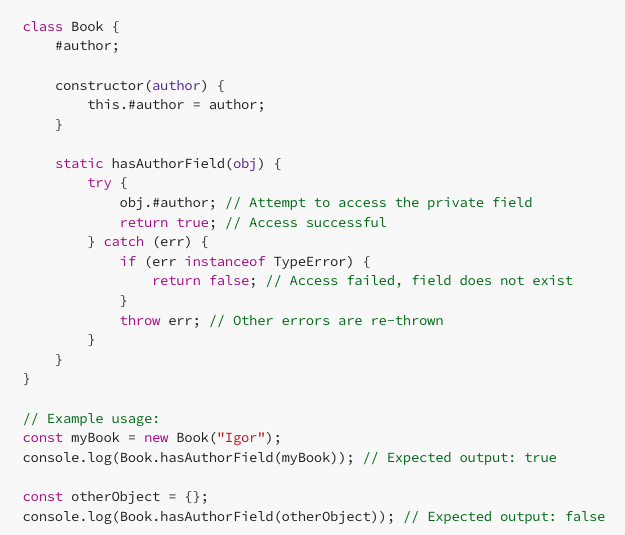
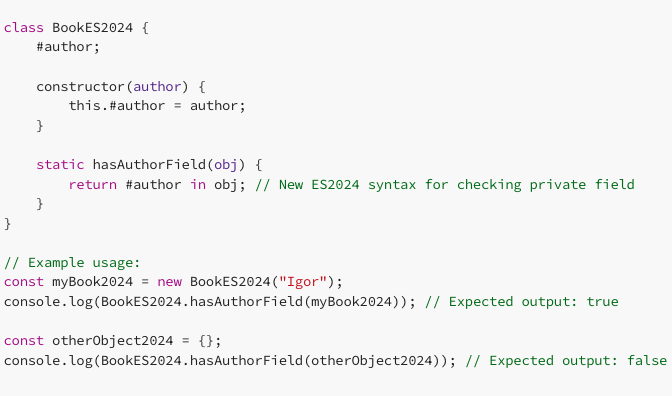
Simplifies checking an object’s type in custom classes and data structures, making type verification more intuitive and less error-prone. See you later boilerplate!
Traditional Method (Before ES2024)
New ES2024 Method
In this example, the class Book demonstrates the traditional method, while BookES2024 uses the new ES2024 syntax. The hasAuthorField static method checks for the presence of the private field #author in an object, using different approaches in each class.
Array Grouping
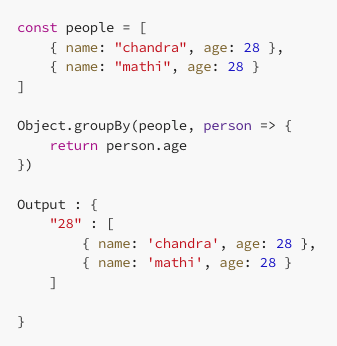
One of the most awaited features in JavaScript is native array grouping. Traditionally, developers have relied on libraries like lodash to achieve this functionality. However, with the latest JavaScript update, array grouping becomes a built-in feature, eliminating the need for external dependencies.
Promise.withResolvers()
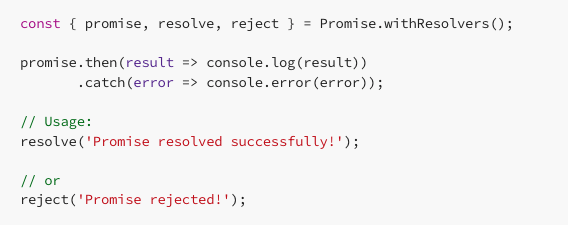
The Promise.withResolvers() method introduces a more flexible approach to working with promises. It allows for the creation of promise instances along with their resolve and reject functions, enabling cleaner and more concise asynchronous code.
Array.fromAsync for JavaScript

toSorted()
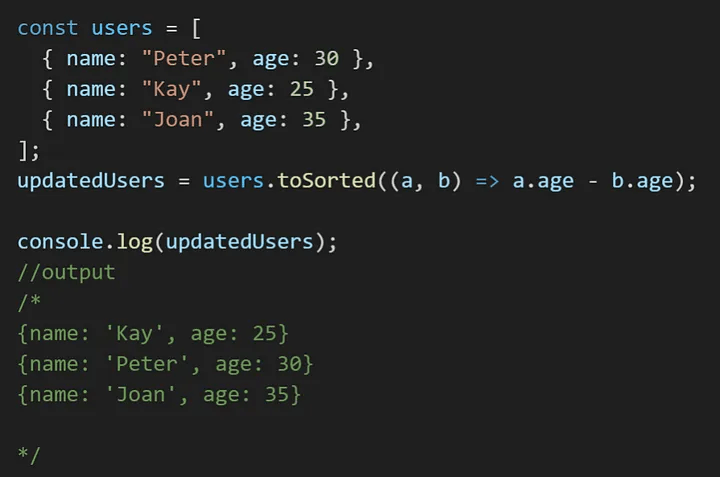
The toSorted() method works just like sort(), but instead of changing the original array, it makes a new one.
Before the toSorted() method came along, we used the slice() method to make a fresh copy of all the elements from the original array. Then, apply the sort() method on the copied array
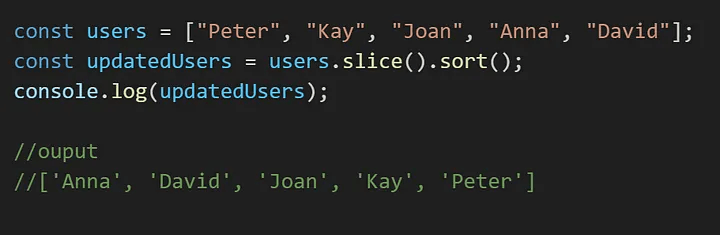
.toSorted()
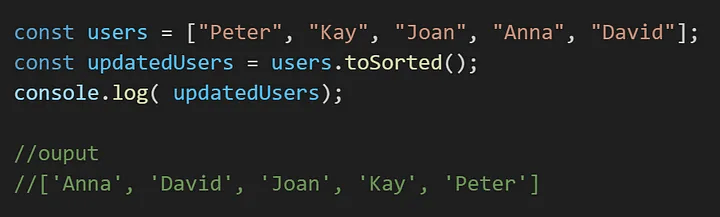
.toSorted() on strings
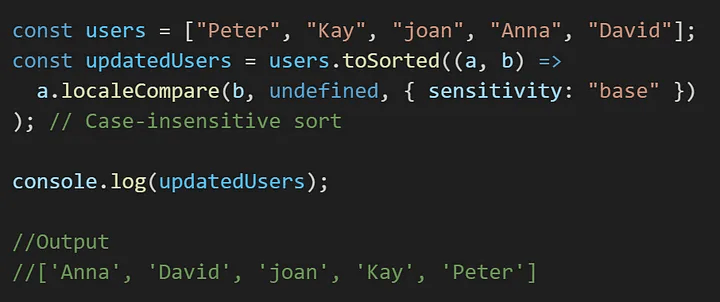
.toSorted() on numbers
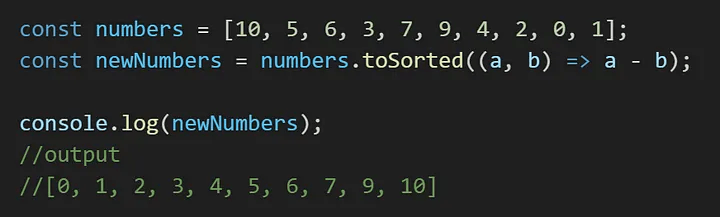
.toSorted() on objects
toReversed()
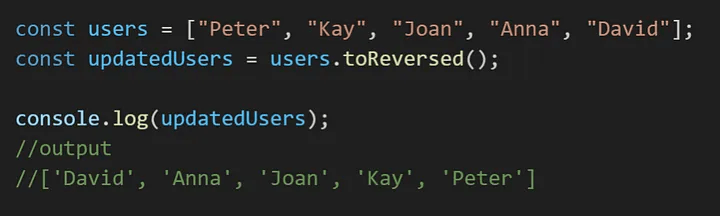
The toReversed() method is used to reverse the order of elements in an array meaning it changes the sequence of elements in an array.
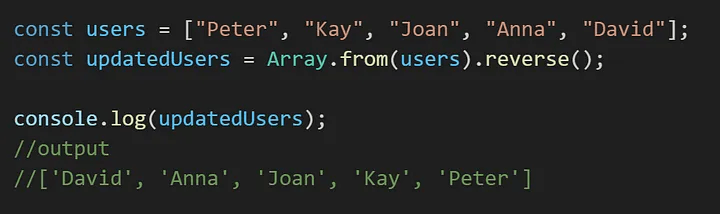
Before the introduction of the toReversed() method, if you wanted to create a reversed copy of an array without modifying the original, you had to first make a clone of it and then reverse the clone.
.toReversed()
.reverse()
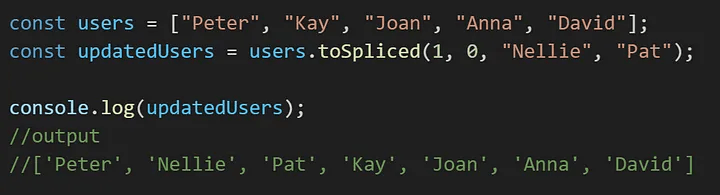
toSpliced
(startIndex, count, itemN)
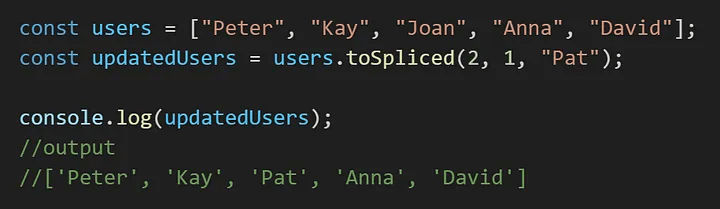
The toSpliced() method can change several elements in an array. It has a starting point (the first element it changes) and an endpoint (the last element it changes). The method can Extract elements, Insert elements and Replace elements. When using the toSpliced() it gives you a copy of the array with the changes you specified.
syntax:
startIndex: This is where the changes begin. By default, it’s set to 0.
count: This tells us how many elements to change, starting from startIndex. The default is 0.
item(optional): These are the new values for the array element(s). If you want to add more than one, just use a comma to separate them.
Replacing an item(s)
Inserting an Item(s)
with()
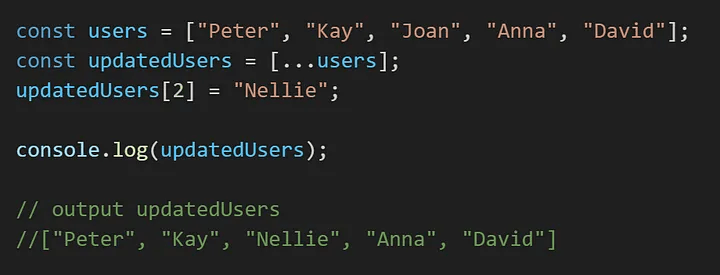
The with() method for Array instances is like making a copy of the array and changing a specific value using square brackets. It gives you a new array where the element at a certain position is replaced with a new value.
.with()