HTML and CSS
HTML
Hyper Text Markup Language
HTML
Sederhananya, cuma simpel teks file yang berekstensi `.html`
Buat teks dan simpan dengan nama halo.html
Ini adalah html web pageApa kesimpulan dari slide sebelumnya?
Browser parsing & evaluating this file is a text and valid html
Commenting text
The browser will ignore and not display the text
Comment syntax
<!-- tidak di tampilkan oleh browser -->
<!-- berguna untuk memberi komentar /dokumentasi saat development -->
Tags, Attributes and Elements
<!DOCTYPE html>
<html>
<body>
    ini adalah html web page
</body>
</html>
Perbarui file sebelumnya
Document type Declaration
- <DOCTYPE html>
<!DOCTYPE html>Hanya menginformasikan ke browser bahwa kita menggunakan HTML5
Opening Tag
- <html>
- <body>
<html><body>Closing Tag
- <html>
- <body>
</html></body>Attributes
- <tag attribute="value"></tag>
<tag attribute="value"></tag><div id="container" class="initial"></div>
Opening Tag
Closing Tag
Attributes
HTML


Elements
- <title>Ini disebut element title</title>
<title>Ini disebut element title</title>Apa yang ingin kita lihat di web browser itu disebut element
Page Title
<head>
    <title>My web page</title>
</head>
<!DOCTYPE html>
<html>
<head>
<title>My web page</title>
</head>
<body>
ini adalah html web page
</body>
</html><!DOCTYPE html>
<html>
<head>
<title>My web page</title>
</head>
<body>
<p>ini adalah html web page</p>
</body>
</html>Types of Body Tag
- Text
- Links
- Lists
- Tables
- Images
Tag / Element to show a text
- Headings with abbrev h1-h6
- Paragraph with abbrev p
Headings
- <h1></h1>
- <h2></h2>
- <h3></h3>
- <h4></h4>
- <h5></h5>
- <h6></h6>
Headings
-
H1 is primary
-
H1 should only once in page
-
H2-H6 is a secondary element
Paragraph
<p>Ini paragraph teks</p><!DOCTYPE html>
<html>
<head>
<title>My web page</title>
</head>
<body>
<h1>My first web page</h1>
<h2>What this is</h2>
<p>A simple page put together using HTML</p>
<h2>Why this is</h2>
<p>To learn HTML</p>
<p>ini adalah html web page</p>
</body>
</html>Fact:
Browser don't care about how many white spaces in html
Two kinds of types element
- Block type such as div element
- Inline type such as span element
<div>
  ini element block
  <p>
    ini paragraf
    <span>ini inline span didalam pargraf</span>
  </p>
</div>
Line break `<br>`
<strong>Ini bold teks</strong><br>
<p>Ini adalah html web page</p>
Line separator `<hr>`
<p>Ini bold teks</p>
<hr>
<p>Ini adalah html web page</p>
Lists
- ul > li untuk unordered lists
- ol > li untuk ordered lists
- dl > dt, dd untuk definition lists
<!DOCTYPE html>

<html>

<head>
    <title>My first web page</title>
</head>

<body>
    <h1>My first web page</h1>

    <h2>What this is</h2>
    <p>A simple page put together using HTML</p>

    <h2>Why this is</h2>
    <ul>
        <li>To learn HTML</li>
        <li>To show off</li>
        <li>Because I've fallen in love with my computer and
         want to give her some HTML loving.</li>
    </ul>

</body>

</html>
<!DOCTYPE html>
<html>
<head>
<title>My first web page</title>
</head>
<body>
<h1>My first web page</h1>
<h2>What this is</h2>
<p>A simple page put together using HTML</p>
<h2>Why this is</h2>
<ul>
<li>To learn HTML</li>
<li>
To show off
<ol>
<li>To my boss</li>
<li>To my friends</li>
<li>To my cat</li>
<li>To the little talking duck in my brain</li>
</ol>
</li>
<li>Because I've fallen in love with my computer and
want to give her some HTML loving.</li>
</ul>
</body>
</html>Common Characters (charsets) encoding:
-
-
<
-
>
-
©
-
—
Types of meaning element and used the same as block element div:
-
header element
-
section element
-
article element
-
footer element
-
hgroup element
-
nav element
-
figure element
-
address element
href
- bisa link ke berbeda alamat web
- bisa link ke page yang sama
Images
- To show an image in web page
<img src="https://www.xcidic.com/static/xcidic-logo.svg" width="120" height="90" alt="Xcidic.com">
html
head
body
title
style
script
meta
link
h1
div
img
footer
ul
text
span
a
p
text
li
li
script
Hierarchy
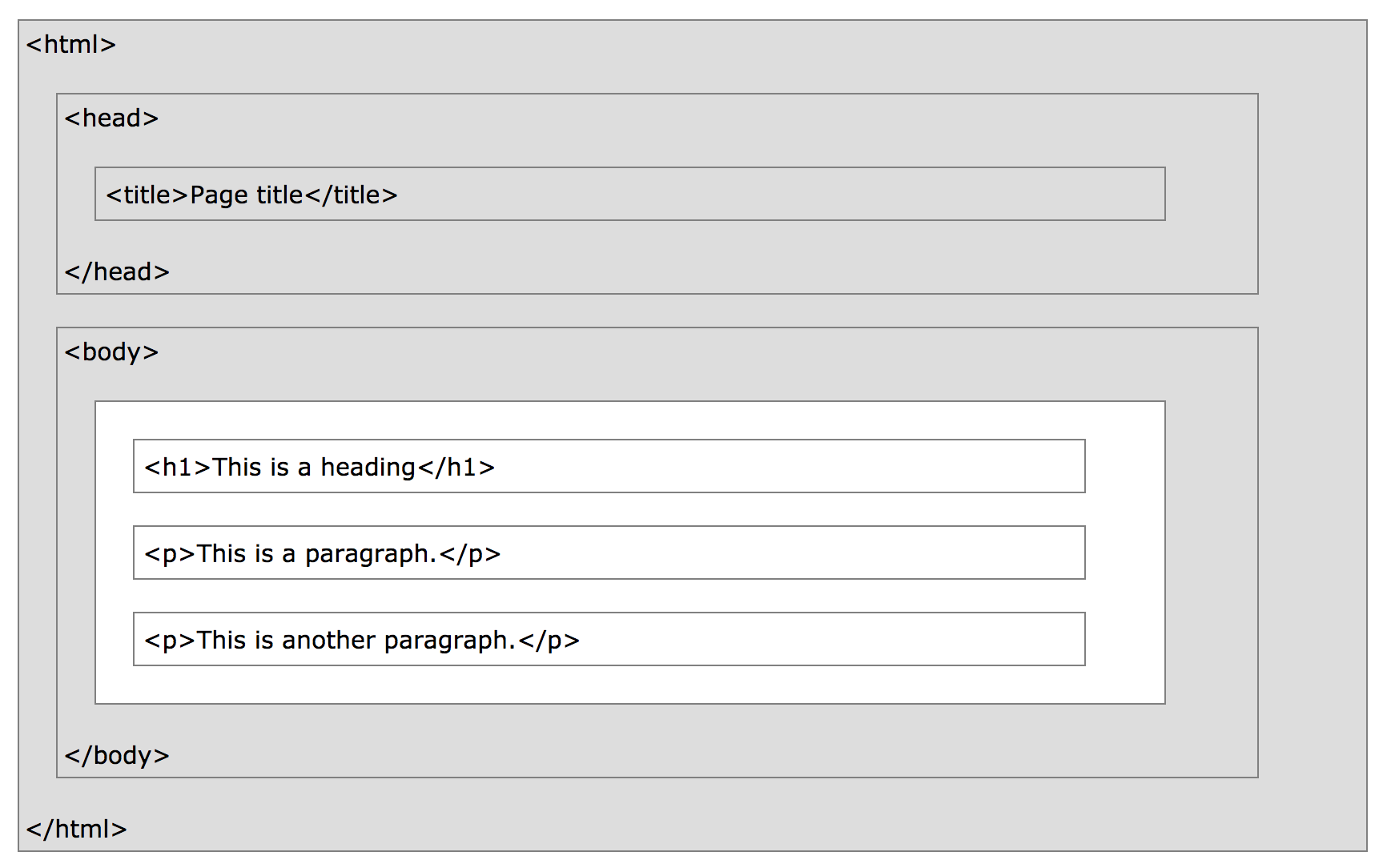
HTML Structure
Other inline & formatting elements:
Element <em>
Element <strong>
Element <i>
Element <b>
Element <q>
Element <blockquote>
Element <cite>
Element <abbr>
Element <sub>
Element <sup>
Let's try
Strong
<strong>Ini bold teks</strong>Emphasis
<em>Ini italic teks</em>Links
- All links together
The “H” and “T” in “HTML” stand for “hypertext”, which basically means a system of linked text.
<a href="https://www.google.com">Google</a>Tables
-
table - tr
- td
- th
- caption
- thead
- tbody
- tfoot
<table>
    <tr>
        <td>Row 1, cell 1</td>
        <td>Row 1, cell 2</td>
        <td>Row 1, cell 3</td>
    </tr>
    <tr>
        <td>Row 2, cell 1</td>
        <td>Row 2, cell 2</td>
        <td>Row 2, cell 3</td>
    </tr>
    <tr>
        <td>Row 3, cell 1</td>
        <td>Row 3, cell 2</td>
        <td>Row 3, cell 3</td>
    </tr>
    <tr>
        <td>Row 4, cell 1</td>
        <td>Row 4, cell 2</td>
        <td>Row 4, cell 3</td>
    </tr>
</table>
<table>
<thead>
<tr>
<th>Month</th>
<th>Savings</th>
</tr>
</thead>
<tbody>
<tr>
<td>January</td>
<td>$100</td>
</tr>
<tr>
<td>February</td>
<td>$80</td>
</tr>
</tbody>
<tfoot>
<tr>
<td>Sum</td>
<td>$180</td>
</tr>
</tfoot>
</table>Forms
-
form - input
- textarea
- select
- option
<form action="contactus.php" method="post">

    <p>Name:</p>
    <p><input type="text" name="name" value="Your name"></p>

    <p>Species:</p>
    <p><input name="species"></p>
    <!-- remember: 'type="text"' isn't actually necessary -->

    <p>Comments: </p>
    <p><textarea name="comments" rows="5" cols="20">Your comments</textarea></p>

    <p>Are you:</p>
    <p><input type="radio" name="areyou" value="male"> Male</p>
    <p><input type="radio" name="areyou" value="female"> Female</p>

    <p><input type="submit"></p>

</form>
CSS
Cascading Style Sheets
Menerapkan CSS
- Inline
- internal
- external
Inline
-
<p style="color: red">text</p>
Internal
<!DOCTYPE html>
<html>
<head>
<title>CSS Example</title>
<style>

    p {
        color: red;
    }

    a {
        color: blue;
    }

</style>
External
p {
    color: red;
}

a {
    color: blue;
}- css file (style.css)
<!DOCTYPE html>
<html>
<head>
    <title>CSS Example</title>
<link rel="stylesheet" href="style.css">- import di html file
Selectors, Properties and Values
body {
    font-size: 14px;
    color: navy;
}
Selector
property
value
opening declaration
ingat semicolon
closing declaration

Colors
- define with color name
- define with rgb
- define with hexadecimal
Colors
- red
- rgb(255,0,0)
- rgb(100%,0%,0%)
- #ff0000
- #f00
Text
- font
- font-family
- font-size
- font-weight
- font-style
- text-decoration
- text-transform
- letter-spacing
- word-spacing
- line-height
- text-align
- text-indent
Margins and Padding
- margin (jarak antara element)
- padding(jarak di dalam element)
Box Model


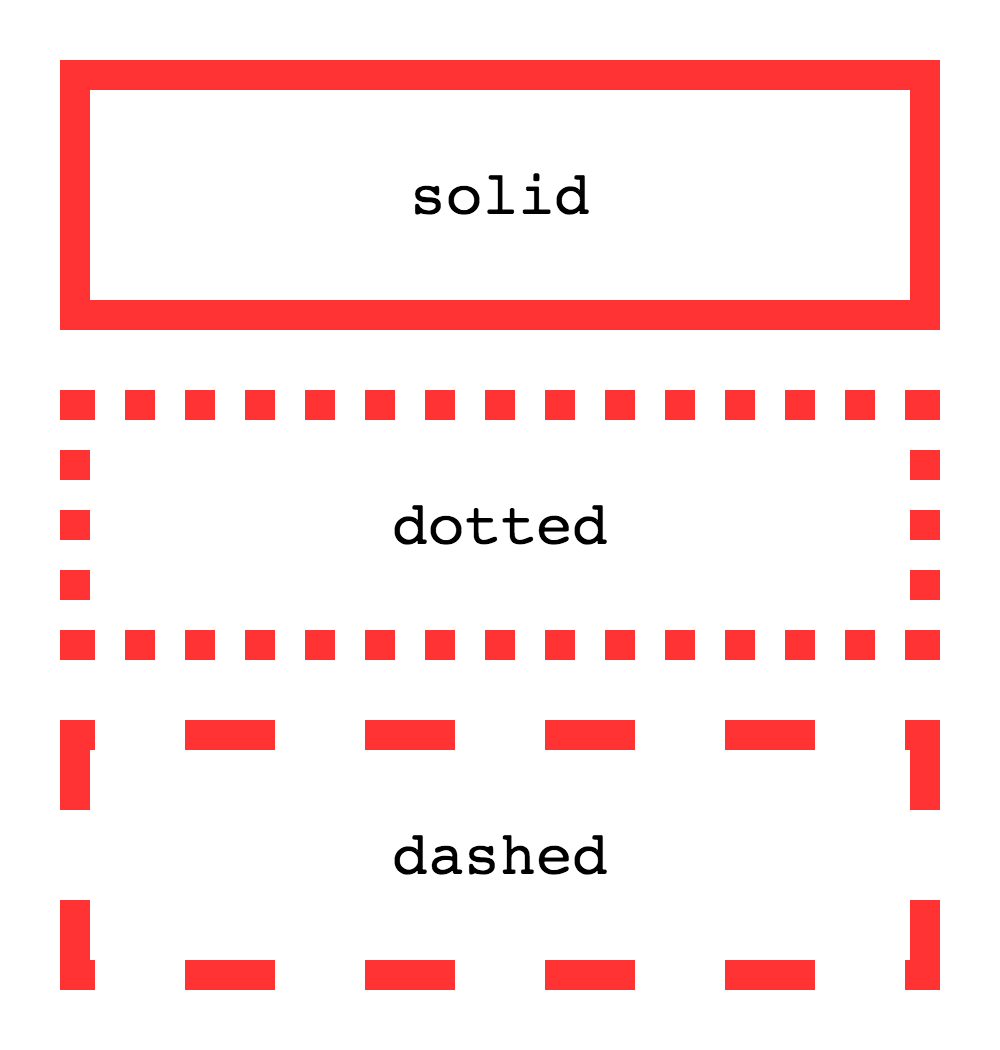
Border