Xploring React
Become Hype Programmer
Abdul Fattah Ikhsan
🧕
👶
🏢
Xcidic
🏠
Bekasi

Wife
Baby boy


Workshop Covers
- Quick Review HTML & CSS
- Fundamental Modern JavaScript
- React Element
- JSX
- React Lifecycle
- Custom Component
- PropTypes
- Styling
- Event Handlers
- State
- DOM Manipulation
- Forms
- HTTP / Fetch
You achieve:
- Able to Create SPA(Single Page Application) Website using React library
The Workshop is NOT:
- 100% Basic HTML, CSS & JavaScript
- 100% practical of CSS
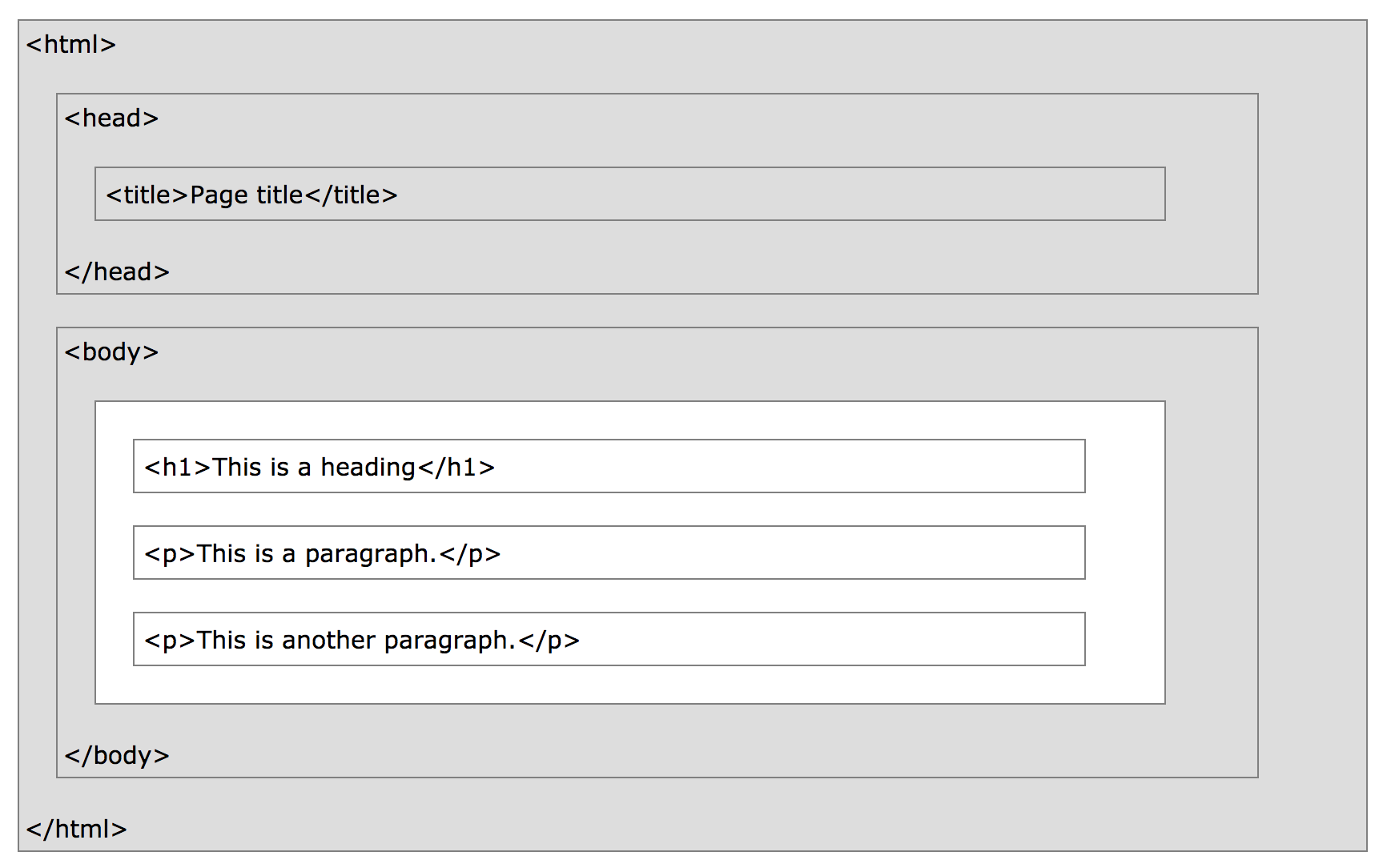
HTML
<!DOCTYPE html>
<html>
  <head>
    <title>Page title</title>
  </head>
  <body>

    <h1>My First Heading</h1>
    <p>My first paragraph.</p>

  </body>
</html>
Simple Document
<tagname>content goes here...</tagname>
Formula
HTML Structure
CSS
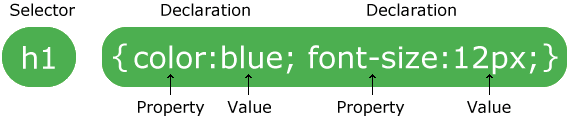
Syntax
body {
    background-color: lightblue;
}

h1 {
    color: white;
    text-align: center;
}

p {
    font-family: verdana;
    font-size: 20px;
}
Formula
Bring it up together
<!DOCTYPE html>
<html>
  <head>
    <title>Page title</title>

    <!-- External stylesheet -->
    <link rel="stylesheet" type="text/css" href="external.css">

    <!-- Internal stylesheet -->
    <style>
      body {
        background-color: lightblue;
      }

      h1 {
        color: white;
        text-align: center;
      }

      p {
        font-family: verdana;
        font-size: 20px;
      }
    </style>
  </head>
  <body>
    <h1>My First Heading</h1>

    <!-- Inline styles -->
    <h2 style="color:blue;margin-left:30px;">This is a heading</h2>

    <p>My first paragraph.</p>
  </body>
</html>
JavaScript
"This is a string with double quotes"

'This is a string with "single quotes"'
String
Number
// Positif Integer
50

// Negatif Integer
-50

// Decimal
8.5
Object
{
   thisIsAKey: "this is a value",
   keyWithValueNumber: 42,
   keyWithNestedObject: {
     nest: 1,
   },
}
Array
// collection of string
[ "array", "string" ]

// collection of number
[12, 32, -5, 1.5]

// collection of object
[
  {
    name: "ikhsan",
    age: 19,
  },
  {
    name: "yugo",
    age: 50,
  },
]

// collection of anything
[
  {
    name: "ikhsan",
    age: 19,
  },
  20,
  "hello world",
  ['multi', 'talent'],
]
Declaration
// with var

var name = "ikhsan"

// with let

let person = {
  name: "ikhsan"
}

// access object

console.log(person.name)

//or

console.log(person['name'])

// with const

const people = [name, person]

// access array by index

console.log(people[0])
console.log(people[1])
Function
// function declaration or statement

function funcName(param1, param2) {
  return param1 * param2
}

// function expression
var funcName = function(param1, param2) {
  return param1 * param2
}

// arrow function
const arrow = (a) => console.log(a)

// anonymous function

function () {}
() => {}

// invoking function or calling function

funcName(2, 3)

// self-invoking or called "IIFE"

(function() {
  console.log('self invoking')
})()
Class
class Greet {
  constructor(firstName, lastName) {
    this.firstName = firstName
    this.lastName = lastName
  }

  // class method (prototype)

  greeting() {
    // concatenation with template literal
    return `Hello, ${this.firstName} ${this.lastName}`
  }

}

const person = new Greet("Abdul", "Fattah")
const greeting = person.greeting() // access greeting property method

console.log(greeting)
Importing
<!-- Old school -->
<!-- internal javascript -->
<script type="text/javascript">
  console.log('old school')
  console.log('Internal script')
</script>

<!-- external javascript -->
<!-- HTML4 and (x)HTML -->
<script type="text/javascript" src="javascript.js"></script>

<!-- HTML5 -->
<script src="javascript.js"></script>
JS Modules
//------ lib.js ------
export const sqrt = Math.sqrt;
export function square(x) {
    return x * x;
}
export function diag(x, y) {
    return sqrt(square(x) + square(y));
}

//------ main.js ------
import { square, diag } from 'lib';
console.log(square(11)); // 121
console.log(diag(4, 3)); // 5
If you want to, you can also import the whole module and refer to its named exports via property notation
import * as lib from 'lib';
console.log(lib.square(11)); // 121
console.log(lib.diag(4, 3)); // 5
ES Modules
JS Modules
COMMON JS Modules
//------ lib.js ------
var sqrt = Math.sqrt;
function square(x) {
    return x * x;
}
function diag(x, y) {
    return sqrt(square(x) + square(y));
}
module.exports = {
    sqrt: sqrt,
    square: square,
    diag: diag,
};

//------ main.js ------
var square = require('lib').square;
var diag = require('lib').diag;
console.log(square(11)); // 121
console.log(diag(4, 3)); // 5
DOM Manipulation
Vanilla JS
<!DOCTYPE html>
<html>
  <head>
    <title>Page title</title>
    <!-- External stylesheet *-->
    <link rel="stylesheet" type="text/css" href="external.css">
    <!-- Internal stylesheet *-->
    <style>
      body {
        background-color: lightblue;
      }

      .container {
        color: white;
        text-align: center;
      }
    </style>
  </head>
  <body>
    <div id="root"></div>
    <script type="text/javascript">
      const rootElement = document.getElementById('root')
      const element = document.createElement('div')
      element.textContent = 'Hello World'
      element.className = 'container'
      rootElement.appendChild(element)
    </script>
  </body>
</html>
React JS
<body>
    <div id="root"></div>
    <script crossorigin src="https://unpkg.com/react@16/umd/react.development.js">
    </script>
    <script crossorigin src="https://unpkg.com/react-dom@16/umd/react-dom.development.js">
    </script>
    <script type="text/javascript">
        const rootElement = document.getElementById('root')
        const element = React.createElement('div', {
          className: 'container',
          children: 'Hello World',
        })
        ReactDOM.render(element, rootElement)
    </script>
</body>
React createElement
JSX
&
<div id="container" class="initial"></div>
Tag Name
Closing Tag
Attributes
HTML
<div id="container" className="initial"></div>
Tag Name
or
Component Name
Closing Tag
Props
JSX Syntax
React.createElement(
  'div',
  {
    id: '#container',
    className: 'initial',
  },
  null,
)
JSX will transform to:
Formula
React.createElement(component, props, ...children) // custom component

// or

React.createElement(tagName, props, ...children) // html tagName
The Result
The result is called React Element.
Because `The createElement invocation above is going to return an object with this shape
{
  type: 'div',
  {
    id: '#container,
    className: 'initial',
    children: null,
  },
}
Meaning
- a React element describes what you want to see on the screen.
- a React element is an object representation of a DOM node.
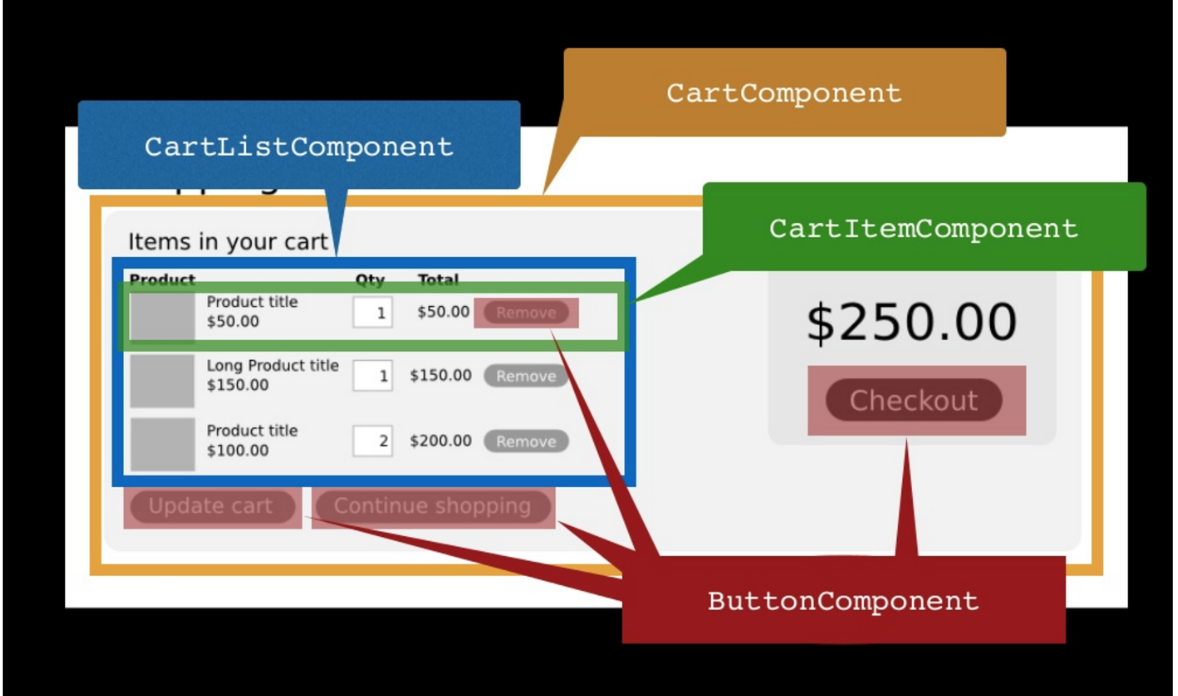
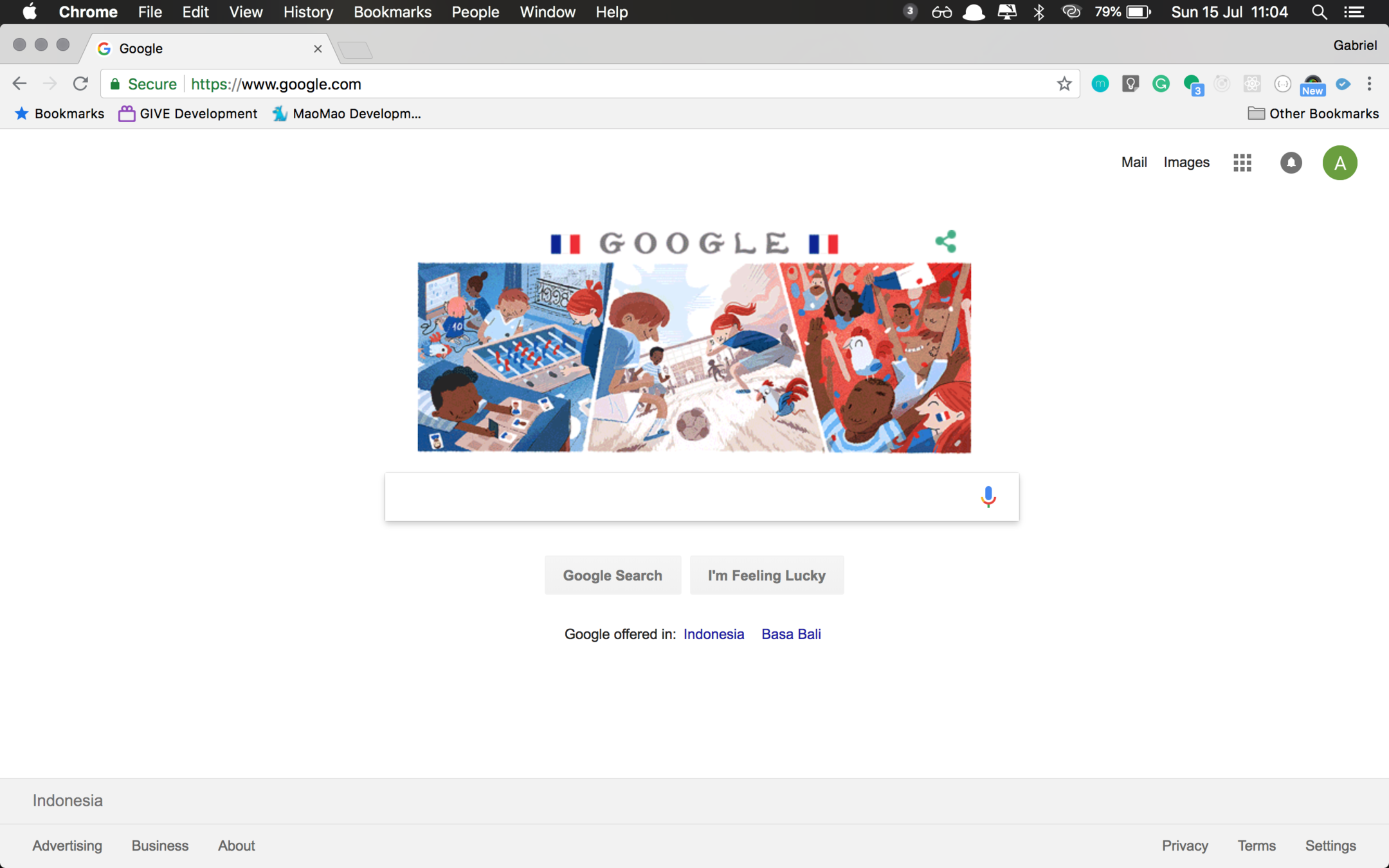
React Component
Web Component
Component Structure
class Greet extends React.Component {
  render() {
    return <div className="wrapper">Hello World</div>
  }
}
Component as Class
Component as Function
function Greet(props) {
  return <div className="wrapper">Hello World</div>
}
Difference
- class Component has state & function Component hasn't.
- class Component has refs & function Component hasn't.
- class Component has lifecycle methods & function Component hasn't.
- Simply put, function Component is just a render function(method) only.
React Lifecycle
Specific lifecycle
Renamed lifecycle
Others
Event Handler
Native Handling Event
<button onclick="activateLasers()">
  Activate Lasers
</button>
React Handling Event
<button onClick={activateLasers}>
  Activate Lasers
</button>
React SyntheticEvent
Ok, next practice
Project Overview
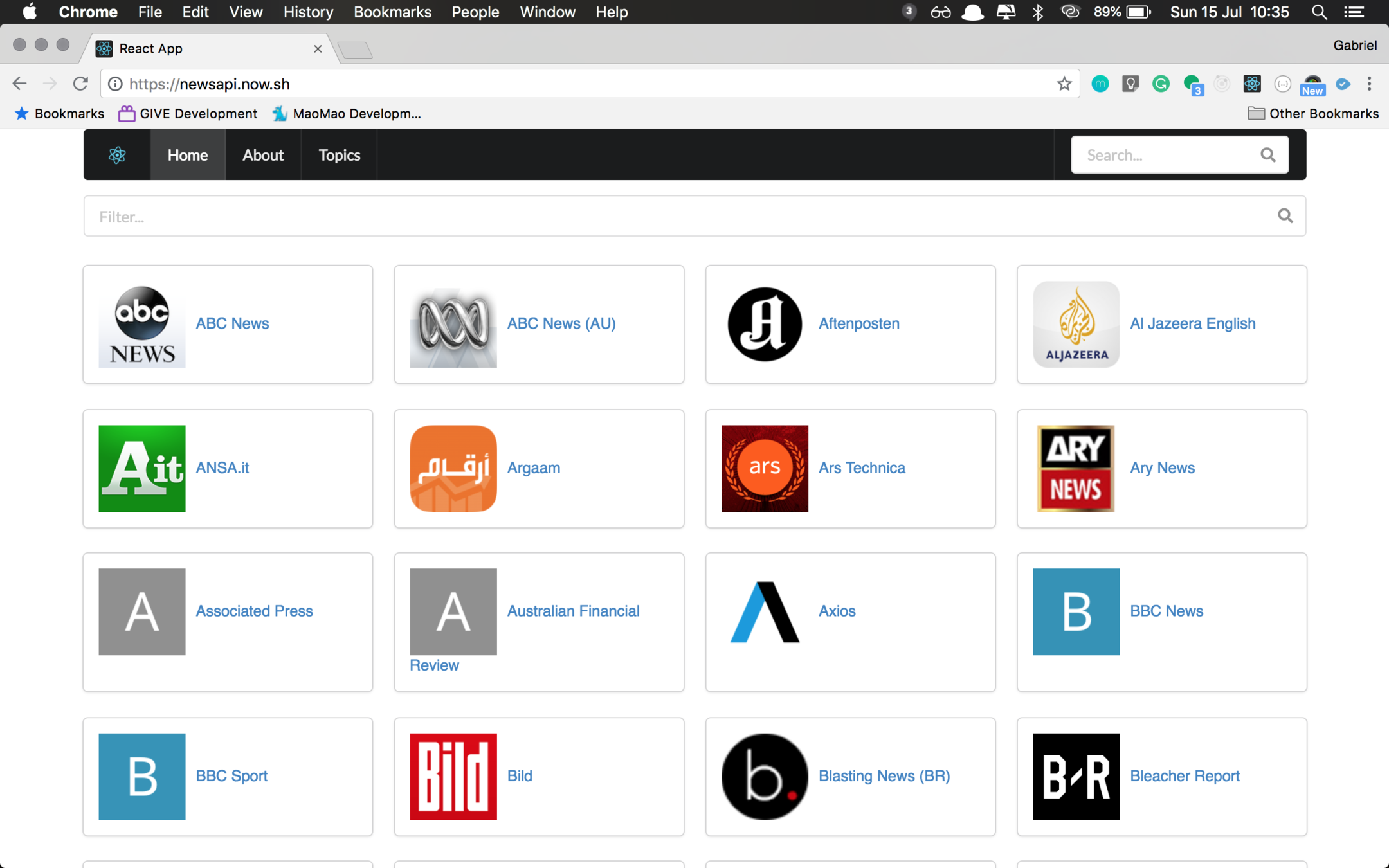
Container
Menu
input
Source
Card Group
Card
Source List
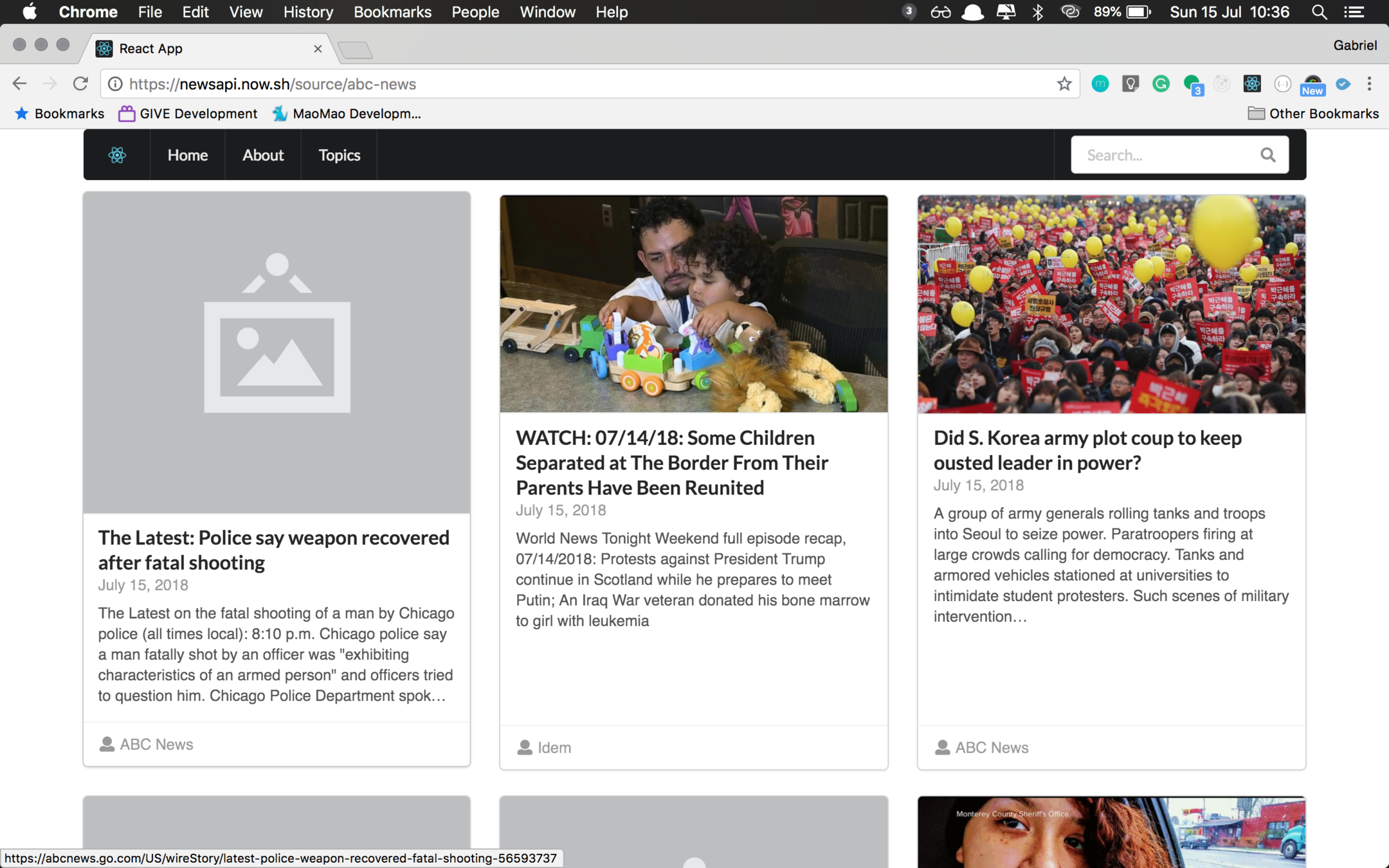
News List
Project need:
- CRA
- Axios
- React Router
- Semantic UI
Misc:
- Moment
- querystringfy
Development need
- Git
- Source tree
- Codesandbox
- Atom
- VS Code
- terminal / cmd
- Chrome
REST API
this
apply
bind
call
,
,
&
HTTP Verbs
- GET
- POST
- PUT
- DELETE
- PATCH
What's Next
- More example
- Learn about basic HTML, CSS & JavaScript for free (codecademy)
- Build something (more practice..)
- Don't forget to read the docs