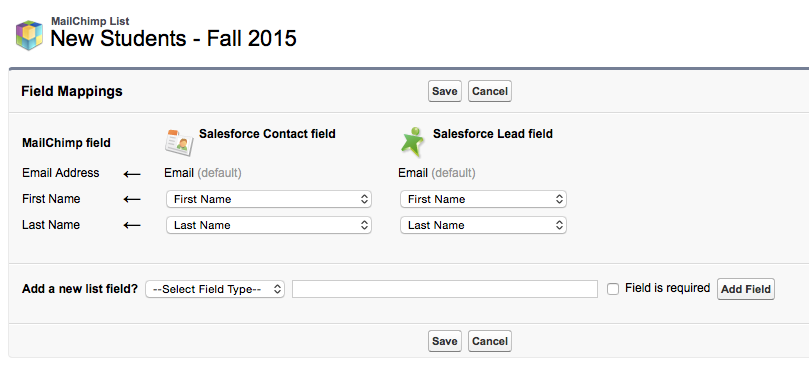
MailChimp + SalesForce = Email Campaign Bliss*
*We'll see...
Overview
Using the MailChimp App in Salesforce you can...
Add people to a MC List and create MC campaigns within SF
Adding People to a MC List
Adding People to a MC List
- Create an empty List in MC first
- Create a report, or a new view of contacts, in SF to get the list of people you want to add*
- Create a Campaign in the Marketing section of SF
- Add the people in the report, or view, as 'campaign members' of your new SF campaign
- On the MC Setup page in the MC App add a new MC Member query. In the settings of the query use the campaign members object to select the people that you previously added as campaign members. This will move the names and emails over to the MC List
- On the MC Campaign page add a new campaign.
*Need to try to create this report
MC Campaign Details
The templates are created on the MC website. Only Custom or Classic are available to use, not Drag and Drop.
- In the 'Personalize the To: field' enter: *|FNAME|* *|LNAME|*
- In the GA link tracking, make sure to enter a campaign tracking name
- The 'reply to: email' field needs to match what is on the MailChimp account.
- Add the text you want to send again to the Plain Text section
MC Campaign Details
Concerns
Concerns
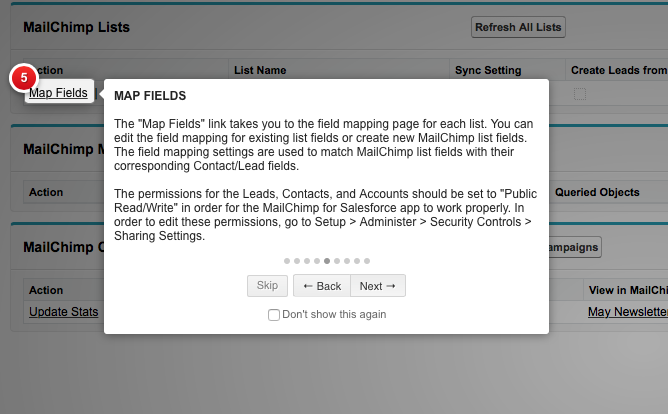
"The permissions for the Leads, Contacts, and Accounts should be set to "Public Read/Write" in order for the MC for SF app to work properly"
This help doc indicates that this sets the organization defaults to "all users full access to view and edit any record"
MailChimp List Privacy
Your subscriber lists are stored on a secure MailChimp server. We don’t, under any circumstances, sell your lists, contact people on your lists, market to people on your lists, steal your lists, or share your lists with any other party, unless it’s required by law. If someone on your list complains or contacts us, we may then contact that person. Only authorized employees have access to view Distribution Lists. You may export (download) your lists from MailChimp at any time, as long as we have a copy.
http://mailchimp.com/legal/privacy/
Acceptable Use
Before importing a list into MailChimp from your CRM or another database, read and understand our permission rules. Remove any prospects or leads that didn’t explicitly request email marketing from you or otherwise meet the requirements in our Terms. Even if you're sending email marketing to customers that consented to receive your Email, you’re still required by law to allow them to opt out of your email marketing list (you may need to turn on that feature in your CRM tool).
http://mailchimp.com/legal/acceptable_use/
Questions and TODOs
- Does moving the names over to MC cause some kind of API call that are counted against the SF account?
- How does the opt-out feature work? Does it send the data back to SF?
- Should we create 'groups' in MC to manage members and segment them? Or create separate lists.
- Should we ask people if they want to sign up for our 1) New to OSU newsletter
2) GradSuccess newsletter
(We could use 'groups' in MC for this, people could opt-in/out to these groups on their own) - Should we use this for other newsletters, like Postdocs, grad-inform?
-
Do we delete the new student list each term or do we just create a new 'segment' and send our MC campaign to that segment?
Looks like we can only sync from the default email address, problem?