COMP3512
winter 2024
lec-js-04

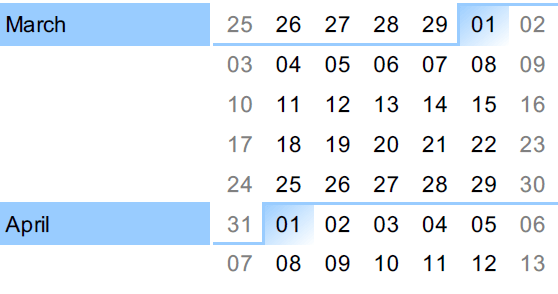
This would usually be the last day of February. Time is seriously messed up.
⚠️
⚠️
March 13th: Midterm 2 (JS)
March 15th: Withdraw Deadline
⚠️
⚠️
⚠️
April 5th: Project Submission
April 11th: Final Exam
let's talk about these things today:
◉ Great. We can grab DOM elements. Now what?
◉ How do we add/modify an element's text?
◉ How do we add/modify an element's data attribute(s)?
◉ How do we modify an element's appearance?
◉ How do we remove elements?
◉ How do we add elements?
◉ How do we deal with multiple elements?
Modifying DOM elements
Great.
We can grab DOM elements.
Now what?!?
Once we can grab DOM objects, we can manipulate them:
- We can change the text on elements.
- We can modify the data attribute(s) on elements.
- We can change the appearance of elements.
- We can remove elements.
- We can add elements.
We typically do these manipulations either:
- When the page is done loading, or
- When a user triggers an event, like clicking a button or entering text in an input. (This will be covered next week.)
How do we add or modify an element's text?
All Elements have access to the Node property textContent.
You can use it for both reading (as we saw Monday) AND writing.
⚠️Be careful: it can be destructive!⚠️
Don't use innerHTML
Why? How about this?
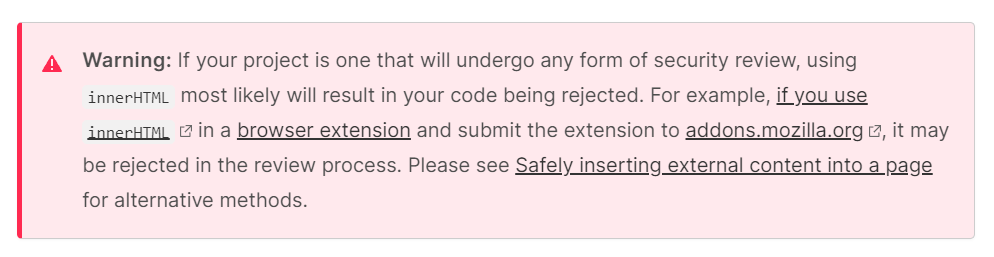
So just don't.
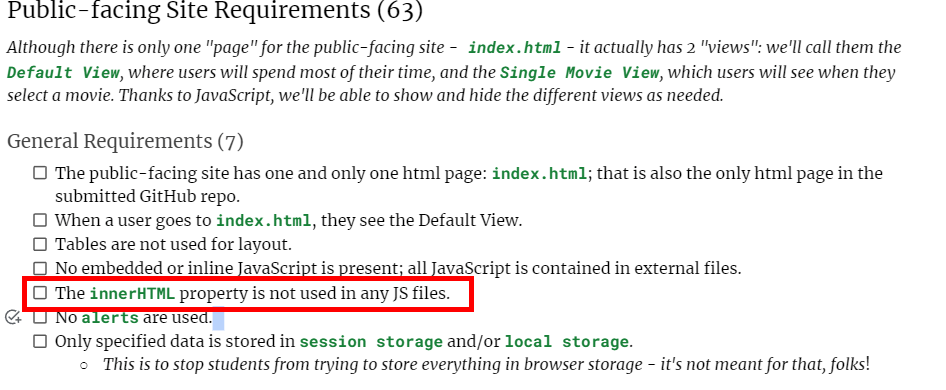
And then there's this:
01-text-manipulation
Let's say we have a page that we want to display the day of the week dynamically.
How do we add or modify an element's data attribute(s)?
We use the dataset property here.
As with textContent, you can read AND write - just remember you need another dot!
elem.dataset.{some key} = {some value}
another dot
Let's give 'er a try.
02-data-attributes
How can we change the colour attribute on the first <p> to "red"? 🤔
How can we add a NEW data attribute called model-number w/ a value TL-241 to the <h1>? 🤔
⚠️ Careful...how do we get the kebob-case?
How do we modify an element's appearance?
We typically change an element's appearance via an inline style or by applying a CSS class.
<h1 style="background: yellow;font-size: 3em;">Inline!</h1>vs
.some-feature {
	background: yellow;
    font-size: 3em;
}
<h1 class="some-feature">Class!</h1>inline style
CSS class
Want to apply an inline style to an element?
<h1 style="background: yellow;font-size: 3em;">Inline!</h1>Reach for the style property.
let h1Elem = document.querySelector("h1");
h1Elem.style.background = "yellow";
h1Elem.style.fontSize = "3em";
⚠️ Each property is set to a string value ("yellow", "3em").
⚠️ CSS property names ("font-size") must be made camelCase ("fontSize").
⚠️
⚠️
⚠️
⚠️
Want to apply CSS classes to an element?
Reach for the classList property.
.some-feature {
	background: yellow;
    font-size: 3em;
}
<h1 class="some-feature">Class!</h1>let h1Elem = document.querySelector("h1");
h1Elem.classList.add("some-feature");⚠️ Each class is added via classList.add("class-name").
⚠️ You can add multiple classes at once: add("a", "b", "c") works!
💀Do NOT use className = "blah"! You potentially nuke other classes!
⚠️ You can remove classes with classList.remove("blah").
⚠️ You can toggle classes with classList.toggle("blah").
Which way of styling is "better"?
That's a loaded question!
Go read this Reddit post if you want some opinions.
03a-inline-styles
Let's change the background of the h1 depending on the day of the week
That "flicker" is a bit disconcerting, ain't it?
What could we do about it?
03b-class-styles
Same dealio, but now using CSS classes.

BRAIN BREAK
How do we remove elements?
If we want to remove a single element, reach for element.remove().
If we want to remove a bunch of child elements, reach for either parent.replaceChildren()...or parent.textContent = ""
⚠️There's no need to do some kind of loop! ⚠️
Removing things is blessedly easy.
04-removing
How can we remove the img element? 🤔
How can we remove all the li elements, leaving the ol intact? 🤔
How do we add elements?
First way: using createElement.
If we need to add a new Element object to the DOM, it's a 3-step process:
- Create the Element using the document.createElement() method.
- Decorate the Element with text, attributes, children, etc. if necessary.
- Insert the decorated Element into the DOM, typically with append().
HINT
It's a great idea to write up the markup you want to create ahead of time. That way, you can test it out to see if it works the way you want - and you then have a blueprint of sorts to work from as you write your JS.
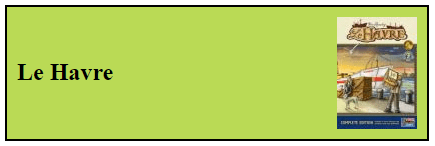
Let's say I want to make this:
Here's the markup for it:
<div class="game-tile">
  <h2 data-bgg-id="35677">Le Havre</h2>
  <img src="./img/le-havre-small.jpg" alt="Le Havre" />
</div>
Parent div. Note the class.
Need an h2 with text and data attribute.
Need an img with a src and alt.
⚠️ So to make our goal, we need to make 3 separate Elements: a div, an h2, and an img.
<div class="game-tile">
  <h2 data-bgg-id="35677">Le Havre</h2>
  <img src="./img/le-havre-small.jpg" alt="Le Havre" />
</div>
Let's build the img element.
let imgElem = document.createElement("img");
imgElem.setAttribute("src", "./img/le-havre-small.jpg");
imgElem.alt = "Le Havre";
Make the img element using document.createElement.
Add the necessary attributes. This is shown here using the setAttribute method and the alt property...but that's just for illustrative purposes - you should pick a lane in your own code!
05a-create-element
Let's build this div element with JS and append it after the h1.
Having all that code floating around in a script is pretty confusing - you should totally put it in a well-named function!
Hopefully, you're having one of those "Hey - this is totally useful for the project!" moments right now.
There's another way to add elements.
Using templates.
I've always wanted to try playing with Content Template Elements as an alternative to the previous method.
Let's see what this is like.
If we need to add a new Element object to the DOM, it's a similar 3-step process:
- Create a <template> tag in your markup.
- Clone the template.
- Decorate the clone with text, attributes, children, etc. if necessary.
- Insert the decorated clone into the DOM, typically with append().
05b-template
Let's give it a go.
🤔I'm not sure how I feel about this technique yet! How about you?
If you want to do this on the Project, go ahead.
I will not test you on templates (midterm and final exam).
How do we deal with multiple elements?
looping
using map()
