Introduction
to
Vue.js
Kasun Vithanage

About Me
-
Co-Founder of SyetaLabs
-
Contributor at Joomla
-
Google Summer of Code Mentor
-
Member at Mozilla Sri Lanka
-
Member at FOSS Sri Lanka
-
Evening Dev Talks
-
Opensource ❤️


So What is Vuejs ?

A progressive Javascript Framework
History of Vue
Founder
- Worked at Google, Creative Labs
- Worked at Meteor
- Started Vue.js in 2013
- Working fulltime on Vue since 2016

Evan You
Who uses Vue?








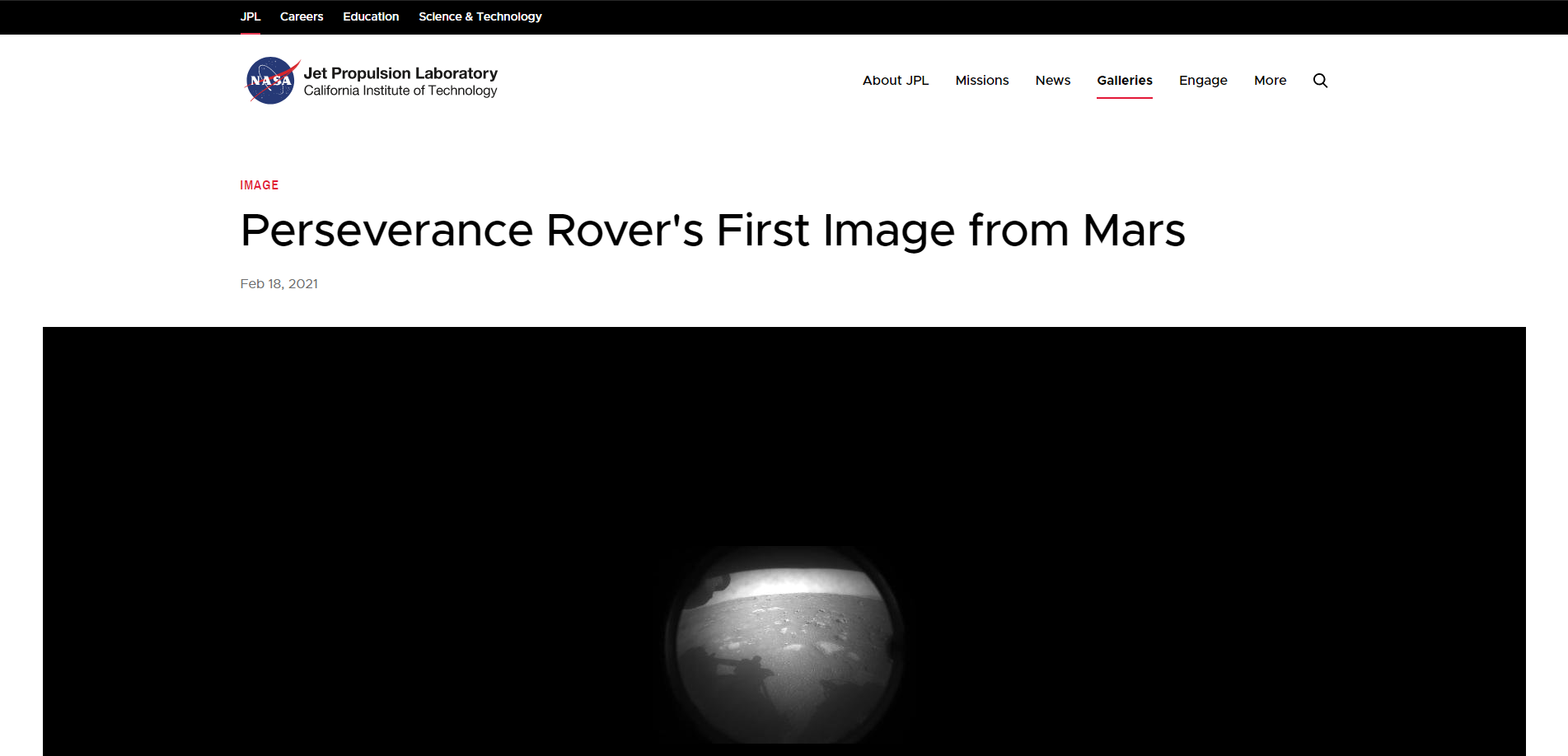

So Yes
NASA also uses Vue.js

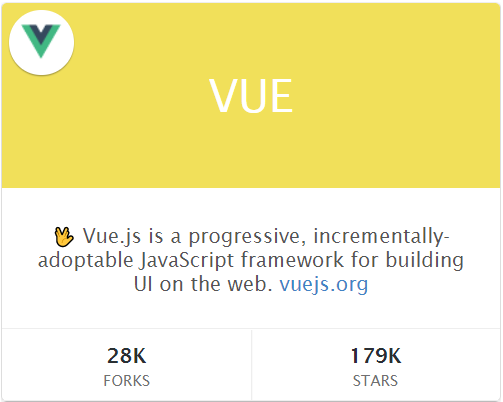
OK, What you meant by “progressive”?
You can incrementally adapt Vue.js to your projects
No need to start over
Vue focuses on
View Layer
...rest is up to you
Why Vue?

- Easy learning curve
- Well defined ecosystem
- Best of both worlds(Angular and React)
- Simplicity
- Flexibility
- Tree Shaking
- Server-Side Rendering(SSR)
- Minimal(compressed core ~22KB)
- Perfomance
Features
- Virtual DOM
- Reactivity
- Props
- Template Syntax
- Animations(CSS Transitions and much more)
- Computed Properties
- Watchers
- Event Handling
- Typescript Support
- Functional API
- Composition API
A must watch
What is Virtual DOM?

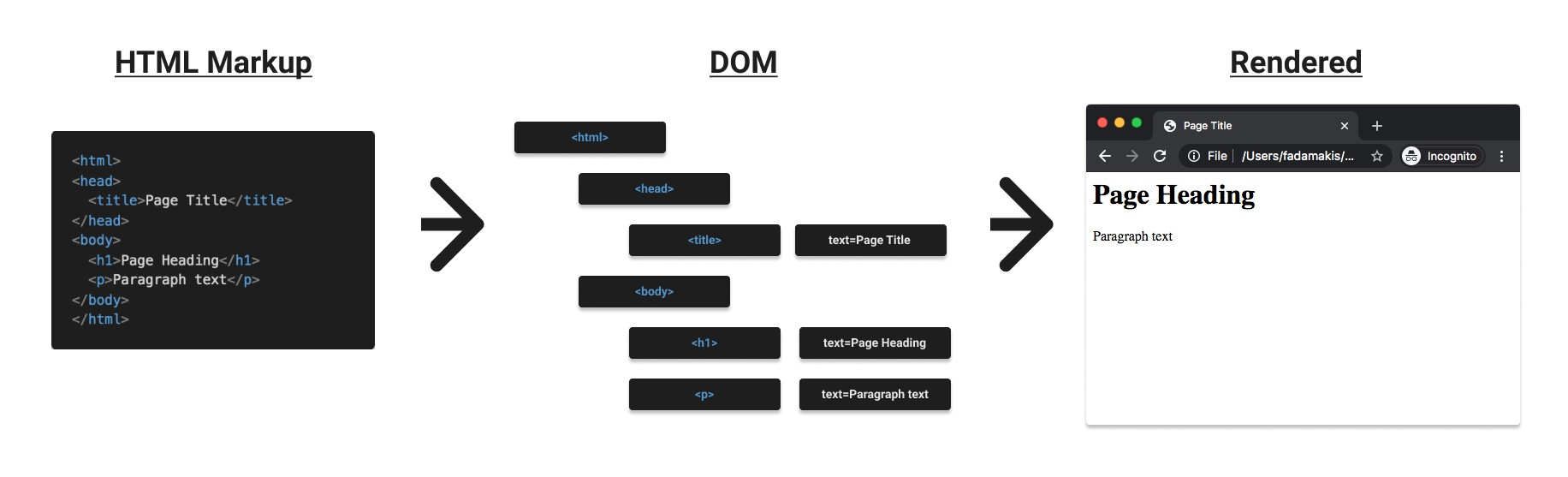
Meet DOM
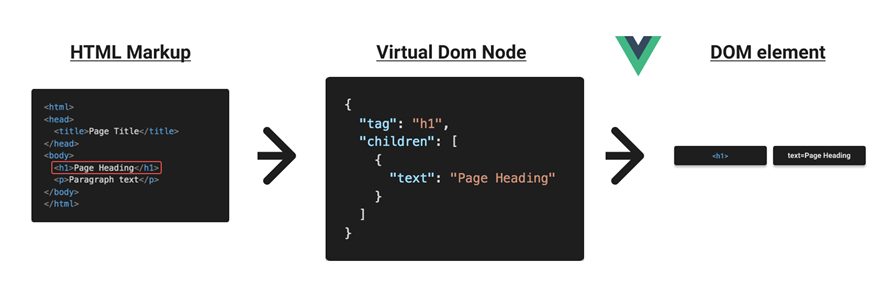
Meet Virtual DOM
Vue in Action

(Vue 3)
Installing Vue
- Use CDN
- <script src="https://unpkg.com/vue@next"></script>
- Using NPM
- npm i --save vue@next
- Using CLI
- npm install -g @vue/cli
- Vite(new kid in the town)
- npm init vite-app <project-name>
Your First Vue App
<div id="app">
  {{ message }}
</div>
const App = {
data() {
return {
message: 'Hello VueJS'
}
}
}
Vue.createApp(App).mount("#app")
Let's Make our Boring App More Interesting

Handling Events
- v-on Directive allows listening to events(DOM or Custom)
- A directive is a special kind of attribute for Vue
- v-on:click handles a click event
- methods section contains accessible functions for component
- Instead of v-on:click, you can write @click
<div id="app">
  <button v-on:click="increment">
    Increment
  </button>
  {{ count }}
</div>
const App = {
data() {
return {
count: 0
}
},
methods: {
increment() {
this.count++
}
}
}
Vue.createApp(App).mount("#app")
Taking User Inputs

Bind Inputs to Data
- Add a new text input
- Use v-model to bind the input value into the message(Two Way Binding)
- v-model is a Vue directive
<div id="app">
  <input type="text" v-model="message" />
  {{ message }}
</div>
Conditional Rendering
IF/Else

v-if Directive
- Let’s show a warning to the user when a long message entered
- v-if is If for Vue
- v-else-if, v-else also there
- Element is added/removed from DOM based on the condition you pass
- If you want to keep the element in DOM all the time, use v-show.
<div id="app">
  <input type="text" v-model="message" />
  {{ message }}

  <div class="danger" v-if="message.length > 25">
    Too long!!!
  </div>
</div>
Loops

v-for directive
- Let’s render a simple TODO list
- v-for is like a for-loop in Javascript
<div id="app">
  <ul>
    <li v-for="todo in todos">
      {{ todo.text }}
    </li>
  </ul>
</div>
const App = {
data() {
return {
todos: [
{ text: 'Bring milk' },
{ text: 'Bring eggs' },
{ text: 'Buy butter' }
]
}
}
}
Vue.createApp(App).mount("#app")
Attribute Binding

- v-bind directive can bind the properties of elements and components
- In this example, the disabled variable is bound to the disabled property of the HTML element
- You can bind anything. For example, source(src) of an image dynamically
- You can skip writing v-bind and write this like :disabled
<div id="app">
  <button @click="disabled = !disabled">Toggle</button>
  <button v-bind:disabled="disabled">Click Me!!!</button>
</div>
const App = {
data() {
return {
disabled: false
}
}
}
Vue.createApp(App).mount("#app")
Class and Style binding
- We want to show a red background when the count is too much(over 5)
- Vue allows binding class dynamically with property bindings
- If you have existing classes(static) they will be merged with dynamic classes by Vue.
- In this example, when the count is over 5, a red class is applied alongside the counter class
- The same can be applied with Styles
<div id="app">
  <button @click="count++">Increment</button>
  <button @click="count--">Decrement</button>
  <div class="counter" :class="{ 'red': count > 5 }">
    {{ count }}
  </div>
</div>
const App = {
data() {
return {
count: 0
}
}
}
Vue.createApp(App).mount("#app")
Computed Properties
- Acting like properties of your component
- Can use existing data sources to create a computed property
- Results are cached
- Only re-evaluate when underlying data changes
- Reduce template complexity
Making our Todo List More Interesting
Let's show completed items
<div id="app">
  All:
  <ul>
    <li v-for="todo in todos">
      {{ todo.text }}
    </li>
  </ul>

  Completed:
  <ul>
    <li v-for="todo in completed">
      {{ todo.text }}
    </li>
  </ul>
</div>
const App = {
data() {
return {
todos: [
{ text: 'Bring milk', done: false },
{ text: 'Bring eggs', done: true },
{ text: 'Buy butter', done: true }
]
}
},
computed: {
completed() {
return this.todos.filter(todo => todo.done === true)
}
}
}
Vue.createApp(App).mount("#app")
Watchers
- Listen to data property changes
- Search Bar when user types
- Run asynchronous/expensive actions when data changes
- Do an API call to the backend
- Wait for specific data value and react accordingly
- When the user toggles something, update your search
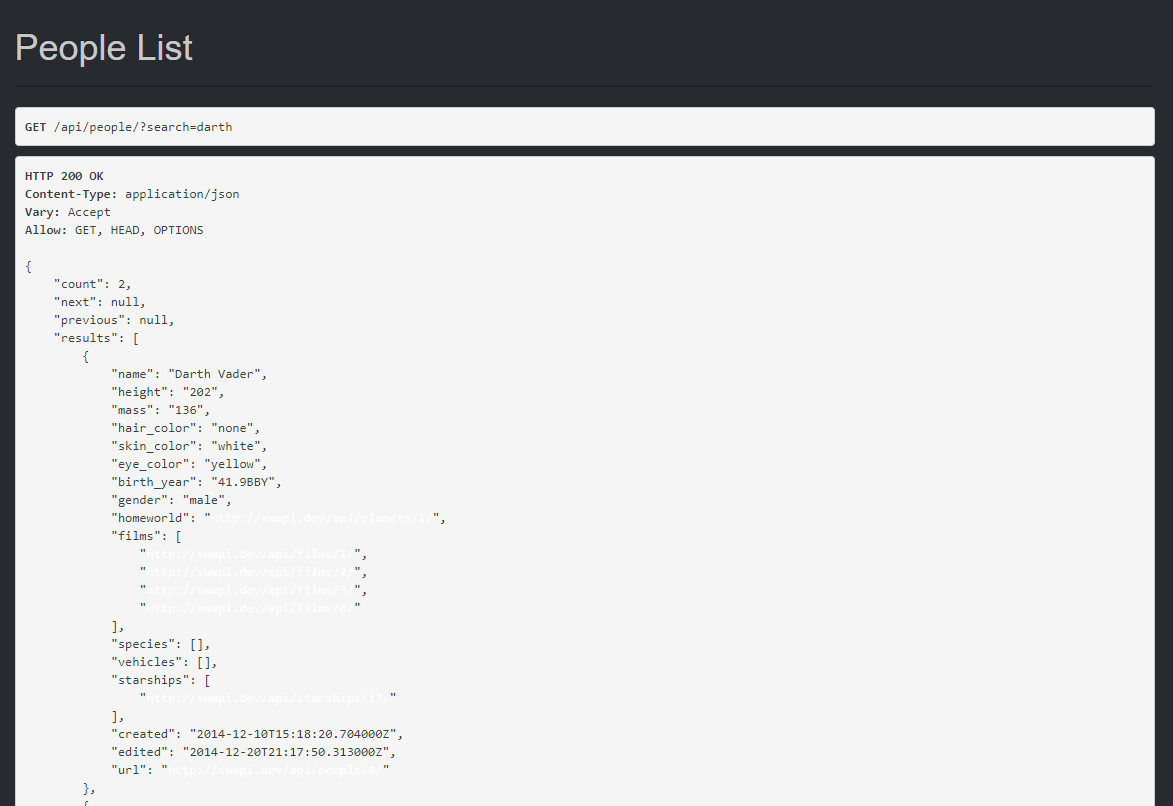
Let's search for favourite Starwars Characters

Free API https://swapi.dev/
<div id="app">
  <input type="text" v-model="search" placeholder="search..." />
  <ul>
    <li v-for="(result, i) in results" :key="i">
      {{ result.name }}
    </li>
  </ul>
</div>
const App = {
data() {
return {
search: "",
results: []
};
},
watch: {
search(newValue) {
if(newValue.trim().length > 0)
this.lookup();
}
},
methods: {
lookup() {
fetch(`https://swapi.dev/api/people/?search=${this.search}`)
.then((resp) => resp.json())
.then((data) => (this.results = data.results))
.catch((e) => console.log(e));
}
}
};
Vue.createApp(App).mount("#app");
Components
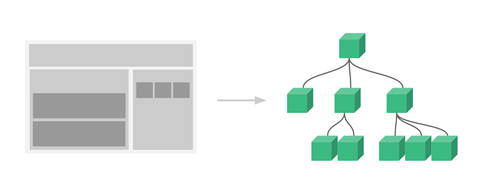
- Handling all in a single vue instance is hard(and bad)
- Components are like another set of vue instances
- Break your logic into components
- Components can be self-contained
- Make them more reusable
Creating a
Profile Component
<div id="app">
  <div class="profile">
    <p>Name: Yoda</p>
    <p>Age: 900 years</p>
  </div>
</div>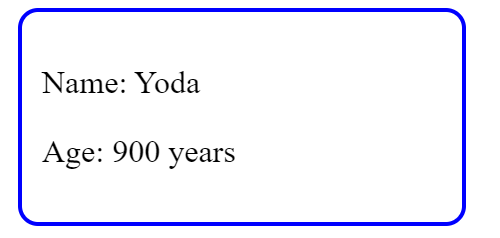
Creating an App instance
- Notice the user is now in data
- We are keeping the result returned by createApp in a new variable
- This app is a Vue instance
- We can register components using app instance
- Finally, we can mount it
const App = {
  data() {
    return {
     user: {
       name: 'Yoda',
       age: 900
     }
    }
  }
}

const app = Vue.createApp(App)
<div id="app">
<profile :user="user" />
</div>app.component("profile", {
props: ["user"],
template: `
<div class="profile">
<p>Name: {{ user.name }}</p>
<p>Age: {{ user.age }} years</p>
</div>
`
});
// finally mount it
app.mount("#app");
- Use app to register a new component
- props used to pass data from parent to child(via attribute binding)
- Child component can access data passed by props
- After initializing the component, we can use it as a typical HTML tag
- If you want to pass data back to the parent, emit a custom event(read more from here)
Hey, What about syntax highlighting?
app.component("profile", {
  props: ["user"],
  template: `
    <div class="profile">
      <p>Name: {{ user.name }}</p>
      <p>Age: {{ user.age }} years</p>
    </div>
  `
});

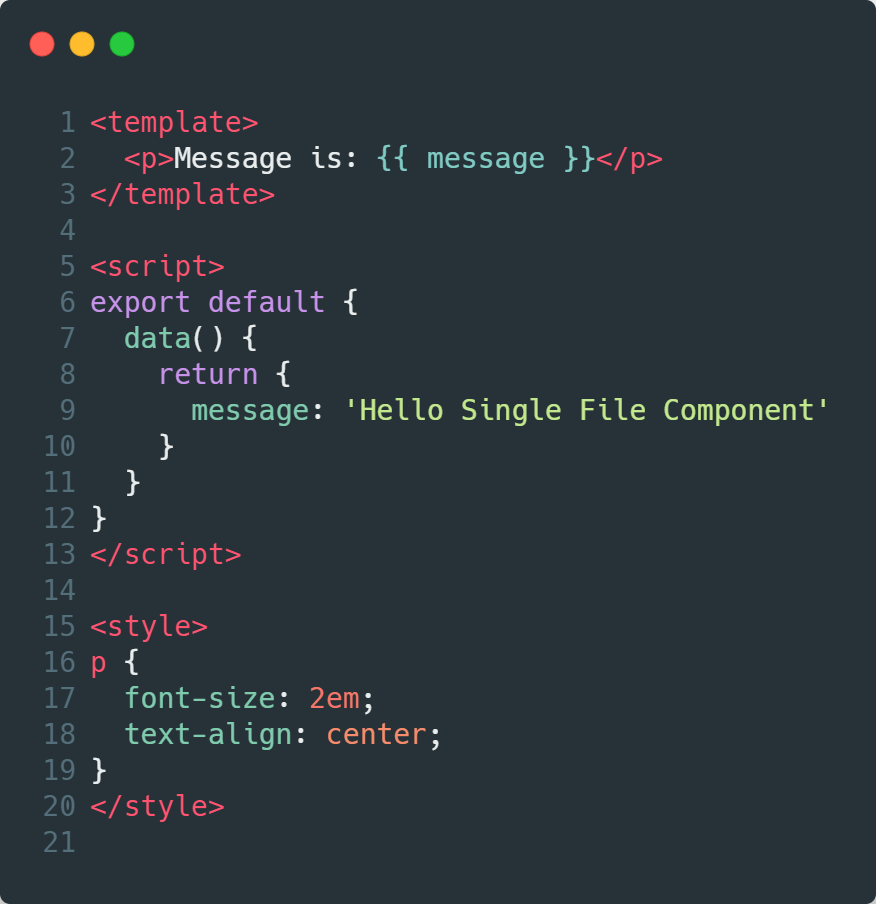
Single File Components
- Ends with .vue extension
- Flexible
- Scalable
- Support Styling(CSS/SCSS/SASS...)
- Better template support
- Readable
- Syntax Highlighting
- Separation of Concerns
A Todo App

Ecosystem
- Vuex for global state management
- Your app gets complex
- Components need to share a global state
- Use vuex to maintain a single source of truth
- Use Vue-Router for routing
- Your app needs to have multiple pages
- Vue Router can be used to navigate between your components(acts as pages)
- Can pass data
- Browser history maintained
- There is much more...
Tooling
- CLI Tool
- Vite
- Vue Devtools
- Friend in Browser
- Debugging made easy
- Vuex integration
- Router integration
- Vetur
- VSCode extension
- Code completion/highlighting
UI Frameworks
- Vuetify - Material Components
- Buefy - Bulma based Components
- Bootstrap-Vue - Bootstrap based components
- Element UI - Desktop UI toolkit for Vue2.0




A VueJS Framework

- Intuitive
- Universal Apps
- Server-Side Rendering(SSR)
- Static Websites
- Single Page Applications
- Modular
- Performant
- Code Splitting
- Great project structure
- File System routing
- Flexible
- Scalable
Now you know the basics
Whats next?

- Read documentation. It's well written
- Watch tutorials
- VueMastery
- VueSchool
- Learn advanced stuff
- The documentation covers pretty much everything
- Wanna find cool stuff? Reach Awesome Vue
- Reach Vue Community in Discord if you have problems
Reach Me Out



That's all Folks