Auto-Scaling with AWS Elastic Beanstalk, Docker and PHP
Presented by Kevin Crawley
twitter: @notsureifkevin
linkedin: linkedin.com/in/kcmastrpc
email: kevin@nashville.hotchicken.org
There will be a tutorial during this talk.
- Clone this repository: https://github.com/kcrawley/nashphp-awseb.git
- Login to your AWS account (or sign up for one):
https://aws.amazon.com/
About Me
- Middle Tennessee Native (20+ years).
- Senior DevOps Engineer @ Built Technologies.
- Started programming when I was 10.
- Failed attempt at a career in the music industry.

What are we doing here?
This is a tutorial and guided setup of a Laravel application which is running on NGINX/PHP-FPM using multi-container docker managed on AWS with Elastic Beanstalk.
If you'd like to follow along visit https://github.com/kcrawley/nashphp-awseb
Why should you care about auto scaling?
(and perhaps why you shouldn't)
Benefits
- Containerization allows application environments across multiple platforms
- Beanstalk is relatively easy to configure and use
- Advanced metrics and reporting with Cloudwatch
Drawbacks
- Bootstrap for Beanstalk is an additional abstraction of Docker Compose
- Fairly difficult to troubleshoot
- Beanstalk can be difficult to configure and use
- So many options!!!!!
Docker + Elastic Beanstalk!?
Let's get started
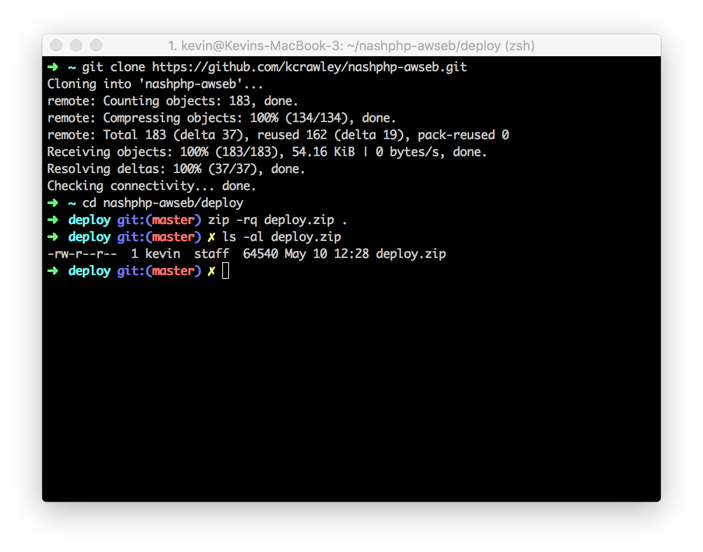
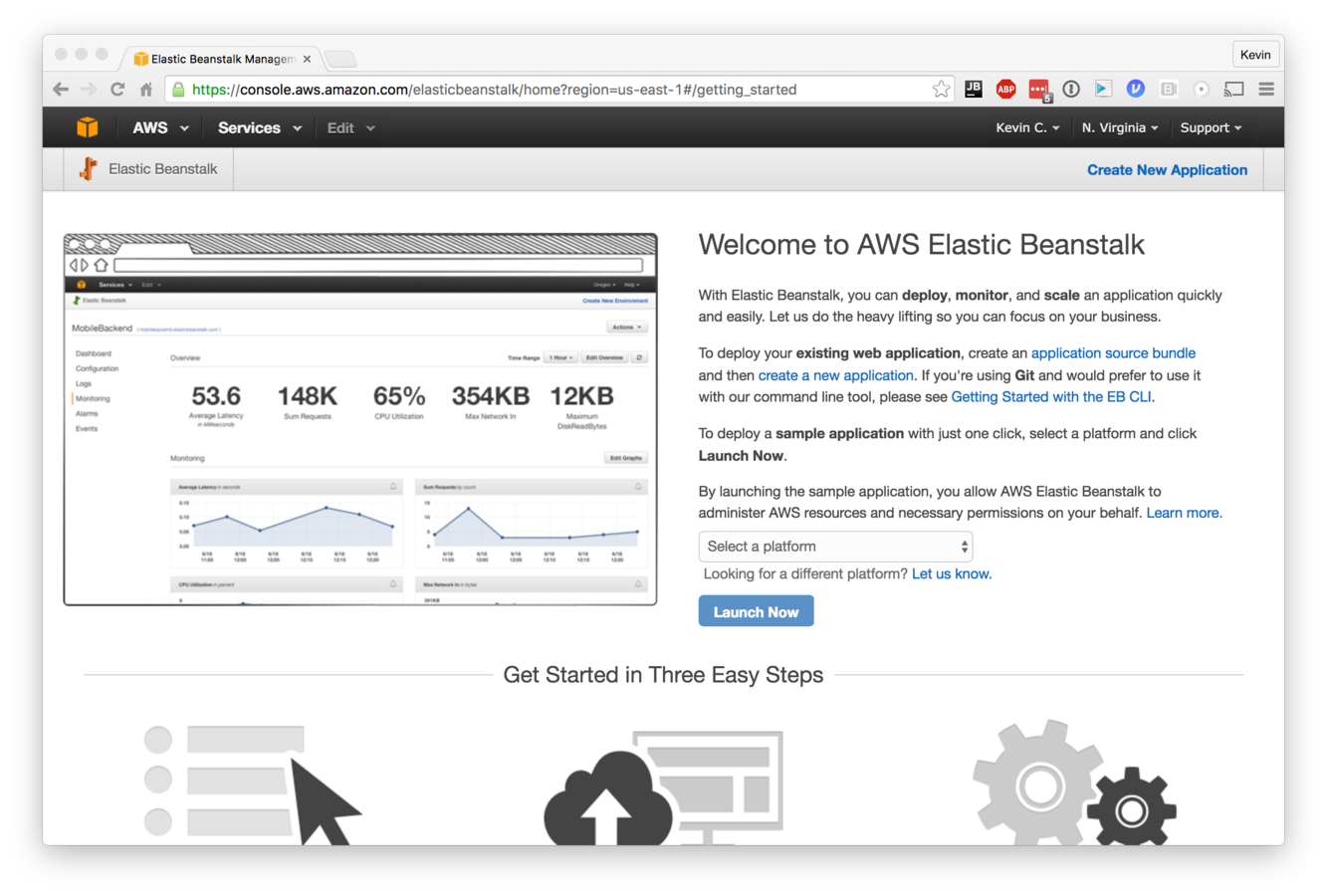
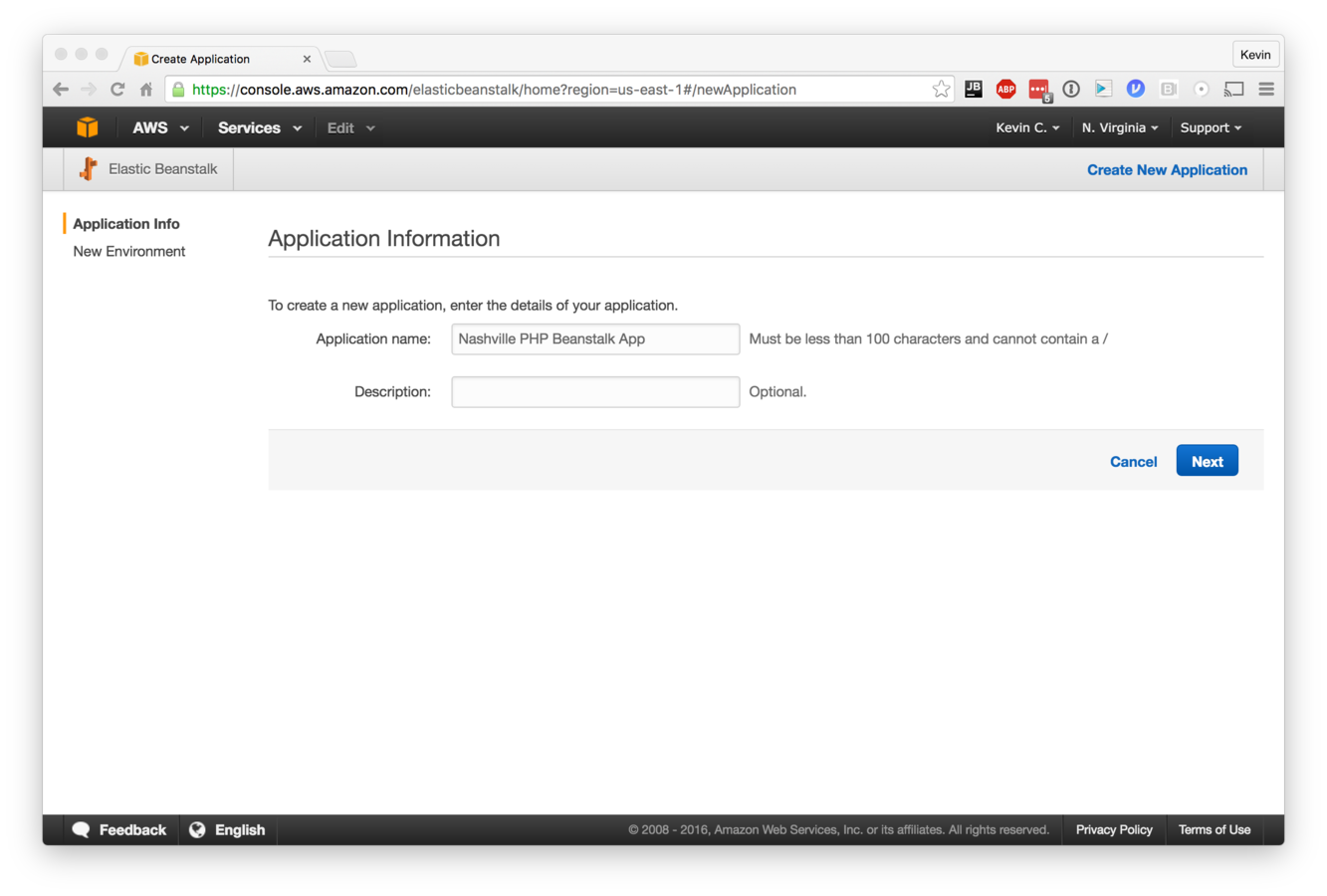
Setup - Application Info
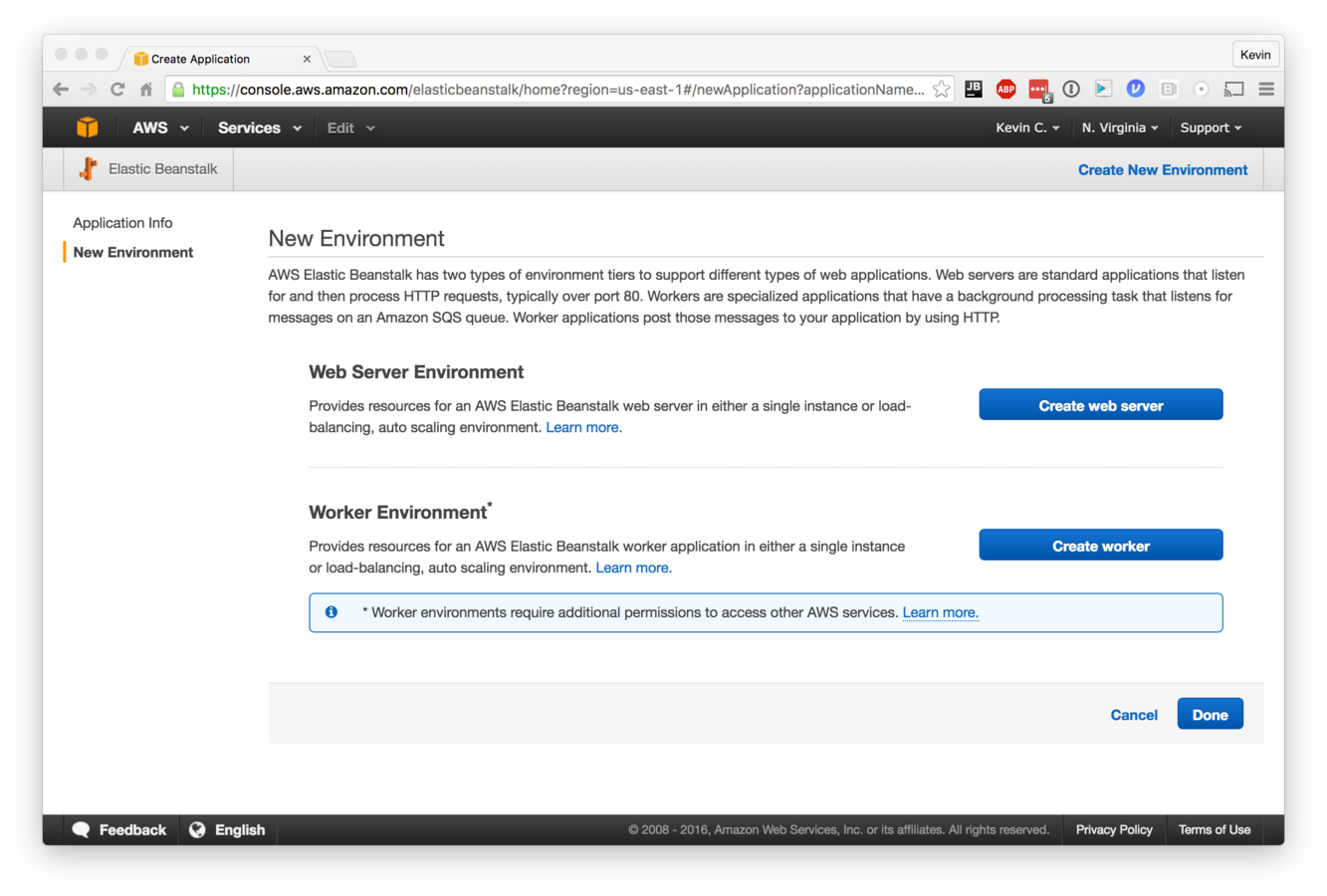
Setup - Create New Environment
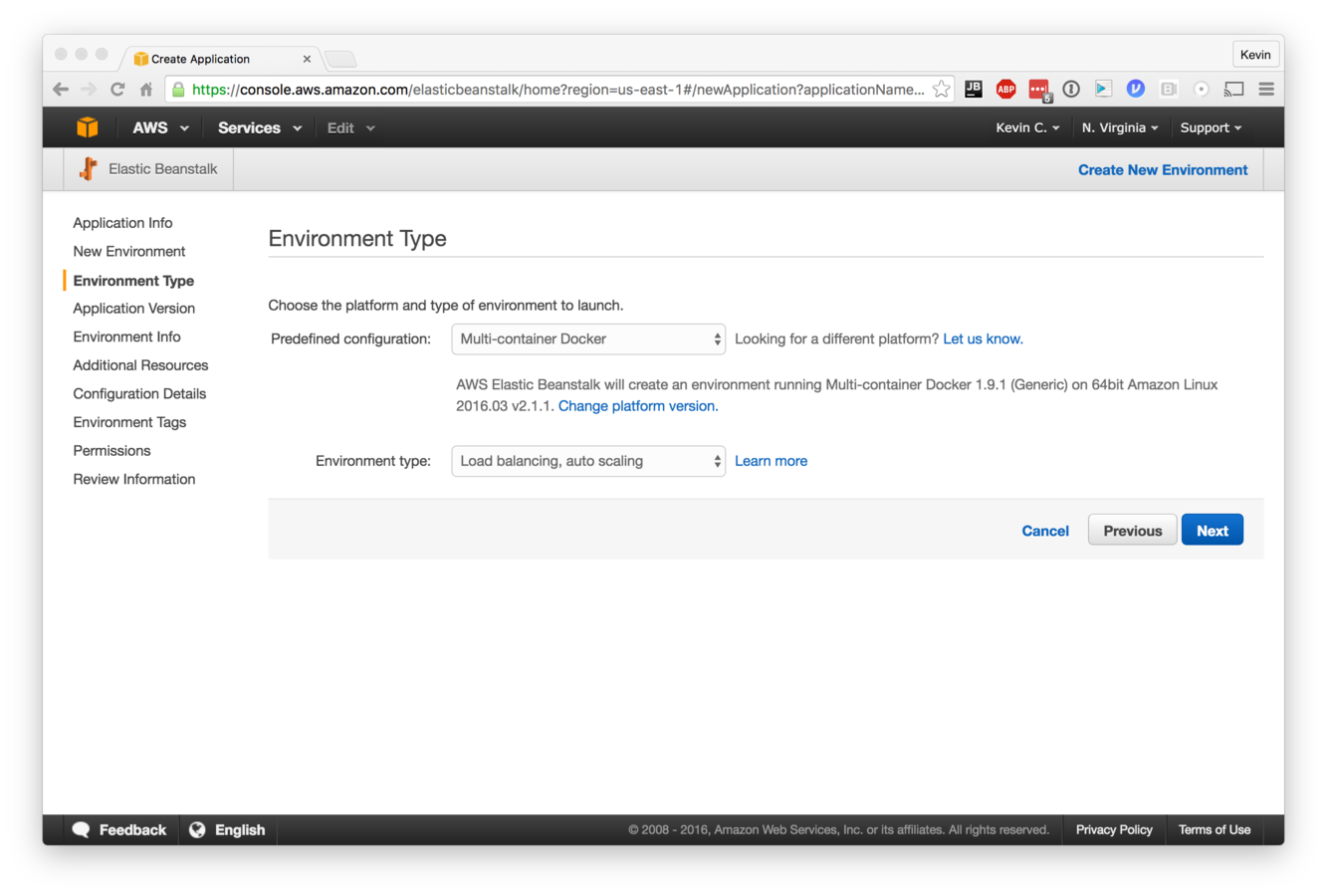
Setup - Environment Type
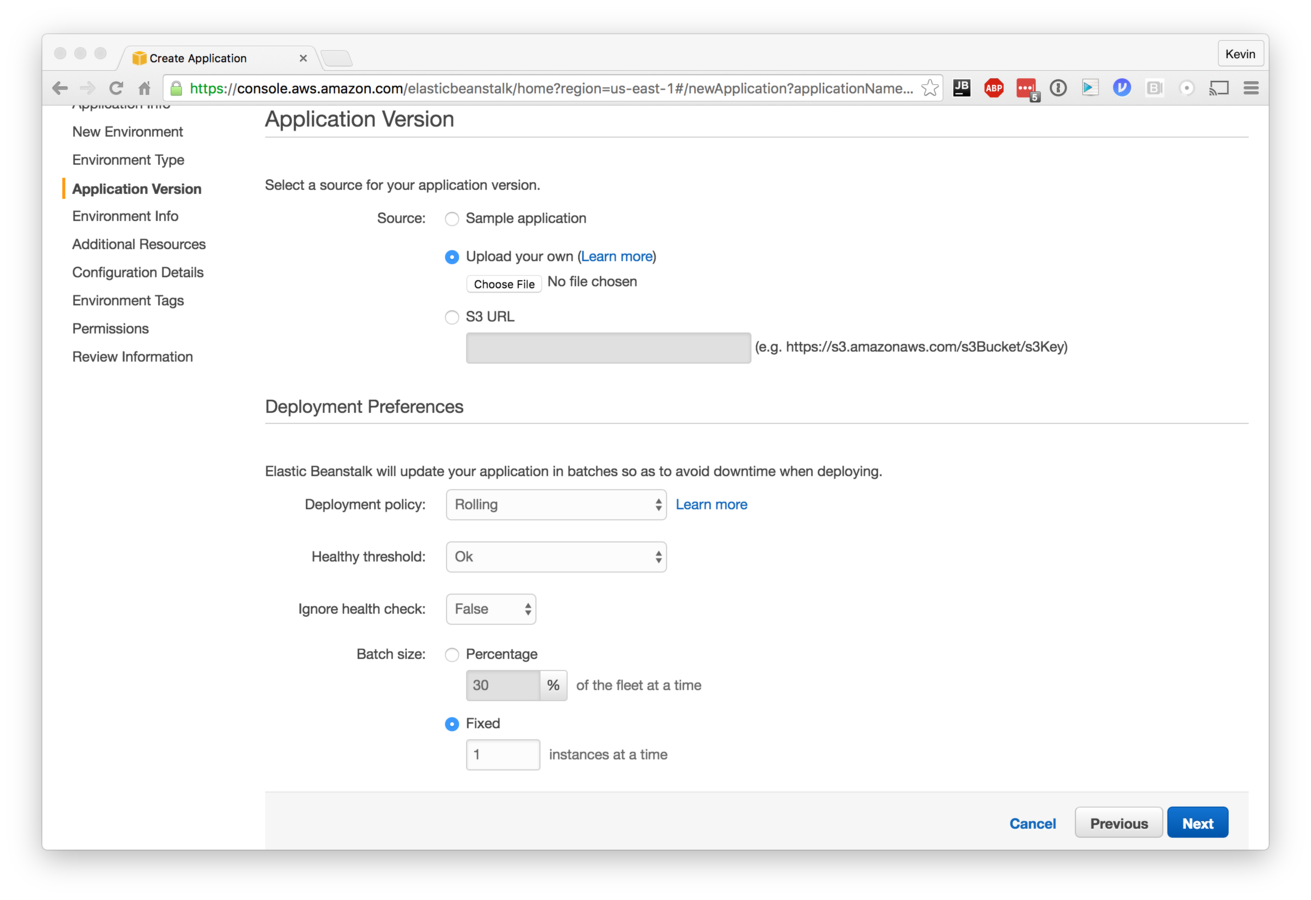
Setup - App Version
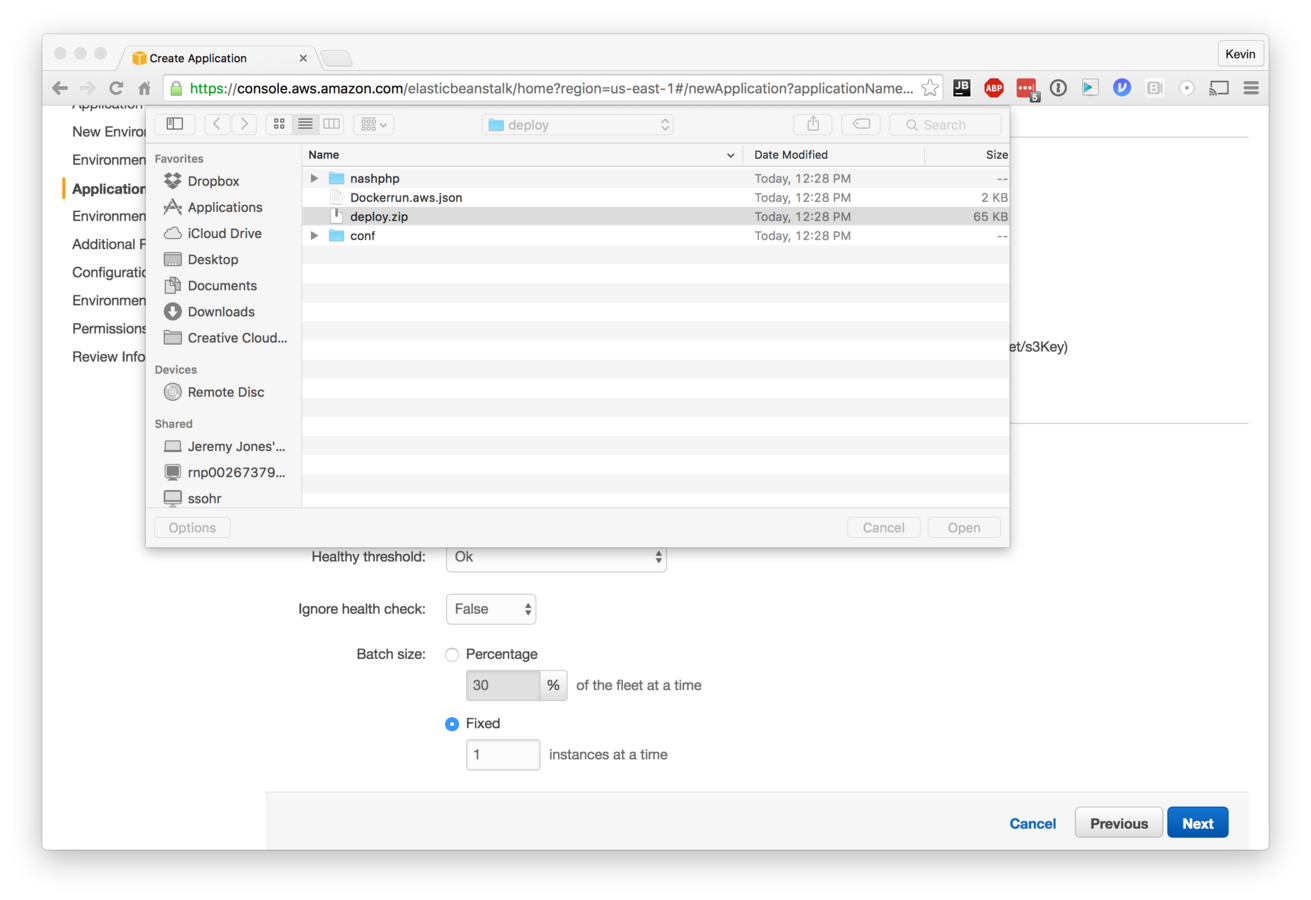
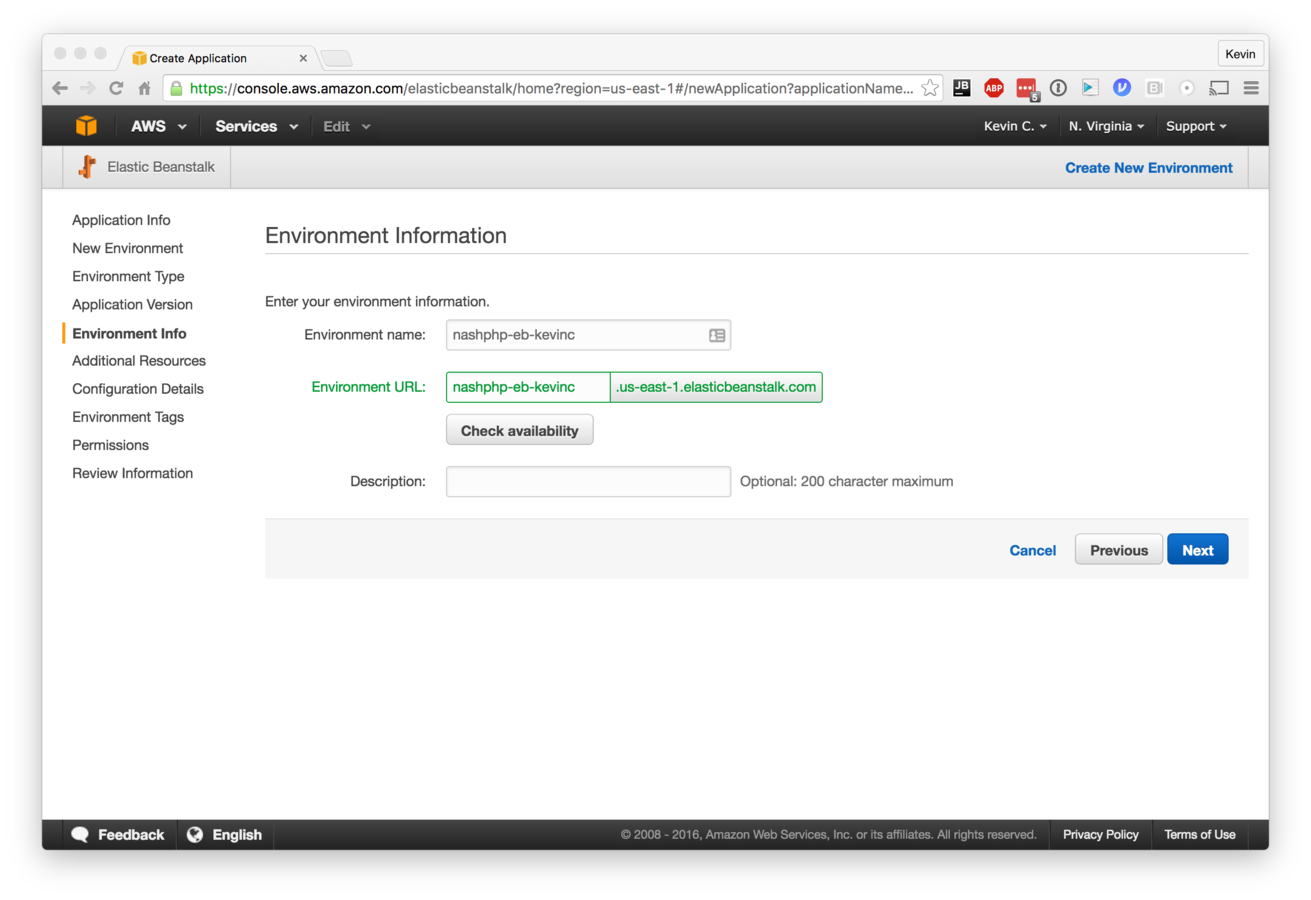
Setup - Environment Info
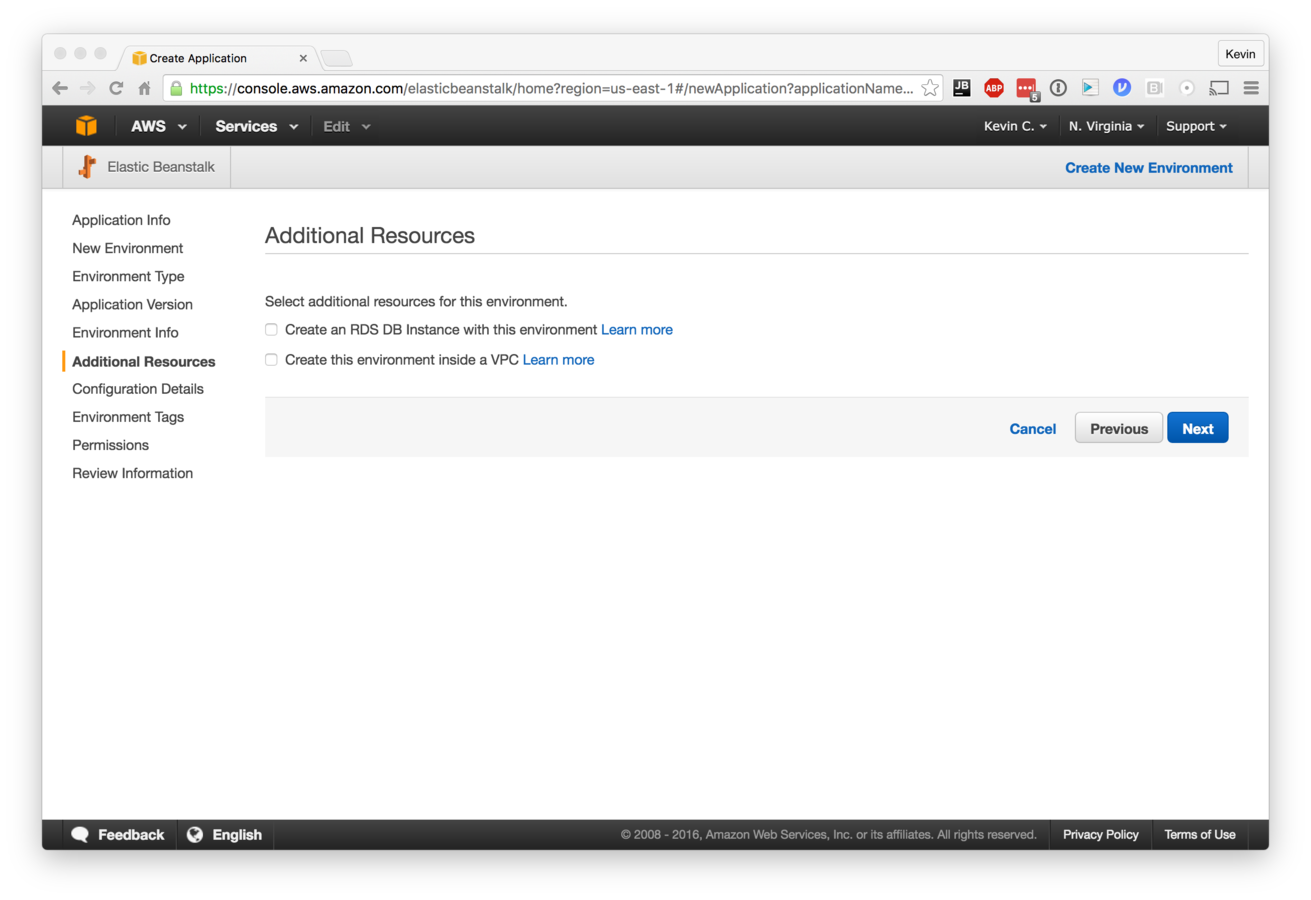
Setup - Resources
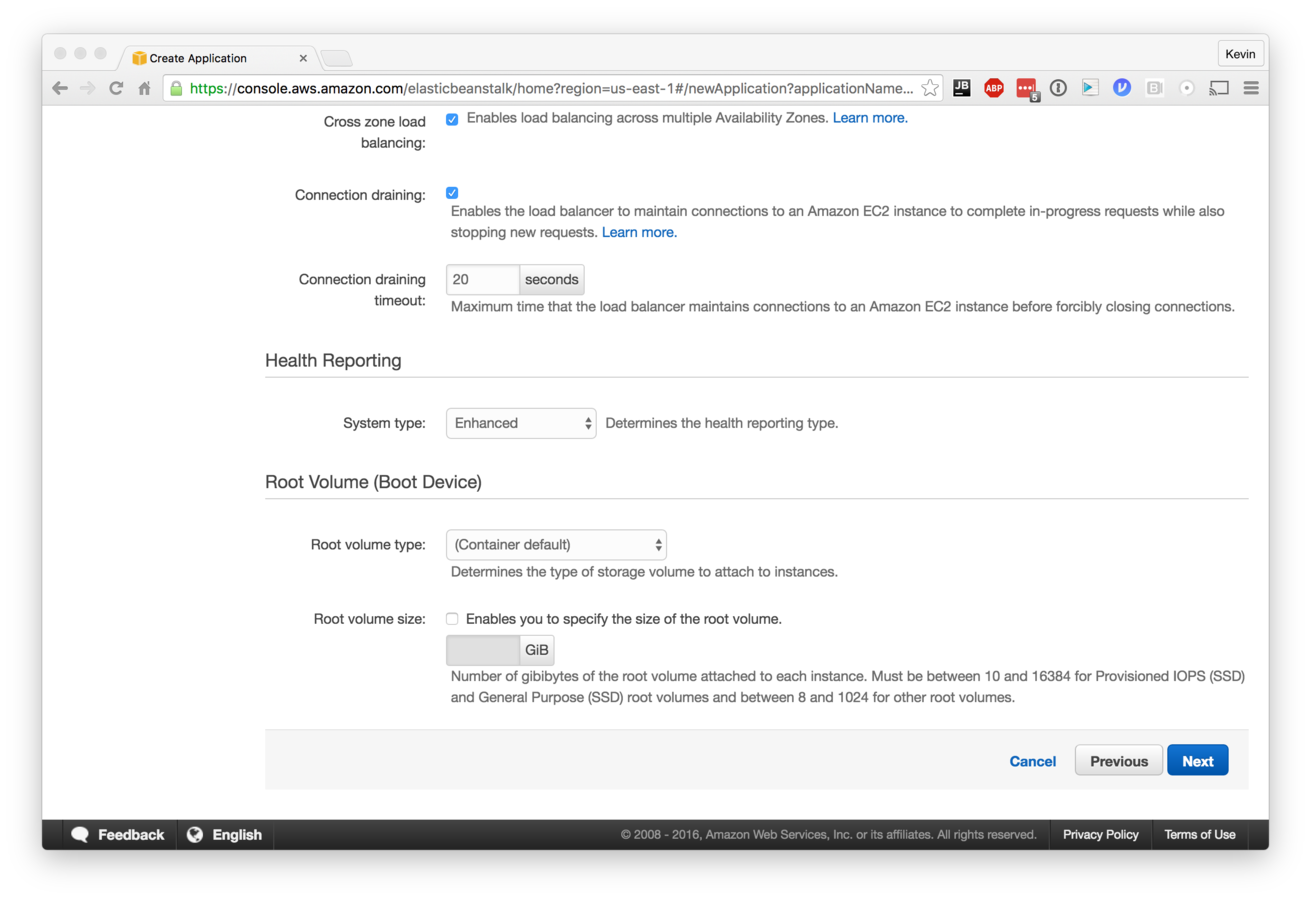
Setup - Config Details
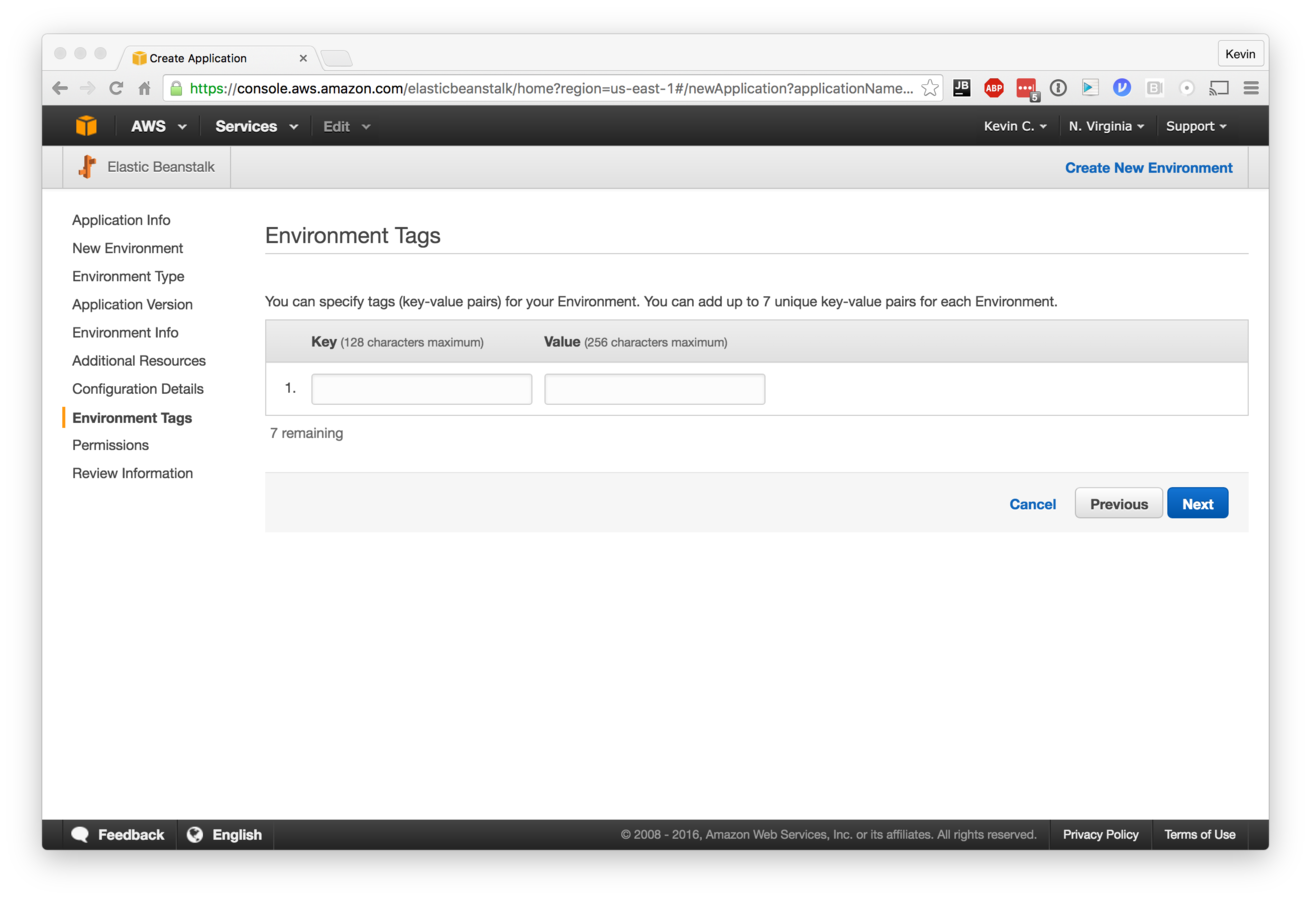
Setup - Tags
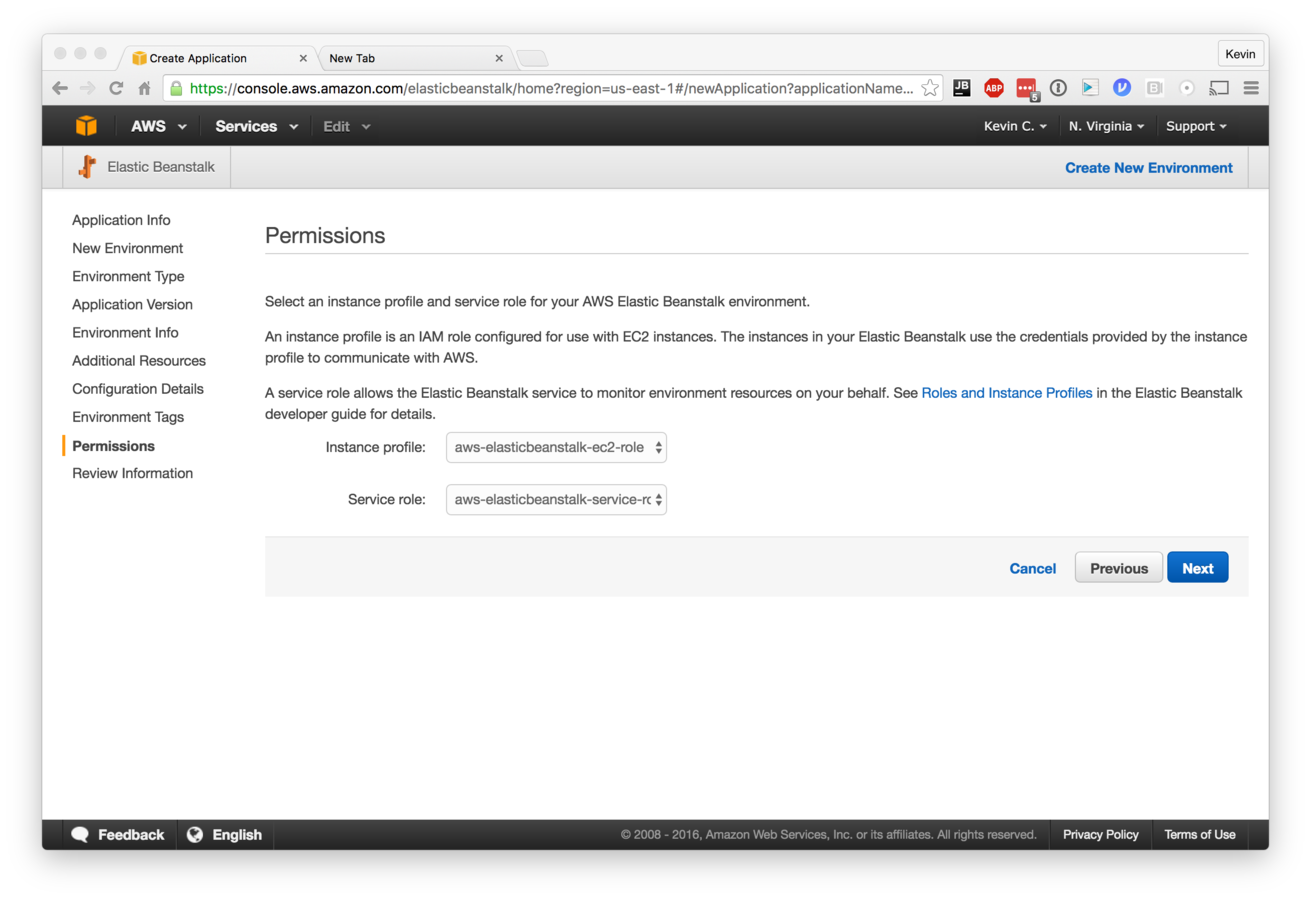
Setup - Permissions
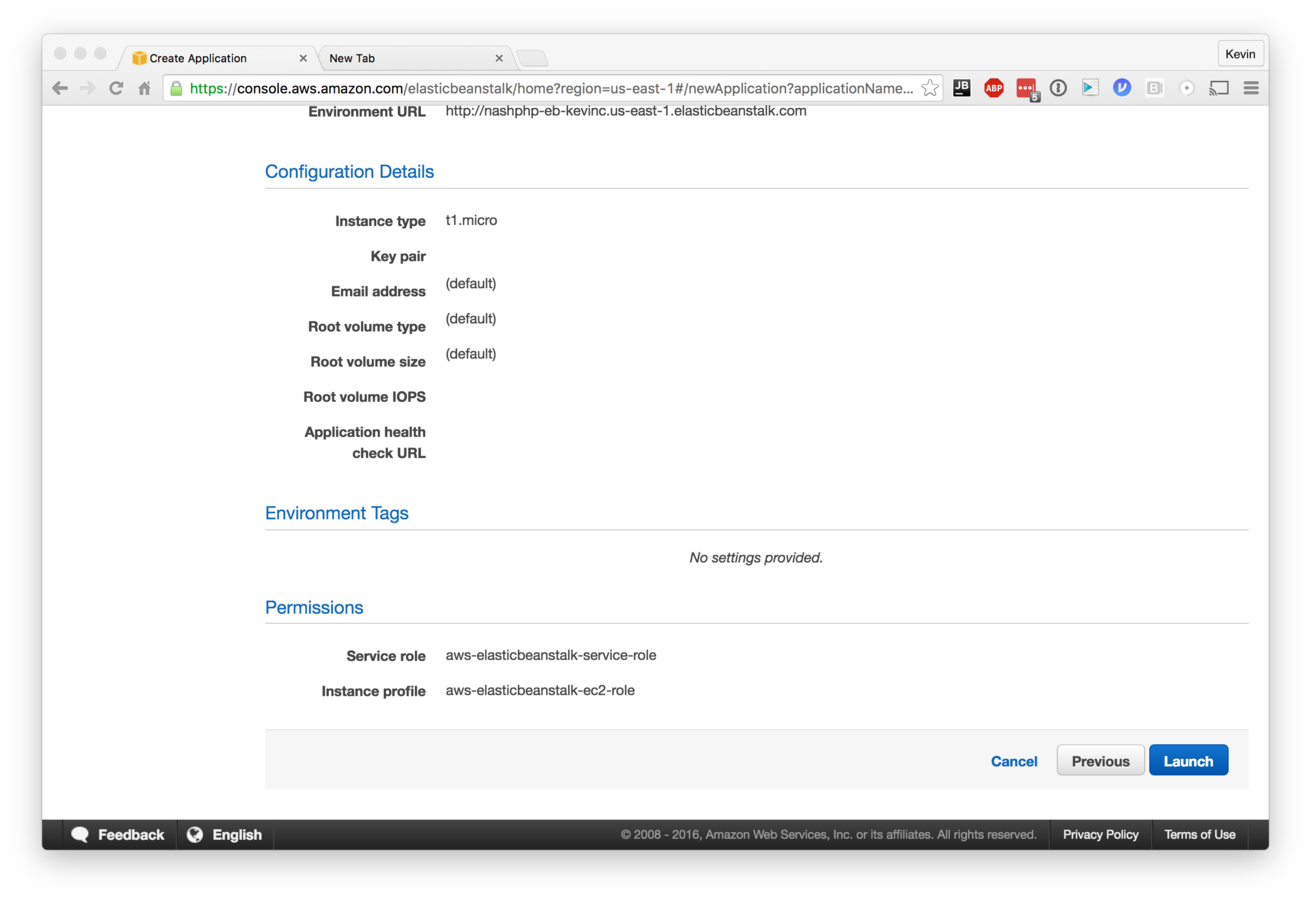

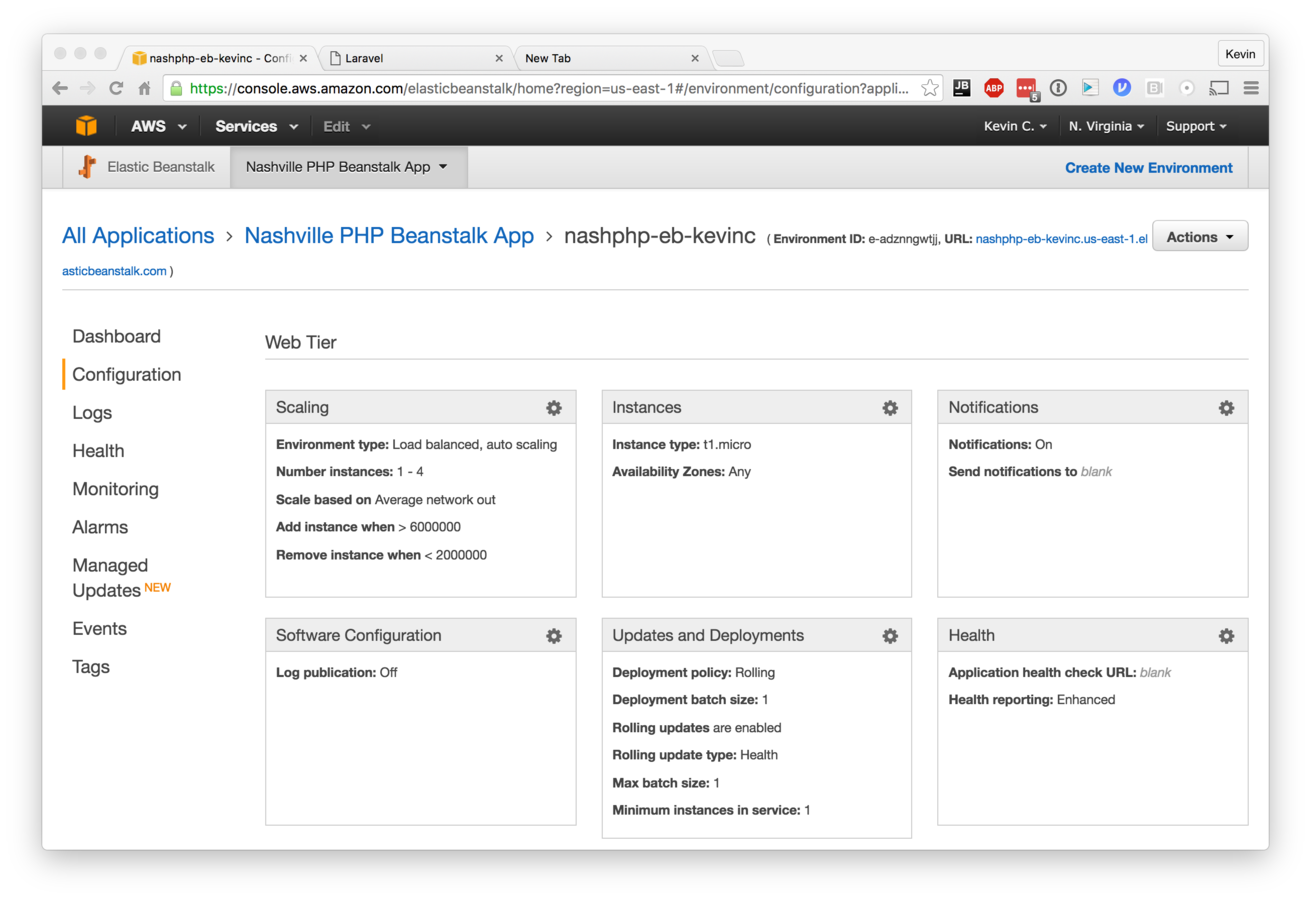
So many options!

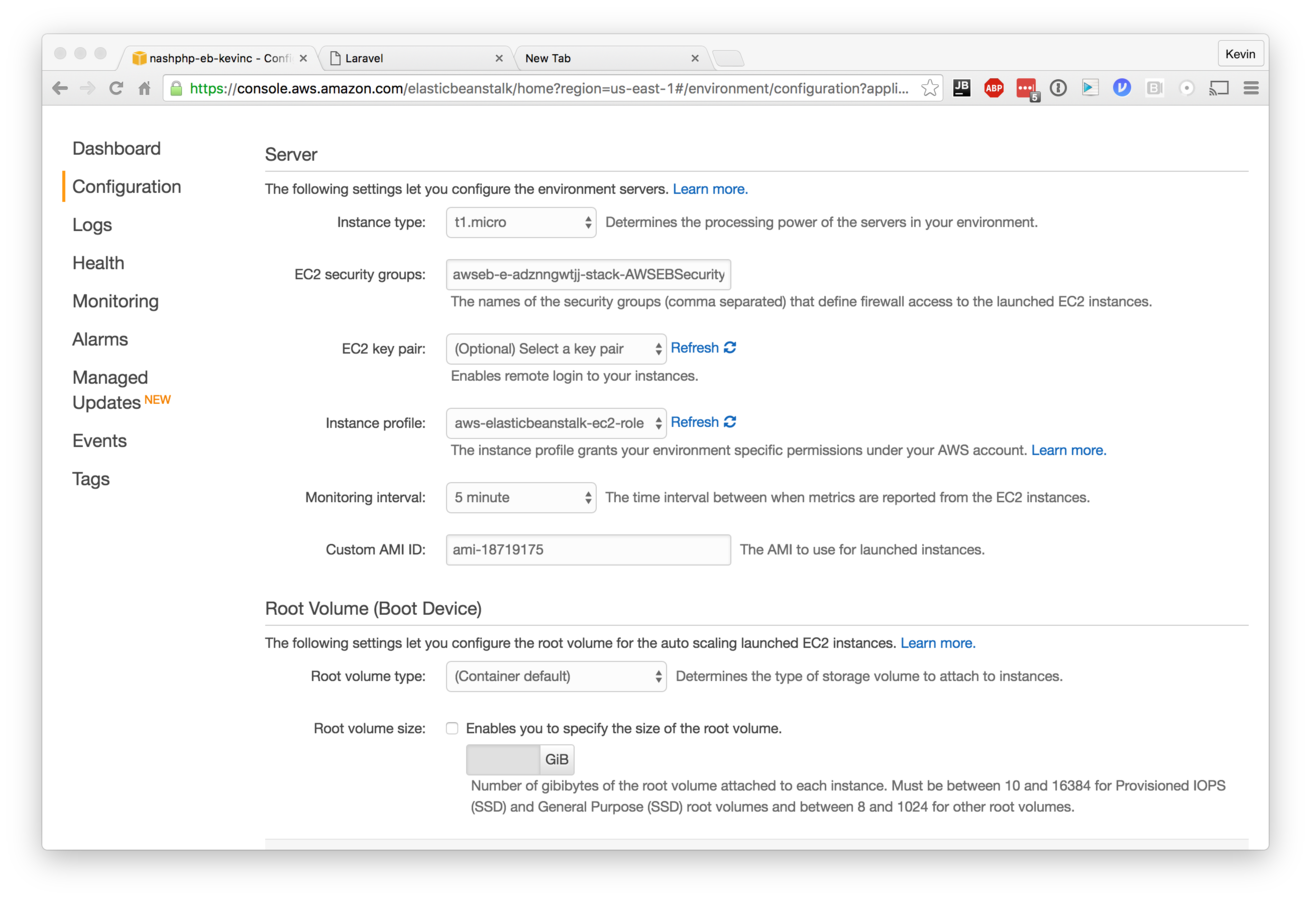
Instance Configuration
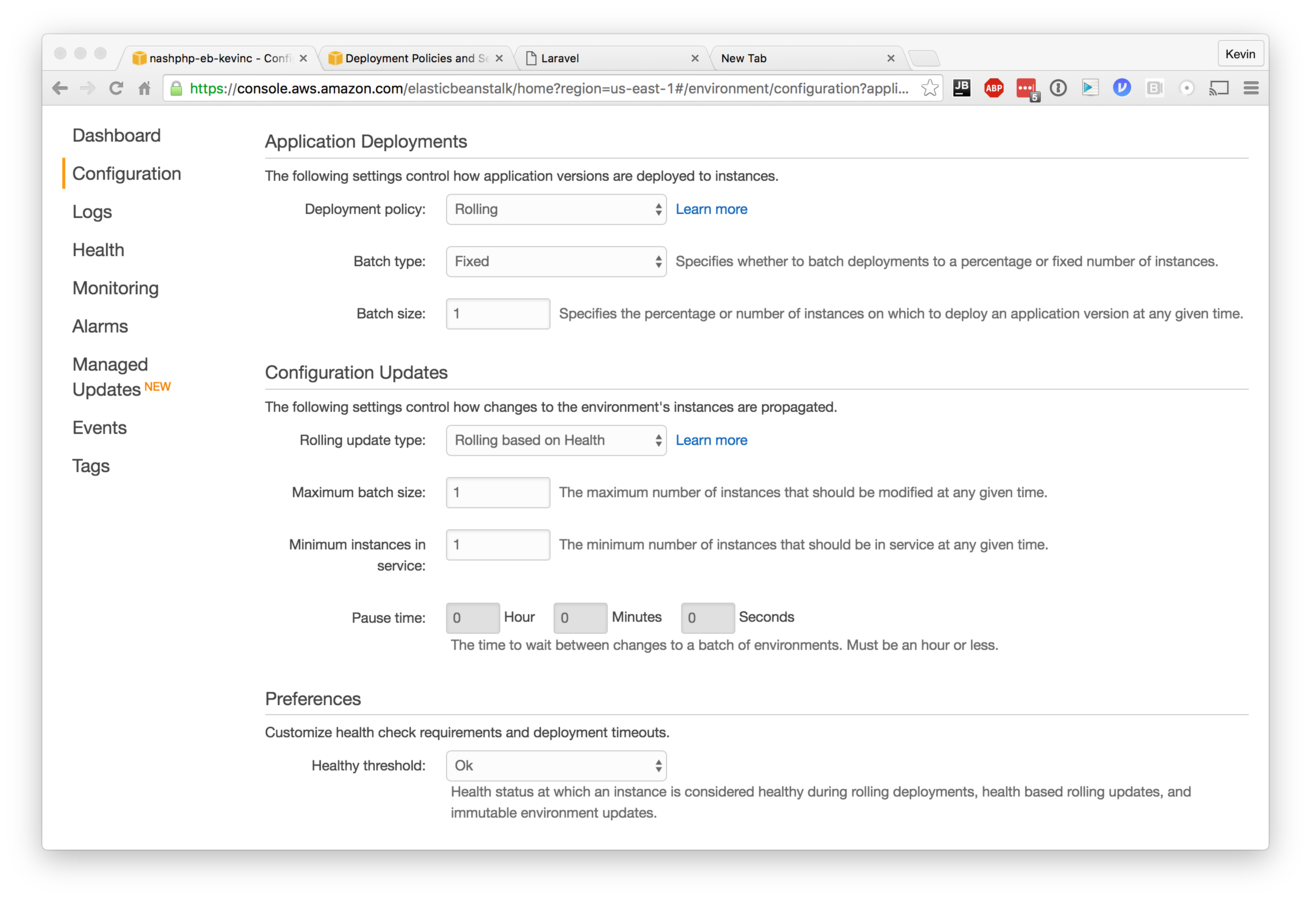
Deployment Configuration
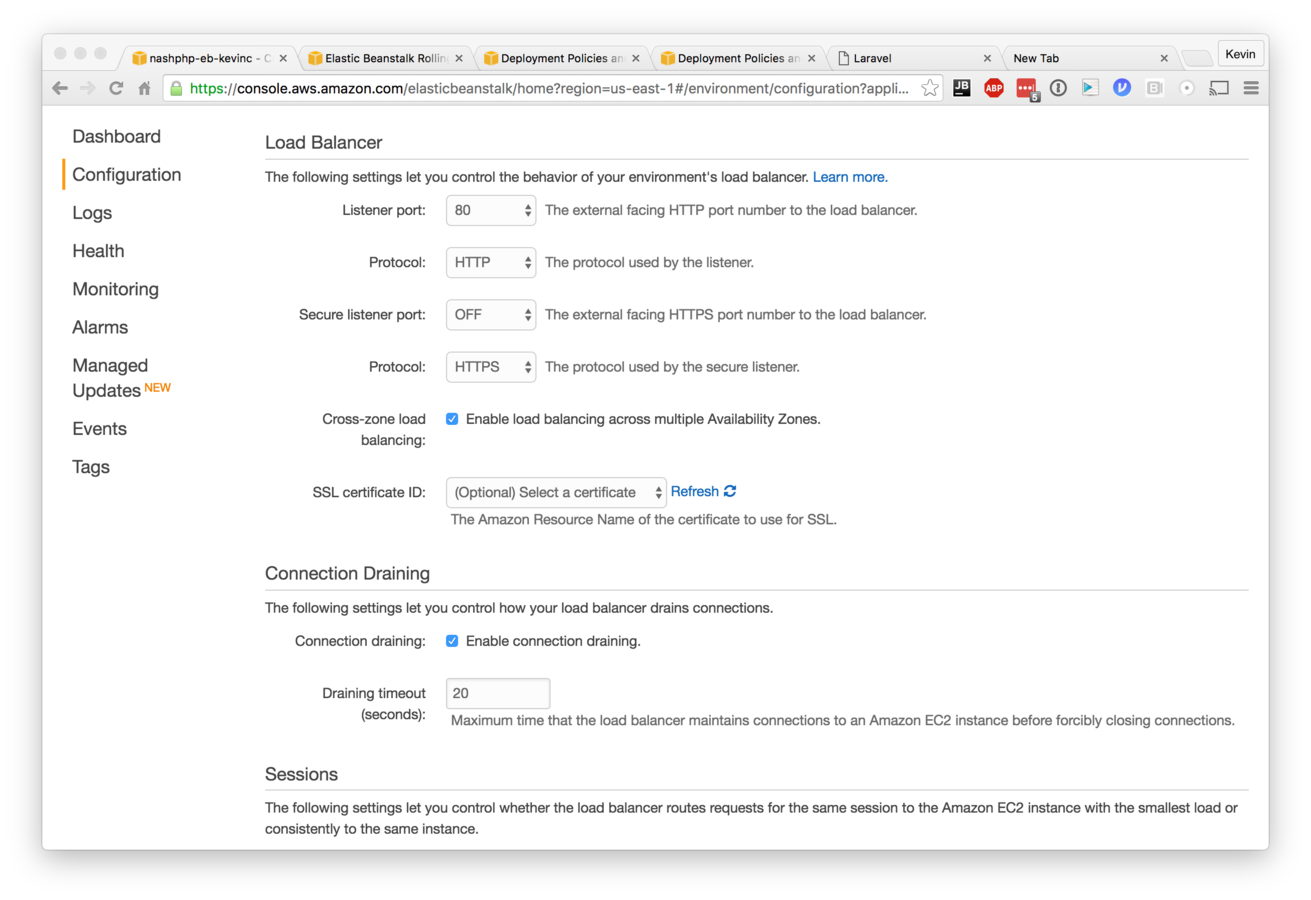
Load Balancer Configuration
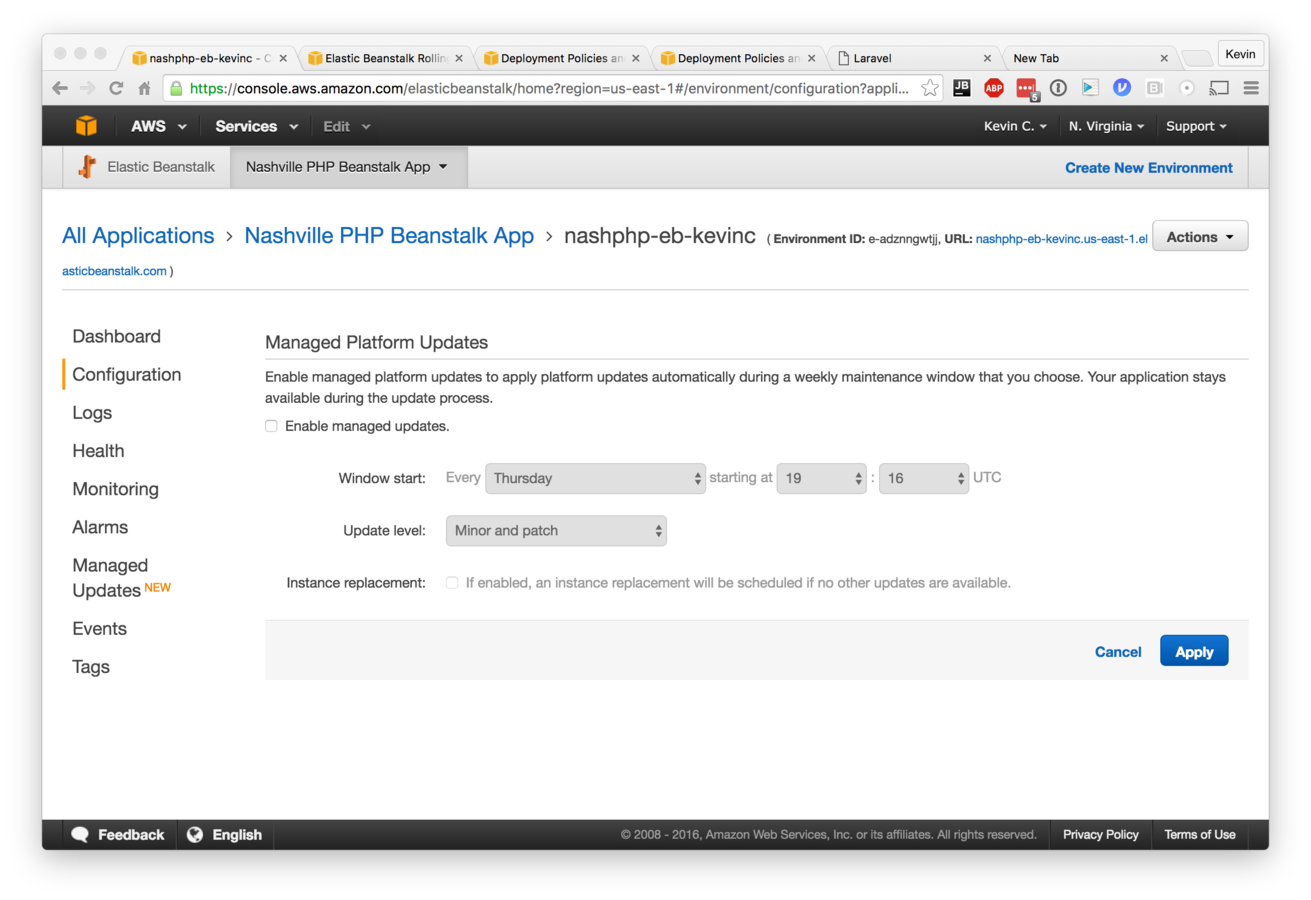
Managed Updates
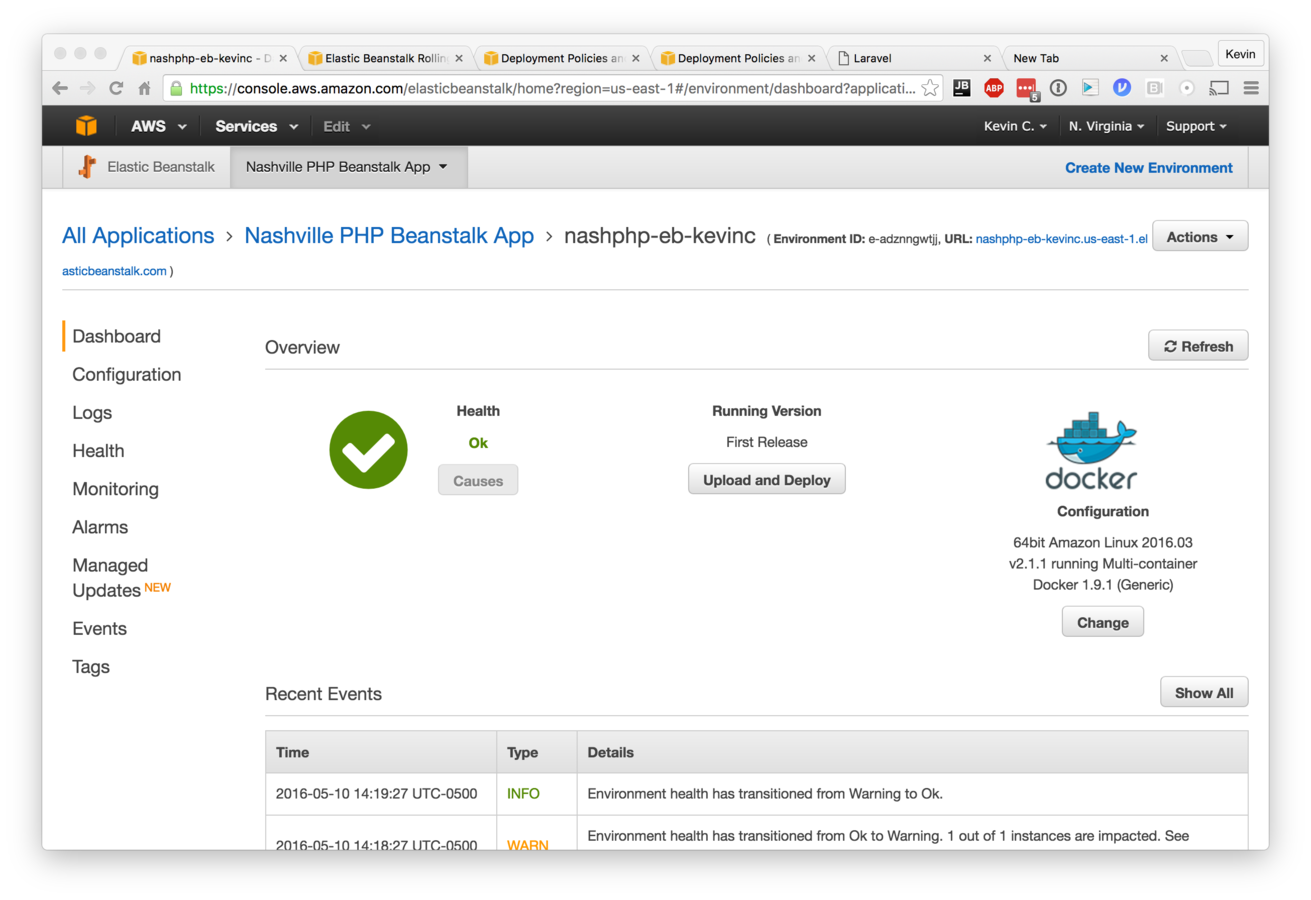
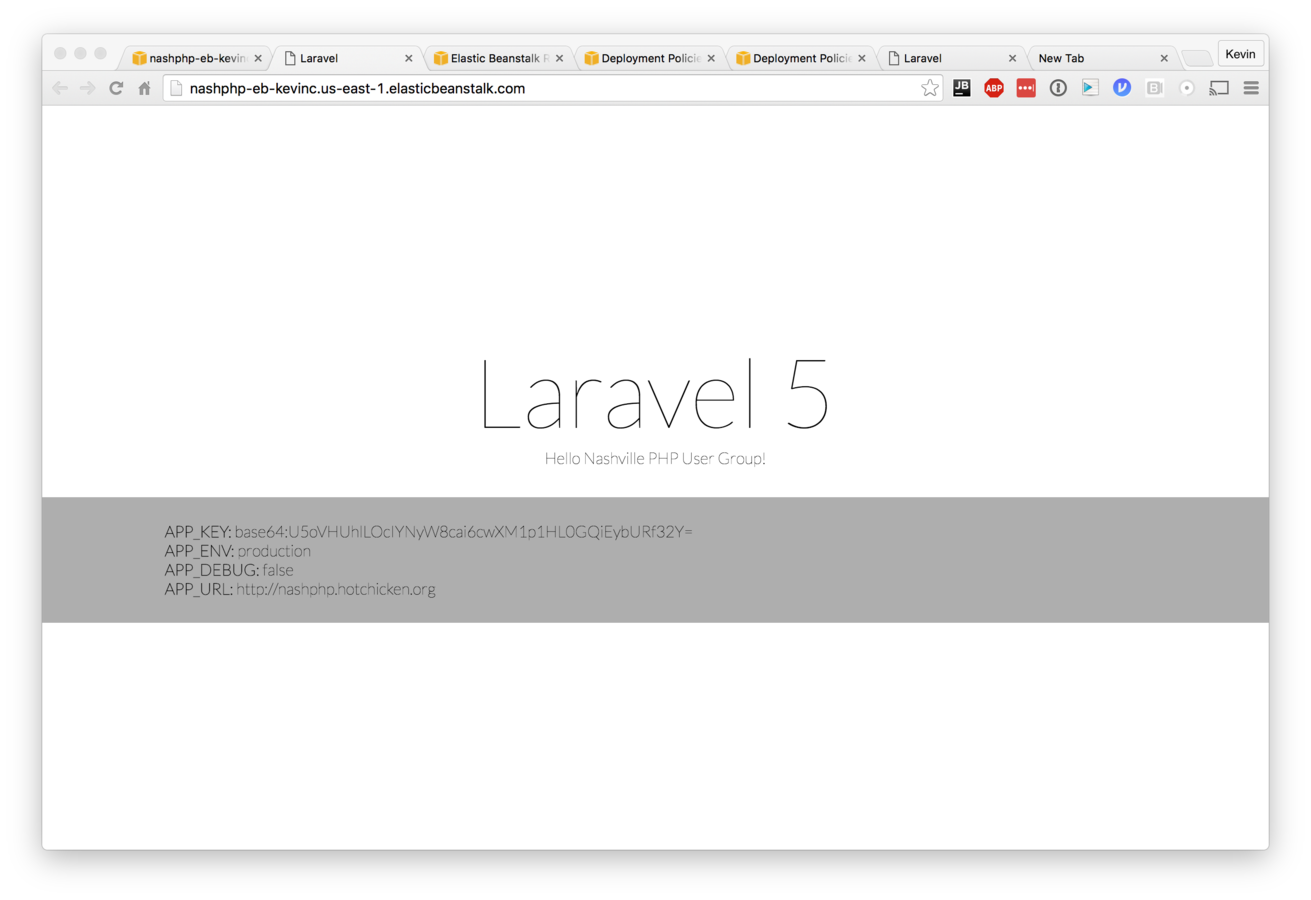
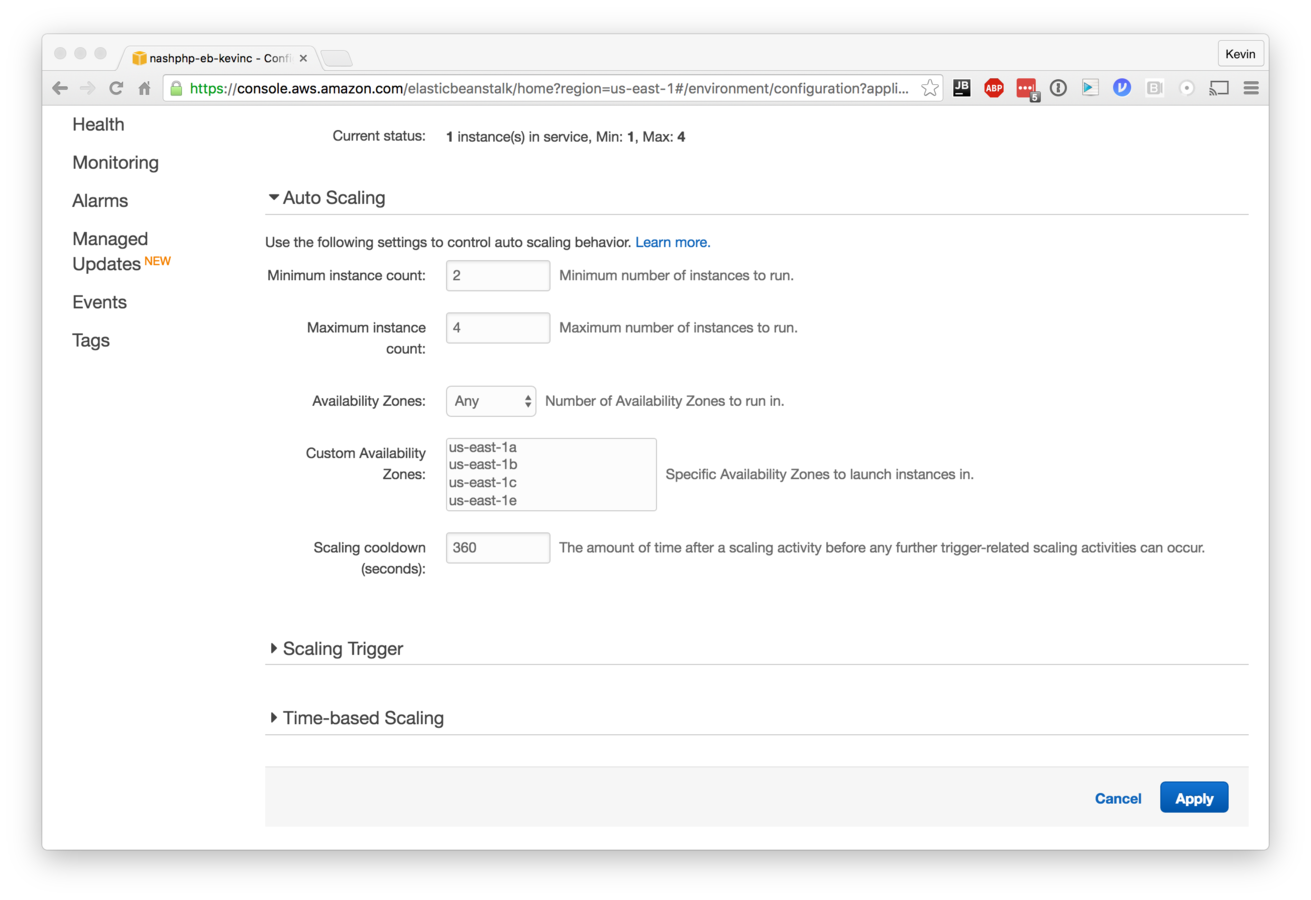
Just you and me, baby.
- Start small, you probably don't need more than two servers.
- As your traffic increases you can identify patterns which indicate how you should configure auto-scale.
- Network Traffic
- Memory Pressure
- CPU Load
- AWS replace servers which fail health checks in order to maintain the minimum number of healthy servers
Scalability !== Resiliency
- More complexity ultimately means more failure points
- Elastic Beanstalk is a combination of many different AWS components and therefore can fail in spectacular ways (or tell you it's failing when it's not)
- Route 53
- Elastic Container Service
- EC2
- Cloud Watch
- Elastic Load Balancer
- Autoscaling Groups
- If you depend on multi 9 uptime, this tutorial is likely of no interest to you.
{
  "name": "php",
  "image": "kcmastrpc/nashphp-php",
  "environment": [
    {
      "name": "APP_ENV",
      "value": "production"
    },
    {
      "name": "APP_DEBUG",
      "value": "false"
    },
    {
      "name": "APP_URL",
      "value": "http://nashphp.hotchicken.org"
    }
  ],
  "mountPoints": [
    {
      "sourceVolume": "app",
      "containerPath": "/var/www/app"
    },
    {
      "sourceVolume": "php-fpm-conf",
      "containerPath": "/usr/local/etc/php-fpm.d"
    }
  ]
nashphp-awseb/dockerrun.aws.json
- Tells Elastic Beanstalk how to configure and startup Docker to run our application
- We include configuration files which properly setup nginx/php-fpm to serve our Laravel Application
- We can define custom Environment parameters which are passed to the PHP-FPM container (this is useful when build scripts can populate these values)
commands:
  create_post_dir:
    command: "mkdir /opt/elasticbeanstalk/hooks/appdeploy/post"
    ignoreErrors: true
files:
  "/opt/elasticbeanstalk/hooks/appdeploy/post/composer_install.sh":
    mode: "000755"
    owner: root
    group: root
    content: |
      #!/usr/bin/env bash
      docker run --rm -v /var/app/current/nashphp:/app composer/composer install --no-dev
      chmod -R 777 /var/app/current/nashphp
      docker run -v /var/app/current/nashphp:/app php:7-cli /app/artisan key:generate
nashphp-awseb/deploy/.ebextensions/laravelcomposer.config
- ebextensions allow the developer to create custom hooks during the deploy process which can perform many common tasks
- here we are installing Laravel dependencies by running the official composer docker image
- we also generate a unique encryption key for the app
- this is also a great place to pull in a .env file from S3 or Vault, as keeping that file within a shared repository is bad.