用Python識別圖片中的文字
by Lamuyang
Content
-
OCR 簡介
-
pytesseract 簡介
-
lab
-
進階應用
基礎概念
- 光學文字辨識系統(Optical Character Recognition)
- 以偵測暗與亮的方式來決定字元的外形
- 常用於數位典藏
What is OCR?
基礎概念
-
由Google贊助的一個OCR 模組
-
高精準度
-
高靈活性
About Tesseract:
lab
pip3 install pillow

pip3 install pytesseract

brew install tesseract

brew install tesseract-lang //下載語言套件
for Mac
for Windows
pip install pillow

pip install pytesseractlab
for Windows
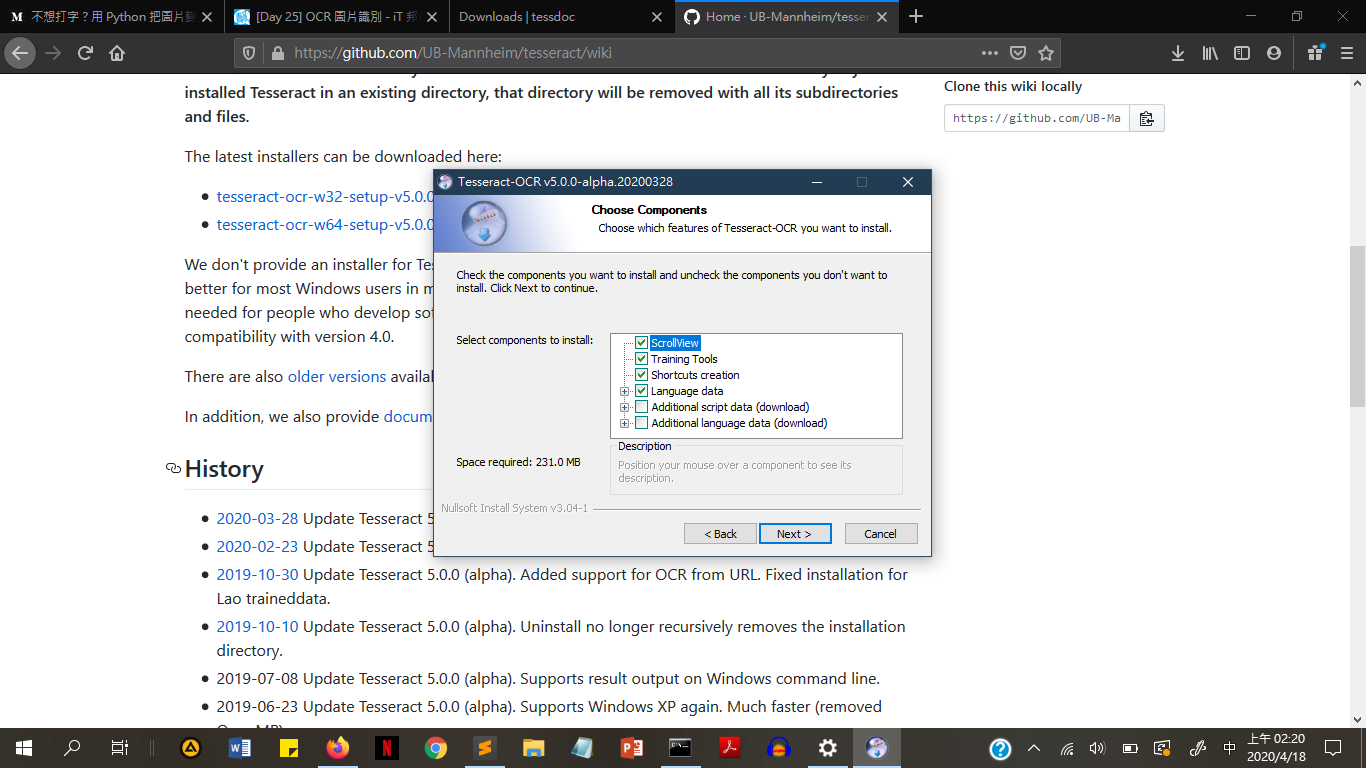
lab
for Windows
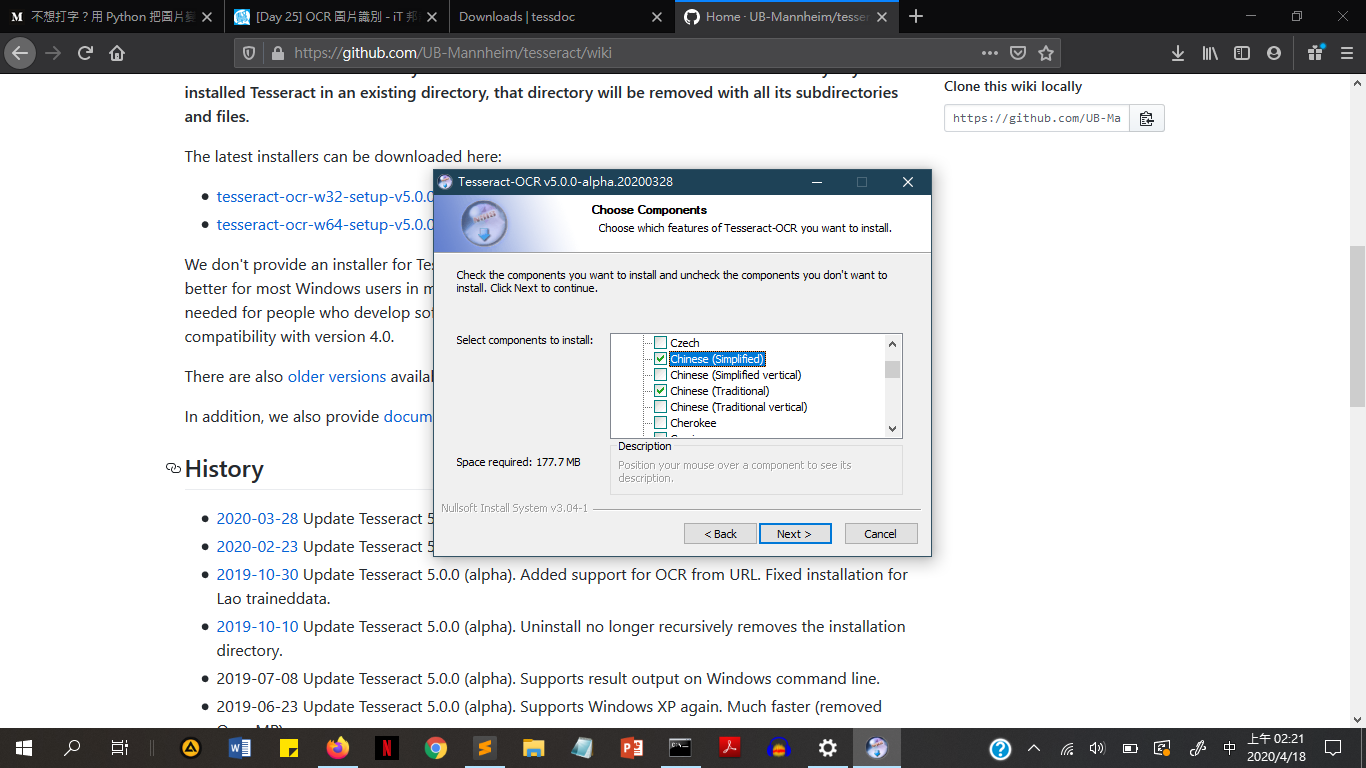
lab
Let's coding!
from PIL import Image //使用影像處理套件
import pytesseract  //引入pytesseract
先匯入pytesseract模組
lab
img = Image.open("這裡放要辨識的圖片.jpg“)打開圖片
lab
tesseract_cmd = r"這裡放剛剛安裝的tesseract的絕對路徑"指定路徑
for Mac
for Windows
pytesseract.pytesseract.tesseract_cmd = "這裡放剛剛安裝的tesseract.exe的絕對路徑"lab
下載要辨識的圖片
lab
text = pytesseract.image_to_string(img,lang="這裡放要辨識的語言")
//語言格式:eng,chi_tra(繁),chi_sim(簡)
print(text)
依照要讀取的圖片指定語言
若有多種語言則使用“+”號連結
lab
更改引入圖檔並確認辨識出的文字
lab
完整程式碼
from PIL import Image
import pytesseract

img = Image.open("test01.jpg")
tesseract_cmd = r"/usr/local/Cellar/tesseract/4.1.1/bin/tesseract"
text = pytesseract.image_to_string(img,lang="chi_tra+eng")
print(text)
for Mac
for Windows
from PIL import Image
import pytesseract

img = Image.open("test01.jpg")
pytesseract.pytesseract.tesseract_cmd = r"C:\Users\Sam\AppData\Local\Tesseract-OCR\tesseract.exe"
text = pytesseract.image_to_string(img,lang="chi_tra+eng")
print(text)
進階應用
-
自動輸入驗證碼
-
車牌辨識
-
快速掃描輸入信用卡資料