Git for n00bs
Brought to you by
Laurel Taylor
at

Assumptions
- You're either brand new or don't know much about git
- You need to make changes to a repository ("repo") using git
- You have a github account and access to the repo(s)
What is covered
- Basics
- Making changes
- Saving changes
- Sharing changes
- Shared branches
- Proper etiquette
- Merge conflict resolution
- What to do when it goes wrong
- Cool tricks and time savers
What isn't covered
- GUIs (sourcetree)
- Terminal only here
- git stash
- I love it, but let's commit to be safe
- git pull/git merge
- Let's stick with fetch/rebase
- working with more than one remote
- just sticking with origin
Important
- I'm still getting used to the term "main" instead of "master". They can technically be used interchangeably.
- There's a lot of ways to use git. These are just what I've found to work best, in all situations I've run into.
Basics
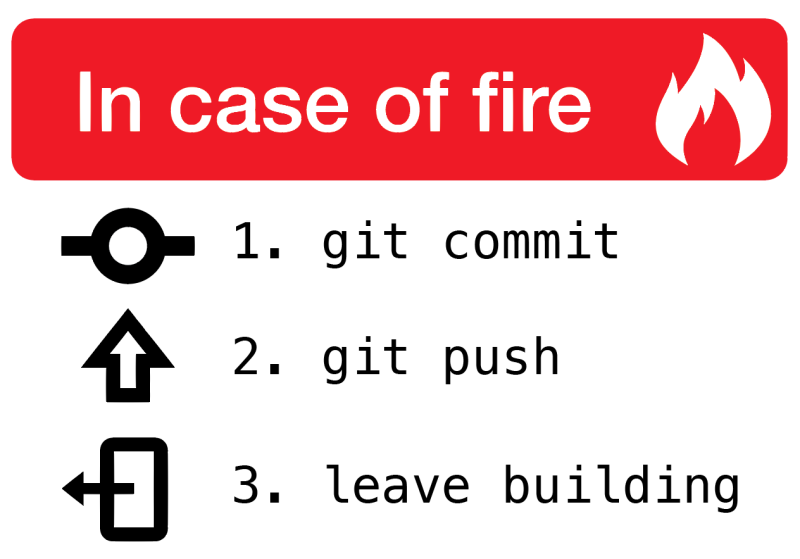
What is git?
Clone a repo
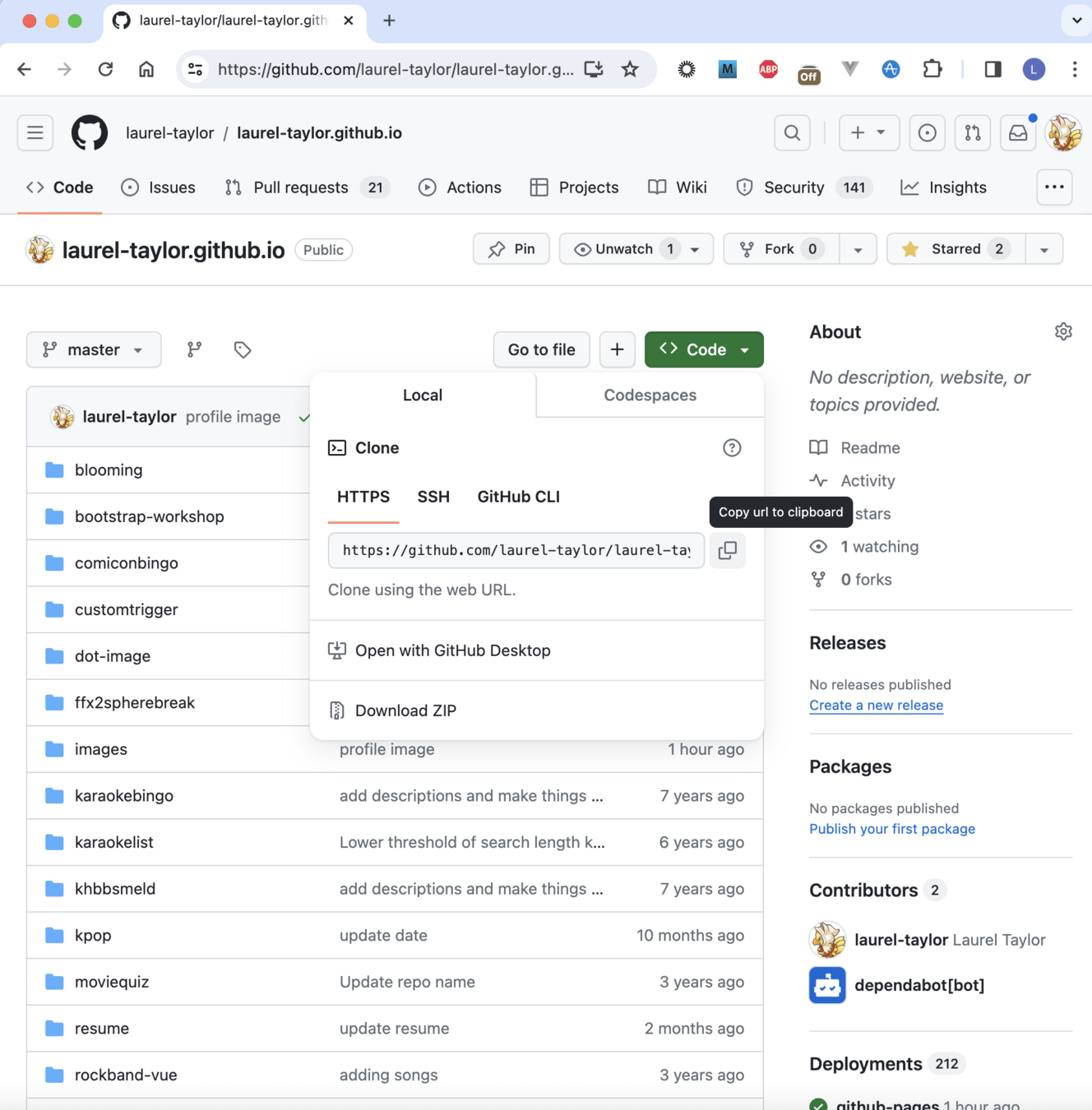
Clone a repo
> mkdir ~/Documents/code
> cd ~/Documents/code/
> git clone <pasted link>
> git clone https://github.com/laurel-taylor/git-training.git
> cd git-trainingMake changes
> git branch FS-101-branch-name origin/main
> git checkout FS-101-branch-name
1) create a branch
2) check out that branch
3) make your changes in an IDE
Your own (local)
vs
remote (origin)
Your local repo
- main
- my-test-branch
- FS-101-a-feature
- FS-102-another-feature
Remote repo
- origin/main
- origin/FS-101-a-feature
- origin/FS-102-another-feature
Saving changes
> git statusYour changes should be in red ("unstaged")
> git diffSee what changes you've made
Saving changes
> git add .
> git status
Your changes should be in green ("staged")
> git commitOMG i'm in VI what do??
(ESC :q!)
> git commit -m "FS-101 | my change description"Saving changes
> git logYou can see your commit
(or your list of commits on this branch)
Sharing changes
> git fetchIf origin/main has not been updated, you are free to push!
> git push origin FS-101-my-branchNote the SPACE between origin and the branch name.
Rebasing
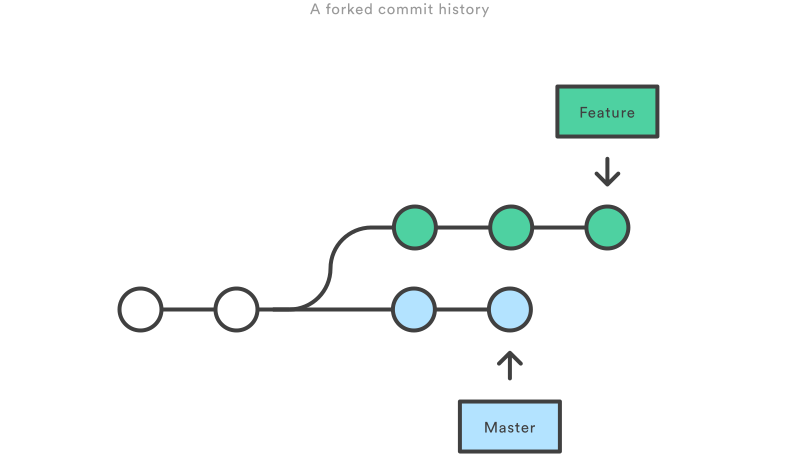
main
Rebasing
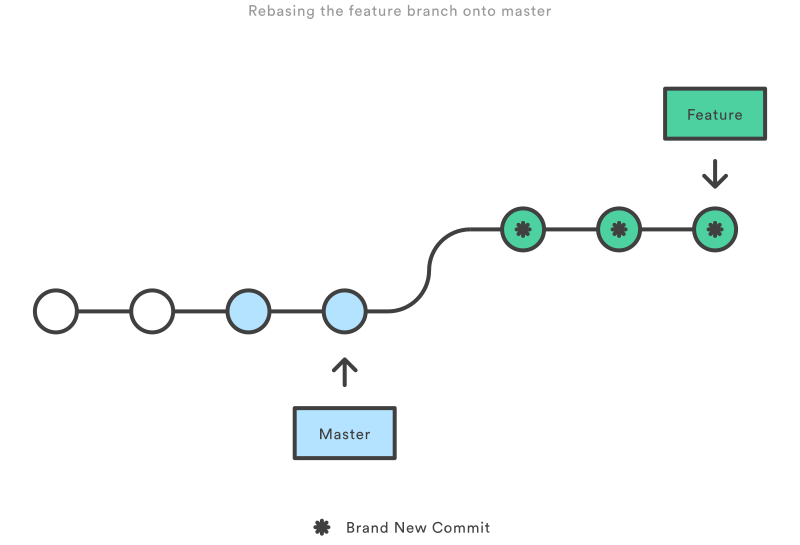
main
Sharing changes
I have a branch up on origin, but I needed to rebase... now it rejects my push.
> git push -f origin FS-101-my-branchNOTE if you are using a shared branch (with other people) this can be dangerous if there's no communication!
TL;DR
- git fetch
- make a branch off origin/main (git branch branch-name origin/main)
- check out the branch (git checkout branch-name)
- make your changes
- double check changes (git diff)
- stage changes (git add .)
- commit changes (git commit -m "message")
- git fetch (git rebase origin/main if main updated)
- git push origin branch-name (push -f if needed)
Shared branches
Proper ettiquitte
1) Create a branch that you can work off of, and push it to origin. Only one person should do this, and it should just be a clone of master.
> git fetch
> git checkout -b our-shared-branch origin/main
> git push origin our-shared-branch
2) "Hey guys, I made a branch called 'our-shared-branch'. It's up on origin."
> git fetch
> git checkout -b our-shared-branch origin/our-shared-branch
Proper ettiquitte
3) When pushing changes, always fetch and see if main or the shared branch has been updated
> git fetch4) If main or the shared branch has been updated, rebase off the SHARED branch FIRST, THEN main, then IMMEDIATELY force push:
> git fetch
> git rebase origin/our-shared-branch
> git rebase origin/main
> git fetch #has it updated again????
> git push -f origin our-shared-branch
Proper ettiquitte
The worst thing you can do is overwrite another person's changes by force pushing.
If you (and everyone else) rebase from the shared branch this will be avoided!
TL;DR
- Have a shared branch on origin
- git fetch
- make a branch off origin/shared-branch-name (git branch shared-branch-name origin/shared-branch-name)
- check out the branch (git checkout shared-branch-name)
- make your changes
- double check changes (git diff)
- stage changes (git add .)
- commit changes (git commit -m "message")
- git fetch
- rebase: FIRST origin/shared-branch-name
- THEN origin/main
- git push origin shared-branch-name (push -f if needed)
Merge conflict resolution
Get a good IDE
VS Code works
IntelliJ works better
I also like diffmerge
(resolving merge conflicts is one thing that is garbage through the terminal)
When conflicts happen
Fix your conflicts
> git rebase origin/main
> git rebase origin/shared-branch
> git add .
> git rebase --continueFix your conflicts
(repeat)
If it goes wrong
Get me out of this
> git rebase --abortPlz Halp
When things go wrong
Help where am I
> git branch
> git status
> git log
> git reflog
These are all things you can do that won't affect any of yours or others' files. Use them as often as you like, to figure out where you are and where you've been.
Help I didn't mean to change that file
> git checkout -- filename.jsIf the file is unstaged (red):
Help I didn't mean to make that one commit
> git reset --soft HEAD~1
> git push -f origin branch-name
You can also "unstage" changes with
git reset HEAD
If you accidentally committed to a remote branch, or a shared branch
> git revertHelp everything is wrong and I want it all to go away
> git fetch
> git reset --hard origin/main
Boom, everything is gone. This means all your commits, all your staged and unstaged changes for this branch.
Help I didn't mean to reset hard
> git reflogReflog is your best friend.
> git reset --hard u84938ru89u47839Help I've force pushed over someone else's changes
You have to go talk to them, see if they can find the commit in their reflog, and they can push it up to the branch.
> git reflog
> git reset --hard jfiu8r94wrrf9r9w8
> git fetch
> git rebase origin/our-shared-branch
> git rebase origin/main
> git push -f origin our-shared-branch
Don't forget to say you're sorry :)
Help I reset changes that I didn't commit
Tough luck my friend.
If you've stashed, staged, or committed you can get your changes back.
But not if you've never told git about them.
(You might have the file open in an IDE? try using undo? good luck :) commit next time!)
Tips and tricks
Aliases
> open ~/.gitconfig[alias]
co = checkout
s = status
unstage = !echo "git reset HEAD" && git reset HEAD
explode = !git fetch origin && git reset --hard origin/main
undo = reset --soft HEAD~1
ac = !git add -A && git commit
alias = config --get-regexp ^alias\\.Make a new branch and check it out:
> git checkout -b new-branch-name origin/mainUse an editor that isn't VI
[core]
	editor = open
> open ~/.gitconfigNow when you say "git commit" you won't get VI as your default editor.
Use a mergetool that isn't VSCode/IntelliJ
Maybe try diffmerge
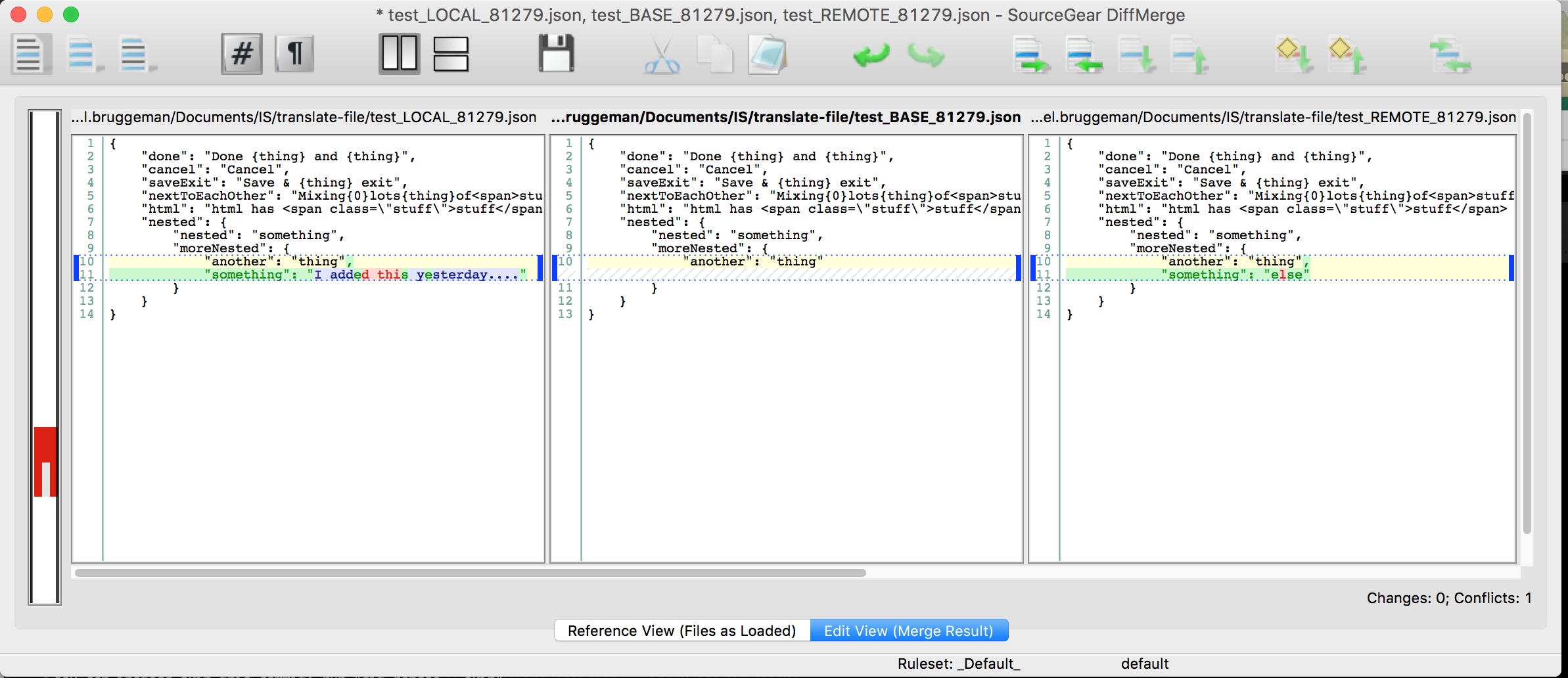
Use a mergetool that isn't VSCode
> git config --global diff.tool diffmerge
> git config --global difftool.diffmerge.cmd
    "/usr/local/bin/diffmerge \"\$LOCAL\" \"\$REMOTE\""

> git config --global merge.tool diffmerge
> git config --global mergetool.diffmerge.trustExitCode true
> git config --global mergetool.diffmerge.cmd
    "/usr/local/bin/diffmerge --merge --result=\"\$MERGED\"
        \"\$LOCAL\" \"\$BASE\" \"\$REMOTE\""
.bash_profile (or .zshrc)
alias cleanmergefiles="find . -name '*REMOTE*' -type f -delete -o -name '*LOCAL*' -type f -delete -o -name '*BACKUP*' -type f -delete -o -name '*BASE*' -type f -delete -o -name '*.orig' -type f -delete ".zshrc
Command line helper
sh -c "$(curl -fsSL https://raw.githubusercontent.com/robbyrussell/oh-my-zsh/master/tools/install.sh)"inside ~/.zshrc:
plugins=(git zsh-autosuggestions)grep is your friend
> git branch -r | grep "FS-101"I made a commit, I can't find it
I made a branch, I can't find it
> git reflog | grep "FS-101"