Producers Training
Production II
Camera Settings

Full Auto
The green square.
Works in most casual situations.
But that's not what real producers do, now is it?
Works in most casual situations.
But that's not what real producers do, now is it?
P
Slightly more advanced.
Set ISO & WB.
Everything else is auto.
AV
Aperture Priority.
Set the Aperture, WB, and ISO.
Everything else is auto.
TV
Shutter Speed Priority.
Set the Shutter Speed, WB, and ISO.
Everything else is auto.
Manual
It's all on you.
White Balance

Prioritize those skin tones!

ISO / Gain
How sensitive is the sensor?
Controls film grain

DSLRs = ISO
100, 200, 400, 800 ...
Video Cameras = Gain
+0.5dB, +1dB, +2dB ...
Shutter Speed
How long is the shutter open?
Controls motion blur


Water Video
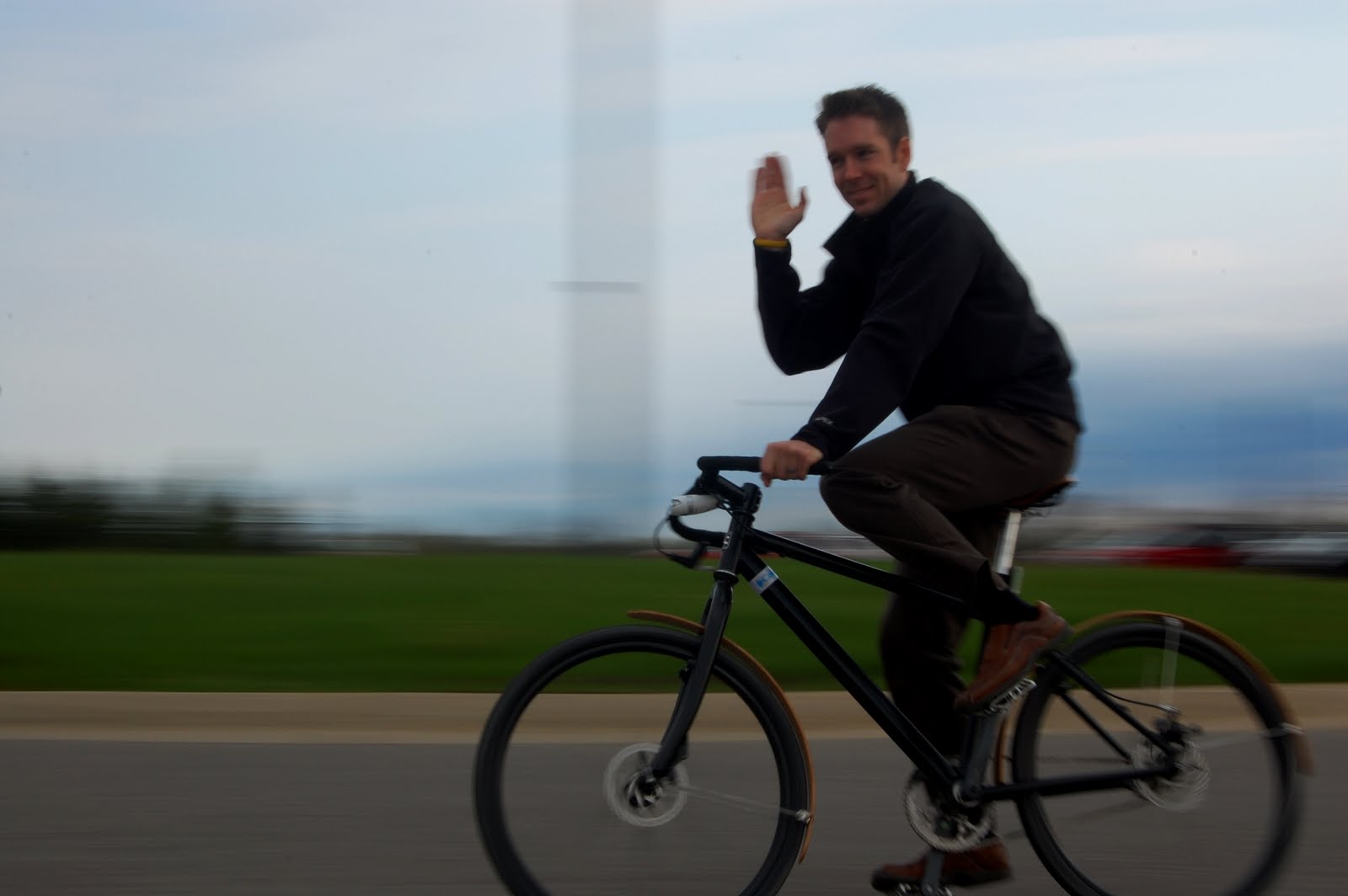
Rules for Video Shutter Speed
Default to 1/60 or 1/50. It looks normal.
Lower = more motion blur.
Higher = interesting effect, but unnatural (think Gladiator)
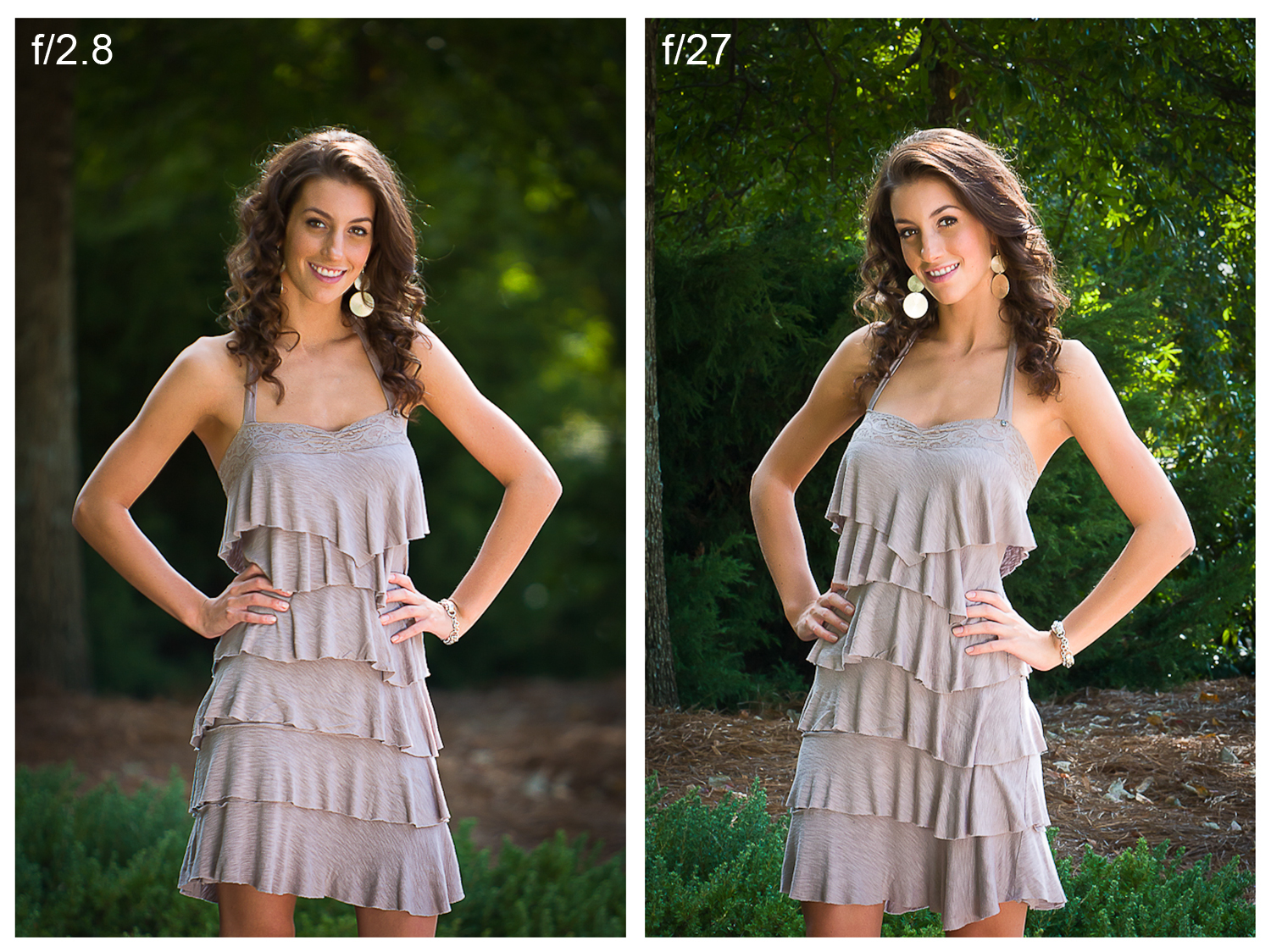
Aperture
How open is the shutter?
Controls Depth of Field

Frame Rate
How many images are shown every second?
60p
Useful for slow motion.
60i
Hyper-real. Soap operas.
30p
Standard for live stuff
24p
Cinematic bliss.

Resolution
How big is the image?
.svg)
Putting it all together
It's a balancing act
Starting out, just try to make it look natural.
Go Auto > P > TV > AV > Manual
Once you understand how these things work, you can start bending the rules for stylistic purposes.