Welcome to your Introduction to Front-End Development
What is Front-End Development?
Making websites
...at least part of it
Front-End is creating user experience and interactivity.
as opposed to Back-End which is mostly servers and databases.
Who are we?

Ranya Bellouki, MSc Management of Innovation @ RSM
Daniel Batubara, MSc Business Information Management @ RSM

What is Turing Society?
Turing Society was created by two EUR students who strive to provide free tech education to all.

What coding languages are used in Front-End Development?


What is HTML?
- HyperText Markup Language
- If a website was your body, HTML would be the skeleton.
- It determines the layout of your website.

What is CSS?
- Cascading Style Sheets
- If a website was your body, CSS would be your genes.
- It determines the look of your website.

What is JavaScript?
- Just...JavaScript (not to be confused with Java!)
- If a website was your body, JavaScript would be your brain.
- It determines what you can do with your website.
What you are learning today

How much do you think Web Developers earn on a yearly basis?
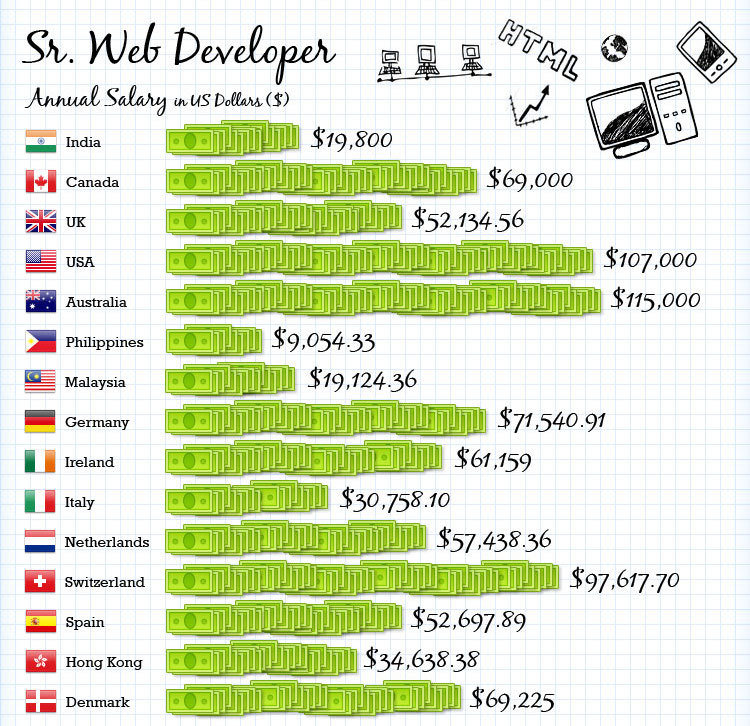
Enough information.. let's get to coding!
<!DOCTYPE html>
<html>
<head>
	<title></title>
</head>
<body>

</body>
</html>
Questions?
What HTML tags are there?
- Headings and paragraphs
- Images
- Links
- Lists
- Tables
- Forms
Headings & Paragraphs
<h1>This is a Big Title!</h1>
<h2>This is a smaller Title!</h2>
<h3>This is even smaller!</h3>
<h4>This is even smallerer!!</h4>

<p>The above are different headings tags that you can
use in HTML. They are very useful when you want to
highlight the importance of some text, as you know,
and I am just talking shit at this point to show you
the use of the paragraph tag.</p>
Images
<!DOCTYPE html>
<html>
<head>
	<title>Coding is Awesome</title>
</head>
<body>
	<img src="URL or filename.extension" alt="what is it tho">
</body>
</html>
Links
<!DOCTYPE html>
<html>
<head>
	<title>Coding is Awesome</title>
</head>
<body>
    <a href="URL" target="_blank"></a>
</body>
</html>
Lists
<!DOCTYPE html>
<html>
<head>
	<title>Coding is Awesome</title>
</head>
<body>
    <h3>These are a few of my favorite movie genres</h3>
    <ul>
        <li>Zombies</li>
	<li>Sharks</li>
	<li>Post-Apocalyptic</li>
	<li>Psychological Thrillers</li>
    </ul>
</body>
</html>
Tables
<!DOCTYPE html>
<html>
<head>
	<title>Coding is Awesome</title>
</head>
<body>
	<table>
	  <thead>
	    <tr>
	      <th>Name</th>
	      <th>Email</th>
	      <th>Phone number</th>
	    </tr>
	  </thead>

	  <tbody>
	    <tr>
	      <td>Ranya</td>
	      <td>ranyabellouki@gmail.com</td>
	      <td>1-800-CODING</td>
	    </tr>
	    <tr>
	      <td>Daniel</td>
	      <td>dn.batubara@gmail.com</td>
	      <td>1-800-TURING</td>
	    </tr>
	  </tbody>
	</table>
</body>
</html>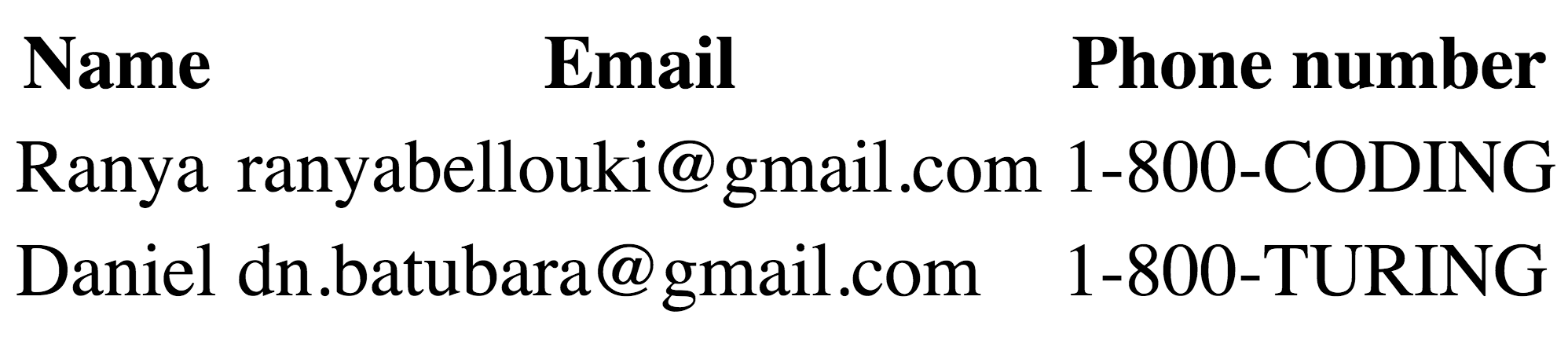
- The table head (<thead>), with the name of the columns (<th>)
- The table body (<tbody>), with the rows (<tr>) filled with table data (<td>)