DynamoDB
For the Rest of Us
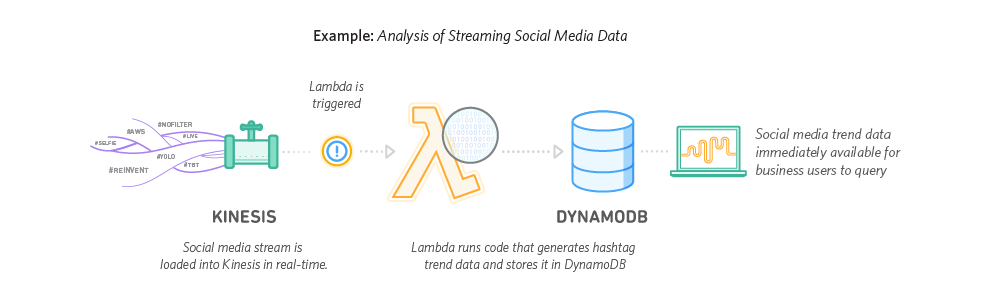
The NoSQL Debate
How NoSQL databases work
Why they are thought about in the wrong way
Using Dynamo as a case study
Intro
Martin McKeaveney
TODO


Co-founder @
What is DynamoDB?
Amazon DynamoDB is a fully managed, multi region key-value and document database, providing single digit millisecond performance at any scale.

Relational Databases - A Primer
- Simple
- Common
- Flexible
- JOINS
- RDBMS query each table, scan the rows and JOIN all the results together into a view returned to the client
- Referential integrity
- Vertically Scalable
- JOINS are the bottleneck
- Unpredictable at scale
- SQL Queries are boundless
- It's very easy to write a bad SQL query
- Horizontal Scaling is hard

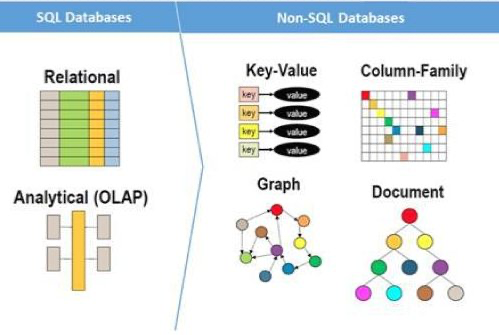
NoSQL Databases
- NoSQL Databases were invented to handle scale and throughput that SQL cannot
- No JOINS
- Data segmented
- Storage Optimised -> CPU Optimised
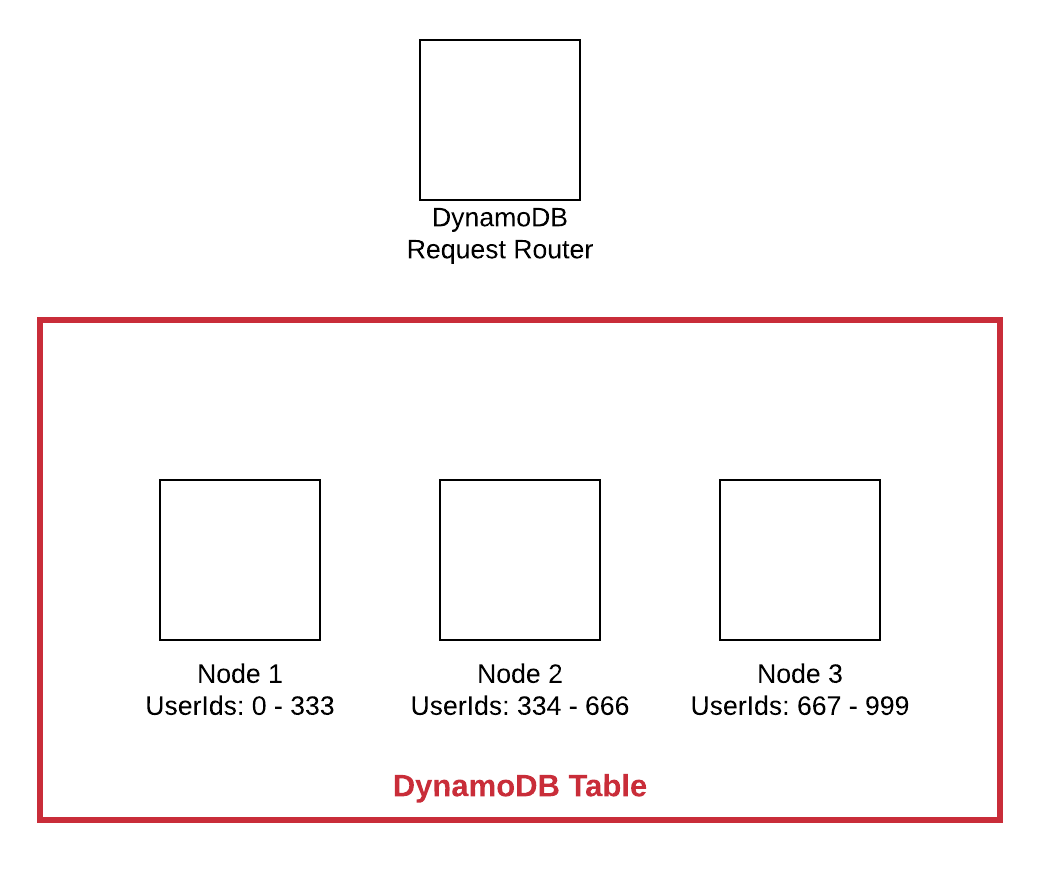
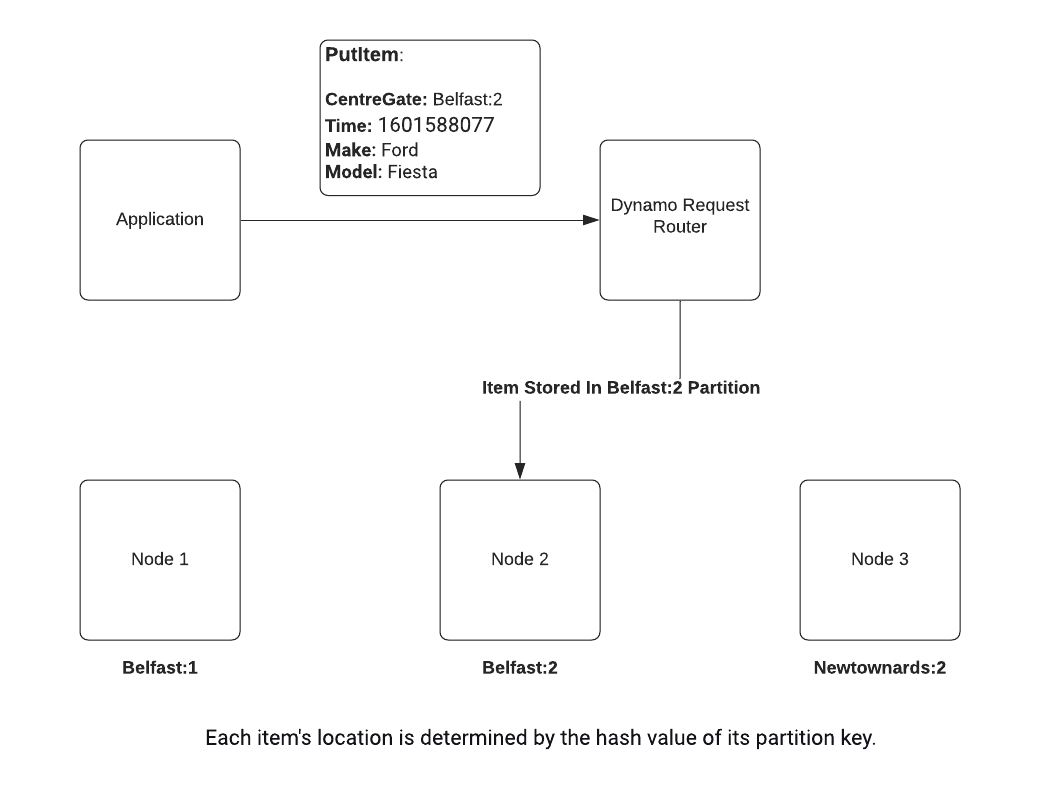
How NoSQL Works: Writes
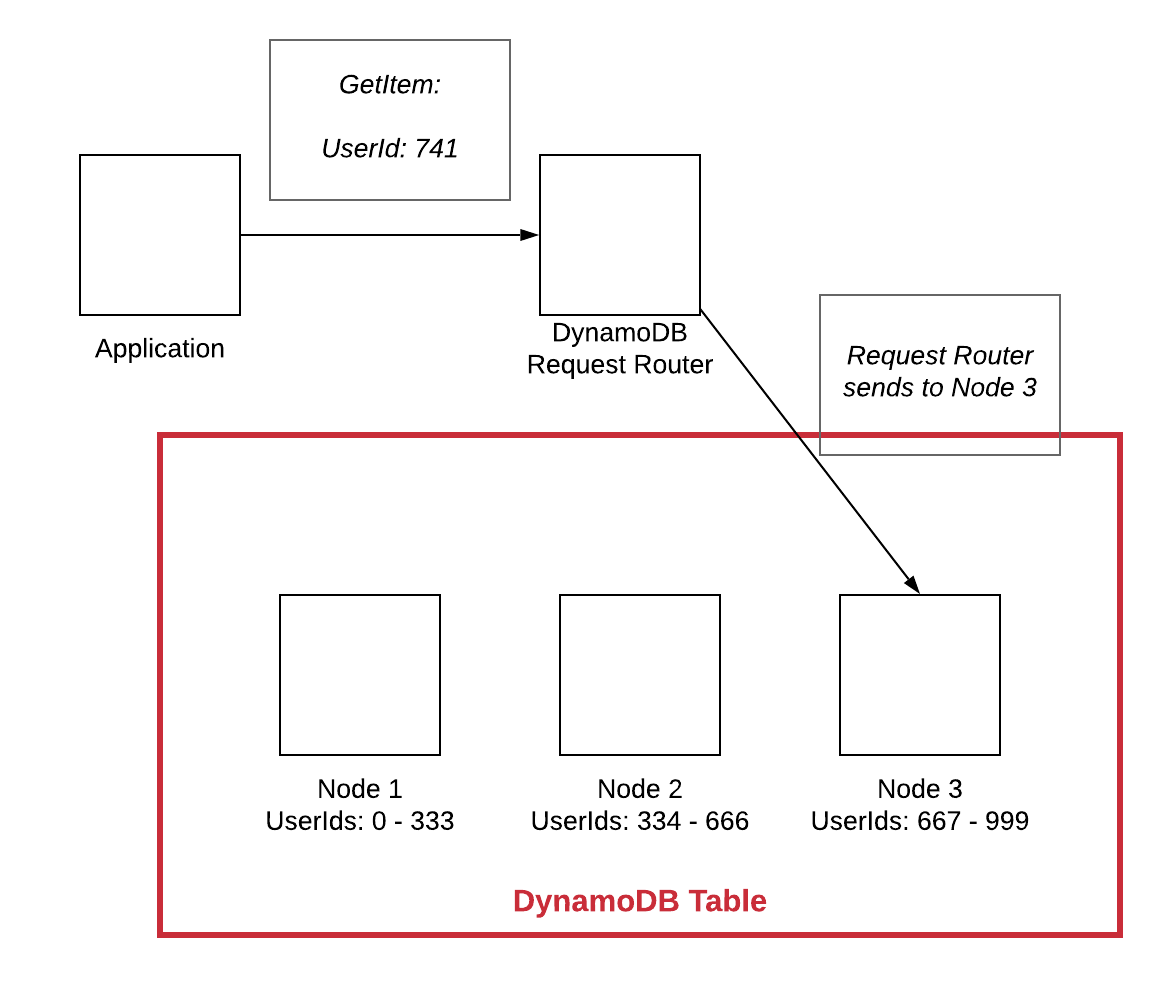
- Architecture of most NoSQL Databases
- Use of partition keys and "segments"
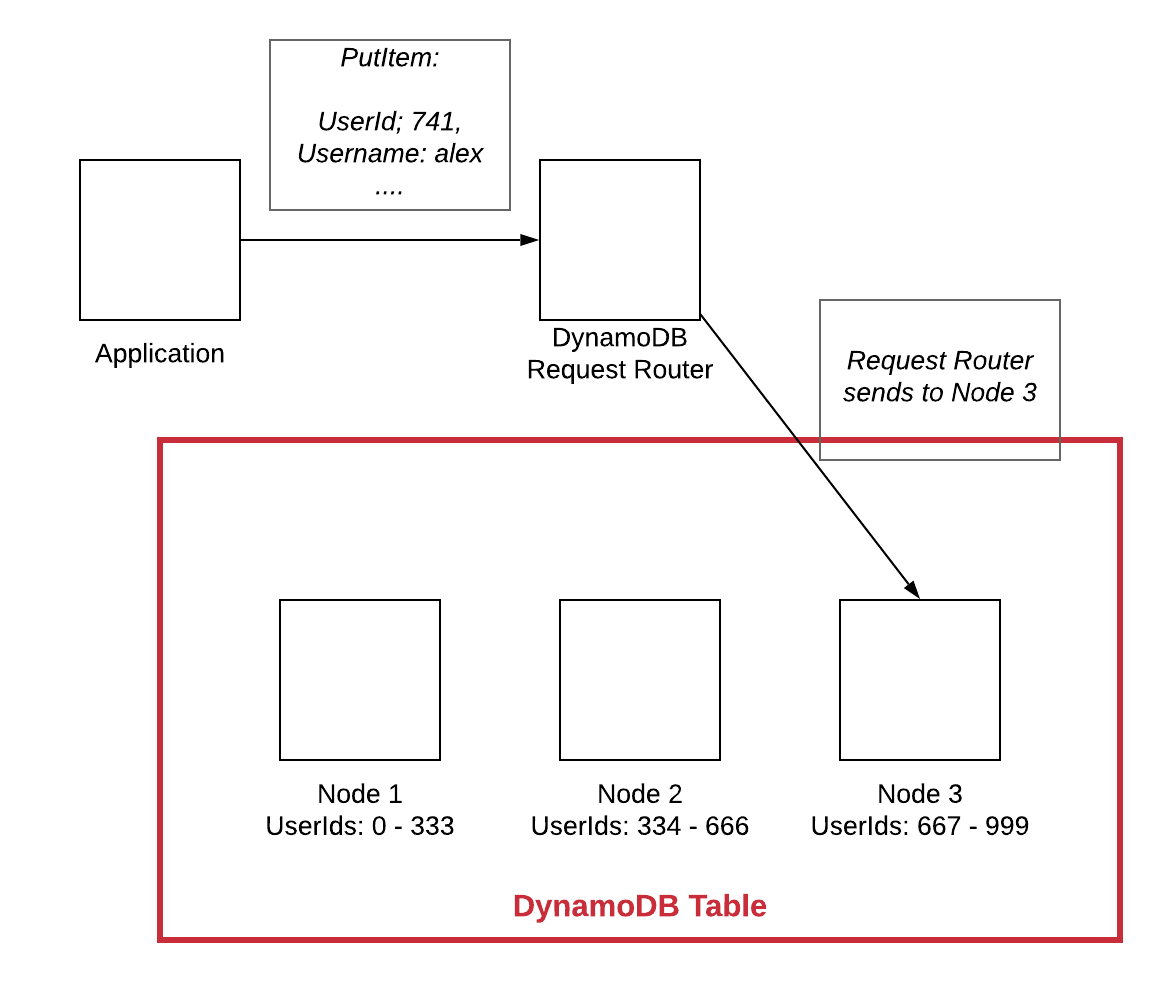
How NoSQL Works: Reads
Faux-SQL vs NoSQL
-
NoSQL is not "worse" - people give up because they aren't used to it and try to apply relational patterns to it
-
"Flexibility" is ultimately a sales pitch for NoSQL
-
Extra work upfront.
-
Define your access patterns
-
OLAP vs OLTP - Aggregations and rollups
-
You know what’s really good at maintaining referential integrity and optimizing JOINs? A relational database.

DynamoDB Then
- Amazon created dynamo to outscale their Oracle infrastructure
- Most operations were key value, or only operate on single tables
-
Amazon built dynamo in house
- Dynamo paper published in 2007
- Inspired many other databases of it's kind
- The managed DynamoDB service was launched in 2012

DynamoDB Now
-
Dynamo serves over 1 trillion requests per day
-
DynamoDB is used by Lyft to store GPS locations for all their rides,
-
Tinder to store millions of user profiles and make billions of matches
-
BMW to run its car-as-a-sensor service that can scale up and down by two orders of magnitude within 24 hours
-
Under Armour to support its connected fitness community of 200 million users
-
Toyota Racing to make real time decisions on pit-stops, tire changes, and race strategy, and another 100,000+ AWS customers for a wide variety of high-scale, high-performance use cases.
Benefits
- Durable and Highly-Available
- Performant
- Fully Managed
- Adaptive Capacity
- Access Control
- Bounded Queries
DynamoDB won't let you write a bad query"
The Basics
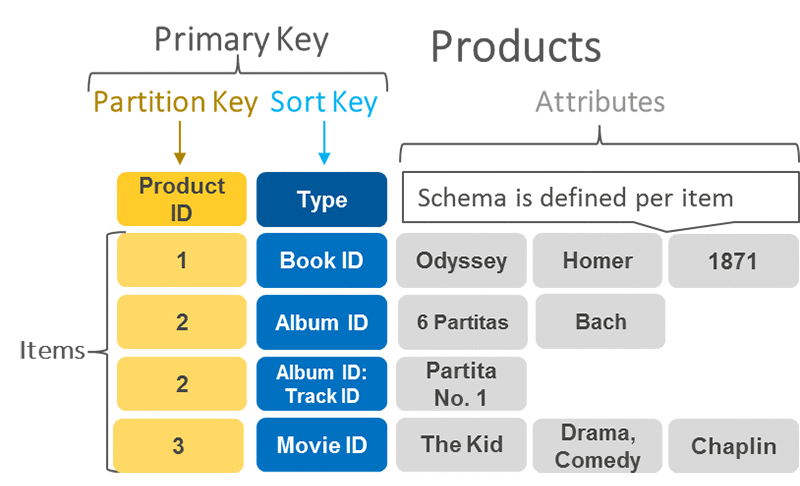
Tables
A grouping of data records.
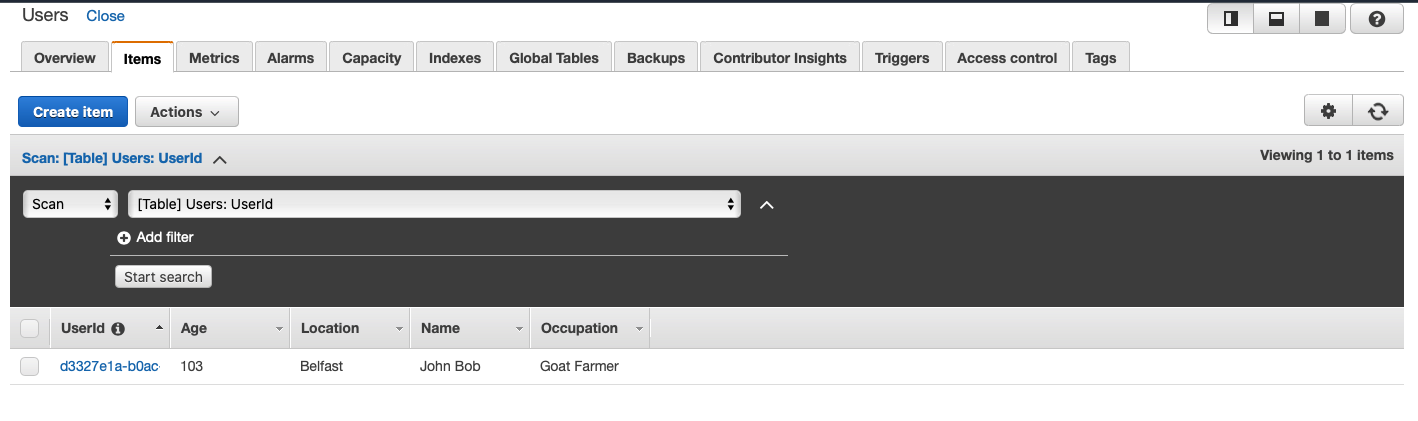
Think Tables in SQL
Items
An item is a single data record in a table.
uniquely identified by the stated primary key of the table.

Think Rows in SQL
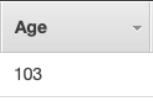
Attributes
Attributes are pieces of data attached to a single item.
Attributes must have a type.
Think columns in SQL
-
Scalar − These types represent a single value, and include number, string, binary, Boolean, and null.
-
Document − These types represent a complex structure possessing nested attributes, and include lists and maps.
-
Set − These types represent multiple scalars, and include string sets, number sets, and binary sets.
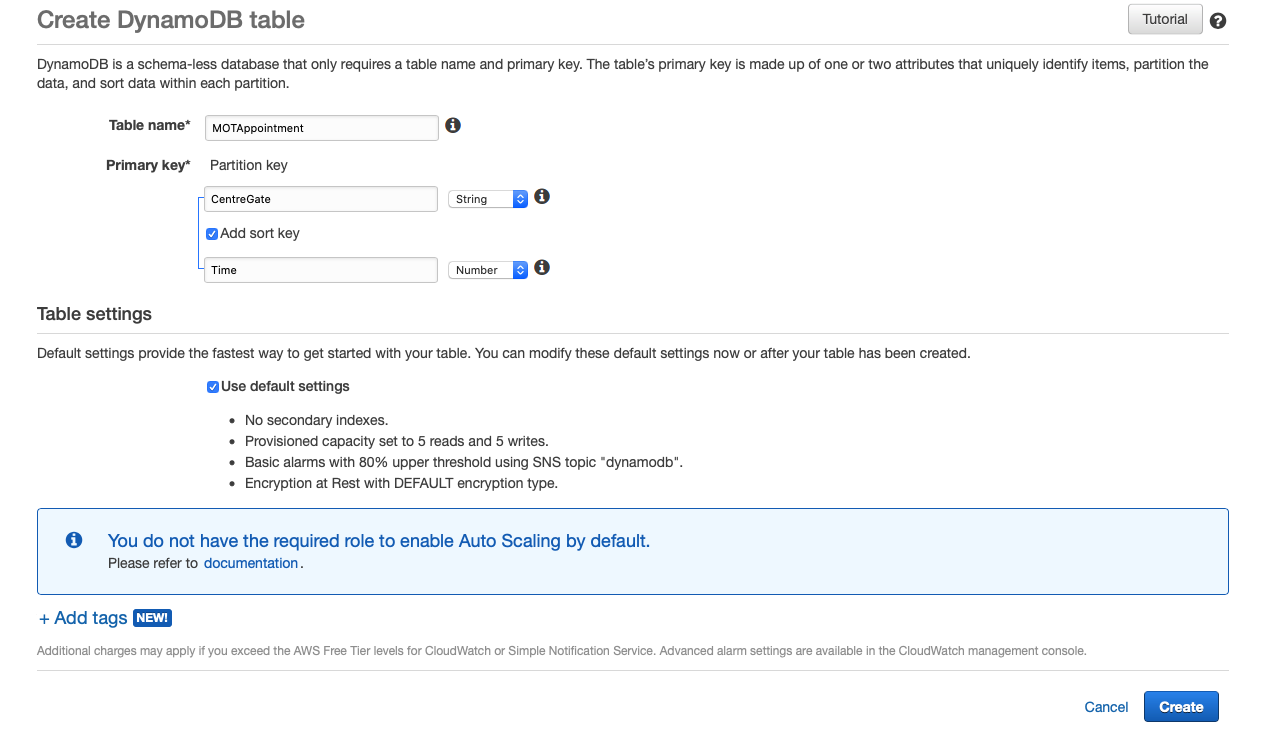
Primary Key: Simple
2 Types
Simple or Composite
Primary Key: Composite
Example

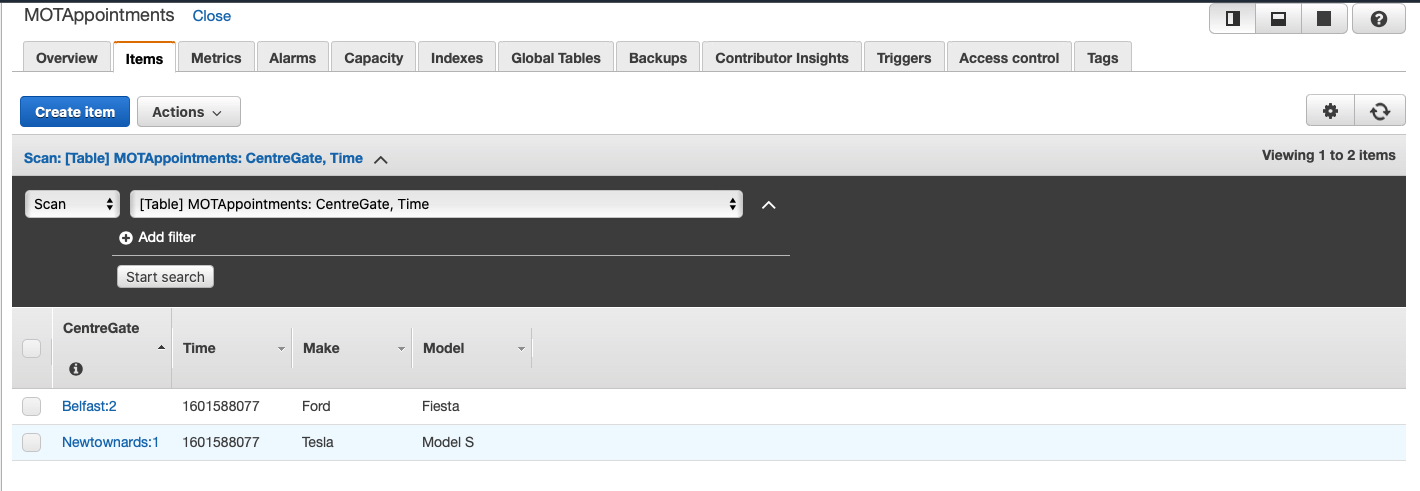
MOT Example
MOT Example
MOT Example
MOT Example
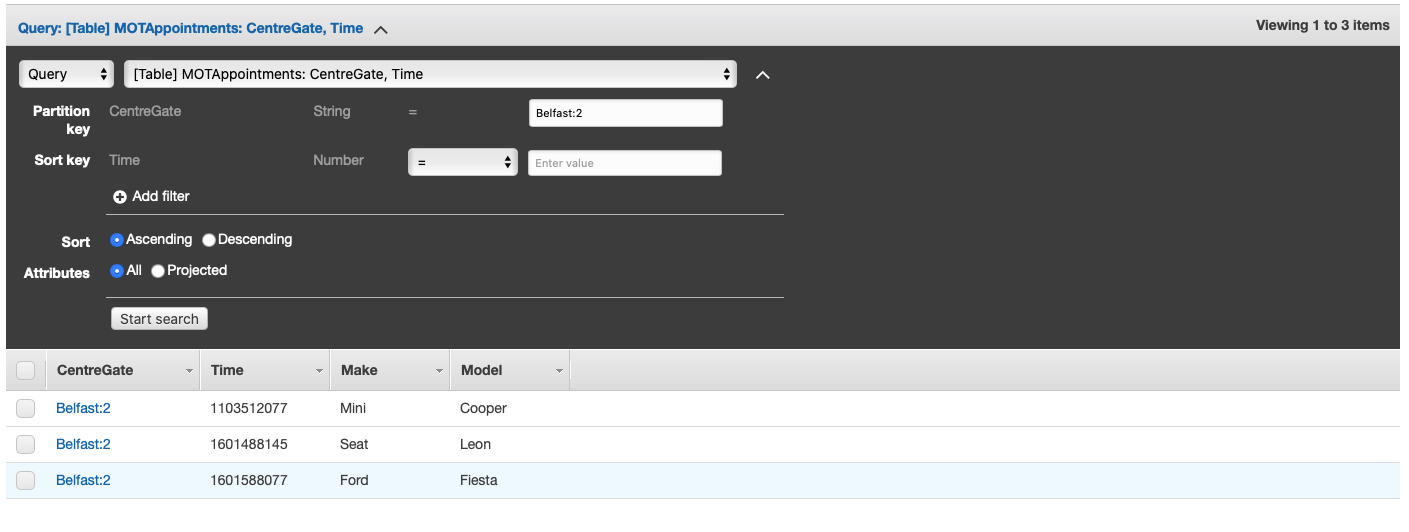
"Give me all the MOT appointments at the Belfast test centre, gate 2 ordered by time."
MOT Example
// async function abstraction
async function queryItems(centreGate){
  const params = {
    TableName: 'MOTAppointment',
    ExpressionAttributeNames: { '#key': 'CentreGate' },
    ExpressionAttributeValues: { ':centregate': centreGate },
    // this is the actual query
    KeyConditionExpression: '#key = :centregate',
  }
  try {
    const data = await docClient.query(params).promise()
    return data
  } catch (err) {
    return err
  }
}

queryItems("Belfast:2");
// returns all MOT appointments in at gate 2 in Belfast
// ordered by time ascending
Consistency

Cost
-
Read request unit: A strongly consistent read request of up to 4 KB requires one read request unit. For items up to 4 KB in size, an eventually consistent read request requires one-half read request unit.
-
Write request unit: A standard write request unit can write an item up to 1 KB. For items larger than 1 KB, additional write request units are required.
Querying Dynamo
You can only QUERY indexed data in dynamo. This is how it stays fast and scalable.
We can't query non-key attributes without doing a filter.
A filter will filter down the results AFTER a query, meaning you are paying for all the rows you query before the filter.
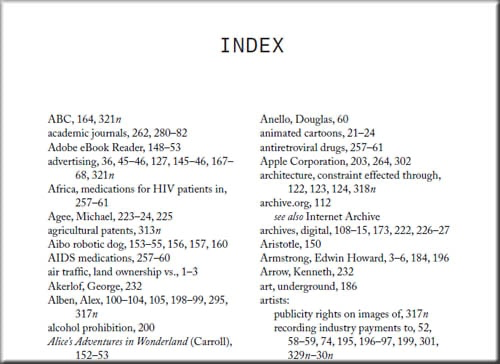
Indexes
- Secondary Indexes let you specify alternate key structures
- Increase query flexibility
- Avoid scans and filters
- You will also pay for extra writes on the indexes
Local Secondary Indexes
Can only be used on a table with a composite primary key.
You specify an index with the same PARTITION key but a different SORT key for a table.
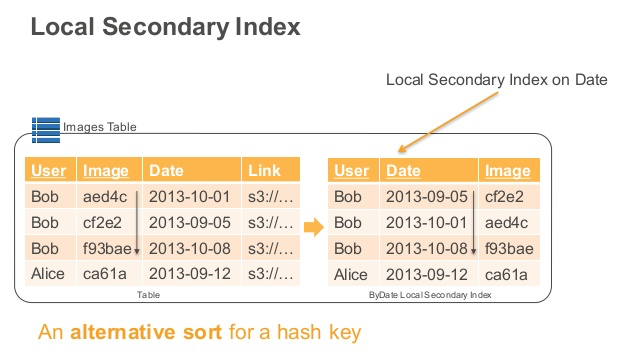
Must be defined on table creation
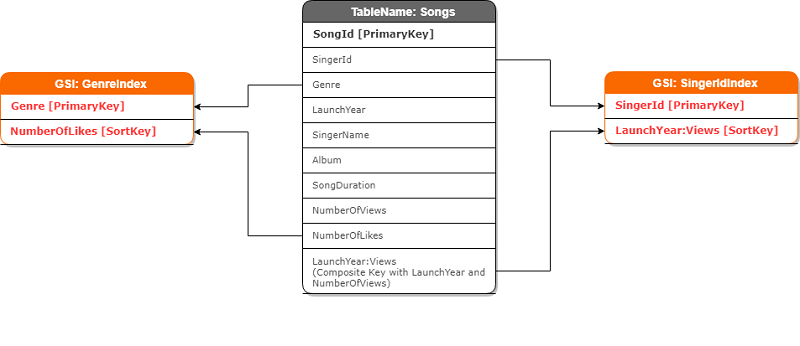
Global Secondary Indexes
Global secondary indexes can be used to specify a completely different key structure for a table.
Best Practices
- Know your access patterns up front
- "Pre Join"
- Single Table Design
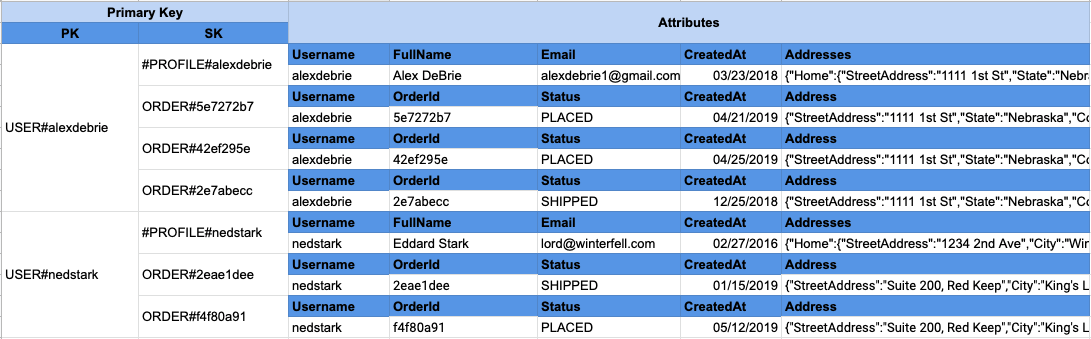
- Selecting Indexes
- You should generally go for eventually consistent reads
- Avoid filters and scans
- Abuse IDs
Data Modelling: Hierarchical
- Common data model expressed with JOINs in SQL databases
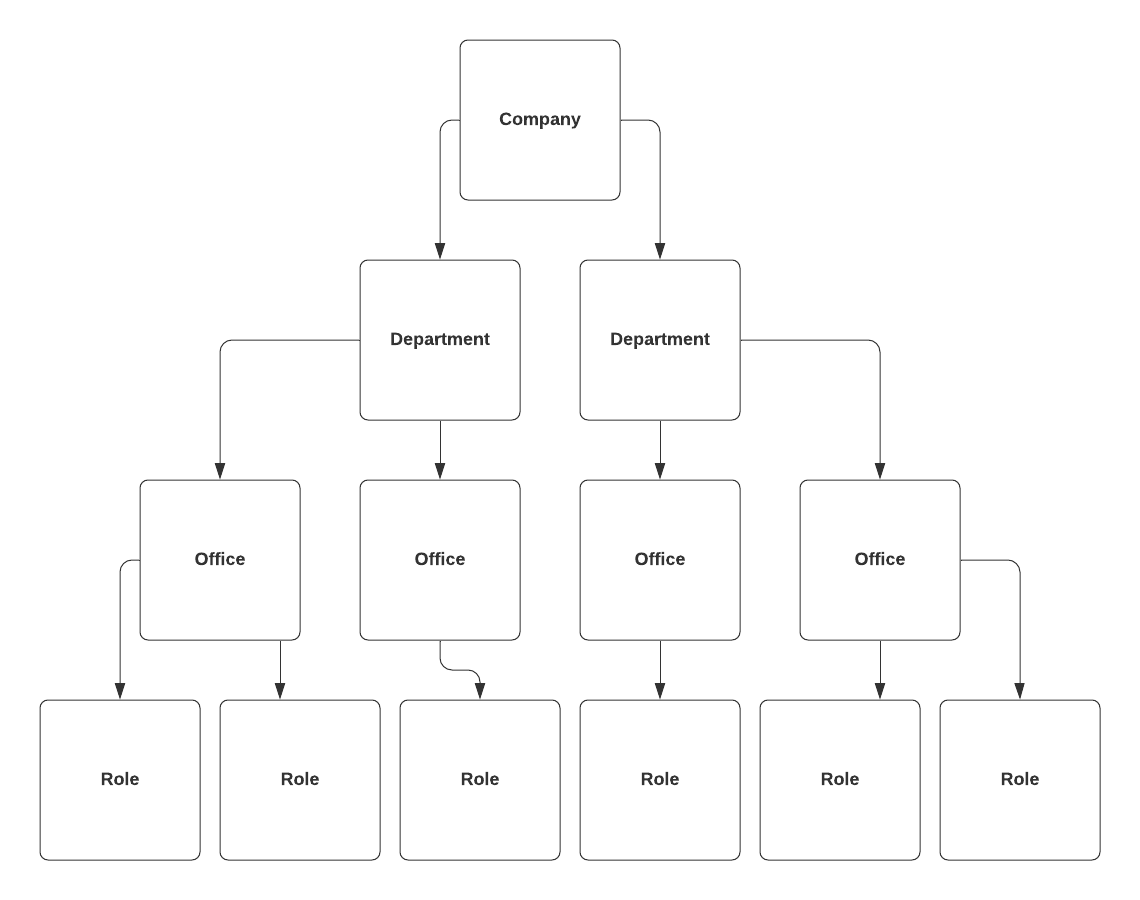
Step 1: Identify Access Patterns
-
Retrieve a single person by their Employee ID
-
Gather all people in a particular company
-
Gather all people from a certain department
-
Gather all people in a certain office
-
Gather all people with a certain job role
Step 2: Primary Keys
-
Choosing a good primary key:
- it enables you to uniquely identify each item for writes & updates
- it evenly distributes your data across the partition key.
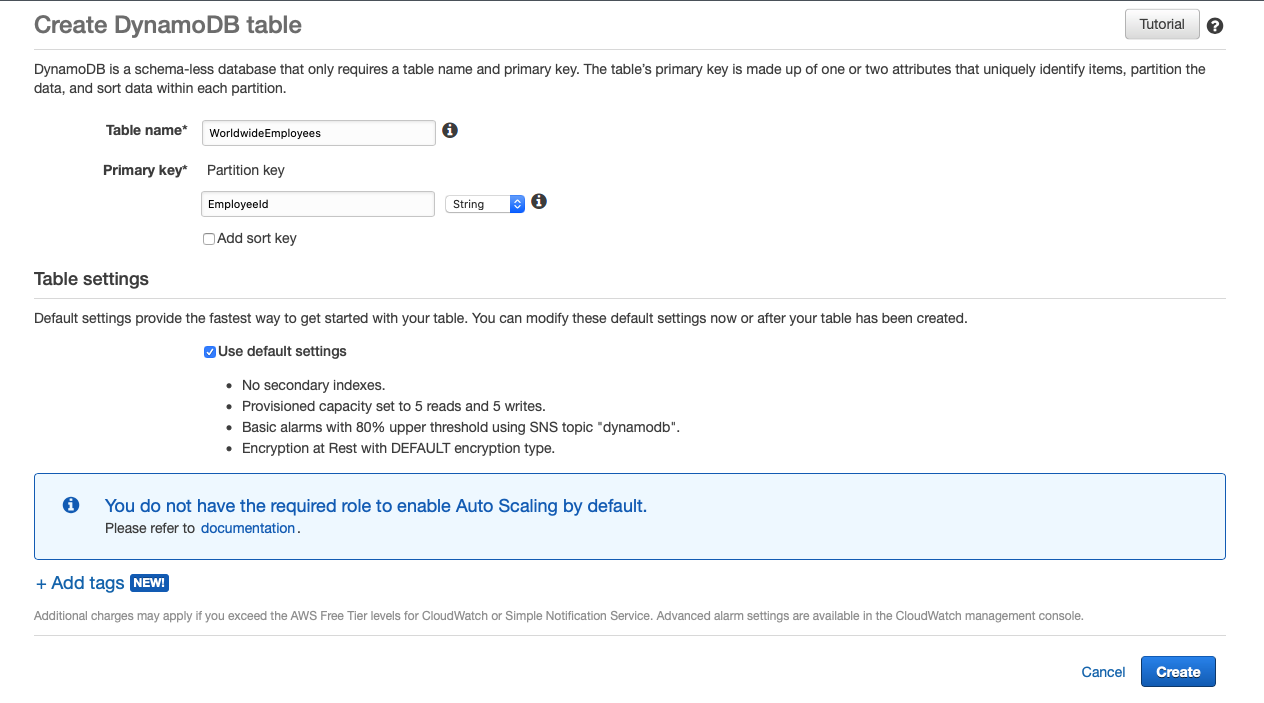
Step 3: Indexes
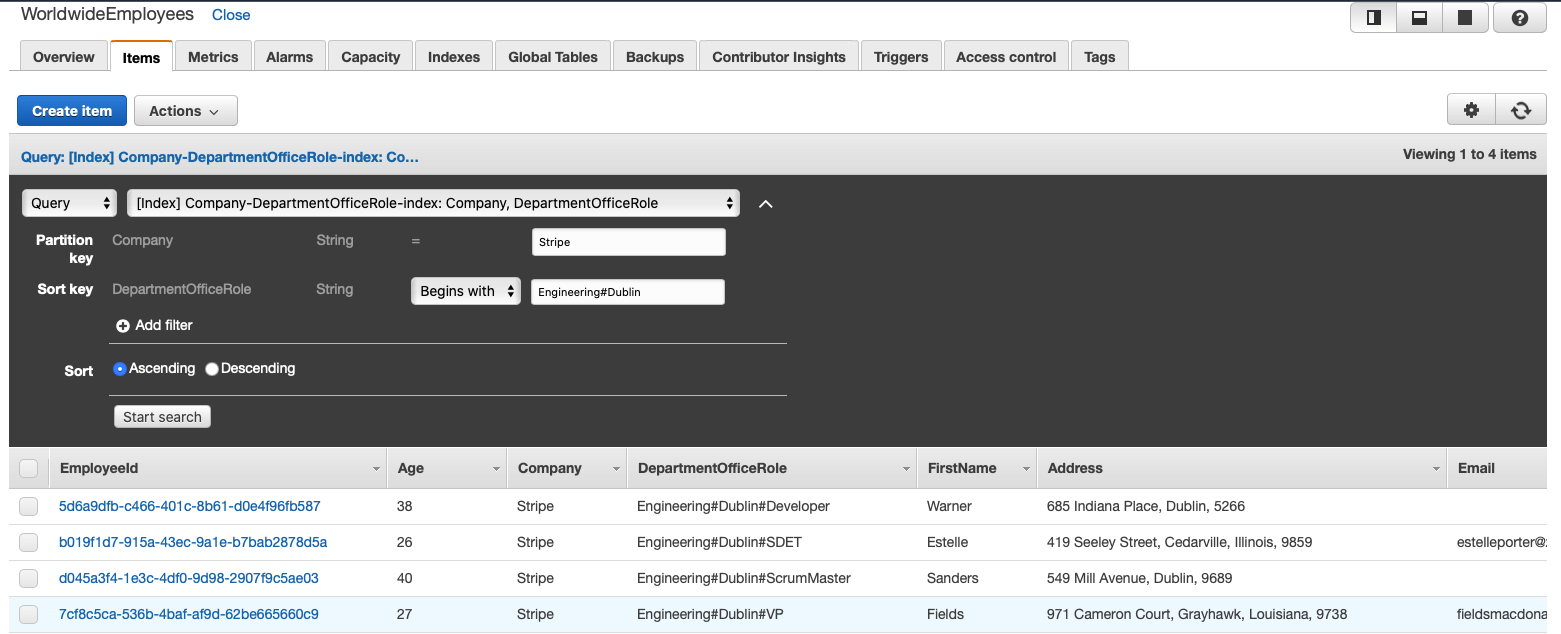
Eg. Engineering#Dublin#VP
- We need a GSI
- a PARTITION key of Company
- a SORT key named DepartmentOfficeRole
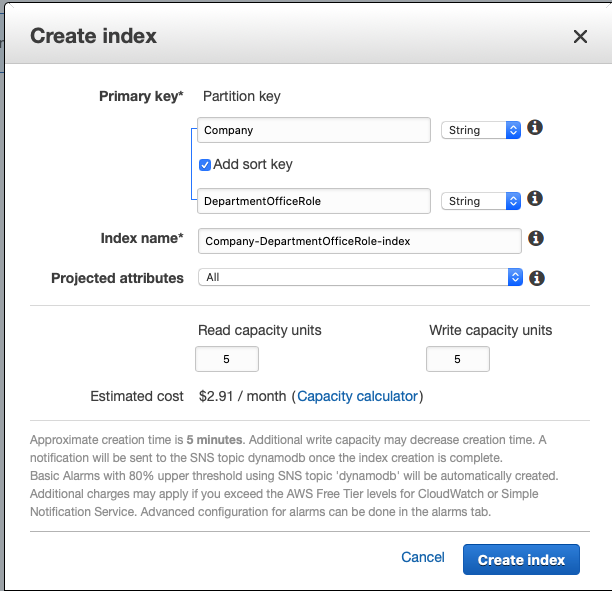
Step 4:
Query
// async function abstraction
async function queryItems(company, depOfficeRole) {
  const params = {
    TableName: "WorldwideEmployees",
    ExpressionAttributeNames: {
      "#company": "Company",
      "#depOfficeRole": "DepartmentOfficeRole",
    },
    KeyConditionExpression:
      "#company = :company and begins_with(#depOfficeRole, :depOfficeRole)",
    ExpressionAttributeValues: {
      ":company": company,
      ":depOfficeRole": officeDepartmentRole,
    },
  };
  try {
    const data = await docClient.query(params).promise();
    return data;
  } catch (err) {
    return err;
  }
}

// Give me everyone who works at Stripe,
// organised by department office and job role
queryItems("Stripe");

// Give me everyone who works in Engineering at Googles Zurich Office
queryItems("Google", "Engineering#Zurich");

// Give me all the Designers in Intercoms San Francisco Office
queryItems("Intercom", "UX#SanFrancisco#Designer");
Query Results