Bug Life
MicroWorlds
Animate bugs!
Open MicroWorlds


Save Project As...
(even though we haven't done anything yet!)
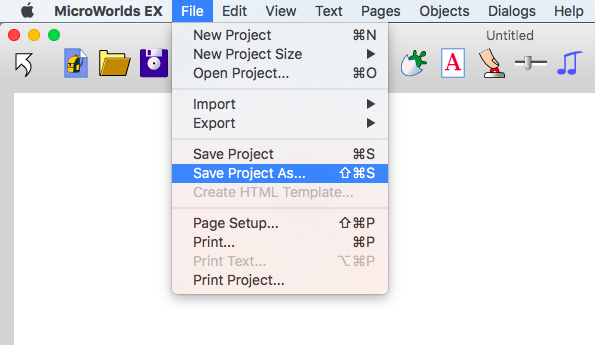
You will save more than one version, so name this one:
Bug Life 1
Bug Life 1
After naming your file, you can just click this icon to save it again

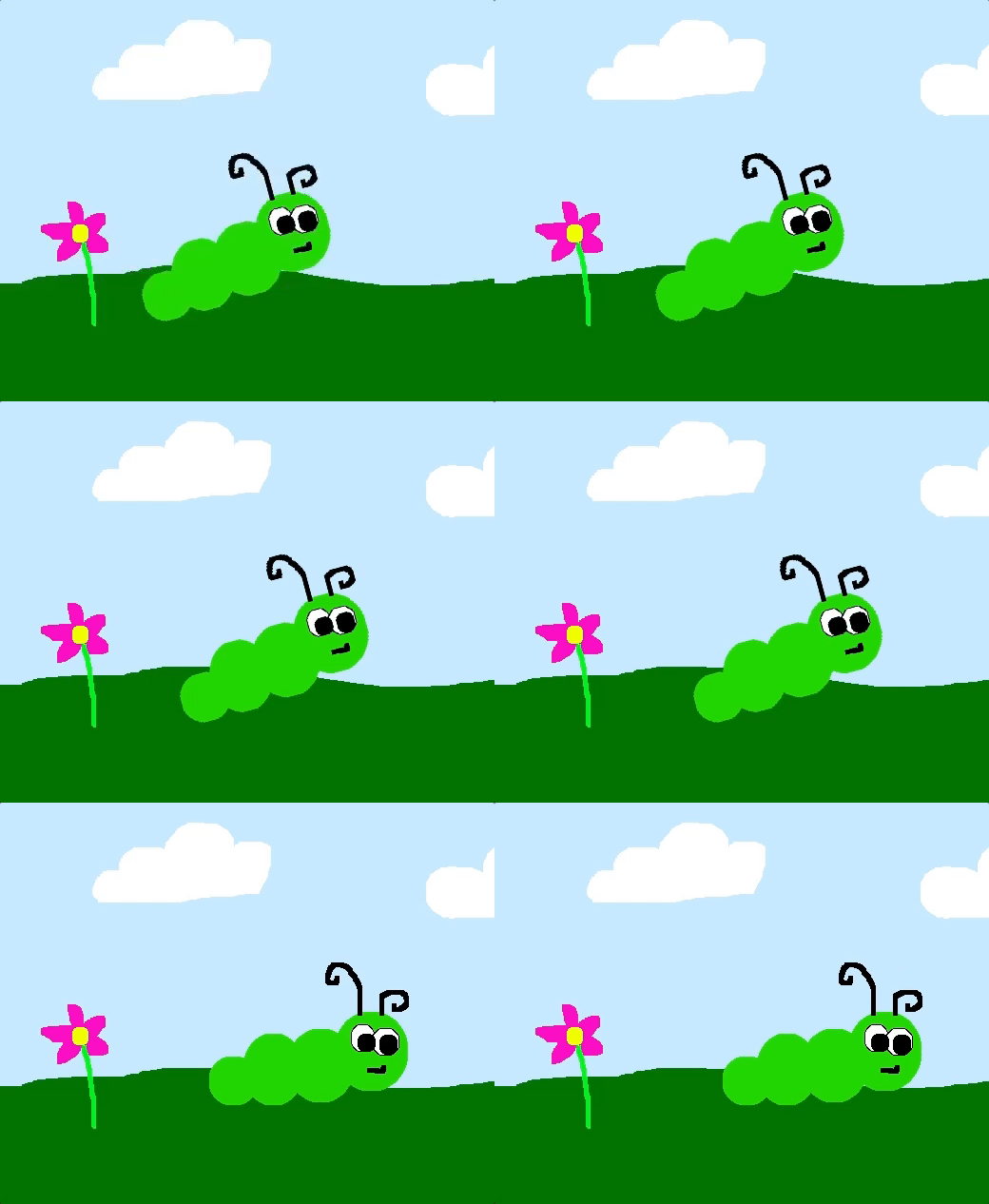
#1a: Draw a bug (here's one way)
#1b: Save your bug to the Shapes tab
#1c: Make a copy of the bug + rotate it
#1d: Draw a background + 'freeze' it
What If?
What if you try to erase something on your background after you 'Freeze' it?
Challenge
Can you make a third shape in the shapes tab that is slightly different from the other two?
SAVE
Bug Life 2
Save Project As...
(from Bug Life 1 - we will make another copy)
Name this file:
Bug Life 2
#2a: Hatch a turtle + teach it how to 'move'
#2: Se
to move
setsh "bug1 wait 2
setsh "bug2 wait 2
end
#2a, continued
#2: Se
to move
setsh "bug1 wait 2
setsh "bug2 wait 2
end
ok... let's break it down
name of the procedure
set the turtle's shape to...
name of shape to switch to
wait 2 seconds before doing the next thing
BONUS: Why do we need and at the beginning and end?
to
end
#2b: Add a 'move' button
#2: Se
What If?
What happens if you try wait 1 or wait 5
or wait 10?
Challenge
Can you change the 'move' procedure to include all three shapes in your Shapes tab?
SAVE
Bug Life 3
Save Project As...
(from Bug Life 2 - we will make another copy)
Name this file:
Bug Life 3
#3a: Add to the 'move' procedure
#2: Se
to move
setsh "bug1 fd 5 wait 2
setsh "bug2 fd 5 wait 2
end
move forward 5 steps!
fd 5
#3b: Fix the turtle's heading
#2: Se
#3c: Make a 'stopall' button
#2: Se
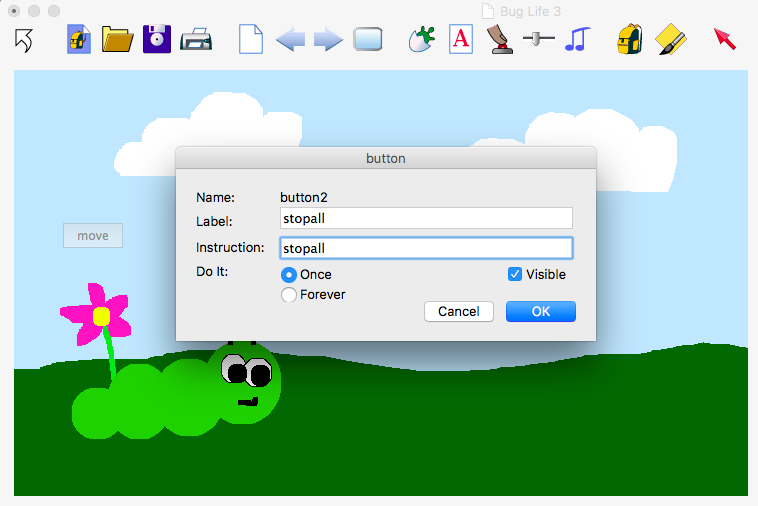
stopall
tells all of the turtles + actions to stop.
What If?
-
What happens if you type seth 100 or seth 120 in the command center?
- What happens if you type a larger number after fd?
Challenge
Can you make your bug move straight to the left?
SAVE
Bug Life 4
Save Project As...
(from Bug Life 3 - we will make another copy)
Name this file:
Bug Life 4
#4a: Make a 'howfar' slider
#2: Se
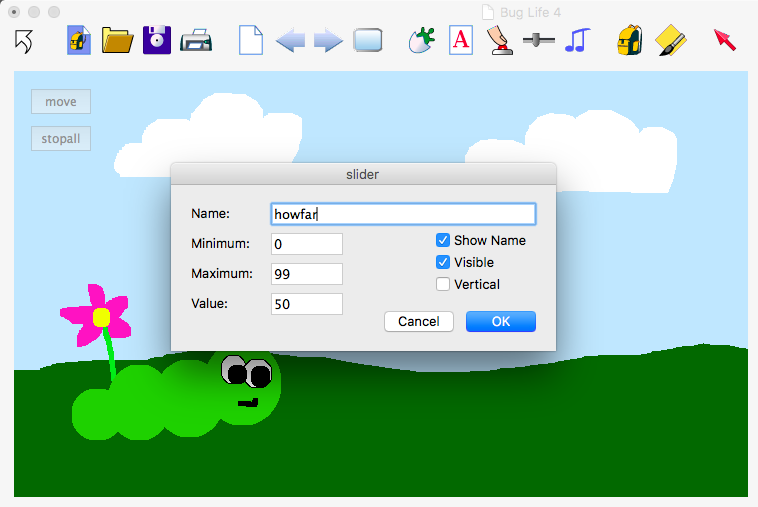
slider
#4b: Replace with
#2: Se
to move
setsh "bug1 fd howfar wait 2
setsh "bug2 fd howfar wait 2
end
number of steps will change based on the 'howfar' slider!
5
howfar
#4c: Make a 'howslow' slider
#2: Se
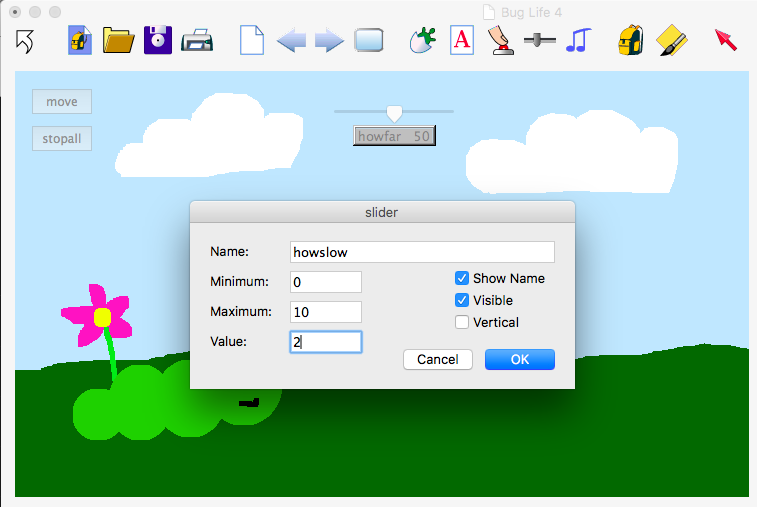
#4b: Replace with
#2: Se
to move
setsh "bug1 fd howfar wait howslow
setsh "bug2 fd howfar wait howslow
end
number of seconds will change based on the 'howslow' slider!
2
howslow
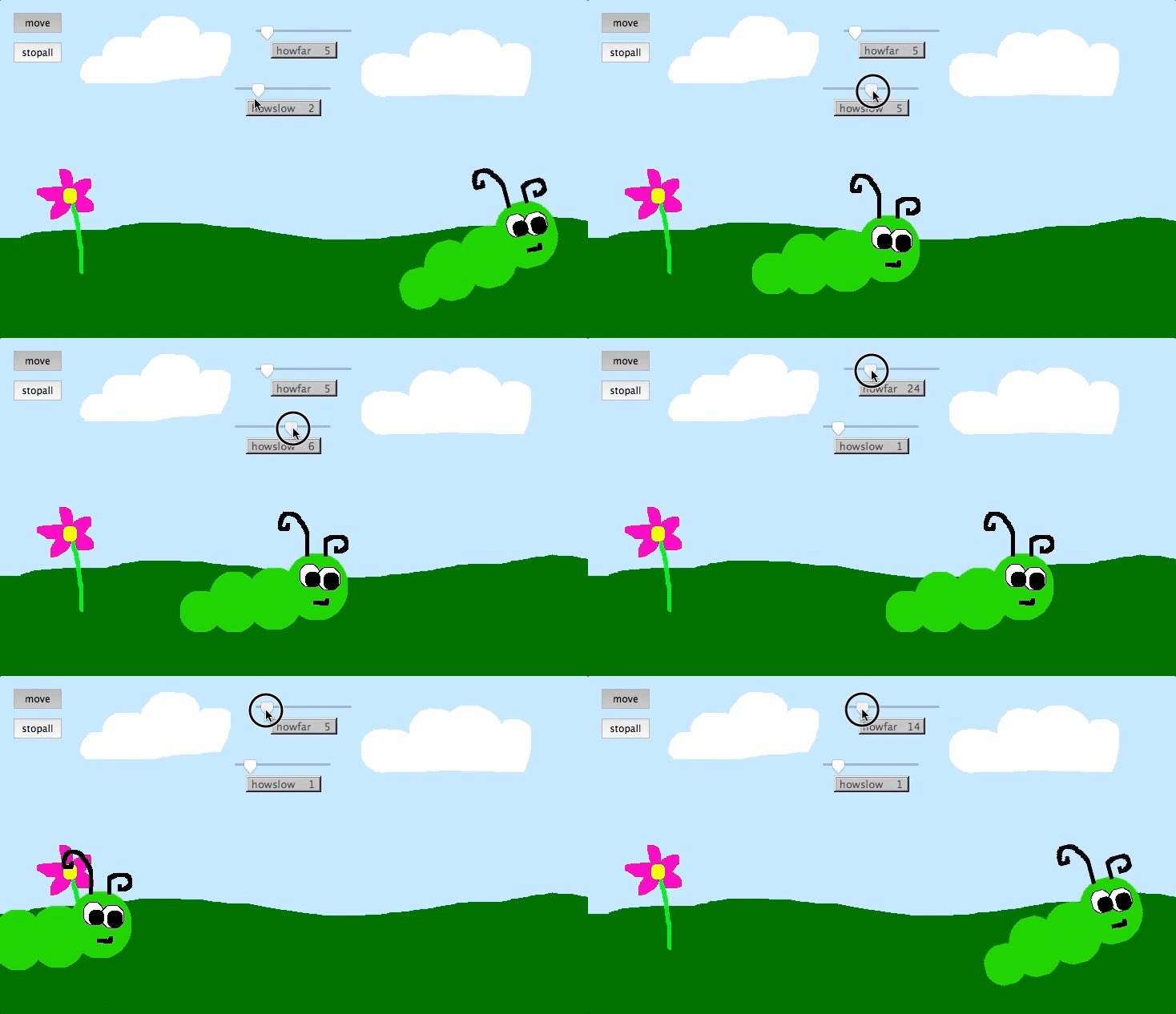
YEAH!!!
What If?
- What happens if you move the 'howslow' slider while the 'move' button is pressed?
- What happens if you change the minimum number of the 'howfar' slider to a negative number?
Challenge
- Can you change the slider's name and change the procedure so that your bug still moves?
- Can you add another slider to control your character's heading?
- Can you add another slider to control your character's size?