How to modify the
osCommerce template or theme?
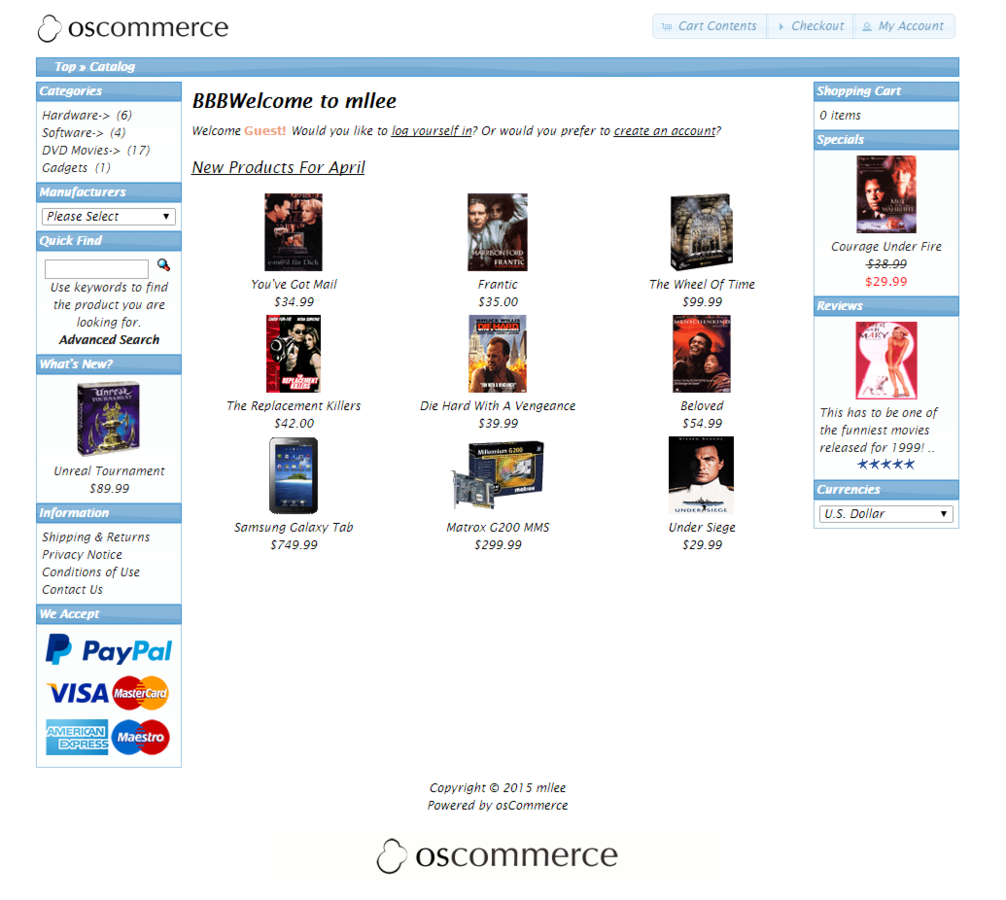
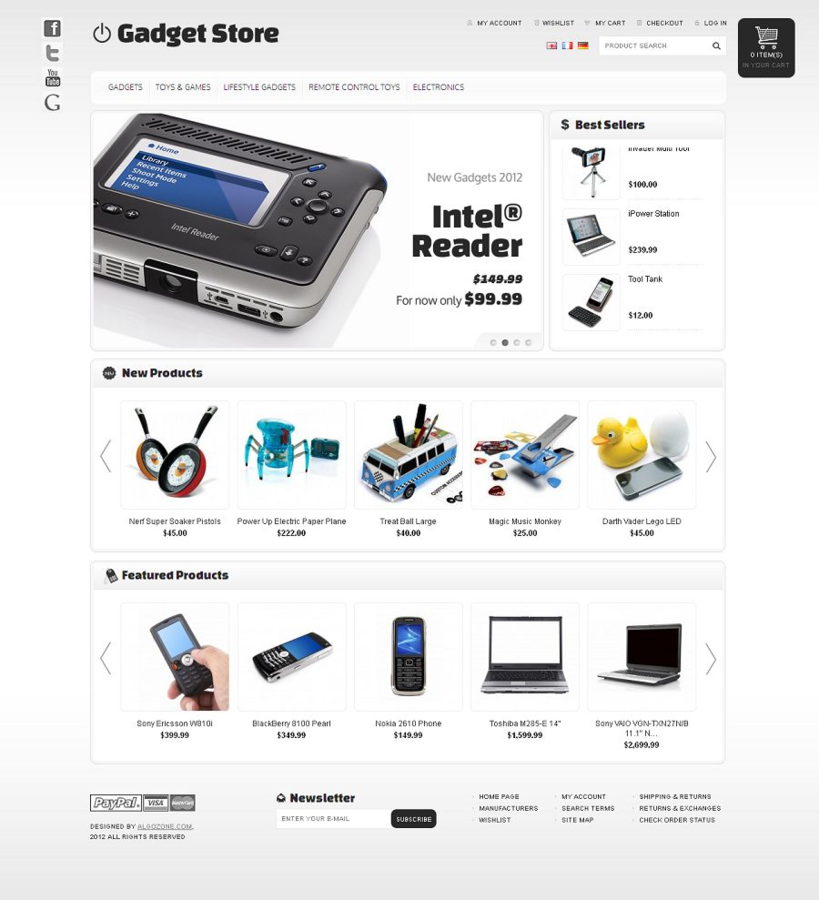
如何改版面??
修改CSS?? (css檔案在哪?)
確認想改的"地方"
- 分析HTML結構
- 了解HTML與style之間的關係
- 在OSC中找到實體檔案
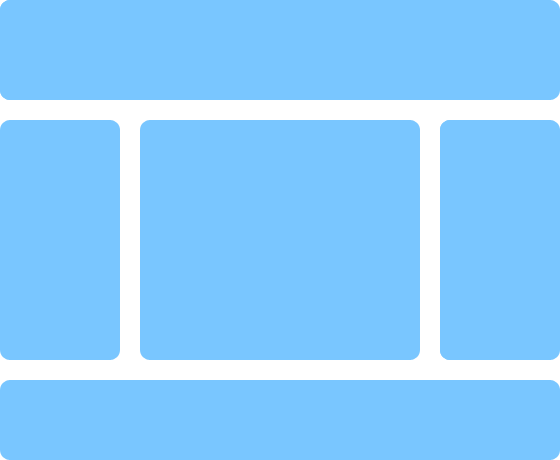
分析版面配置 (Layout)
tag間的相對關係與邏輯結構
首頁
Text
<div id="header" class="grid_24"> ...
<div class="grid_24 ui-widget infoBoxContainer"> ...
<div
id="columnLeft"
class="grid_4 pull_16"> ...
<div
id="columnRight"
class="grid_4"> ...
<div id="bodyContent"
class="grid_16 push_4"> ...
<div class="grid_24 footer"> ...
<div class="grid_24 ui-widget infoBoxContainer"> ...
首頁
/index.php
/includes/application_top.php
/includes/application_bottom.php
/includes/template_top.php
/includes/template_bottom.php
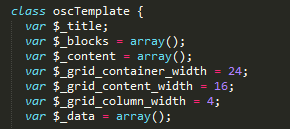
/includes/classes/osc_template.php
Grid System
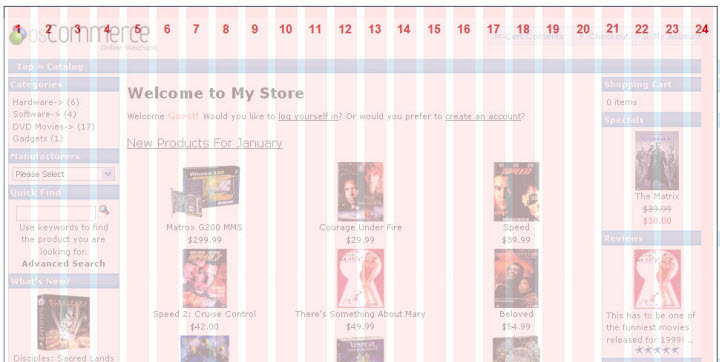
osc_template.php
/ext/960gs/960_24_col.css
/includes/header.php


/includes/footer.php/includes/template_bottom.php/includes/template_bottom.php/includes/template_top.php/includes/classes/osc_template.php/ext/960gs/960_24_col.css開始大改裝
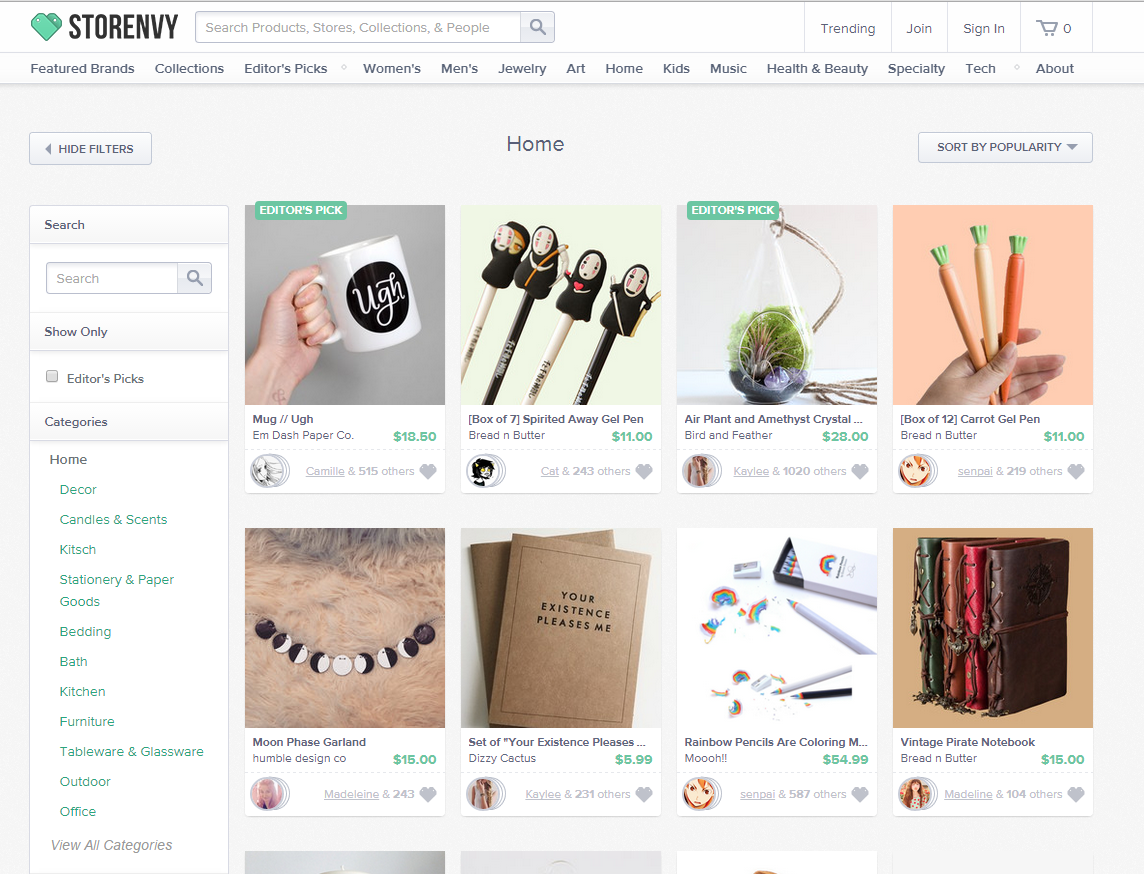
body {
  background: url("img/body_bg.png") repeat-x #f4f4f4;
  color: #666;
  margin: 0px;
  font-size: 12px;
  font-family: '微軟正黑體', Verdana;
}
#bodyWrapper {
background: url("img/wrapper_bg.jpg") no-repeat center top;
}<div id="header_nev" class="grid_24 ...
重新定義 Body
#header_nev {
  margin-bottom: 180px;
}
<link rel="icon" href="img/ico.png" type="image/x-icon" />- includes\template_top.php (line:52)
- includes\header.php (line:38)
改裝 Header
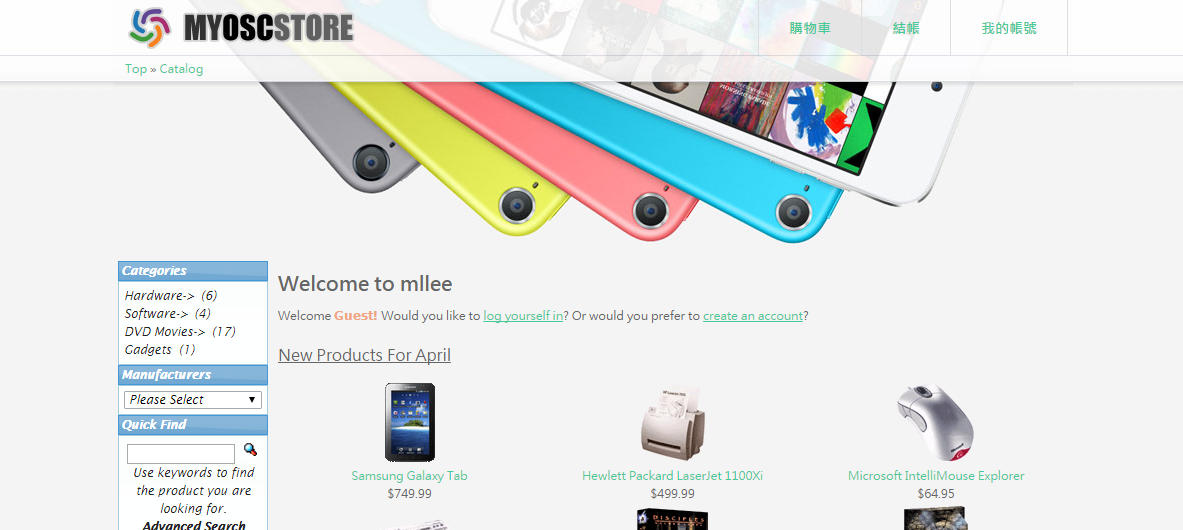
- 修改logo
- 到後台管理介面上傳 logo圖檔 (Configuration > Store Logo)
#storeLogo {
  float: left;
}
<div id="headerShortcuts">
<?php
//echo tep_draw_button(HEADER_TITLE_CART_CONTENTS . ($cart->count_contents() > 0 ? ' (' . $cart->count_contents() . ')' : ''), 'cart', tep_href_link(FILENAME_SHOPPING_CART)) .
// tep_draw_button(HEADER_TITLE_CHECKOUT, 'triangle-1-e', tep_href_link(FILENAME_CHECKOUT_SHIPPING, '', 'SSL')) .
// tep_draw_button(HEADER_TITLE_MY_ACCOUNT, 'person', tep_href_link(FILENAME_ACCOUNT, '', 'SSL'));
if (tep_session_is_registered('customer_id')) {
echo tep_draw_button(HEADER_TITLE_LOGOFF, null, tep_href_link(FILENAME_LOGOFF, '', 'SSL'));
}
?>
<a href="shopping_cart.php">購物車</a>
<a href="checkout_shipping.php">結帳</a>
<a href="account.php">我的帳號</a>
</div>
<!--script type="text/javascript">
$("#headerShortcuts").buttonset();
</script-->- 修改右邊3個連結 (includes\header.php (line:21))
#headerShortcuts {
  float: right;
  border-left: 1px solid #ddd;
}

#headerShortcuts > a {
  line-height: 55px;
  border-right: 1px solid #ddd;
  padding: 0px 30px;
  display: inline-block;
  font-size: 14px;
  font-weight: bold;
  text-decoration: none;
  float: left;
}

#headerShortcuts > a:hover {
  color: #FFF;
  background-color: #74ddb4;
}

#headerShortcuts > a:active {
  box-shadow: inset 0 2px 10px rgba(0,0,0,0.3);
}- 修改右邊3個連結 (CSS)
.infoBoxContainer {}

A.headerNavigation {}

A.headerNavigation:hover {}
<!--div id="header_nev" class="grid_24 ui-widget infoBoxContainer">
<div class="ui-widget-header infoBoxHeading"><?php echo ' ' . $breadcrumb->trail(' » '); ?></div>
</div-->
<div id="header_nev" class="grid_24 infoBoxContainer">
<?php echo ' ' . $breadcrumb->trail(' » '); ?>
</div>- 修改Header Navigation
includes\header.php (line:41)
改裝 left Column
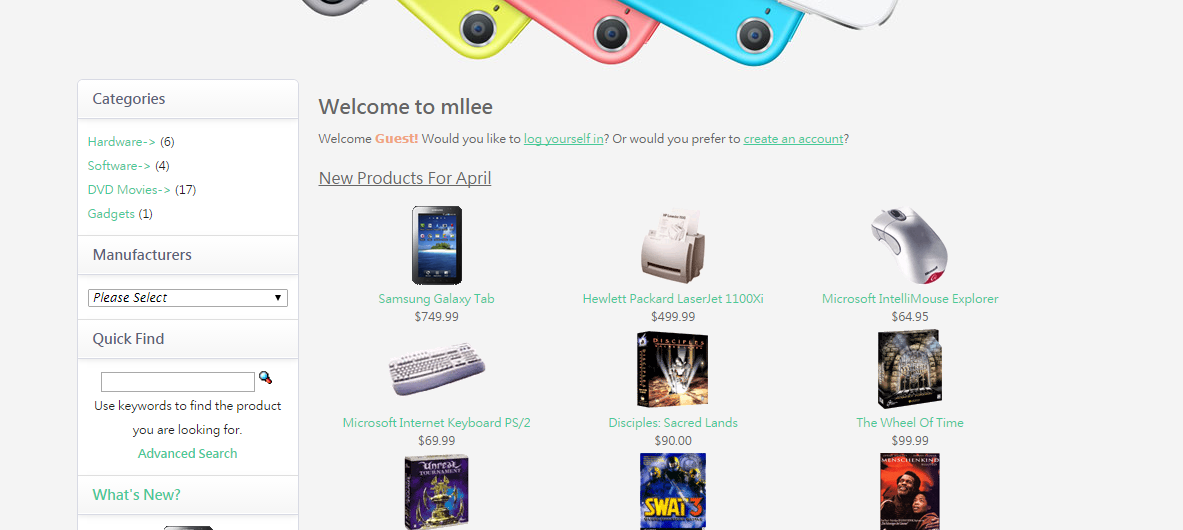
#columnLeft {
  border-radius: 6px;
  border: 1px solid #d8dae4;
  background: #fff;
  overflow-x: hidden;
  width: 220px;
  margin: 0px 15px 0px 3px;
}

#columnRight {}- 修改left column
- 調整左右column的內容
- 到後台管理介面把所有 (Modules > Boxes),Boxes調整到左邊
- 修改osc_template.php
var $_grid_content_width = 12;      // line 18
var $_grid_column_width = 6;        // line 19
.infoBoxContainer {}
.infoBoxHeading {
margin: 0;
font-size: 14px;
font-family: '微軟正黑體', Verdana;
font-weight: bold;
color: #596377;
line-height: 1;
padding: 12px 15px;
background: #fff;
border: 0px;
border-bottom: 1px solid #d8dae4;
background-image: -webkit-gradient(linear,50% 0,50% 100%,color-stop(0%,#fff),color-stop(100%,#f6f6f6));
background-image: -webkit-linear-gradient(top,#fff 0,#f6f6f6 100%);
background-image: -moz-linear-gradient(top,#fff 0,#f6f6f6 100%);
background-image: -o-linear-gradient(top,#fff 0,#f6f6f6 100%);
background-image: linear-gradient(top,#fff 0,#f6f6f6 100%);
box-shadow: inset 0 -1px 0 #fff,0 2px 6px #eee;
}
.infoBoxHeading a {
color: #48ca98;
}
.infoBoxContents {
font-family: '微軟正黑體', Verdana;
padding: 10px;
line-height: 2;
border: 0px;
border-bottom: 1px solid #DDD;
background: transparent;
}
.infoBoxContents a{
color: #48ca98;
}改裝中間區域
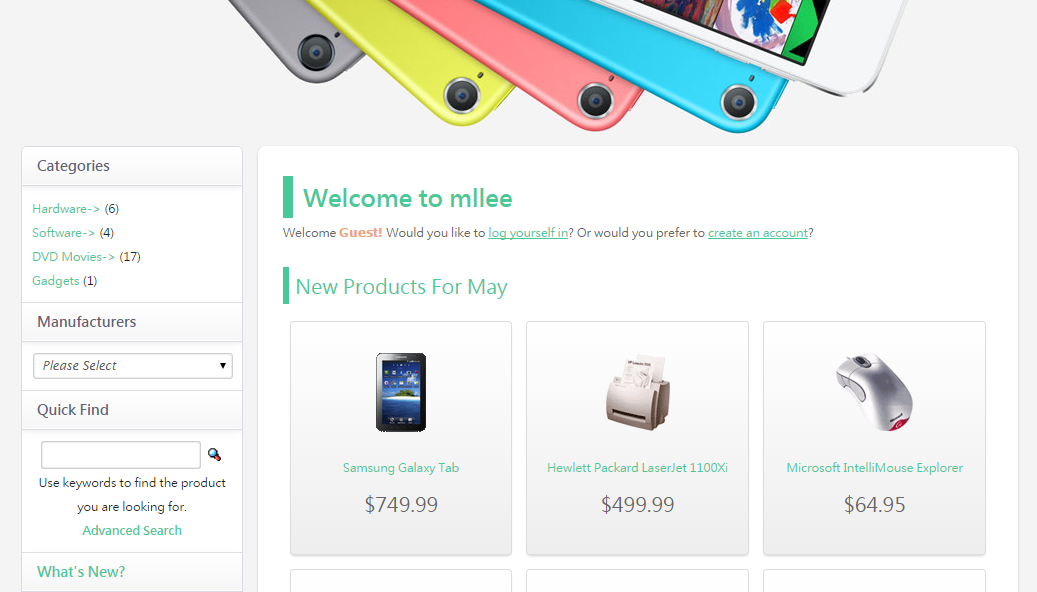
#bodyContent {
  background-color: #FFF;
  box-shadow: 0 1px 5px -1px rgba(0,0,0,0.3);
  border-radius: 8px;
  padding: 20px 25px;
  margin: 0px -40px;
}
#bodyContent h1{
color: #48ca98;
font-size: 24px;
padding: 5px 10px;
margin: 10px 0px 0px 0px;
border-left: 10px solid #48ca98;
}
#bodyContent h2{
color: #48ca98;
font-size: 20px;
padding: 5px 6px;
margin: 20px 0px 0px 0px;
border-left: 6px solid #48ca98;
text-decoration: none;
}.product{
background-color: #F8F8F8;
padding: 30px 10px;
margin: 5px;
border: 1px solid #DDD;
box-shadow: 0 2px 5px -2px rgba(0,0,0,0.3);
border-radius: 4px;
font-size: 20px;
line-height: 2;
background-image: -webkit-linear-gradient(top,#FFFFFF 0,#EEEEEE 100%);
}
.product:hover{
border: 1px solid #48ca98;
box-shadow: 0 0 4px 0 #48ca98;
}
.product > a{
font-size: 12px;
}- 修改CSS (新增 .product)
- 微調HTML
- 加上<div class="product">...</div>
- includes\modules\new_products.php (line:33)
$new_prods_content .= '<td width="33%" align="center" valign="top"><div class="product"><a href="' . tep_href_link(FILENAME_PRODUCT_INFO, 'products_id=' . $new_products['products_id']) . '">' . tep_image(DIR_WS_IMAGES . $new_products['products_image'], $new_products['products_name'], SMALL_IMAGE_WIDTH, SMALL_IMAGE_HEIGHT) . '</a><br /><a href="' . tep_href_link(FILENAME_PRODUCT_INFO, 'products_id=' . $new_products['products_id']) . '">' . $new_products['products_name'] . '</a><br />' . $currencies->display_price($new_products['products_price'], tep_get_tax_rate($new_products['products_tax_class_id'])) . '</div></td>';
- 調整Footer
- includes/footer.php (line:24)
<!--div class="grid_24" style="text-align: center; padding-bottom: 20px;">
  <?php echo tep_display_banner('static', $banner); ?>
</div-->- 重新定義ui-button
.ui-button{
  padding: 5px 10px;
  cursor: pointer;
  text-decoration: none;
  text-align: center;
  font-size: 18px;
  color: #333;
  border-radius: 4px;
  display: inline-block;
  font-style: normal;
  border: 1px solid #c2c9d6;
  background-color: #fcfdfd;
  filter: progid:DXImageTransform.Microsoft.gradient(gradientType=0,startColorstr='#FFFCFDFD',endColorstr='#FFEDEFF3');
  background-image: -webkit-linear-gradient(top,#fcfdfd 0,#edeff3 100%);
  background-image: -moz-linear-gradient(top,#fcfdfd 0,#edeff3 100%);
  background-image: -o-linear-gradient(top,#fcfdfd 0,#edeff3 100%);
  background-image: linear-gradient(top,#fcfdfd 0,#edeff3 100%);
  box-shadow: inset 0 1px 0 0 #fff;
}

.ui-button:hover{
  color: #000;
  background-color: #edeff3;
  filter: progid:DXImageTransform.Microsoft.gradient(gradientType=0,startColorstr='#FFEDEFF3',endColorstr='#FFE7EAEF');
  background-image: -webkit-linear-gradient(top,#edeff3 0,#e7eaef 100%);
  background-image: -moz-linear-gradient(top,#edeff3 0,#e7eaef 100%);
  background-image: -o-linear-gradient(top,#edeff3 0,#e7eaef 100%);
  background-image: linear-gradient(top,#edeff3 0,#e7eaef 100%);
}

.ui-button:active{
  box-shadow: inset 0 5px 10px #ced4df,inset 0 1px 0 0 #e5ecfb;
}

.ui-widget {
  font-family: Verdana, Arial, sans-serif;
  font-size: 12px;
}- 重新定義表單(Form)元素
input, textarea, button, select {
  font-size: 1em;
  font-family: inherit;
  line-height: 1.5;
  margin: 1px;
  outline: none;
  vertical-align: middle;
}

input[type="text"], input[type="password"], textarea, select {
  position: relative;
  background-color: #fff;
  padding: 4px;
  border: 1px solid #d0d0d0;
  color: #606060;
  resize: none;
  border-radius: 3px;
  -webkit-box-shadow: inset 0 0 2px rgba(0, 0, 0, 0.2);
  -moz-box-shadow: inset 0 0 2px rgba(0, 0, 0, 0.2);
  box-shadow: inset 0 0 2px rgba(0, 0, 0, 0.2);
}

input[type="text"]:hover, input[type="password"]:hover, input[type="checkbox"]:hover, textarea:hover, div.select:hover {
  border-color: #aaaaaa;
}

input[type="text"]:focus, input[type="password"]:focus, textarea:focus, div.select.select_focus {
  border-color: #8ccfff !important;
  box-shadow: 0 0 5px #8ccfff, inset 0 0 2px rgba(0, 0, 0, 0.12);
}
.cartList{}
.cartList > tbody > tr:first-child > td {
border-top: 1px solid #DDD;
}
.cartList > tbody > tr > td {
padding: 5px;
border-bottom: 1px solid #DDD;
}
.cartList > tbody > tr:hover > td{
background-color: #ecfff8;
}
.cartList > tbody > tr > td:last-child{
color: #48ca98;
font-size: 24px;
}- 修改CSS (新增 .cartList)
- 微調HTML (加上 class="carList")
- \shopping_cart.php (line:69)
<table border="0" width="100%" cellspacing="0" cellpadding="0" class="cartList">改裝購物車
.ui-widget-header.ui-corner-top.infoBoxHeading{
  background: transparent;
  box-shadow: none;
  border-width: 0px;
}
改裝商品列表
.productListingHeader {
  table-layout: fixed;
  /*color: #FFFFFF;*/
  font-weight: bold;
}

/*.productListingHeader A:hover {
  color: #FFFFFF;
}*/
.productListingData > tbody > tr:first-child > td {
border-top: 1px solid #DDD;
}
.productListingData > tbody > tr > td {
padding: 5px;
border-bottom: 1px solid #DDD;
}
.productListingData > tbody > tr:hover > td{
background-color: #ecfff8;
}
.ui-widget-content{
border-width: 0px;
}