Passing data between activities & Debugging
Quick Review
- Which is the most popular Android version?
- What components exist in Android?
- What is an activity? What does an activity have?
- What are these - R, Android Manifest, app.gradle?
- What is the difference between .DEX and .APK?
- What intent types Android has?


Debugging & Logging in Android
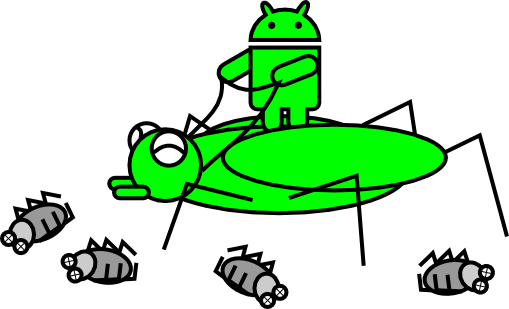
What is debugging?
Debugging is a methodical process of finding and reducing the number of bugs, or defects, in a computer program or a piece of electronic hardware, thus making it behave as expected.
How is debugging working in Android?
Android Debug Bridge (ADB)

Server - :5555 - :5585
Deamon
Client
Using the System Log (1)
import android.util.Log;
...
public class MyActivity extends Activity {
    private static final String TAG = MyActivity.class.getSimpleName();
    ...
    @Override
    public void onCreate(Bundle savedInstanceState) {
        if (savedInstanceState != null) {
            Log.d(TAG, "onCreate() Restoring previous state");
            /* restore state */
        } else {
            Log.d(TAG, "onCreate() No saved state available");
            /* initialize app */
        }
    }
}
Using the System Log (2)
Log.<priority>(TAG, <string_to_log>)
- V — Verbose (lowest priority)
- D — Debug
- I — Info
- W — Warning
- E — Error
- F — Fatal
- S — Silent (highest priority, on which nothing is ever printed)
- WTF - What a Terrible Failure
Using the System Log (3)
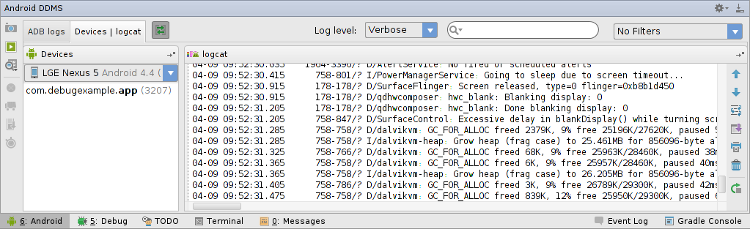
- Run your app
- Open the Android window - Alt + 6
- Choose the appropriate log level
- The window is called - Dalvik Debug Monitor Server
Let's try it!
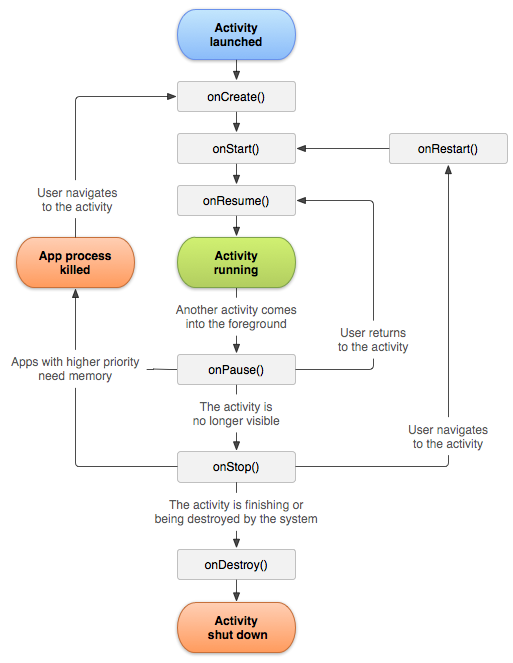
Log the Activity lifecycle
Using breakpoints (1)
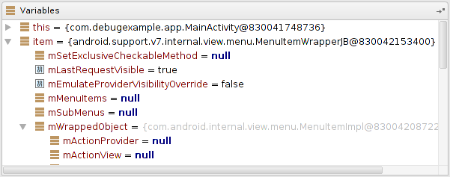
Breakpoints enable you to pause the execution of your app at a particular line of code, examine variables, evaluate expressions, and continue the execution line by line.

- Open the source file
- Locate the line where you want the execution to pause
- Left click next to the line in the grey space to put a breakpoint or press Ctrl + F8
Using breakpoints (2)
- Evaluating expressions
- Watching variable values
- Step into, Step over, Resume
Let's try it!
Set a breakpoint at each lifecycle method
Bonus
"Hard work beats talent when talent doesn't work hard"
- Tim Notke
Break (10 mins)
Questions?
Passing data between activities
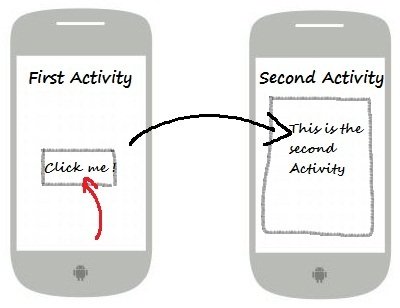
What can you do with an intent?
- Start your activities
- Call other activities for result
- Start services
- Send broadcast messages to the whole system
A message with which you can:
Types of intents
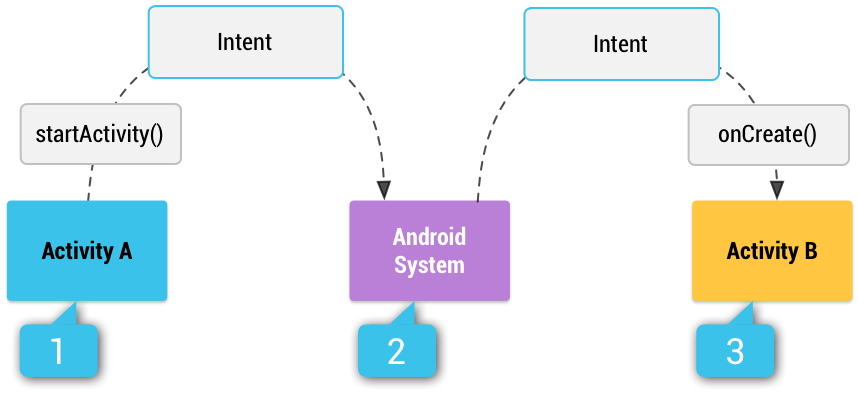
Explicit
Implicit
Intent i = new Intent(this,
               MyActivity.class)
Intent i = new Intent("com.android.camera")What has an intent?
-
Component name
-
Action - A string that specifies the generic action to perform (such as view or pick).
-
Data - Uri to the file
-
Category - the kind of component to handle the intent
-
Extras - additional data
-
Flags - metadata for the intent
How to handle an implicit intent?
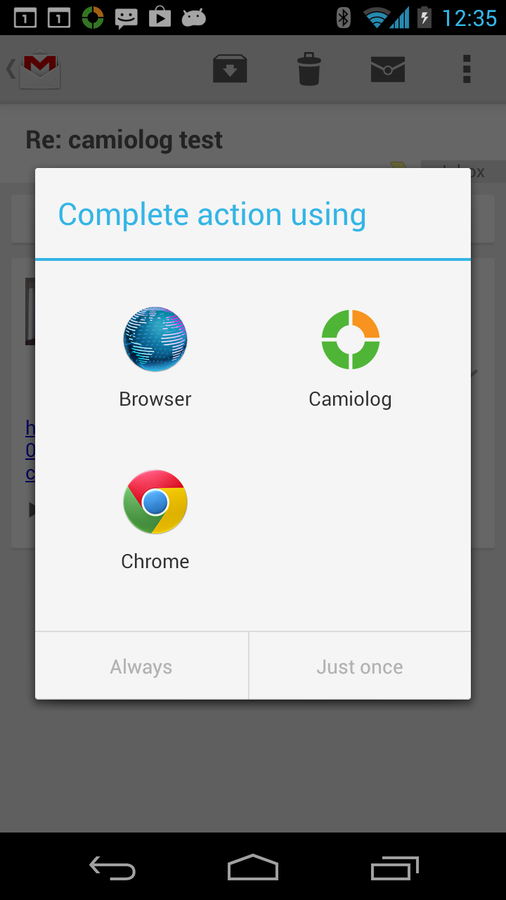
Intent sendIntent = new Intent(Intent.ACTION_SEND);

String title = getResources().getString(R.string.chooser_title);
Intent chooser = Intent.createChooser(sendIntent, title);

if (sendIntent.resolveActivity(getPackageManager()) != null) {
    startActivity(chooser);
}
Let's try it!

What is an intent-filter?
An expression in an app's manifest file that specifies the type of intents that the component would like to receive.
An intent-filter can have:
-
Action
-
Data
-
Category - category default is a must have if you want to receive intents
Pending Intents
-
Wrapper around Intent
-
Uses the contained intent as it is started from you app's process
-
Major use cases:
-
When the user taps on a notification
-
An action from Widget
-
To be started at a specific time
-
Action test
- Intent-filter can have 0 or more actions
- Intent's action must match the filter's
- If the intent doesn't have and the filter doesn't have too it will pass
Category test
- Every intent's category must match the filter's ones. The opposite is OK.
- An intent with no categories will always pass the test
Data test
- 0 or more data filters
- Comparison by the declared data scheme
- Comparison by MIME type
PackageManager is the class you can use to find the Activities that can fulfill your desired operation
Summary
-
How to use Log.d/e/v ... ?
-
How to use breakpoints and evaluate expressions?
-
Activity Lifecycle
-
What is an intent?
-
What has an intent?
-
Explicit and implicit intents
-
What is an intent-filter?
-
How is Android matching the intents?
-
Pending intents

Thank you! :)