Telegram Bot in Python

What a Bot is?
How can I create a Telegram Bot?
What happens on telegram's servers?
What (should) happens on our server?
Some codes to interact with a bot
Lab topics


Python 3.x

Some python IDE

Telegram account

GIT

Postman
Requirements
Telegram documentation says:
Bots are third-party applications that run inside Telegram. Users can interact with bots by sending them messages, commands and inline requests. You control your bots using HTTPS requests to our bot API.
What telegram Bot Is?
The original Bot, it will help you create new bots and change settings for existing ones.

The Botfather
One Bot to rule them all, One Bot to find them, One Bot to bring them all and in the darkness bind them
/newbot
This command should be use to create a Bot.
It will ask you:
- name: Displayed on the contact details
- username: Is a short name, must end with bot
and it returns
- token: An hashed string used to authorize the bot and send request with Bot Api
BotFather commands
/newgame
This command create a new game.
You should:
- Accept telegram rules regards privacy
- Link an existing bot with the inline mode active
- Set game info as title, short description and short name
- Upload the game image and gif example
BotFather commands
/setcommands
This command change the list of commands supported by your bot.
Users see this commands as suggestion when type /
/setjoingroups
Toggle whether your bot can be added to groups or not
/setprivacy
Set which message your bot will receive when added to a group.
BotFather commands


- Receives message and request sent by users
- Handle encryption
- Expose https interface (BotAPI)
- Pull messages using BotAPI
- Send messages using BotAPI
- Make business stuff..
Telegram servers
Yours
servers
The BotAPI
Is an Http-based interface create for developers for buildings bots on Telegram.
https://core.telegram.org/bots/api
# Pseudo code, it does not works
import requests

requests.get("https://api.telegram.org/bot<Bot_token>/getUpdates")

request.post("https://api.telegram.org/bot<Bot_token>/sendMessage")

request.post("https://api.telegram.org/bot<Bot_token>/sendPhoto")

request.<method>("https://api.telegram.org/bot<Bot_token>/METHOD_NAME")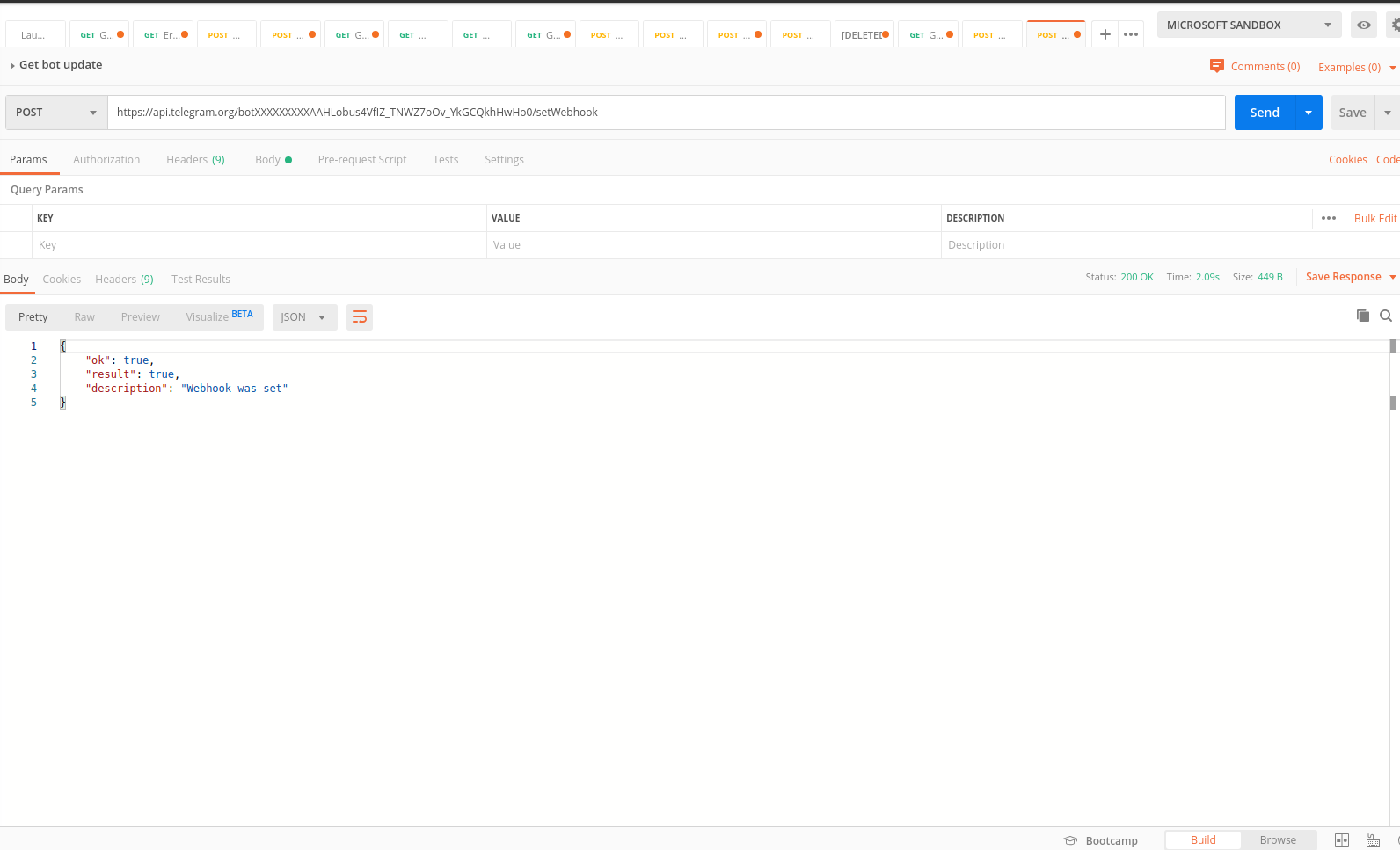
Test with Postman
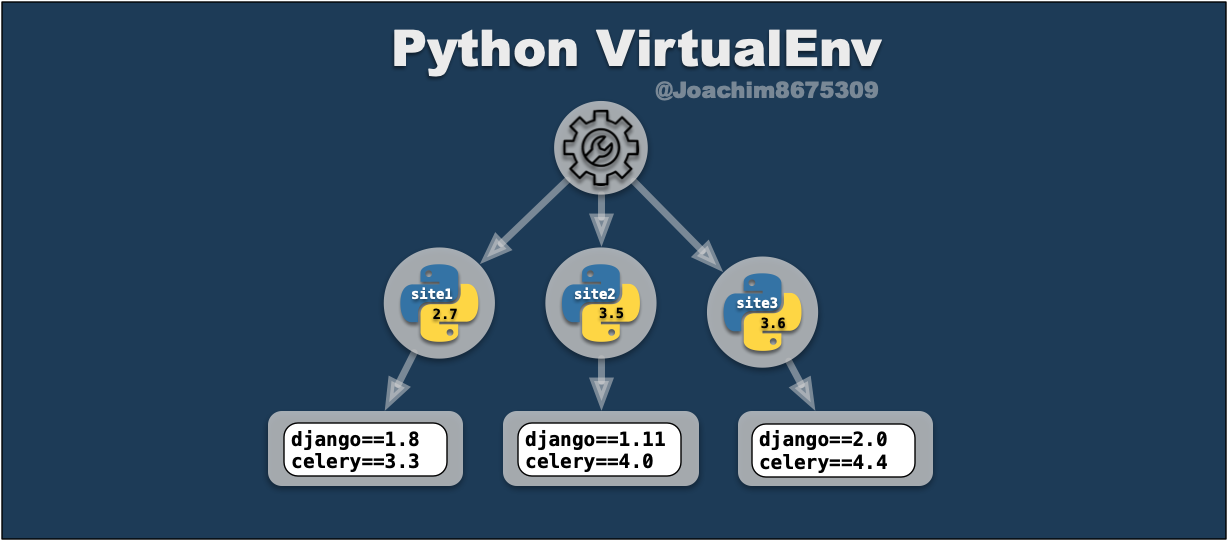
The Python Package Index (PyPI) is a repository of software for the Python programming language.
- pip install boto3
- pip uninstall boto3
-pip freeze > requirements.txt
The venv module provides support for creating lightweight “virtual environments” with their own site directories.
Each virtual environment has its own Python binary.

Introduce Python
Let's Code!

# Clone repositories
git clone https://github.com/Palaxx/telegram_bot_lab.git

# Create virtual enviroments
cd telegram_bot_lab

#Create the virtual env
python3 -m venv venv

#Activate on linux
source venv/bin/activate

#Activate on windows
venv\Scripts\activate.bat

#Install dependencies
pip install -r requirements.txt
Let's Code
Level 0
git checkout level0
Retrieve the messages
Using getUpdates endpoint and offset variable, we can retrieve the desired messages
The Telepot library
A library which help to write application using Telegram Bot API
The environment file
A file .env used to store all environment based variables
Level 1
git checkout level1
Send message
Use the sendMessage with the chat_id of the received one to reply to the sender
Telepot MessageLoop
Using MessageLoop to retrieve always the last message, without the offset logic
{
    "message_id":29,
    "from":{
        "id":22238267,
        "is_bot":false,
        "first_name":"Michele",
        "last_name":"Palamidessi",
        "username":"Palaxx",
        "language_code":"it"
    },
    "chat":{
        "id":123456,
        "first_name":"Michele",
        "last_name":"Palamidessi",
        "username":"Palaxx",
        "type":"private"
    },
    "date":1576518472,
    "text":"ciao"
}
Level 2
git checkout level2
Botfather /setcommands
greetings - Greets the sender
sayhelloto - Greets another person {name}
Detect commans and parsing parameters
def on_chat_message(msg):
	# Some code before that
	if '/sayhelloto' in text:
        parameters = get_command_parameters(text)
        bot.sendMessage(
          chat_id,
          "Hi {}, nice to meet you!".format(name)
        )

 def get_command_parameters(text:str) -> list:
    parameters = text.split()
    return parameters[1::]
Level 3
git checkout level3
Send photos
Using the sendPhoto of telepot library the bot could send a picture to the telegram client
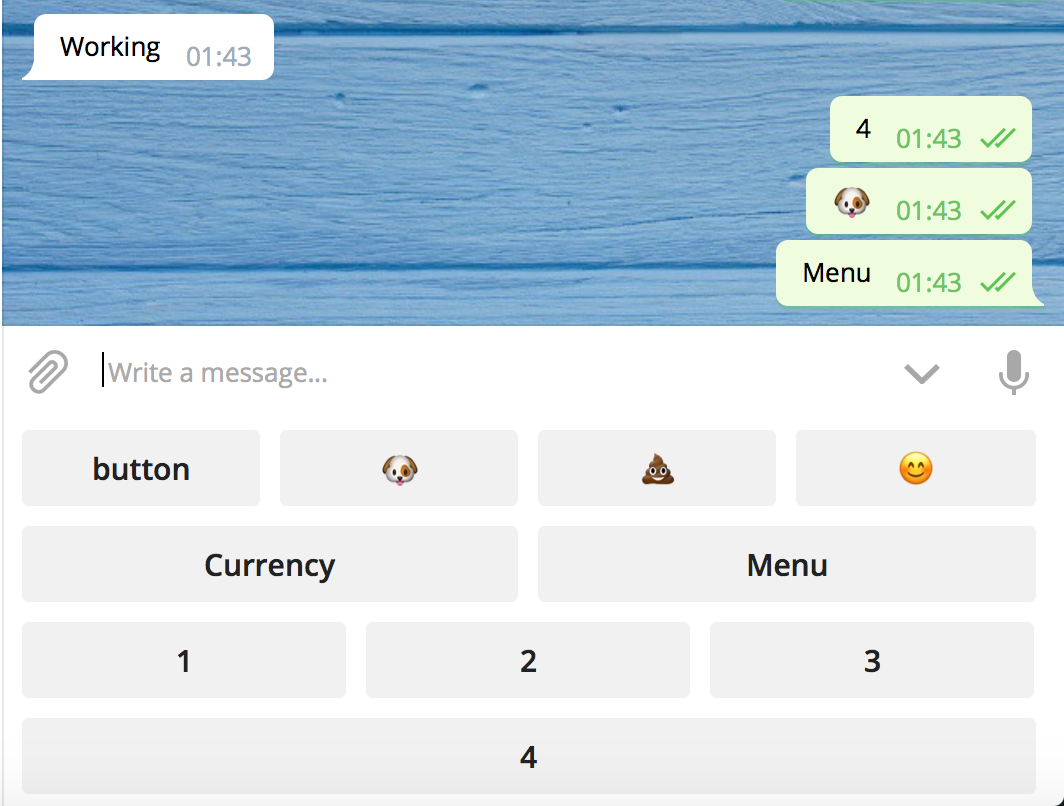
Custom keyboards
Sometimes you want some more formal input from the user and this is where custom keyboards can become extremely useful.
Level 4
git checkout level4
Going deeper into chat_id
chat id is created the first time a user talk with a bot
chat_id identify in an unique way the tupla of user|group and bot.
You can use chat id to send different messages based on user
The schedule package
Using previously saved chat_id and the power of schedule package, you can send custom messages on specific day/hour/minutes
Level 5
git checkout level5
Goal:
Create working bot which notify the users on their preferred cryptocurrency every X hours.
The bot accept the registration of the user and required the selection of one cryptocurrency from a list.
Every X hours will retrieve the price from an external API and send the info to the user.
Level 6
git checkout level6
Goal:
Integrate an html games into our bots, update the user score everytime a new highscore is reached.
Additional infos:
- The game we will to interate is a fork of the T-Rex game on chromium.
- (https://github.com/wayou/t-rex-runner)
- The game is hosted on netlify
- The flask "web server" is hosted on Heroku

Thanks