HOW DID YOU USE NEW MEDIA TECHNOLOGIES IN THE RESEARCH, PLANNING AND CONSTRUCTION AND EVALUATION STAGES?




EVALUATION PART 5
research stage
Technology
How was it used?
How successfully did you use it?
How have you progressed?

In the research and planning phase, we spent a lot of time on Youtube, trying to find videos that would inspire us in terms of mise-en-scene and lighting. We also used YouTube to present videos to our focus group; such as the video of woman animated in bed and also the Ben Howard- Keep Your Head Up video.
I think I used it successfully within the research and planning phase as we had to find videos that would show our ideas clearly to our focus group. The Ben Howard - Keep Your Head Up helped denote our lighting ideas and also shot ideas to the audience. Another video we used was the animation video of the women in the bed. We used this video as we wanted to denote to the focus group the type of animation we wanted - stop motion. Click Here to view the prezi presentation which shows the videos.
With YouTube, there hasn’t been much progression as I have been using the site since before I even started the Media Studies course and to search for videos is fairly simple. However, I did start using the filters more when searching for videos.

Prezi was used to explain our music video idea to the focus group. It was also later used to display our research findings of the questionnaires.
I think it was used successfully as we included lots of links and embedded YouTube videos onto the slides themselves which was a big positive as otherwise the group would have got restless if we had to find the videos on YouTube then play it. It was handy to have it already there.
I think I progressed with Prezi as I hadn't used it before, but after I first used it to create the presentation for our focus group, I then went on to use it to present our findings for the questionnaires. I became confident on how to use the programme and it was a better way to present data rather than using powerpoint.
The camera was used when we filmed the focus group.
I think we did use it successfully as we were able to film the group, in one shot. We set up the tripod, placed the camera on top and pressed record. It was simple to use. Click Here to watch the focus group video.
In terms of progressing with the camera during research, I didn't progress much as all I did was press a button and let the camera record.

PowerPoint was mainly used to showcase our research of exisiting music videos, digipaks and magazine adverts. View the research for the music videos, adverts and digipaks.
I think it was used successfully as it provided us with a simple way to present research and analysis. However, I do think I could've used it more successfully by making it look more interesting via the animations and different images.
Powerpoint is a programme that is easy and simple for everyone to use. However I do think I progressed with this programme as due to the new model, there was PowerPoint Online. I had to learn how to edit on the online version as it became easier to embed onto my blog through the online version. Also, I learnt how to upload the files to one drive quickly from the programme.
research stage
Technology
How was it used?
How successfully did you use it?
How have you progressed?
Blogger was used in the research to upload my research so that my teachers could see it. It was also useful for me to have an easy access to a record of all the research I had done without looking through files.
I think I did use it successfully as it was fairly easy to use. It was successful in the terms that I could easily embed my work, instead of copying and pasting links. It made my blog look more aesthetically pleasing. An example of this is how I presented the analysis of our research before making the music video. Instead of pasting links that would lead to Prezi and Emaze, it looked better to have the presentations already there.
I don't think there was much room to progress in terms of Blogger as it's a fairly easy website to use. There's not much new to learn. The only thing I learnt to do was how to fix the embed presentations when they went over the text that showed the different posts on the right side. During AS Media Studies I was unaware on how to do that, but I know now. Click Here to view a post on my AS blog which shows the presentation over the text.

The iMac was used when writing on Blogger and also editing the footage of the focus group. Generally, it was used for the actual research that I did. I would find the images on Safari and music videos.
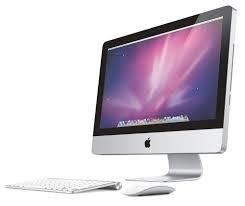
I think the iMac was used successfully as I knew how to use it before and was fairly easy to navigate around. I do think I could have used it more successfully as at times I was unsure on how to do things, simple things such as screen shotting. However, I believe that towards the end I got more used to it and learnt how to carry out the easy functions.
In AS Media Studies, I would always opt for the PC rather than the iMac as I would be more comfortable browsing the PC. However, this year I believe my skills have progressed as I can do things more confidently. Last year I was unsure how to open tabs, but now I can do that confidently and browse easily without help.
Final Cut Express was used in the Research Stage when I was editing the Thrift Shop Video Remake that we made before starting our actual coursework. We did this as it was a way for us to research the programme that we would be using and come to grips with it.
I think I used Final Cut very successfully as it was a fairly new programme to me. I had only used it once before when matching the sound to the video during the BSR opening in AS Media Studies. This year I was able to edit the actual clips in the programme and it ended up being a more polished product as the editing was much better and refined. Click Here to view the Thrift Shop Remake.
I definitely progressed with Final Cut Express. This year I was able to edit the whole project in the software confidently. I learnt how to cut in a quick method by using the keyboard keys 'b' and 'a'. Another way I progressed was with being able to add effects to my work. After editing the whole thing together, as I was given the Abstract style music video I wanted to make it look Abstract. So I learnt how to add different effects, such as Fish Eye, Distortion and Earthquake (all from the Stylize section). I also learnt how change the density of these effects and with the Fish Eye effect I was able to place it where I wanted and change what I wanted to enlarge.
planning stage
Technology
How was it used?
How successfully did you use it?
How have you progressed?

Microsoft Word was used in a number of different ways during the planning stage. It was used to produce the call sheets and production schedule.
I think it was successfully used as it enabled me to make the production paperwork easily. Doing the production schedule on word, instead of on paper made it easier for us to change dates when we needed to. Also it was easier for us to colour code, so we could easily see what stage we would be at by looking at the block, e.g red was filming, green was editing and orange was the ancillary work.

I don't think there was room to progress in Microsoft Word as it's programme that I have been using since year 7. Also, because we were just in the planning stage, we were simply just using it to make tables of when we should do things. If we used it during another stage, such as research we could've added bar charts.
Microsoft Excel was used when we were writing out our shooting script.
Excel was used successfully as it was an easy and simple way to produce a shooting script. It's already table like layout made it easy to produce the script without having to add more rows and columns. It was successful as I was able to colour the rows in different locations different colours. For example, shots on the tube were purple and shots in the forest were yellow. Also, we coloured the rows were there was lip syncing a different colour. This made it easier when filming as we could easily identify the shots that we needed to film on that day.
In terms of progressing in Excel, I don't think I progressed much as I only used it once through out the planning stage and it was for something that was fairly simple to construct.
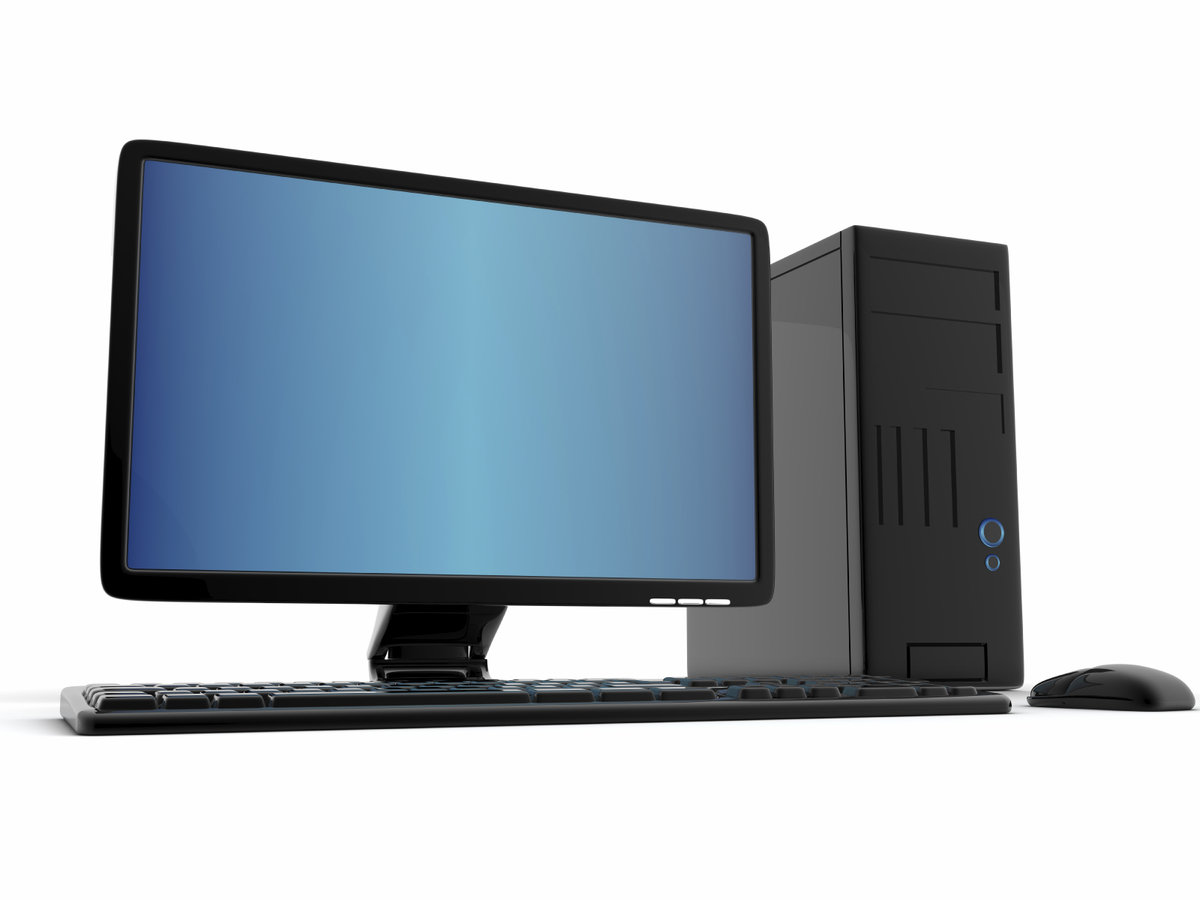
The PC was used in the planning stage as Microsoft Word and Excel were on it. They weren't available on the iMacs. Also, in general, it was used to write the posts on the blog.
I think I used the PC successfully as I could make my way around it easily and it was a simple device to use.
There wasn't much to progress with the PC in the planning stage as I have been using this piece of technology for a long time. I knew pretty much everything to carry out my planning stage successfully.
Microsoft PowerPoint was used in the planning stage when I undertook the location reccie.
I think it was used successfully as it was simple way to present all my pictures of the different locations in one post. It also enabled me to talk about the pictures in more detail and being able to see them.
I don't think I progressed with PowerPoint as I was only using it for one part of the planning stage. Also I was just using it for a normal presentation, there was no new elements to the work.
construction stage
Technology
How was it used?
How successfully did you use it?
How have you progressed?
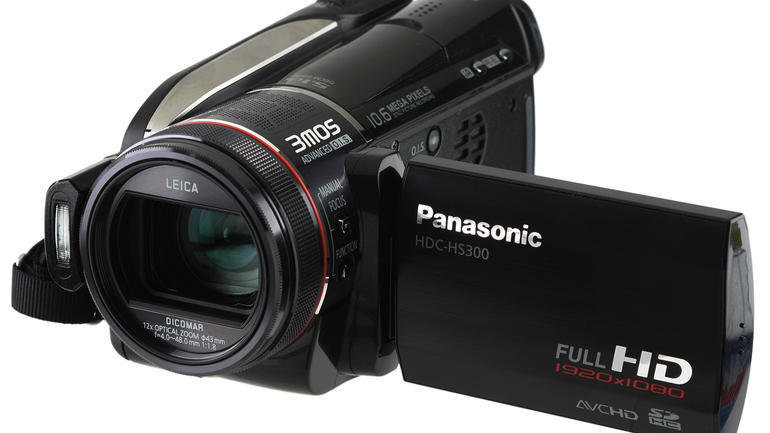
The Panasonic HCD-HS300 Camera was used to film our final music video - 'Sea Kelp and Cigarettes'.
I think the camera was used successfully as the HD quality made our final video look more professional. Also with the camera, we were able to change the light settings which is something I hadn't done before. When filming in the tent, we had to use artificial lighting so we had to balance that on the camera to make it look natural by changing the light settings.
I think my skills with the camera definitely progressed in terms of the different shots I took and the different camera movements. As it was a music video, it was essential that most, if not all shots had some element of movement. It's unconventional for a music video to be completely still. I progressed as I was made to do more pans and tilts, which allowed me to become more confident when carrying out the movements. With the different types of shots, I had more high angles and low angles, which changed the composition on the screen.
Final Cut Express was used to edit our footage that we filmed for the music video.
Final Cut Express was used successfully as I was able to produce a finished product that looked good overall. One way we took advantage of the technology is turning on 'snapping'. This enabled us to snap different footage together. As we were filming a music video, that had many different shots, this was useful as it became easier to make sure that the shots follow on exactly. Another way this technology was successful to our final piece was by adding markers on the audio track whenever the beat hit. This made it easier to edit as we knew that we had to match the cuts to the markers to make sure that the music video cut on the beat.
During the construction stage, I definitely think I progressed with Final Cut Pro as I was able to do things that I hadn't done before. Adding the markers in the audio track was something new and useful that I learnt, it instantly made editing easier. Another way I progressed was by learning how to make a scratch disk. In AS Media Studies, we were taught how to make it, but after editing at the Thrift Shop remake at the start of the year, when the time came to edit the final music video, I knew how to make the scratch disk. Overall, I have become more confident when editing in Final Cut Express and would definitely use it again.
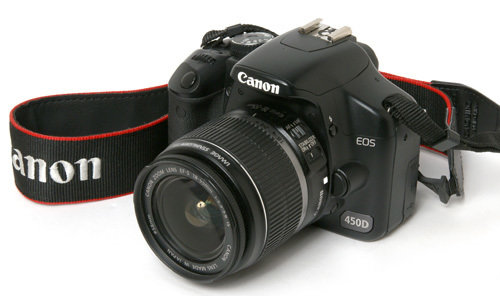
The Canon SLR was used to take the picture for our magazine advert and pictures of the artist for the digipak.
I think I used it successfully as I was able to take shots that looked professional and of a good quality. As we took the shots of the guitar for the magazine advert in a green screen room, due to the lighting in there, we had to play around with the camera settings to make sure that it looked like it wasn't artificially lit. With the photos for the digipak, I think they came out really well as the final one we put on our digipak looked like something a real artist would have. I do think that I could've used it more successfully however. When taking the shots of the artist, I think we could have made the camera focus on him more, so that he stands out.
I hadn't used this camera before so it was a new technology for me. Instead of the using the standard digital camera's we used in AS Media Studies, we used a more professional one to give our work more of a polished look. I progressed with using this technology as I hadn't used it before and now I know the standard things of how to use it. If I were to use it again, I would play around with it more and see how else I could progress.
construction stage
Technology
How was it used?
How successfully did you use it?
How have you progressed?

Adobe Fireworks was used to make the different elements of our digipak and magazine advert come to life.
I think I used it very successfully as it was such a simple programme, yet it still produced two good products. I thought it would be better to use a programme that we were familiar with and knew we could make something good, instead of using Photoshop and being confused on how to use everything. Fireworks helped our work as we could do many things on the programme. As well as editing the pictures themselves we were able to trace the text for the magazine advert and digipak by using the 'pen tool'. We also used the 'pen tool' to produce the orange leaves that featured on the digipak and magazine advert. It was successful when editing the magazine advert because the picture was taken in front of a green screen, so the background was easily removed with the 'magic wand' tool and the extra green left behind was quickly removed with the eraser. It made the whole process much easier.
I think I definitely progressed with Fireworks in a multiple number of ways. Through out my school years, Fireworks has been used to make little animation characters or just cartoon characters in ICT. It was never used to edit pictures, which is what we used it for this year. I definitely progressed my skills with the programme as I learnt things I didn't know about before. First of all, when editing the digipak, we had to change the colours of the pictures in there to give them all of an autumnal feel. This was done by changing the RGB levels in the pictures. I made the red levels higher to give them more warmth. After doing this to all the pictures on the digipak, the product looked more like a real product instead of a mis- match of pictures. Another way I progressed in Fireworks was by changing the texture of the background in the digipak and magazine advert. We didn't want just a plain background, so we drew a plain rectangle in a creamy/brown colour and by choosing the texture 'Chiffon' we were able to produce a wallpaper-ish effect. I think this made the work look a bit more interesting, if it was just a plain block of colour it would've look a bit odd. With the magazine advert, after editing it together, it looked like the guitar got lost into the background so we decided we needed something to make it stick it. After I played around with the programme, I saw an effect called 'glow' where you could change the colour, thickness and opacity of the 'glow'. In the end, we went for a subtle orange colour which helped bring the guitar out more. I think this project was helpful in terms of developing my skills, as I learnt how to do things I didn't know before.
construction stage
Technology
How was it used?
How successfully did you use it?
How have you progressed?
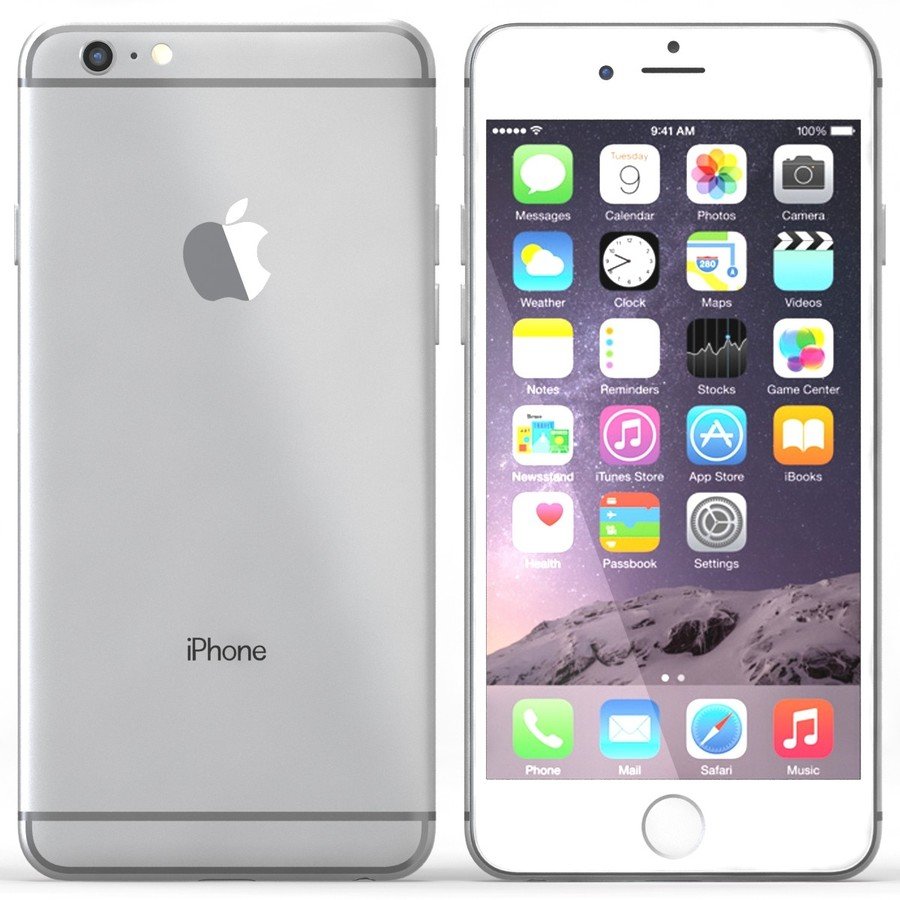
The iPhone was used in a number of different ways during the construction stage. First of all, we used Whatsapp via the iPhone to make sure everyone knew when we were filming and taking pictures. It was also used to take some pictures on the digipak, such as the leaves shot on the front cover and the landscape shot on the inside panels.
I think it was used successfully as we took full advantage of the things it could. With Whatsapp, it made us more organised as everyone knew when they had to be somewhere and also if plans changed, it was easy for everyone to be updated. During filming, the iPhone was also used to play the song so that our actor playing the artist could lip sync on time and in the same tune as the real artist. It made our editing job easier as we could just drag and drop the videos pretty much. With the pictures for the digipak, when we were in the forest, we just took some shots as we thought the scenery looked nice, initially we didn't plan to have these in the digipak. But after looking at the pictures, we thought that they would look in the digipak. So the iPhone was used successfully as we had easy access to the pictures that we just took and could upload them to the computer easily. One way I think we could've it more successfully is with the new video camera settings there's the features of 'slo-mo' and 'time-lapse'. I think it would've been interesting if we used the time lapse effect to connote the busy life of the girl in the video.
In terms of progressing with the iPhone, I don't think there's much to progress with as it's a device that I use pretty much everyday so there was not much to progress with. However, I didn't think that I would ever use it for my coursework, so I progressed with it in that sense.
evaluation stage
Technology
How was it used?
How successfully did you use it?
How have you progressed?
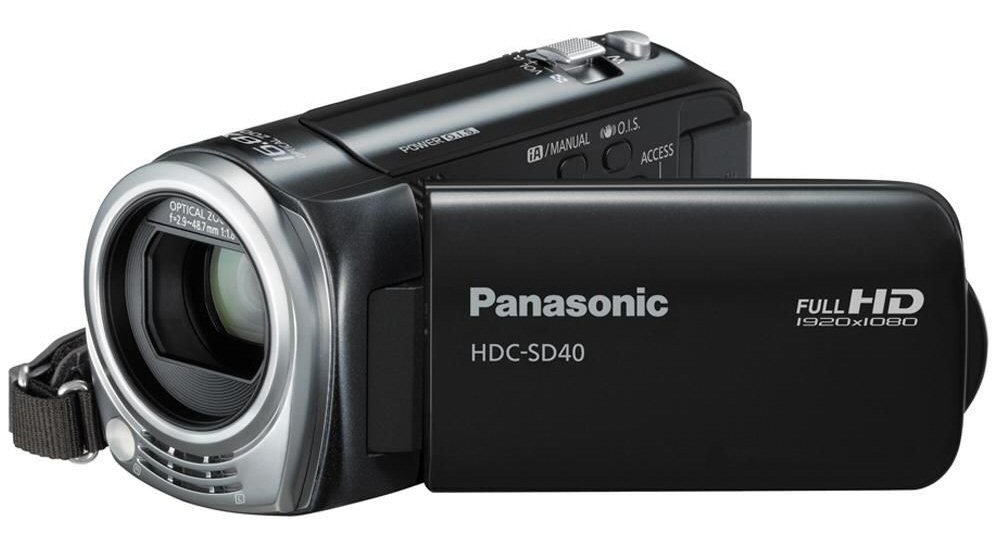
The Panasonic HDC-SD40 was used to film Part 2 of the evaluation.
I think we used it successfully as we were able to set it up and film easily. As we didn't require any movements, we just set it up on a tripod and filmed. It was successful as it enabled us to film ourselves easily.
I don't think I did progress with this camera in the evaluation stage as all I had to was press the record button and then upload the footage to the iMac.
The iMac was used when uploading the footage from Part 2 and Part 4. It was also used for iMovie and Final Cut Express when editing Part 2 and 4.
I think the iMac was used successfully as I knew how to use the programmes on there from previous years and other stages in the coursework. After the iMac through out the coursework, when coming to the evaluation, it was very easy to navigate around and when we had screen shot images for Part 2 from YouTube we did it very quickly as we learnt how to do it from the research stage.
I think I progressed a little bit the iMac in the evaluation stage as when screen shotting images from youtube, instead of dragging the square around the video, we could just snapshot the video quickly by simply pressing the command key, shift and 4, then clicking on the video and it would screen shot the image from the YouTube.
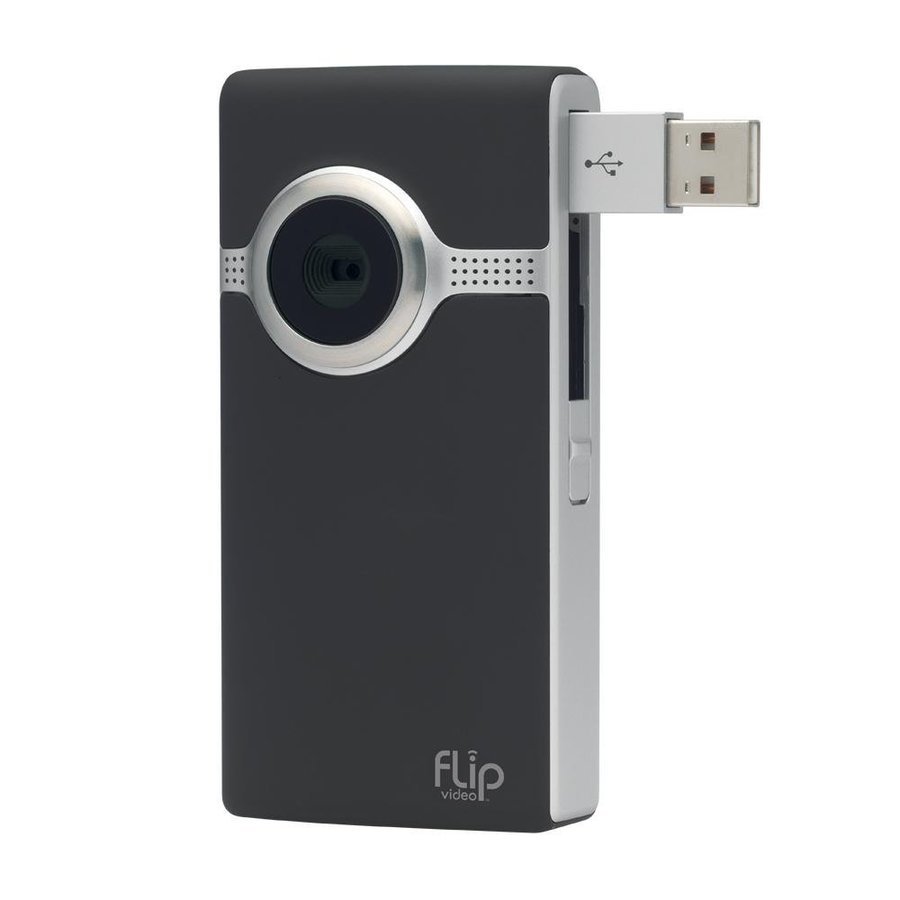
The Flipcamera was used to film part 4 of our evaluation.
I think we used it successfully as we just had to press the record button and start our evaluation of audience feedback. However, after looking back at the footage, it came out very blurry, so we could've used it more successfully.
I don't think I progressed much while using the flipcamera as I just had to press the record button, which is the what we did when filming our vox pops in AS Media Studies, so we didn't use it in a different way.

iMovie was used to edit Part 4 of our evaluation.
At the start, it was hard to remember how to edit properly as we had been using Final Cut Express for the rest of our work, so using iMovie was different. But after a few minutes we got back into it, as it was simple to edit. We only had to edit one bit out where we paused for a long time, so I think we did use the technology successfully.
In terms of progressing with iMovie, I don't think there was room to progress as it was a quick editing job, we just needed to take one thing out and we were done. We didn't spend time looking at what else we could add as we didn't need anything else.
evaluation stage
Technology
How was it used?
How successfully did you use it?
How have you progressed?
Emaze was used to do Part 3 of the evaluation.

I think it was used successfully as it had a large display so that I could have all the screen shots of the digipak,magazine advert and music video on one page and also talk about them. Also the programme made it easy for me to upload all the screen shots and provide an interesting way to showcase my analysis.
With emaze, it was hard to progress as I was using it for the same reason that I used it for in AS Media Studies, to showcase my analysis, so I was using the same type of layouts and just need to add screen grabs.
YouTube was used in the Evaluation stage when taking screen grabs from Ed Sheeran and Ben Howard videos for Part 2. It was also used when uploading part 2 and part 4 to our blogs. We had to export them through YouTube first.
I think it was used successfully as I was able to surf the site easily and find the YouTube videos that I needed to screen grab. YouTube was helpful when uploading Part 2 and Part 4 to our blogs as they were too big to upload straight to blogger, so we exported them through YouTube first which cut down the file size and we could just embed it onto our blog.
YouTube was used through out the making of the course work, in the research stage through to the evaluation stage, so I didn't progress much as we were pretty much looking for the same videos. When uploading the footage, we did the same thing in AS Media Studies when uploading the BSR opening, so it was nothing new.

Slid.es was used for Part 5 of the evaluation. It is basically a form on PowerPoint that looks a bit more interesting.
I think I did use it successfully as I was able to make the table that showed the different technologies I used in a simple way. It was also successful as I was able to upload images of all the technology to make my work look a bit more interesting. If I used Microsoft Excel, I wouldn't be able to fit an image in one of the boxes of the table, so it was successful in that way.
I had never used this website before so it was a thing I had to learn from scratch. After playing around with it, it became obvious how to do things such as adding text or adding an image. I do think if I was doing a verbal presentation that I could've progressed more as they have a feature called 'speaker notes' where the speaker can see certain notes, but the audience cannot.
evaluation stage
Technology
How was it used?
How successfully did you use it?
How have you progressed?
Final Cut Express was used to edit Part 2 of evaluation.
I think Final Cut Express was used very successfully as we were able to edit Part 2 in the way that we wanted. When filming part 2, we filmed in front of a green screen, with the idea that we could have our music video playing in the background and we could add any additional images that we wanted to show. I think Final Cut was definitely successful with doing this as we were able to do everything we wanted. First we had to get rid of the green screen by using a video transition called 'Chroma Keyer' and after playing around with the levels of saturation, luma and how much green we needed removed, we got most of it off. However, we were left with a green glow around us as this was the first time that we had done anything like this, so we weren't professionals. When adding other images into the background, we cut the video in the places where we wanted to images and then placed them in. I think it was successful as we were able to edit the way we wanted, however, our video was 28 minutes long, so everytime we made a change to video we had to render it, so we worked it a few stages. First I cut out the parts where we messed up a bit, render, then added the music video in the background, render, and then placed the other images in and rendered it at the end. Every time we rendered it would take 2/3 hours so it was a lengthy process, but I think it came out good in the end.
Using Final Cut Express during the evaluation stage definitely helped me progress with the programme. I learnt so many new things. First of all, I progressed when using the green screen, I didn't know how to get rid of the green in the background but after some help from another student and a YouTube tutorial, we figured it out and got rid of most of the green. I had never heard of terms like 'Chroma Keyer' and 'Luma' before but now I can use them confidently. Also when adding the music video into the background, we had to position the video of ourselves so that could see the actual video and we weren't taking up all the space, this was done by the 'wire frame' feature which allowed us to move the images on the preview screen around. Adding the music video into the background was also another example of how I progressed as I hadn't done that in Final Cut before. We had to add another video track and then place the video there, but make sure that we deleted the sound so that you could still hear our evaluation. It was very helpful to use Final Cut during this process as I have now learnt things on the programme that I never knew existed before and I would confidently be able to show someone else how to do the same thing we did.