Warsztaty dla początkujących

DZIĘKUJEMY!
Mentorzy

Michał
Kwilman

Piotr
Tarasiuk

Przemysław
Wiszowaty

Maksymilian
Zyskowski
Support

Dorota
Dobrowolska

Szymon
Barszczewski

Kamil
Kiełczewski

Tomasz
Stelmaszuk


partner medialny
... Przekonaj się jakie to proste!🧡
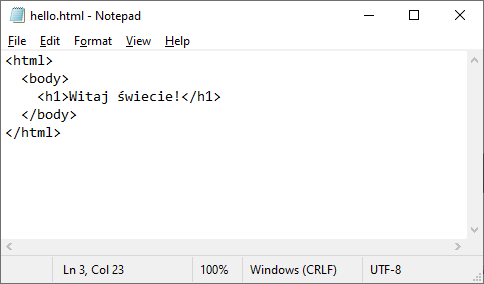
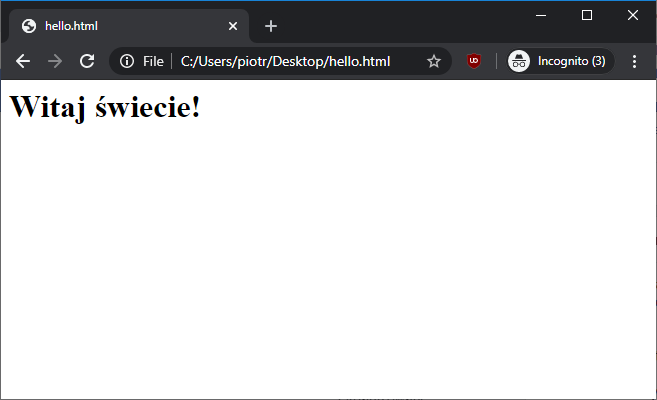
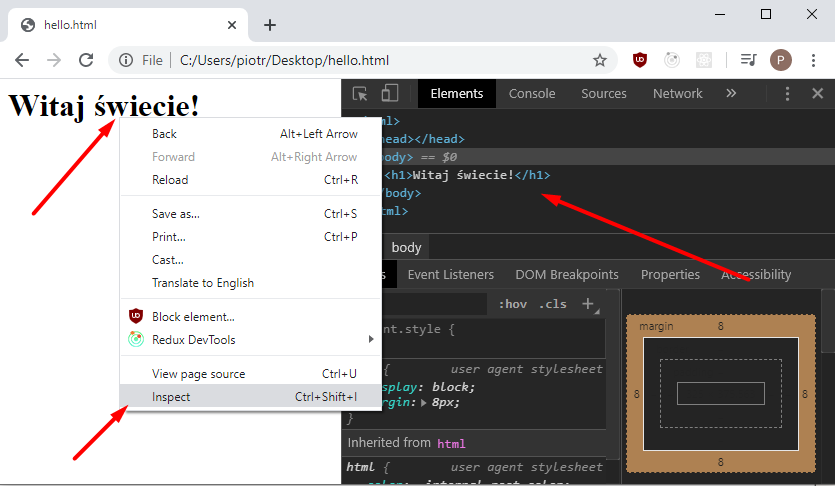
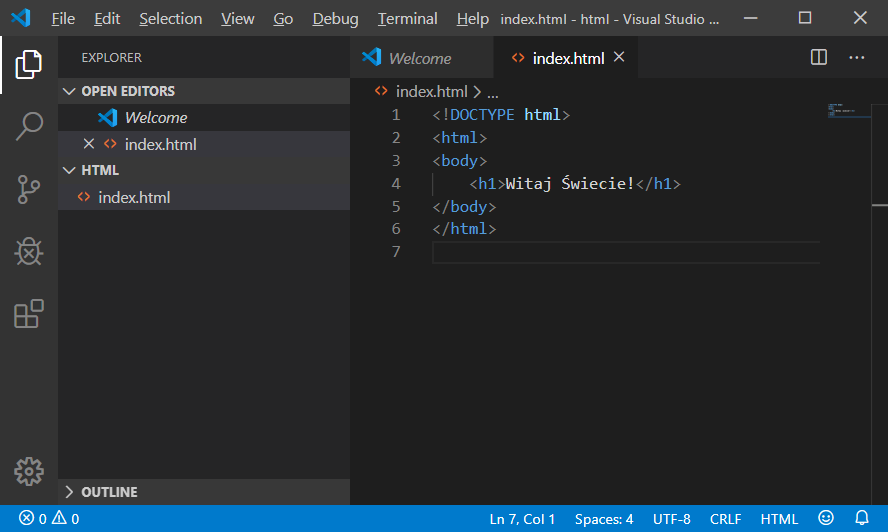
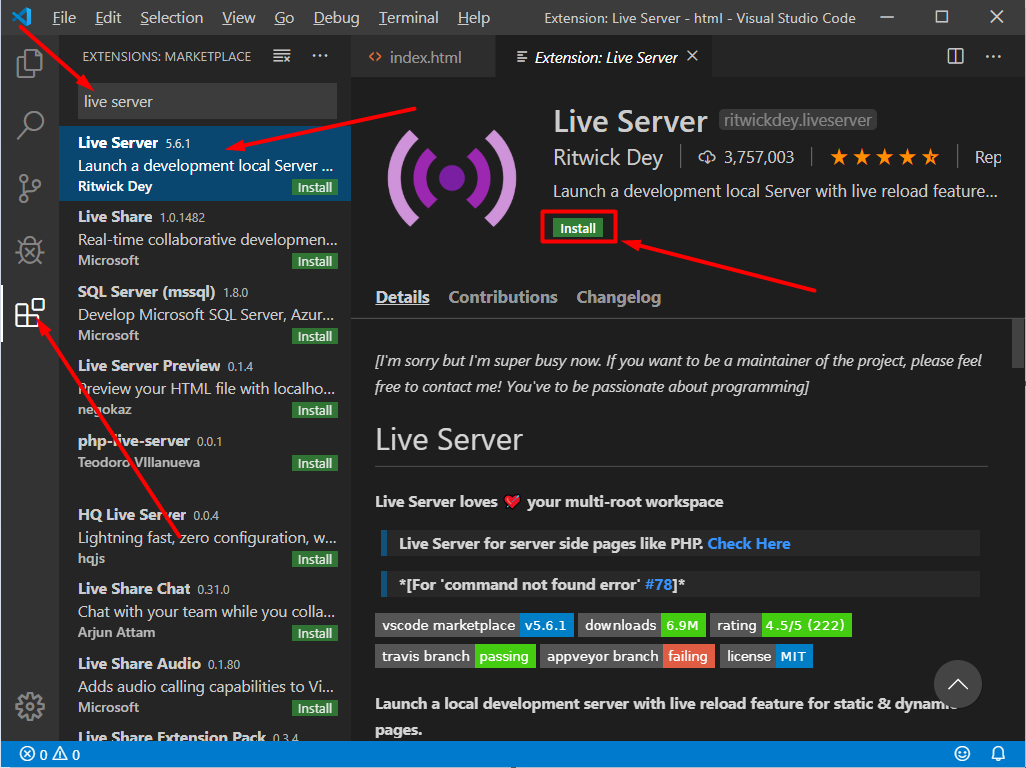
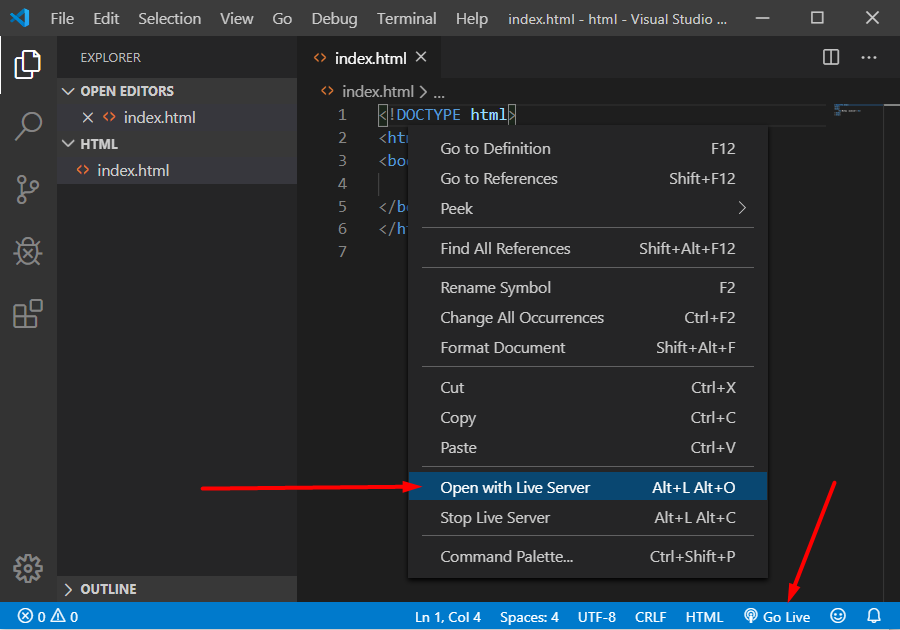
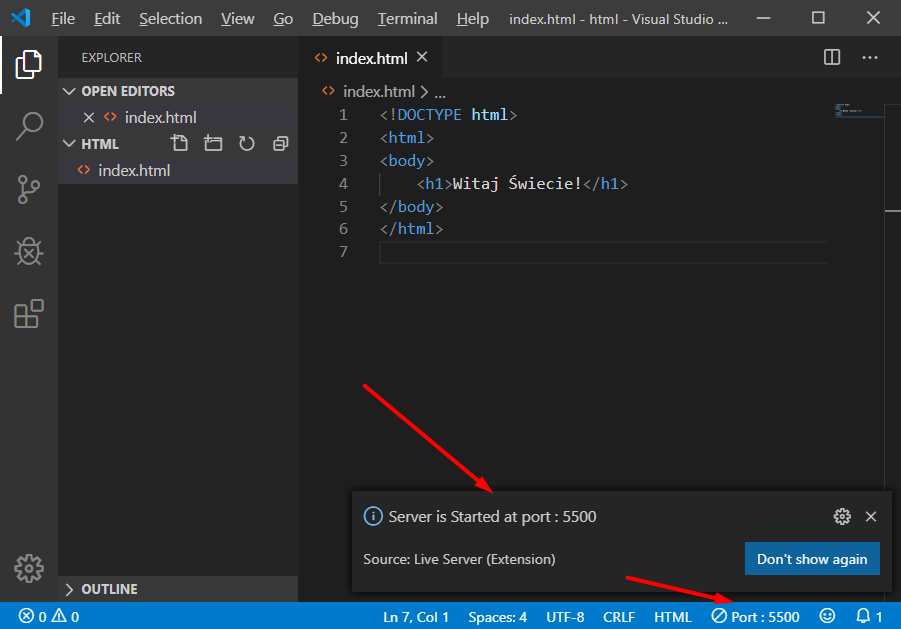
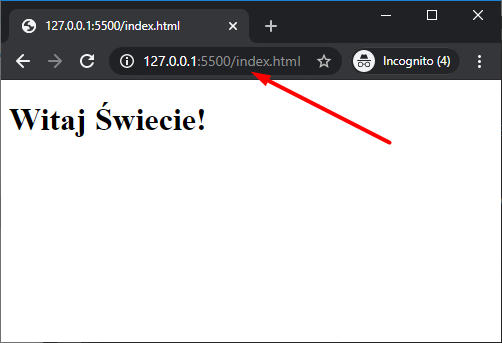
Podstawy HTML
Czym jest HTML?
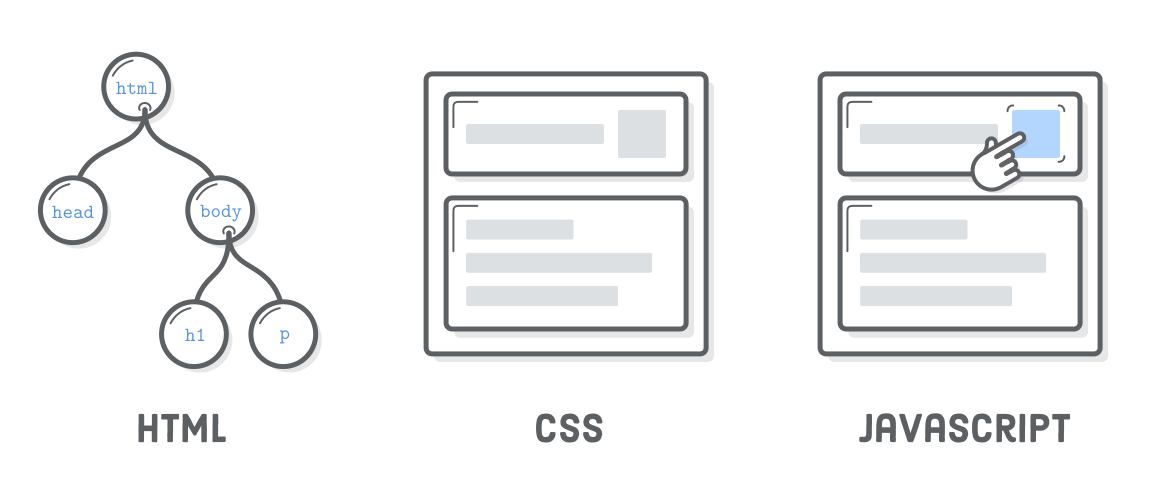
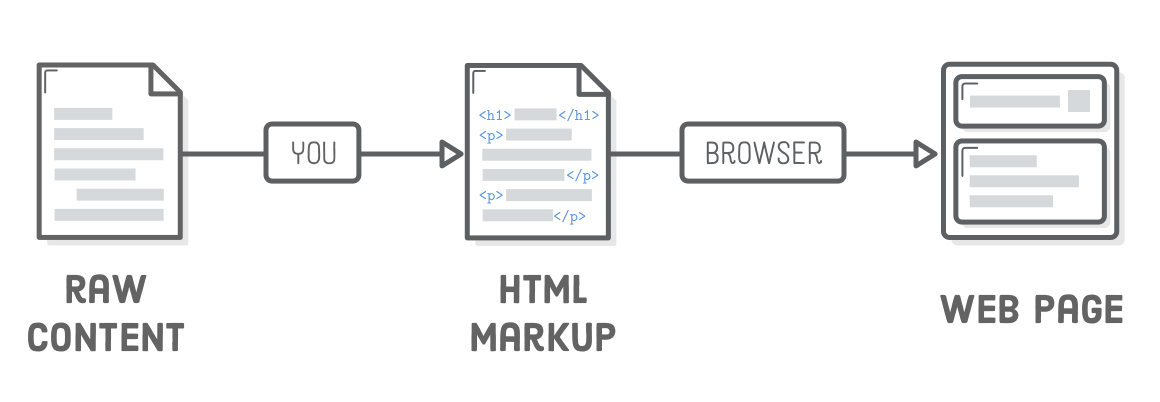
HyperText Markup Language (HTML), czyli hipertekstowy język znaczników, wykorzystywany do tworzenia dokumentów hipertekstowych.
HyperText
HyperText - hipertekst, czyli sposób organizacji informacji, polegający na zastosowaniu wyróżnionych odsyłaczy, które automatycznie przenoszą użytkownika do innych informacji
Markup Language
Markup language - język znaczników, czyli format dokumentu, który obok tekstu zawiera także dodatkowe informacje, które go opisują. Te dodatkowe informacje, na przykład na temat wyglądu czy znaczenia fragmentu dokumentu, są wyrażane poprzez wplecione w tekst znaczniki.
znacznik otwarcia
symbol mniejszości
wyrażenie
symbol większości
<p>
znacznik zamknięcia
symbol mniejszości
wyrażenie
symbol większości
slash
</p>
przykład wykorzystania znaczników
<p>
  Ala ma kota
</p>
znacznik bez treści
<br />
symbol mniejszości
wyrażenie
symbol większości
slash
przykład wykorzystania znaczników bez treści
Ala ma kota
<br />
kot ma Ale
komentarze w HTML'u
Ala ma kota
<!--
  ten tekst niezostanie
  przetworzony przez
  przeglądarkę
 -->
kot ma Ale
Struktura strony HTML
<!DOCTYPE html>
<html>
  <head>
    <!-- Metadata itp... -->
  </head>
  <body>
    <!-- Zawartość strony -->
  </body>
</html>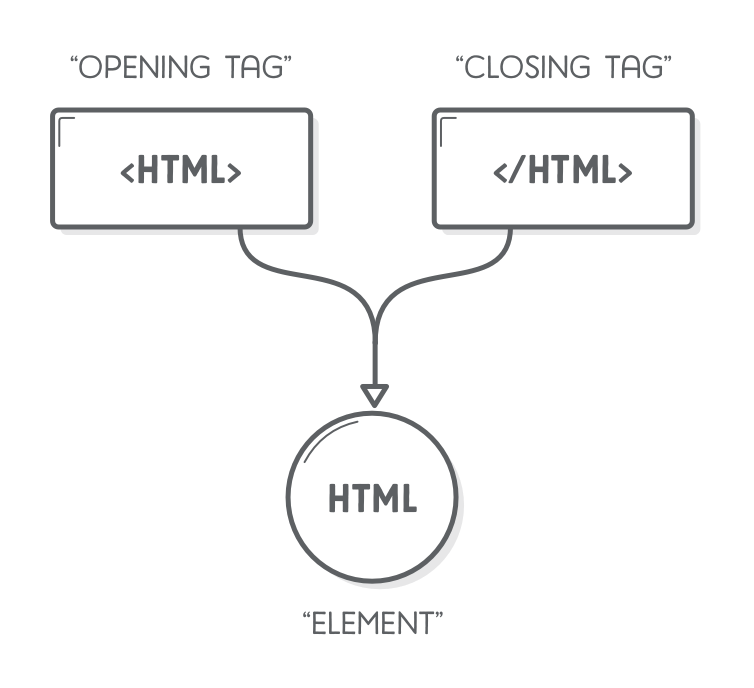
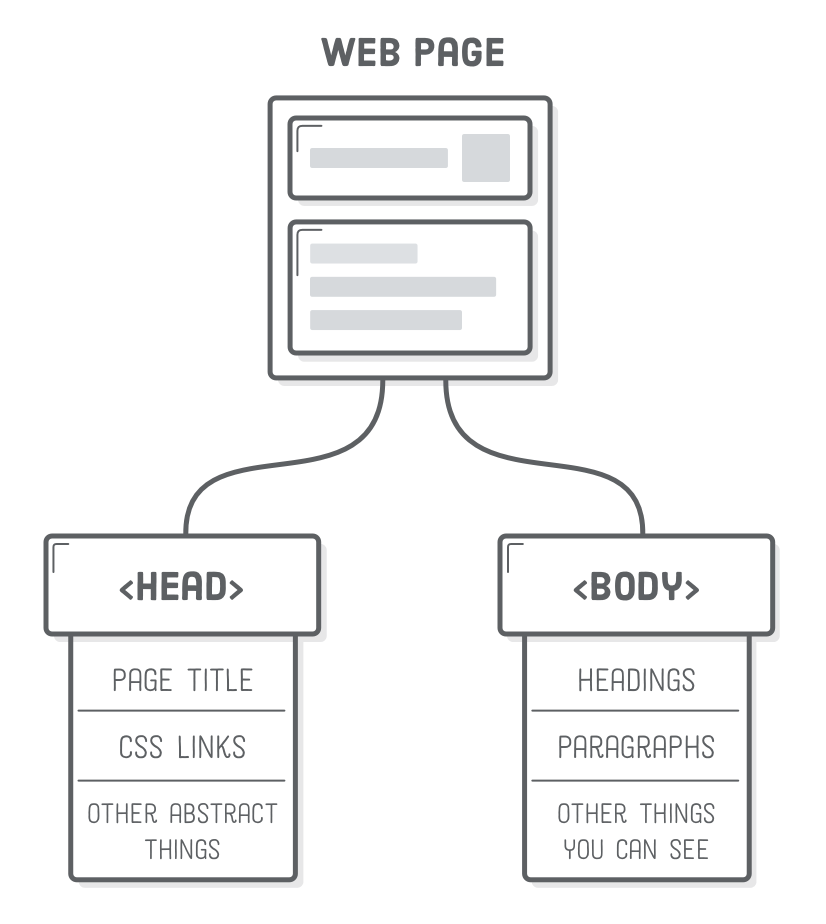
Tytuł strony
<!DOCTYPE html>
<html>
  <head>
    <title>Moja pierwsza strona</title>
  </head>
  <body>
    <!-- Zawartość strony -->
  </body>
</html>
Akapit / paragraf
...

<p>
  Ala ma kota, kot ma Ale
</p>

...
p - paragraphs
Nagłówki
...

<h1>Witaj świecie</h1>
<p>
  Ala ma kota, kot ma Ale
</p>

...
h - header
h1-h6
...

<h1>Nagłówek H1</h1>
<h2>Nagłówek H2</h2>
...
<h6>Nagłówek H6</h6>

...
Lista nieuporządkowana
<ul>
  <li>Kupić mleko</li>
  <li>Zrobić pranie</li>
  <li>...</li>
</ul>
ul - unordered list, li - list item
Lista uporządkowana
<ol>
  <li>Kupić mleko</li>
  <li>Zrobić pranie</li>
  <li>...</li>
</ol>
ol - ordered list, li - list item
<ul>
  <li>Kupić mleko</li>
  <li>Zrobić pranie</li>
  <li>Lista produktów
    <ol>
      <li>banan</li>
      <li>...</li>
    </ol>
  </li>
</ul>
Zagnieżdżanie listy
Element wyróżniony
(kursywa)
<p>
  <h1>Jakiś wierszyk</h1>
  <em>Ala</em> ma kota!
</p>
em - emphasis
Element pogrubiony
<p>
  <h1>Jakiś wierszyk</h1>
  <strong>Ala</strong> ma kota!
</p>
strong - strongly
Nowa linia
<p>
  Ala ma kota,
  <br />
  kot ma Ale.
</p>
br - break line
Linia pozioma
<p>
  Ala ma kota,
  <hr />
  kot ma Ale.
</p>
hr - horizonal rule
Odnośnik
<p>
  Ala ma <a>kota</a>, kot ma Ale.
</p>
a - anchor
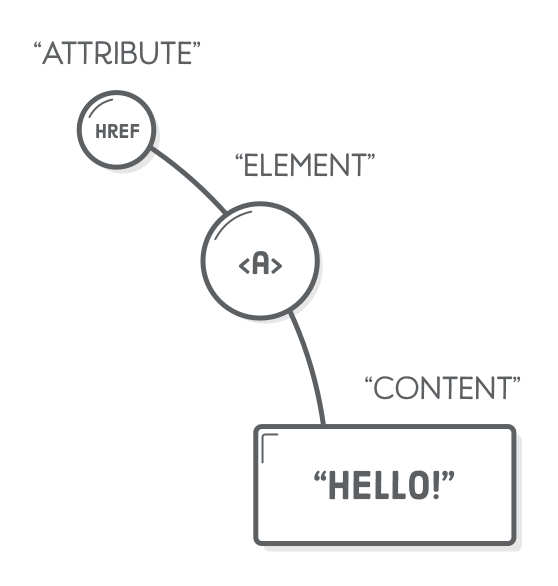
atrybut
atrybut
<a href="...">
wartość atrybutu
<p>
  Ala ma
  <a
     href="http://bit.ly/2NAgqi2"
     target="_blank"
  >
    kota
  </a>
  , kot ma Ale.
</p>
Obraz
<p>
  <img
    src="./cat.jpg"
    alt="Funny cat"
    width="100px"
    height="100px"
  />
</p>
img - image, src - source, alt - alternative text
Metadane
<!DOCTYPE html>
<html>
  <head>
    <meta charset="utf-8" />
  </head>
  <body>
    ąśćłżź
  </body>
</html>
meta - metadata
Sekcje strony
artykuł
<article>
  <h1>pierwszy post</h1>
  <p>jakaś treść</p>
</article>
<article>
  <h1>drugi post</h1>
  <p>jakaś treść</p>
  <h2>dgui nagłówek</h2>
  <p>jakaś treść</p>
</article>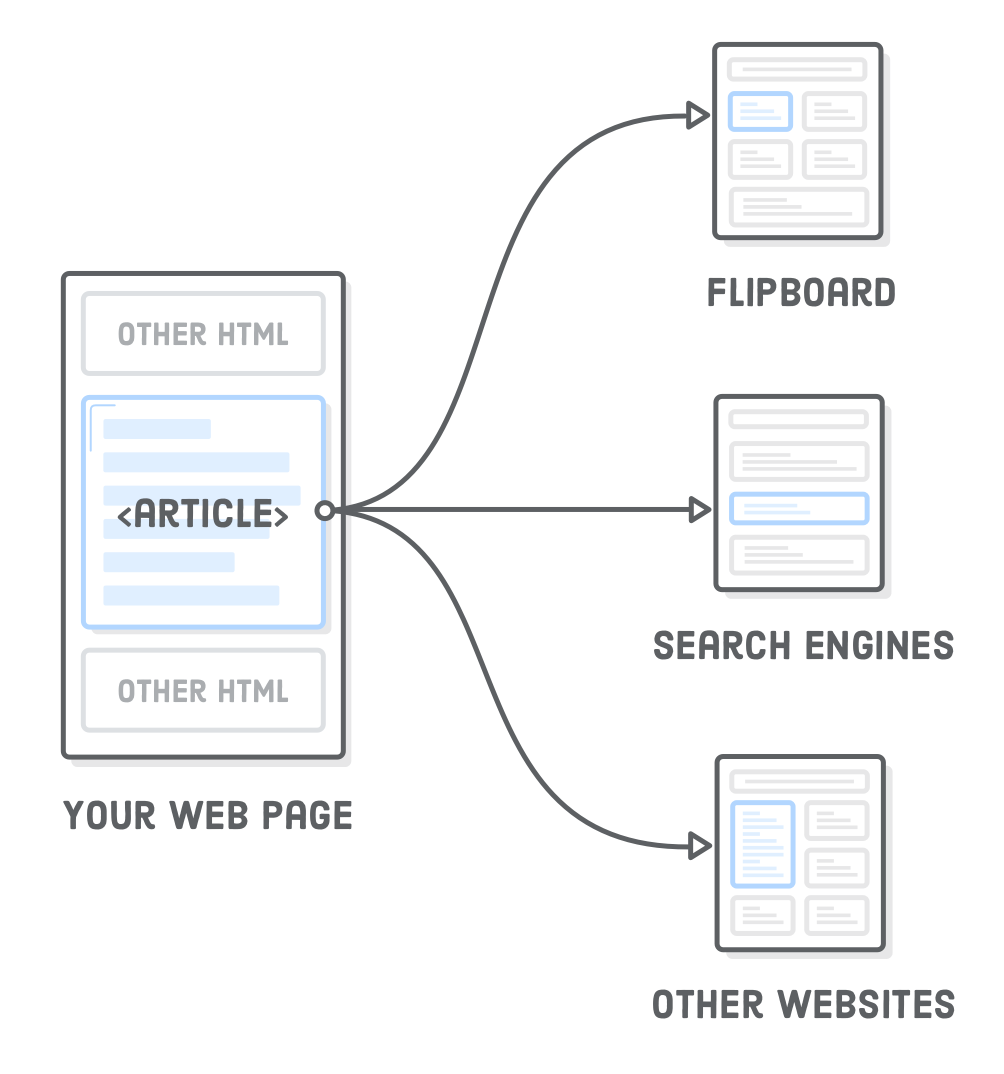
sekcja
<section>
  <h1>pierwszy post</h1>
  <p>jakaś treść</p>
</section>
<section>
  <h1>drugi post</h1>
  <p>jakaś treść</p>
  <h2>dgui nagłówek</h2>
  <p>jakaś treść</p>
</section>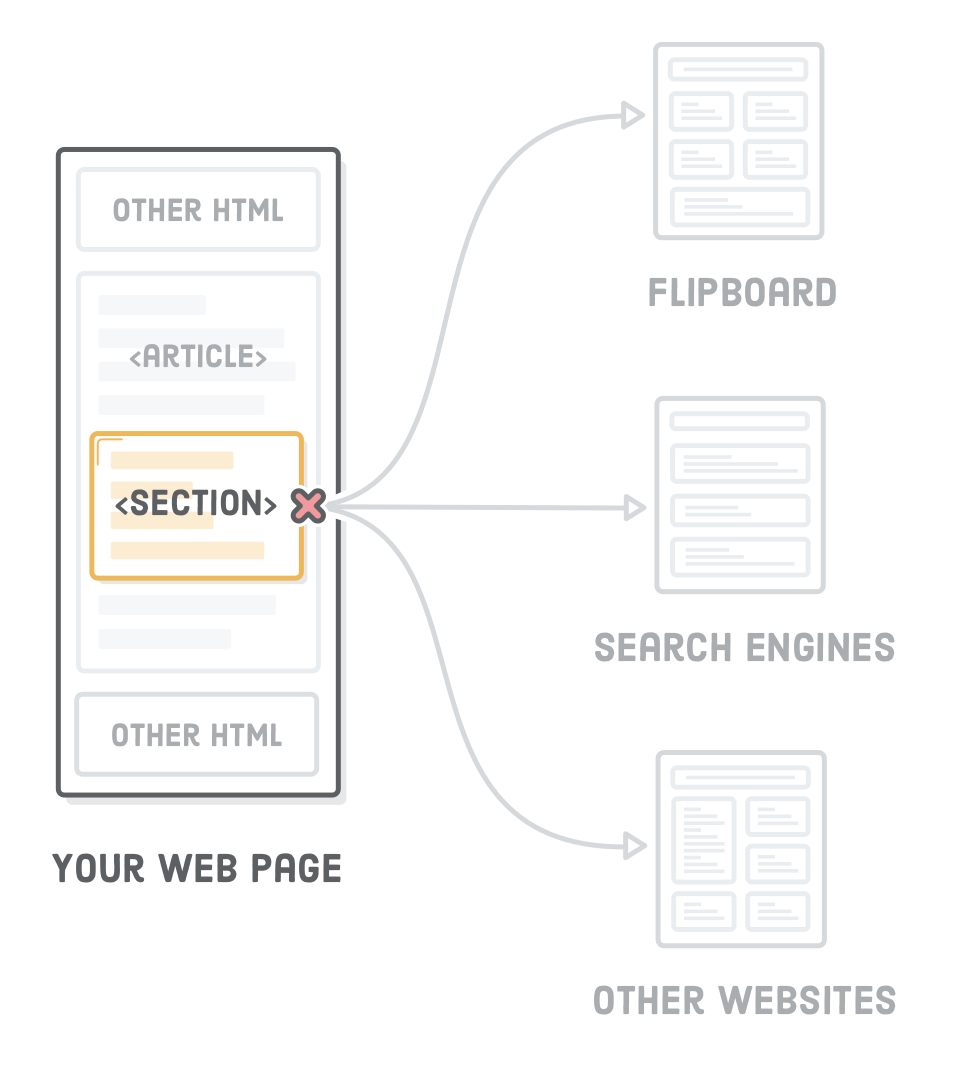
nawigacja
<nav>
  <ul>
    <li><a href="#">Strona główna</a></li>
    <li><a href="#">O mnie</a></li>
    <li><a href="#">Kontakt</a></li>
  </ul>
</nav>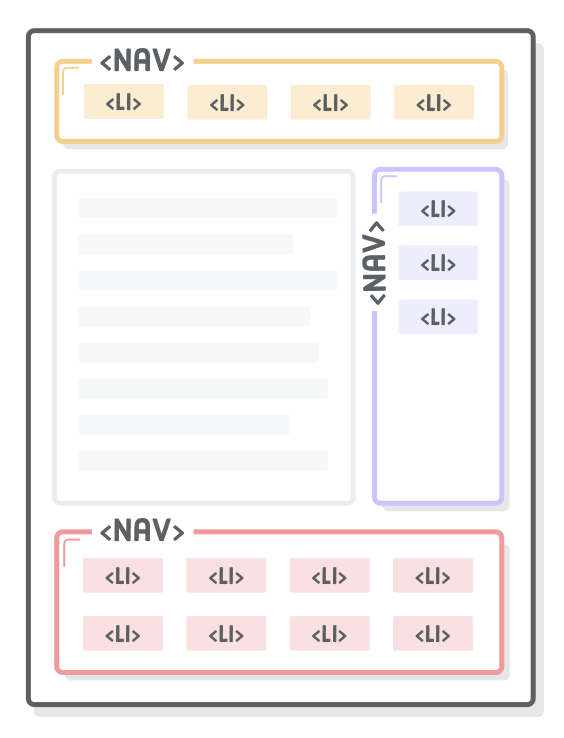
nagłówek
<header>
  <h1>Jakiś nagłówek</h1>
  <a href="index.html">Strona główna</a>
</header>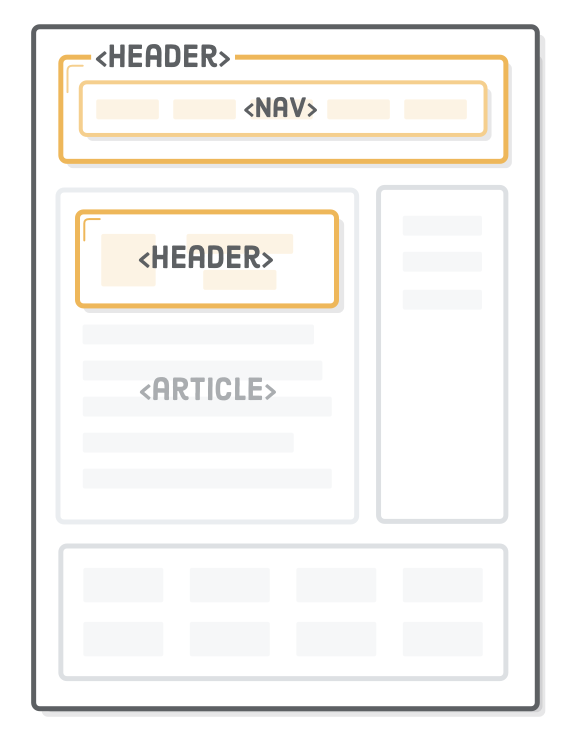
stopka
<article>
<header>
<h1>Jakiś nagłówek</h1>
<a href="index.html">Strona główna</a>
</header>
<p>Ala ma kota</p>
<footer>
<p>© 2020</p>
</footer>
</article>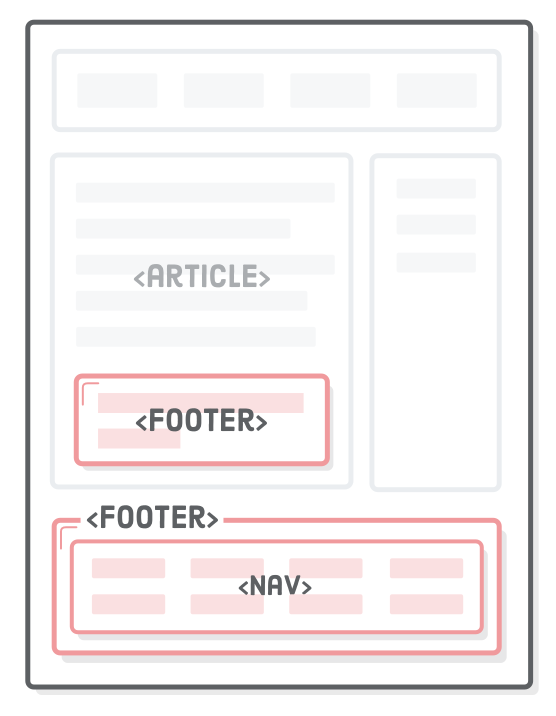
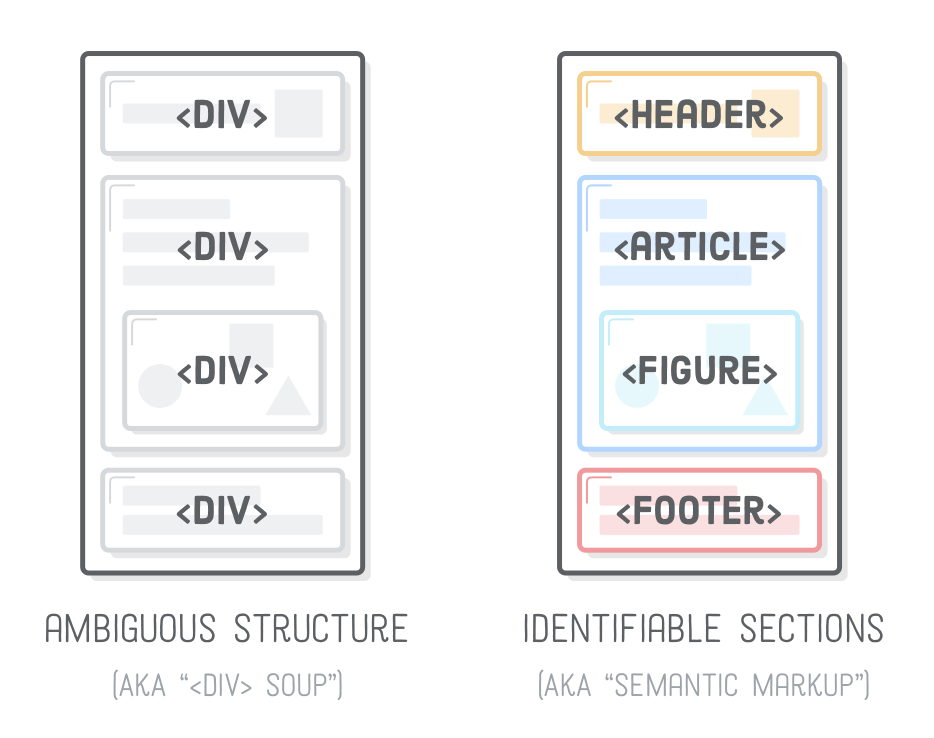
oddział, wydział, sekcja
<div>
  <h1>Nagłówek 1</h1>
  <p>Ala ma kota</p>
</div>
<div>
  <h2>Nagłówek 2</h2>
  <p>Kot ma Ale</p>
</div>
div - division
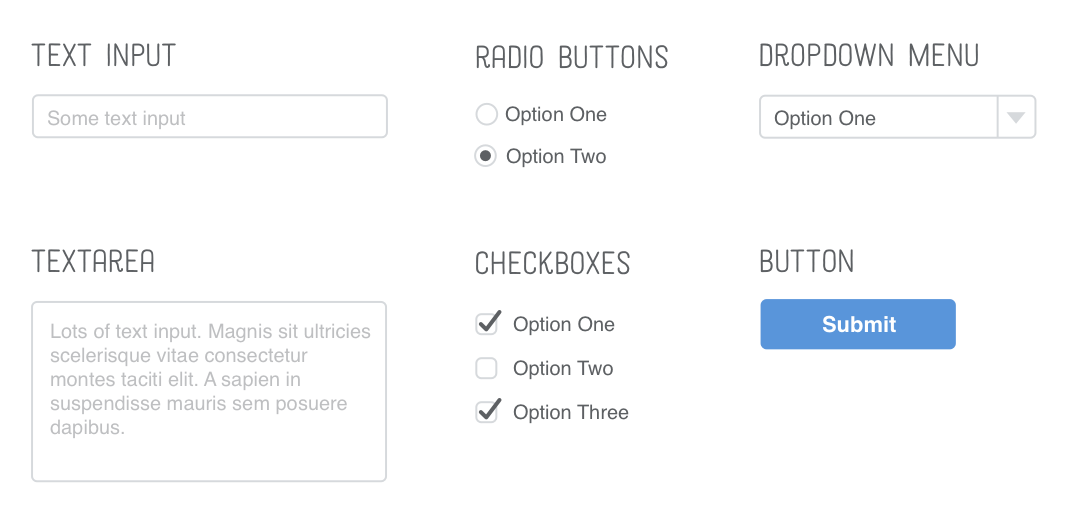
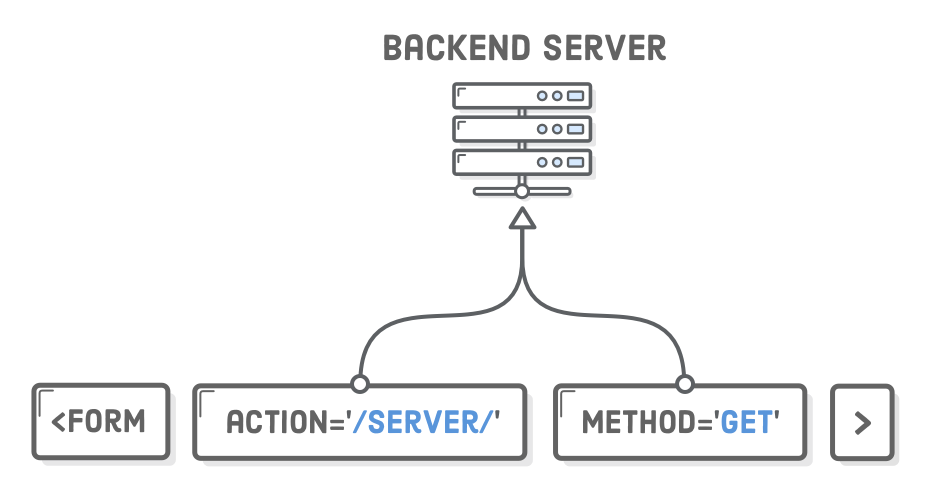
Formularz
<form action="/server/" method="GET">
  ...
</form>
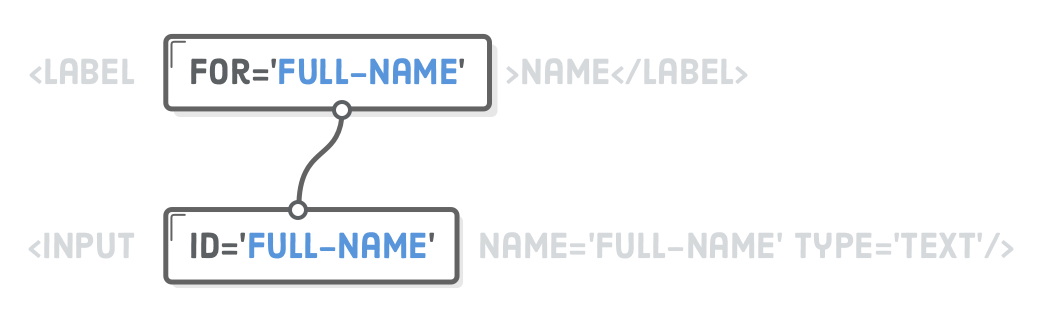
formularz
<div>
  <label for="first-name">Imię</label>
  <input id="full-name" name="full-name" type="text" />
</div>
pole tekstowe
<div>
  <input
    id="type-1"
    name="form-type"
    type="radio"
    value="1"
  />
  <label for="type-1">Uproszczony</label>
  <input
    id="type-2"
    name="form-type"
    type="radio"
    value="2"
    checked
  />
  <label for="type-2">Rozbudowany</label>
</div>
pola jednego wyboru
<div>
  <label for="t-shirt">Rozmiar koszulki</label>
  <select id="t-shirt" name="t-shirt">
    <option value="s">Small</option>
    <option value="m">Medium</option>
    <option value="l">Large</option>
  </select>
</div>
lista rozwijana
<div>
  <label for="describe">Opis zamówienia</label>
  <textarea id="describe" name="describe"></textarea>
</div>
pole tekstowe
<div>
    <input
      id="type-1"
      name="form-type"
      type="checkbox"
      value="1"
    />
    <label for="type-1">Uproszczony</label>
    <input
      id="type-2"
      name="form-type"
      type="checkbox"
      value="2"
      checked
    />
    <label for="type-2">Rozbudowany</label>
  </div>
pola wielokrotnego wyboru
<div>
  <button type="button">Jakiś przycisk</button>

  <button type="submit">Przycisk przesyłania danych</button>
</div>
przycisk
Tabela
<table>
  <tr>
    <td>1 kolumna, 1 wiersz</td>
    <td>2 kolumna, 1 wiersz</td>
    <td>3 kolumna, 1 wiersz</td>
  </tr>
  <tr>
    <td>1 kolumna, 2 wiersz</td>
    <td>2 kolumna, 2 wiersz</td>
    <td>3 kolumna, 2 wiersz</td>
  </tr>
</table>
<table>
<thead>
<tr>
<th>nagłówek 1</th>
<th>nagłówek 2</th>
<th>nagłówek 3</th>
</tr>
</thead>
<tbody>
<tr>
<td>1 kolumna, 1 wiersz</td>
<td>2 kolumna, 1 wiersz</td>
<td>3 kolumna, 1 wiersz</td>
</tr>
</tbody>
</table>Podstawy CSS
Czym jest CSS?
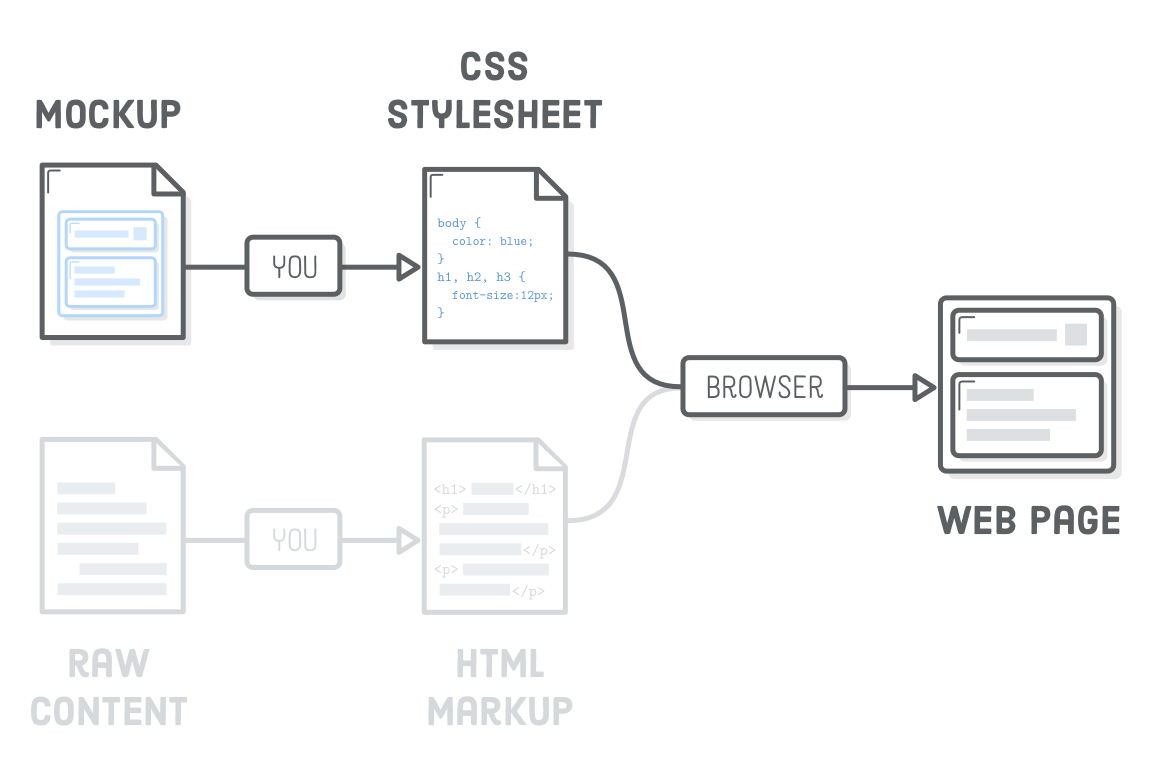
Cascading Style Sheets (CSS), czyli kaskadowe arkusze stylów, służący do opisu formy prezentacji stron napisanych w HTML'u.
Arkusz stylów CSS to lista reguł ustalających w jaki sposób ma zostać wyświetlana przez przeglądarkę internetową zawartość wybranego elementu.
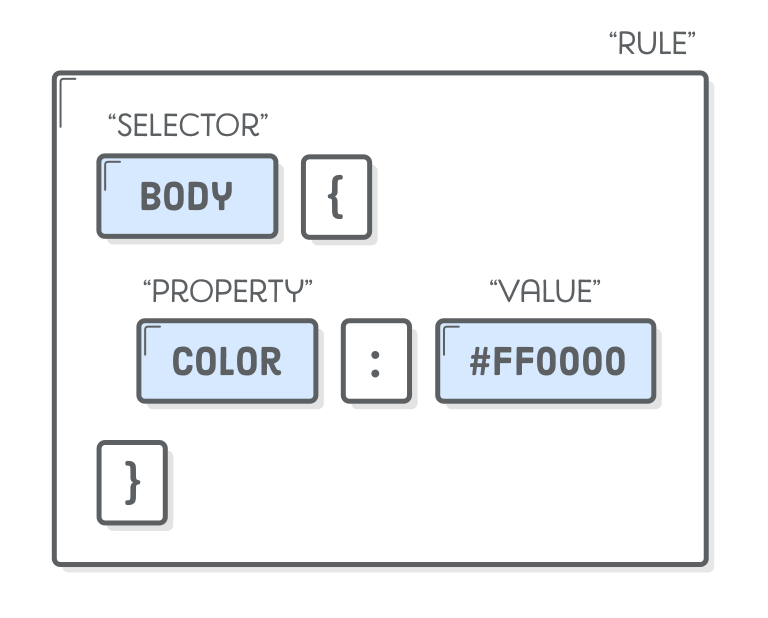
Przykład pliku .css
body {
  color: tomato;
}
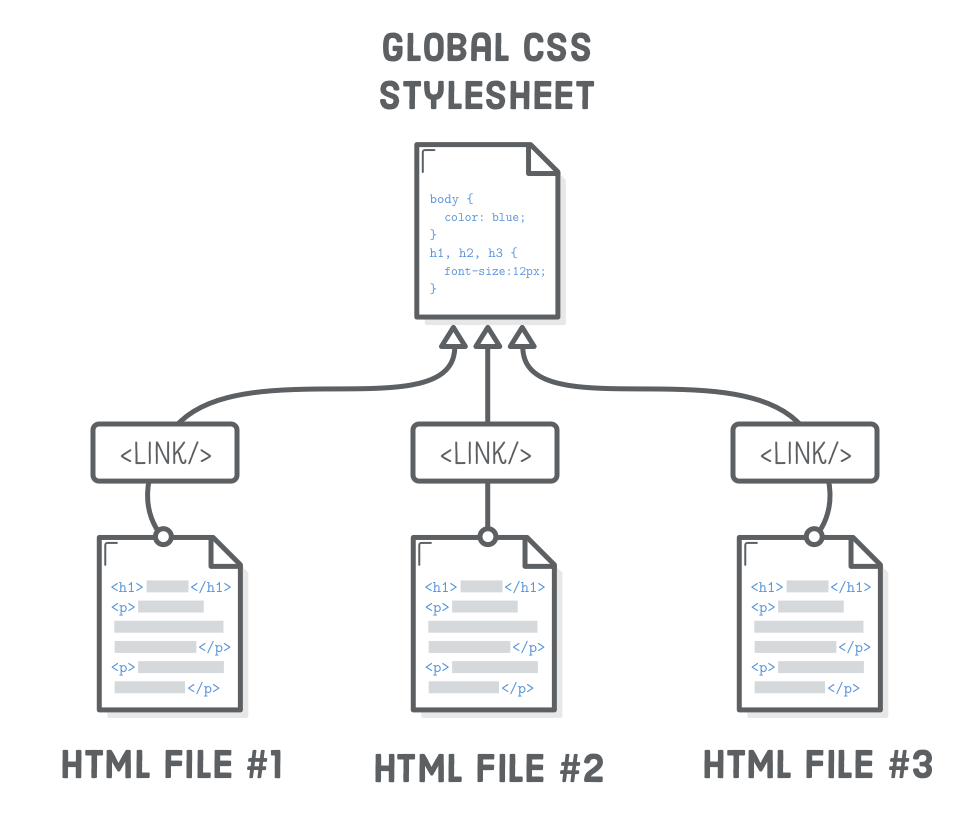
Jak dołączyć arkusz stylów do strony?
<head>
  <meta charset="UTF-8"/>
  <title>Strona testowa</title>
  <link rel="stylesheet" href="styles.css"/>
</head>
Reużywalność styli
Wiele reguł formatowania
body {
  color: tomato;
  background-color: #eeeeee;
}
Wiele elementów formatowania
body {
  color: tomato;
  background-color: #eeeeee;
}

h1 {
  color: blue;
  font-size: 36px;
}

h2 {
  color: blue;
}
Wiele elementów w jednej regule formatowania
h1 {
  font-size: 36px;
}

h1, h2, h3, h4 {
  color: blue;
  font-family: "Helvetica", "Arial", sans-serif;
}
Reguły dla list
ul {
  list-style-type: circle;
}

ol {
  list-style-type: lower-roman;
}
Podkreślenie
a {
  text-dectoration: none;
}

h1 {
  text-dectoration: underline;
}
Położenie tekstu
div {
  text-align: right;
}

p {
  text-align: center;
}
Styl i grubość czcionki
h1, h2, h3, h4, h5, h6 {
  font-family: "Helvetica", "Arial", sans-serif;
  font-weight: normal;
}

em {
  font-weight: bold;
  font-style: normal;
}

strong {
  font-weight: normal;
  font-style: italic;
}
Kaskada
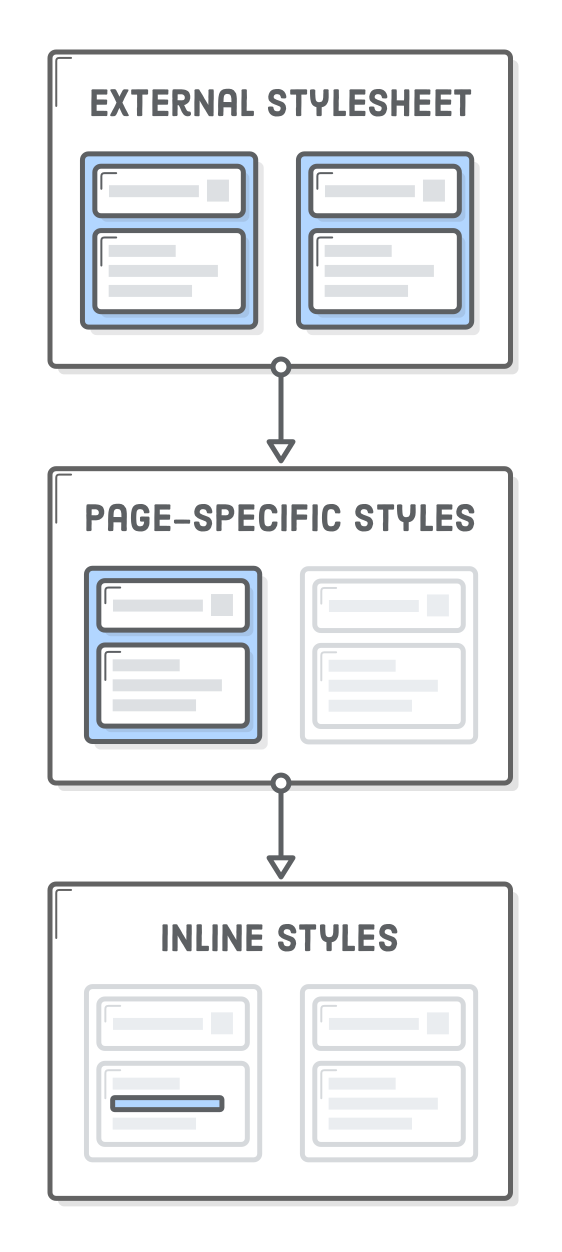
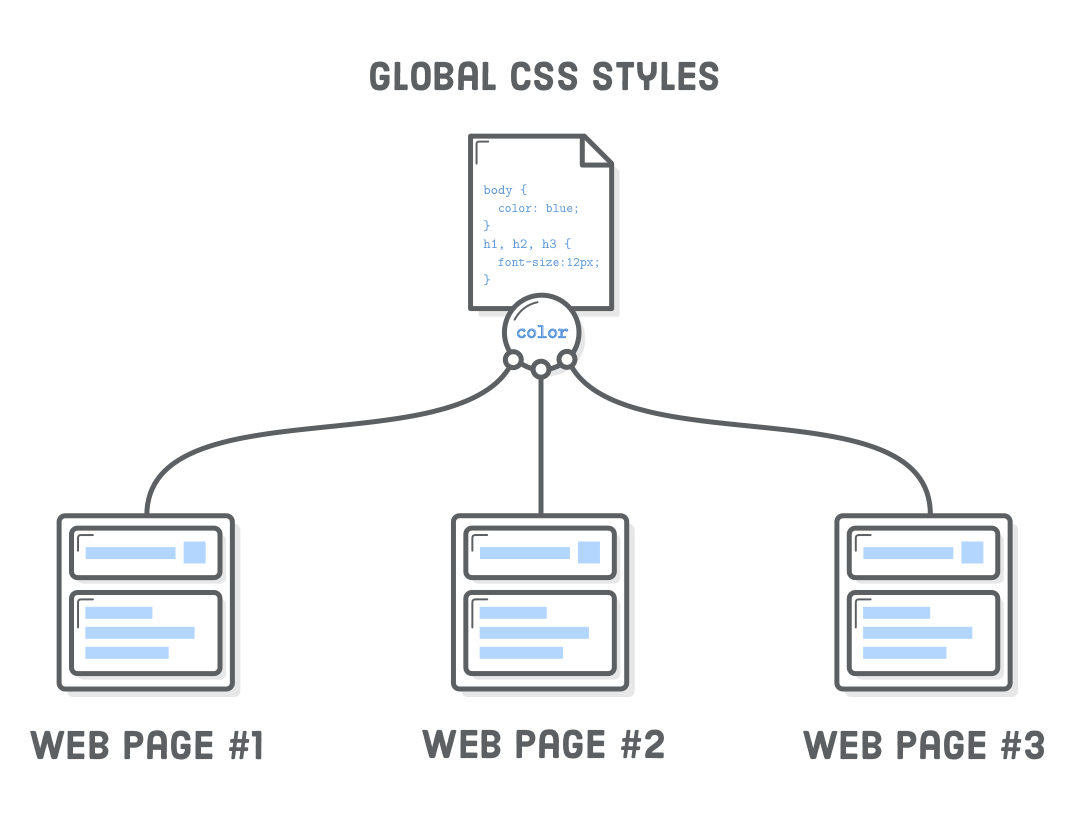
Znacznik <style>
<head>
  <style>
    body {
      color: #0000FF;
    }
  </style>
</head>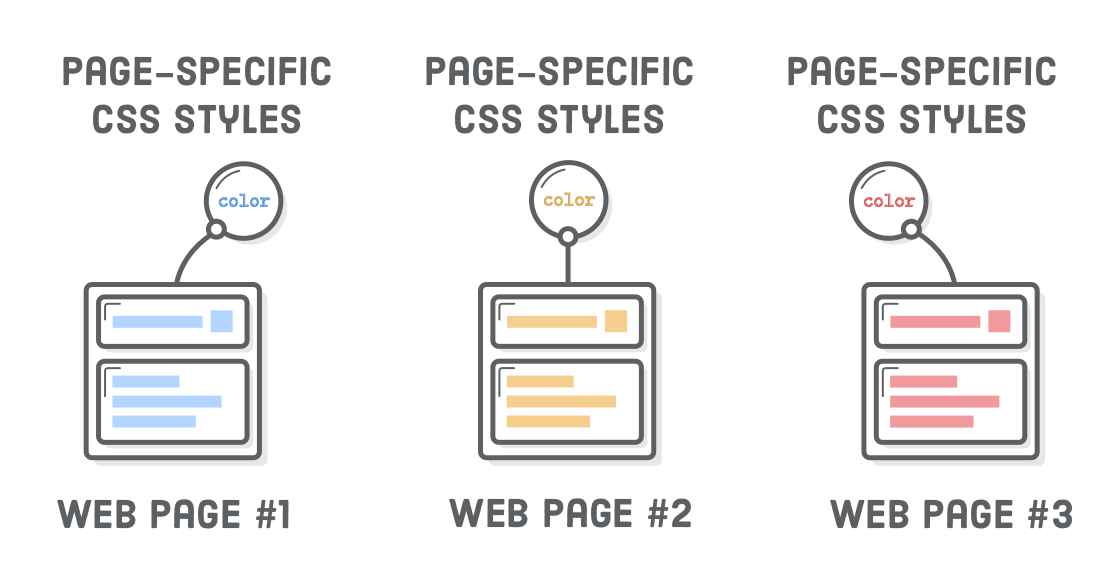
Atrybut liniowy`style`
<p>
  <strong style="color: red;">Ala</strong>
  ma
  <em style="color: blue;">kota</em>
</p>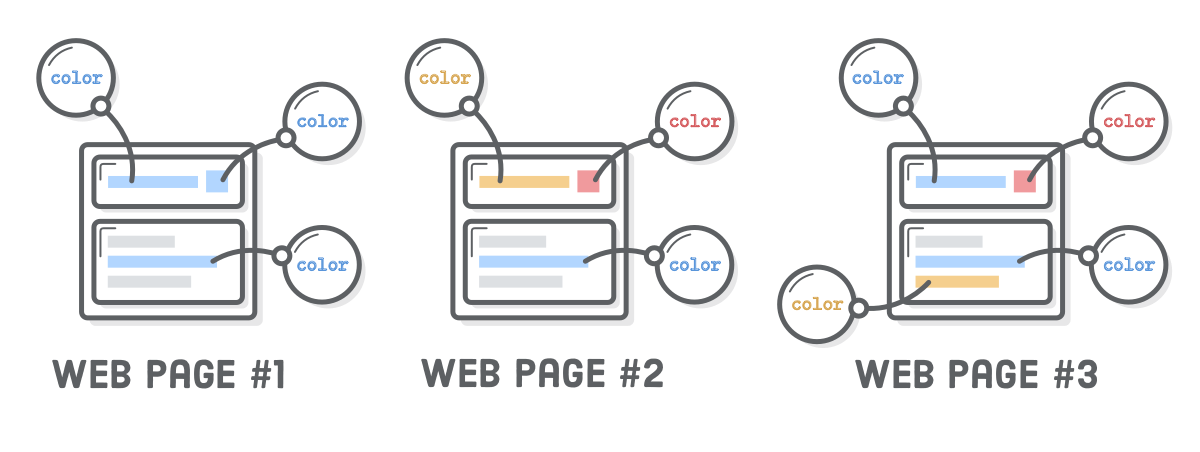
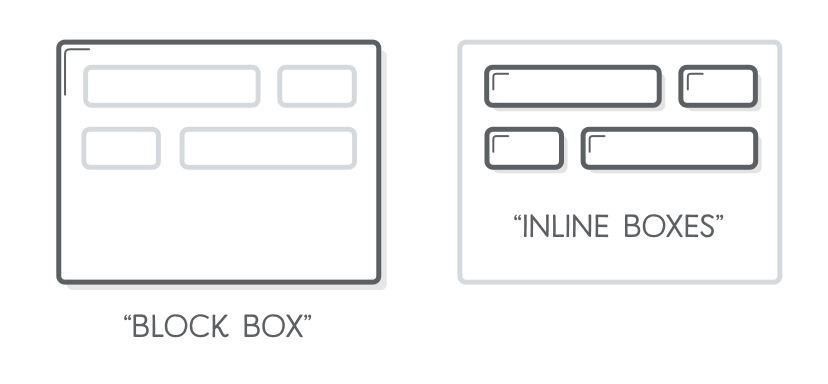
CSS Box Model
<style>
h1, p {
  background-color: #DDE0E3;
}
em, strong {
  background-color: #B2D6FF;
}
</style>
<div>
  <h1>Witaj świecie</h1>
  <p>
    <em>Ala</em> ma kota, kot ma <strong>Ale</strong>
  </p>
</div>
Zmiana wyświetlania
em, strong {
 display: block;
}
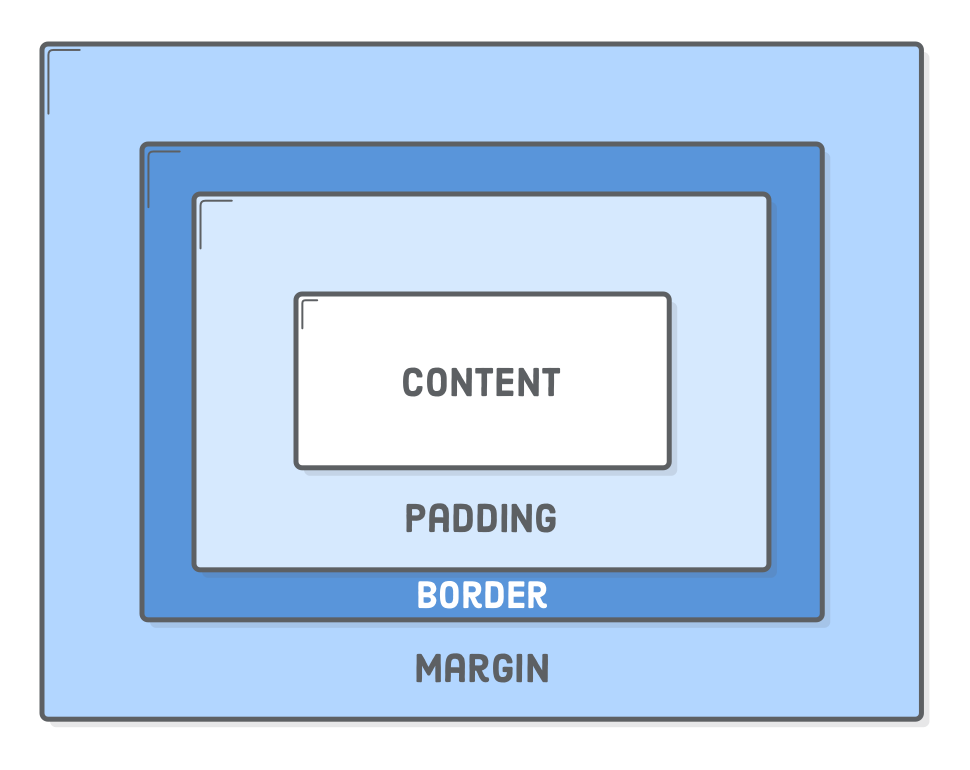
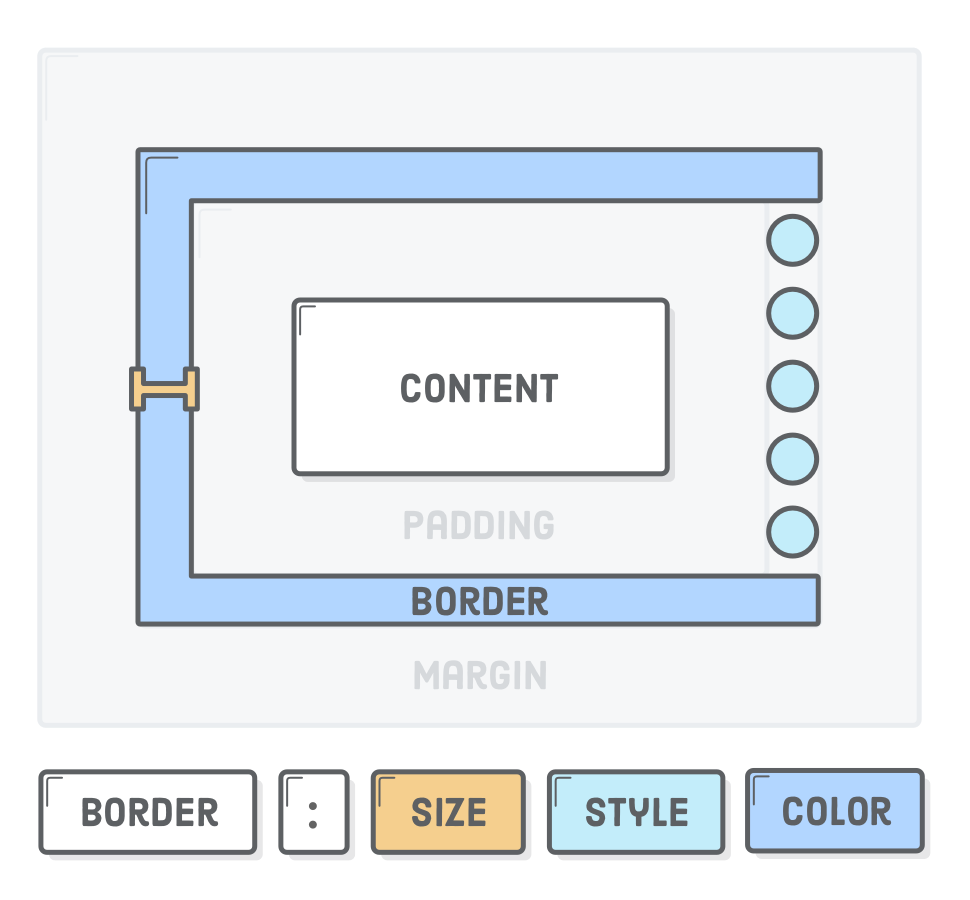
content
padding
border
margin
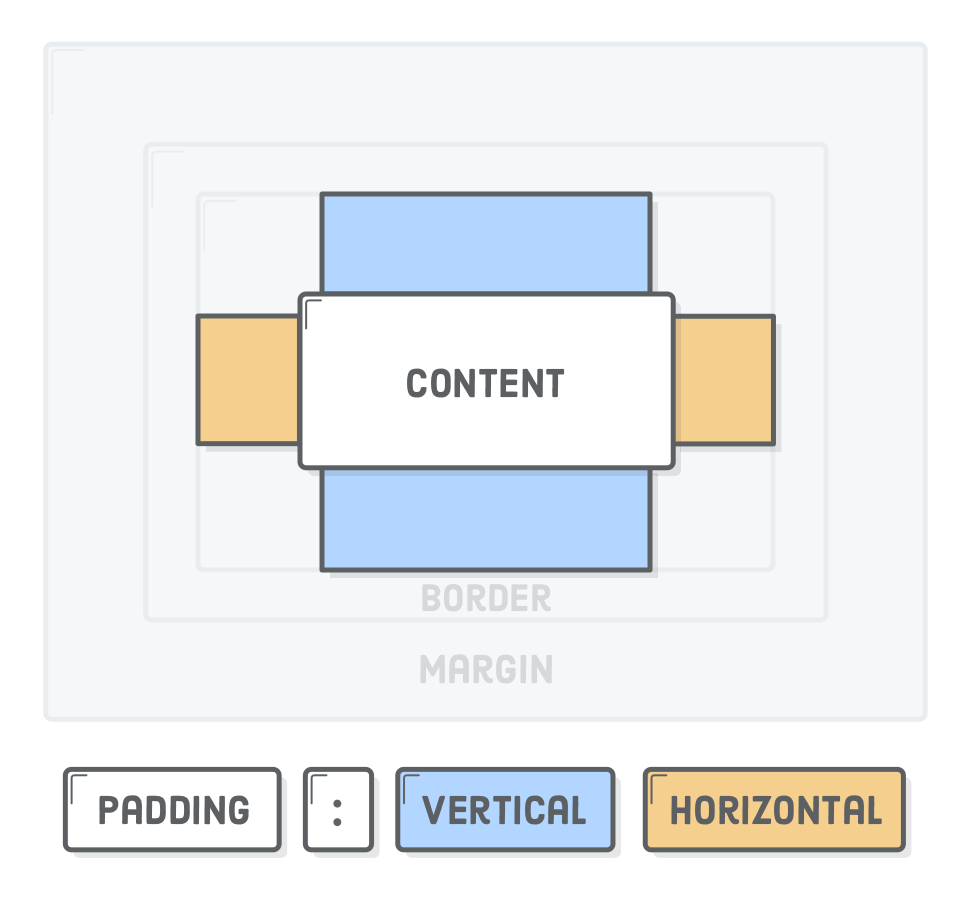
padding
h1 {
  padding: 50px;
}

p {
  padding-top: 20px;
  padding-bottom: 20px;
  padding-left: 10px;
  padding-right: 10px;
}
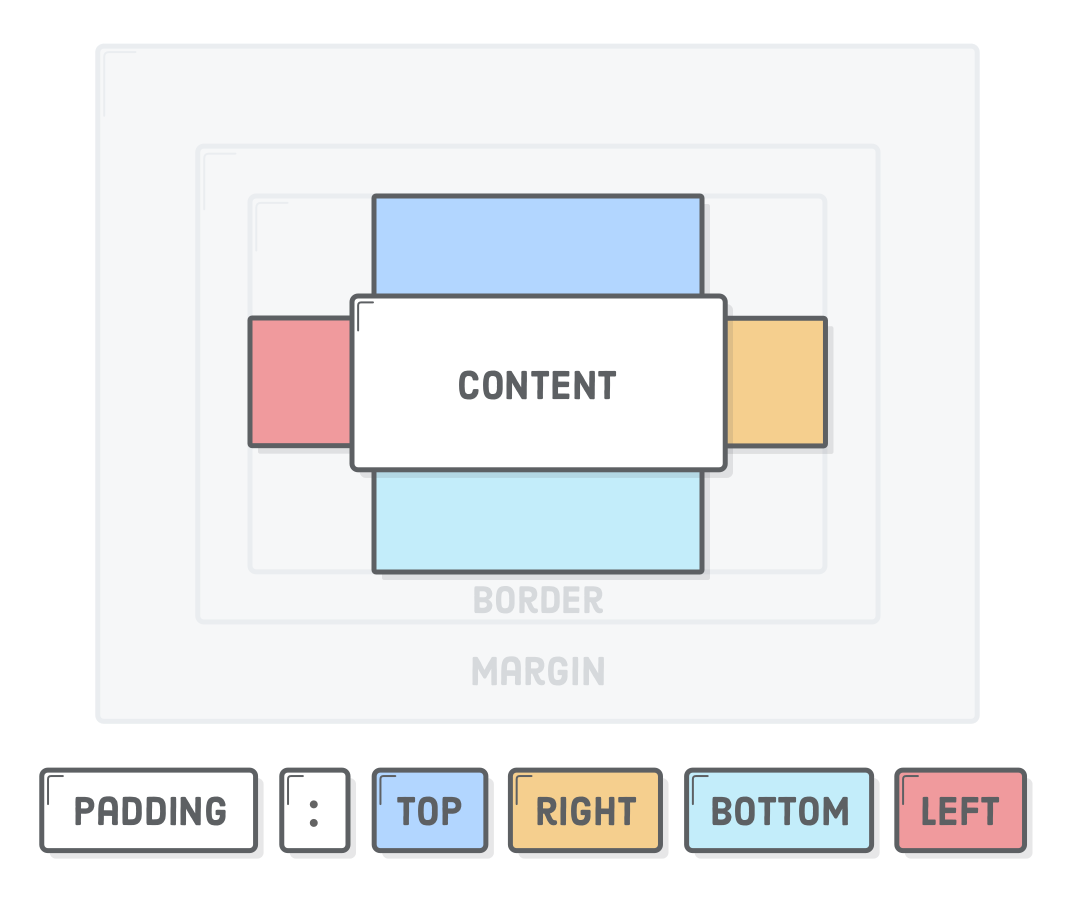
border
h1 {
  border: 1px solid #5D6063;
}

p {
  border-bottom: 1px solid black;
}
margin
strong {
  margin: 50px;
}
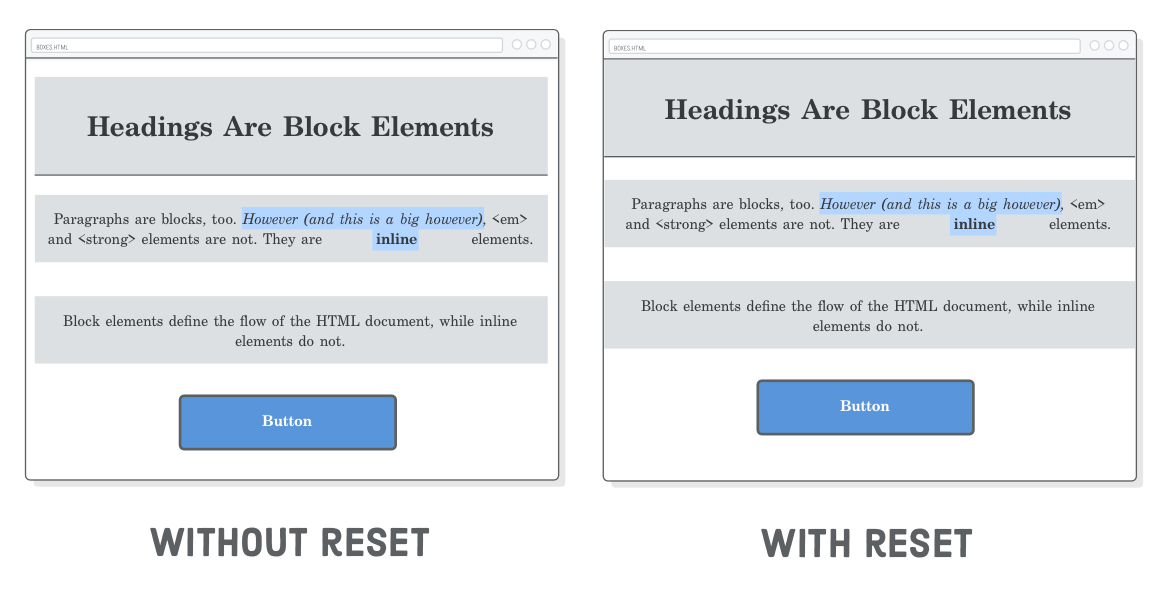
Wyzerowanie styli
* {
  margin: 0;
  padding: 0;
  box-sizing: border-box;
}
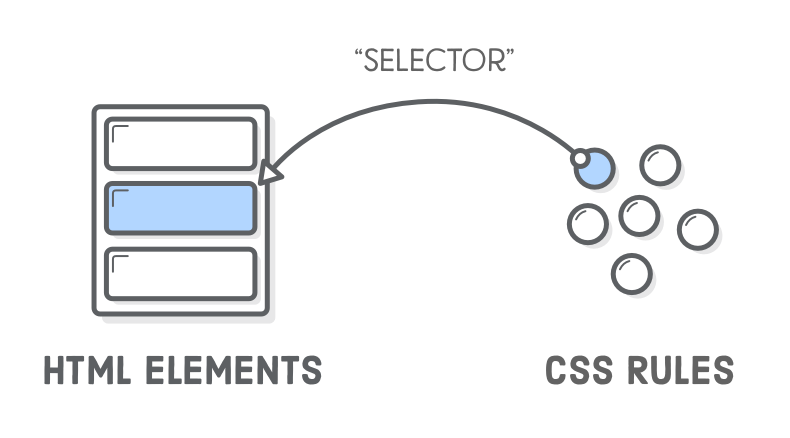
Selektory CSS
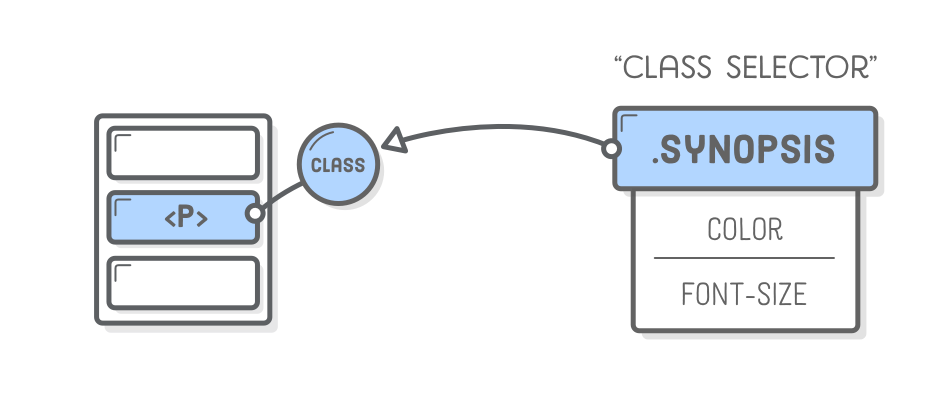
Atrybut `class`
<style>
.name {
  color: red;
}
</style>
<div>
  <h1>Witaj świecie</h1>
  <p>
    <em class="name">Ala</em>
    ma kota, kot ma
    <strong>Ale</strong>
  </p>
</div>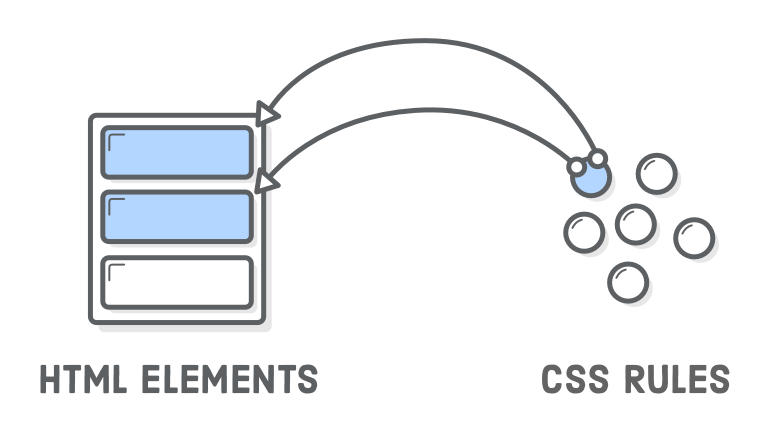
Atrybut `class`
<style>
.name {
  color: red;
}
</style>
<div>
  <h1>Witaj świecie</h1>
  <p>
    <em class="name">Ala</em>
    ma kota, kot ma
    <strong class="name">Ale</strong>
  </p>
</div>
Wiele selektorów
<style>
.name {
  color: red;
}
.female {
  font-weight: bold;
}
</style>
<div>
  <h1>Witaj świecie</h1>
  <p>
    <em class="name female">Ala</em>
    ma kota, kot ma <strong>Ale</strong>
  </p>
</div>
Selektor potomny
<style>
.akapit .name {
  color: blue;
}
</style>
<div>
  <h1>Witaj świecie</h1>
  <p class="akapit">
    <em class="name">Ala</em>
    ma kota, kot ma <strong>Ale</strong>
  </p>
  <em class="name">Ala</em>
</div>
Pseudo selektory
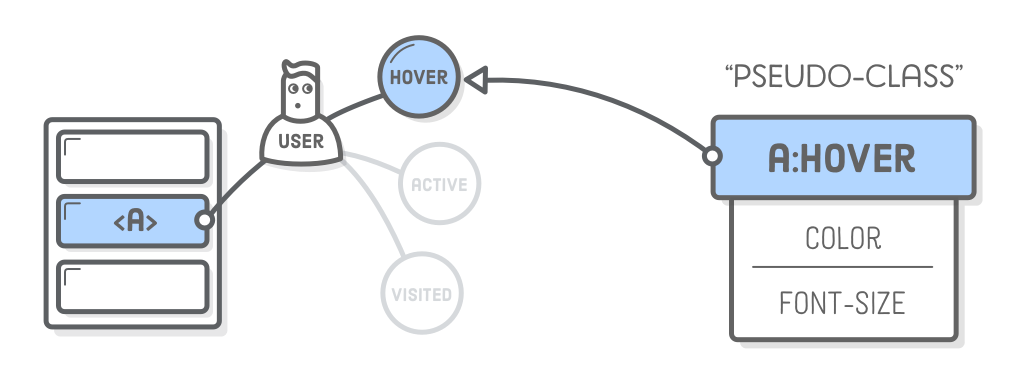
a:link {
  color: blue;
  text-decoration: none;
}
a:visited {
  color: purple;
}
a:hover {
  color: aqua;
  text-decoration: underline;
}
a:active {
  color: red;
}
Selektory ID
<style>
#name {
  color: blue;
}
</style>
<div>
  <h1>Witaj świecie</h1>
  <p>
    <em id="name">Ala</em>
    ma kota, kot ma <strong>Ale</strong>
  </p>
  <em>Ala</em>
</div>
Flexbox
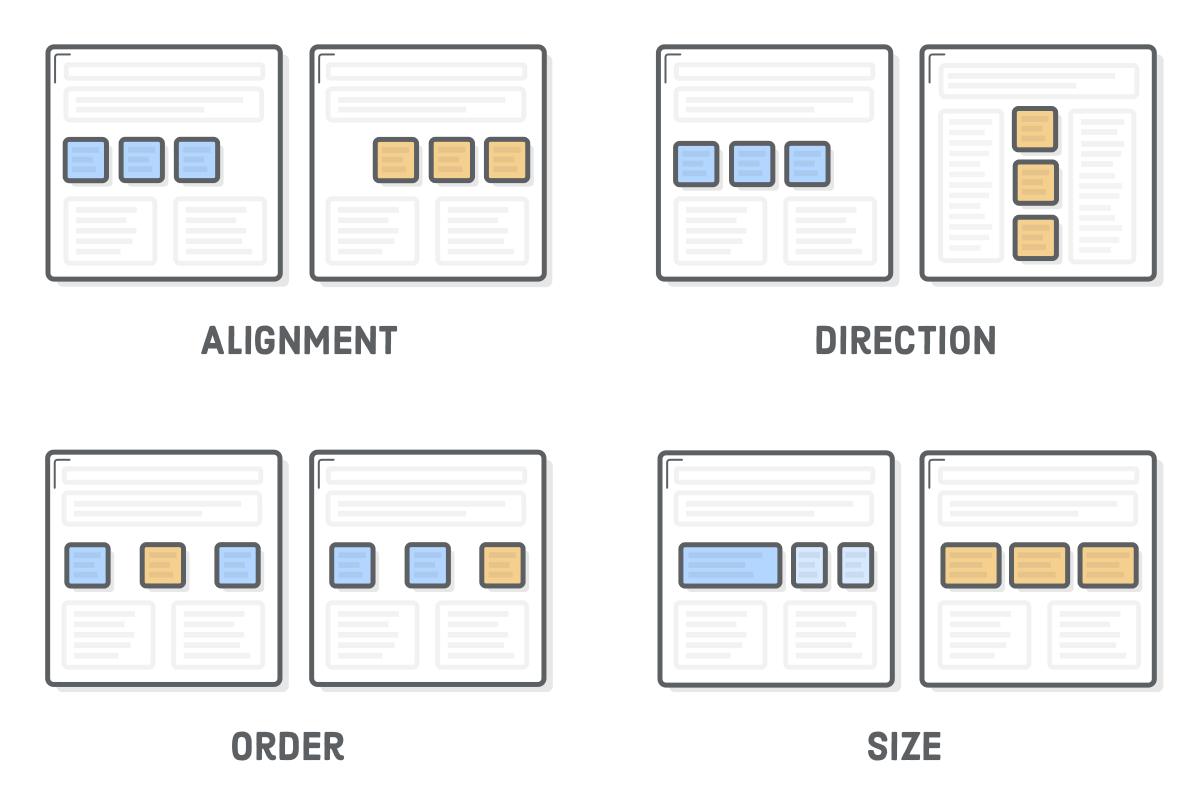
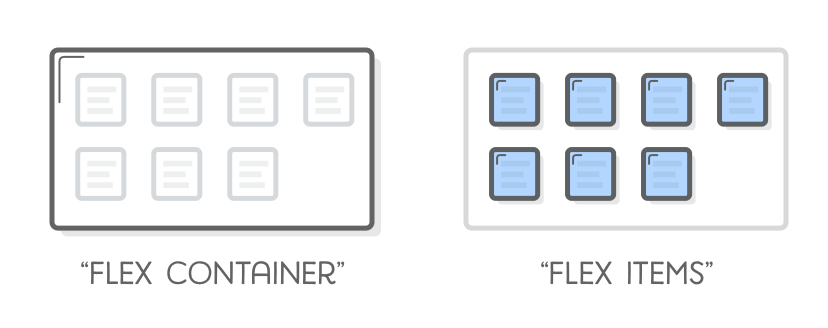
<style>
.container {
  /* ... */
  display: flex;
}
</style>

<div class="container">
  <div>1</div>
  <div>2</div>
  <div>3</div>
</div>
Flex container
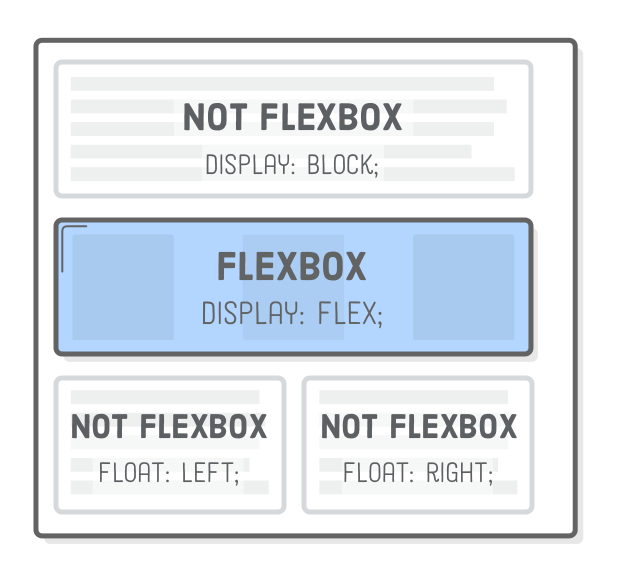
<style>
.container {
  justify-content: center;
  display: flex;
}
</style>

<div class="container">
  <div>1</div>
  <div>2</div>
  <div>3</div>
</div>
Położenie elementów
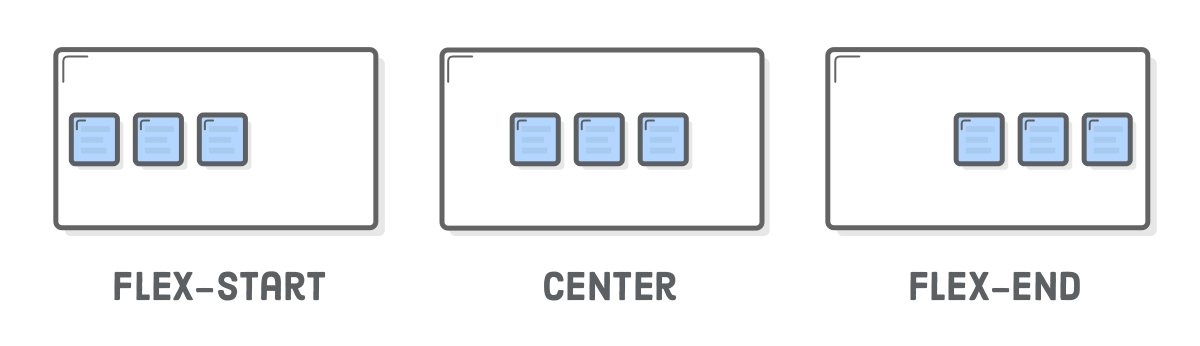
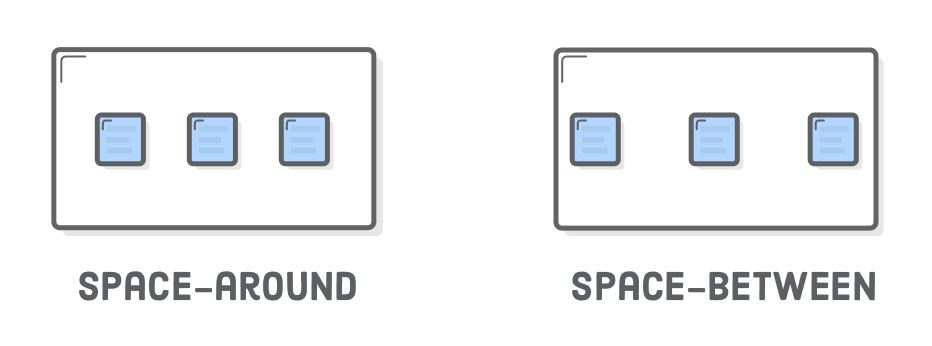
<style>
.container {
  height: 200px;
  align-items: center;
  justify-content: space-around;
  display: flex;
}
</style>

<div class="container">
  <div>1</div>
  <div>2</div>
  <div>3</div>
</div>
Położenie zawartości elementów

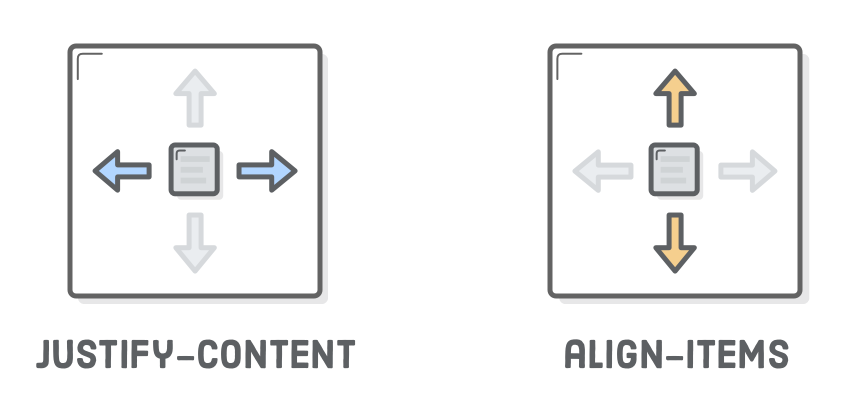
<style>
.container {
  width: 20px;
  display: flex;
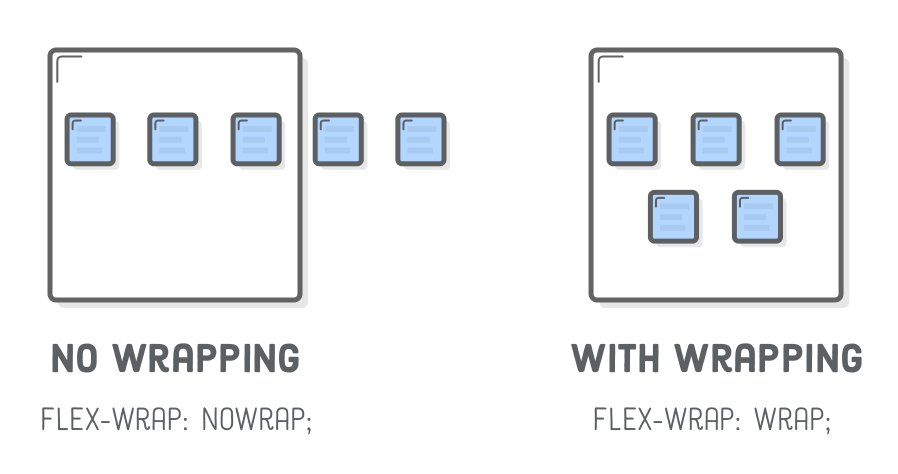
  flex-wrap: wrap;
}
</style>

<div class="container">
  <div>1</div>
  <div>2</div>
  <div>3</div>
</div>
Zawijanie elementów
<style>
.container {
  width: 20px;
  display: flex;
  flex-direction: column;
}
</style>

<div class="container">
  <div>1</div>
  <div>2</div>
  <div>3</div>
</div>
Układ elementów

<style>
.container {
  width: 20px;
  display: flex;
  flex-direction: column;
  align-items: center;
}
.last {
  align-self: flex-end;
}
</style>

<div class="container">
  <div>1</div>
  <div>2</div>
  <div class="last">3</div>
</div>
Pozycja elementu
<style>
.container {
  display: flex;
}
.last {
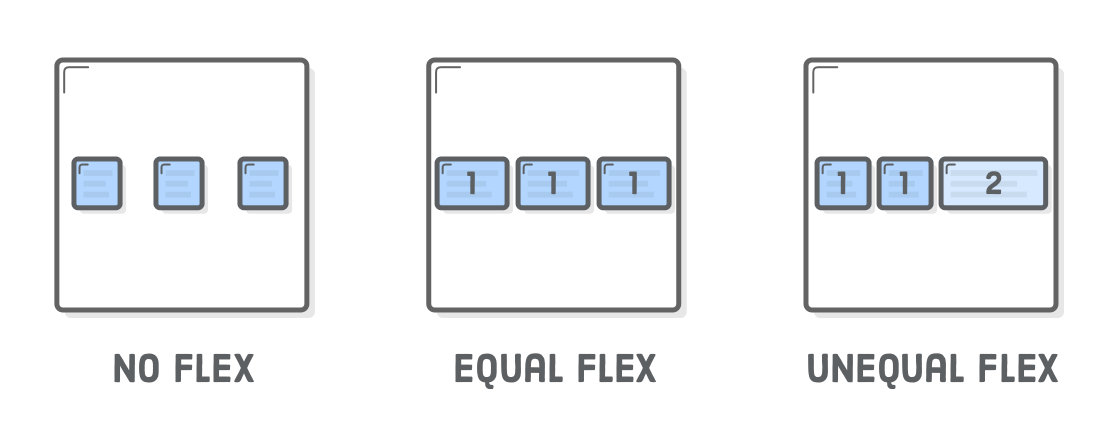
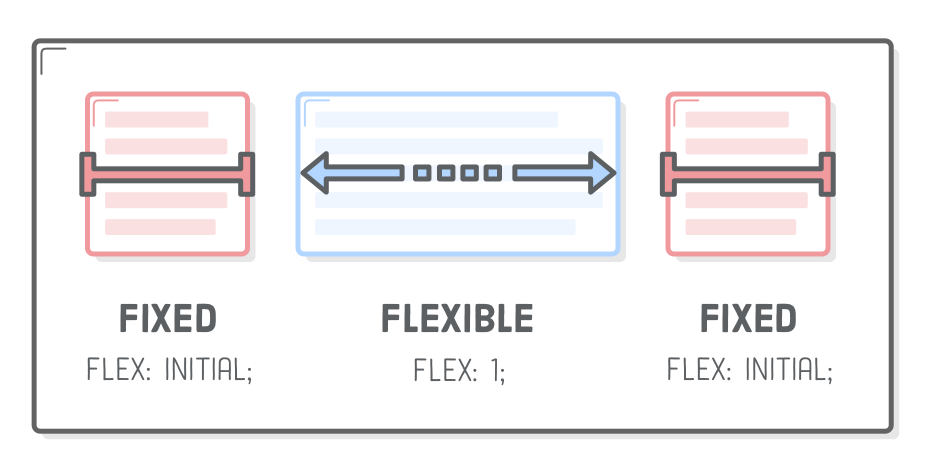
  flex: 1;
  background-color: red;
}
</style>

<div class="container">
  <div>1</div>
  <div>2</div>
  <div class="last">3</div>
</div>
Elastyczne kontenery