Conventional Commits
and
Semantic Release
What Are Conventional Commits?
-
Lightweight convention on top of commit messages
-
Provides clear, machine-readable history
-
Based on Angular commit guidelines
-
Enables automated tools for versioning and changelogs
Why Use Conventional Commits?
-
Automated versioning
-
Automatic changelog generation
-
Clear communication between team members
-
Simplified project history navigation
-
Better code reviews
Basic Structure
<type>[optional scope]: <description>

[optional body]

[optional footer(s)]
Commit Types
- feat: A new feature
- fix: A bug fix
- docs: Documentation changes
- style: Changes that don't affect code meaning (formatting)
- refactor: Code changes that neither fix bugs nor add features
- perf: Performance improvements
- test: Adding or correcting tests
- build: Changes to build system or dependencies
- ci: Changes to CI configuration files and scripts
Scope
- Optional part that provides context
- Can be component, module, or issue reference
feat(ISE-123): add support for lazy loadingfix(ISE-456): correct handling of string literalsdocs(ISE-789): update installation guideDescription
- Brief summary of the change
- Follows immediately after the type(scope):
- Should be in imperative mood (e.g., "add" not "added")
feat(ISE-101): add search functionalityfix(ISE-202): prevent racing of requestsBody
- Optional detailed description
- Explains motivation for changes
- Uses imperative, present tense
- Includes relevant information about changes
- Separated from description by blank line
feat(ISE-310): implement user authentication service

This implements a complete authentication service with JWT support.
The service handles token storage, renewal, and validation.
User sessions now persist across browser refreshes.

Addresses security requirements from the latest audit.
Footer
- Optional metadata
- Common uses:
- Breaking changes
- References to issues
- Deprecation notices
- Format:
token: value
feat(ISE-452): add multi-factor authentication

Implements SMS and email verification options.

Closes: ISE-452
Refs: ISE-299, ISE-300
fix(ISE-789): correct date formatting in reports
BREAKING CHANGE: Date format changed from MM/DD/YYYY to YYYY-MM-DD
Co-authored-by: bob@example.comBreaking Changes
- Indicated by
BREAKING CHANGE:in footer or!after type/scope
feat!: drop support for Node 12feat(ISE-304): simplify request API
BREAKING CHANGE: query parameters now passed as objectBest Practices
- Create as few commits as possible
- Use types consistently
- Keep descriptions clear and concise
- Reference issues when relevant
- Document breaking changes thoroughly
- Don't mix unrelated changes
Semantic Release Integration
- Fully automates the version management and package publishing
- Uses conventional commits to determine next version number
- Automatically generates:
- Version bump (major, minor, patch)
- Changelog updates
- Git tags and releases
- No manual version management needed
How Semantic Release Works
-
Major version (1.0.0 → 2.0.0): Breaking changes (
feat!:orBREAKING CHANGE:) -
Minor version (1.0.0 → 1.1.0): New features (
feat:) -
Patch version (1.0.0 → 1.0.1): Bug fixes (
fix:) - Other commit types (
docs:,style:, etc.) don't trigger releases - CI/CD pipeline automatically manages the release process
GitLab Integration With Semantic Release
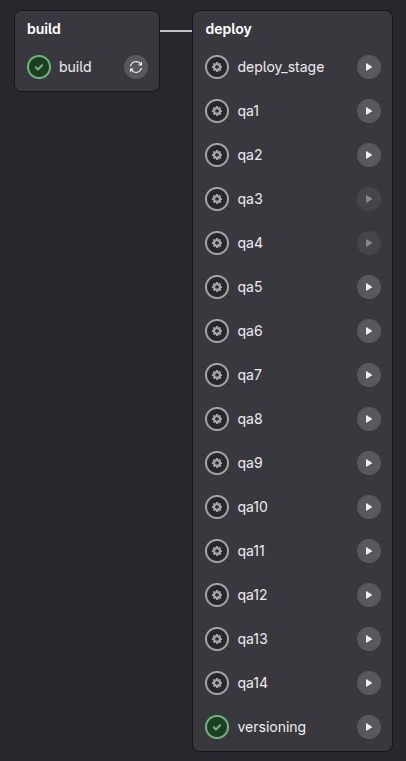
After pushing to master, "versioning" the job will be available in the pipeline.
The job creates a tag, GitLab release, and send release notes on Slack #release_notes_jl
GitLab Integration With Semantic Release
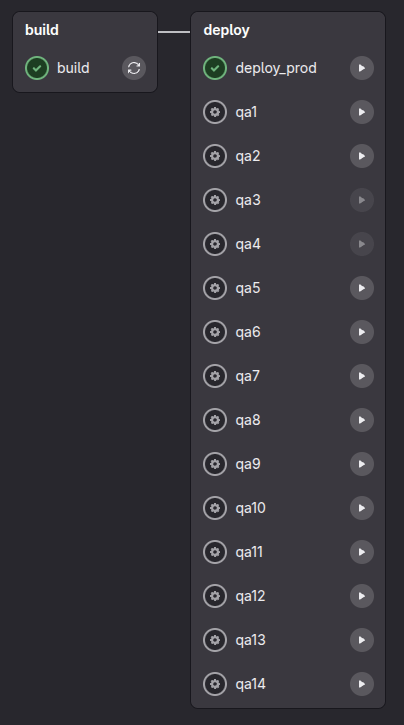
Deployment is initiated automatically after tag creation.
GitLab Releases
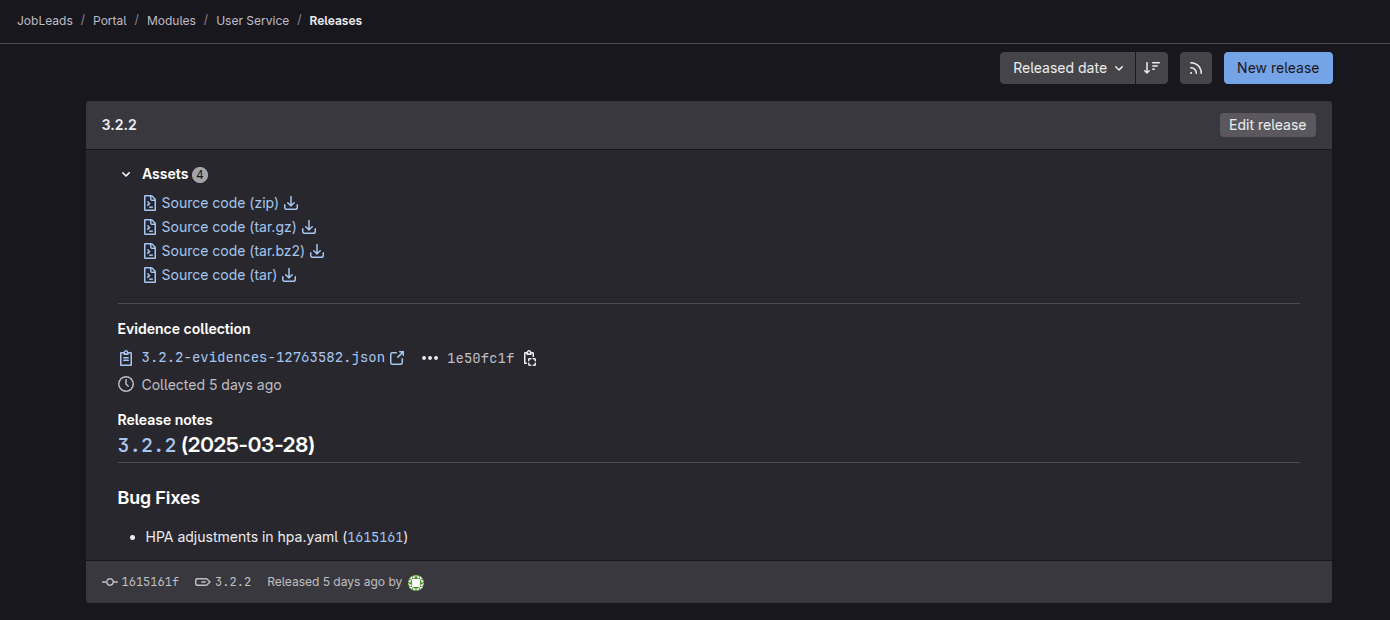
Slack Notifications
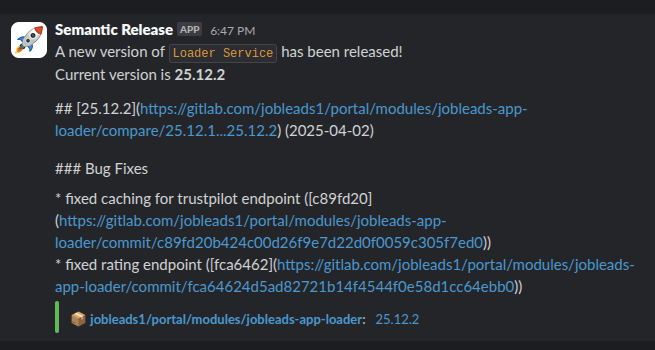
How to integrate?
- Integration is ready for:
- Loader service
- User service
- Job search service
- User history service
- Symfony service skeleton
- Monolith not gonna be integrated, but please use Conventional Commits anyway
- You should add integration for other services by yourself using PR as an example: https://gitlab.com/jobleads1/portal/modules/user-service/-/merge_requests/51/diffs
Resources
Thank you!
Questions?