Making of my cover page - Preliminary Task
Here are some screenshots of how I made my preliminary magazine.
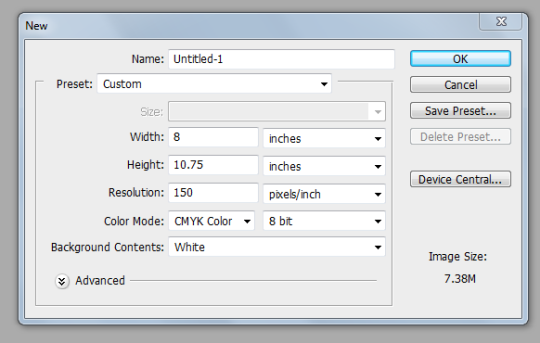
This is the magazine size I chose. The width is 8 and the height is 10.75. The colour resolution is 150. The resolution is basically the pixels. So if I decrease my resolution my picture will turn out to be blurry. I did not increase the colour resolution because I was working for the web. If you have to print something then the resolution goes up to 300.
When you select something the further properties open up. And then with the help of that you can further edit the magazine.
This is the tool bar with the help of which I did everything. I used the cropping tool, polygonal lasso tool, paint bucket, move tool etc.

When you select something the further properties open up. And with the help of that you can further add things to your work. We can change the font colour. The size of the text. And the space between the letters.
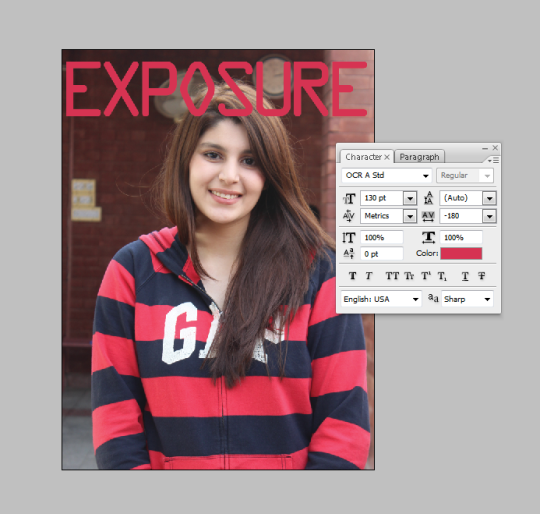
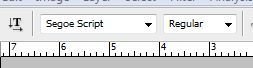
With the help of this I chose the font for my text and the font style that do I want my font to be bold or italic or narrow etc.

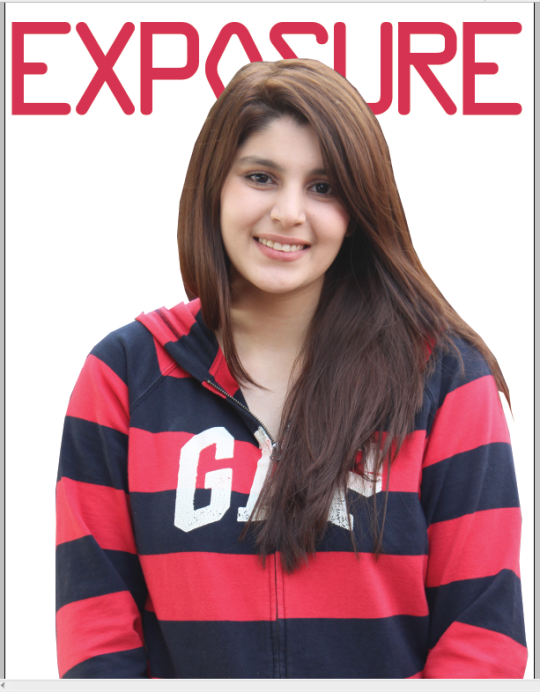
This is how I added the masthead in the background. And i cropped the picture using the polygonal lasso tool.
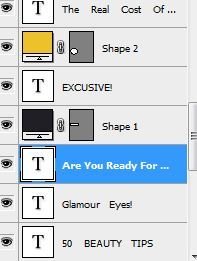
This appears on the bottom right hand of the page. These are the layers through which we can rearrange our work. This was something new for me to learn and was very convenient for me to use.

With the help of this I changed my font size and the yellow thingy there with the help of that you can change the colour of the font.