{
Container Internals
}
हैन के चै रछ?
Audience-
basic linux concept
-
experienced with container technologies
-
or eagerness to learn entirely new thing

ए हलो!! मलाई चिन्योContents
१.
२.
Underlying Linux Features


chroot/cgroup/namespaces/linux security features
३.
Introducing/Demo to the tools
nsenter, lsns, unshare, cgcreate, chroot
# Objective
What is a container

Demystifying the underlying magic behind containers
# Comparison
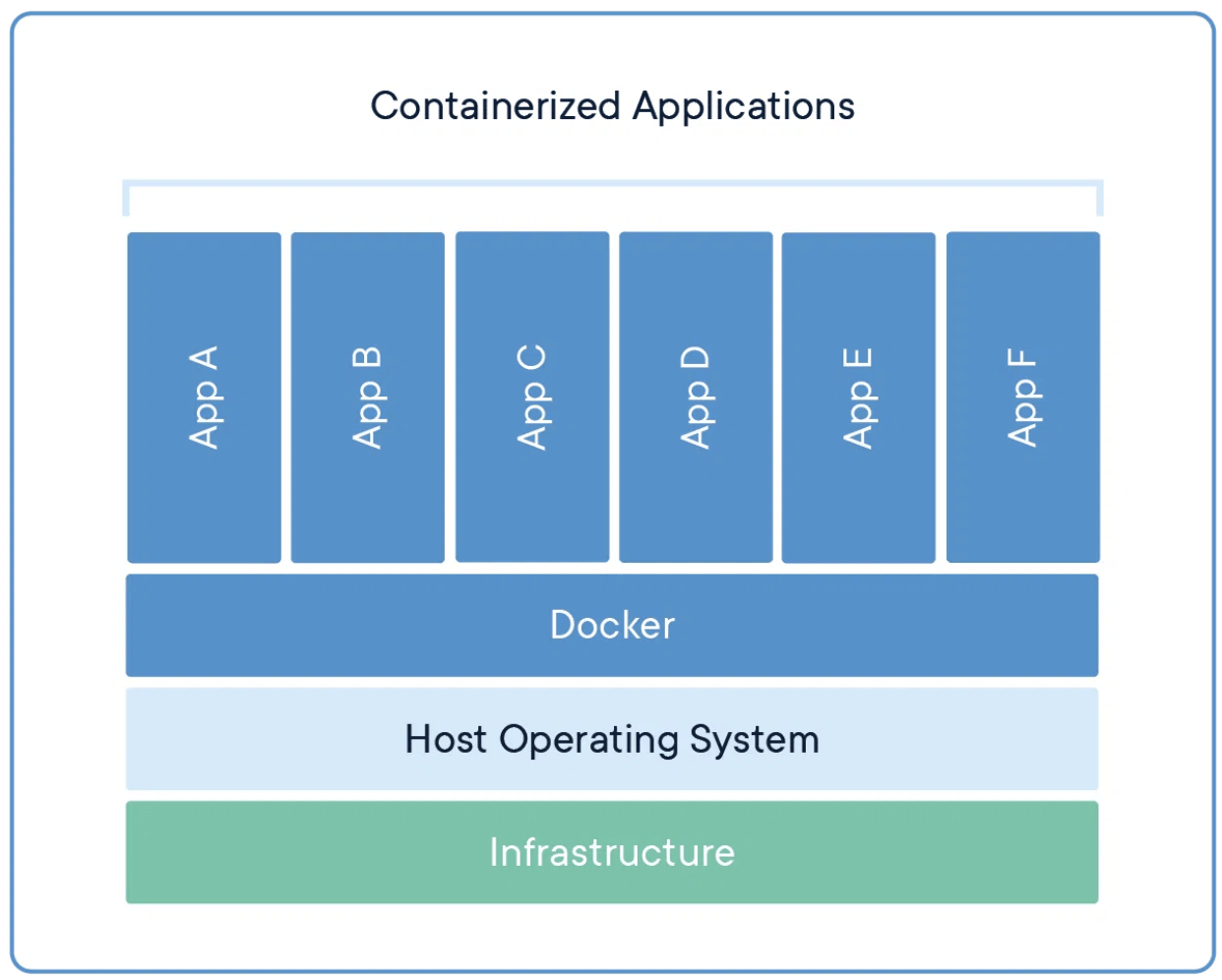
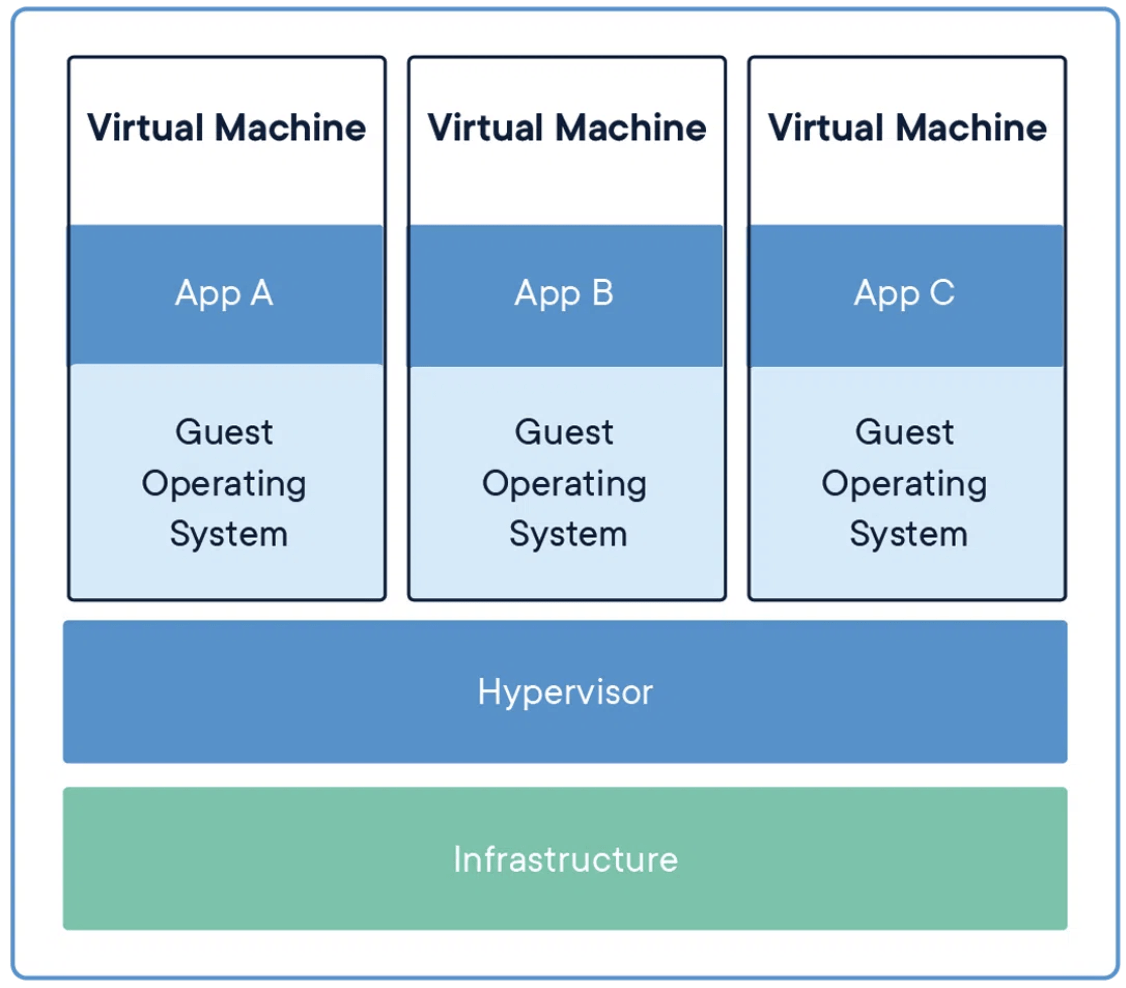

येसो गरे कसो होला? containers are not light weight VMs
| VMs | Containes |
|---|---|
| Heavy | Light weight |
| Resource Intensive | Resource Friendly |
| Better Isolated | Less Isolated |
| Shares underlying Hypervisor | Shares Underlying Host OS |
# Comparison
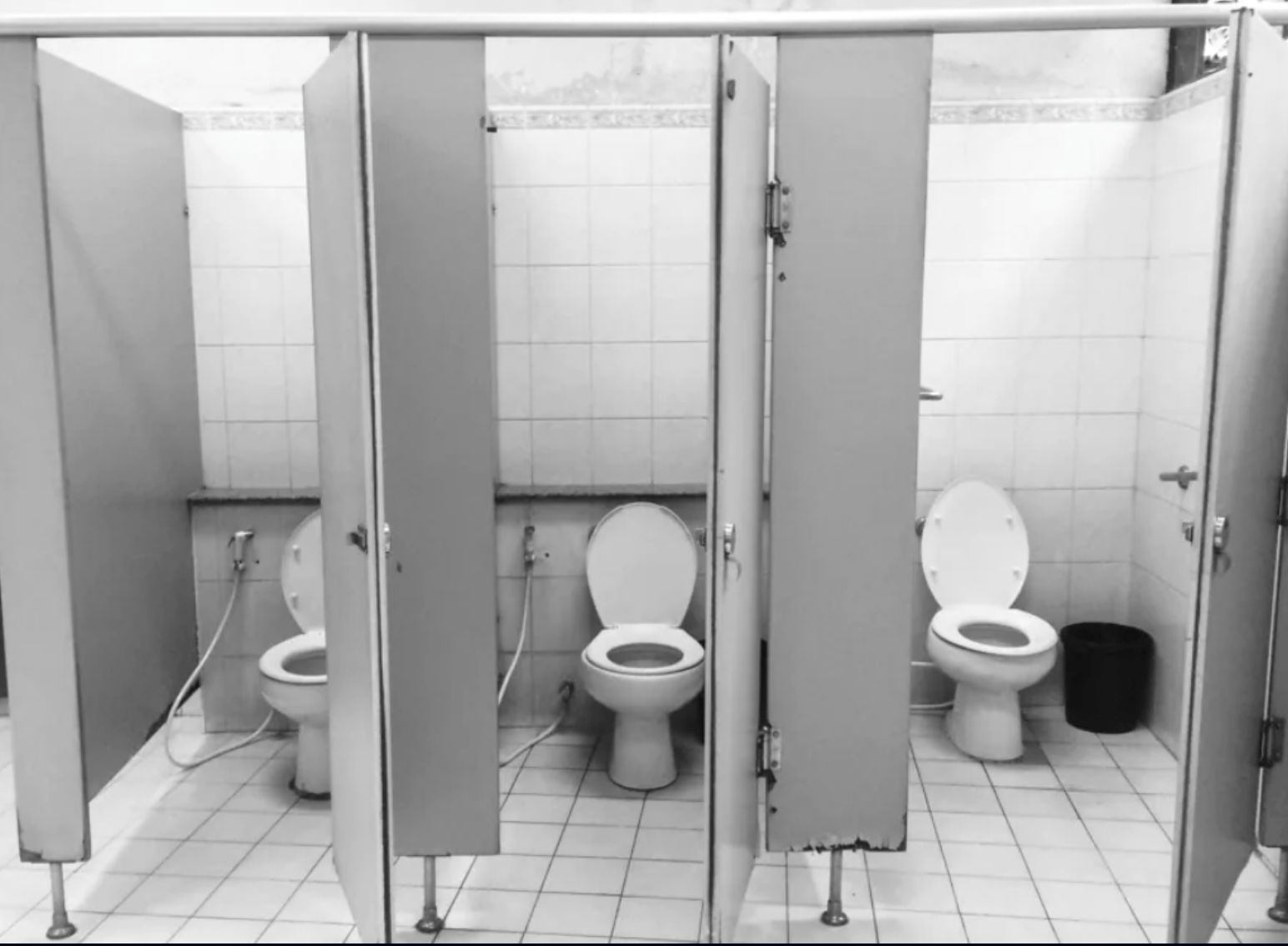
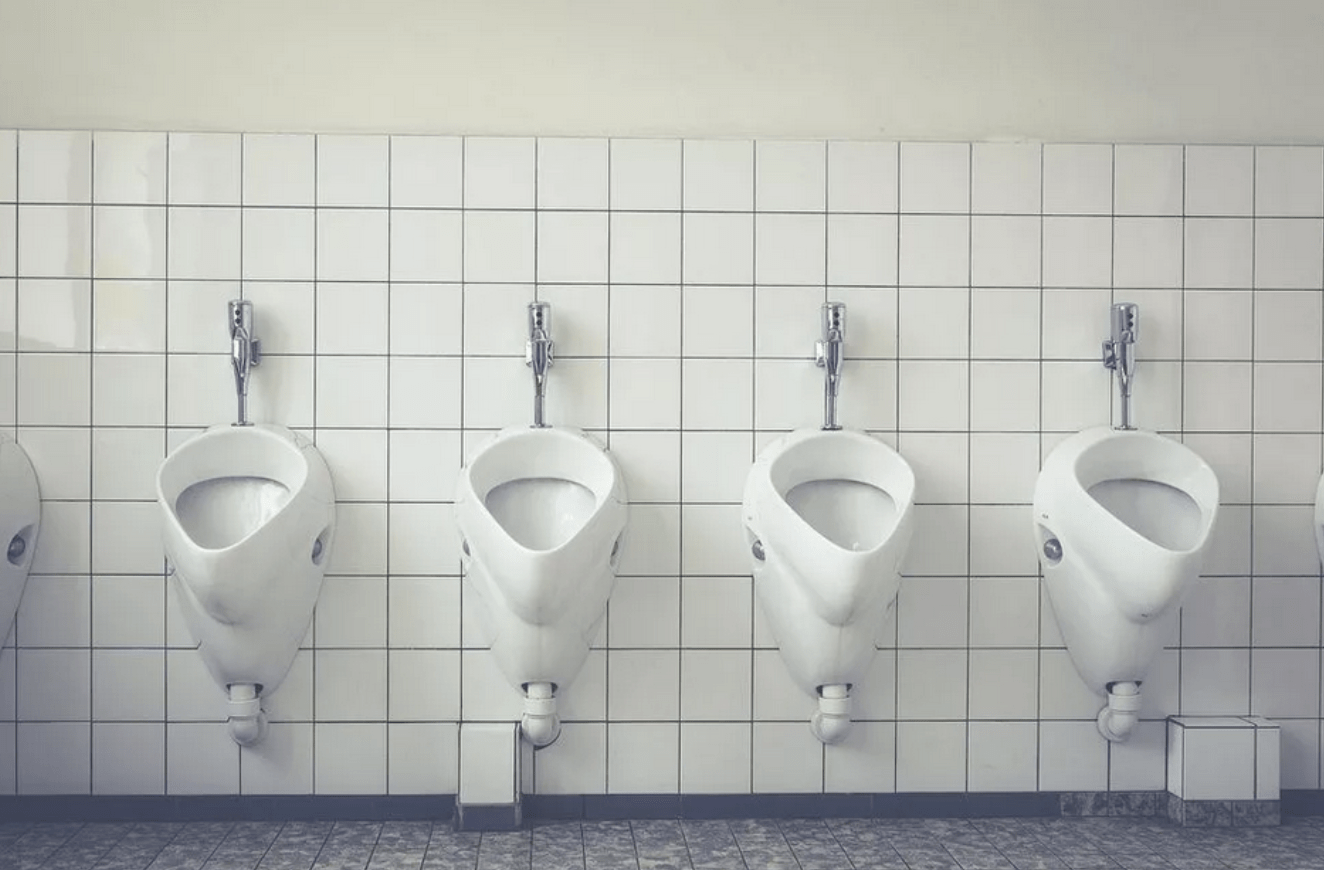
| VMs | Containes |
|---|---|
| Heavy | Light weight |
| Resource Intensive | Resource Friendly |
| Better Isolated | Less Isolated |
| Shares underlying Hypervisor | Shares Underlying Host OS |
VMs
Containers
येसो गरे कसो होला? containers are not light weight VMs
## Proof
watch ps -fC nginx

docker run --rm nginx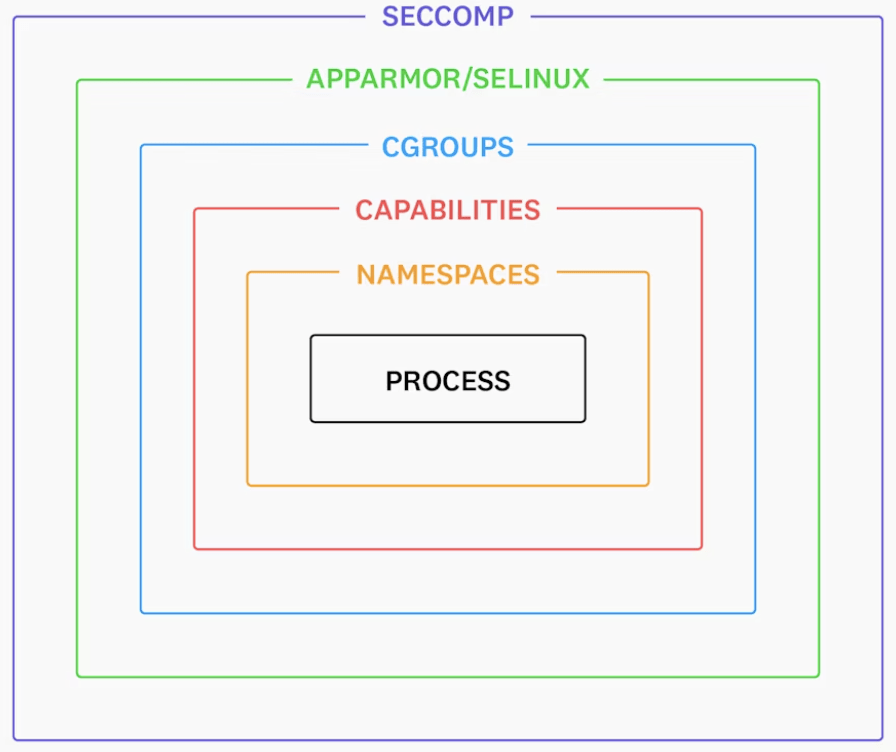
(containers == process)-
Container is just a linux process isolated in such way that it looks and feels like a separate operating system -
Isolation are created using following linux features:-
chroot -
namespaces -
cgroups -
linux capabilities/security modules
-
fig. containerized process१
Isolated FileSystem
and Dependency
Isolated Network
Isolated HostName
Secure
२
Isolated Process Table
Isolated User
Isolated Resource Usage
३
५
४
६
७
Isolations in Containers# CHROOT
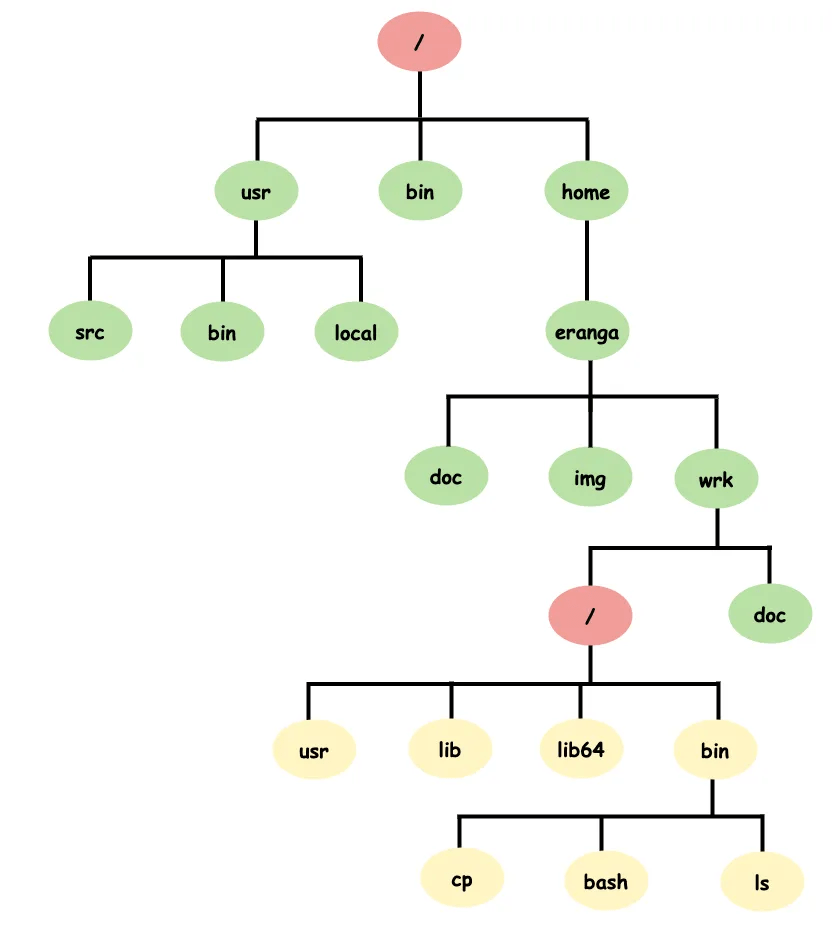
Chroot: Change Root Directory
-
chroot() syscall
-
Root directory is not absolute thing.
-
chrooted process live and die in the new root directory.
-
Chroot is also referred as chroot jail/jail.
-
Used to provide filesystem isolation.
# DEMO Time
Chroot Command Demo
## intro about the root and demo
ls -la /
ls -la /proc/self/root/

## create my own root and run ls -la command
mkdir newroot
lddtree -l `which bash`

mkdir -p newroot/{usr/bin,lib64/,lib/x86_64-linux-gnu}

cp /usr/bin/bash ~/newroot/usr/bin/
cp /lib64/ld-linux-x86-64.so.2 ~/newroot/lib64
cp /lib/x86_64-linux-gnu/libc.so.6 ~/newroot/lib/x86_64-linux-gnu/
cp /lib/x86_64-linux-gnu/libtinfo.so.6 ~/newroot/lib/x86_64-linux-gnu/

## run shell inside the chrooted environment
/vagrant/copy-dep.sh `which ls` ~/newroot/
sudo chroot ~/myroot ls -la /

## run demo docker hello-world program
sudo chroot ~/alpine /bin/sh
Description: run command or interactive shell with special root directory Syntax: chroot <directory> [command]
# Namespaces
Namespaces
Metaphorically
-
Namespaces are like rooms of a house -
each room provides different isolation -
each room has a unique room number
Details
-
There are different types of namespaces. -
each type partitions different resource type -
each namespace is identified with unique number
Wikipedia:
Feature of the Linux kernel that partition kernel resources such that one set of processes sees one set of resources, while another set of processes sees a different set of resources.
-
Feature of the Linux kernel -
Partitions kernel resources -
One set of processes sees one set of resources -
Another set of processes sees a different set of resources
१
PID NS
२
UTS NS
USER NS
Mount NS
TIME NS
८
Types of Namespaces
३
Network NS
Cgroup NS
IPC NS
४
५
६
७
# DEMO Time
Let's play with namespaces
lsns: list namespaces
lsns
lsns -p $$
ls /proc/<pid>/ns

watch ps -fC sh
docker run --name busybox --rm -it busybox
sudo lsns -p <pid>
sudo unshare --pid --mount-proc --fork
ps -ef
# DEMO Time
PID NS
-
unshare: creates and runs a process in a new namespace
unshare --pid --fork --mount-proc --net
ip link
python3 -m http.server 8080

## another terminal
ip link
curl localhost:8080
Network NS
docker run --rm -it --name busybox busybox httpd -fv
docker exec -it busybox /bin/sh
ps -fC httpd
sudo nsenter --target <pid> --net
sudo nsenter --target <pid> --net --pid --mount
# DEMO Time
nsenter
-
nsenter: run program in an existing namespace
-
Example Syntax: nsenter --target <pid> [namespaces]
sudo unshare --pid --fork --mount-proc --uts
export PS1="\h ~ "
hostname mycontainer
exec $SHELL
# DEMO Time
UTS NS
#### 1. without map root
unshare --pid --fork --mount-proc --uts --user
export PS1="\u@\h ~ "
ps -fC bash

#### 2. map root with non root user
unshare --pid --fork --mount-proc --uts --user --map-root
export PS1="\u@\h ~ "
ps -fC bash

#### 3. map root with root user
sudo unshare --pid --fork --mount-proc --uts --user --map-root
export PS1="\u@\h ~ "
ps -fC bash
# DEMO Time
USER NS
# DEMO Time
Remaining Namespaces
cgroups, time, mount, ipc
Cgroups(or control groups)
# Cgroup
-
cgroups is a Linux kernel feature that limits and isolates the resource usage (CPU, memory, disk I/O, etc.) of a collection of processes.
-
Engineers at Google started the work on this feature in 2006 under the name "process containers"
-
Later renamed to "control groups" to avoid confusion caused by multiple meanings of the term "container" in the Linux kernel context,
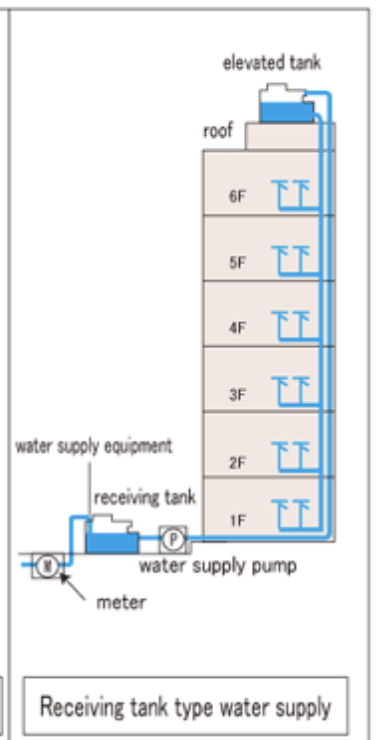
fig. water usage in a typical tenant setup# creating cgroup with ownership to a user
sudo cgcreate -a $USER -t $USER -g memory,cpu,pids:demo-groups
ls -la /sys/fs/cgroup/demo-groups
# limit the memory size to 10MB for that cgroup directly using filesystem
echo 0 > /sys/fs/cgroup/demo-groups/cpuset.mems
echo 10 > /sys/fs/cgroup/demo-groups/pids.max
echo 10000000 > /sys/fs/cgroup/demo-groups/memory.max
# run process in a namespace
sudo cgexec -g *:demo-groups /bin/bash
sudo cgexec -g *:demo-groups unshare --pid --mount-proc --fork
## test fork bomb
fork() {
fork | fork &
}
forkCgroups Demo
# Demo TIME
systemd, libcgroup can be used to play with cgroups
Security
pscap

docker run --rm -it --name busybox busybox sh
ping google.com
pscap | grep -i sh

docker run --rm -it --cap-drop=net_raw busybox sh
pscap | grep -i sh
ping google.com
# Linux Security
-
LSMs: apparmor, selinux
-
Seccomp
-
Capabilities
Security
KernelHardwarecontainer1container2container3sys call
DIY Container Runtime
sudo ship ps
sudo ship run ~/alpine /bin/sh
sudo ship exec <container-id>
sudo ship rm <container-id>
# DEMO Time
Resources
-
https://github.com/rbalman/ship
-
https://github.com/lizrice/containers-from-scratch
-
https://github.com/p8952/bocker
-
https://www.youtube.com/watch?v=7CKCWqUkMJ4&list=PLdh-RwQzDsaNWBex2I09OFLCph7l_KnQE&ab_channel=Datadog
-
https://wiki.archlinux.org/title/cgroups
Get in touch
- balman.rawat@gmail.com
- github.com/rbalman
- https://www.linkedin.com/in/rbalman/
Q&A