Managing
Global Variable
robustack.com
Global variables can be referred from any location with simple notation
rs:{gloVar.xxx}
in any text edit windows or in any command input windows.
Add Global Variable
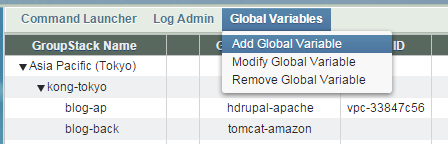
(1) Click "Global Variables" top menu in groupstack view and select "Add Global Variable".
(2) Add name and value as needed and click "Confirm"
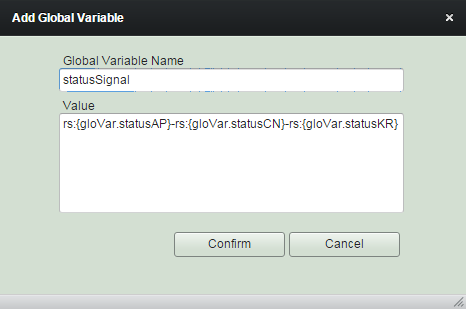
(3) 'Add Global Variable' completed.
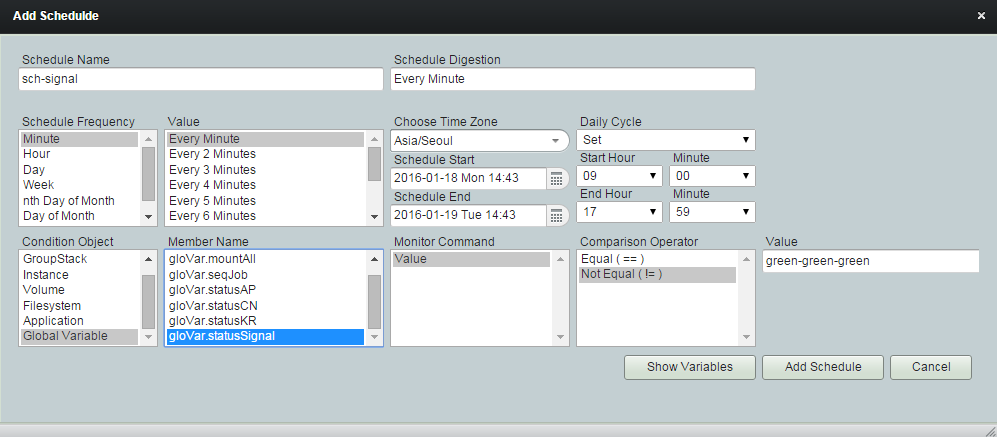
You may use it for schedule condition.
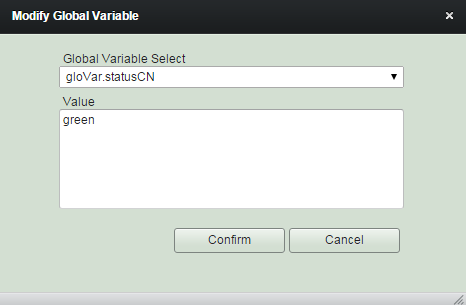
Modify Global Variable
(1) Click "Global Variables" top menu in groupstack view and select "Modify Global Variable".
(2) Modify value as needed and click "Confirm"
Remove Global Variable
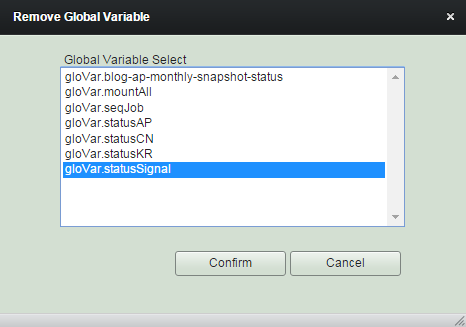
(1) Click "Global Variables" top menu in groupstack view and select "Remove Global Variable".
(2) Select variables to remove and click "Confirm"