Links and Images
In HTML
Tools to use

Here are the Download links:
Links and Images? 🤔
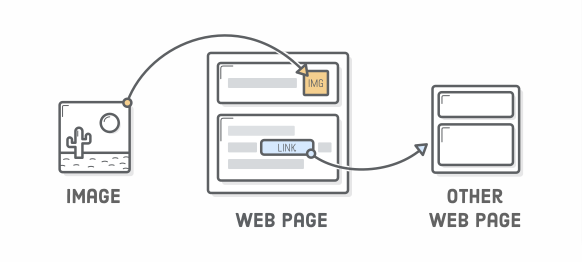
- Links point the user to a different HTML document, and images pull another resource into the page.
Link element 💡
<a href="URL"> Link text </a>URL - Link's destination
Link's Text - The visible part that one clicks
+
☝️
👍
-
Anchor tags are used to create links(hyperlinks)
- href -> attribute holds the URL that points to another page.
Absolute Links
<a href="https://nickelodeon.com"> Watch Sponge bob </a>- Absolute Links point to other web pages on the internet outside your webpage/website.
Relative Links
<a href="myfolder/aboutpage.html"> About Us Page </a>- Relative Links take us to other pages that are part of our website folder
Images - <img> 🎉
<img src="myfolder/spongebob.png" alt="image of sponge bob"/>src attribute defines the source of the image, this helps the browser to locate the image
alt attribute defines to the browser what the image is about.
+
- Adding alt attributes to your <img/> elements is a best practice.
- This has an impact on both search engines and users with text-only browsers (e.g., people that use text-to-speech software due to a vision impairment)